Learn about the entry points, supported data sources, and connectivity options for creating database data sources in Quick BI.
Usage limits
Only developer-type users whose workspace role includes data source creation (editing) permissions can create database data sources.
Entry points
Log on to the Quick BI console and create a data source by using any of the following methods.
-
Method 1: From an entry point outside a workspace
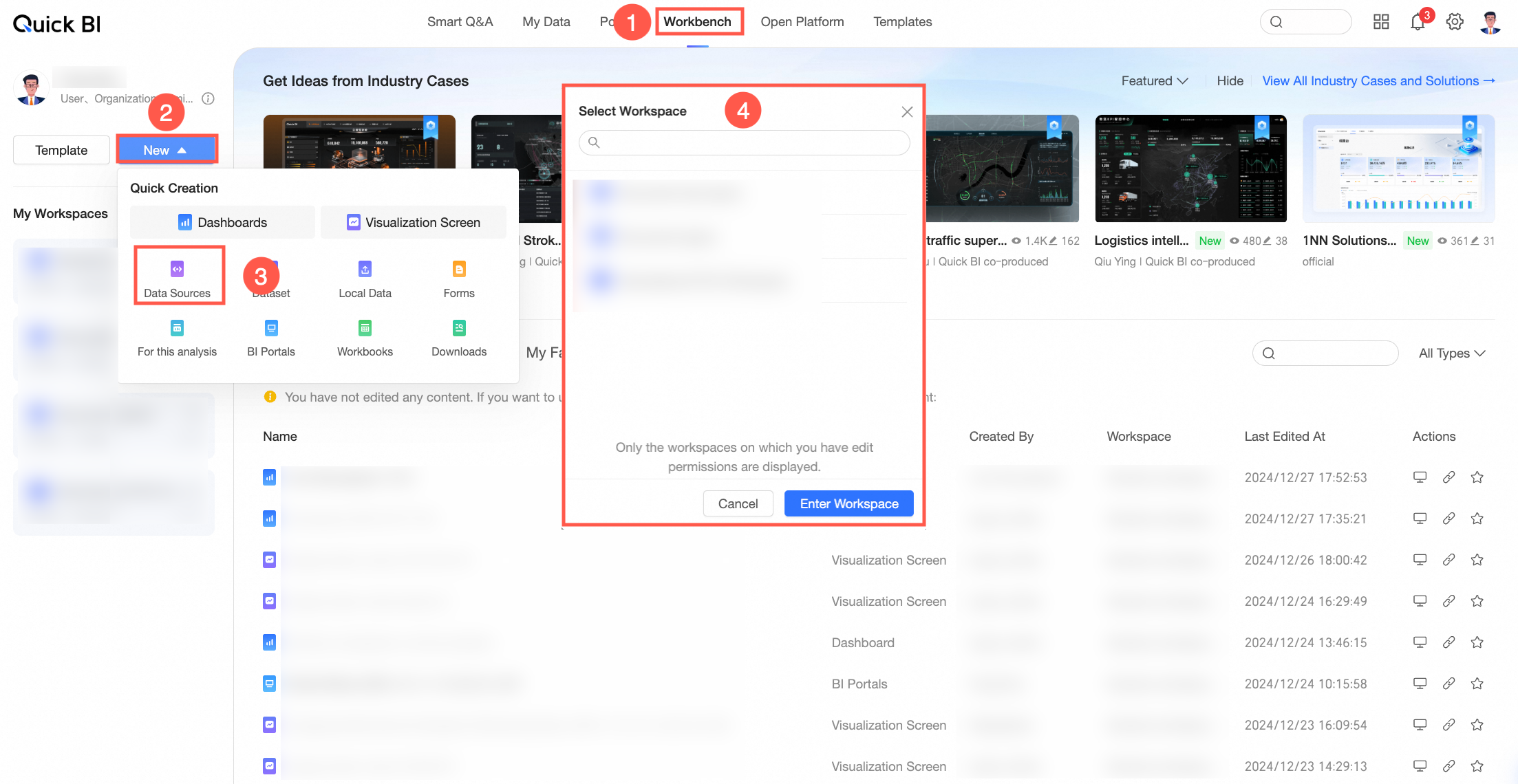
-
Method 2: From the Data Source module within a workspace
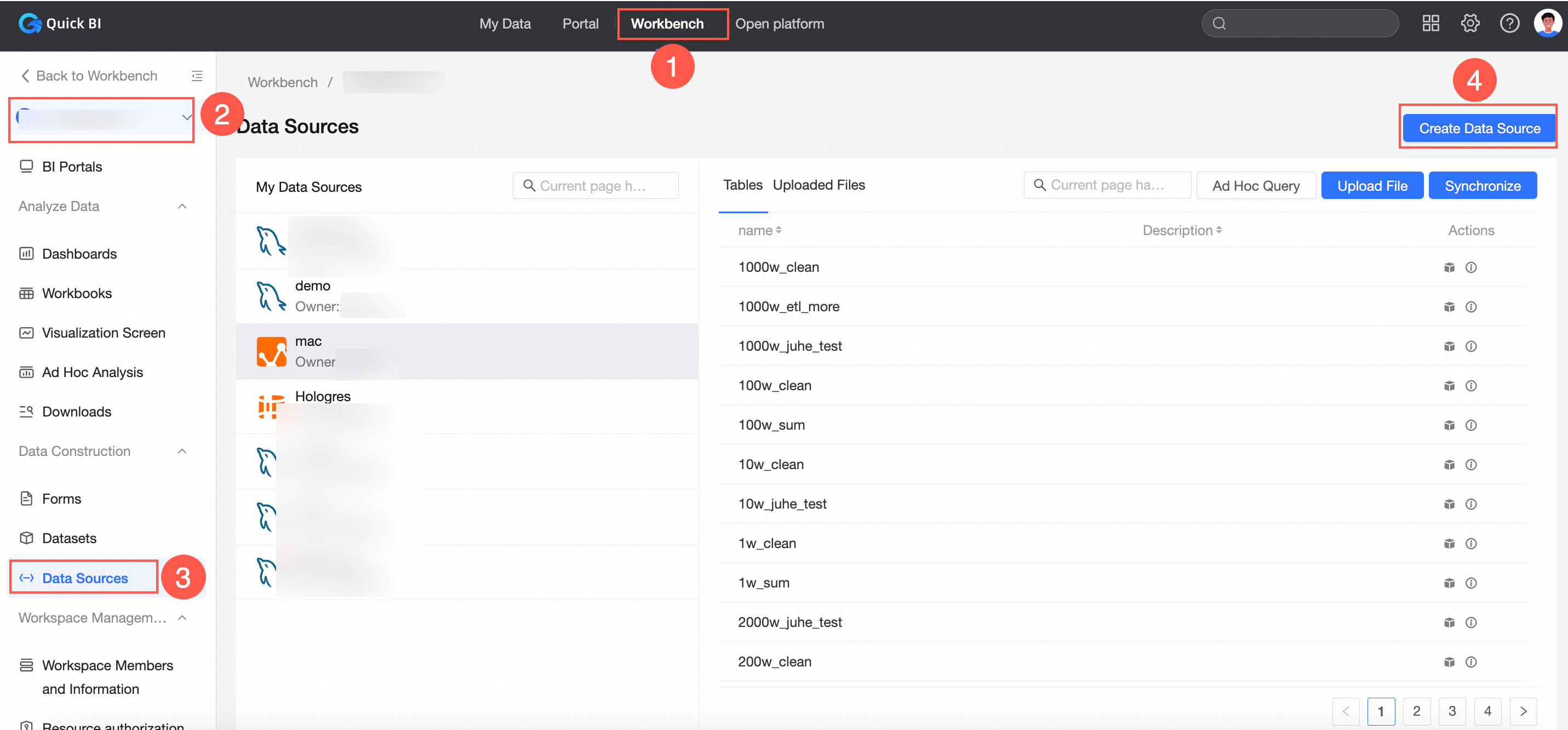
-
Method 3: From the resource list within a workspace
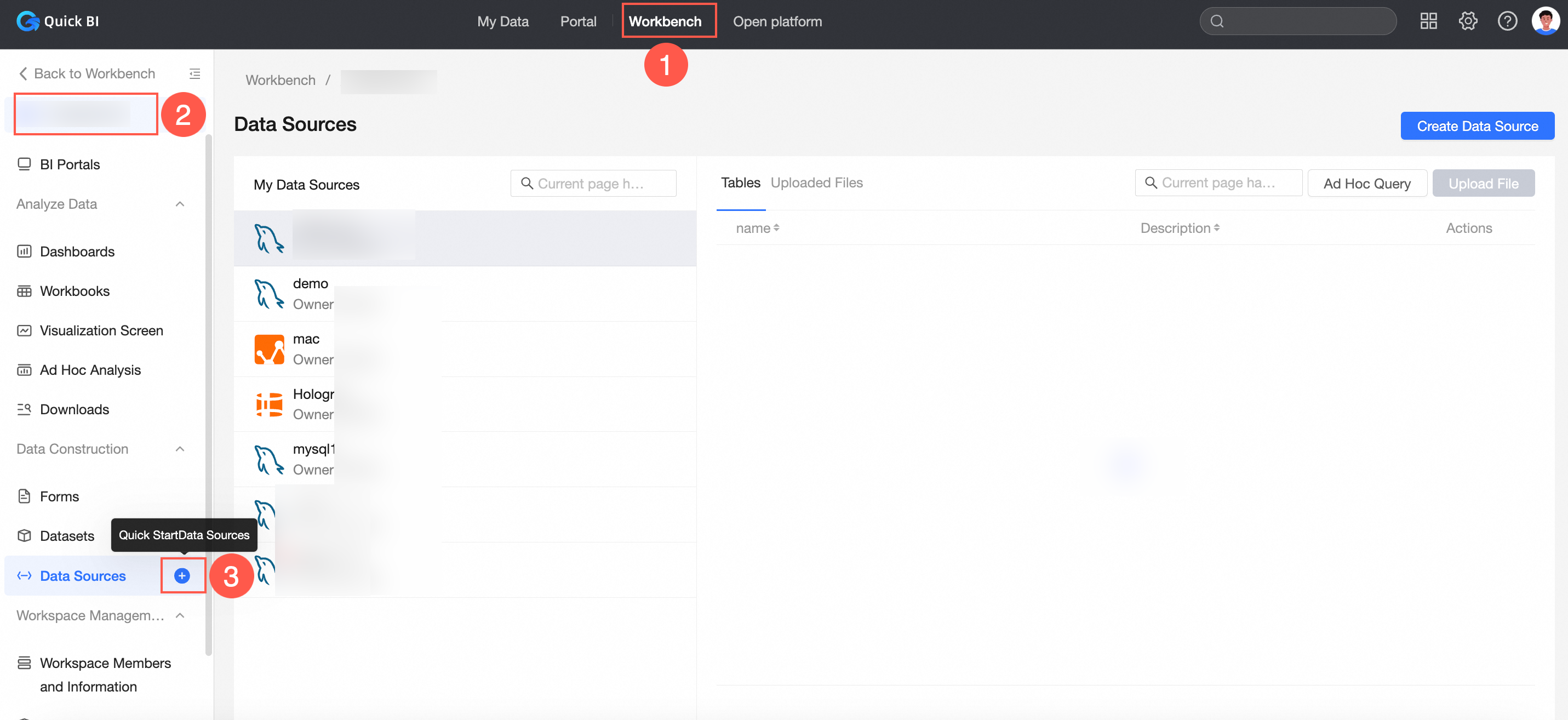
After you create a data source from any entry point, the Connect Data Source page opens for you to select and configure the data source.
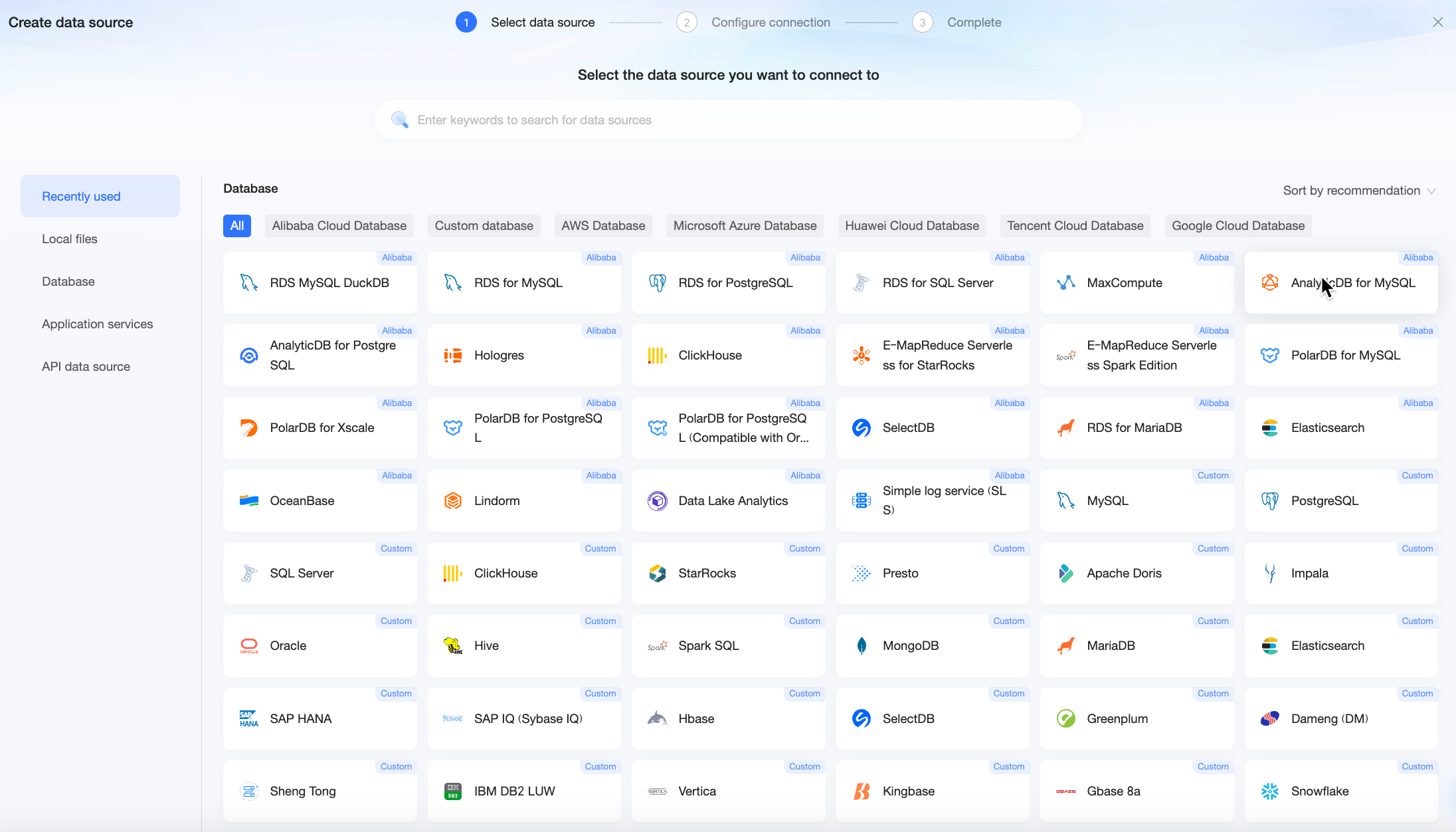
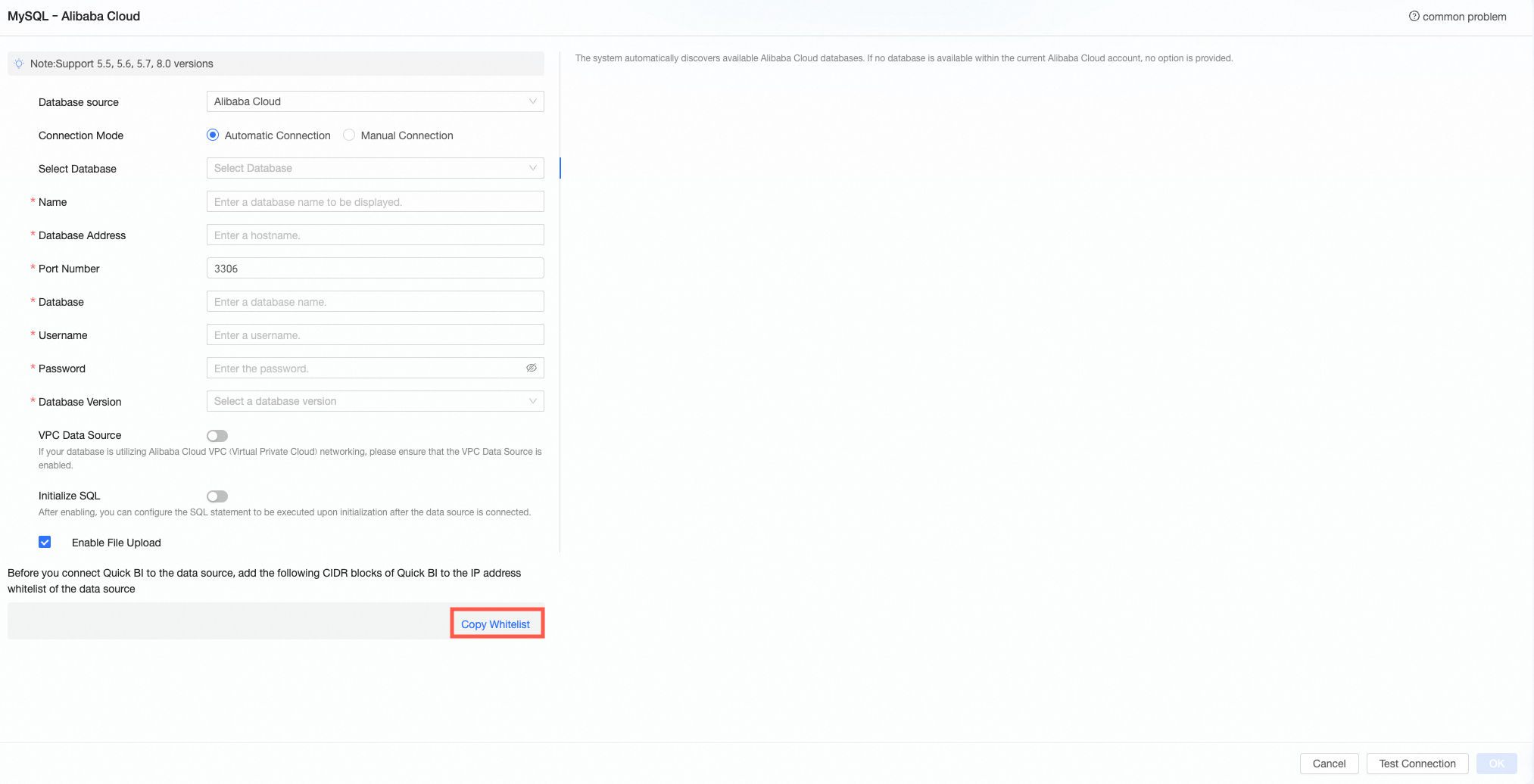
Copy whitelist
To connect Quick BI to a database over the Internet, add the Quick BI CIDR blocks to the whitelist of your database instance.
On the data source configuration page, click Copy whitelist to obtain the Quick BI IP addresses. The following example uses Alibaba Cloud MySQL.
Supported data sources
|
Data source |
Data source type |
|
MySQL |
|
|
Alibaba MaxCompute |
|
|
Alibaba AnalyticDB for MySQL |
|
|
SQL Server |
|
|
PostgreSQL |
|
|
Alibaba Hologres |
|
|
ClickHouse |
|
|
Alibaba AnalyticDB for PostgreSQL |
|
|
Presto |
|
|
Alibaba Data Lake Analytics |
|
|
Alibaba PolarDB for MySQL |
|
|
Oracle |
|
|
Hive |
|
|
Alibaba PolarDB Distributed Edition |
|
|
Alibaba PolarDB for PostgreSQL |
|
|
SAP HANA |
|
|
Alibaba PolarDB for Oracle |
Alibaba Cloud PolarDB for PostgreSQL (Compatible with Oracle) |
|
IBM DB2 LUW |
|
|
Vertica |
|
|
Alibaba Lindorm |
|
|
Alibaba OceanBase |
|
|
SAP IQ (Sybase IQ) |
|
|
Kingbase |
|
|
Gbase 8a |
|
|
Impala |
|
|
Snowflake |
|
|
Kylin |
|
|
Spark SQL |
|
|
MongoDB |
|
|
Apache Doris |
|
|
Dameng (DM) |
|
|
TiDB |
|
|
MariaDB |
|
|
StarRocks |
|
|
SelectDB |
|
|
Alibaba SLS |
|
|
Huawei GaussDB |
|
|
Huawei GaussDB(DWS) |
|
|
Elasticsearch |
|
|
TDSQL-H LibraDB |
|
|
Shentong |
|
|
Greenplum |
|
|
Aurora MySQL |
|
|
Aurora PostgreSQL |
|
|
RedShift |
|
|
Databricks |
|
|
Amazon Athena |