Quick BI V4.6 introduces Log Service data sources, enhanced dashboard interactions, new chart capabilities, and an upgraded monitoring and alerting system.
Release date
June 29, 2023
data sources
-
Alibaba Cloud Log Service (SLS) is supported as a data source.
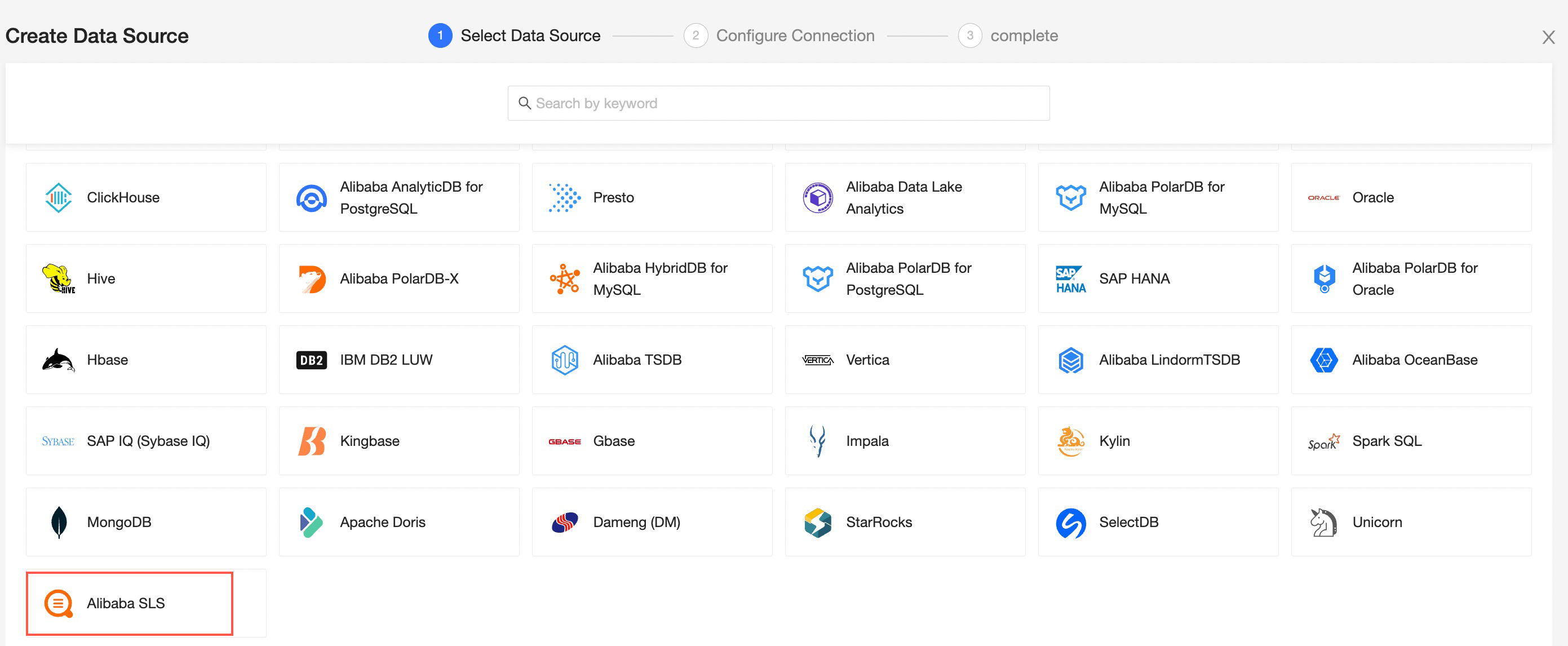
For more information, see Alibaba Cloud SLS.
-
Data filling supports DM Database (Dameng).
For more information, see Create a form.
Datasets
-
Datasets support HINT statements.
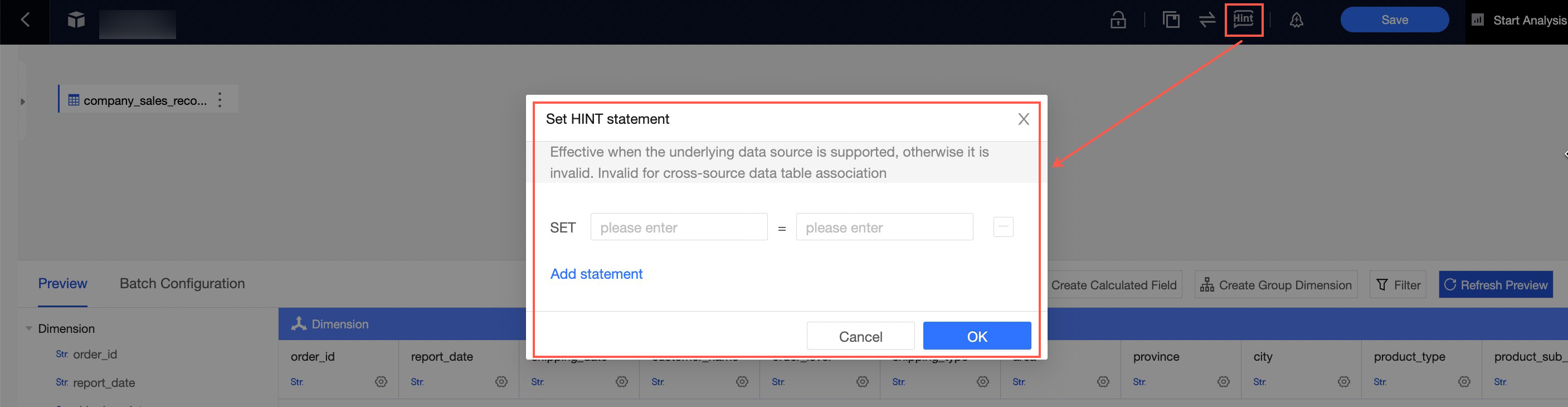
For more information, see Create and manage datasets.
-
Dataset field descriptions can be synchronized to data works.

For more information, see Create and manage workspaces.
Dashboards
-
Dashboard chart guide lines support custom styles, and the ranking chart now includes a guide line feature.

-
On the chart preview page, you can hide additional action buttons for a cleaner preview.

For more information, see Theme design.
-
Query controls allow you to configure whether null values are displayed.
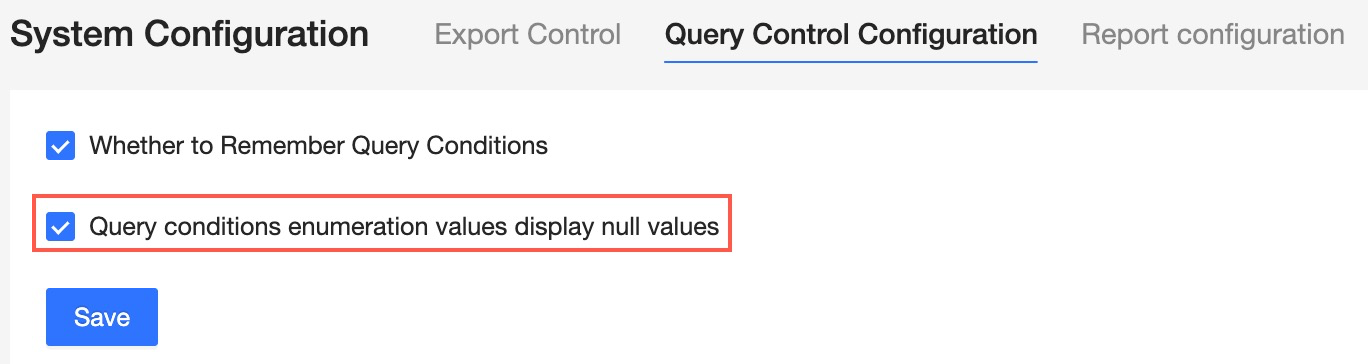
For more information, see Query control configurations.
-
In the Data Panel, you can customize the display format for negative numbers, such as displaying them in parentheses.
For more information, see Visualization configuration.
-
You can configure the grid count in the dashboard layout and adjust the size and position of pop-up windows.

For more information, see Raster settings.
-
You can set the background color for story lines.

See Story Builder.
-
Query controls are enhanced. Controls of the same type can be associated through switch selection, and tree drop-downs support up to 10 levels.
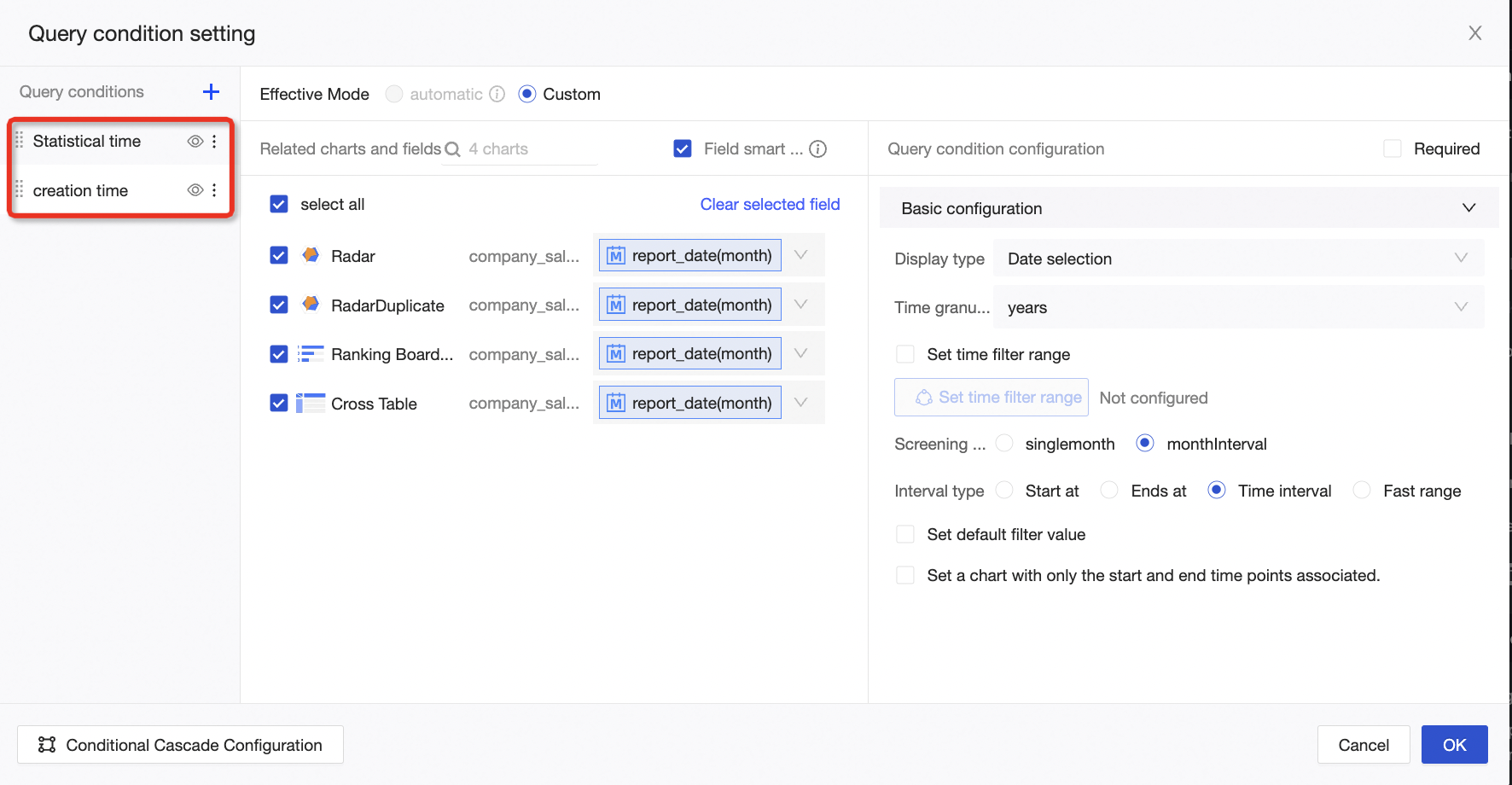
For more information, see Create a filter bar.
Create a chart
-
You can configure a target value for a leaderboard.
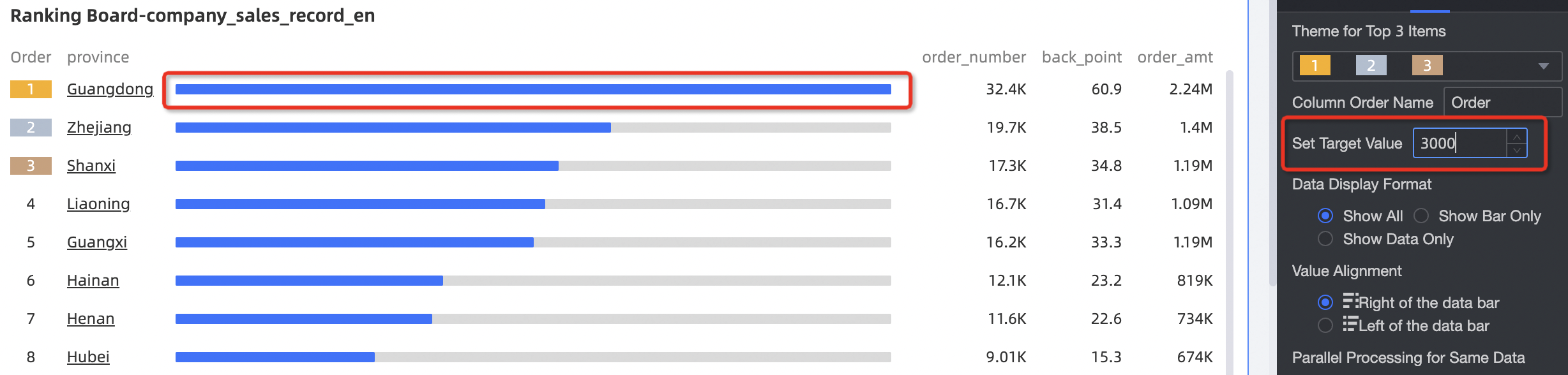 For more information, see Leaderboards.
-
Radar charts support null value handling.
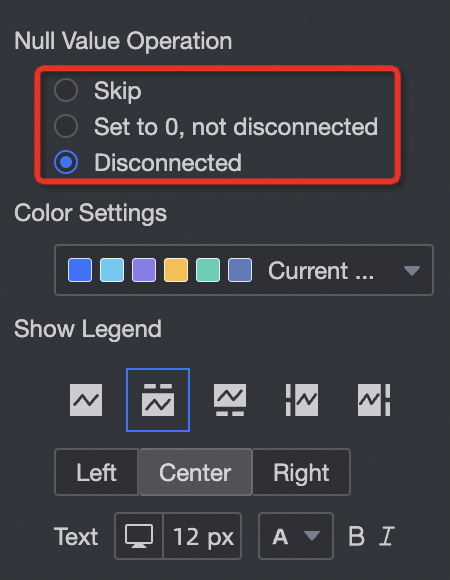
For more information, see Radar charts.
-
Stacked and 100% stacked column charts support displaying both totals and percentages.
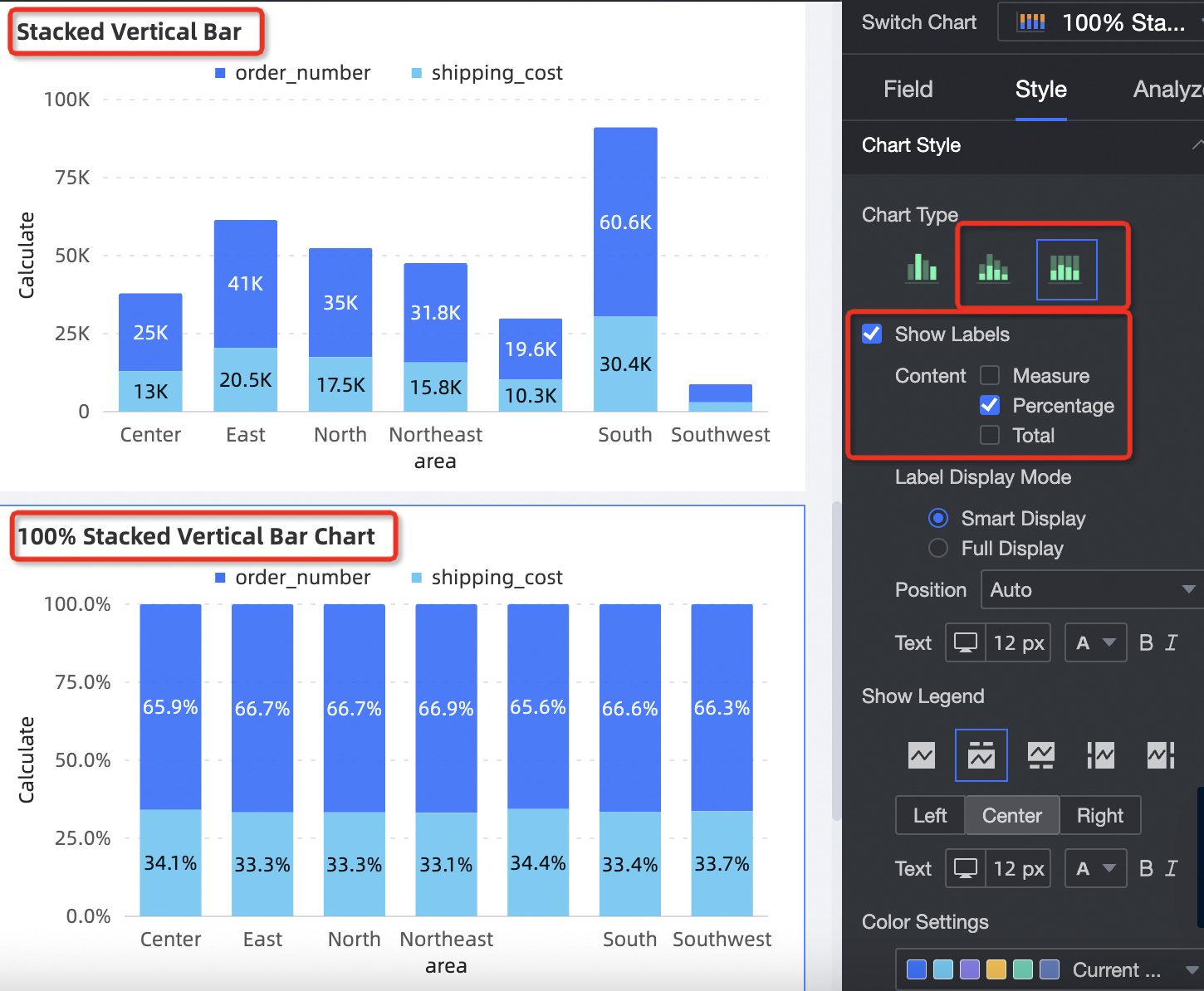 See column chart.
-
Cross tables now include a scroll bar. You can choose between scroll-on-hover and always-visible display modes, configure the scroll bar thickness, and add sorting options.
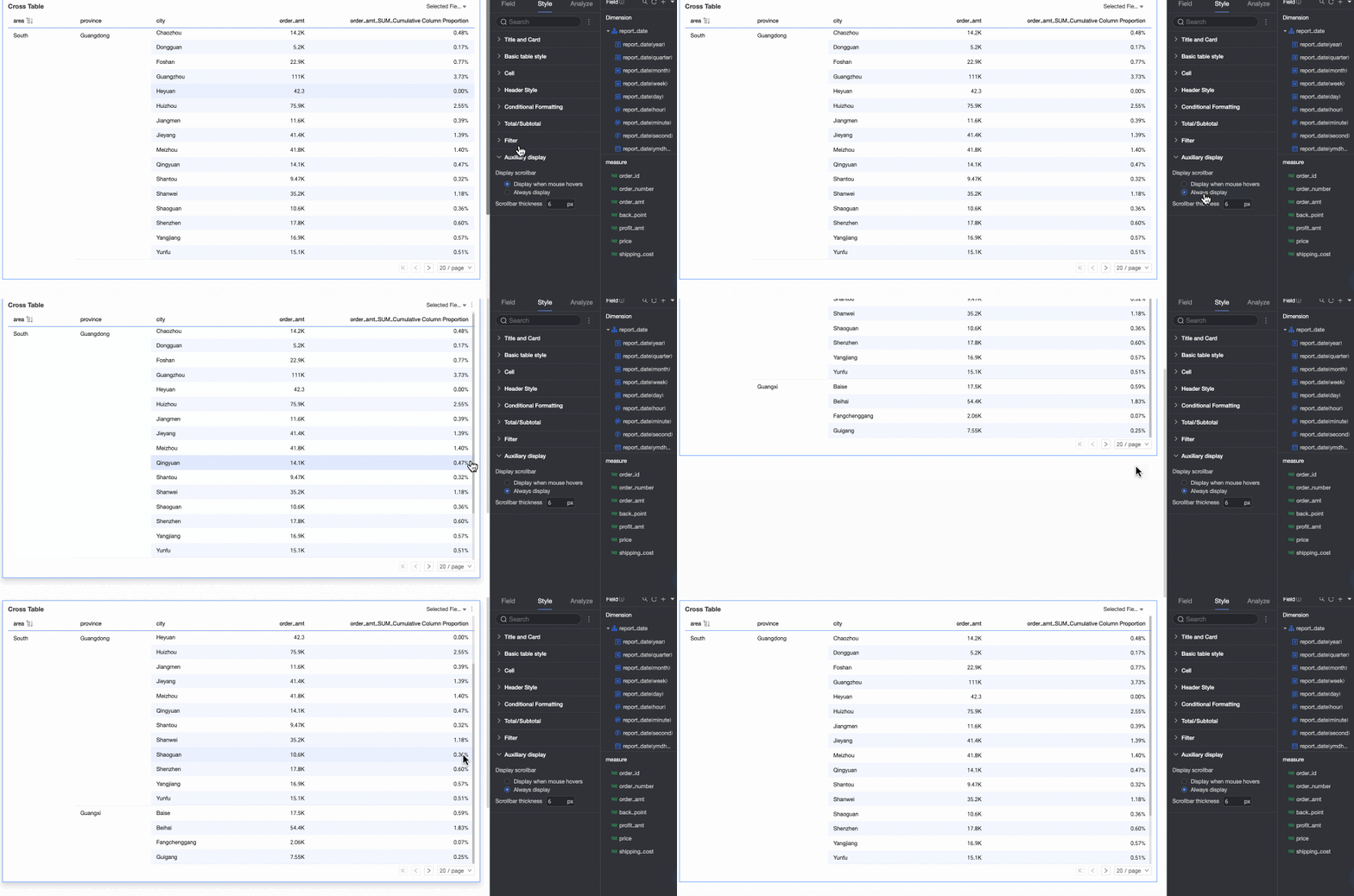
For more information, see Cross tables.
-
You can use scatter charts or bubble charts to draw trajectories.
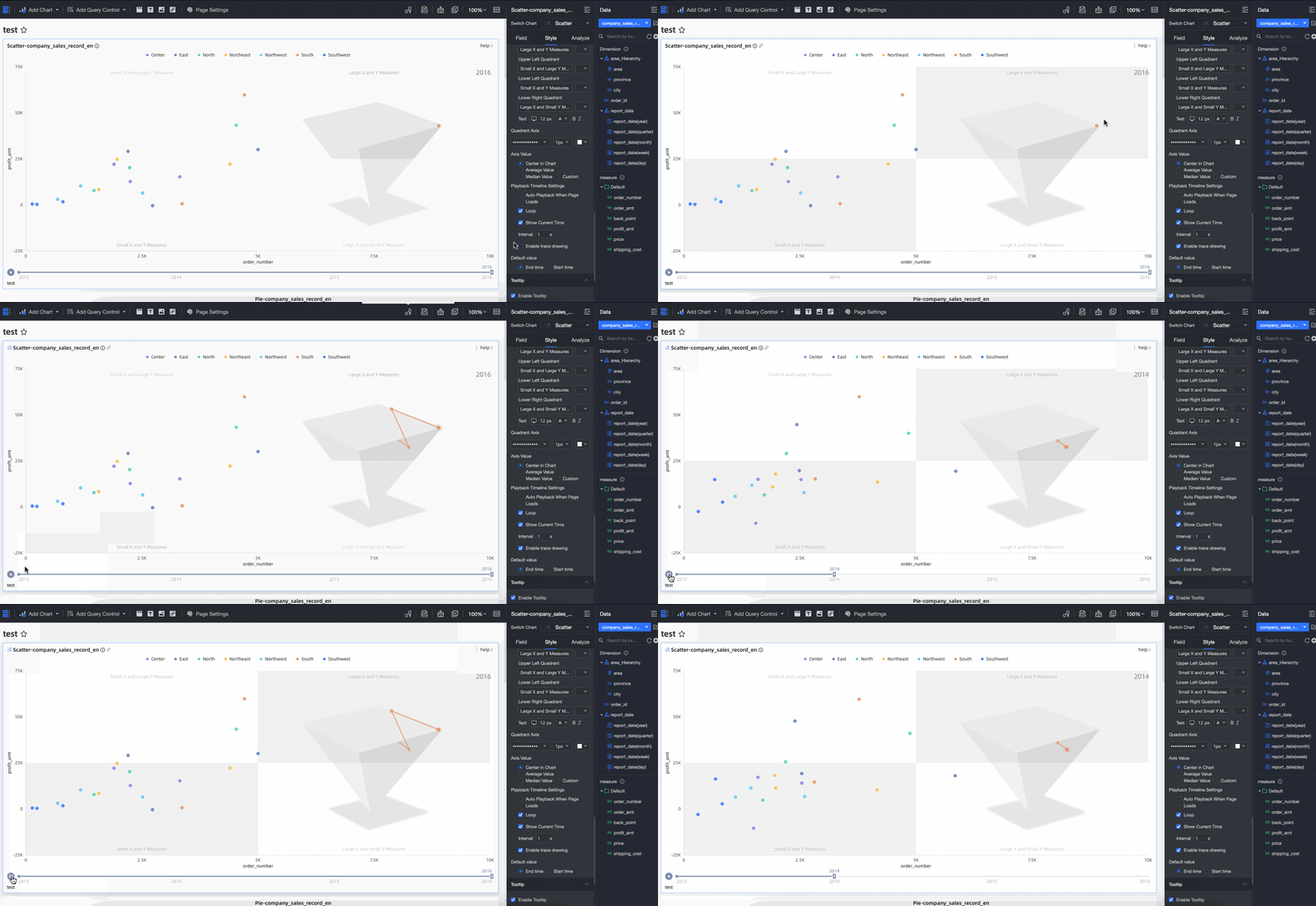 See Scatter chart /
Hologres
-
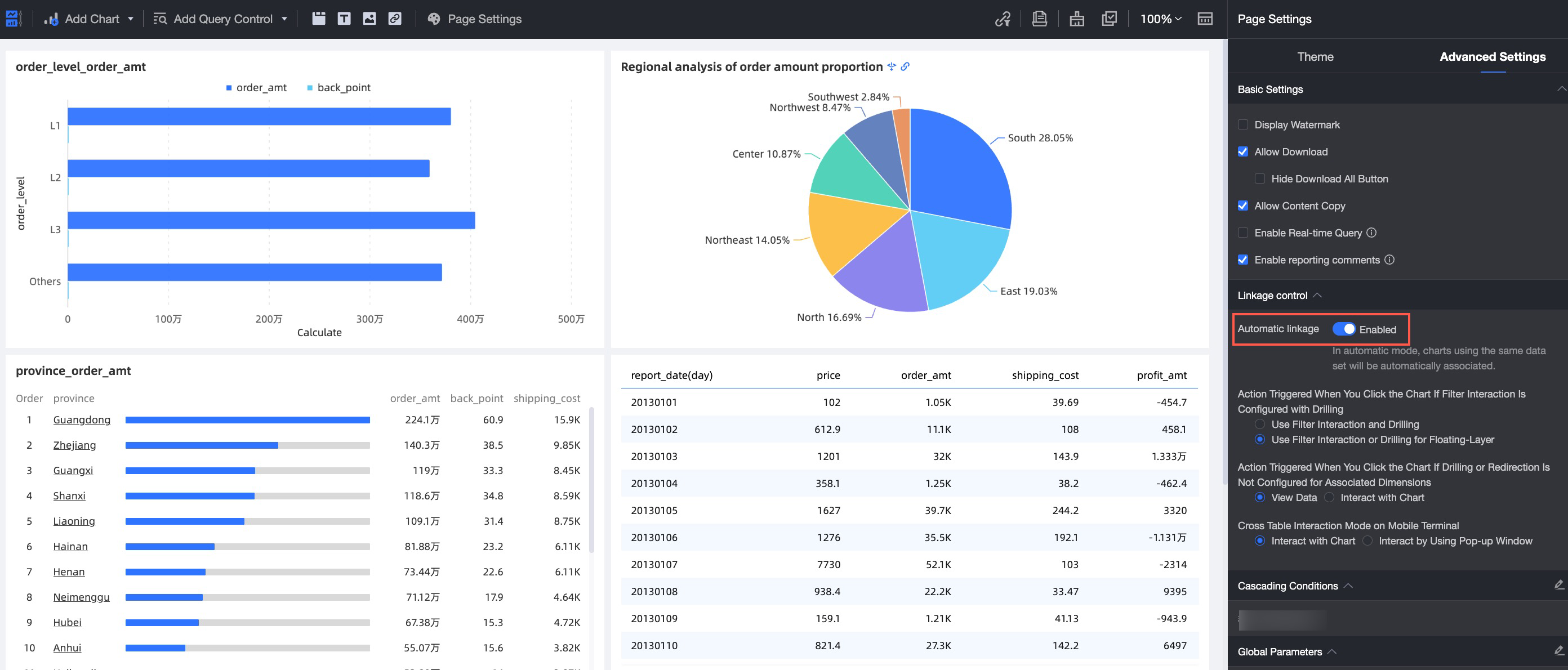
Dashboard charts from the same data source support automatic linkage with simplified configuration.
-
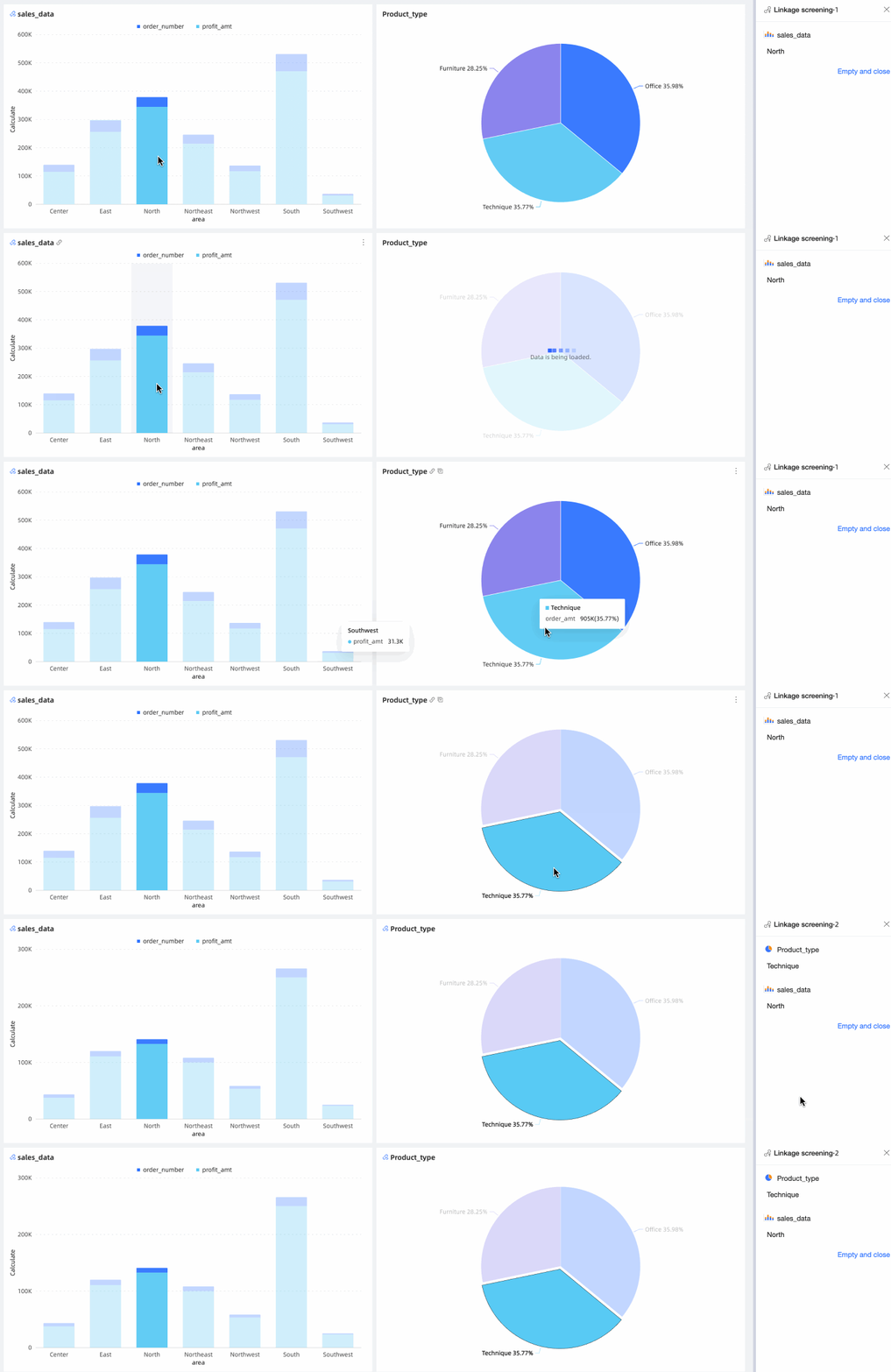
Dashboard charts support bidirectional linkage for richer chart interactions.
-
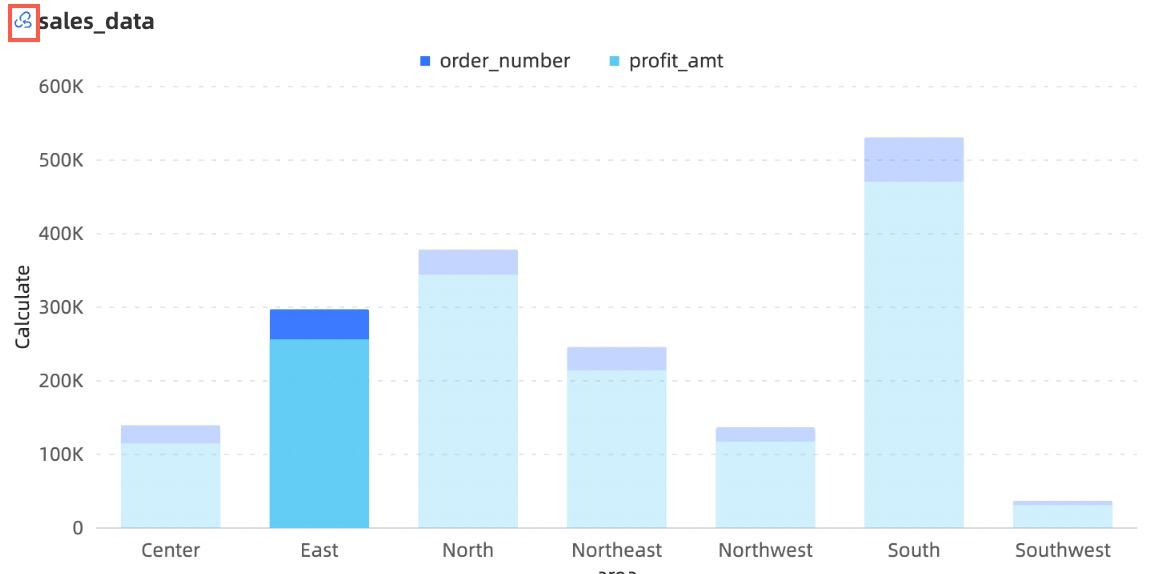
A dedicated cancel-linkage button allows you to quickly remove linkage between charts.
-
After jumping to a new page, you can navigate back. Multi-level jumps carry the query controls from the original page.

-
During drill-down, you can display auxiliary fields to provide supplementary information.

-
The drill breadcrumb position is adjustable.
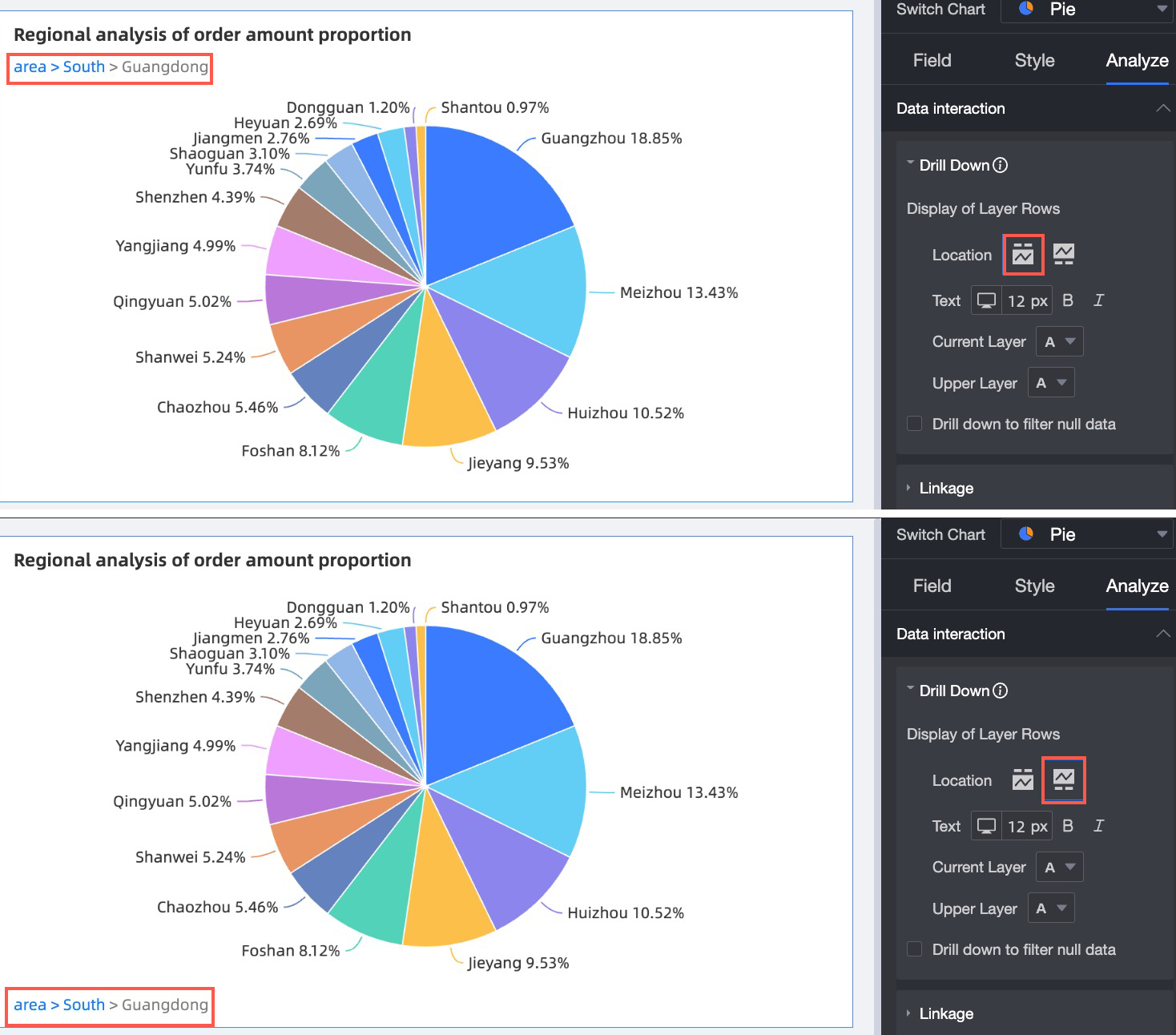
-
Status icon settings are added. You can customize the display of the interactive analysis button and adjust the theme color to match your enterprise style.

For more information, see Drill, Link, and Jump.
Monitoring alerts (new)
-
The permission system is improved for better data security and easier metric management.
-
Monitoring configuration is enhanced. You can synchronize and modify dashboard data filter conditions, select all dimension values for dimension splitting, and use complex combination logic for alert rules.
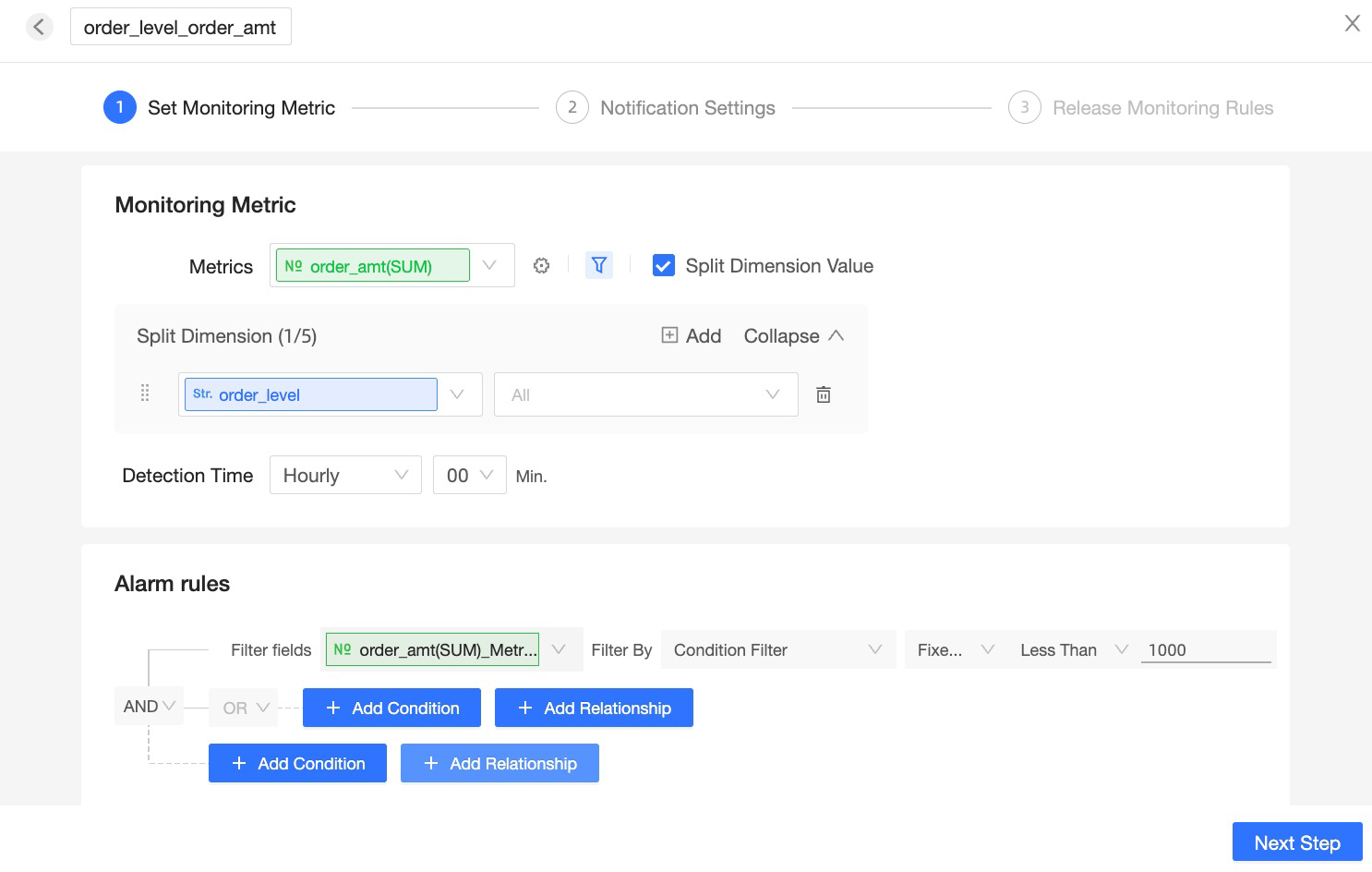
For more information, see Configure monitoring and alerting.
-
The alerting experience is optimized with more flexible alert schedules. Combined alerts for multiple exceptions help reduce alert noise.
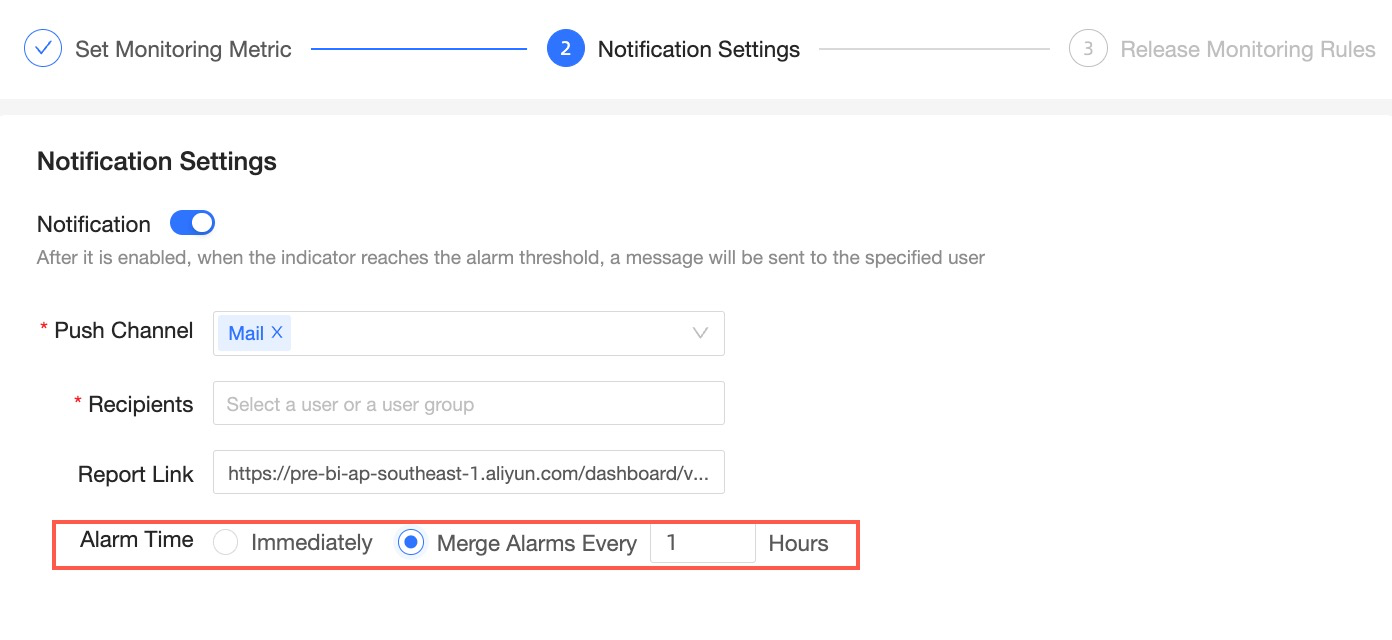
For more information, see Configure monitoring and alerting.
-
The metric monitoring center is upgraded. You can view detailed dimension-split metric data and focus on metrics of interest for easier metric management.
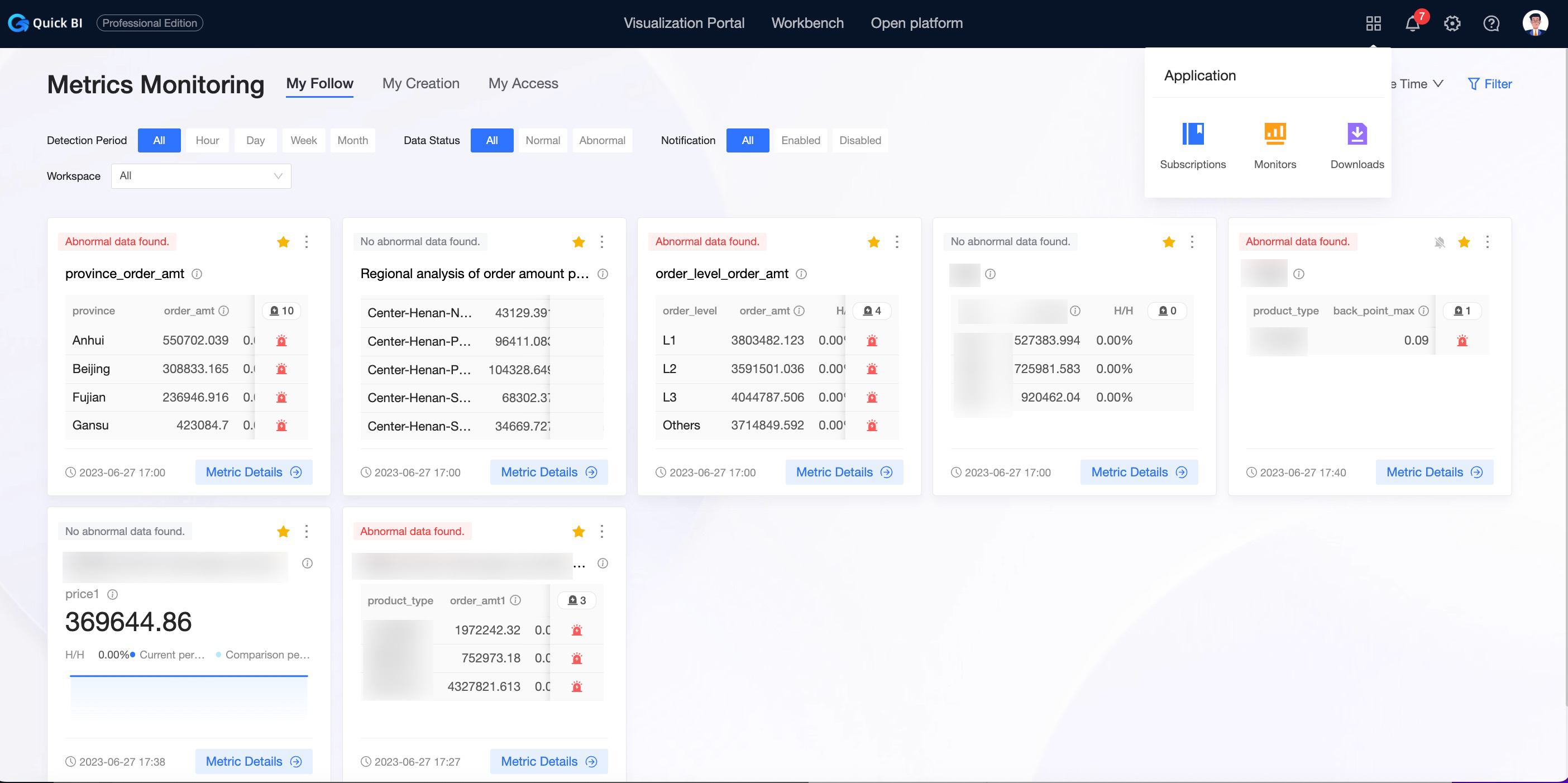
For more information, see View alert information.