Data Studio is an intelligent data lakehouse development platform that integrates with Alibaba Cloud computing services for ETL, data catalog management, and cross-engine workflow orchestration. With personal development environments, Notebook analysis, Python support, Git integration, and a rich plugin ecosystem, it unifies real-time and offline processing with AI across the full Data+AI lifecycle.
Data Studio
Data Studio is an intelligent data lakehouse development platform built on Alibaba's big data best practices. It integrates with Alibaba Cloud big data and AI services such as MaxCompute, E-MapReduce, Hologres, Flink, and PAI, and provides intelligent ETL development for data warehouses, data lakes, and OpenLake architectures. Key features include:
-
Data lakehouse and multi-engine support
Seamlessly access data across data lakes (such as OSS) and data warehouses (such as MaxCompute) through a unified data catalog and a rich set of engine nodes to enable multi-engine hybrid development. -
Flexible workflows and scheduling
Use a rich set of flow control nodes to visually orchestrate cross-engine tasks in a workflow. The platform supports both time-driven periodic scheduling and event-driven trigger-based scheduling. -
Open Data+AI development environment
Build a flexible AI research and development workstation with a personal development environment that allows for custom dependencies, a Notebook that supports mixed SQL and Python coding, and features like dataset management and Git integration. -
Intelligent assistance and AI engineering
The powerful built-in Copilot assists you throughout the code development process. Professional PAI algorithm nodes and large model nodes provide native support for end-to-end AI engineering.
Key concepts
|
Concept |
Definition |
Core value |
Keywords |
|
Workflow |
A unit for organizing and orchestrating tasks |
Enables dependency management and automated scheduling for complex tasks. A workflow serves as the container for development and scheduling. |
Visual, DAG, periodic/trigger-based, orchestration |
|
Node |
The smallest execution unit in a workflow |
Where you write code and implement specific business logic. A node is the atomic operation for data processing. |
SQL, Python, Shell, Data Integration |
|
Custom image |
A standardized snapshot of an environment |
Ensures environment extensibility, consistency, and reproducibility. |
Environment freezing, standardization, replication, consistency |
|
Scheduling |
Rules for automatically triggering tasks |
Automates data production by converting manual tasks into automated, production-ready workloads. |
Periodic scheduling, trigger-based scheduling, dependency, automation |
|
Data Catalog |
A unified metadata workbench |
Organizes and manages data assets (such as tables) and compute resources (such as functions and resources) in a structured manner. |
Metadata, table management, data profiling |
|
Dataset |
A logical mapping to external storage |
Connects external unstructured data (images, documents) to the development environment, serving as a key data bridge for AI development. |
OSS/NAS integration, data mounting, unstructured data |
|
Notebook |
An interactive Data+AI development canvas |
Combines SQL and Python code to accelerate data exploration and algorithm validation. |
Interactive, multi-language, visual, exploratory analysis |
Data Studio process guide
Data Studio supports both data warehouse development and AI development. The following section describes two common paths. You can adapt them based on your needs.
Common path: Data warehouse development process (periodic ETL tasks)
This process is suitable for building enterprise-grade data warehouses with stable, automated batch data processing.
-
Target audience: Data engineers and ETL developers.
-
Core objective: Build a stable, standardized, and automatically scheduled enterprise-grade data warehouse for batch data processing and report generation.
-
Key technologies: Data Catalog, scheduled workflows, SQL nodes, and schedule settings.

|
Step |
Phase |
Core operations and objectives |
Key path and references |
|
1 |
Associate a compute engine |
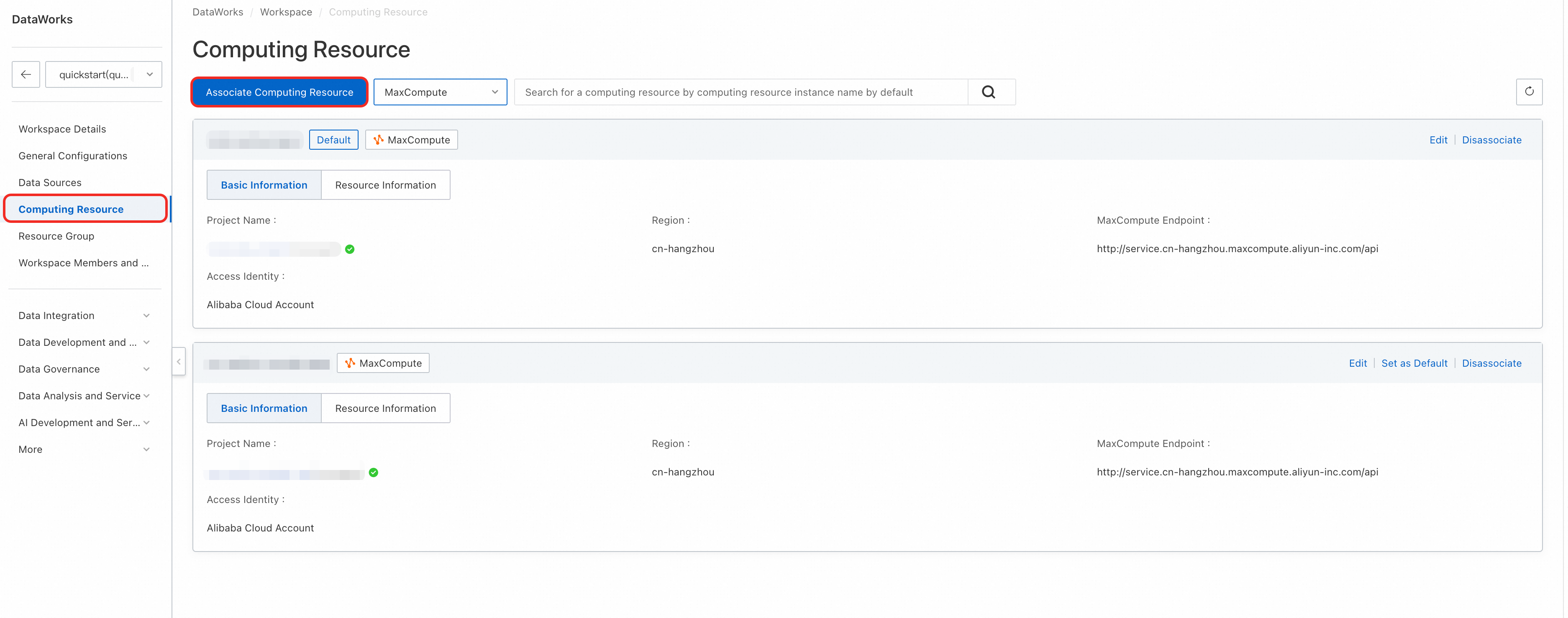
Associate one or more core compute engines (such as MaxCompute) with the workspace as the execution environment for all SQL tasks.
|
Console > Workspace Settings For more information, see Associate compute engines. |
|
2 |
Data Catalog management |
Create or explore the table structures required for each data warehouse layer (ODS, DWD, ADS, etc.) in the Data Catalog to define the inputs and outputs for data processing. We recommend that you use the Data Modeling module to build the data warehouse system. |
Data Studio > Data Catalog For more information, see Data Catalog. |
|
3 |
Create a scheduled workflow |
Create a scheduled workflow in the project directory as a container for organizing and managing related ETL tasks. |
Data Studio > Project Directory > Scheduled Workflow For more information, see Scheduled workflows. |
|
4 |
Node development and debugging |
Create ODPS SQL nodes or other nodes, write core ETL logic (data cleansing, transformation, and aggregation) in the editor, and debug the nodes. |
For more information, see Node development. |
|
5 |
Copilot-assisted development |
Use DataWorks Copilot capabilities to generate, correct, rewrite, and convert SQL and Python code. |
|
|
6 |
Node orchestration and scheduling |
In the DAG canvas of the workflow, define upstream and downstream dependencies between nodes by dragging and connecting them. Various flow control nodes are supported for complex orchestration. Configure the schedule settings for the production environment at the workflow or node level, including the schedule, time, and dependencies. The platform supports ultra-large-scale scheduling of tens of millions of instances per day. |
For more information, see General flow control nodes and Schedule settings. |
|
7 |
Workflow/node deployment and O&M |
|
|
For a related getting-started tutorial, see Getting started tutorial.
Advanced path: Big data AI development process
This process is suitable for AI model development, data science exploration, and real-time AI applications, with an emphasis on environment flexibility and interactivity.
-
Target audience: AI engineers, data scientists, and algorithm engineers.
-
Core objective: Perform data exploration, model training, and algorithm validation, or build real-time AI applications (such as RAG and real-time inference services).
-
Key technologies: Personal development environment, Notebook, trigger-based workflows, datasets, and custom images.

|
Step |
Phase |
Core operations and objectives |
Key path and references |
|
1 |
Create a personal development environment |
Create an isolated, customizable cloud container instance for installing Python dependencies and performing AI development. |
Data Studio > Personal Development Environment For more information, see Personal development environment. |
|
2 |
Create a trigger-based workflow |
Create an event-driven workflow in the project directory as an orchestration container for real-time AI applications. |
Data Studio > Project Directory > Trigger-based Workflow For more information, see Trigger-based workflows. |
|
3 |
Create and configure a trigger |
Configure a trigger in Operation Center to define which external events (such as OSS events or Kafka message events) start the workflow. |
For more information, see Trigger management and Trigger-based workflow schedule settings. |
|
4 |
Create a Notebook node |
Create the core development unit for writing AI/Python code. We recommend that you first explore in a Notebook in the personal directory. |
Project Directory > Trigger-based Workflow > Notebook Node For more information, see Notebook node development. |
|
5 |
Create and use datasets |
Register unstructured data (images, documents, etc.) stored on OSS or NAS as datasets, and mount them to the development environment or tasks for code access. |
For more information, see Create a dataset and Use datasets. |
|
6 |
Develop and debug Notebooks/nodes |
Write algorithm logic in the personal development environment. Perform data exploration, model validation, and rapid iteration. |
Data Studio > Notebook Editor For more information, see Notebook. |
|
7 |
Install custom dependency packages |
In the terminal of the personal development environment or in a Notebook cell, use tools such as |
Data Studio > Personal Development Environment > Terminal For more information, see Install custom dependency packages. |
|
8 |
Build a custom image |
Freeze the personal development environment with all configured dependencies into a standardized image, ensuring full consistency between development and production. If you have not installed custom dependency packages, skip this step. |
For more information, see Custom images. |
|
9 |
Node schedule settings |
In the schedule settings of the production node, you must specify the custom image created in the previous step as the runtime environment and mount the required datasets. |
Data Studio > Notebook Node > Schedule Settings For more information, see Schedule settings. |
|
10 |
Node/workflow deployment and O&M |
|
|
Data Studio core modules

|
Core module |
Main capabilities |
|
Workflow orchestration |
Provides a visual DAG canvas for building and managing complex task pipelines by dragging and connecting nodes. Supports scheduled workflows, trigger-based workflows, and manual workflows to meet automation needs in different scenarios. |
|
Execution environments and modes |
Provides flexible, open development environments to improve development efficiency and collaboration.
|
|
Node development |
Supports a wide range of node types and compute engines for flexible data processing and analysis.
For more information, see Compute engines and Node development. |
|
Node scheduling |
Provides flexible automated scheduling to ensure tasks run on time and in the correct order.
|
|
Development resource management |
Provides unified management of assets used in data development.
|
|
Quality control |
Provides built-in control mechanisms to standardize data production processes and ensure output data accuracy.
|
|
Openness and extensibility |
Provides open interfaces and extension points for external system integration and custom development.
|
Data Studio billing
-
Costs billed by DataWorks (appear in your DataWorks bill)
-
Resource group fees: Node development and individual development environments use a resource group. Depending on the resource group type, you are charged for a serverless resource group or an exclusive resource group for scheduling.
If you use large model services, you are also charged for a serverless resource group.
-
Task scheduling fees: If a task is deployed to the production environment for scheduled runs, you will be charged task scheduling fees (when using a serverless resource group) or fees for an exclusive resource group for scheduling (when using an exclusive resource group).
-
Data Quality fees: If you configure quality monitoring for a periodic task and an instance is successfully triggered, you are charged Data Quality instance fees.
-
Intelligent baseline fees: If you configure an intelligent baseline for a periodic task, you will be charged intelligent baseline instance fees for each enabled intelligent baseline.
-
Alert SMS and phone call fees: If you configure monitoring alerts for a periodic task and an SMS or phone alert is triggered, you will be charged alert SMS and phone call fees.
NoteModules involved: Data Studio, Data Quality, and Operation Center.
-
-
Related costs not billed by DataWorks (do not appear in your DataWorks bill)
When you run data development node tasks, related compute engine and storage fees, such as OSS storage fees, are not billed by DataWorks.
Get started with Data Studio
Create or enable the new Data Studio
-
When creating a workspace, select Use Data Studio (New Version). For more information, see Create a workspace.
-
In legacy Data Studio, you can click the Upgrade to New Version button at the top of the DataStudio page and follow the on-screen instructions to migrate your data to the new Data Studio. For more information, see Upgrade to the new Data Studio.
Open the new Data Studio
Go to the Workspaces page in the DataWorks console. In the top navigation bar, select a desired region. Find the desired workspace and choose in the Actions column.
FAQ
-
Q: How do I distinguish between the new Data Studio and legacy Data Studio?
A: The two have completely different page styles. The new Data Studio features a dark-themed top bar and a tree-structured directory on the left side, while legacy Data Studio uses a light-colored background and a traditional panel layout.
-
Q: After upgrading to the new Data Studio, can I roll back to legacy Data Studio?
A: Upgrading from legacy Data Studio to the new version is an irreversible operation. After the upgrade is complete, you cannot roll back to legacy Data Studio. Before upgrading, we recommend that you first create a workspace with the new Data Studio enabled for testing to ensure that it meets your business requirements. Additionally, data in the new Data Studio and legacy Data Studio is independent of each other.
-
Q: Why don't I see the Use Data Studio (New Version) option when creating a workspace?
A: If this option is not available on the page, your workspace already has the new Data Studio enabled by default.
ImportantIf you encounter any issues while using the new Data Studio, you can join the DataWorks Data Studio Upgrade Support Group on DingTalk for assistance.