The value of data reports has never been about flashy dashboards on big screens. It lies in their ability to seamlessly integrate into business workflows and precisely match the needs of every role.
Yet reality often falls short: business users abandon reports because they have to switch to a separate window, while managers question data credibility due to loosely managed permissions. The gap between tools and people has become the biggest barrier to truly data-driven operations.
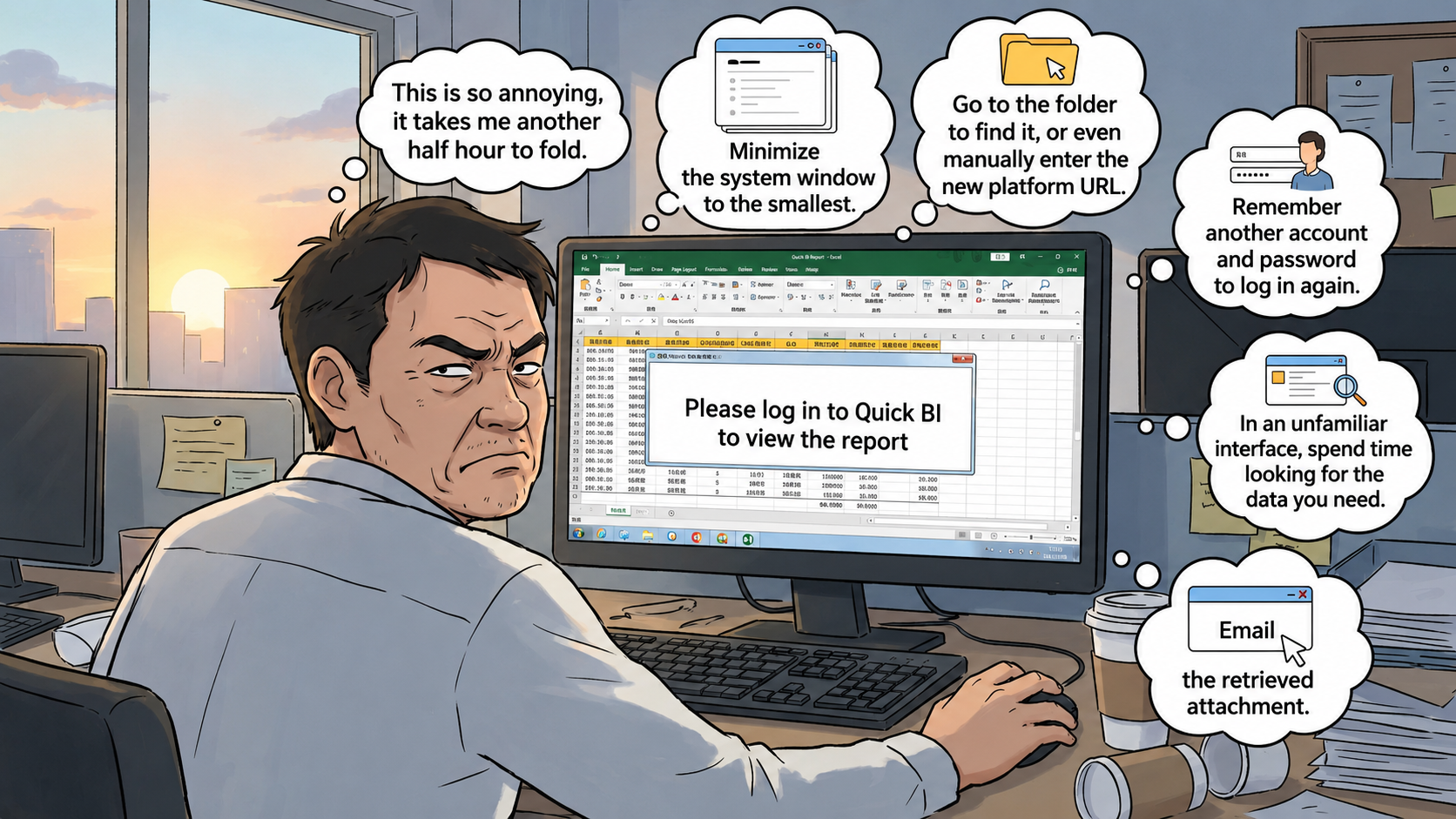
Early morning. Sales director Mr. Wang is processing orders when a pop-up prompts him: "Please log in to Quick BI to view the report." He frowns — switching windows, re-entering credentials, navigating an unfamiliar interface to find the data... "Too much hassle. Another 30 minutes wasted," he mutters, and closes the email.
This isn't resistance to data itself. It's the disconnect between the BI tool and the user's existing work system that turns data consumption into a burden. Every unnecessary step drains patience, leaves carefully prepared reports neglected, silently erodes data value, and — worse — quietly undermines the team's trust and confidence in the very idea of "data-driven" operations.
Late at night, 10:30 PM. Li, the store manager of the Wangfujing location, has just locked the door and is anxiously scrolling through the screen to check "Peking Duck" sales. Meanwhile, Zhang, the store manager at the Nanjing Road location, rubs her aching shoulders while carefully verifying tomorrow's stock for "Crab Roe Xiaolongbao." Same report, but both share the same nagging concern: Is my data secure and accurate?
This need for "personalized views" — where each person sees only their own relevant data — presents a complex permissions puzzle for IT teams. The moment a store manager wonders, "Is this really our store's data?" the credibility of the entire data system begins to crumble, and even the most precise analytics cannot repair the cracks in trust.
These challenges are fundamentally a battle over "data consumption experience" and "data permission governance." What businesses urgently need is an elegant solution that can:
1. Seamlessly embed: Integrate data reports "invisibly" into employees' existing workflows, so they can access insights without any extra effort.
2. Deliver personalized views: Ensure that massive volumes of data are securely and accurately distributed to every individual who needs it.
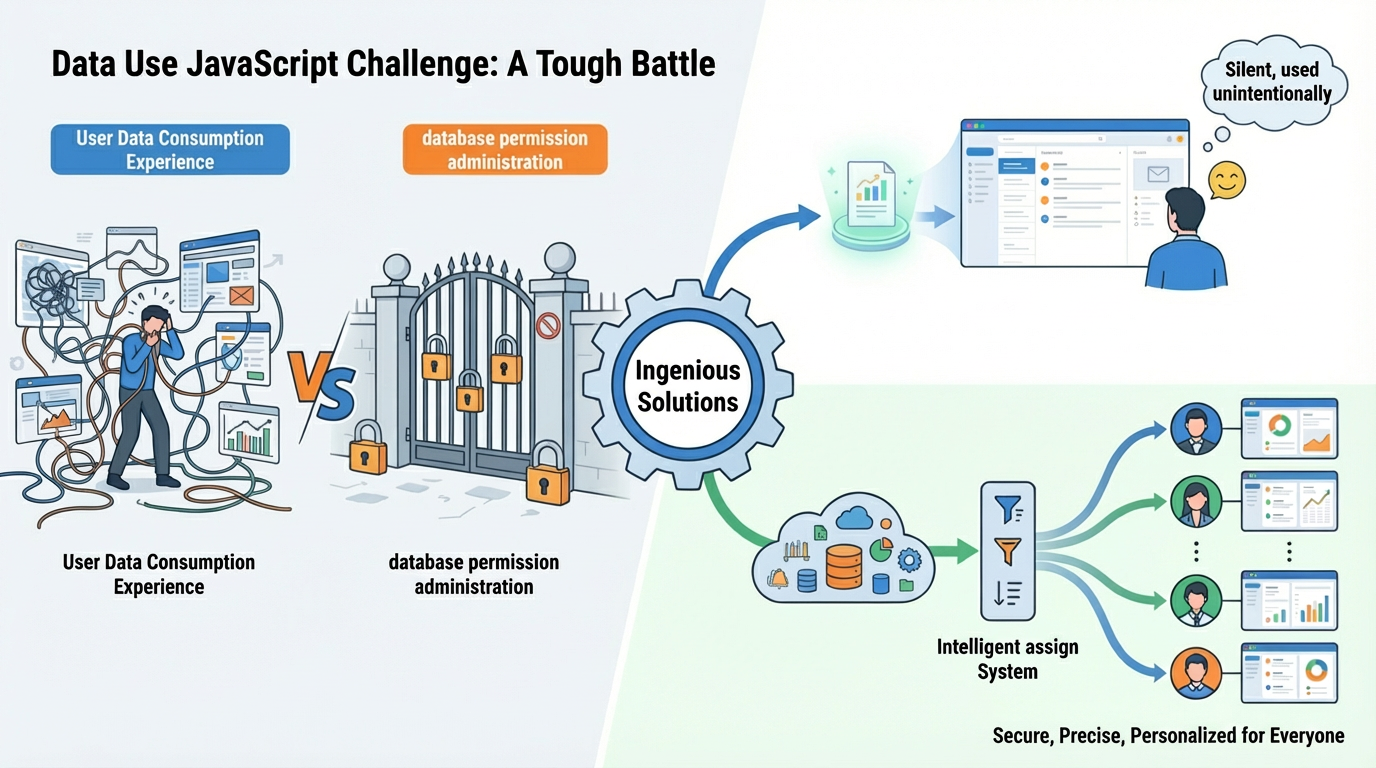
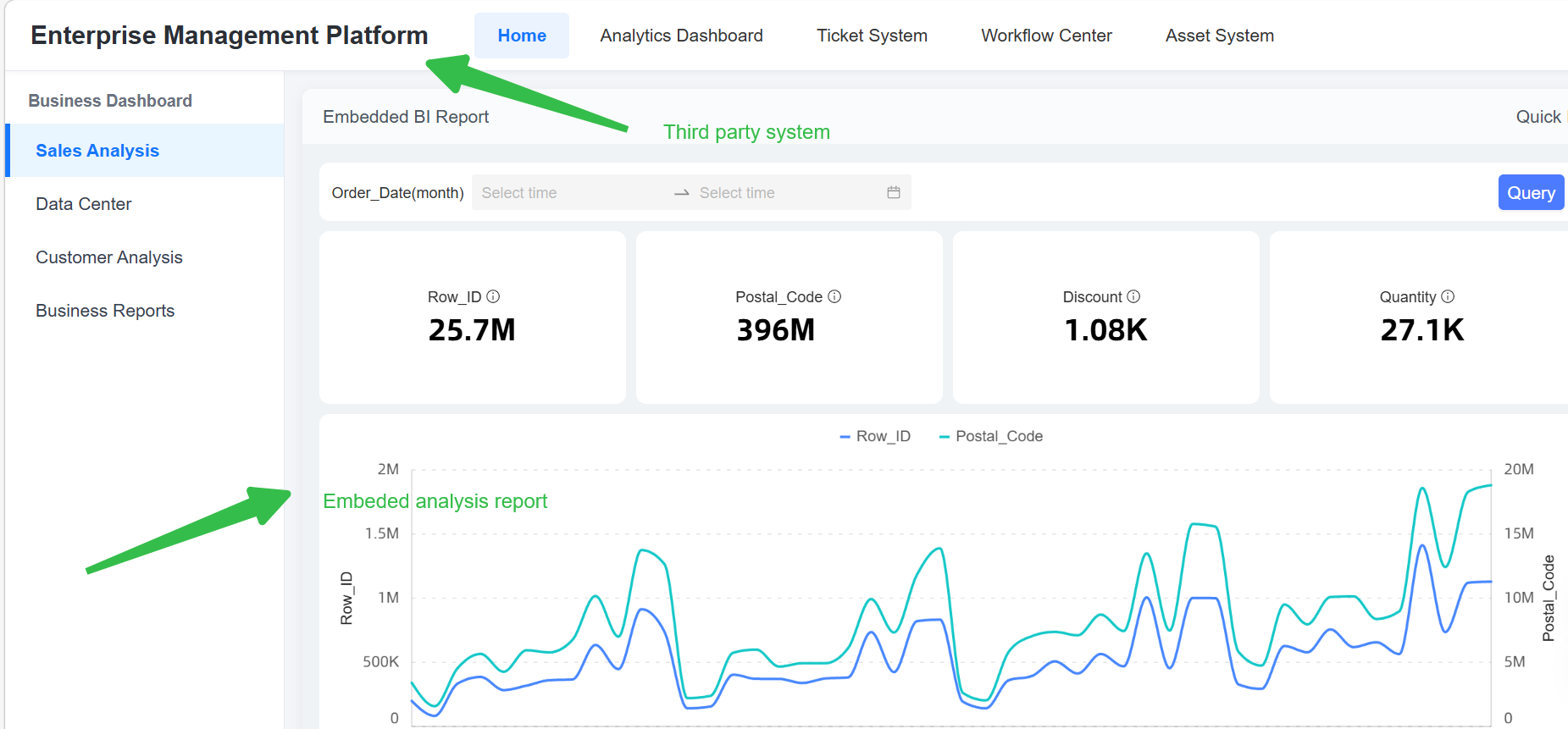
1. Quick BI's lightweight enhanced embedding provides a ticket-based, authentication-free embedded analytics solution that seamlessly integrates dashboards, spreadsheets, and other BI assets into your enterprise workflows or business applications. It also supports personalized views — by passing parameters, different stores or users can see only their own business data.
2. Quick BI Embedded Analytics Comparison
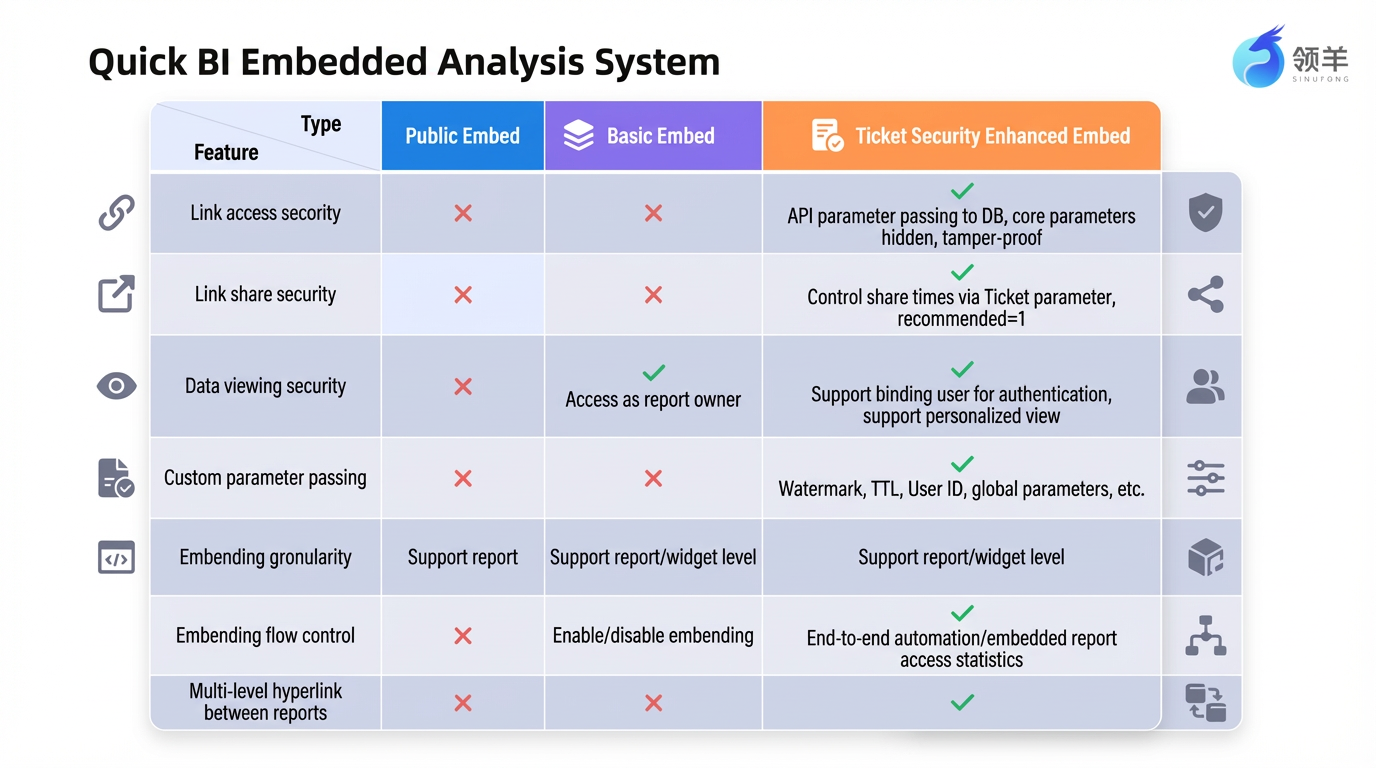
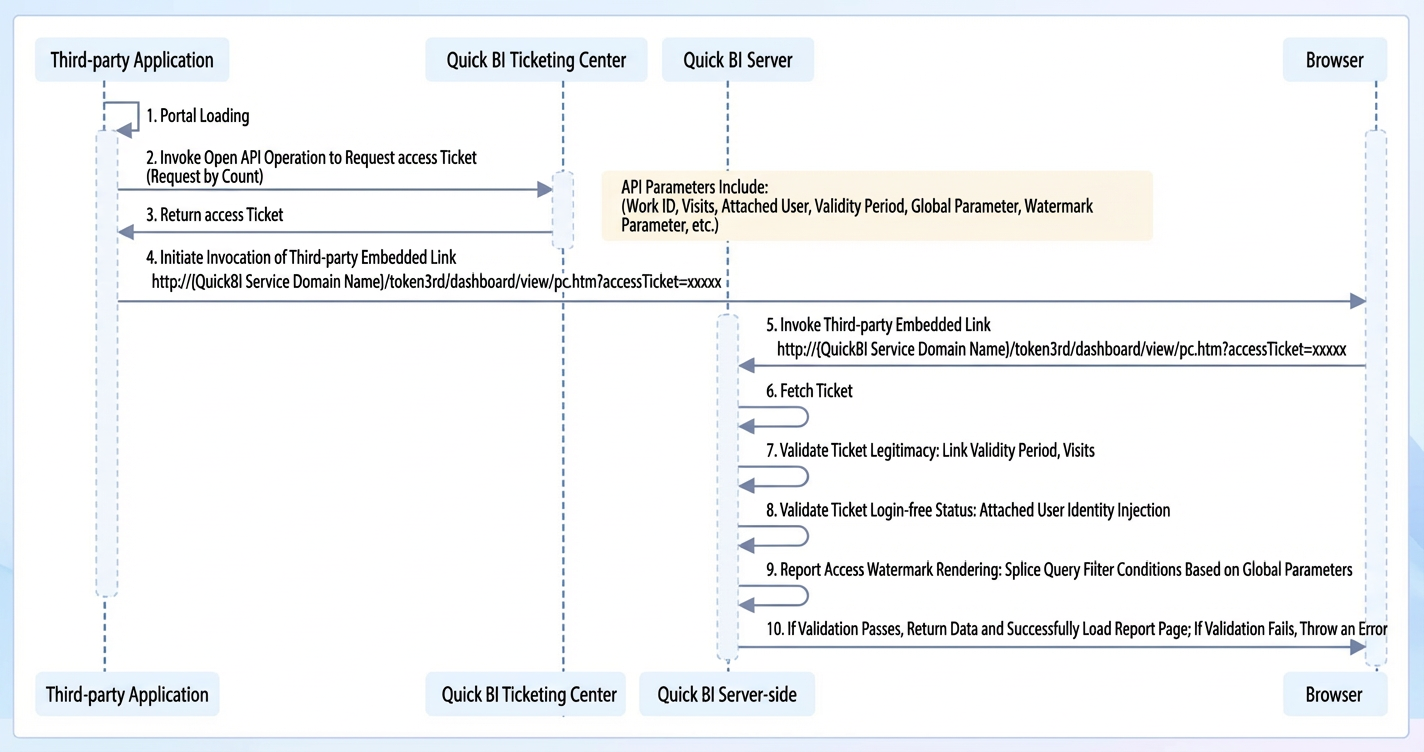
For enterprises with multiple systems, Quick BI enables users to generate authentication-free access tickets by calling open APIs, and then combine those tickets with report IDs to construct authentication-free access URLs for reports. These open APIs support a variety of parameters, including access count limits, user binding, watermark parameters, global parameters, and access duration — all of which enhance the security of embedded reports.
Once the embedded report URL is generated, enterprises can seamlessly integrate dashboards, spreadsheets, and other BI assets into their workflows or business applications in a lightweight manner, enabling cross-system integrated analytics and decision-making.
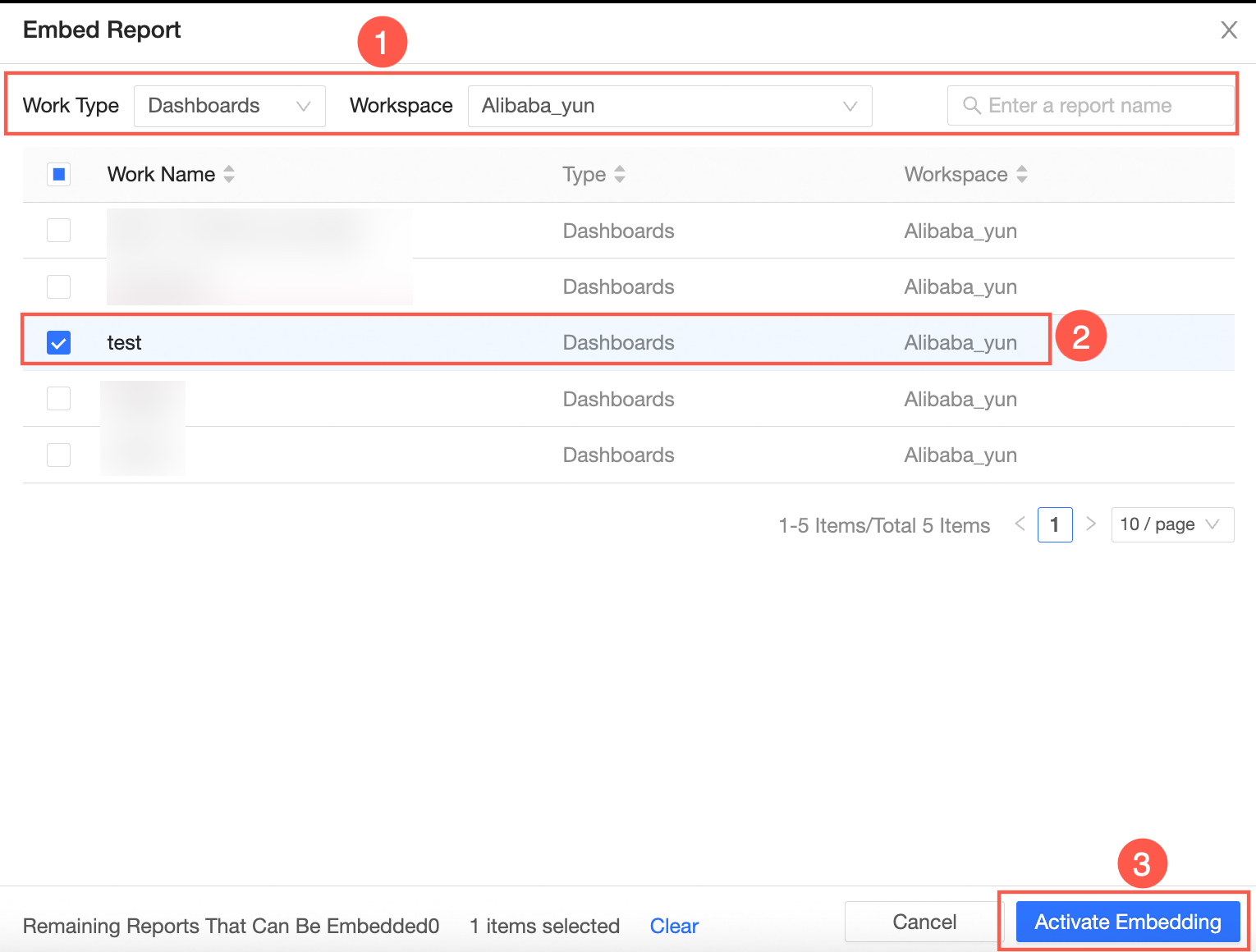
1. Enable report embedding
1.1 Select the target report within the product and enable embedding for it.
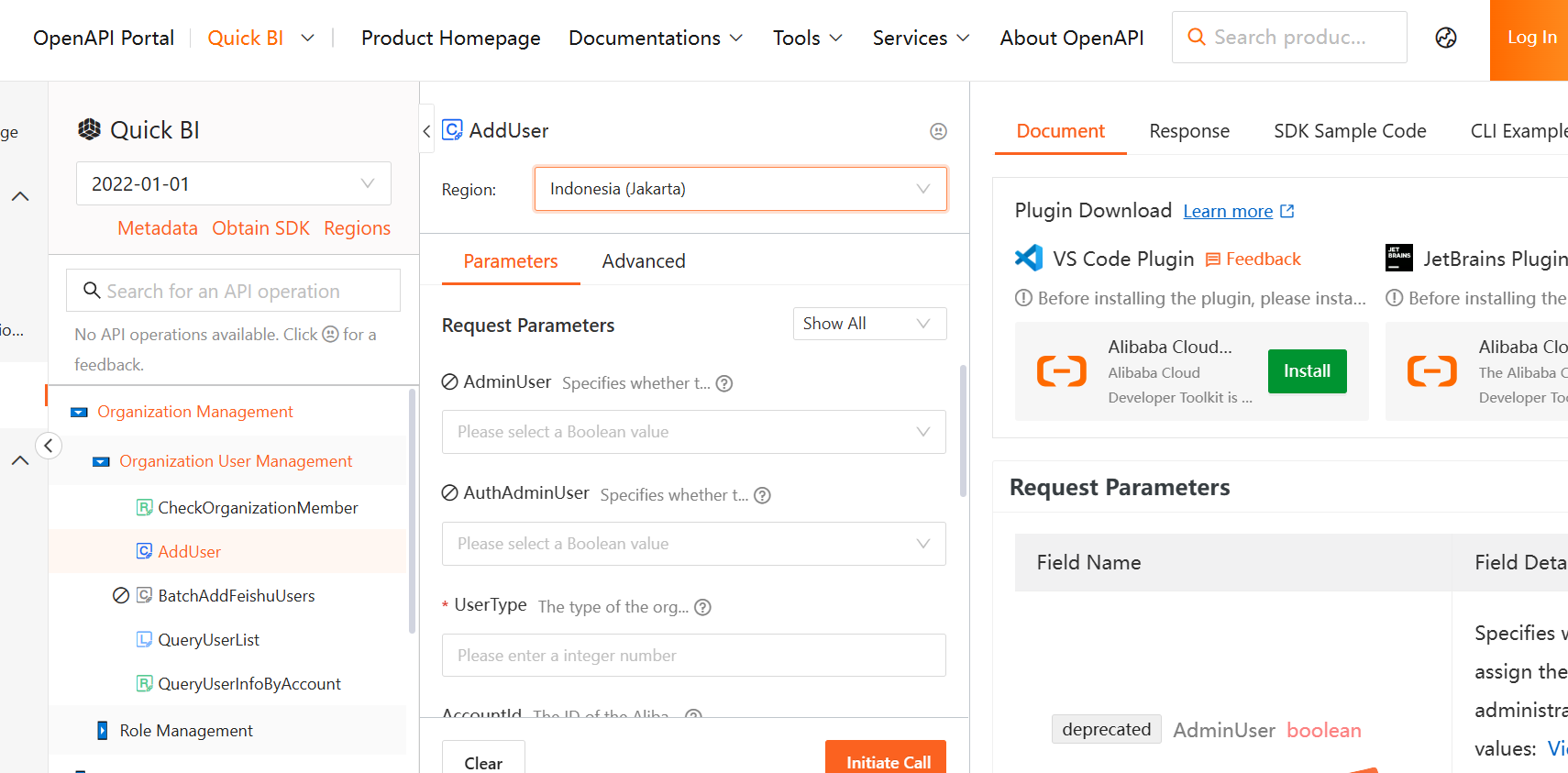
1.2 Enable embedding for a specific BI asset via API call.
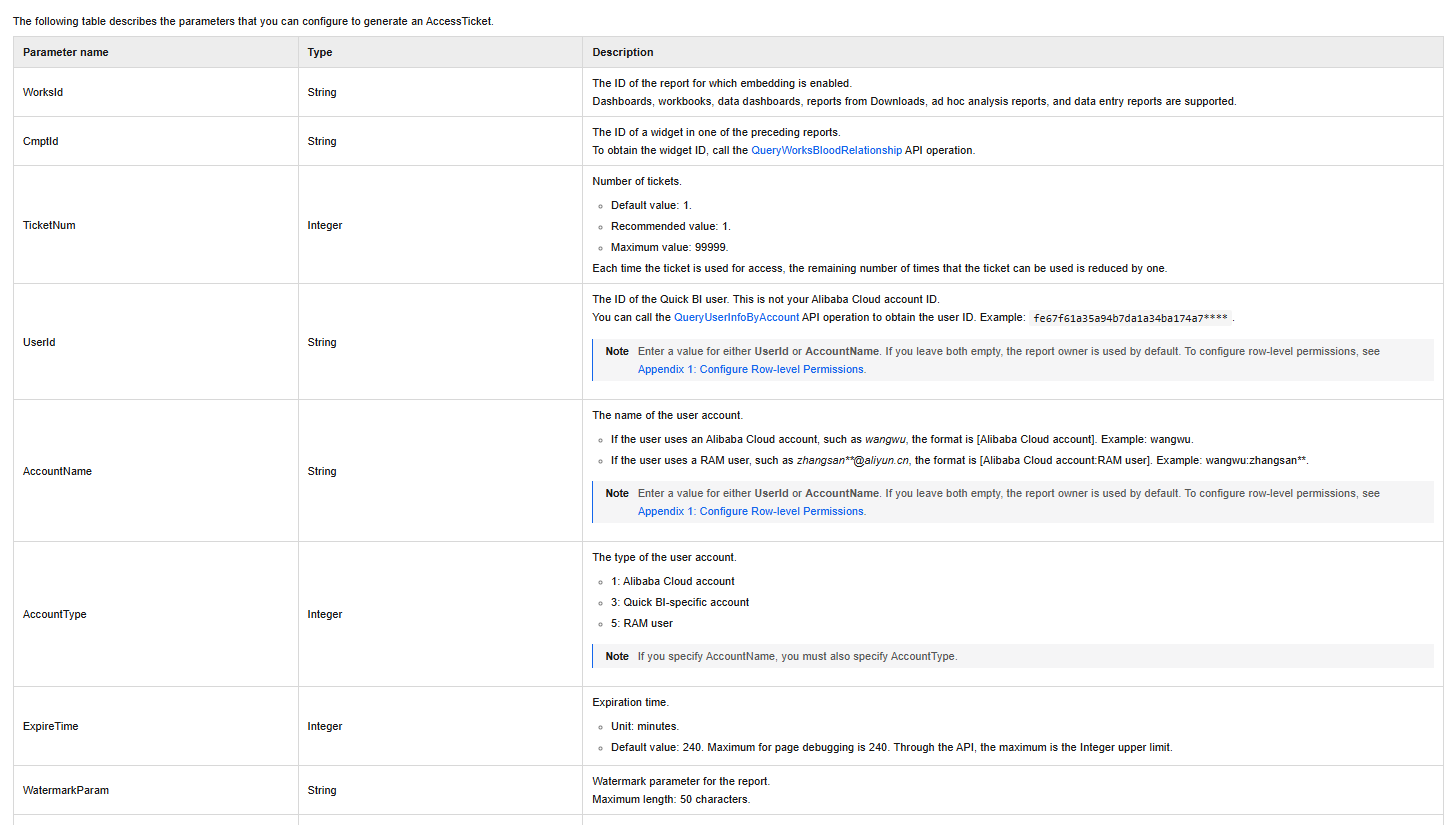
2. Generate an authentication-free access ticket (AccessTicket) for the target report.
2.1 Call the CreateTicket API with the appropriate parameter values to generate the corresponding URL.
3. Assemble the authentication-free access URL following the specified format rules.
Below are examples of the URL assembly process for different report types:
|
Step |
Dashboard Example |
Spreadsheet Example |
Ad Hoc Query Example |
Data Portal Example |
|
1. Get Quick BI domain |
bi.aliyun.com |
bi.aliyun.com |
bi.aliyun.com |
bi.aliyun.com |
|
2. Get the report preview URL path |
token3rd/dashboard/view/pc.htm |
token3rd/report/view.htm |
token3rd/offline/view/pc.htm |
token3rd/screen/view/pc.htm |
|
3. Get the unique report ID |
dd0**83f |
42**18ef6 |
27**an79d |
22**9pek0 |
|
4. Get the AccessTicket |
|
|
|
|
For example, for a dashboard ID of d01****c5f:
On the dashboard editing page, obtain the pageId value from the address bar.
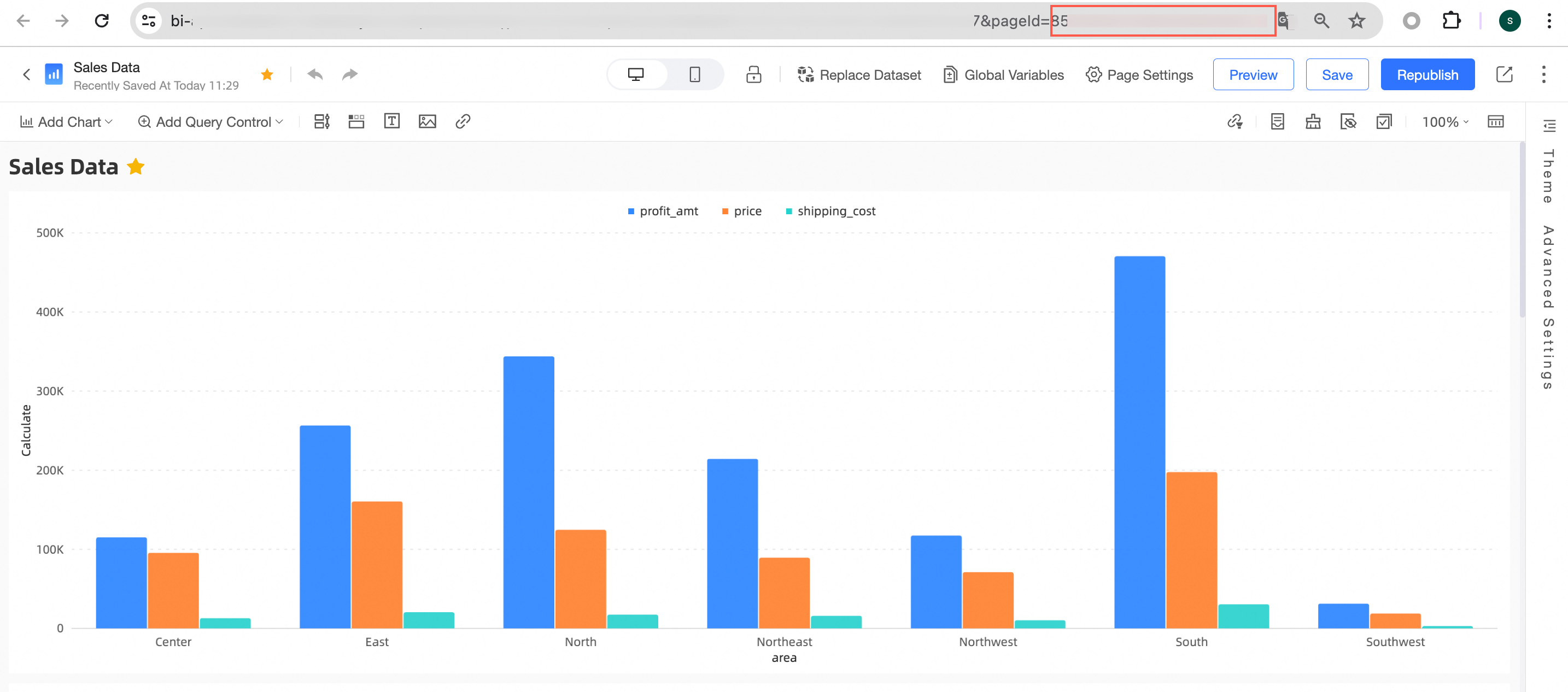
The final assembled authentication-free access URL follows this format:
https://{Quick BI domain}/{report preview URL path}?pageId={report ID}&accessTicket={AccessTicket}
Through Quick BI's enhanced embedding capabilities, enterprises can not only securely and efficiently integrate data visualizations into their existing business systems, but also deliver personalized, role-based data views while ensuring data permissions and security.
From "have to use" to "want to use," from "one-size-fits-all reports" to "personalized views" — Quick BI is more than just a tool. It is a bridge connecting data to people. In the uphill battle of data adoption, it ensures that every insight reaches the right person at the right time, making data-driven operations truly take root.
If your organization faces similar challenges around inconvenient or insecure data experiences, feel free to scan the QR code below to get in touch with us for a free pre-sales consultation.
If you would like to explore more e-commerce data solutions, please feel free to contact us.


1,568 posts | 524 followers
FollowAlibaba Cloud Community - June 1, 2026
Alibaba Cloud Community - July 11, 2025
Alibaba Cloud Community - May 25, 2026
Alibaba Cloud Community - June 23, 2025
Alibaba Cloud Community - June 25, 2025
Ila Bandhiya - May 7, 2026
1,568 posts | 524 followers
Follow Quick BI
A new generation of business Intelligence services on the cloud
Learn More Big Data Consulting for Data Technology Solution
Alibaba Cloud provides big data consulting services to help enterprises leverage advanced data technology.
Learn More Big Data Consulting Services for Retail Solution
Alibaba Cloud experts provide retailers with a lightweight and customized big data consulting service to help you assess your big data maturity and plan your big data journey.
Learn More Realtime Compute for Apache Flink
Realtime Compute for Apache Flink offers a highly integrated platform for real-time data processing, which optimizes the computing of Apache Flink.
Learn MoreMore Posts by Alibaba Cloud Community

