In today's fast-paced business world, data is no longer a "secret locked in a safe." It has become a core asset that drives decisions and fuels collaborative innovation.
But challenges come with it. Do you frequently encounter scenarios like this? You need a piece of manufacturing data, but you have to navigate across multiple systems: log in to the ERP to check production progress, switch to the CRM to verify order fulfillment, then jump to the BI platform to review KPI dashboards... Constantly switching and refreshing between interfaces, and within just ten minutes, all your energy is spent on "finding data." Employees feel like "system porters," and productivity suffers. Even more concerning, the frequent exporting and transferring of data makes permission management complicated and error-prone, creating constant data security risks.
On one hand, we crave data fluidity to empower decision-making and drive collaboration, and we have no choice but to switch back and forth between BI platforms, OA systems, and enterprise portals. On the other hand, we fear data going out of control — getting screenshotted, forwarded, or misused. How do we find the balance between free sharing and secure control?
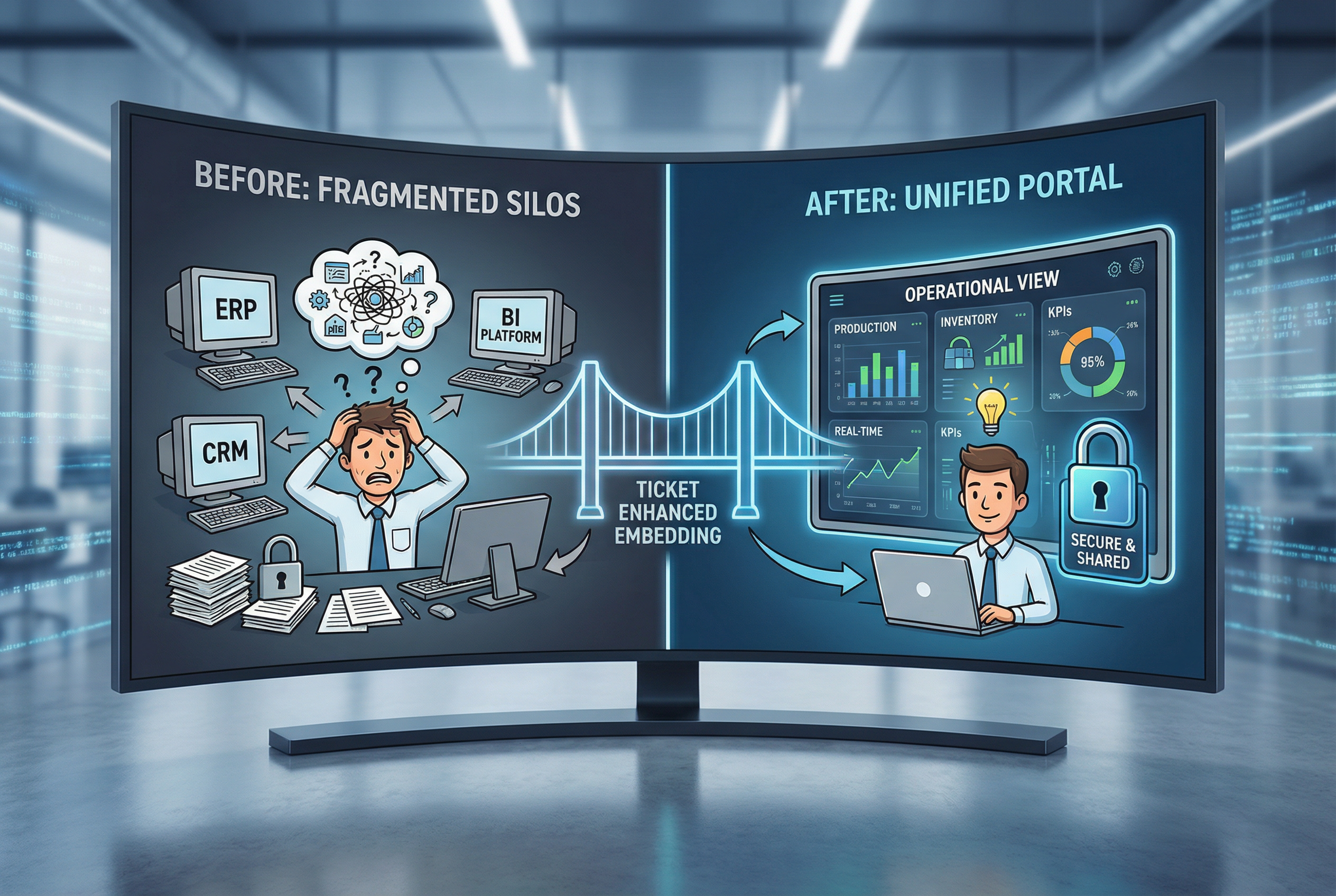
The answer may lie in ticket-based enhanced embedding. Ticket-based enhanced embedding seamlessly integrates into enterprise portals, making all reports "grow" directly into the system with flexible permission controls. Within a single enterprise portal, every user sees their own personalized "operations view": Is the production achievement rate in the red or the green? How much inventory is left? Everything is linked in real time, with no need to switch between systems.
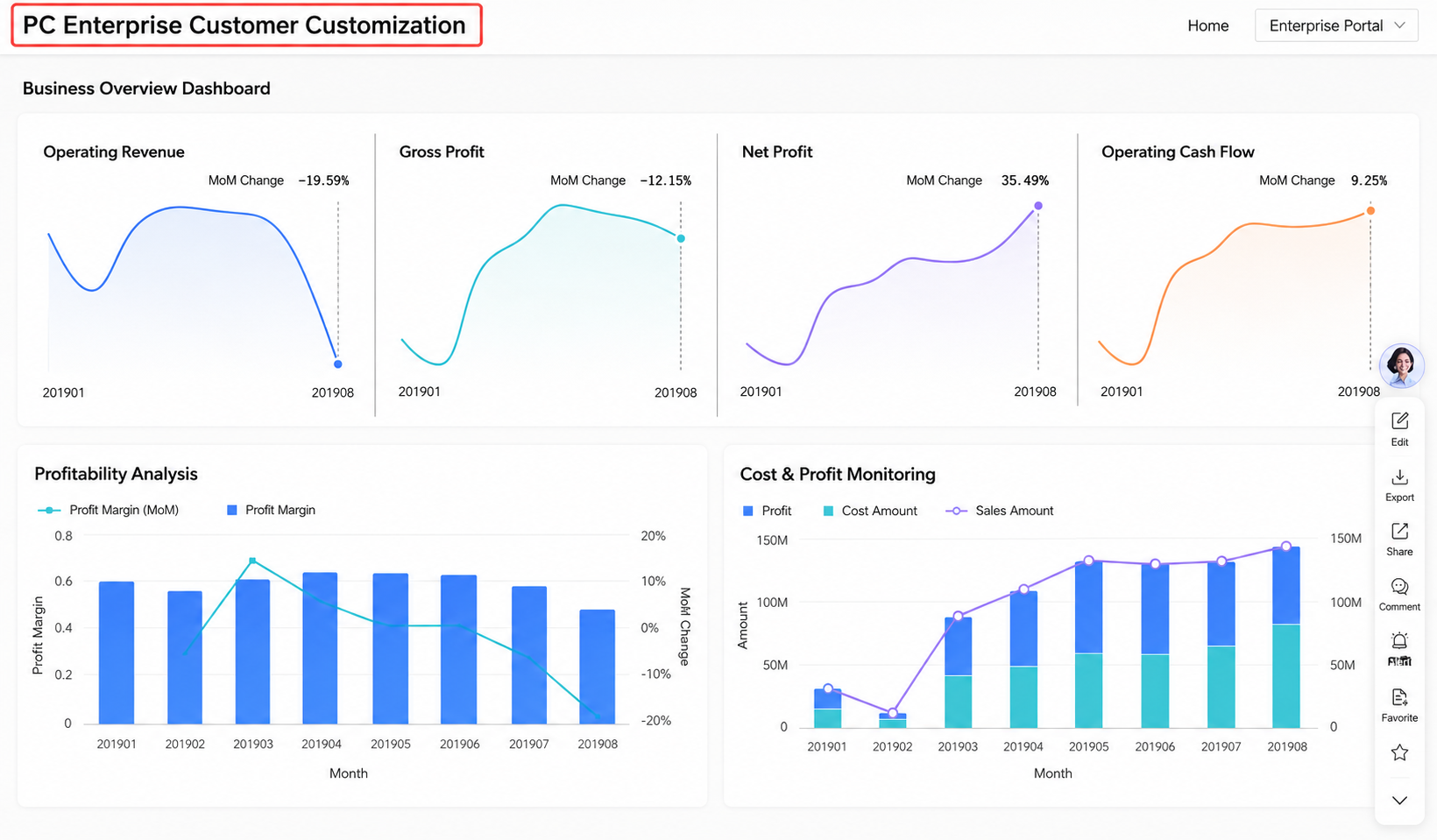
Beyond internal data viewing, you can also embed BI reports into customer-facing portals with dynamic data updates and personalized filtering, so every customer sees "their own version of the data." Take financial services as an example — when users click on a report, they no longer see a bland table of numbers:
For users, every time they open the portal, they see not a "standard version" but a "customized version." For enterprises, this has long gone beyond simply "adding a chart" — it is a critical step in the digital service upgrade, and the golden pathway to secure operations, deep insights, and precision services.
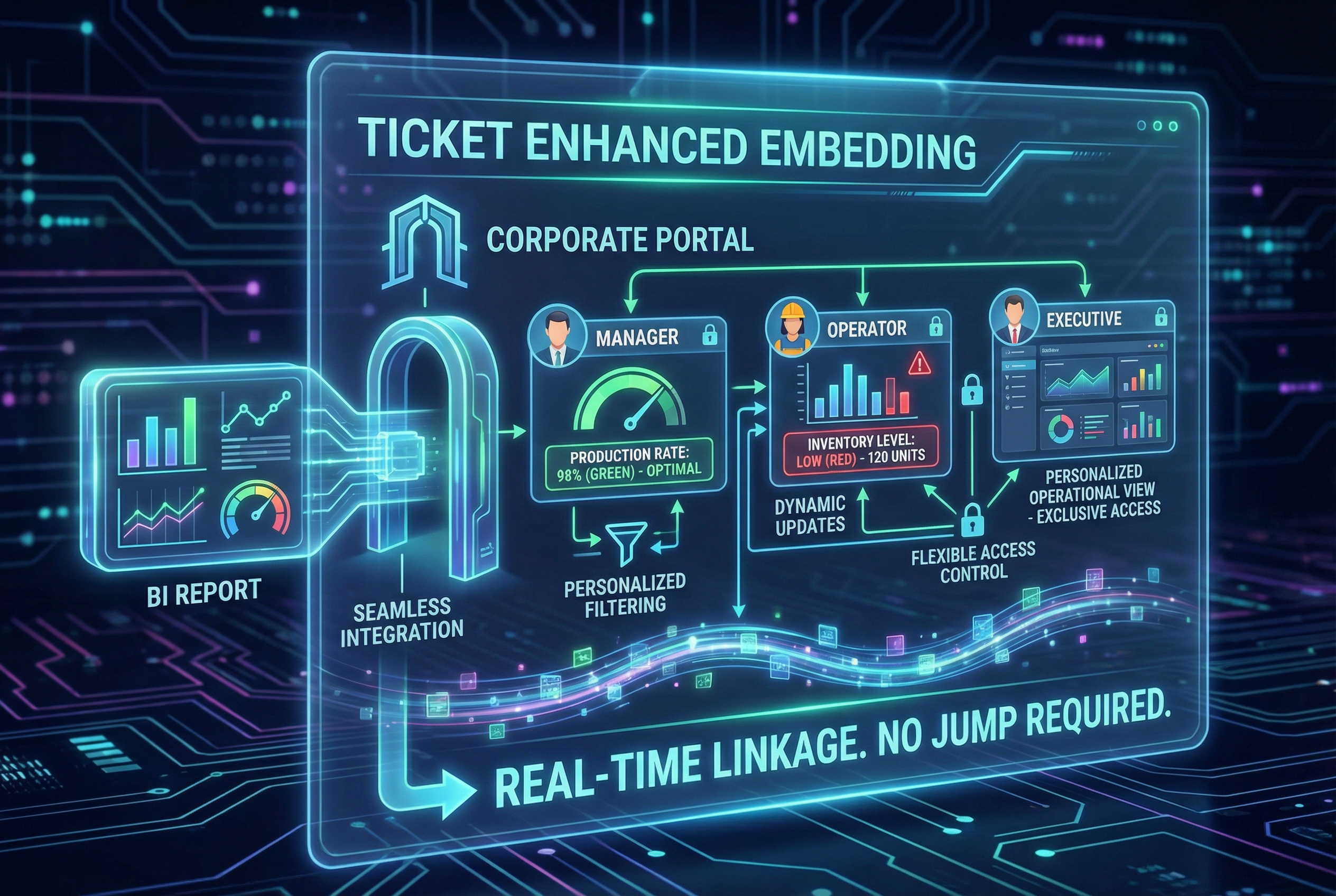
Quick BI's ticket-based enhanced embedding not only enables seamless integration of BI reports into enterprise portals, but also quietly establishes four critical "pillars" across security, permissions, flexibility, and management.
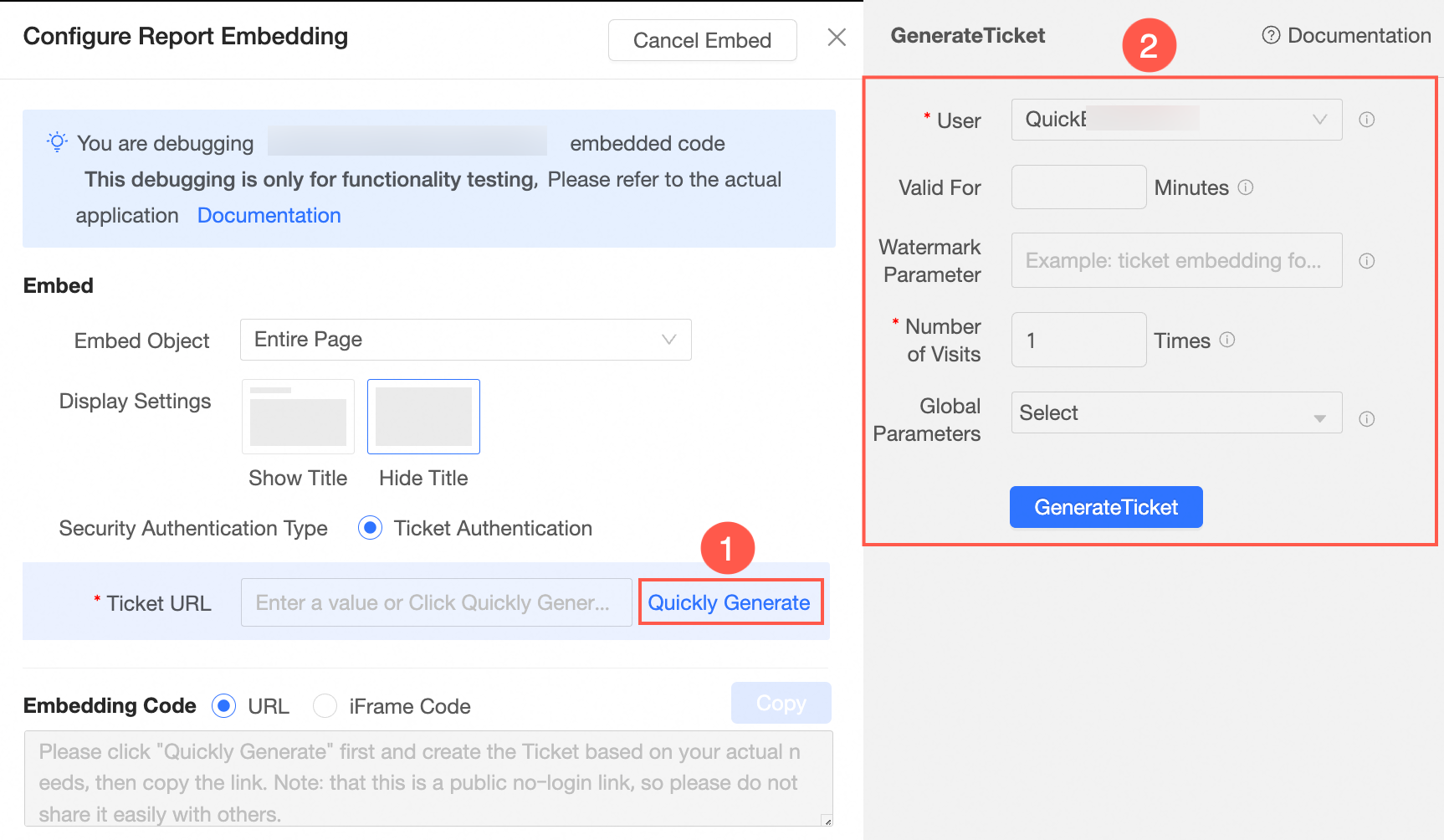
With traditional links, once sent, there's no taking them back — anyone who gets the link can view, download, and forward the content indefinitely, completely out of control. Now, ticket-based enhanced embedding acts like a smart lock on every shared report, allowing you to define:
This is especially suited for scenarios such as: sending sensitive materials (contracts, price quotes), giving clients a preview of designs or proposals, and internal approvals and cross-departmental collaboration. Think of it as a "movie ticket" for the digital world — you can only watch one show, your seat is assigned, and you leave when it's over. Sharing becomes both free and secure.
Behind a single report, the system prepares an entirely different "personalized version" for each user —
With this, data visibility is controlled per individual, information security moves hand in hand with access, and true silent protection is achieved within efficient collaboration.
The value of data isn't in "being seen" — it's in "being used." Truly useful data capabilities shouldn't be locked inside a BI system; they should grow ubiquitously within business processes. We support ultra-flexible embedding: not just entire dashboards or spreadsheets, but also the precise extraction of individual visualization components, and even the seamless embedding of complete ad hoc query and self-service analytics modules into enterprise digital scenarios — such as internal PC management systems (ERP, OA, CRM), proprietary apps, or mini programs.
Imagine these scenarios:
This is what we mean by "Data as a Service": instead of making people search for reports, let reports proactively appear wherever they are needed.
When data extends from the BI system to diverse business scenarios, the real challenge emerges: Who is using it? How effective is it? Are there data security risks?
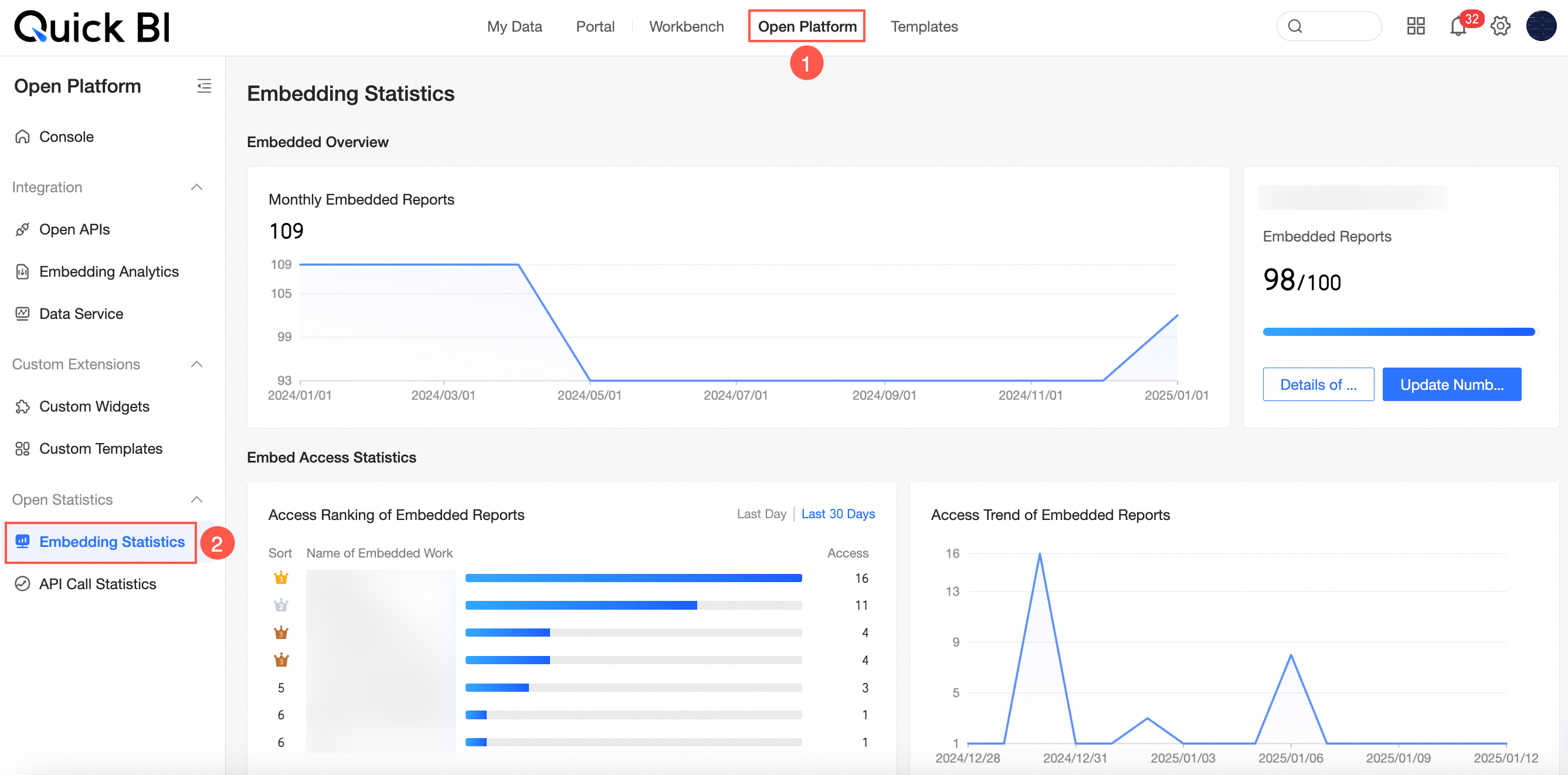
To address this, you must systematically track the real-time usage of every embedded report, including authorized users, the number of embedded reports, embedding access volume, and the count of reports with embedding enabled. Through a visual operations dashboard, you can clearly grasp these key insights:
Data services are never a one-and-done "embed and forget" delivery. They are a continuous cycle of iterative optimization driven by actual usage.
Open a new chapter of data sharing with Quick BI's ticket-based enhanced embedding: free, but not unchecked; open, but with boundaries.
If you're facing similar challenges or want to learn more tips, unlock a new data experience for your enterprise portal — scan the QR code below to get in touch!
If you would like to explore more e-commerce data solutions, please feel free to contact us.


1,539 posts | 516 followers
FollowAlibaba Cloud Community - May 28, 2026
Data Geek - April 8, 2024
Alibaba Cloud Community - July 11, 2025
Alibaba Cloud Community - June 25, 2025
Alibaba Cloud Workspace - September 2, 2024
Alibaba Cloud Community - October 16, 2025
1,539 posts | 516 followers
Follow Quick BI
A new generation of business Intelligence services on the cloud
Learn More Big Data Consulting for Data Technology Solution
Alibaba Cloud provides big data consulting services to help enterprises leverage advanced data technology.
Learn More Big Data Consulting Services for Retail Solution
Alibaba Cloud experts provide retailers with a lightweight and customized big data consulting service to help you assess your big data maturity and plan your big data journey.
Learn More Realtime Compute for Apache Flink
Realtime Compute for Apache Flink offers a highly integrated platform for real-time data processing, which optimizes the computing of Apache Flink.
Learn MoreMore Posts by Alibaba Cloud Community

