By Justin See
Moltbot (formerly Clawdbot or Moltbot) has taken the tech world by storm, becoming one of the fastest-growing open-source AI agents in history. With viral adoption across GitHub and developer communities, Moltbot is redefining what AI assistants can do—moving beyond conversation into real-world automation. Now, Alibaba Cloud is proud to announce that Moltbot is officially supported on its Simple Application Server, making it easier than ever to deploy, scale, and manage this groundbreaking agent.
● Self-hosted & Private: Unlike traditional cloud AI assistants, Moltbot runs locally or on your own server, giving you full control over your data.
● Real Automation: From managing emails to controlling smart devices, Moltbot integrates with 50+ platforms and supports 565+ agent skills.
● Explosive Growth: GitHub forks surged from ~50/day to over 3,000/day in January 2026, with stars surpassing 85,000. This meteoric rise suggests Moltbot may become the next big thing in AI.
● Cloud-Ready: With Alibaba Cloud support, Moltbot can now be deployed globally with enterprise-grade reliability.
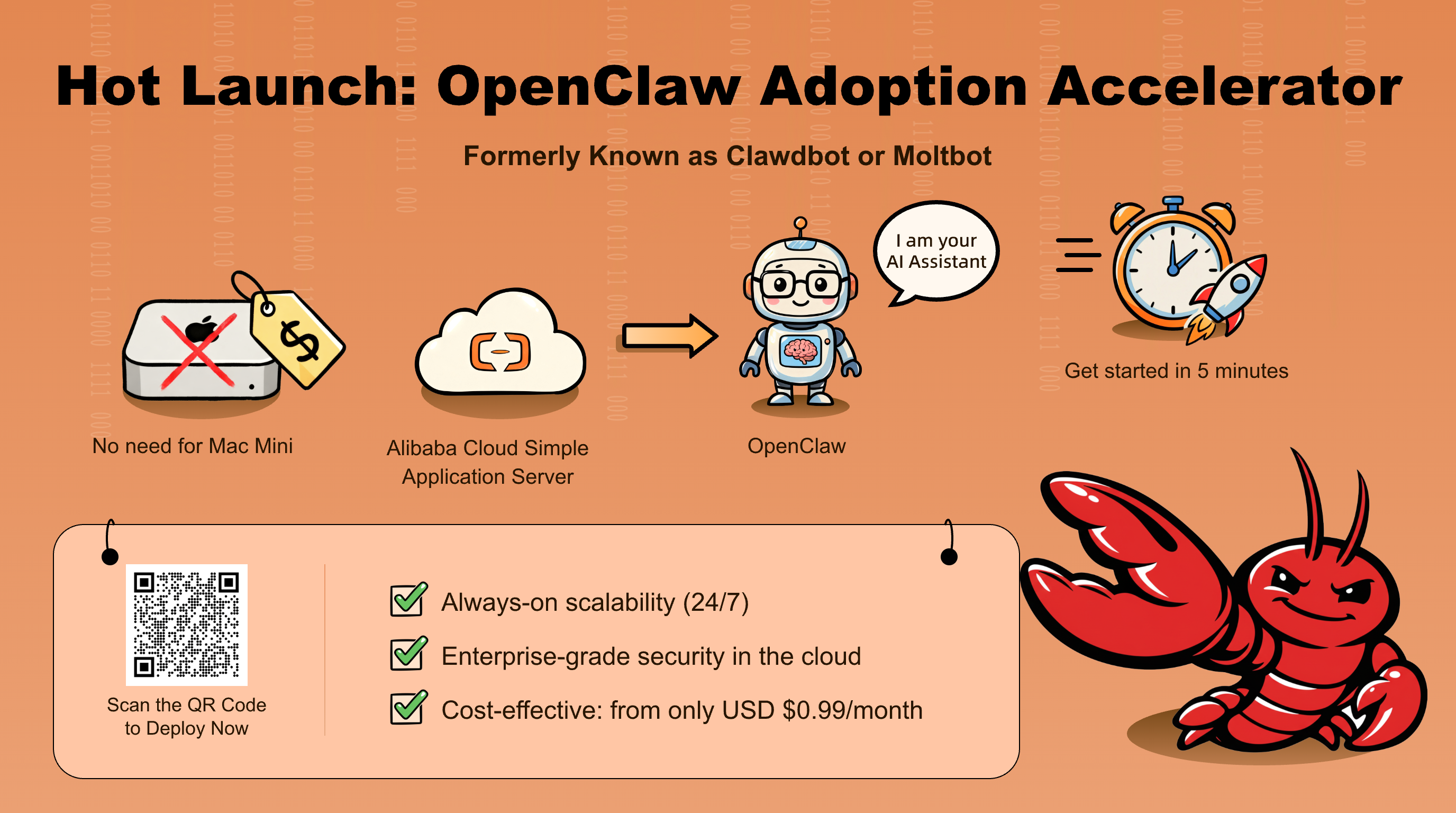
Alibaba Cloud’s Simple Application Server (SAS) provides the perfect environment for OpenClaw:
● One-Click Setup: Preconfigured images make installation seamless.
● AI Integration: Alibaba Cloud’s AI tools like Model Studio and Qwen are easy to access to build smarter agents.
● Scalable Infrastructure: Easily upgrade resources as your OpenClaw usage grows.
● Global Reach: Deploy in multiple regions to serve users worldwide.
● Cost-Effective: Run OpenClaw for as little as USD $8/month on a Simple Application Server.
1. Log in to Alibaba Cloud Console → Navigate to Simple Application Server. Simply type "simple application server" in the search bar and click on Simple Application Server console.

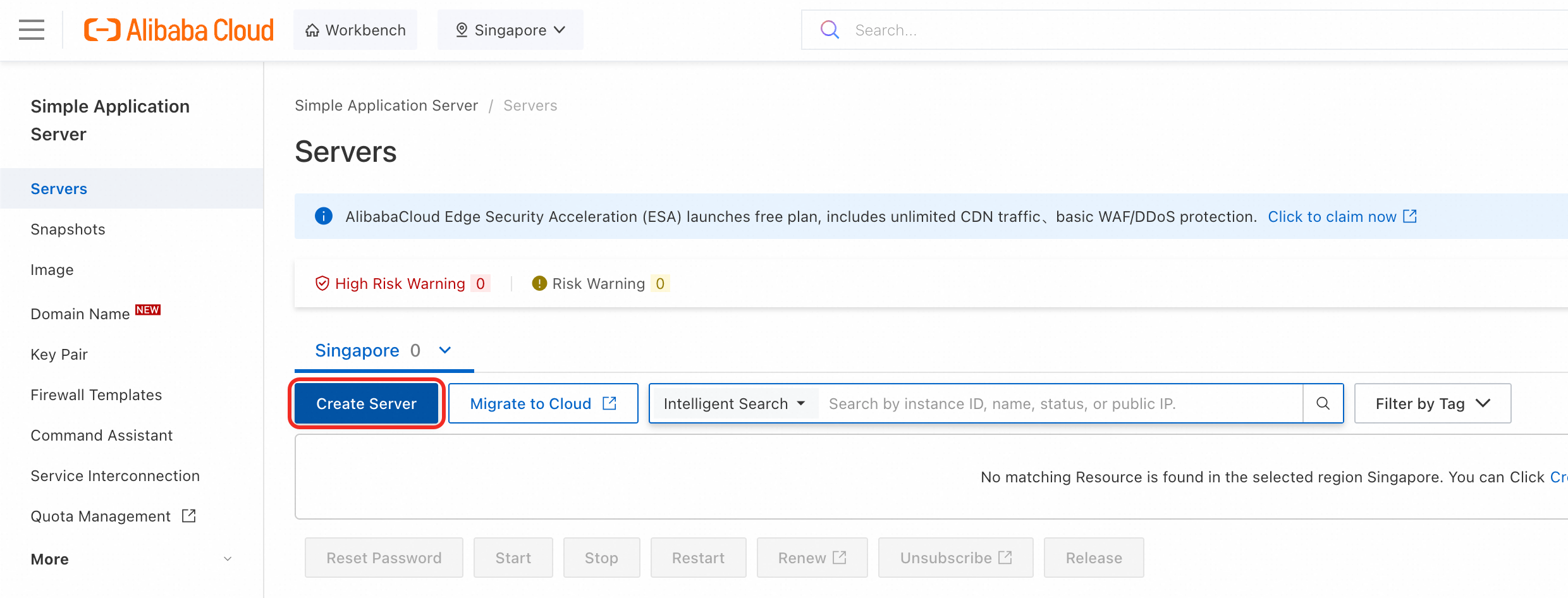
2. Create Instance → Once in the Simple Application Console, create a Server.
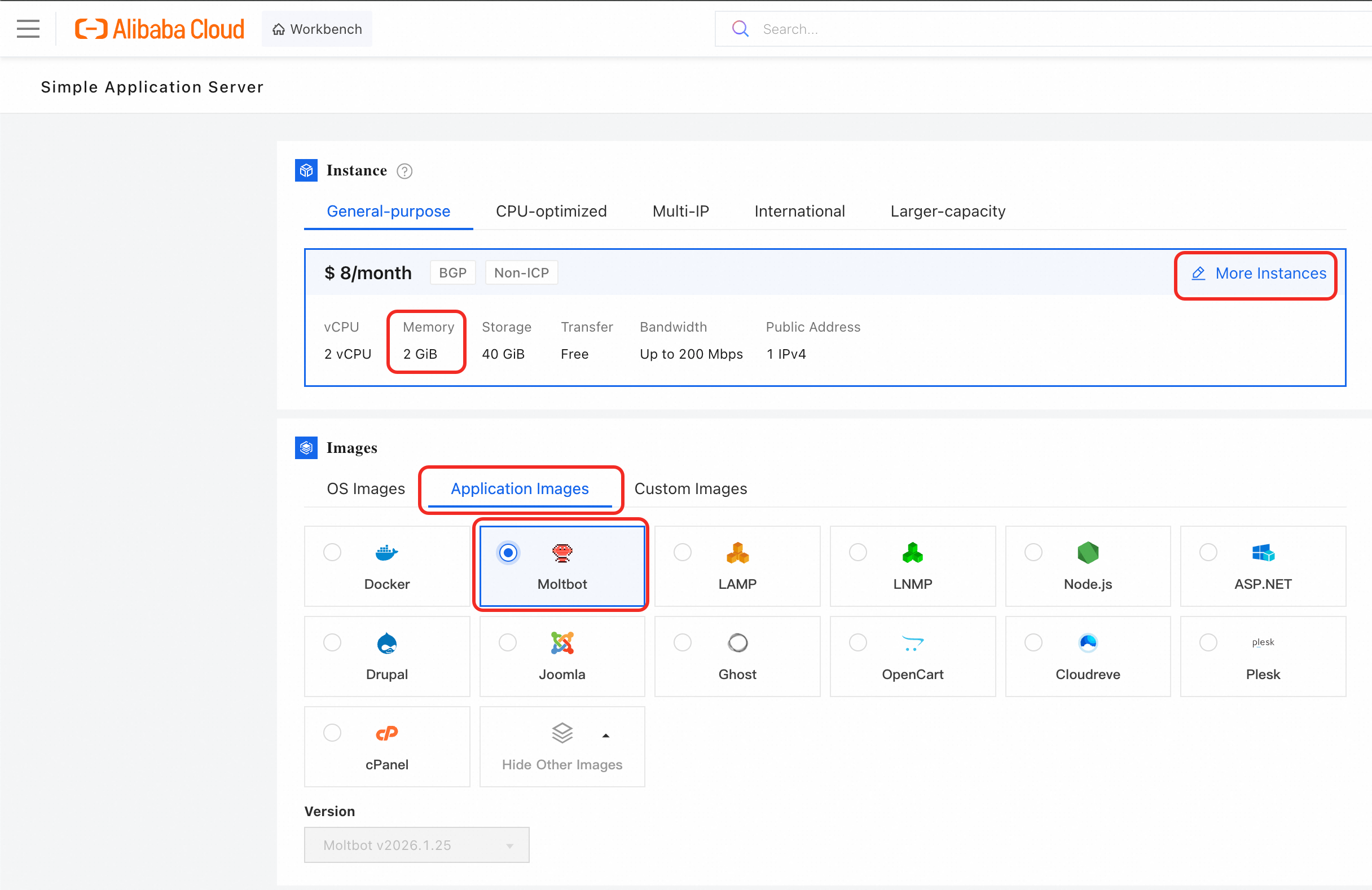
3. Create OpenClaw Instance → After creating a server, you will see multiple options. First select a General-purpose instance with at least 2GB memory in order to support the OpenClaw image. After that, select Application images and choose OpenClaw/Moltbot.
4. Select options → Select the region that you would like your instance to be located in, the quantity of servers, and the duration of subscription for these servers. Click Buy Now and it will bring you to the summary page.
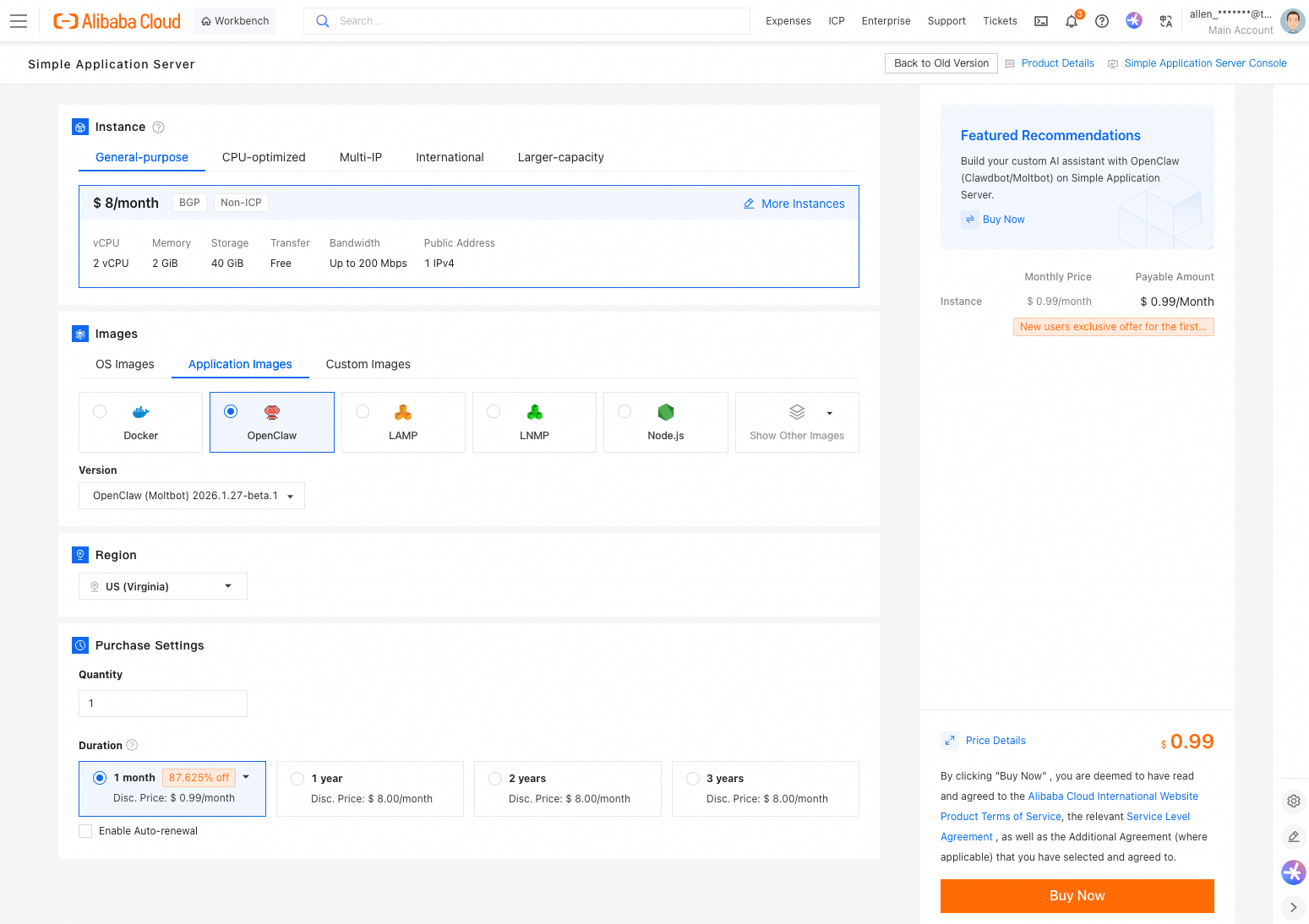
At the summary page, add a payment method if you do not have one, and click Subscribe.
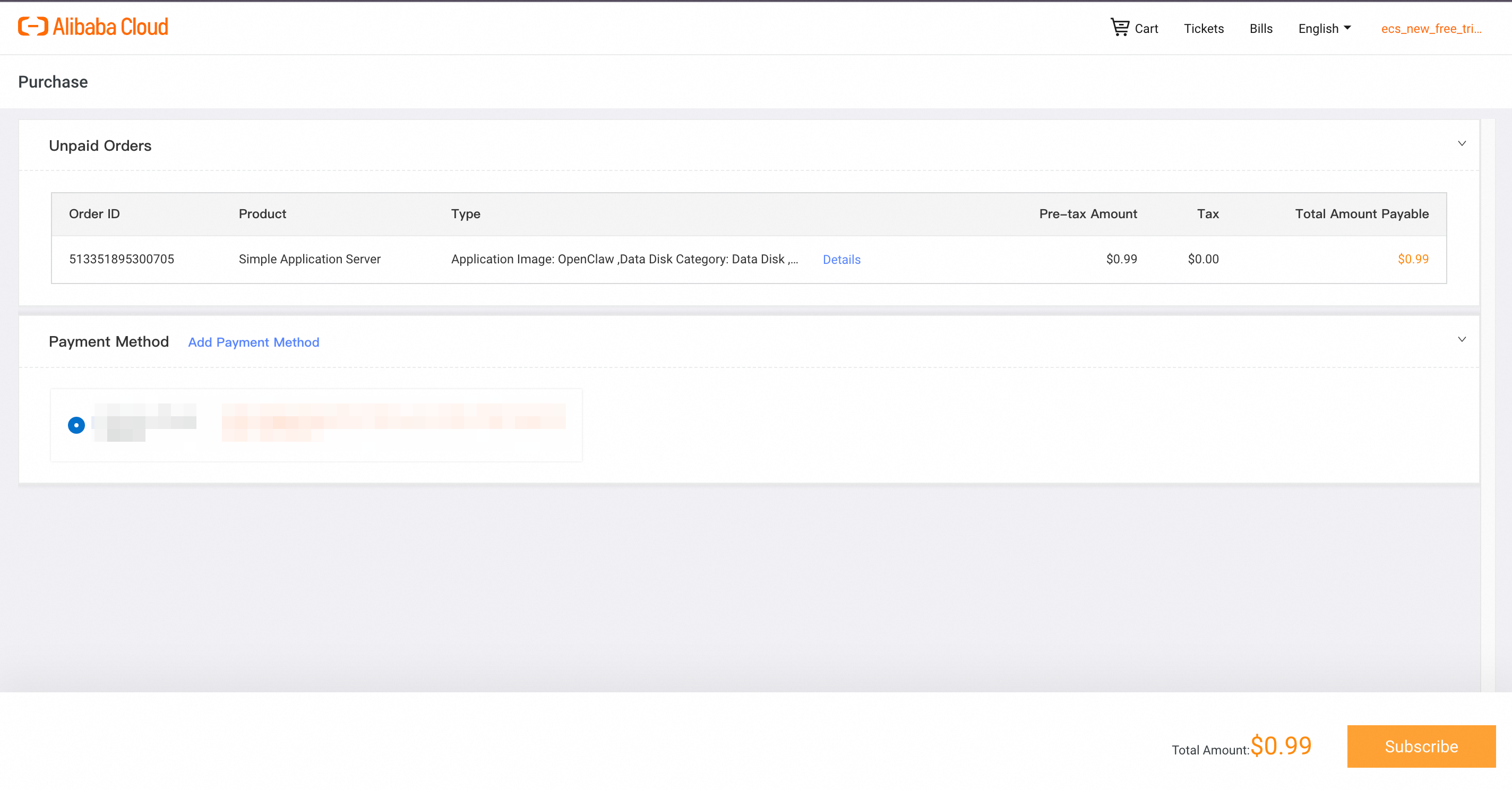
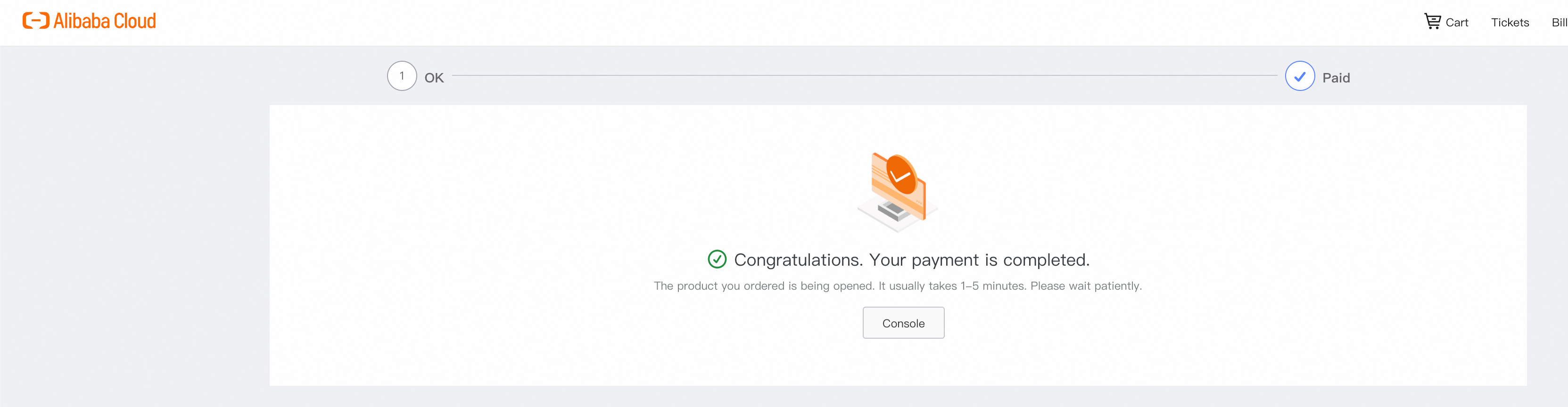
Now your OpenClaw instance will be deployed in your selected region!
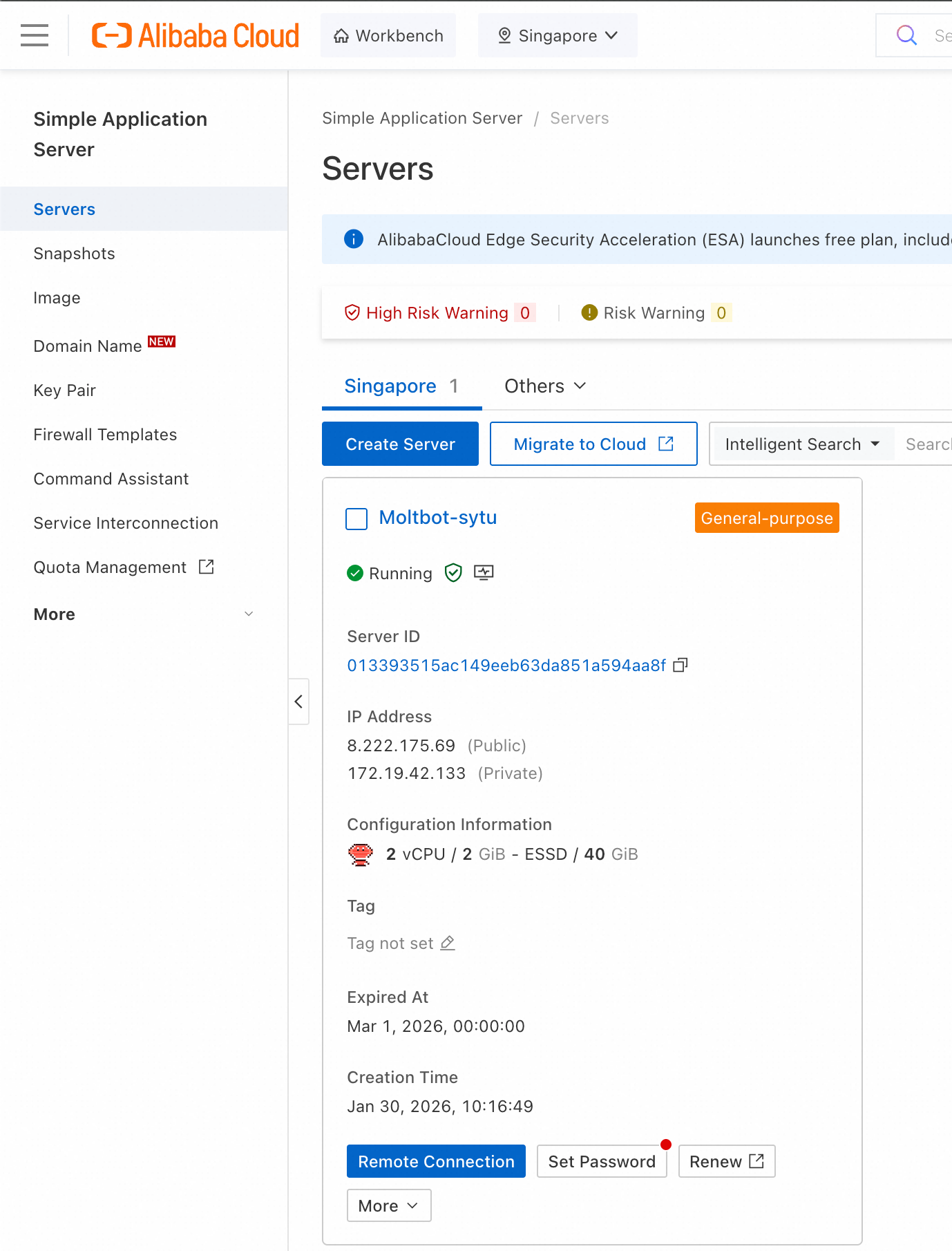
5. Your OpenClaw is ready to roll → Return to the SAS Console and you can see your OpenClaw instance up and running!
At its core, OpenClaw runs as an LLM-powered agent, which means it can interpret natural language, maintain context, and autonomously execute tasks across platforms. This foundation is what makes OpenClaw more than a chatbot—it’s a true automation assistant.
To unlock its full potential, OpenClaw needs to be connected to a model provider. That’s where Alibaba Cloud Model Studio comes in. Model Studio provides the enterprise-grade LLM backbone that OpenClaw taps into, ensuring reliable performance, scalability, and access to cutting-edge AI models.
1. Log in to Alibaba Cloud Console → Navigate to Model Studio. Simply type "model studio" in the search bar and click on Alibaba Cloud Model Studio console.
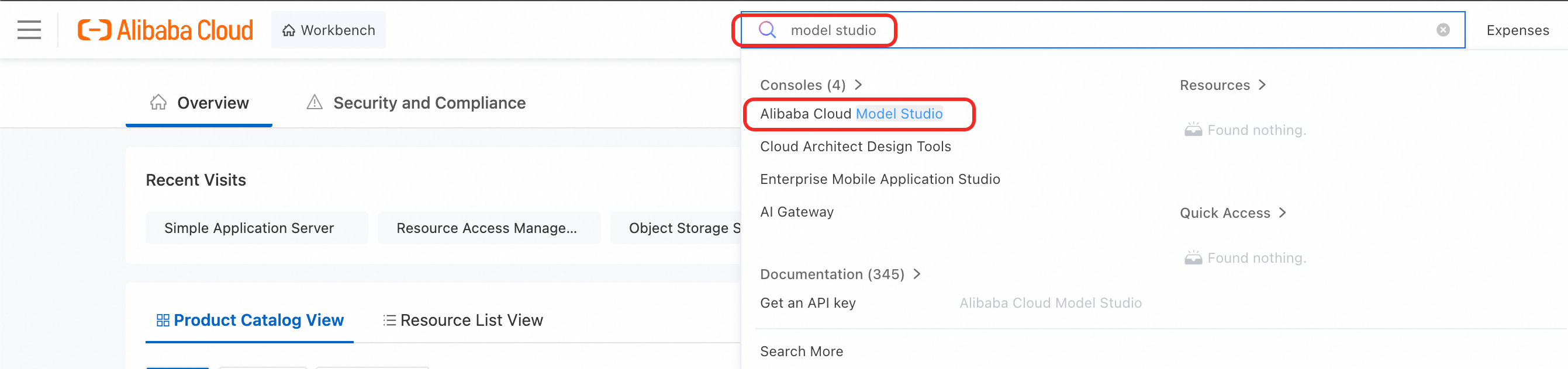
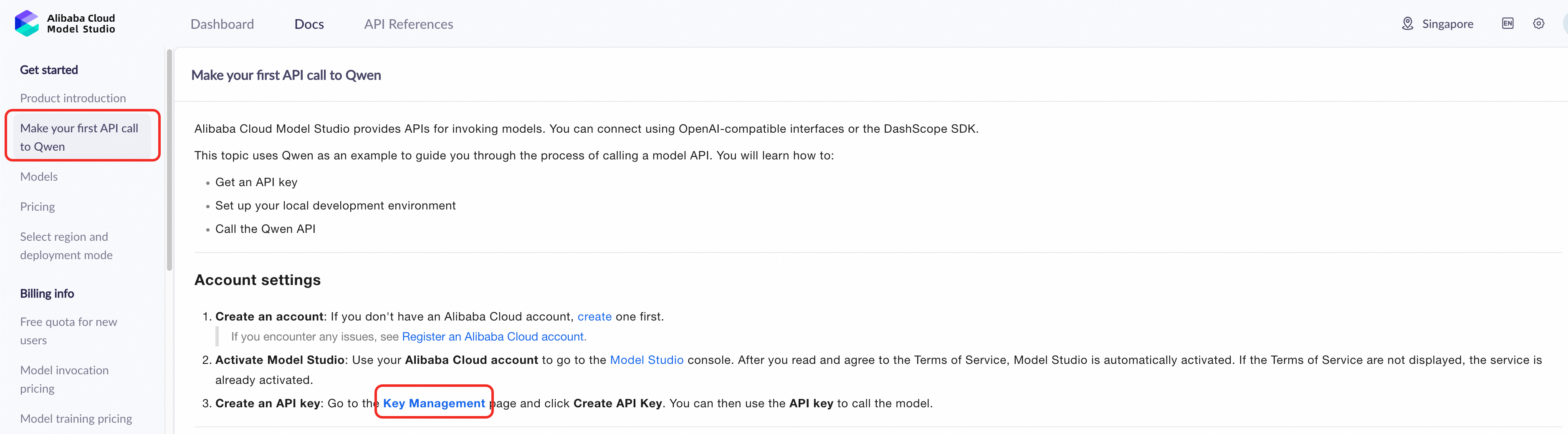
2. Log in to Model Studio Console → When in the Model Studio console, you can create an API key by navigating to the left "Make your first API call to Qwen" and choosing "Key Management"
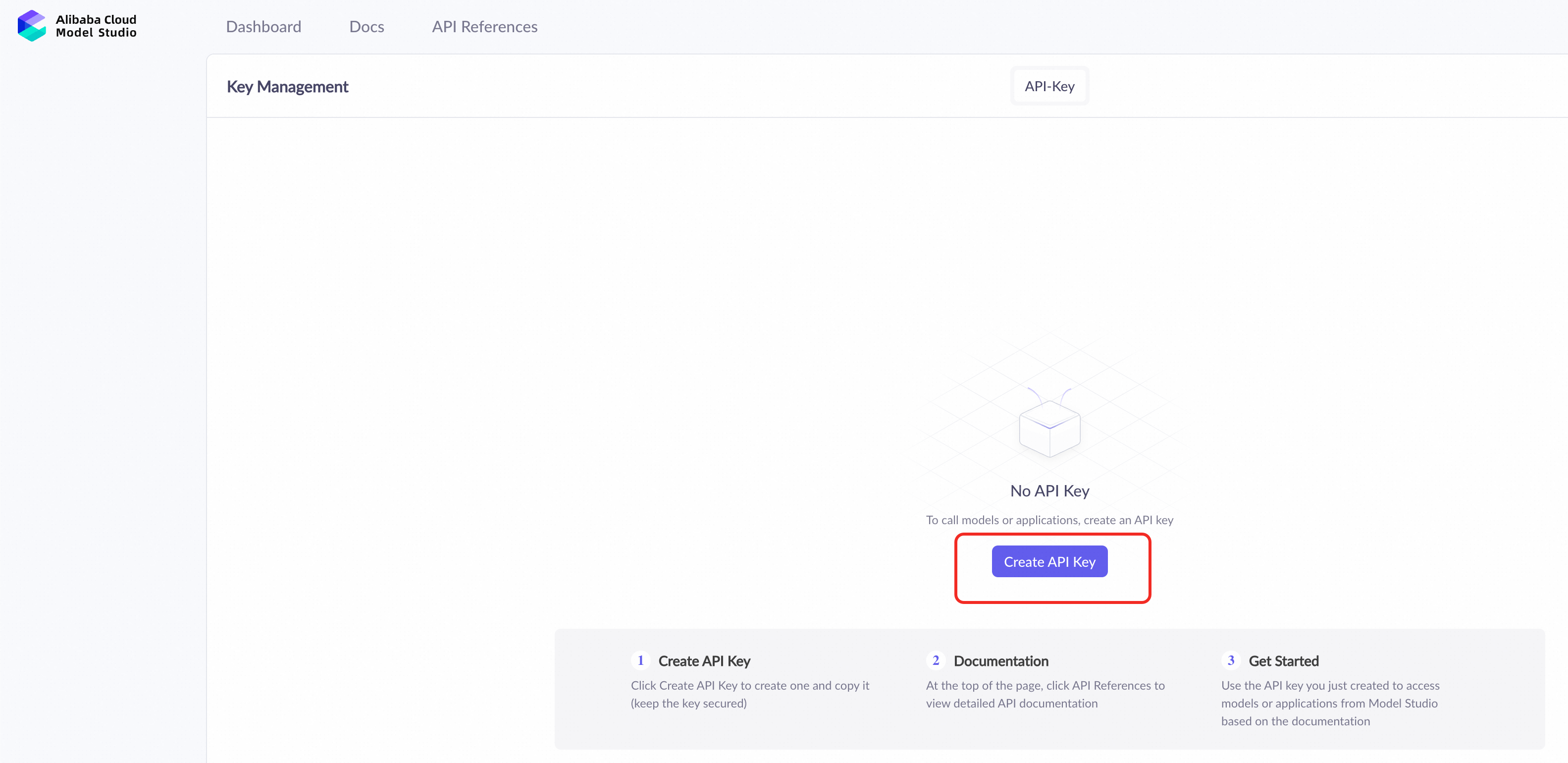
3. Create your API Key → Once inside key management, you can create an API key just by clicking "Create API Key"
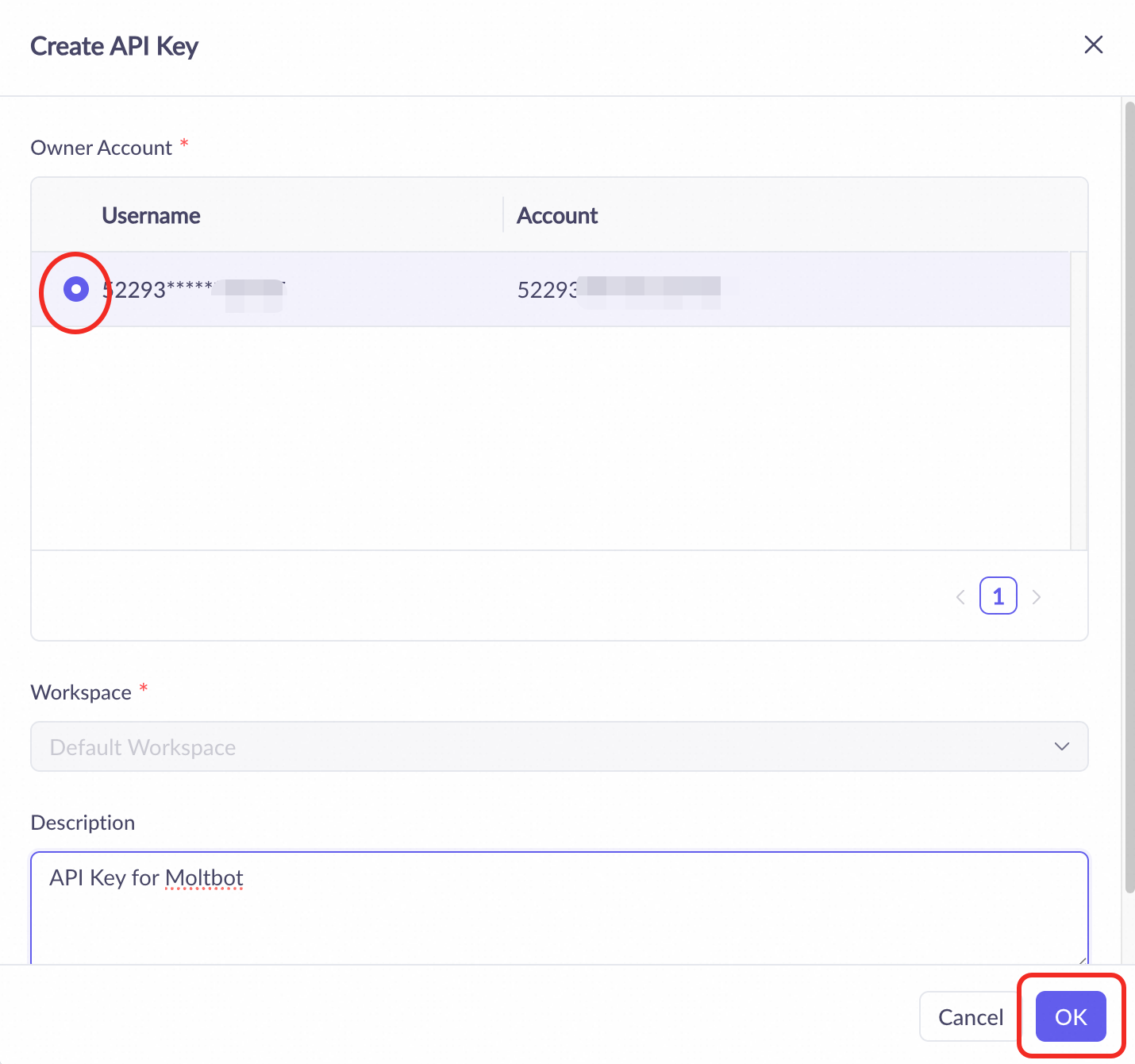
Simply choose your Alibaba Cloud account and click OK to create the API key.
Your API key has been created. Click on the icon beside the API key to copy it.

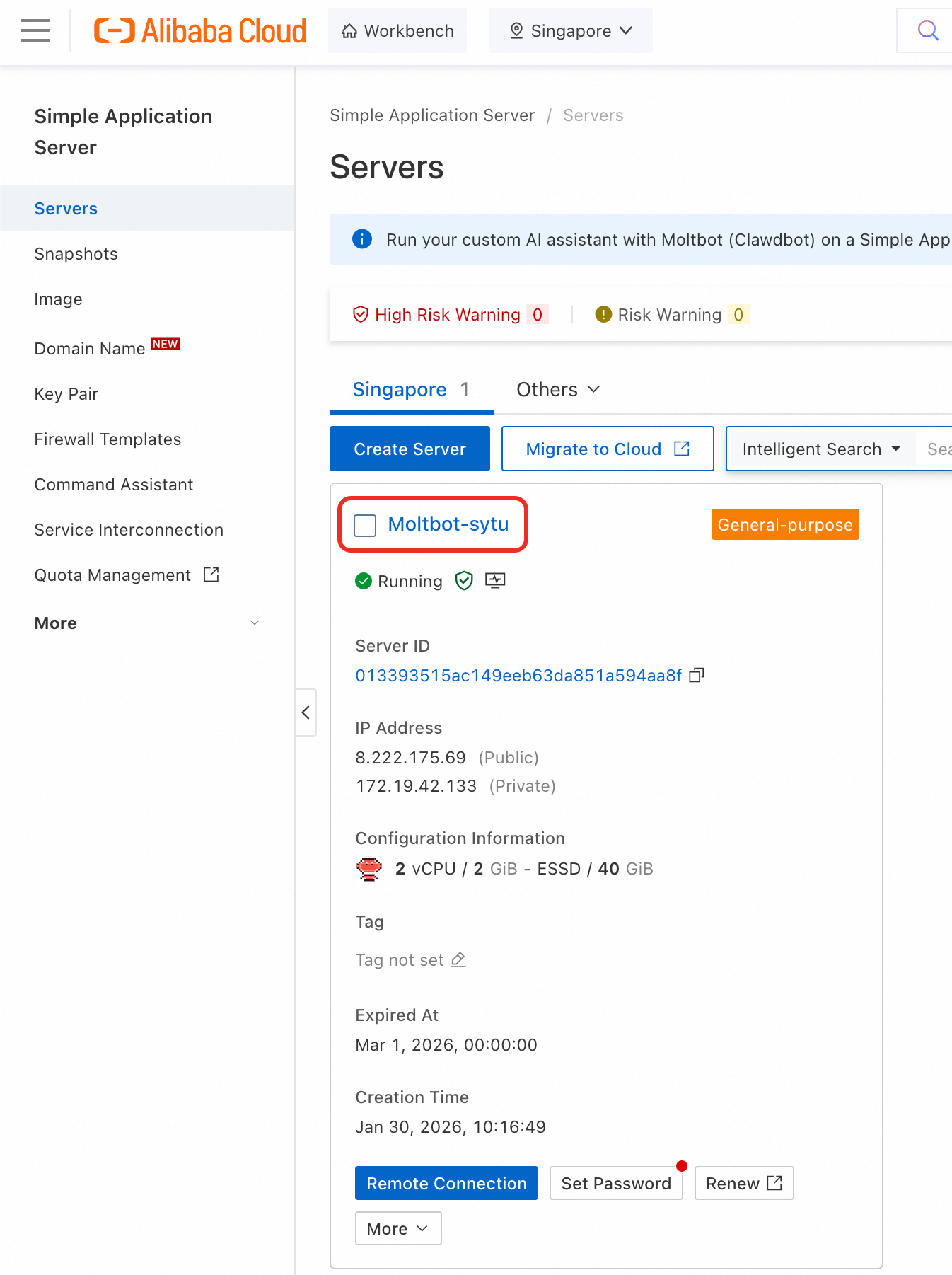
4. Configure OpenClaw instance with API Key → Return to the Simple Application Server console, click on the OpenClaw instance.
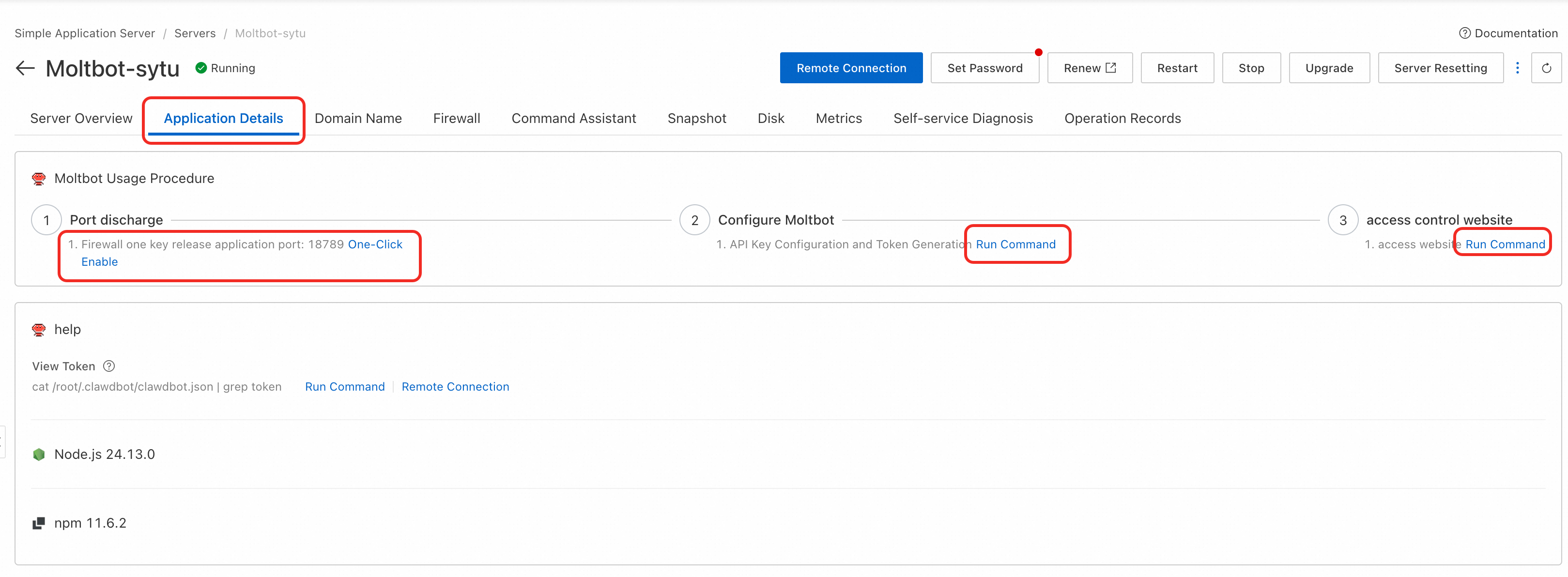
Once inside the OpenClaw instance, navigate to the Application Details tab. Click on "One-Click Enable" for Firewall, then Click on "Run Command" for Configure OpenClaw. Paste your API key from Model Studio and click next. Lastly, click on "Run Command" on Access Control Website. Your OpenClaw is integrated to Model Studio with API key and ready to use!
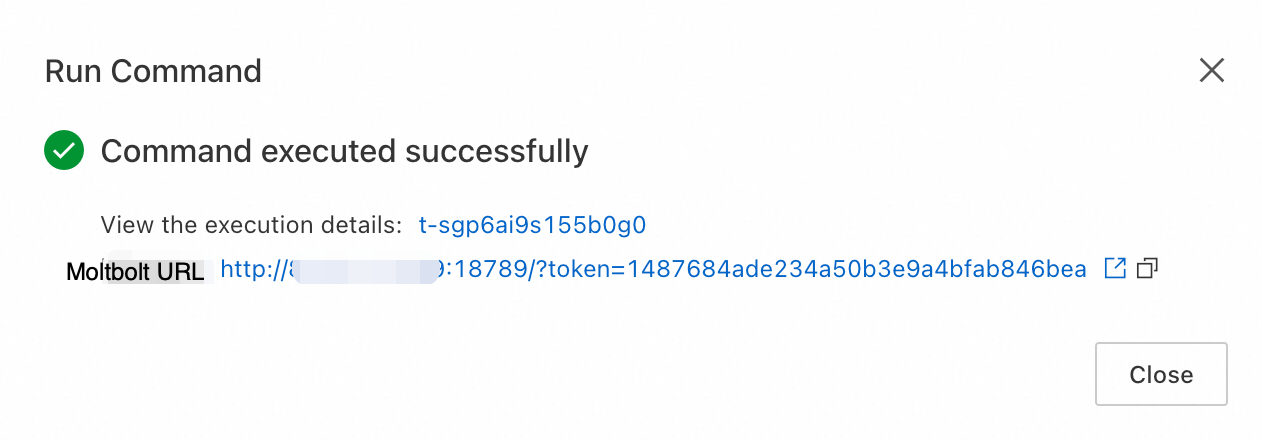
Click on the URL provided and you will reach Moltbolt Dashboard. (You may need to open the firewall to your laptop to access this URL, refer to below steps if required)
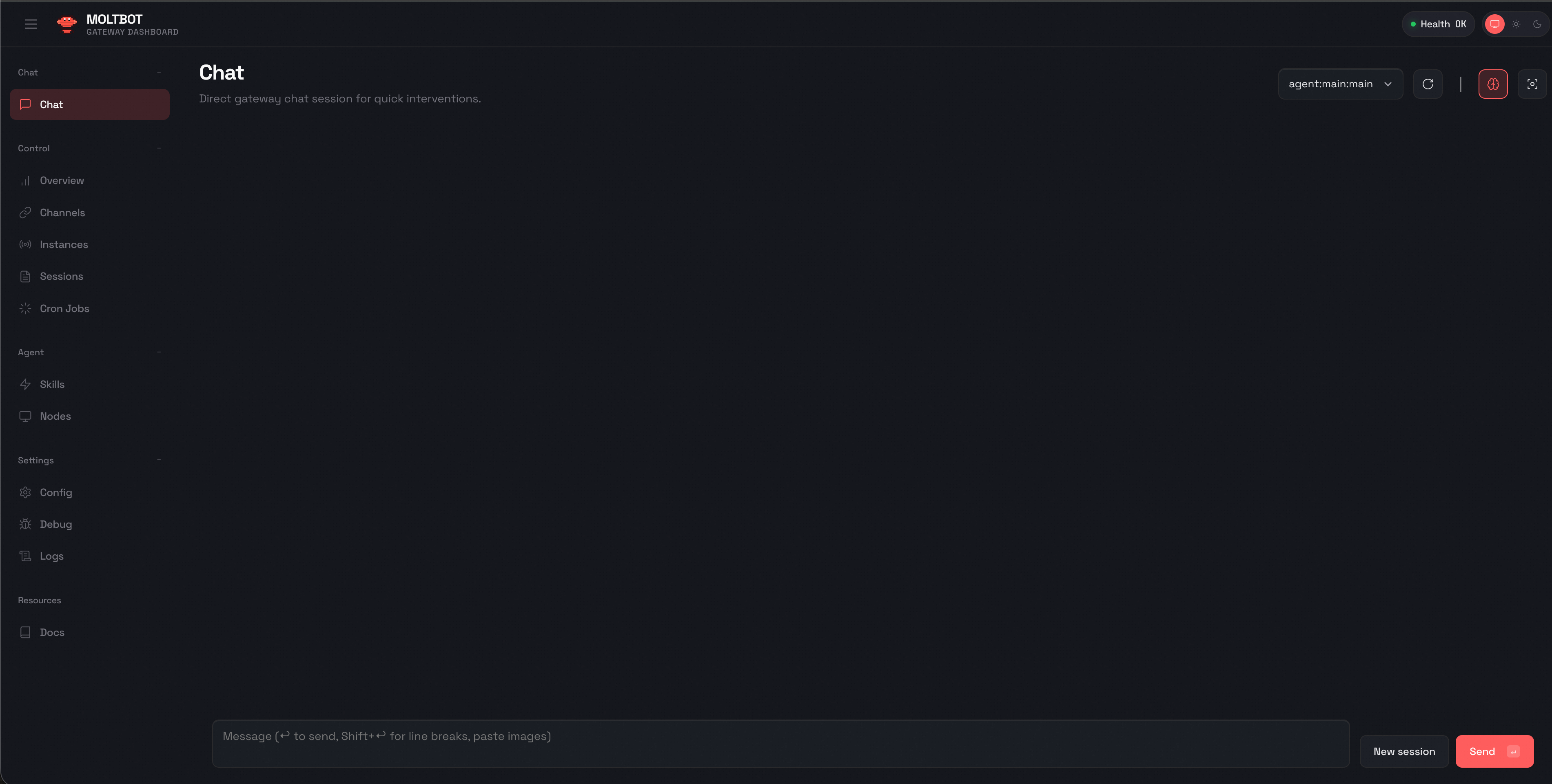
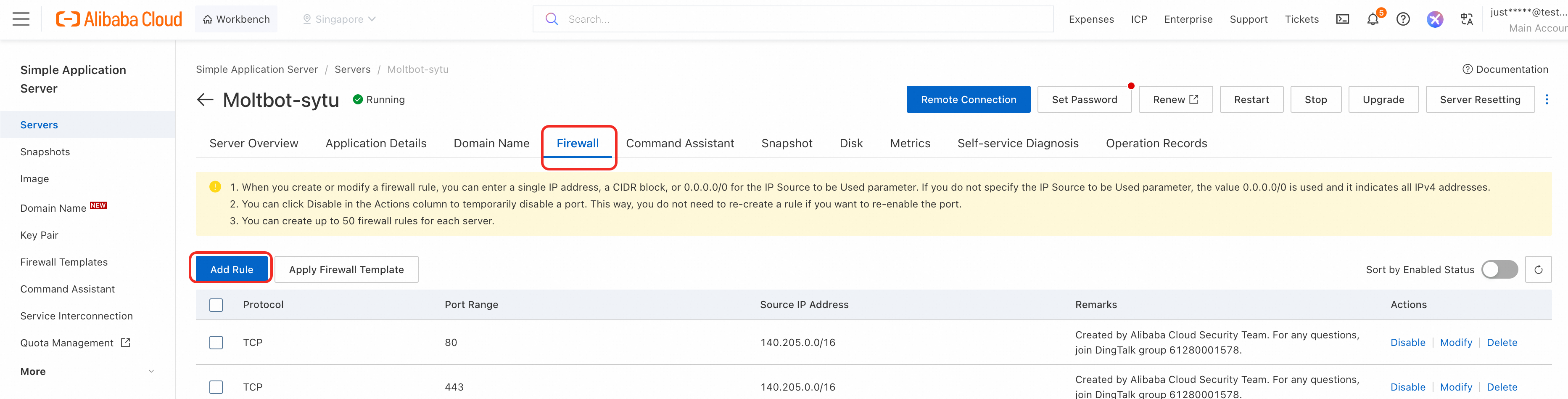
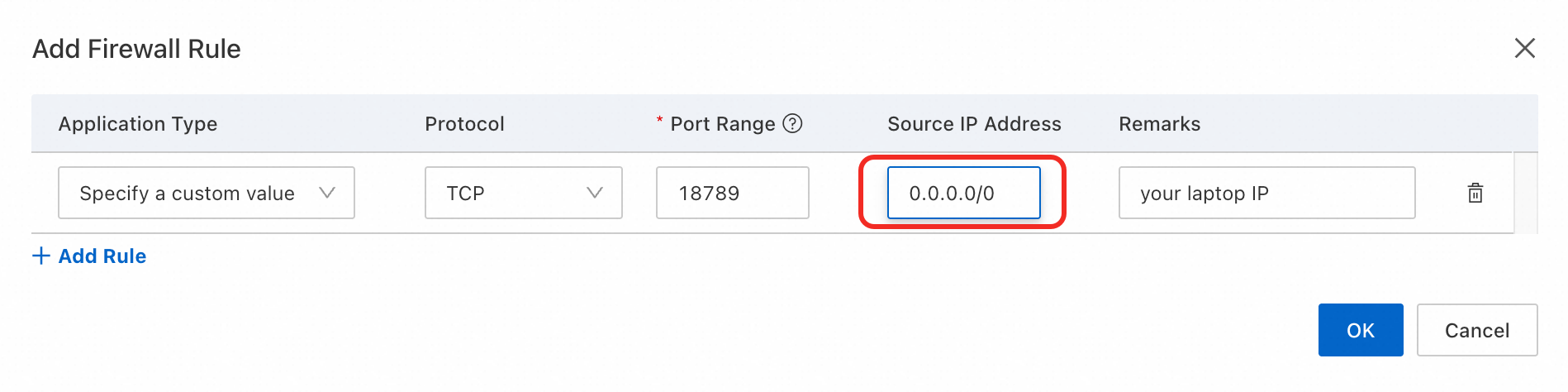
(Optional) Open Firewall to your laptop → If you cannot access the OpenClaw dashboard using the URL provided, it is likely Simple Application Server's firewall is not opened to your laptop. Security is built in by design, hence you have to add a firewall rule to allow your laptop to access Simple Application Server. Go to firewall tab, click on "Add Rule".
Add your laptop's IP address here and click on OK button. Once added, try the OpenClaw URL again. You should be able to access the OpenClaw dashboard now.
● Local dependency: Running OpenClaw on a personal computer means uptime depends on your device and network. Power off, sleep mode, or switching networks can interrupt service.
SAS advantage: Always-on public access with 24/7 reliability—OpenClaw stays connected anywhere, anytime.
● Setup headaches: Installing dependencies, resolving conflicts, and troubleshooting locally is error-prone. Updates often break configurations and require manual fixes.
SAS advantage: Standardized images enable one-click deployment. Issues are quickly resolved, upgrades are seamless, and scaling is effortless.
● Hardware limits: Local machines slow down under heavy workloads, and upgrading hardware is costly, inflexible, and risky.
SAS advantage: Independent cloud environment with flexible instance specs. Performance and costs are fully controllable, scaling up or down as needed.
SAS eliminates the fragility of local setups, giving developers a stable, scalable, and secure foundation to run OpenClaw without compromise.
OpenClaw’s viral adoption proves that the world is ready for AI agents that do more than chat—they act. With Alibaba Cloud’s Simple Application Server, deploying OpenClaw is now accessible, scalable, and secure. This partnership marks a milestone in the evolution of AI, empowering developers everywhere to build, experiment, and innovate.
Qwen3-ASR & Qwen3-ForcedAligner is Now Open Sourced: Robust, Streaming and Multilingual!
How to Configure Model Studio API on OpenClaw (Moltbot/Clawdbot)

1,568 posts | 524 followers
FollowAlibaba Cloud Native Community - February 13, 2026
CloudSecurity - March 18, 2026
Alibaba Cloud Community - June 8, 2026
Justin See - March 19, 2026
Alibaba Cloud Community - May 18, 2026
Justin See - March 20, 2026

1,568 posts | 524 followers
Follow QwenWork
QwenWork is dedicated to helping employees strengthen their professional competitiveness in the AI era and to enabling enterprises to improve organizational effectiveness.
Learn More Token Plan
Build more, spend less. One plan, every modality.
Learn More
Alibaba Cloud Model Studio
A one-stop generative AI platform to build intelligent applications that understand your business, based on Qwen model series such as Qwen-Max and other popular models
Learn More Simple Application Server
Cloud-based and lightweight servers that are easy to set up and manage
Learn MoreMore Posts by Alibaba Cloud Community


Demetrio Parrilla February 10, 2026 at 7:22 am
Great Information