
The syllabus says what the course covers. It doesn't say what happens in the room on a Tuesday in week seven. QwenWork expands that one page into a semester of lesson plans — objectives, activities, assessments — then reflows the whole thing when the calendar moves. Which it will.
Lesson planning is where teaching time actually goes: turning a learning outcome into ninety minutes that holds attention, checks understanding, and leaves evidence. Multiply by fifteen weeks and it's a second job.
Templates don't help much. A generic plan ignores your calendar, your class size, and the week the campus closes for a holiday — so you rewrite it anyway.
QwenWork plans from your syllabus and your constraints: outcomes mapped to weeks, activities matched to class size, assessments spaced where they belong. Then it absorbs the schedule changes that every semester brings.
From a one-page syllabus:
Time to set up: about 7 minutes. Your pedagogy stays yours; the drafting scales.
Expand this syllabus into weekly lesson plans: objectives,
activities, and one assessment per week. 15 sessions, 90 minutes
each, class of 32. Weeks 9-12 are tool-agnostic: assume students
build dashboards in a common spreadsheet, and teach chart-choice
and dashboard principles rather than a specific vendor tool.
Deliver the plans as one markdown document with a per-week section.

SYLLABUS — Intro to Data Visualization (undergrad)
Outcomes: (1) choose chart types by data and question;
(2) critique misleading visualizations; (3) build a dashboard
from a raw dataset; (4) present findings to a non-technical
audience.
Structure: weeks 1-4 foundations and chart grammar; weeks 5-8
perception and color; weeks 9-12 tools and dashboard build;
weeks 13-15 critique workshop and final presentations.
Assessment: 4 quizzes, 1 dashboard project, 1 final presentation.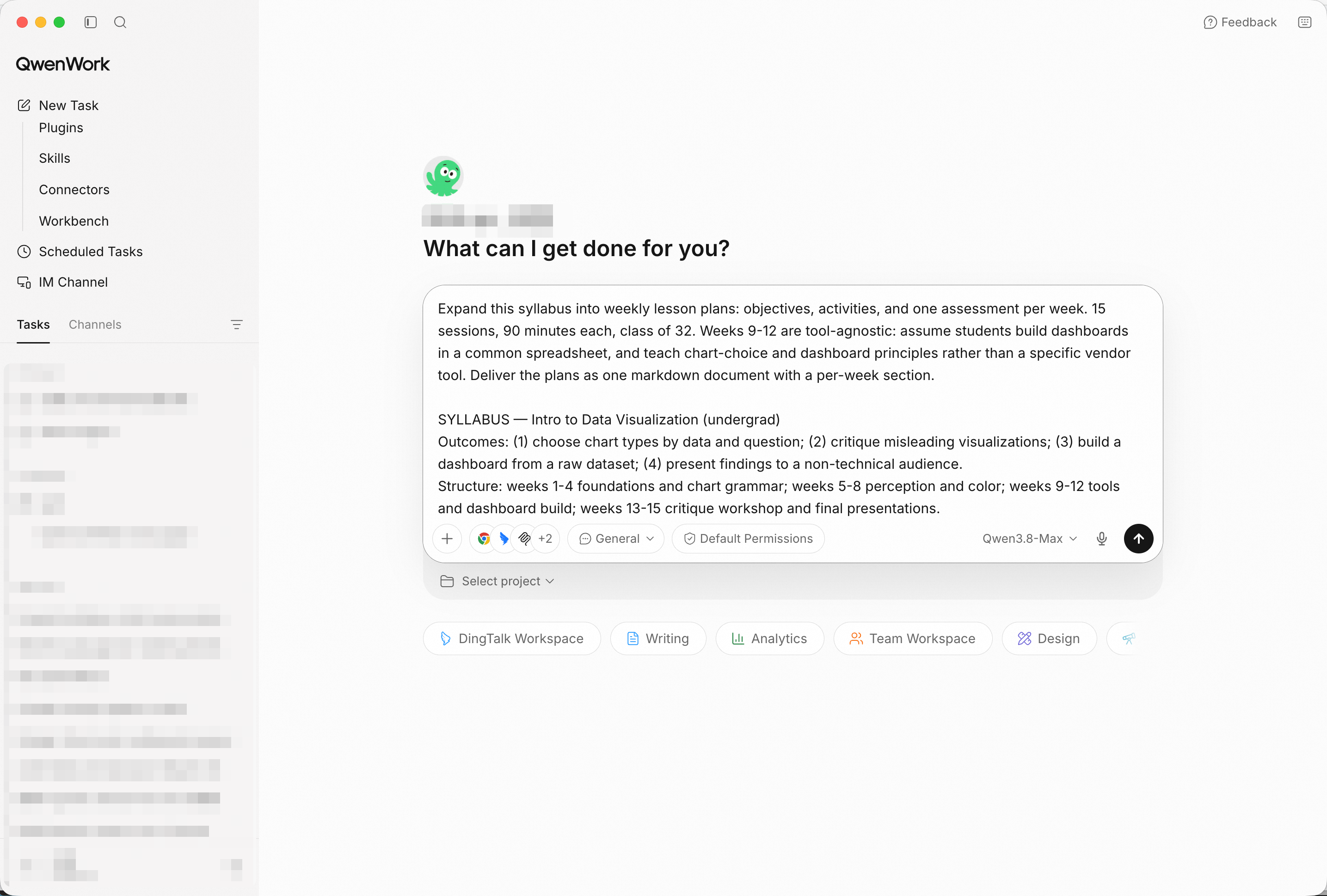
The syllabus plus constraints in — class size and session length shape every plan. Screenshot shows sample input entered by hand for the demo; in production, point QwenWork at your connected source and the same prompts run unchanged.
Before reading any single week, ask the question that catches drift:
Show me the outcome-to-week mapping: which weeks cover each
outcome, and flag any outcome that's under-covered.
A good answer shows outcome 4 (presenting to non-technical audiences) getting real rehearsal time, not just a slot on the last day.
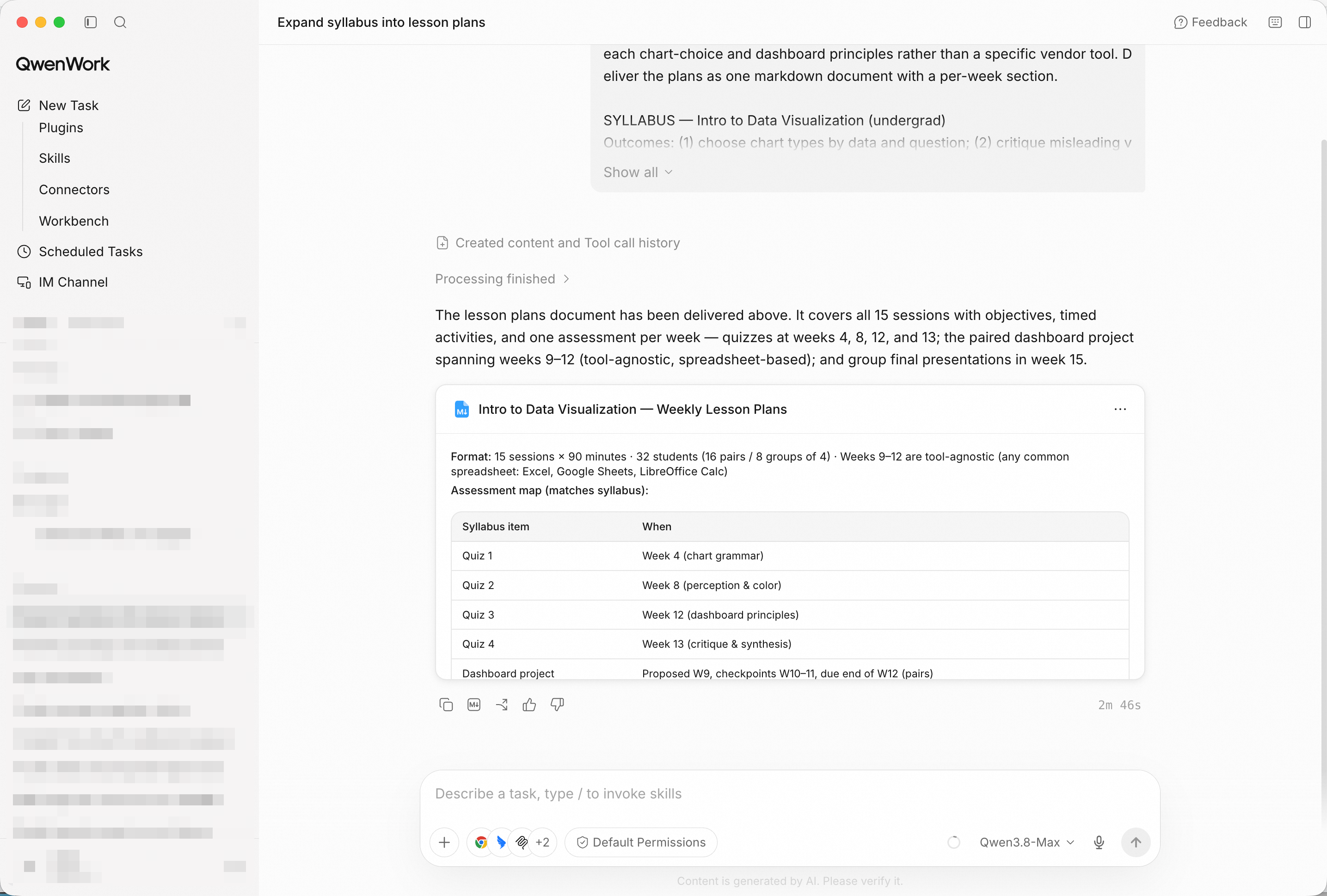
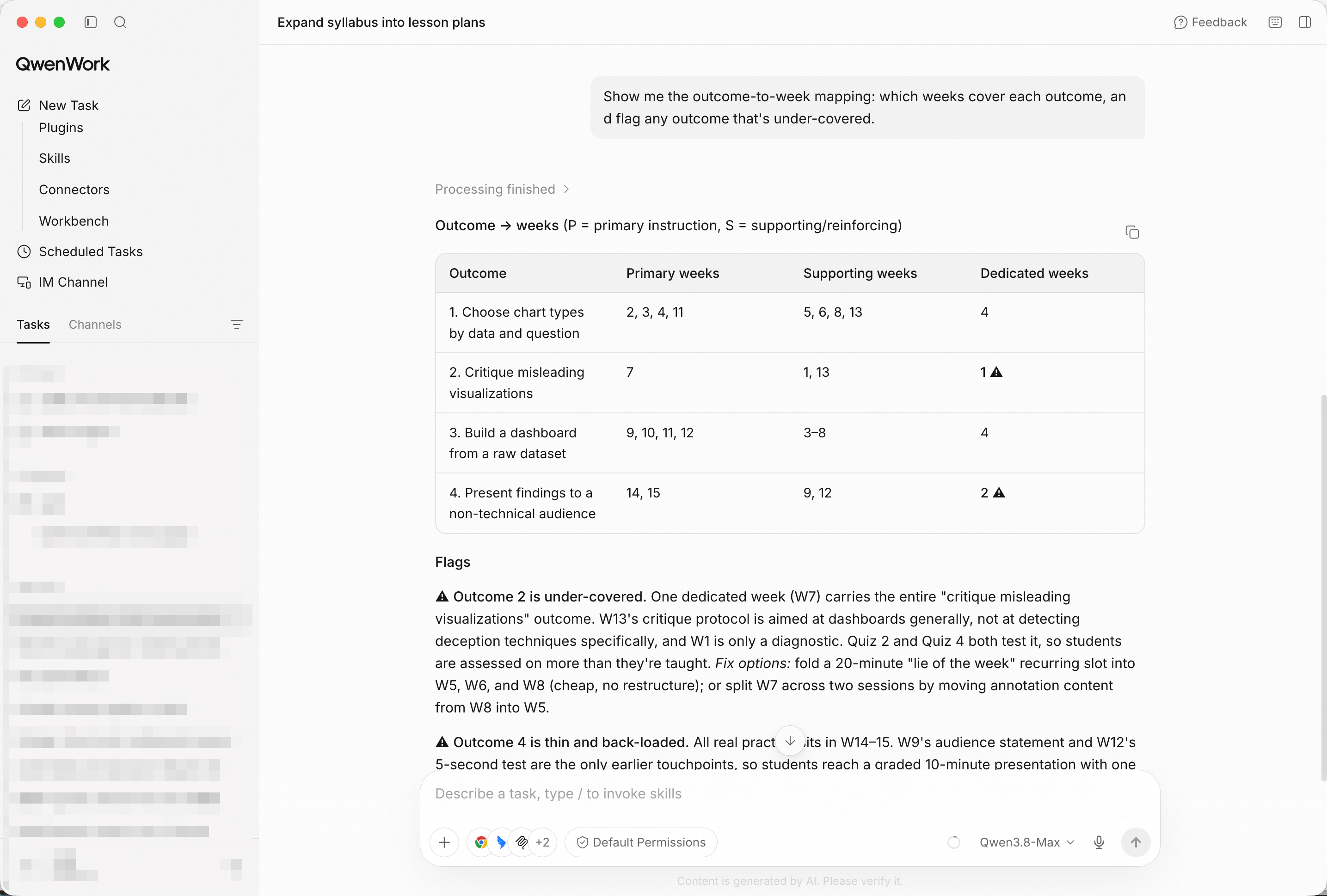
Every outcome traced to weeks — the plan is accountable to the syllabus.
Pick the week that's hardest to teach — usually the transition week — and read its plan closely: timing blocks that sum to 90 minutes, an activity sized for 32 students, and an assessment that produces evidence rather than vibes.
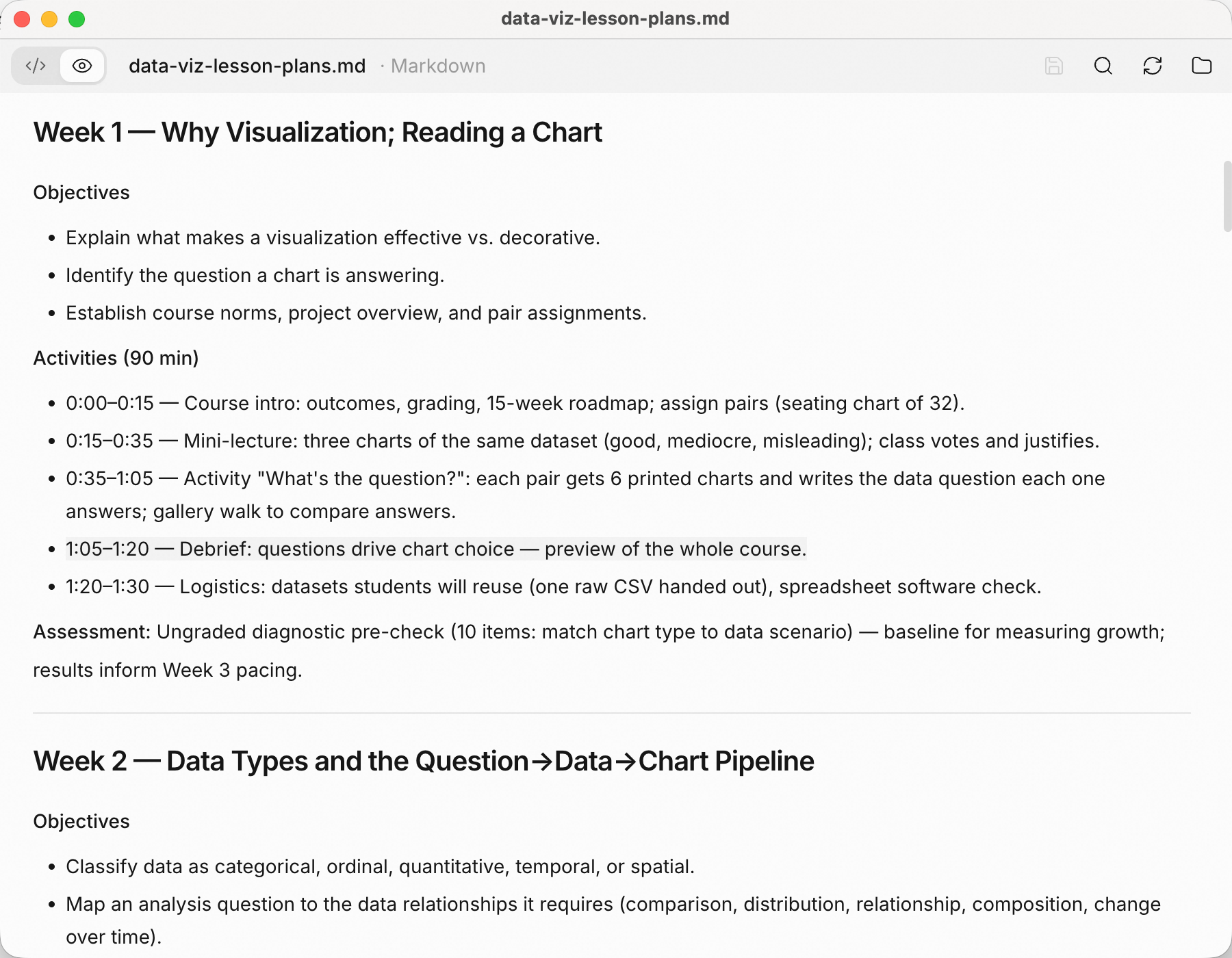
One week, fully planned: blocks, activity mechanics, and the check for understanding.
Every semester eats a week:
Campus closes week 6 for a holiday. Reflow the remaining weeks:
redistribute week 6 content without dropping outcome coverage,
and show me what got compressed.
The reflow should name its costs — what got compressed, what moved to async — instead of silently shrinking everything.
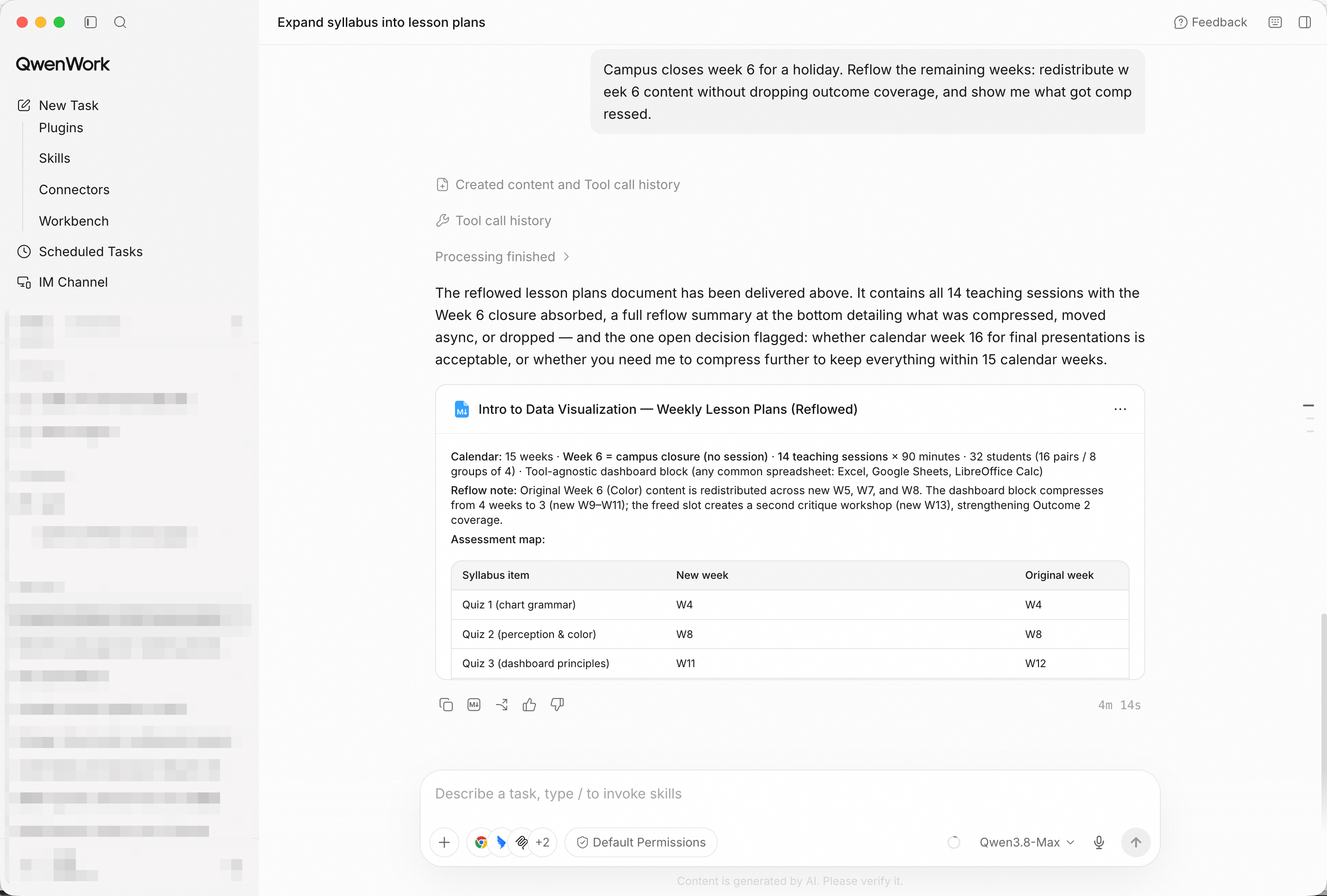
The lost week absorbed, trade-offs stated — coverage intact, compression visible.
Compile the full semester into one document: weekly plans, the
outcome map, and the assessment schedule.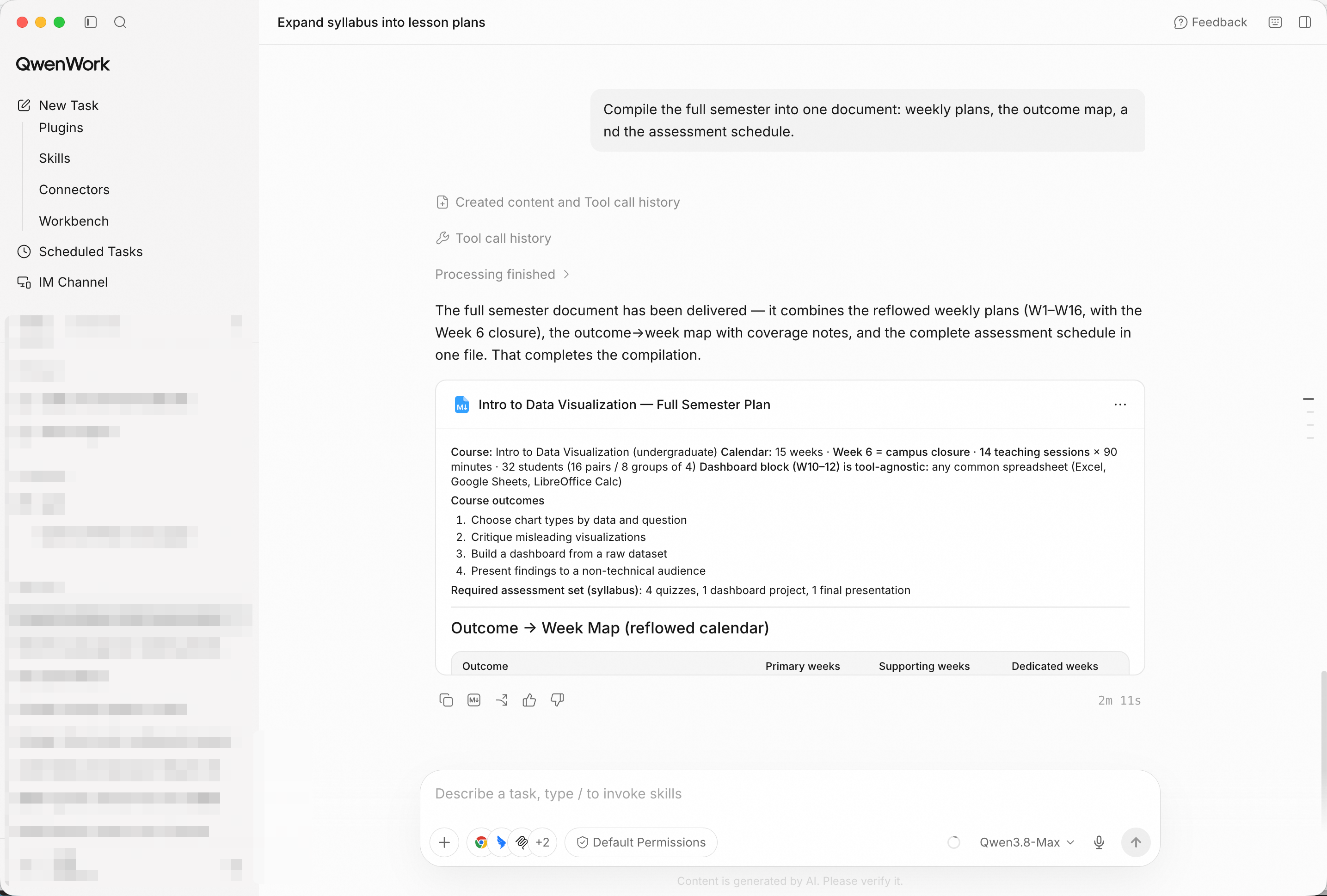
One pack for the whole term — a co-instructor could teach from it cold.
You didn't spend a break writing fifteen plans. You brought in a syllabus, and QwenWork returned a mapped, constraint-aware semester — then reflowed it when the calendar moved, and compiled it into a pack anyone could teach from.
That's the pattern for a lot of the work that quietly eats your week: the course was designed; the plans were the tax.
Write a Five-Touch Outbound Sequence That Doesn't Sound Like Spam with QwenWork
Grade a Stack of Essays Against Your Own Rubric with QwenWork

1,590 posts | 525 followers
FollowAlibaba Cloud Community - October 28, 2026
ferdinjoe - September 18, 2026
Alibaba Cloud Community - October 23, 2026
Alibaba Cloud Community - October 12, 2026
Alibaba Cloud Community - October 23, 2026
Alibaba Cloud Community - October 23, 2026
1,590 posts | 525 followers
Follow QwenWork
QwenWork is dedicated to helping employees strengthen their professional competitiveness in the AI era and to enabling enterprises to improve organizational effectiveness.
Learn More Token Plan
Build more, spend less. One plan, every modality.
Learn More Qwen
Qwen
Full-range, open-source, multimodal, and multi-functional
Learn More
Alibaba Cloud Model Studio
A one-stop generative AI platform to build intelligent applications that understand your business, based on Qwen model series such as Qwen-Max and other popular models
Learn MoreMore Posts by Alibaba Cloud Community

