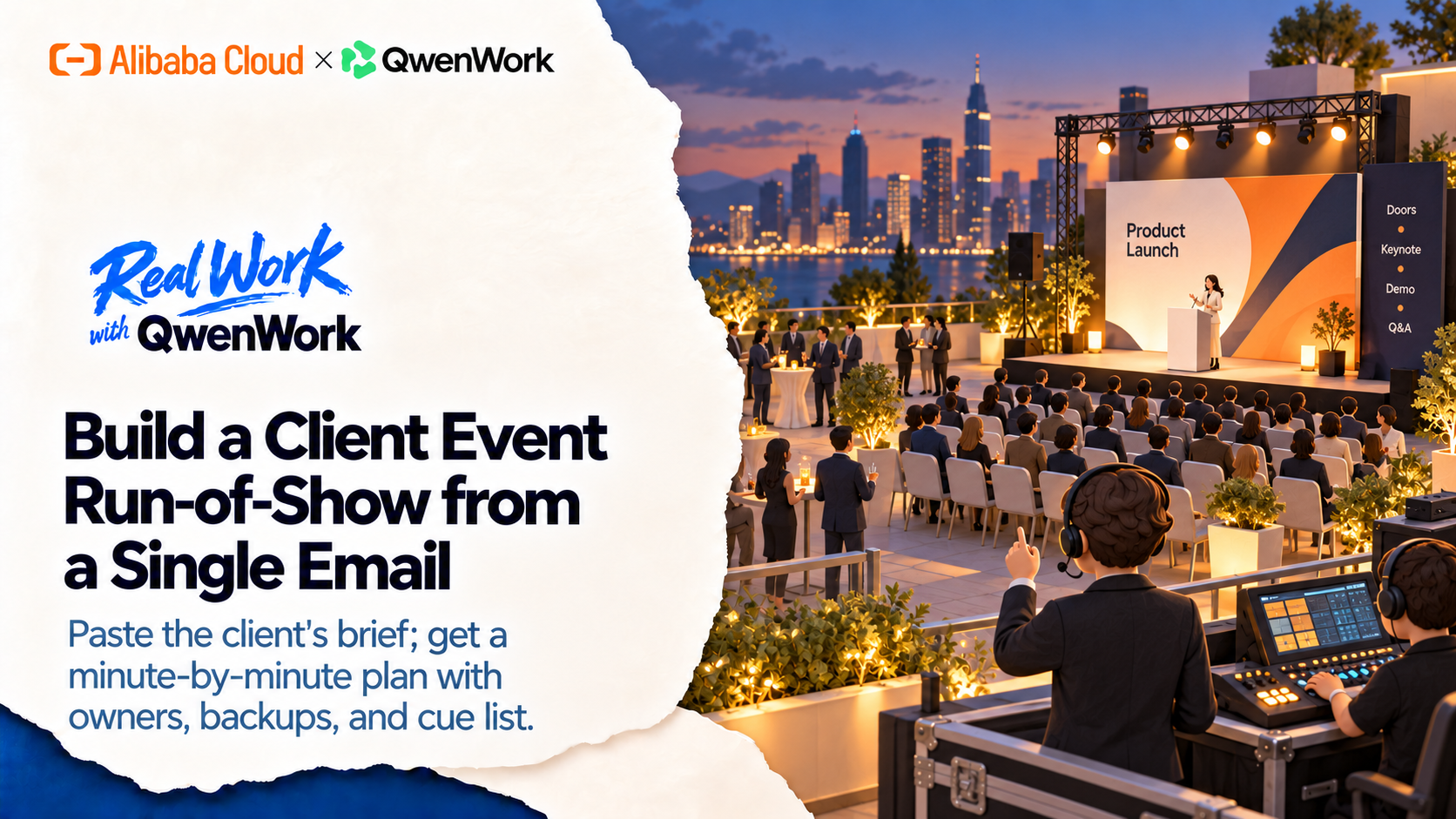
The client's email has the date, the venue, and five bullet points of program. What it doesn't have is the document your crew actually runs the night from. QwenWork turns that email into a minute-by-minute run-of-show — owners, cues, fallbacks — and reflows it in seconds when the client changes their mind. Which they will.
A run-of-show is where event planning gets real: every minute accounted for, every cue assigned, every failure mode pre-decided. Building one from a client email means extracting the fixed points, inventing the connective tissue, and stress-testing it against rain, overruns, and dead microphones.
Done well it takes an evening. Done the night before, it takes the form of a panicked spreadsheet that nobody trusts.
QwenWork drafts the whole document from the email — then handles the part that always happens next: the client moves something, and everything downstream shifts.
From one client email:
Time to set up: about 7 minutes. The plan is yours to approve — QwenWork drafts and reflows.
The email is the brief. Verbatim, typos and all:
Build a minute-by-minute run-of-show from this client email:
segments, owners, and a cue list.

From: Meridian Robotics
Subject: Launch event Nov 14 — need run-of-show
Hi — our product launch event is Nov 14, 6-9pm, rooftop venue,
120 guests. Doors 6:00, keynote 7:00 (CEO, 20 min), live demo
right after (15 min), press Q&A 7:40, networking till 9.
Catering serves 6:15-7:00 and again 8:00. We have a 3-person
crew plus venue staff. AV is in-house. Please send a plan we
can run the night from.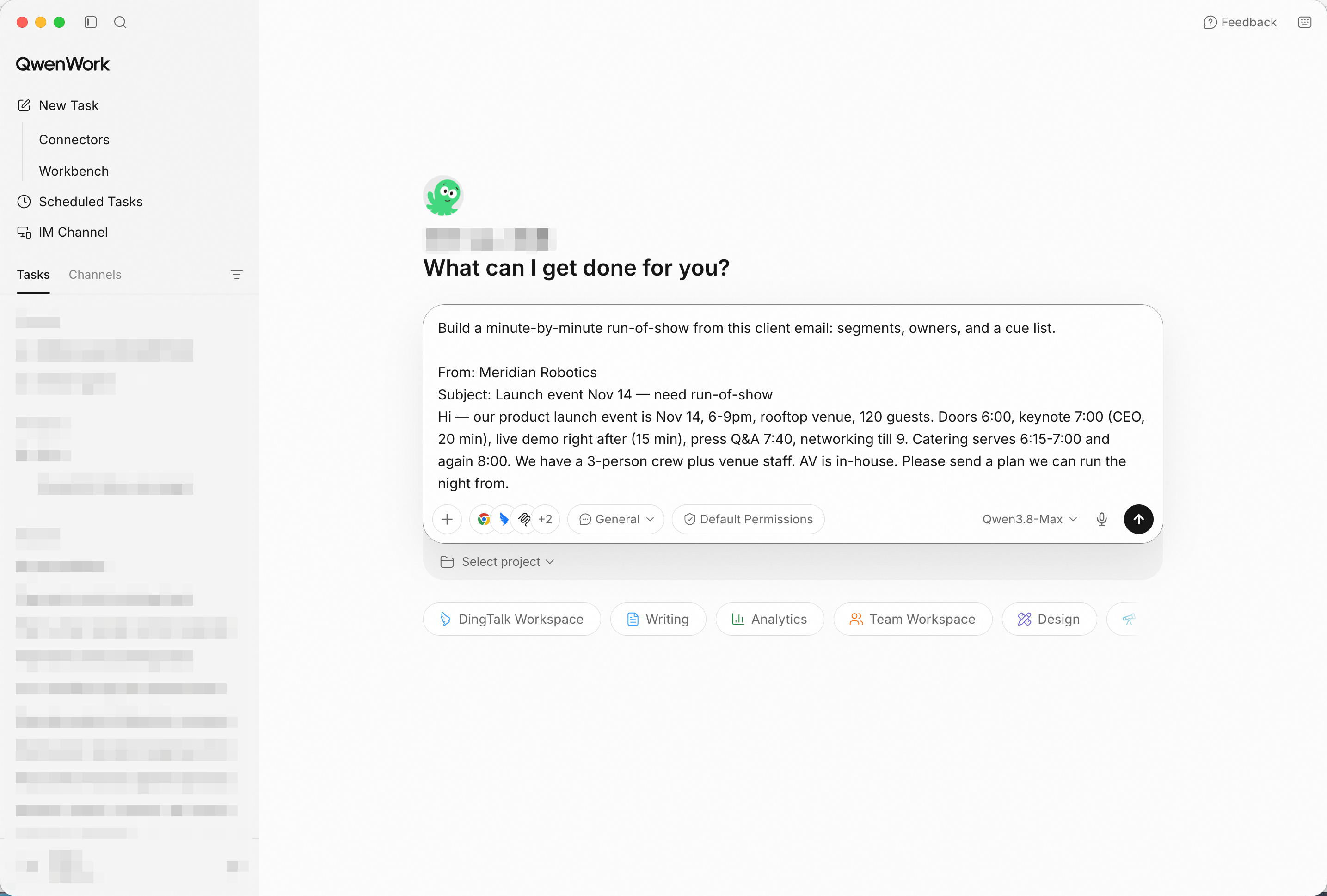
The client email goes in as-is — fixed points and gaps together. Screenshot shows sample input entered by hand for the demo; in production, point QwenWork at your connected source and the same prompts run unchanged.
The draft fills the email's gaps: load-in and soundcheck before doors, mic handoffs between segments, catering windows that don't collide with the keynote, and a cue list with owner names per row.
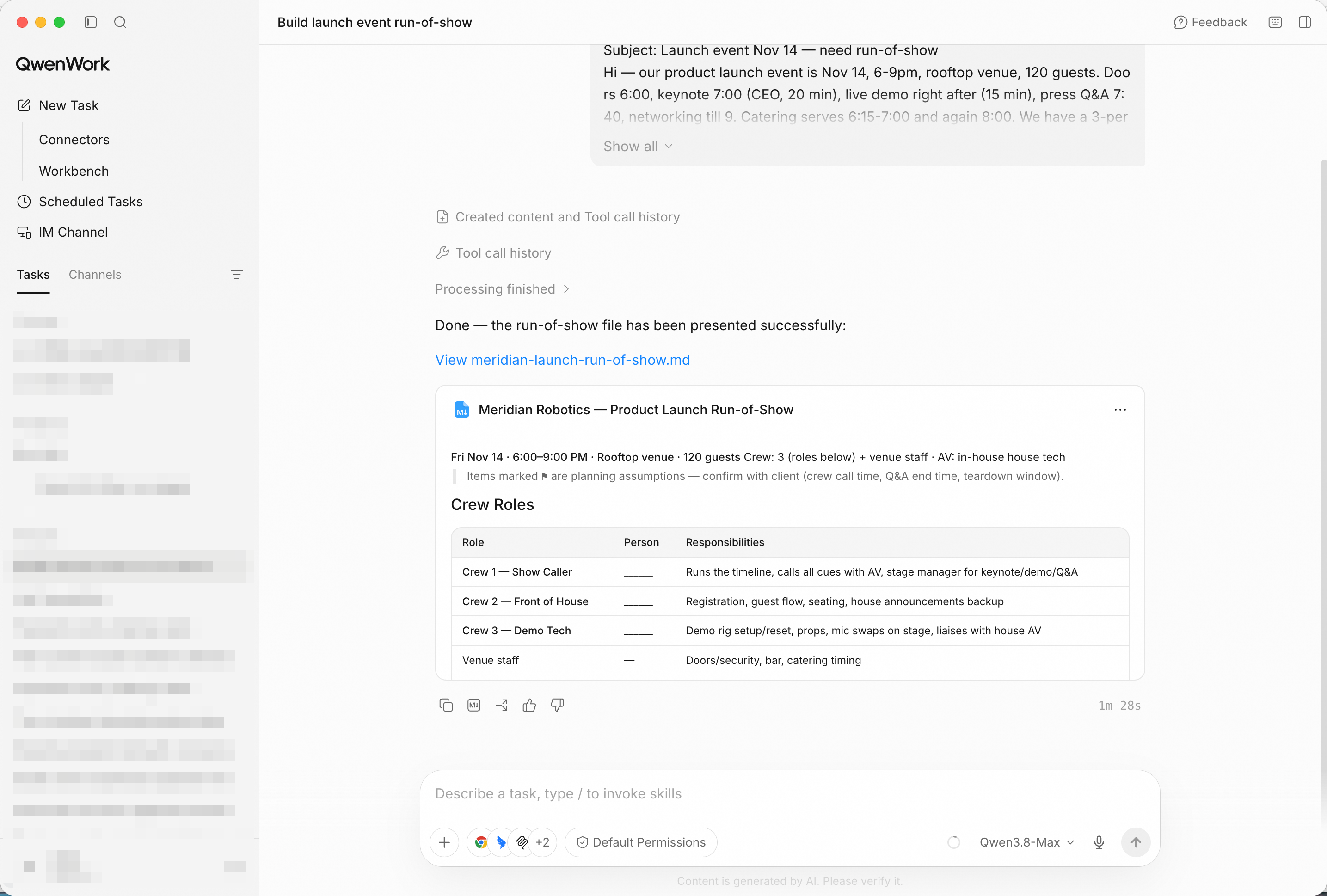
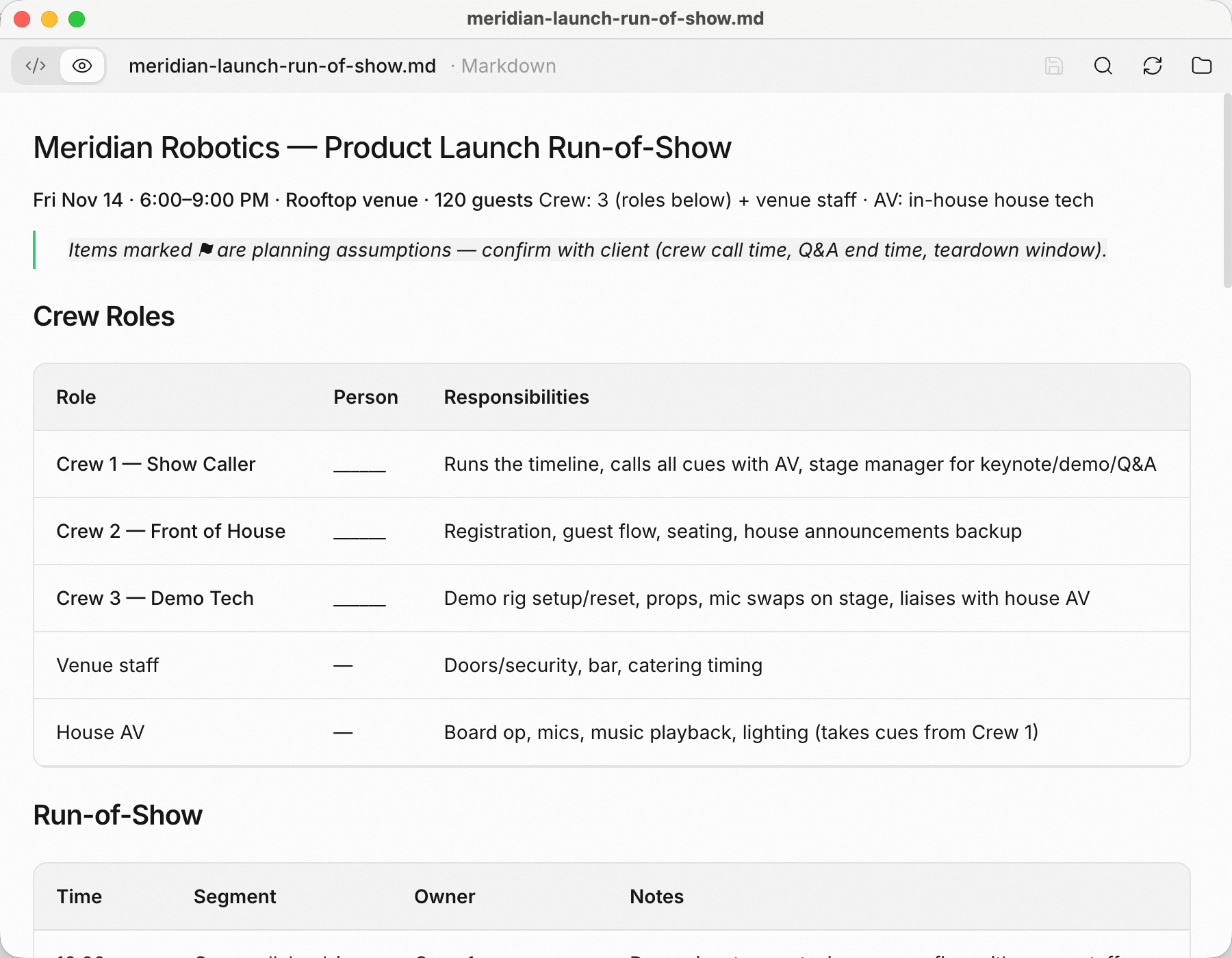
Minute-by-minute, owner per row, cue per transition — the night in one table.
A run-of-show without fallbacks is a wish:
Add a risk and fallback for every segment: rain plan for the
rooftop, AV failure, keynote overrun, catering delay.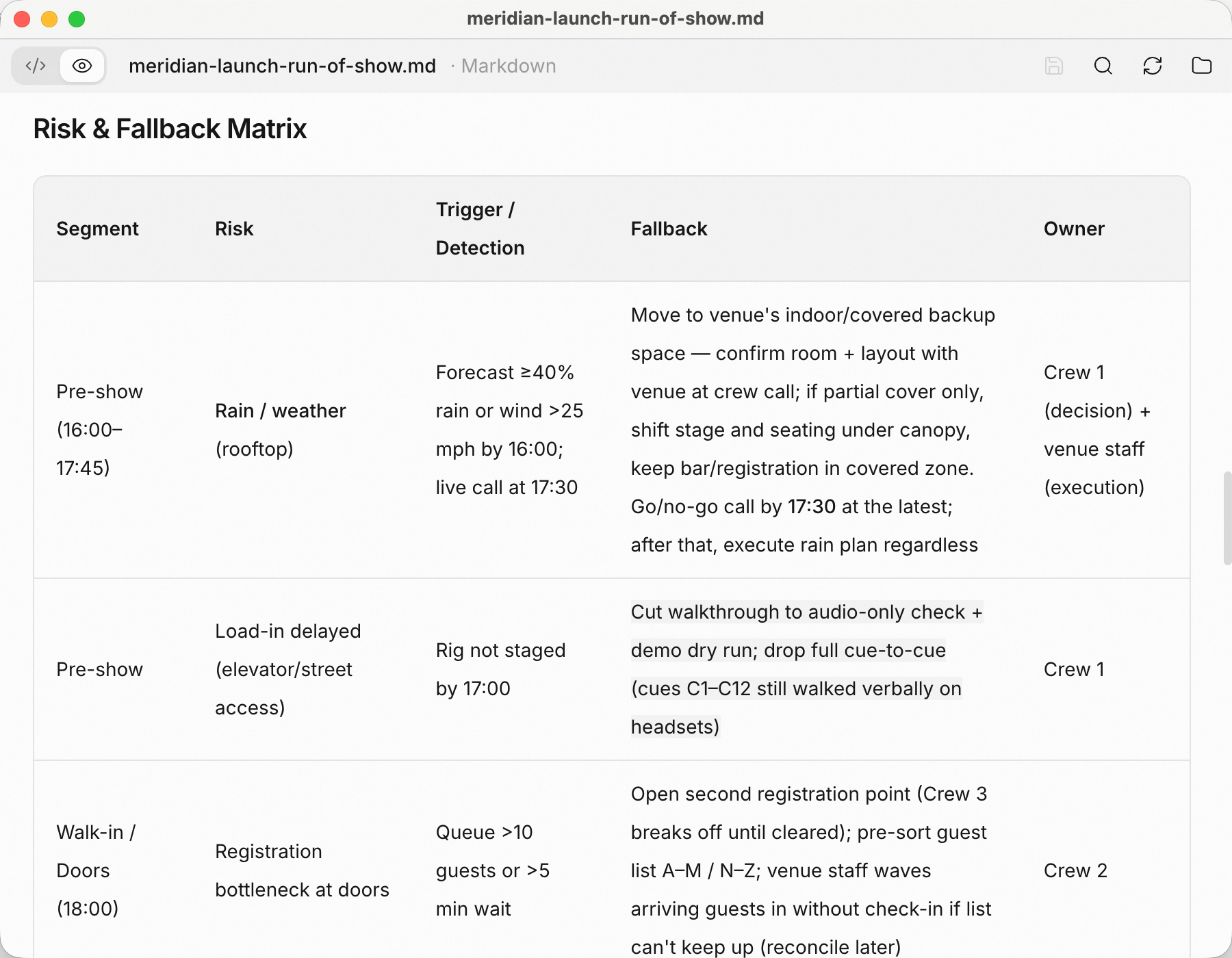
Each segment carries its own plan B — decided now, not at 7:12pm.
They always do:
Client just moved the keynote 30 minutes earlier; the demo stays
at 7:15. Reflow the run-of-show and show me every collision.
The reflow isn't a rewrite — it's a diff: what moved, what now collides (catering window vs. press Q&A), and what the fallback column says about each.
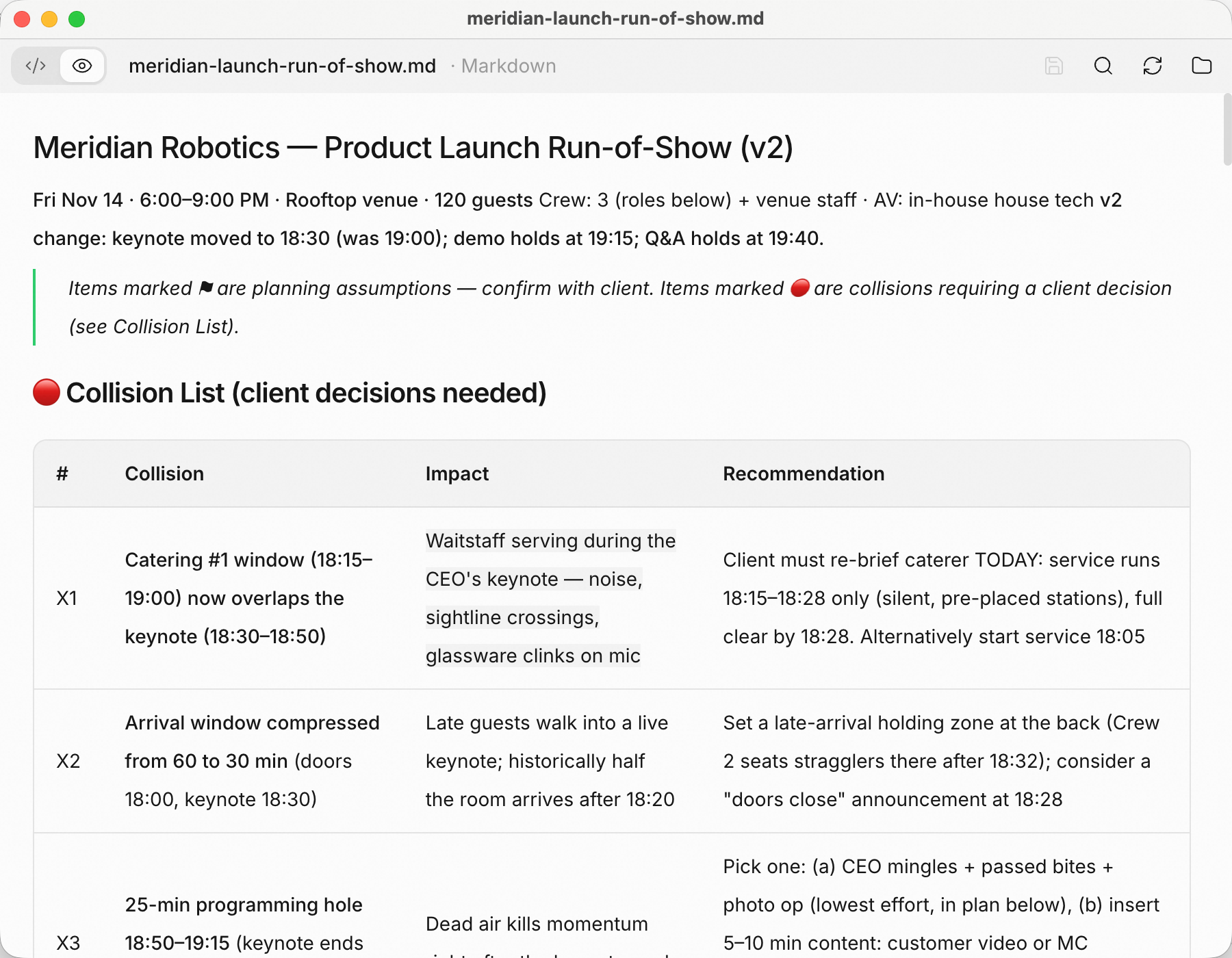
The change absorbed in seconds, collisions listed instead of discovered live.
Two outputs close the loop:
Compile a one-page crew sheet: call times, radio channels, and the
cue list per crew member.
Draft the client confirmation email summarizing the final plan.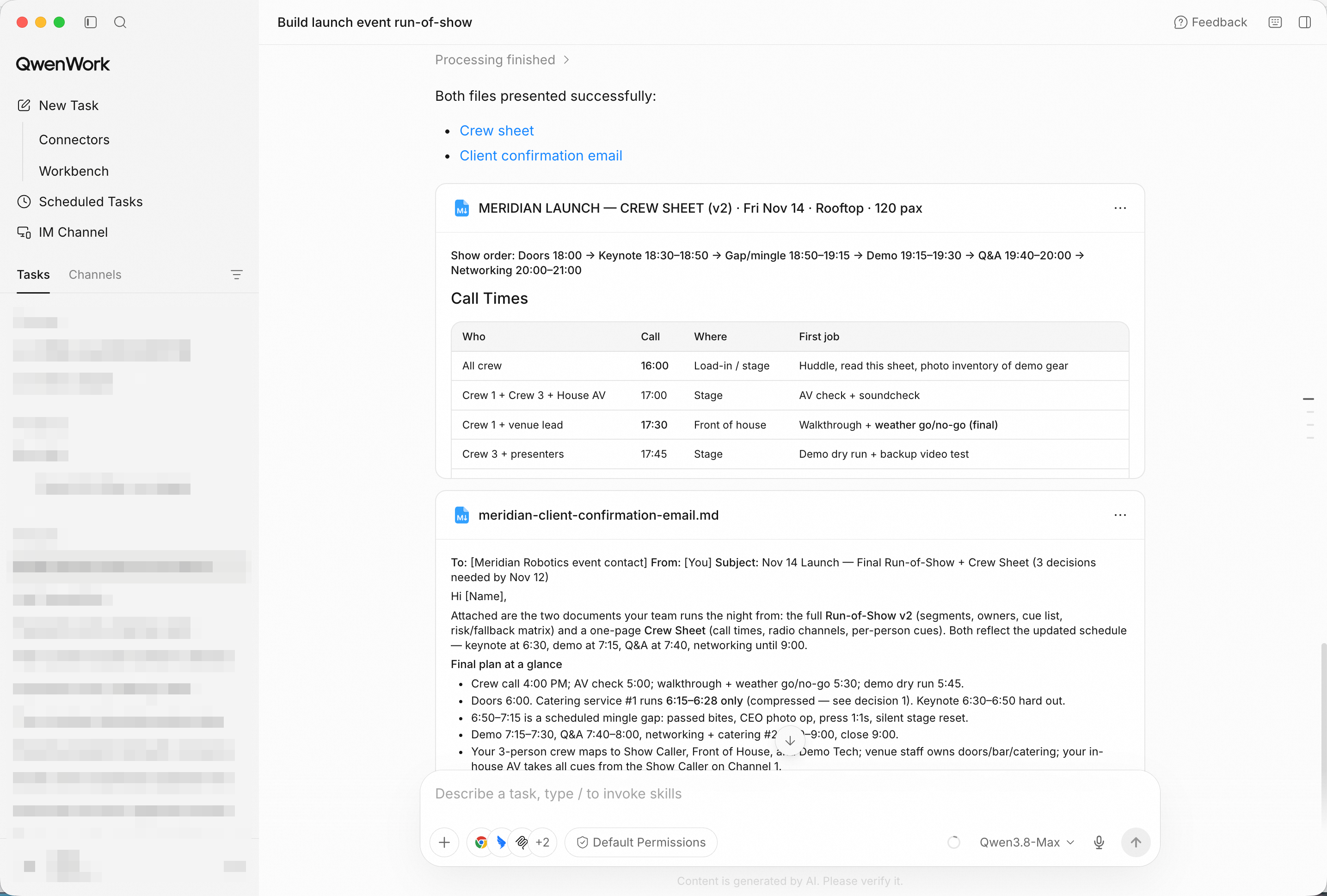
One page per crew member's night — and a confirmation the client can sign off on.
You didn't build the night from scratch at midnight. You brought in one email, and QwenWork returned a run-of-show with owners, cues, and fallbacks — then reflowed it when the client moved the keynote, and packaged it for the crew.
That's the pattern for a lot of the work that quietly eats your week: the brief is one email; the plan shouldn't be an evening.
Plan a Month of Social Content from One Product Brief with QwenWork

1,584 posts | 525 followers
FollowAlibaba Cloud Community - August 26, 2026
Alibaba Cloud Community - October 26, 2026
Alibaba Cloud Community - October 23, 2026
Alibaba Cloud Community - October 27, 2026
Alibaba Cloud Community - September 4, 2026
Alibaba Cloud Community - October 27, 2026
1,584 posts | 525 followers
Follow QwenWork
QwenWork is dedicated to helping employees strengthen their professional competitiveness in the AI era and to enabling enterprises to improve organizational effectiveness.
Learn More Token Plan
Build more, spend less. One plan, every modality.
Learn More Qwen
Qwen
Full-range, open-source, multimodal, and multi-functional
Learn More
Alibaba Cloud Model Studio
A one-stop generative AI platform to build intelligent applications that understand your business, based on Qwen model series such as Qwen-Max and other popular models
Learn MoreMore Posts by Alibaba Cloud Community

