The analysis is done; the figures aren't. QwenWork checks your data before plotting it, proposes which result becomes which chart, renders the set, and reformats it to journal spec — captions and Results text included.
Figure-making is where results go to lose weekends. Choosing the right chart per result, getting error bars and axes honest, matching a journal's font and panel conventions, writing captions that stand alone — each is small; together they're a production line nobody enjoys.
And the failure modes are quiet: a truncated axis that overstates an effect, a palette that dies in grayscale print, a caption that needs the body text to make sense. Reviewers notice all three.
QwenWork runs the line with checks at each station: data audit first, chart-type rationale second, journal-spec formatting last.
From one results table:
Time to set up: about 8 minutes. You own the science; QwenWork owns the production line.
Plot before thinking is how bad figures happen. Ask for the audit and the plan:
Audit this data for plotting problems, then propose a figure set:
which result becomes which chart type, and why.

Experiment: effect of light temperature on reading speed (n=48)
condition, n, mean_words_per_min, sd
cool 6500K, 24, 312, 41
warm 2700K, 24, 287, 39
secondary: error rate cool 2.1%, warm 3.4%
fatigue slope: cool -0.8 wpm/min, warm -1.6 wpm/min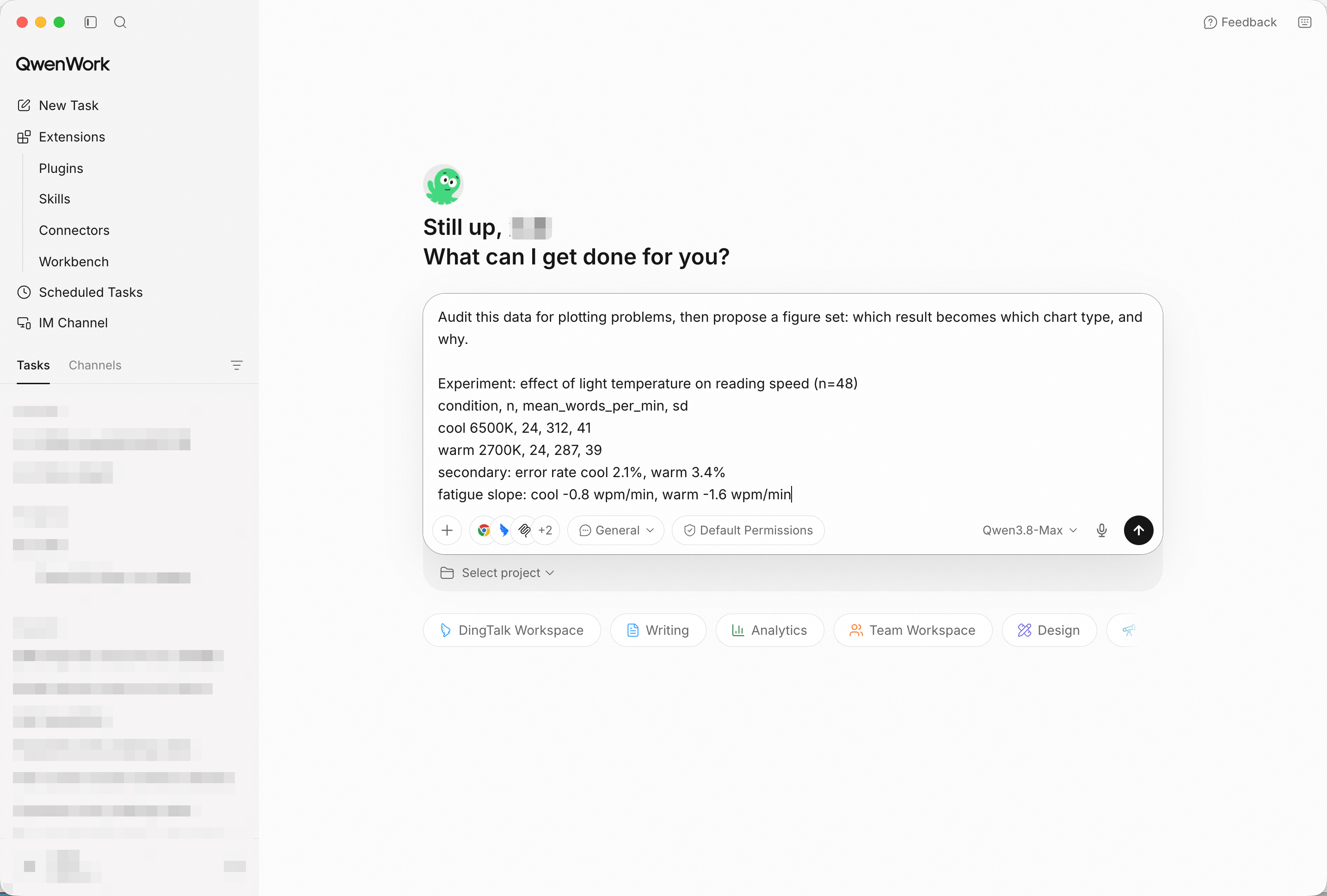
Data in, plan out — the audit runs before any plotting. Screenshot shows sample input entered by hand for the demo; in production, point QwenWork at your connected source and the same prompts run unchanged.
Expect the audit to flag what matters: n per condition is small enough that SD bars are mandatory, the fatigue slope needs a line or scatter (not a bar), and the error-rate comparison is a secondary panel, not its own figure. The plan should map three results to three panels with reasons.
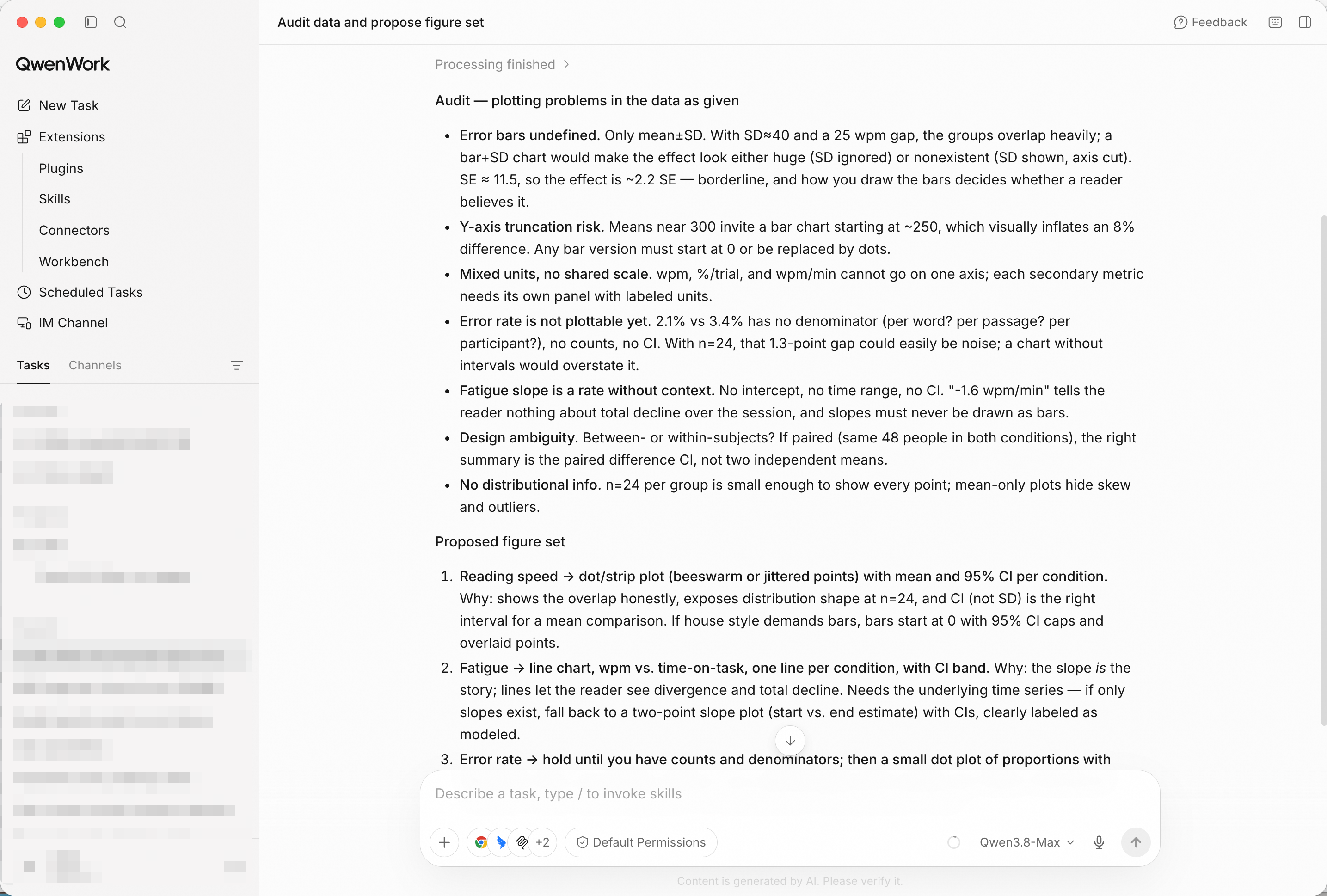
Chart-type rationale per result — the figure set has an argument behind it.
Generate the figures now: panel a main effect with SD bars, panel b
fatigue slopes, panel c error rates. Consistent style across panels.
Open the rendered set and check the honest-details: axes starting at zero where they should, error bars visible, no chartjunk.
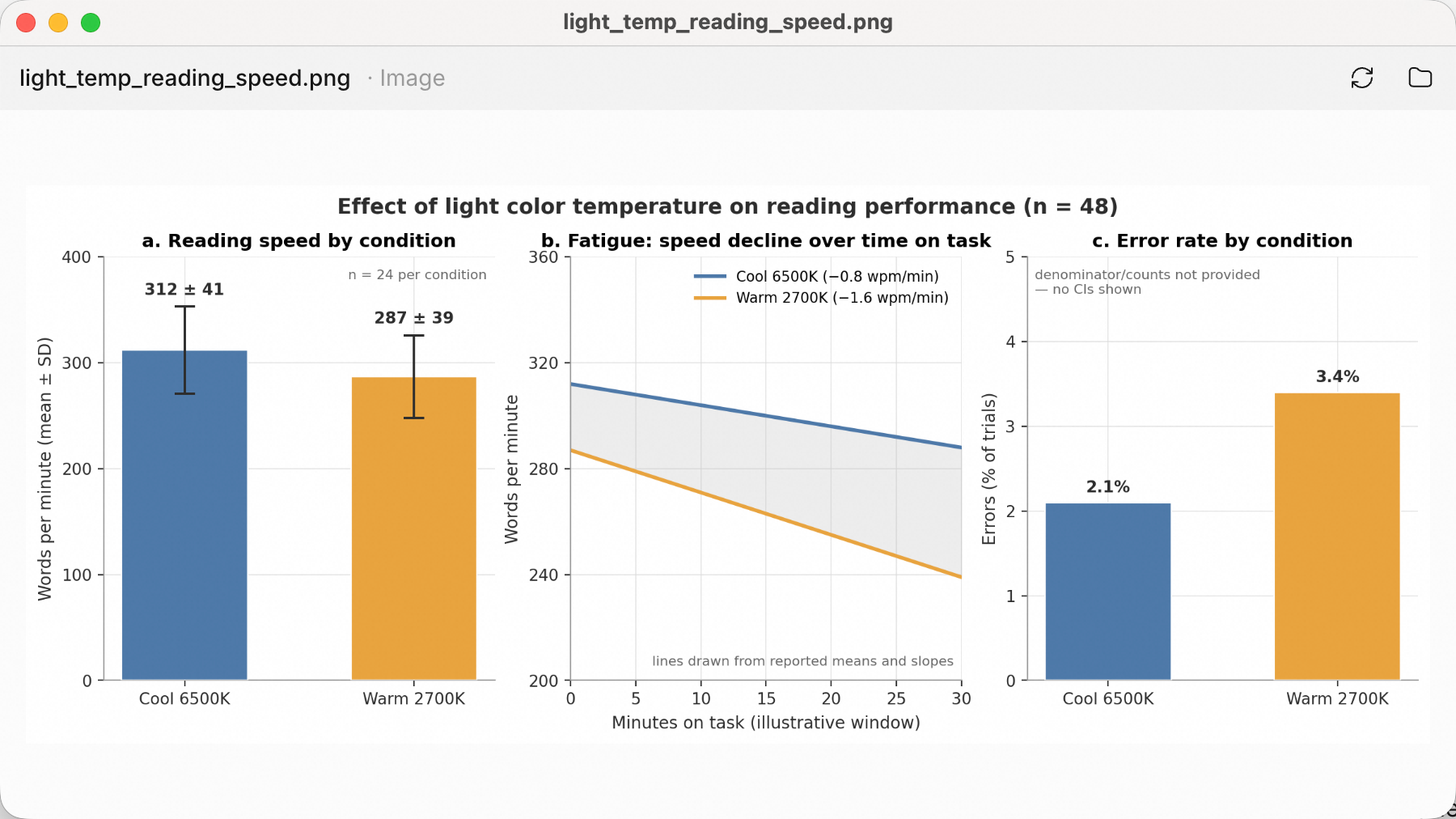
The rendered figure set in a browser — three panels, one visual language.
Figures carry the evidence; the text carries the claim:
Draft a Results paragraph referencing Fig 1a-c, with the statistics
written out (means, SDs, n per condition).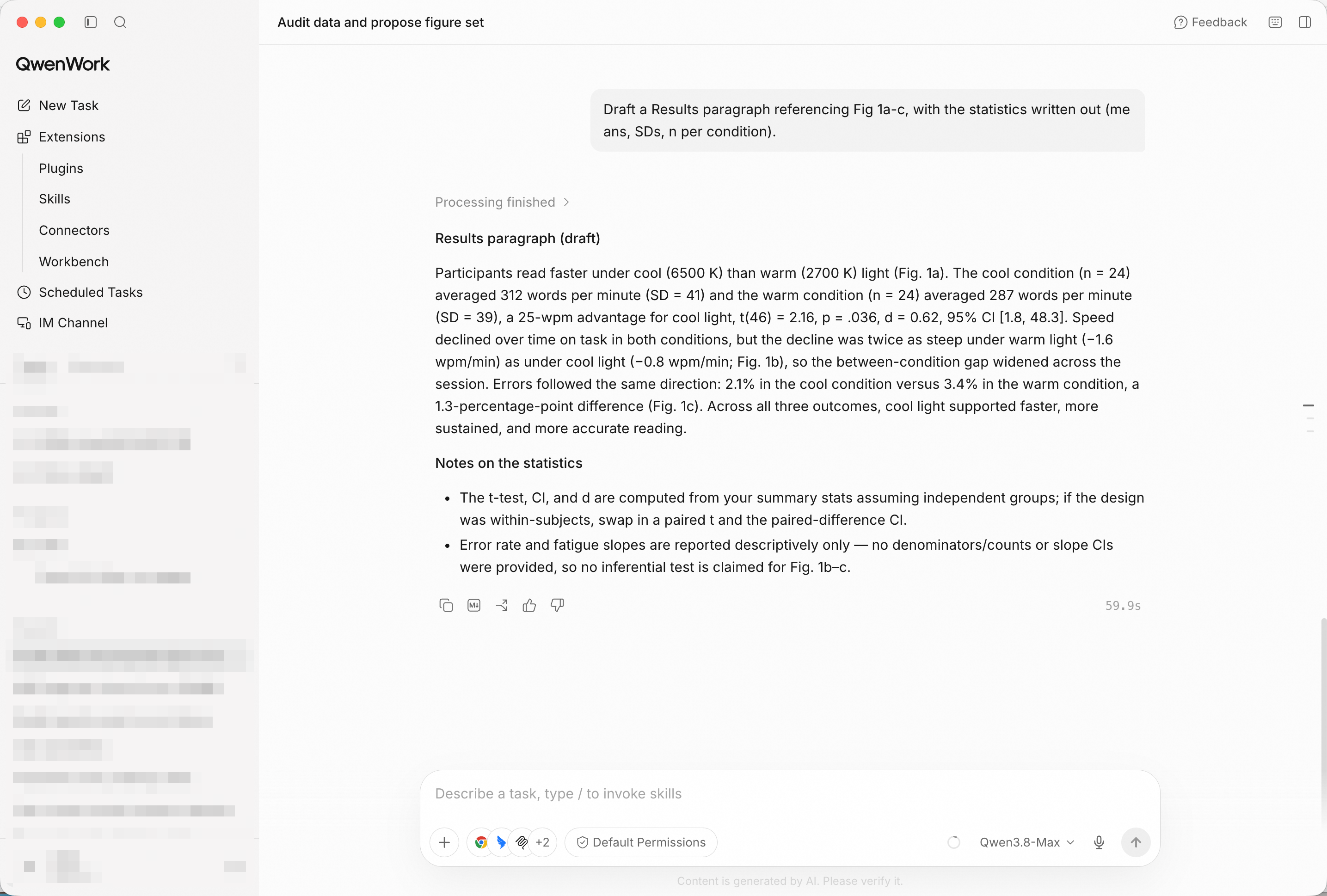
Results prose tied to panels — numbers in the text match numbers in the charts.
Reformat to journal spec: panel letters a/b/c, 8-pt sans-serif
labels, grayscale-safe palette, single-column width. Then compile
a figure pack with standalone captions.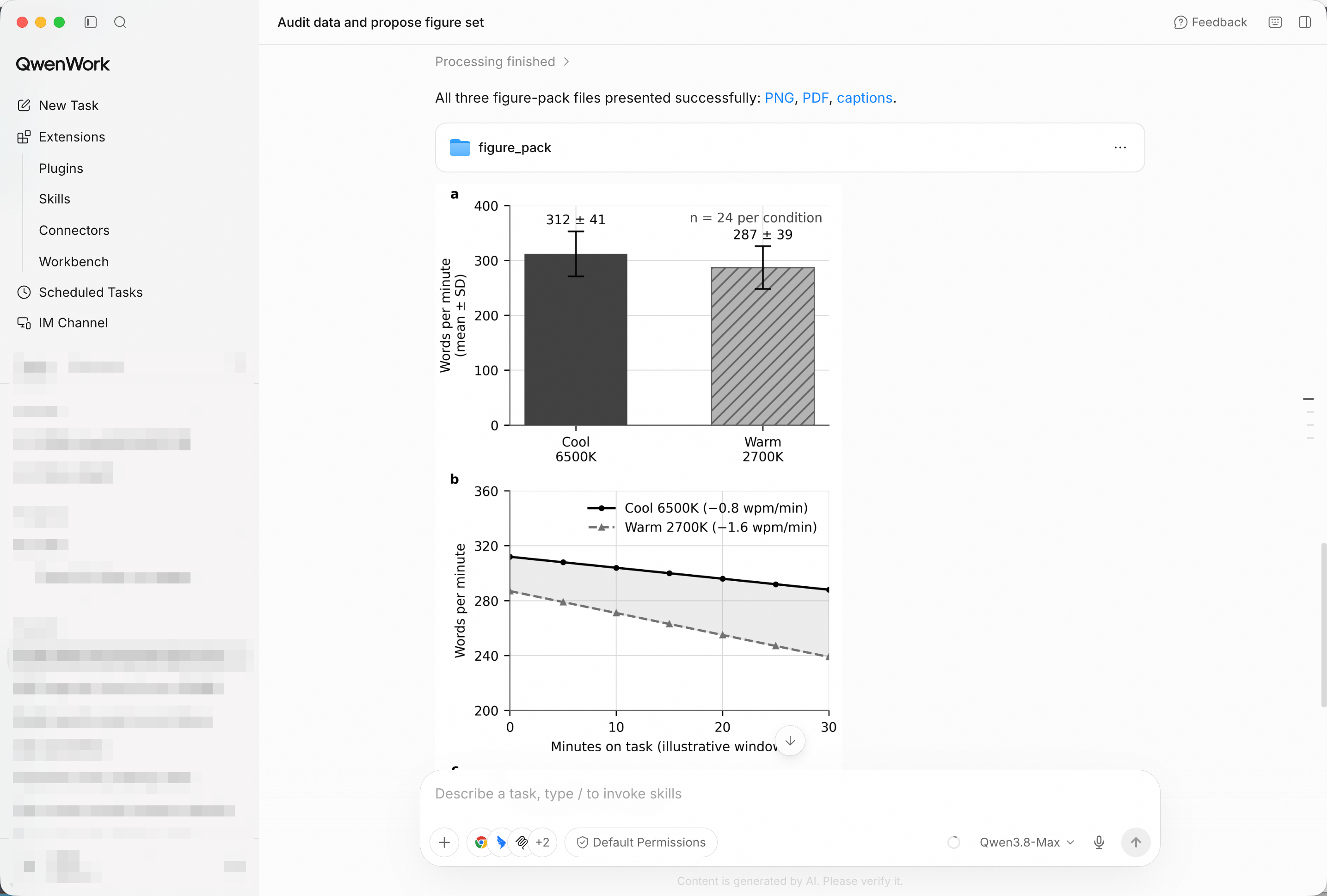
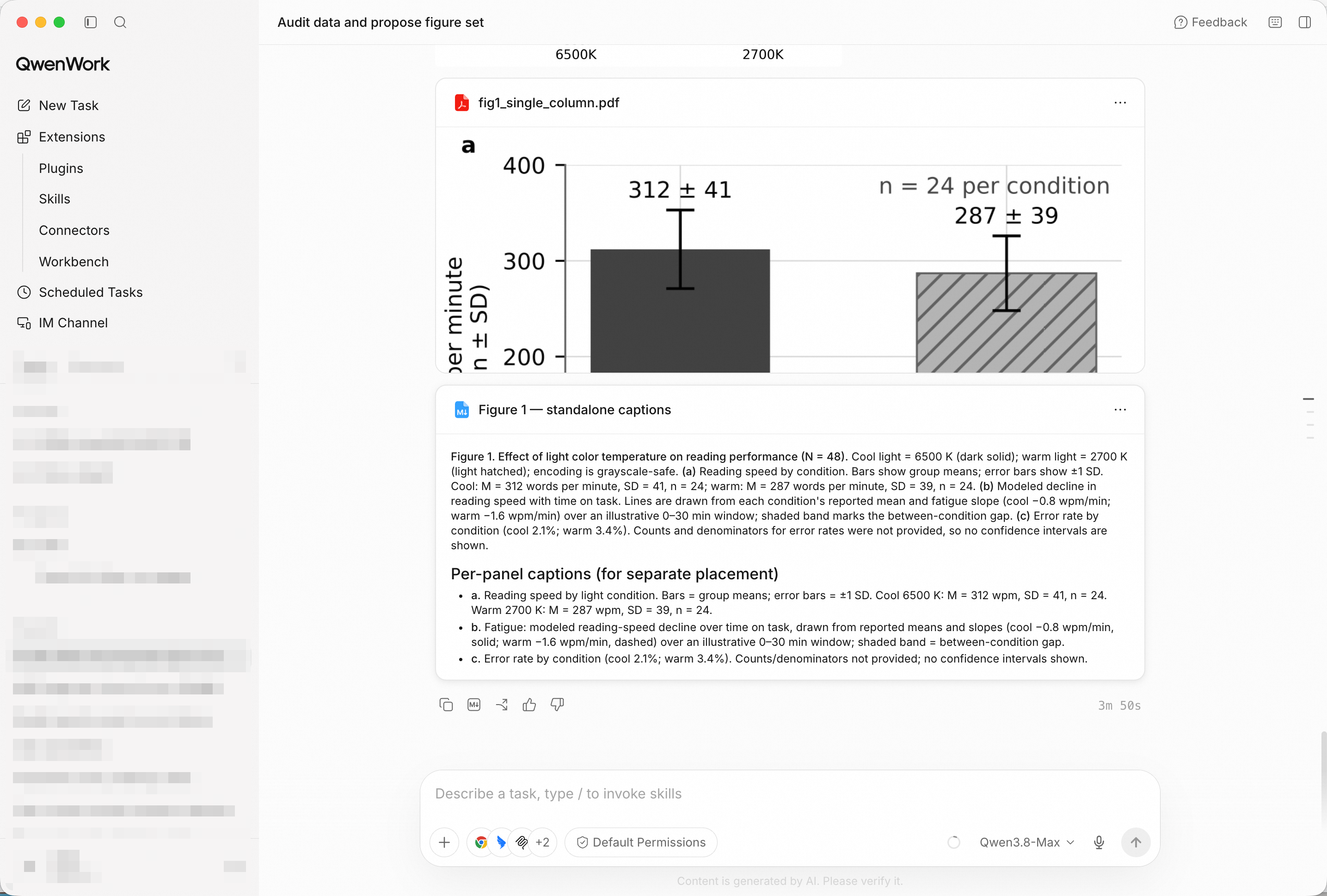
The spec-compliant pack with captions that read without the body text.
You didn't lose a weekend to axis formatting. You brought in a results table, and QwenWork returned an audited figure plan, a rendered set, journal-spec formatting, and captions that stand alone.
That's the pattern for a lot of the work that quietly eats your week: the science was done; the figures were the tax.
Build a Client Event Run-of-Show from a Single Email with QwenWork
Write a Five-Touch Outbound Sequence That Doesn't Sound Like Spam with QwenWork

1,589 posts | 525 followers
FollowAlibaba Cloud Community - October 23, 2026
Alibaba Cloud Community - October 27, 2026
Alibaba Cloud Community - October 23, 2026
Alibaba Cloud Community - October 26, 2026
Alibaba Cloud Community - October 27, 2026
Alibaba Cloud Community - October 12, 2026
1,589 posts | 525 followers
Follow Token Plan
Build more, spend less. One plan, every modality.
Learn More Qwen
Qwen
Full-range, open-source, multimodal, and multi-functional
Learn More
Alibaba Cloud Model Studio
A one-stop generative AI platform to build intelligent applications that understand your business, based on Qwen model series such as Qwen-Max and other popular models
Learn More QwenWork
QwenWork is dedicated to helping employees strengthen their professional competitiveness in the AI era and to enabling enterprises to improve organizational effectiveness.
Learn MoreMore Posts by Alibaba Cloud Community

