Every product team is sitting on a pile of customer reviews that nobody has time to read. QwenWork reads the whole pile and turns it into a ranked, evidence-backed action plan — then into a dashboard your team can act on. Here's how the loop works, end to end.
Your product has reviews. Hundreds of them — app store ratings, marketplace feedback, support tickets, social mentions. Somewhere in that pile are the three things you should fix this quarter. But reading all of it takes days, and skimming it gives you anecdotes, not evidence.
The usual compromise is a spreadsheet and a lot of manual tagging. It works, right up until the review count doubles and nobody maintains it.
QwenWork reads the whole pile, groups it by theme, ranks what actually hurts, and hands you a plan — not a summary. Then, if you want something your team can act on in a meeting, it turns the same analysis into a visual dashboard.
This tutorial runs the whole loop on a real set of reviews, start to finish.
From a raw block of customer reviews:
Time to set up: about 5 minutes. Works with reviews from any source — paste them in.
Collect your reviews into one block — app store exports, CSV paste, or copy-paste from your marketplace dashboard all work. Then ask for structure, not vibes:
Here are 12 customer reviews for our product "Lumen", a smart desk
lamp. Analyze them and turn them into an action plan: group the
feedback by theme, rank the pain points by frequency and severity,
and give me concrete fix suggestions for the top three.

Reviews:
1. "Love the auto-dimming at night. Wish the app remembered my
   schedule per room." (5 stars)
2. "Great light quality but the USB-C port is on the wrong side for
   my desk setup." (4 stars)
3. "Setup was confusing - the manual didn't match the app screens."
   (2 stars)
...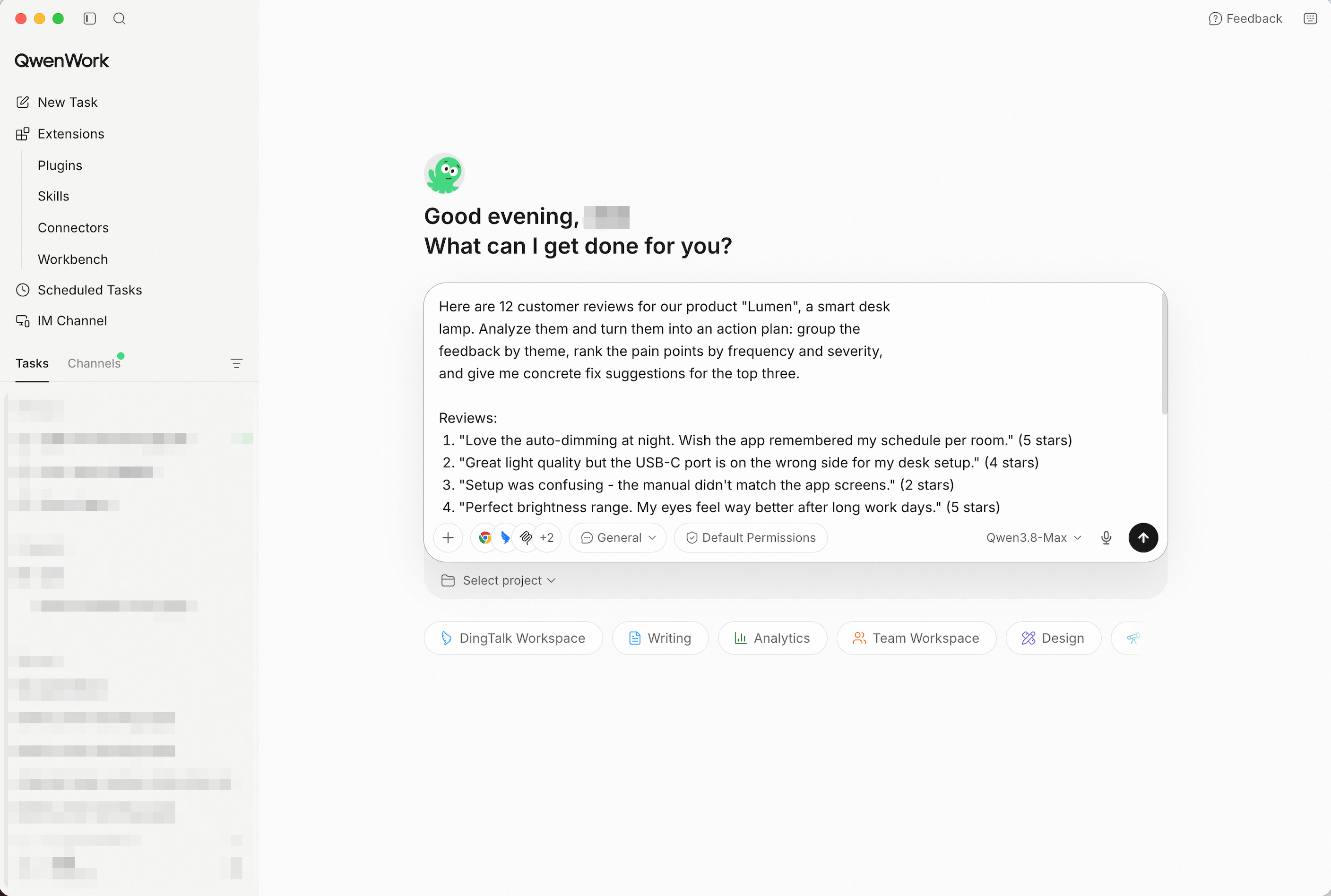
Paste the raw reviews — QwenWork does the reading and the structuring. Screenshot shows the paste path, the fastest way to try it; in production, point QwenWork at your connected source and the same prompts run unchanged.
QwenWork doesn't just pattern-match keywords. It reads each review, tags the underlying theme, and keeps a running tally — so "pairing failed" and "had to restart the lamp" land in the same bucket even though the words differ.
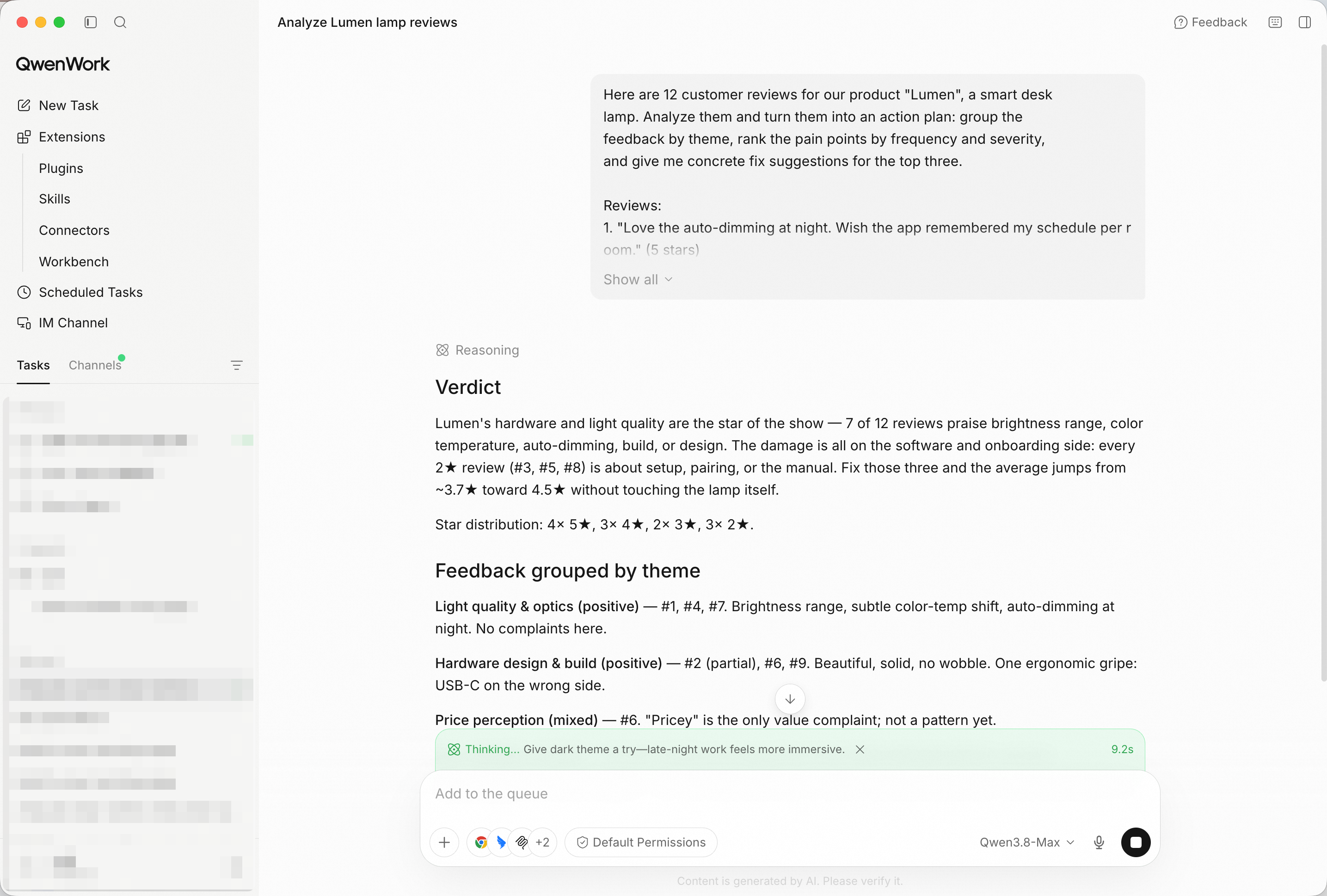
Each review is read and themed — the tally builds as it goes.
The output is a plan, not a word cloud: themes with counts, pain points ranked by how often they appear and how much they hurt, and specific fixes for the top three.
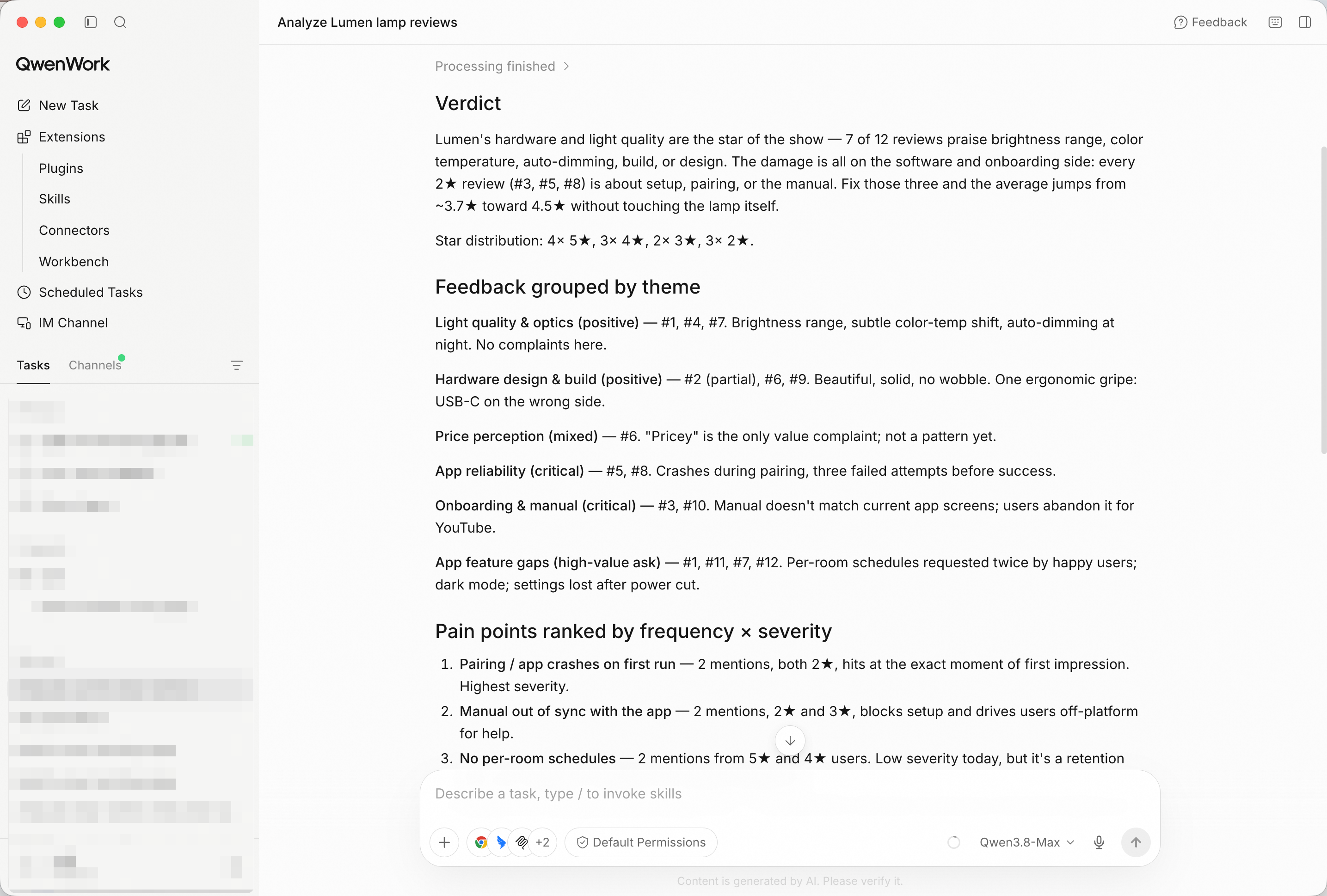
Ranked pain points and concrete fixes — the part you can take to a planning meeting.
In a real run on reviews like the ones above, the top themes emerge fast: onboarding friction (manual doesn't match the app), pairing reliability, and missing per-room schedules — each with a suggested fix and the reviews that back it.
A plan in chat is useful to you. A dashboard is useful to the room. Ask for one:
Turn this analysis into a one-page HTML dashboard: theme counts as
bars, the top pain points as ranked cards with the fix suggestion
and the supporting quotes underneath.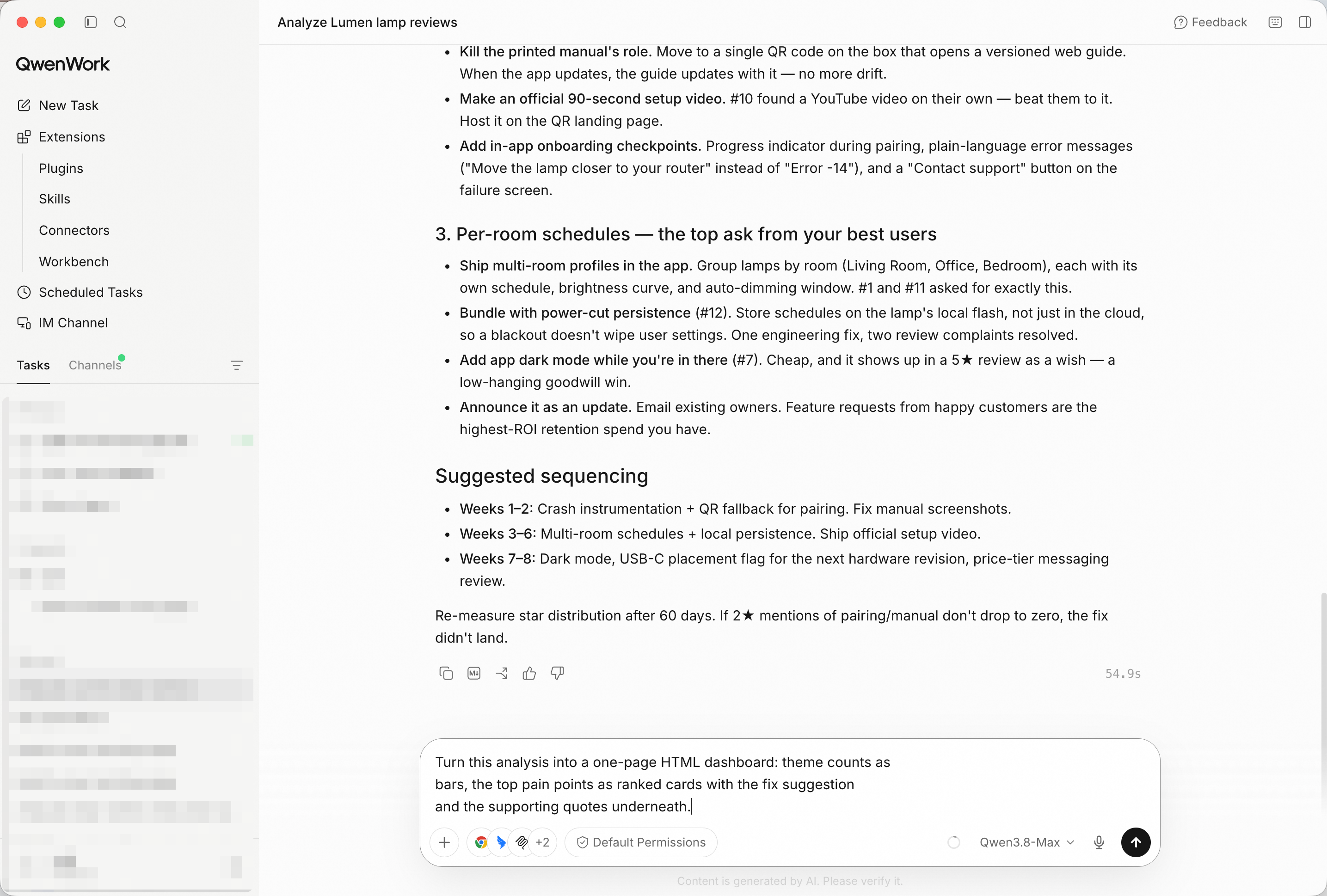
Same analysis, meeting-ready — counts, ranked cards, and the quotes behind them.
The dashboard is a single self-contained HTML file. Open it in any browser, drop it on your intranet or any static host, and the whole team sees the same numbers.
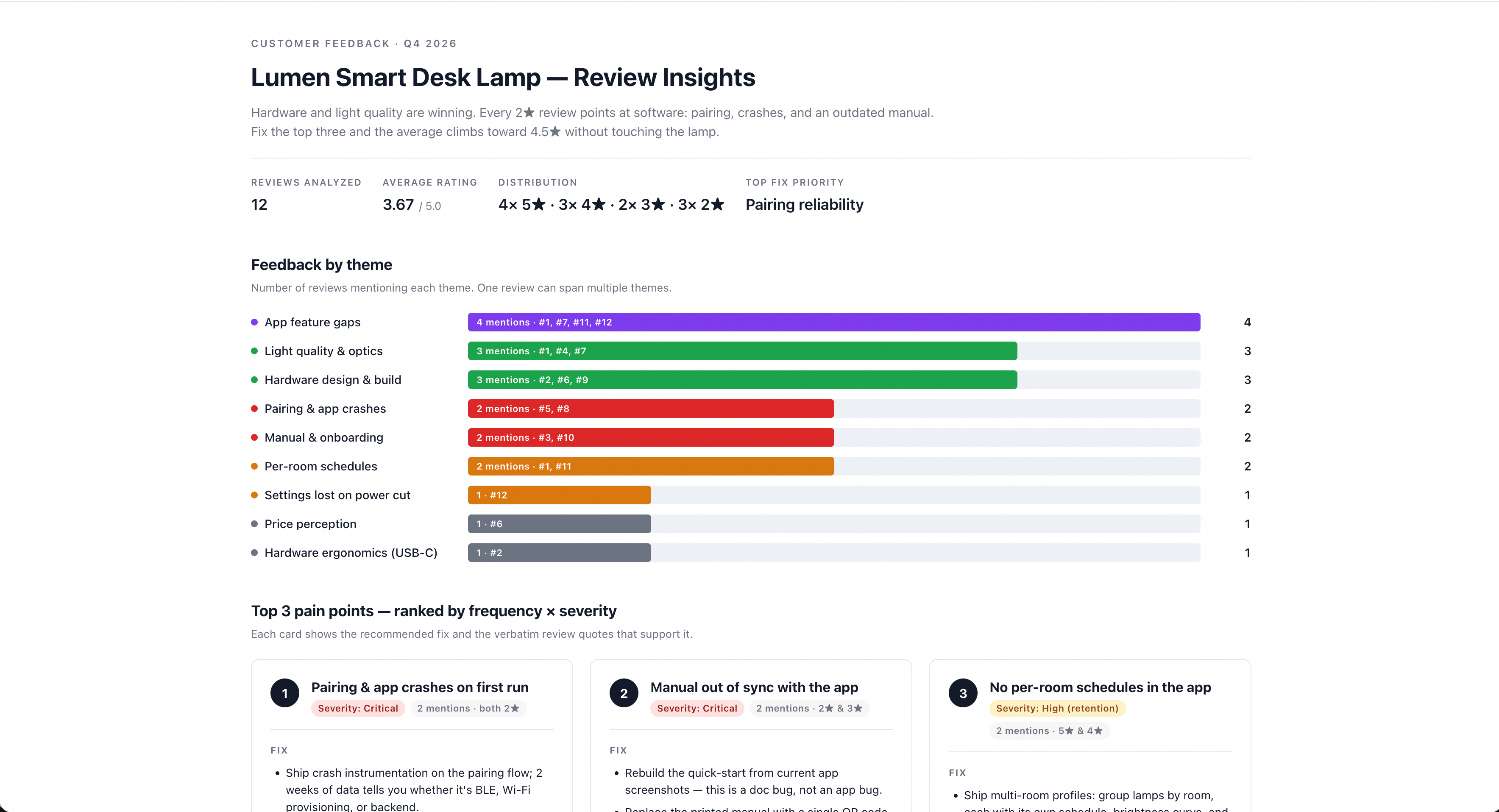
One file, any browser — the analysis goes wherever the decision is made.
You didn't build a tagging spreadsheet. You didn't read four hundred reviews at midnight. You pasted the raw pile, and QwenWork turned it into a ranked, evidence-backed plan — then into a dashboard your team can argue with productively.
That's the pattern for a lot of the work that quietly eats your week: hand over the raw material, get back the decision.
Turn Messy Meeting Notes into an Executive Briefing with QwenWork

1,573 posts | 525 followers
FollowAlibaba Cloud Community - October 23, 2026
Alibaba Cloud Community - September 4, 2026
Alibaba Cloud Community - October 12, 2026
Alibaba Cloud Community - August 3, 2026
Alibaba Cloud Community - August 3, 2026
Alibaba Cloud Community - October 23, 2026
1,573 posts | 525 followers
Follow Token Plan
Build more, spend less. One plan, every modality.
Learn More QwenWork
QwenWork is dedicated to helping employees strengthen their professional competitiveness in the AI era and to enabling enterprises to improve organizational effectiveness.
Learn More Qwen
Qwen
Full-range, open-source, multimodal, and multi-functional
Learn More Wan3.0
Unleash Your Creativity Try Wan 3.0 now — longer narratives, greater control, endless creativity.
Learn MoreMore Posts by Alibaba Cloud Community

