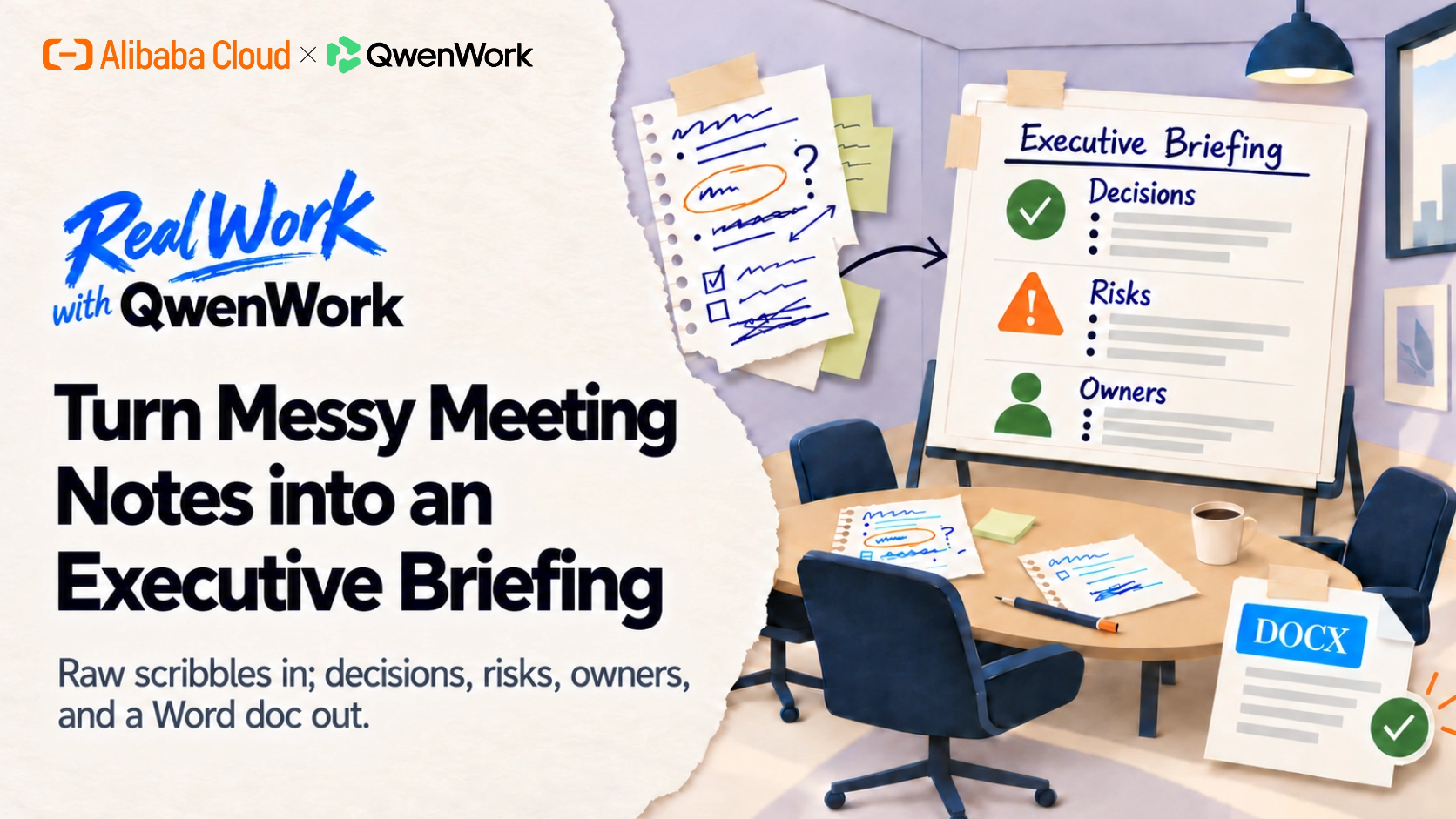
Sixty minutes of talking, three lines of usable output — that's the usual ratio for meeting notes. QwenWork flips it: paste the raw mess, get a structured executive briefing, then export it as a Word document your CFO can actually read.
Someone has to turn the meeting into something decision-makers can use. In practice that means re-reading your own scribbles, hunting for who owns what, and rewriting half-formed sentences into prose — usually the evening after the meeting.
The hard part isn't writing. It's extraction: separating decisions from ideas from risks, and catching the action items buried in line nine of a rambling note.
QwenWork does the extraction for you. You paste the raw notes; it returns a briefing with the structure an executive expects — and then keeps refining it until it matches your audience.
From one block of raw meeting notes:
Time to set up: about 5 minutes. Works with notes from any meeting — paste them in.
Pull the raw block from wherever your meetings get captured — a notes app, a shared doc, a recorder transcript. Paste works fine while you're testing. Don't clean it up first; the mess is the input:
Turn these raw meeting notes into a one-page executive briefing:
decisions, risks, open questions, and owners.

Raw notes — Ops sync, Tue 10am
- dana: checkout conversion down again, maybe 8%? need real number
  from analytics
- decided: kill the popup experiment, it annoyed people
- miguel: carrier API flaky thurs, vendor says fixed, unverified
- RISK: refund backlog 340 tickets, 2 support folks out this week
- idea from priya: self-serve refund flow for <$50 orders — needs
  legal ok
- action: dana pulls conversion number by fri
- action: miguel re-tests carrier api w/ real orders mon
- open: do we staff weekend support for BFCM? budget unclear
- priya will draft self-serve refund spec next week
- note: CFO wants cost per contact in next update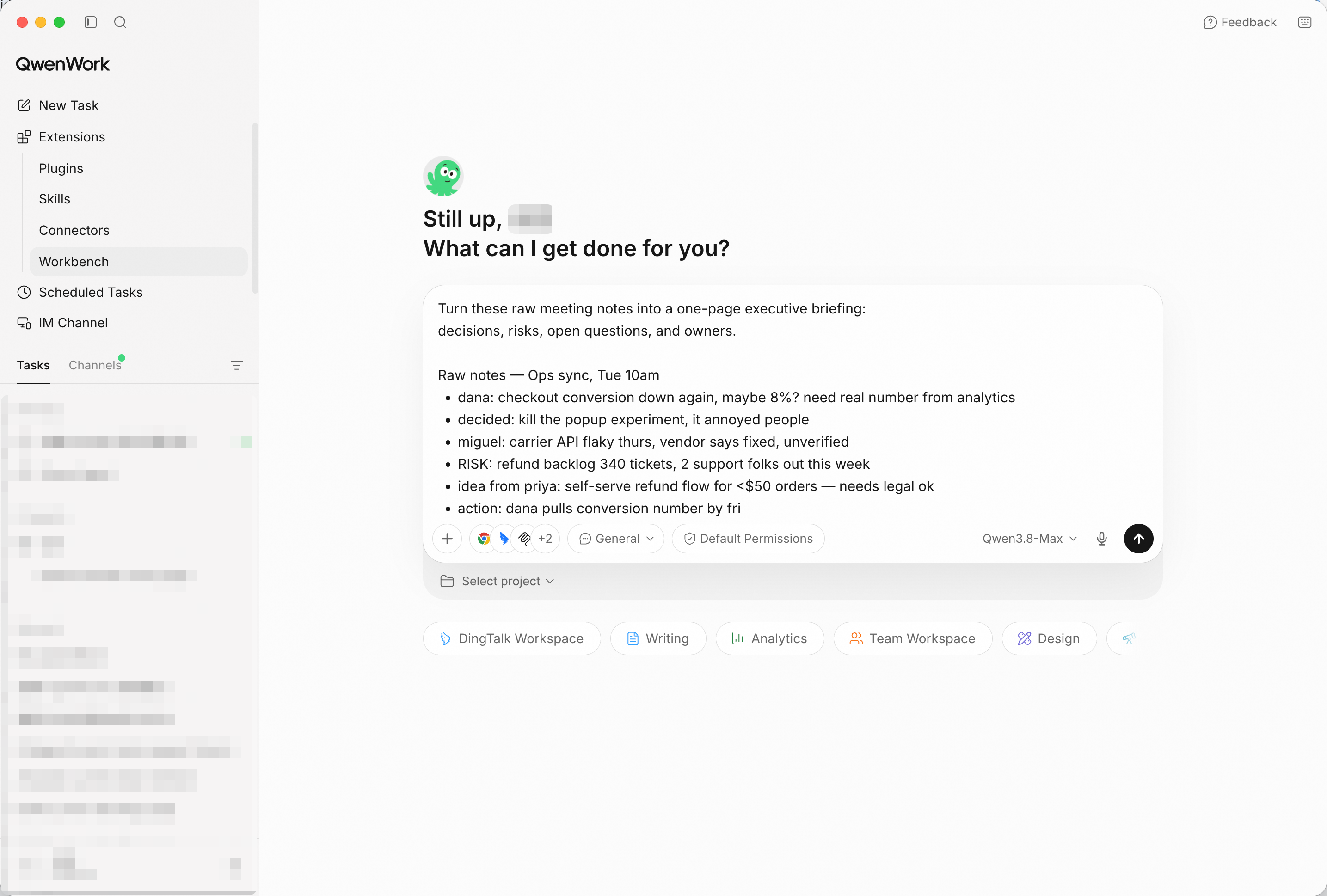
The mess goes in as-is — cleaning it is QwenWork's job, not yours. Screenshot shows sample input entered by hand for the demo; in production, point QwenWork at your connected source and the same prompts run unchanged.
QwenWork separates signal from noise: what was decided, what's at risk, what's still open — and it keeps the uncertainty honest ("vendor says fixed, unverified" stays a flag, not a fact).
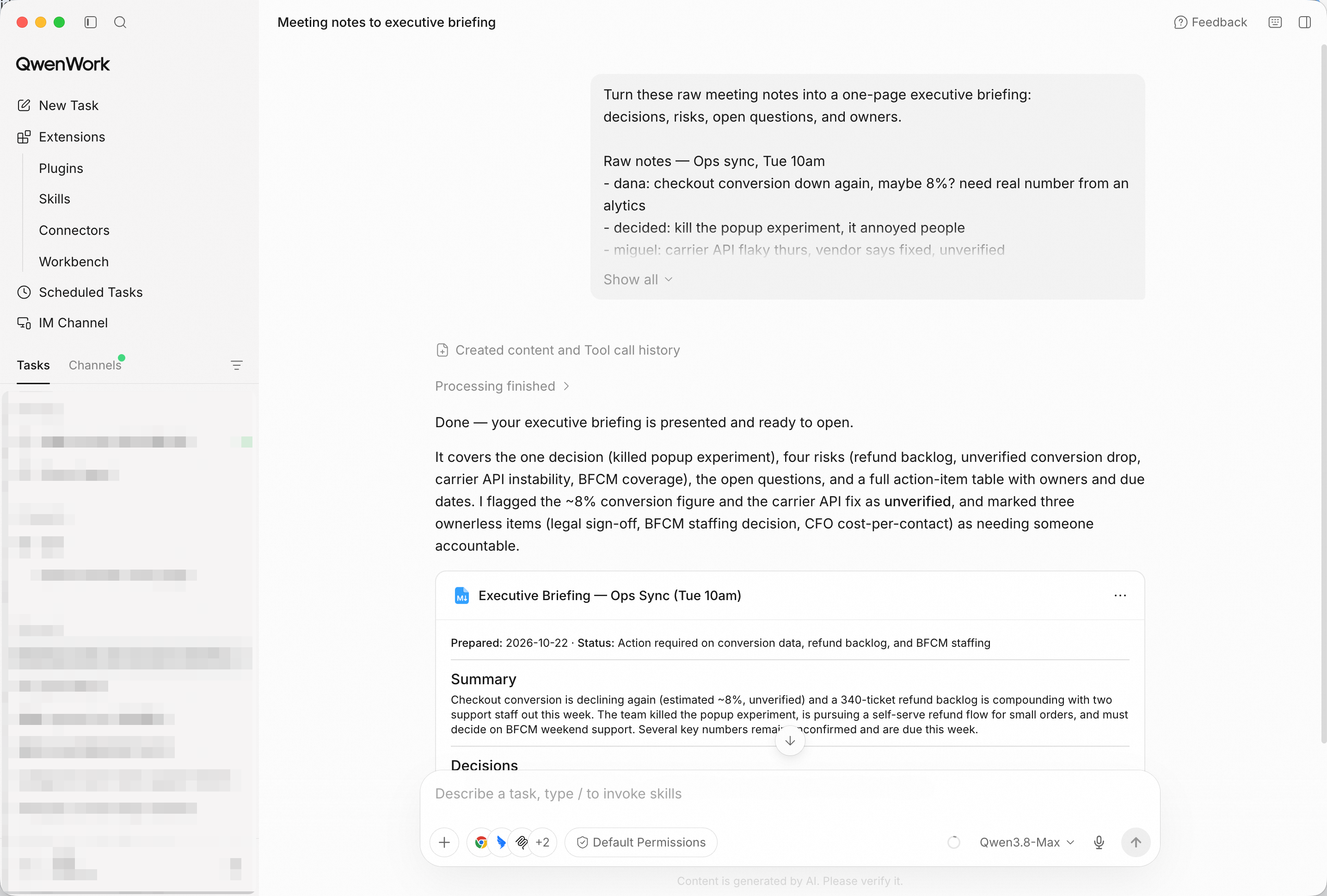
Decisions, risks, open questions — extracted, not summarized into mush.
A briefing without owners and dates is a summary. Ask for the machinery:
Add an action-items table with owner and due date, and put a
three-sentence TL;DR at the top.
Then get it out of the chat and into a document:
Export it as a Word document.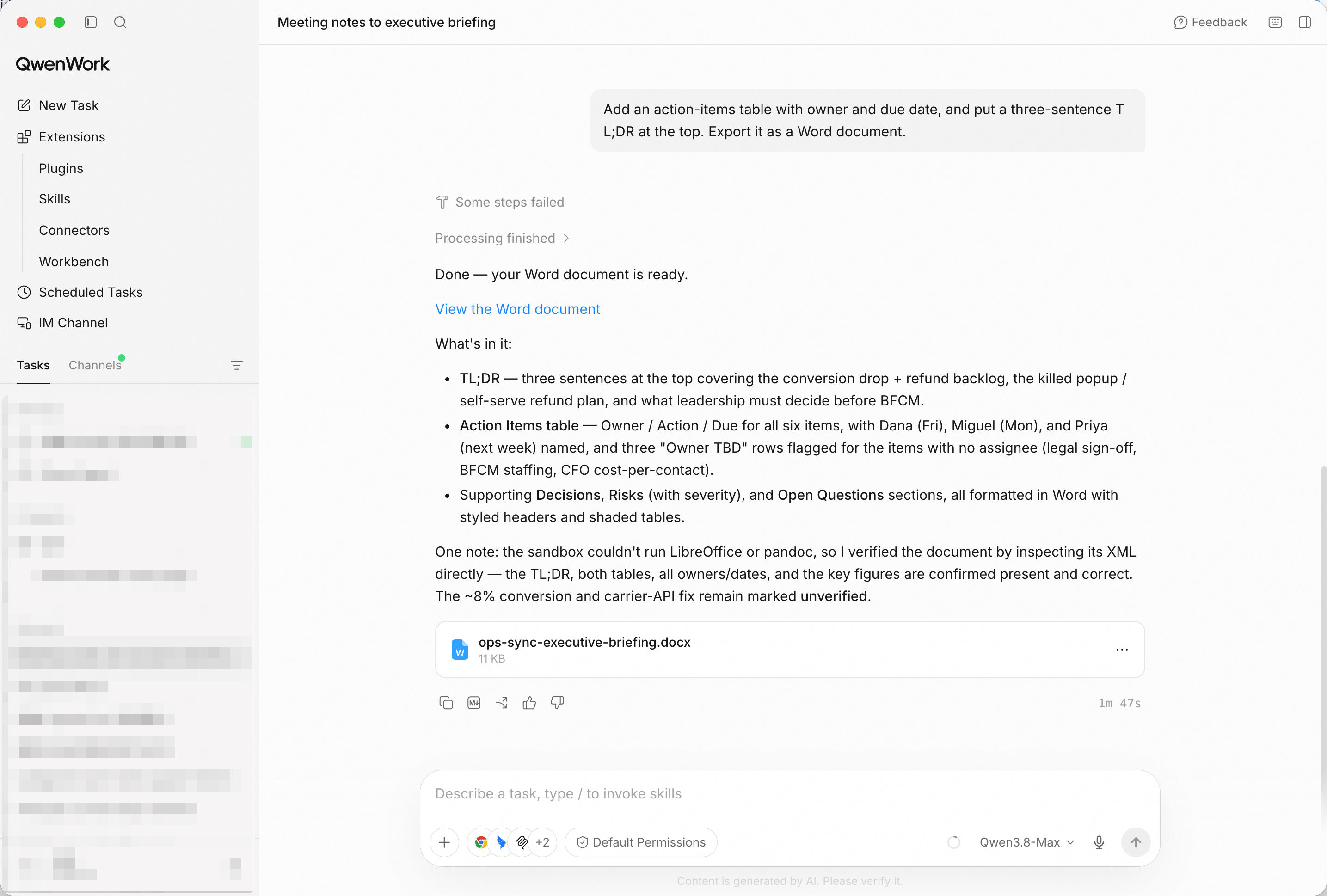
TL;DR on top, action table below, delivered as a .docx file.
The same facts land differently with different audiences. One more instruction and the register changes:
Tighten the tone for a CFO audience — cut adjectives, lead with
numbers.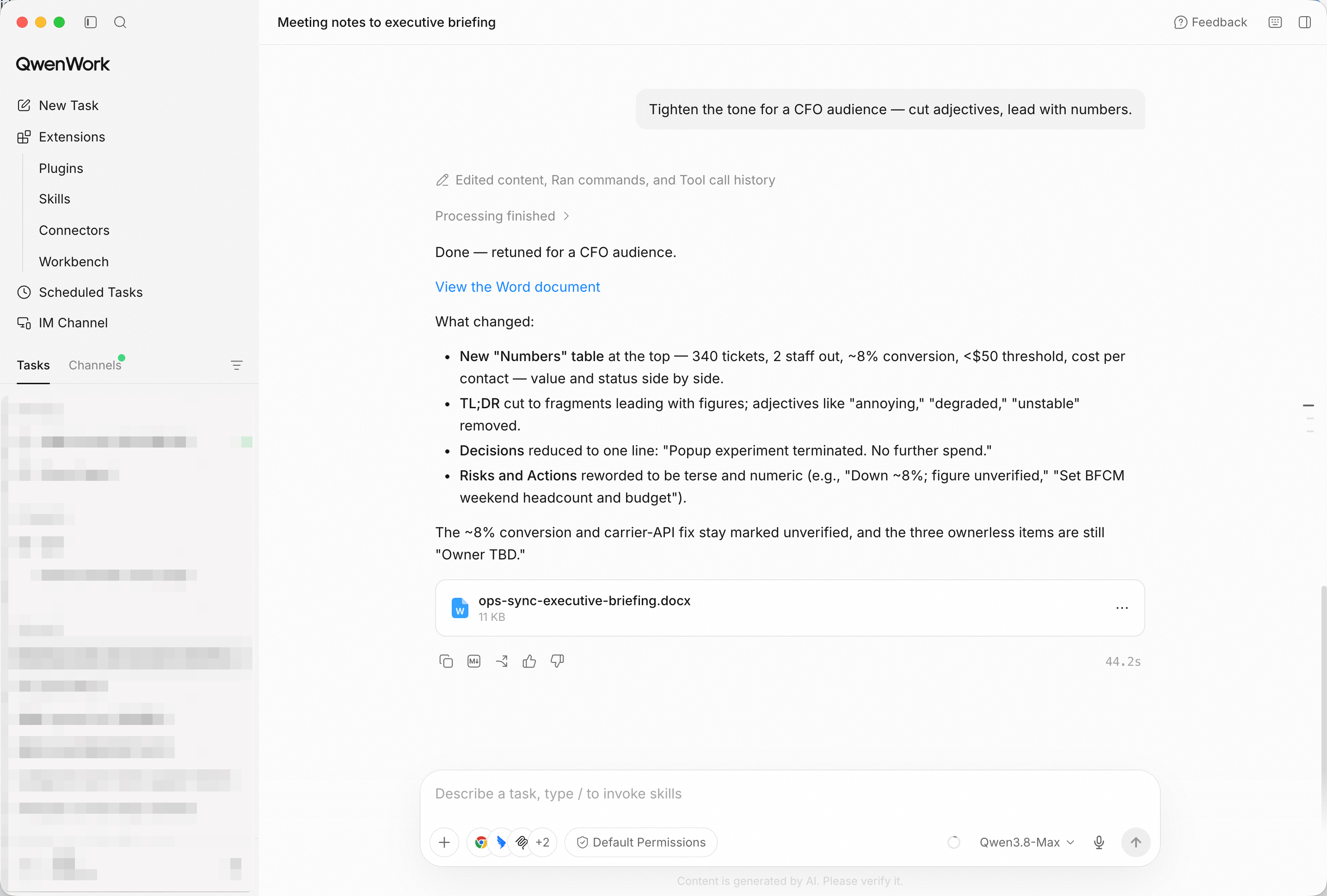
Same content, different reader — the rewrite keeps every fact and drops the padding.
Open the exported document and check the two things that matter: the TL;DR fits in three sentences, and every action has a name and a date next to it.
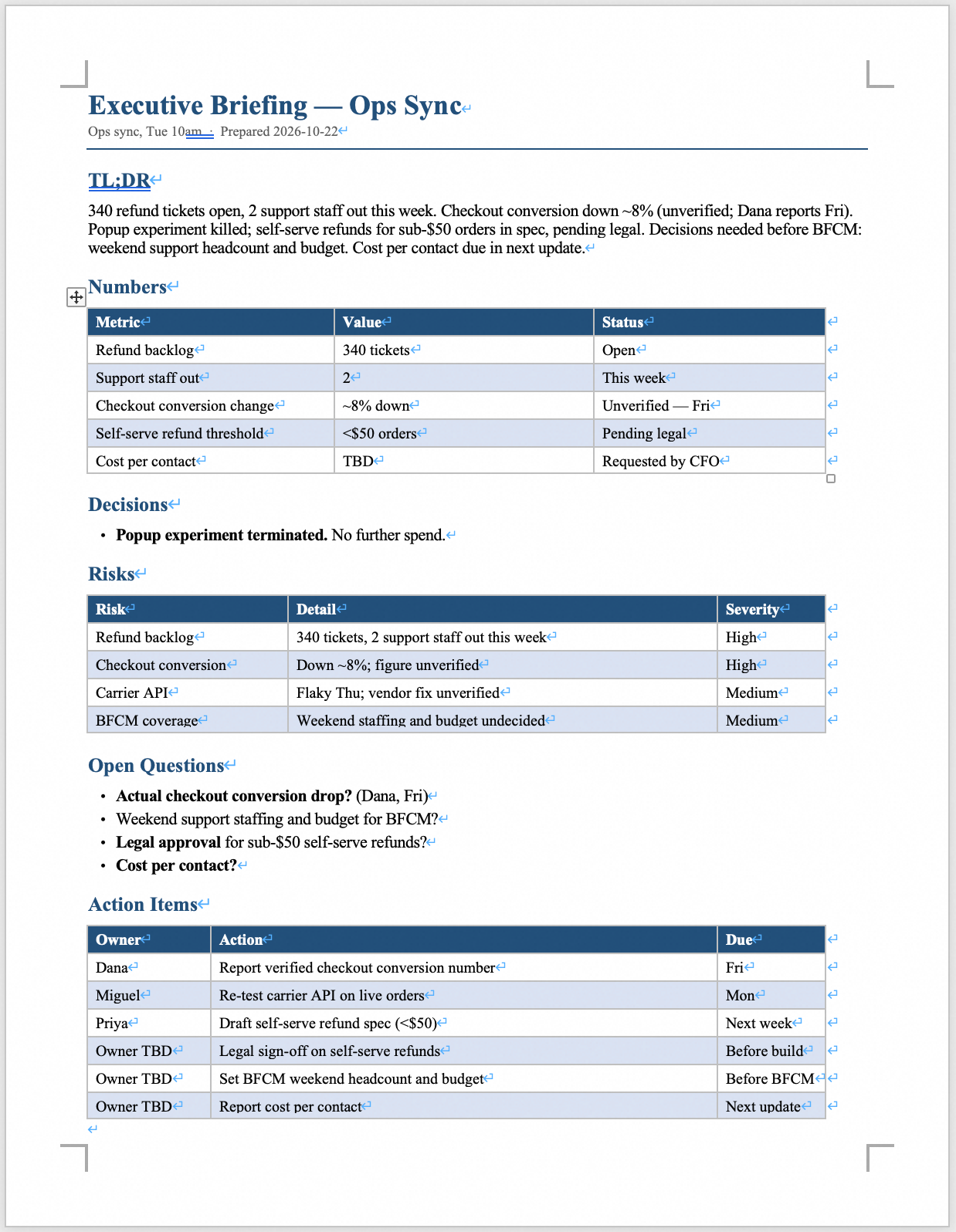
The finished briefing in Word — ready to forward without a rewrite.
You didn't spend the evening rewriting your own handwriting. You pasted the raw notes, and QwenWork extracted the decisions, built the action table, and produced a document tuned to its reader.
That's the pattern for a lot of the work that quietly eats your week: hand over the raw material, get back the document.

1,573 posts | 525 followers
FollowAlibaba Cloud Community - October 23, 2026
Alibaba Cloud Community - October 23, 2026
Alibaba Cloud Community - October 23, 2026
Alibaba Cloud Community - August 26, 2026
Johnny Mai - August 27, 2026
Alibaba Cloud Community - September 25, 2026
1,573 posts | 525 followers
Follow Token Plan
Build more, spend less. One plan, every modality.
Learn More QwenWork
QwenWork is dedicated to helping employees strengthen their professional competitiveness in the AI era and to enabling enterprises to improve organizational effectiveness.
Learn More Qwen
Qwen
Full-range, open-source, multimodal, and multi-functional
Learn More Wan3.0
Unleash Your Creativity Try Wan 3.0 now — longer narratives, greater control, endless creativity.
Learn MoreMore Posts by Alibaba Cloud Community

