By Kun Wu and Jie Zhang
With the widespread adoption of Ray in scenarios such as AI training, data processing, and high-concurrency online inference, an increasing number of teams are choosing to deploy Ray clusters on Alibaba Cloud Container Service for Kubernetes (ACK for short) to enable on-demand elastic scaling and unified operation and maintenance (O&M) capabilities. Ray provides high-privilege tools such as Dashboard and the command line to improve the developer experience, including:
• Ray Dashboard (Used for cluster self-inspection and debugging)
• Ray Job submission (Integrated into the Dashboard service, providing HTTP service and Ray Job submission services) (Not the RayJob CR of KubeRay)
• Ray Client (Used for local interactive development with local or remote clusters)
Once these components are accessed by malicious or unauthorized users, such users can directly execute arbitrary code in the cluster, even threatening the stability of the underlying Kubernetes (K8s) cluster and the security of cloud resources.
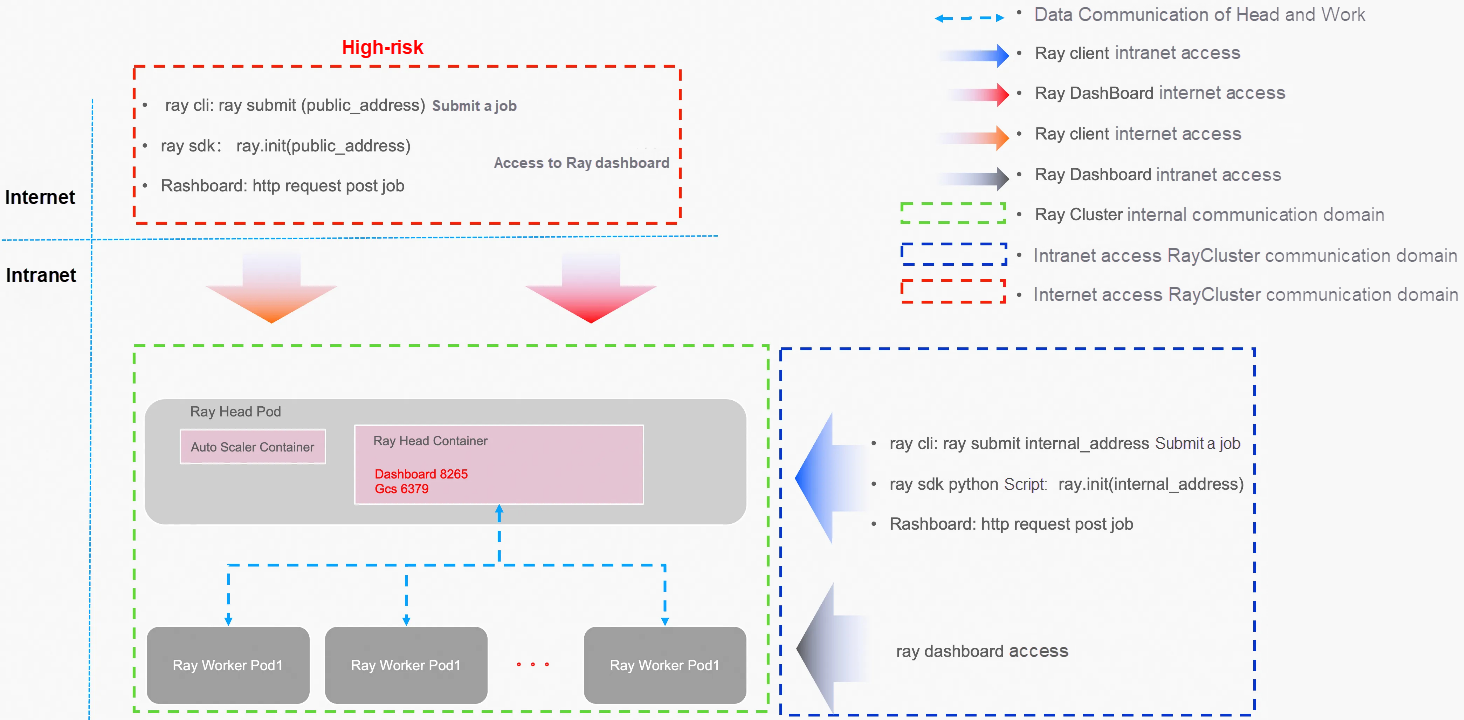
The following section will systematically elaborate on the security best practices for Ray on ACK from multiple dimensions, including communication encryption, resource isolation, permission control, runtime protection, and cost management. These practices aim to help users minimize potential risks while ensuring development efficiency:
• Security Settings for RayCluster Communication Domain
• NameSpace Isolation
• ResourceQuota/ElasticQuotaTree
• RBAC
• Security context
• Image Security for Head/Work Pods
• Request/Limit
• RRSA
• Isolation of Multiple RayClusters/One Job per Cluster
• Others
If you need TLS-encrypted communication between the Head and work pods within the RayCluster, please refer to this link.
For more information about the RayCluster configuration, see RayCluster TLS configuration cases.
apiVersion: ray.io/v1
kind: RayCluster
metadata:
  name: raycluster-tls
spec:
  rayVersion: '2.9.0'
  # Ray head pod configuration
  headGroupSpec:
    rayStartParams:
      dashboard-host: '0.0.0.0'
    template:
      spec:
        initContainers:
          - name: ray-head-tls
            image: rayproject/ray:2.9.0
            command: ["/bin/sh", "-c", "cp -R /etc/ca/tls /etc/ray && /etc/gen/tls/gencert_head.sh"]
            volumeMounts:
              - mountPath: /etc/ca/tls
                name: ca-tls
                readOnly: true
              - mountPath: /etc/ray/tls
                name: ray-tls
              - mountPath: /etc/gen/tls
                name: gen-tls-script
            env:
              - name: POD_IP
                valueFrom:
                  fieldRef:
                    fieldPath: status.podIP
        containers:
        - name: ray-head
          image: rayproject/ray:2.9.0
          ports:
          - containerPort: 6379
            name: gcs
          - containerPort: 8265
            name: dashboard
          - containerPort: 10001
            name: client
          lifecycle:
            preStop:
              exec:
                command: ["/bin/sh","-c","ray stop"]
          volumeMounts:
            - mountPath: /tmp/ray
              name: ray-logs
            - mountPath: /etc/ca/tls
              name: ca-tls
              readOnly: true
            - mountPath: /etc/ray/tls
              name: ray-tls
          resources:
...
          env:

            - name: RAY_USE_TLS
              value: "1"
            - name: RAY_TLS_SERVER_CERT
              value: "/etc/ray/tls/tls.crt"
            - name: RAY_TLS_SERVER_KEY
              value: "/etc/ray/tls/tls.key"
            - name: RAY_TLS_CA_CERT
              value: "/etc/ca/tls/ca.crt"
        volumes:
  ...
  workerGroupSpecs:
  # the pod replicas in this group typed worker
  - replicas: 1
    minReplicas: 1
    maxReplicas: 10
    groupName: small-group
    template:
      spec:
        initContainers:
          # Generate worker's private key and certificate before `ray start`.
          - name: ray-worker-tls
            image: rayproject/ray:2.9.0
            command: ["/bin/sh", "-c", "cp -R /etc/ca/tls /etc/ray && /etc/gen/tls/gencert_worker.sh"]
            volumeMounts:
              - mountPath: /etc/ca/tls
                name: ca-tls
                readOnly: true
              - mountPath: /etc/ray/tls
                name: ray-tls
              - mountPath: /etc/gen/tls
                name: gen-tls-script
...
        containers:
        - name: ray-worker
          image: rayproject/ray:2.9.0
          lifecycle:
            preStop:
              exec:
                command: ["/bin/sh","-c","ray stop"]
          volumeMounts:
            - mountPath: /tmp/ray
              name: ray-logs
            - mountPath: /etc/ca/tls
              name: ca-tls
              readOnly: true
            - mountPath: /etc/ray/tls
              name: ray-tls
...
          env:
            # Environment variables for Ray TLS authentication.
            # See https://docs.ray.io/en/latest/ray-core/configure.html#tls-authentication for more details.
            - name: RAY_USE_TLS
              value: "1"
            - name: RAY_TLS_SERVER_CERT
              value: "/etc/ray/tls/tls.crt"
            - name: RAY_TLS_SERVER_KEY
              value: "/etc/ray/tls/tls.key"
            - name: RAY_TLS_CA_CERT
              value: "/etc/ca/tls/ca.crt"
        volumes:
...Ray will execute the code passed to it without distinction, and only trusted code should be executed in Ray. When using RayClient, Ray developers are responsible for ensuring the stability, security, and proper storage of business code, and preventing its leakage.
If the GCS service of RayCluster (port 6379 by default) is exposed to the public network, since Ray does not provide authentication and authorization services, theoretically, any user who can access the public IP and port can use RayClient to submit tasks to RayCluster without distinction. Malicious or risky code may cause the RayCluster to go down and even affect the stability of the K8s cluster. Therefore, ACK does not recommend submitting tasks through RayClient to a RayCluster exposed to the public network (port 6379 by default).
Ray lacks authentication or authorization for job submission. To further secure the Ray API, a key measure for Ray's security, K8s NetworkPolicy will be used to control the traffic reaching Ray components. Please refer to the following link
apiVersion: networking.k8s.io/v1
kind: NetworkPolicy
metadata:
  name: ray-head-ingress
spec:
  podSelector:
    matchLabels:
      app: ray-cluster-head
  policyTypes:
    - Ingress
  ingress:
  - from:
    - podSelector: {}
    ports:
    - protocol: TCP
      port: 6380
  - from:
    - podSelector: {}
    ports:
    - protocol: TCP
      port: 8265
  - from:
    - podSelector: {}
    ports:
    - protocol: TCP
      port: 10001
  - from:
    - podSelector:
        matchLabels:
          app: ray-cluster-worker

---
# Ray Head Egress
apiVersion: networking.k8s.io/v1
kind: NetworkPolicy
metadata:
  name: ray-head-egress
spec:
  podSelector:
    matchLabels:
      app: ray-cluster-head
  policyTypes:
    - Egress
  egress:
  - to:
    - podSelector:
        matchLabels:
          app: redis
    ports:
    - protocol: TCP
      port: 6379
  - to:
    - podSelector:
        matchLabels:
          app: ray-cluster-worker

---


# Ray Worker Ingress
apiVersion: networking.k8s.io/v1
kind: NetworkPolicy
metadata:
  name: ray-worker-ingress
spec:
  podSelector:
    matchLabels:
      app: ray-cluster-worker
  policyTypes:
    - Ingress
  ingress:
  - from:
    - podSelector:
        matchLabels:
          app: ray-cluster-head

---
# Ray Worker Egress
apiVersion: networking.k8s.io/v1
kind: NetworkPolicy
metadata:
  name: ray-worker-egress
spec:
  podSelector:
    matchLabels:
      app: ray-cluster-worker
  policyTypes:
    - Egress
  egress:
  - to:
    - podSelector:
        matchLabels:
          app: ray-cluster-head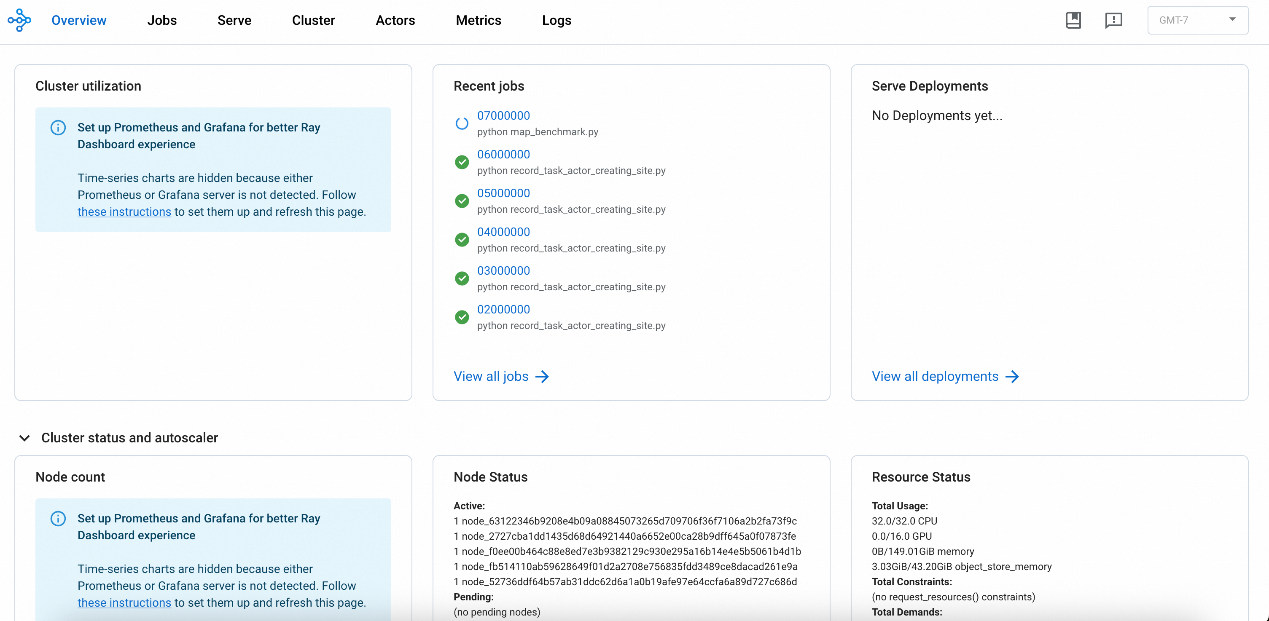
Each RayCluster starts a Dashboard service by default (port 8265 by default), which provides two types of features:
• Read operations: Allow developers to debug or check the current running status of the RayCluster.
• Write operations: Provide the /api/jobs RESTful API, which supports CRUD operations for Ray jobs.
If the RayCluster Dashboard service is exposed to the Internet, since Ray does not provide authentication and authorization services, theoretically, any user who can access the public IP and port can use the /api/jobs service of the Ray Dashboard to submit tasks to the RayCluster without distinction. Malicious or risky code may cause the RayCluster to crash and even affect the stability of the K8s cluster. Therefore, ACK does not recommend exposing the RayCluster Dashboard service to the Internet.
If you are determined to expose these services (Ray Dashboard, Ray GCS server), you need to be aware that anyone with access to the relevant ports can execute arbitrary code on your Ray Cluster. Additionally, we recommend configuring a proxy service in front of these services, implementing additional authentication and authorization capabilities, or enabling public network ACL access policies.
The following are some recommended configurations for public network access scenarios provided by Ray on ACK. For more information about higher security requirements, see Ray security:
• kubectl port-forward [Recommended]
• ray history server [Recommended]
• Internet ACL/Authentication
As a secure alternative, you can use the kubectl port-forward command to forward ports on your local machine to achieve secure access to the Ray Dashboard.
kubectl port-forward svc/myfirst-ray-cluster-head-svc --address 0.0.0.08265:8265 -n ${RAY_CLUSTER_NS}
Forwarding from 0.0.0.0:8265 -> 8265
Access the address http://127.0.0.1:8265/ in the local browser.
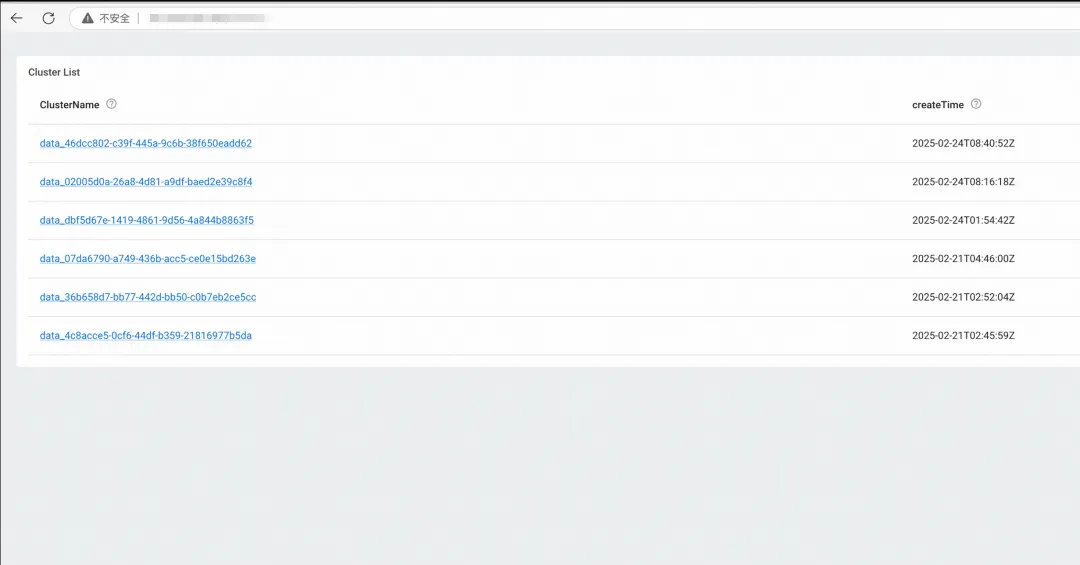
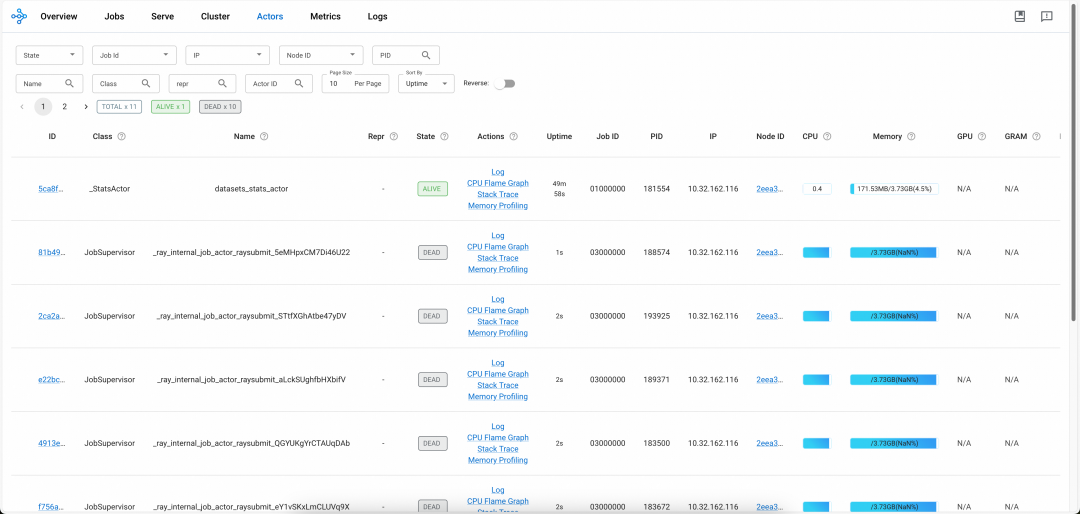
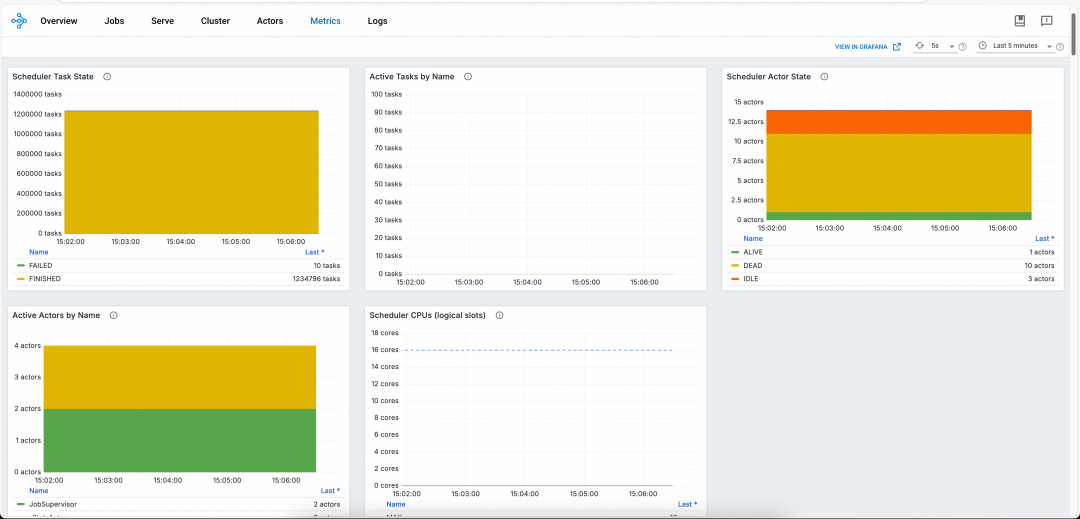
The native Ray Dashboard is only available when the Ray cluster is running. You cannot obtain historical logs and monitoring data after the cluster is terminated. To resolve this issue, ACK provides the HistoryServer of the Ray cluster. The HistoryServer enables access to the Dashboards of both currently running and previously terminated RayClusters instances. It provides the capability to trace and troubleshoot issues for historical RayClusters instances, and also offers Alibaba Cloud authentication capabilities. The Dashboard of the HistoryServer has the same capabilities as Ray's native Dashboard. Metrics monitoring is automatically connected to Alibaba Cloud ARMS monitoring, eliminating the need for users to set up Prometheus and Grafana on their own, as shown in the figure below:
For more information, see Install and use the HistoryServer component.
• In the Container Service console, find the Service for a RayCluster and change the ServiceType to LoadBalancer [Internet].
• Locate the corresponding SLB instance, configure the access control policy, and set the IPs allowed to access. We recommend a narrower scope for the ACL policy.
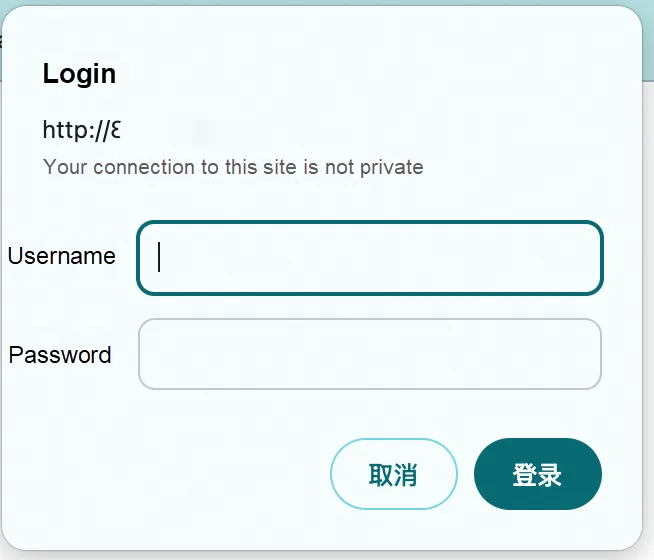
ACK provides a basic authentication (auth) example. If a more advanced authentication and authorization system is needed, you can implement it based on Alibaba Cloud RAM or a self-built authentication system, and implement it yourself:
• Install the NGINX Ingress controller
• Create a secret
Passwords, particularly weak passcodes, have always been a major cause of data breaches. Weak passcodes are one of the leading vulnerabilities that lead to data breaches. We recommend that server passwords be at least 8 characters long or more. Increase the complexity by diversifying character types, such as including uppercase and lowercase letters, numbers, and special characters. Also, update the password regularly to develop good security operation and maintenance practices. Strong password requirements: 8 to 30 characters in length and must contain at least three of the following four categories: uppercase letters, lowercase letters, digits, and special characters (() `~!@#$%^&*_-+=|{}[]:;'<>,.?/).
htpasswd -c auth foo
k create secret generic basic-auth --from-file=auth
• Configure Ingress with basic auth
Demo example
apiVersion: ray.io/v1
kind: RayCluster
metadata:
  annotations:

    nginx.ingress.kubernetes.io/auth-type: basic
    nginx.ingress.kubernetes.io/auth-secret: basic-auth
    nginx.ingress.kubernetes.io/auth-realm: 'Authentication Required - foo'
    nginx.ingress.kubernetes.io/rewrite-target: /$2

  name: myfirst-ray-cluster
  namespace: default
spec:
  suspend: false
  headGroupSpec:
    enableIngress: true
    rayStartParams:
      dashboard-host: 0.0.0.0
      num-cpus: "0"
    serviceType: ClusterIP
    template:
      spec:
        containers:
        ...
• Configure ACL for the public network SLB of Nginx Ingress
Access the public network SLB IP address through a browser, with the URL being /myfirst-ray-cluster/, for example, http://*.*.*.*/myfirst-ray-cluster/
For RayClusters created in ACK, it is advisable that you do not expose such services (e.g., Ray Dashboard on port 8265, Ray GCS on port 6379) to the public network. By default, the ClusterIP-type Service should be used.
• RayCluster
We recommend using ClusterIP for the serviceType in the HeadGroupSpec of RayCluster.
apiVersion: ray.io/v1
kind: RayCluster
  name: ***
spec:
  headGroupSpec:
    serviceType: ClusterIP
• RayJob
It is suggested to set spec.submissionMode to K8sJobMode.
We recommend setting spec.rayClusterSpec.headGroupSpec.serviceType to ClusterIP.
apiVersion: ray.io/v1
kind: RayJob
metadata:
  name: ***
spec:

  submissionMode: "K8sJobMode"
  rayClusterSpec:
    headGroupSpec:
      serviceType: ClusterIP
Related links please refer to: Configuring and Managing Ray Dashboard
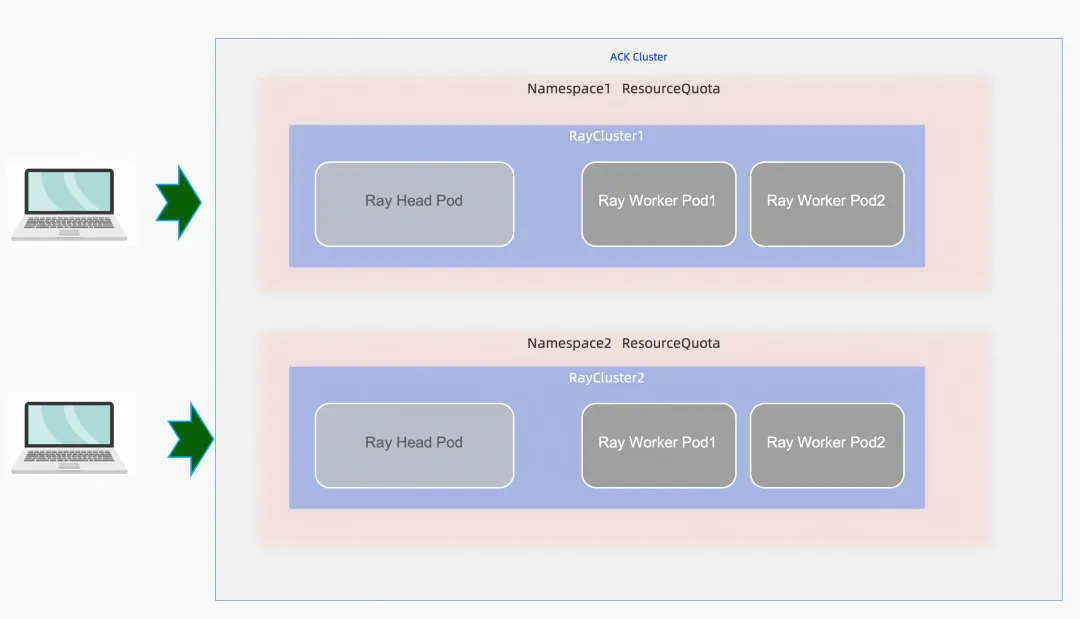
By segregating Ray clusters into different namespaces by business or team, you can make full use of K8s namespace-based policies, such as ResourceQuota and NetworkPolicy.
• ResourceQuota
By setting resource quotas (especially for CPU, GPU, TPU, and memory) on the Ray cluster namespaces, you can prevent denial-of-service (DoS) attacks caused by resource exhaustion.
• ElasticQuotaTree
Leverage ElasticQuotaTree provided by ACK for more refined management of quotas and queues. For more information, see the link
• If a RayCluster needs to access K8s resources, we recommend that you configure a separate ServiceAccount for each RayCluster and minimize the RBAC permissions of the corresponding ServiceAccount.
• If RayCluster does not need to access K8s resources, we recommend setting an automountServiceAccountToken:false on the ServiceAccount used to ensure that the KSA token is not available to Ray cluster pods, as Ray jobs are not expected to call the K8s API.
We recommend that the Pod configuration in the RayCluster CR adhere to K8s Pod security standards. Configure Pods to run with hardened settings to prevent privilege escalation, avoid running as the root user, and restrict potentially dangerous system calls.
The following are the relevant recommended restrictions:
• privilege
• Run as root user
• Limit the use of hostPath
If it is necessary to use hostPath, restrict mounting to only directories with the specified prefix, and configure the volume as read-only.
• Privilege escalation (allowPrivilegedEscalation)
For production use, we recommend running an image security scan on your RayCluster's configured Ray image to ensure secure delivery and efficient deployment of containerized applications
RayClusters consume significant memory and CPU resources when processing large jobs (data processing/model inference). You should set resource requests and limits for each container. Pods without resource requests or limits could theoretically consume all available resources on the host. If pods are scheduled to this node, the node may suffer from CPU or memory exhaustion. This could in turn cause the Kubelet to crash or evict pods from the node. While such situations cannot be entirely avoided, setting resource requests and limits will help minimize resource contention and reduce the risks posed by excessive resource consumption due to poorly written applications.
If your Ray jobs need to access Alibaba Cloud resources, such as OSS, we recommend that you use the RRSA solution provided by Alibaba Cloud to access these cloud products.
We recommend that you do not configure the AK/SK in plaintext in environment variables of RayCluster. For more information, see Alibaba Cloud AccessKey and account password leak prevention best practices.
RayJob can be used to submit different jobs to run in separate RayClusters. This makes full use of the isolation capability of containers and prevents the impact on jobs caused by a RayCluster failure. In an ACK cluster, isolation through namespaces, coupled with capabilities like RBAC, allows authorized users to use their assigned Ray clusters without needing access to other Ray clusters.
For more information about other security precautions, see ACK security system.
For more information about the best practice of Ray on ACK, see Ray on ACK.
How ASM Ambient Mode Innovates Kubernetes Egress Traffic Management

229 posts | 34 followers
FollowAlibaba Container Service - March 12, 2024
Alibaba Container Service - November 15, 2024
Alibaba Container Service - January 15, 2026
Alibaba Cloud Community - March 22, 2024
Alibaba Container Service - April 8, 2025
Alibaba Container Service - June 23, 2025
229 posts | 34 followers
Follow Best Practices
Follow our step-by-step best practices guides to build your own business case.
Learn More Container Service for Kubernetes
Alibaba Cloud Container Service for Kubernetes is a fully managed cloud container management service that supports native Kubernetes and integrates with other Alibaba Cloud products.
Learn More
Container Compute Service (ACS)
A cloud computing service that provides container compute resources that comply with the container specifications of Kubernetes
Learn More Conversational AI Service
This solution provides you with Artificial Intelligence services and allows you to build AI-powered, human-like, conversational, multilingual chatbots over omnichannel to quickly respond to your customers 24/7.
Learn MoreMore Posts by Alibaba Container Service

