By Yehan
Istio is an open-source service mesh project jointly developed by Google, IBM, and Lyft. It aims to simplify service communication, security, observability, and management within microservice architectures. By deploying Istio, you gain better control and visibility over traffic between services, along with robust security features.
Istio provides the following key features:
• Automatic zone-aware load balancing and failover for HTTP/1.1, HTTP/2, gRPC, and TCP traffic.
• Fine-grained control over traffic behavior through rich routing rules, fault tolerance, and fault injection.
• A pluggable policy layer and configuration API that supports access control, rate limiting, and quotas.
• Automatic metrics, logs, and tracing for all traffic within the cluster, including ingress and egress.
• Secure service-to-service authentication with strong identities between services in the cluster.
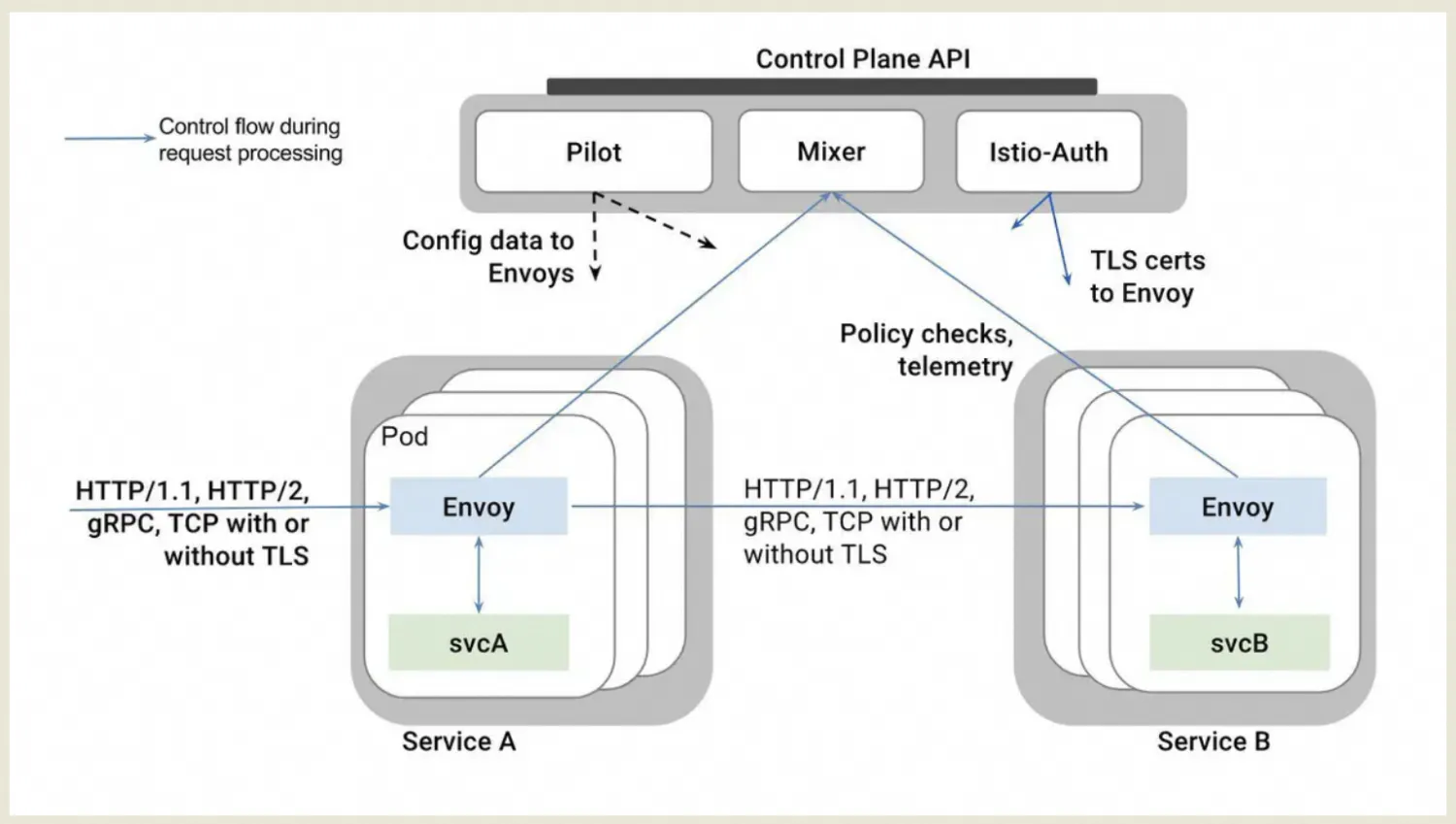
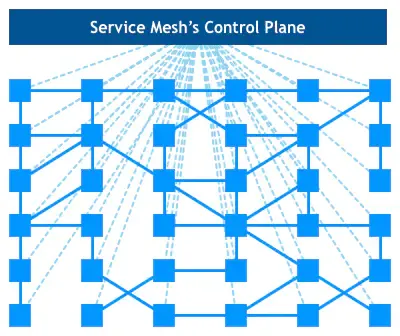
The Istio service mesh is logically divided into a data plane and a control plane.
• The data plane consists of a set of intelligent proxies (Envoy) deployed as sidecars. These proxies mediate and control all network communications between microservices.
• The control plane is responsible for managing and configuring the proxies to route traffic and enforce policies at runtime.
The following figure shows a detailed breakdown of the Istio architecture.
This macro view illustrates the functions and cooperation between Istio's two planes more clearly.
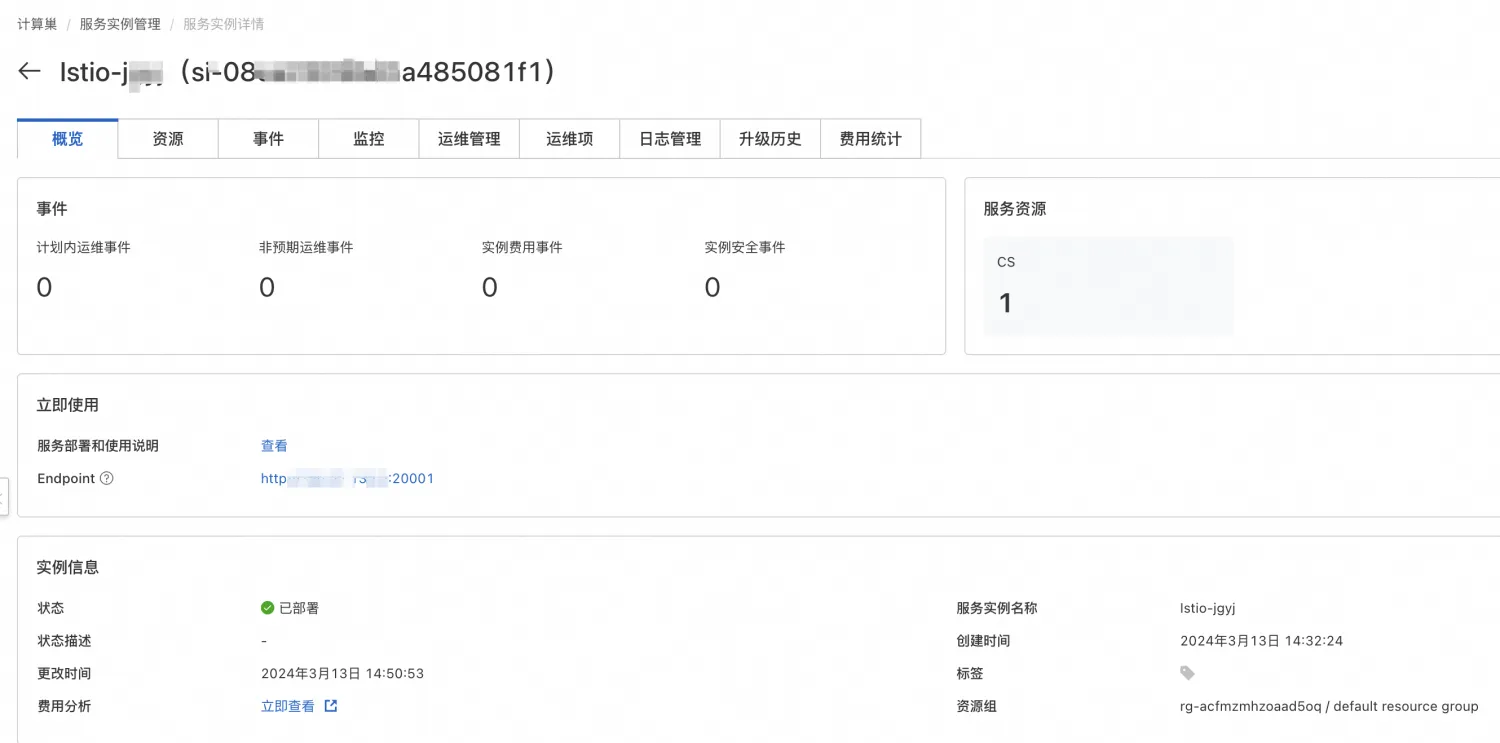
Istio can be installed with a single click through the service of Compute Nest. During installation, the Kiali dashboard is also installed for easy monitoring of traffic between microservices.
For the installation address, see link. After the installation is completed, a link to the Kiali dashboard will be provided.
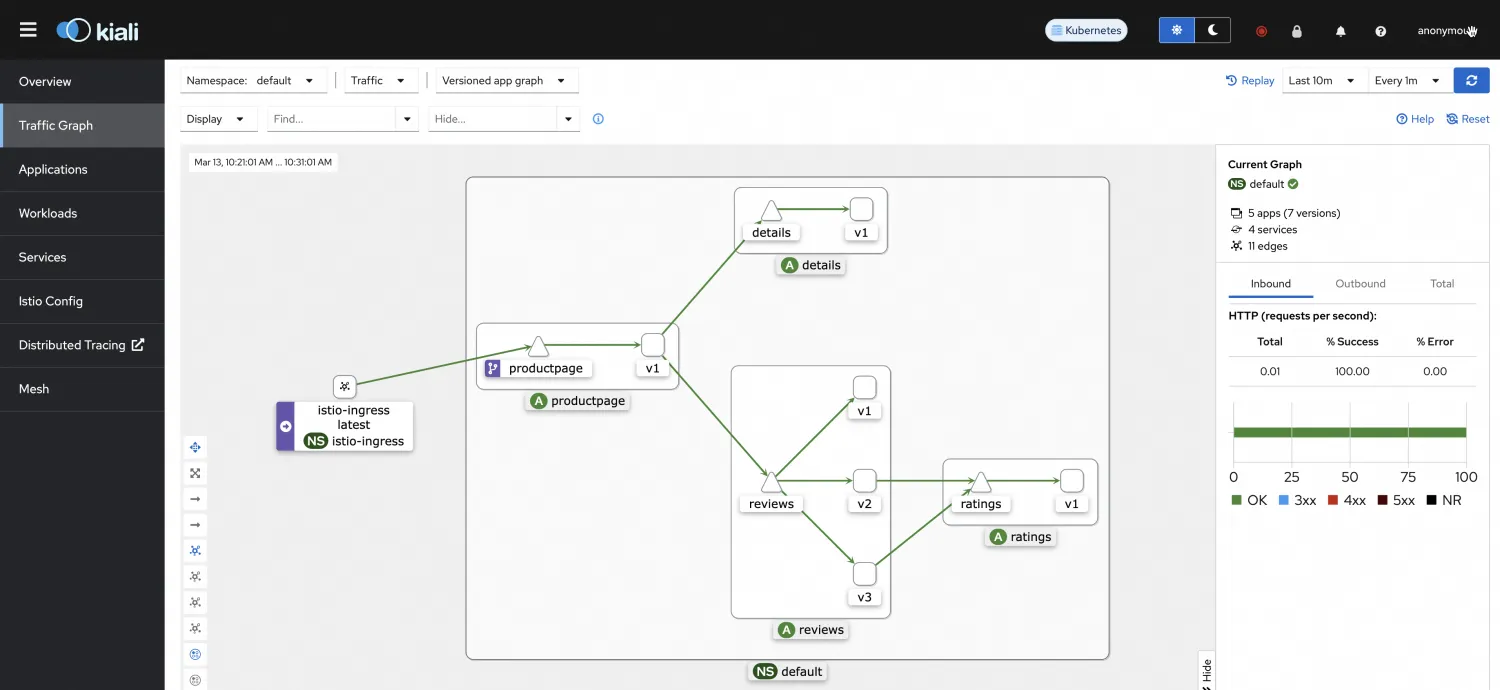
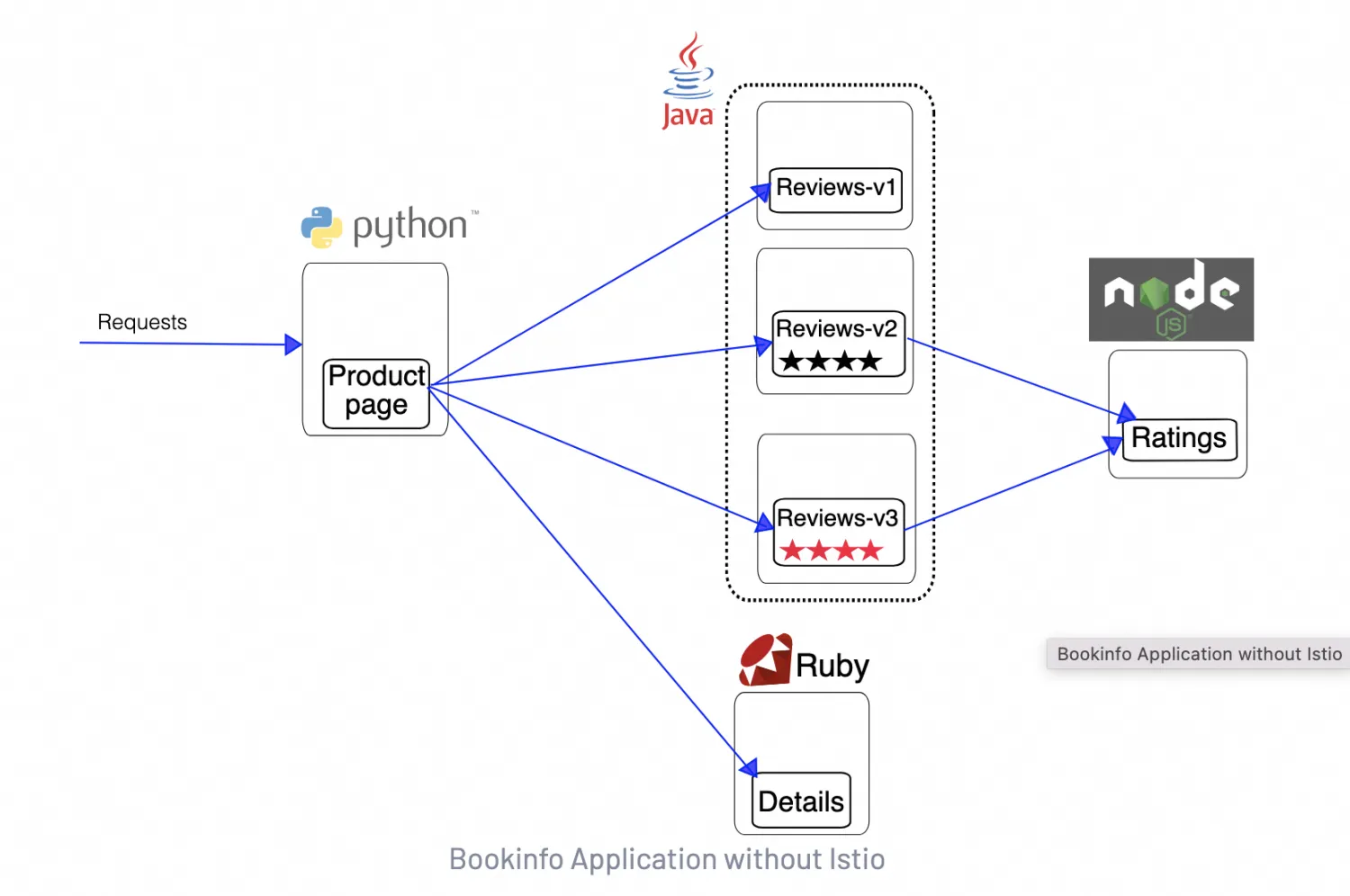
The official website provides the Bookinfo application as a usage example of Istio. This application mimics a category of an online bookstore that displays information about a book. The book’s description, details including ISBN and the number of pages, and reviews are displayed on the page.
The BookInfo application consists of the following four independent microservices:
· productpage: generates pages by calling the details and reviews microservices.
· details: contains book information.
· reviews: contains book reviews. It also calls the ratings microservice.
· ratings: contains book ratings that are generated based on book reviews.
The reviews microservice has the following three versions:
· V1 does not call the ratings service.
· V2 calls the ratings service and displays each rating with one to five black stars.
· V3 calls the ratings service and displays each rating with one to five red stars.
The end-to-end architecture of the application is shown as follows.
1. Label the namespace where the application is to be installed with istio-injection=enabled. This ensures that pods deployed in this namespace are automatically injected with SideCar.
kubectl label namespace default istio-injection=enabled2. Execute the YAML file corresponding to the application deployment.
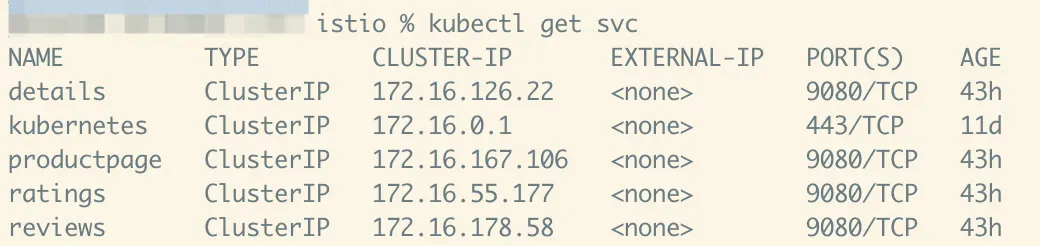
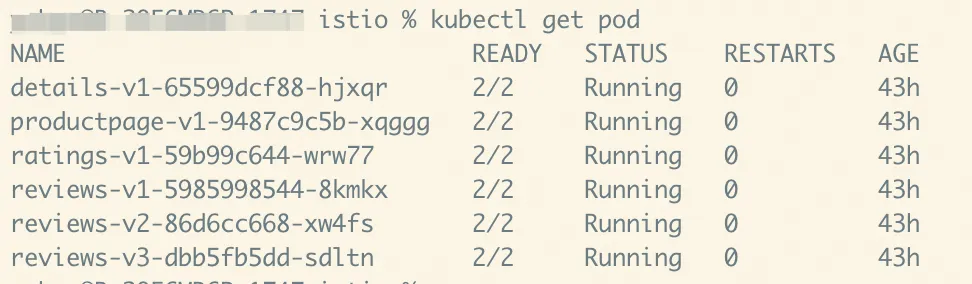
kubectl apply -f https://raw.githubusercontent.com/istio/istio/release-1.20/samples/bookinfo/platform/kube/bookinfo.yaml3. Ensure that all services and pods have been started normally. Note that the pod should contain two containers.
4. To confirm that the Bookinfo application is running, execute a curl command inside the pod corresponding to ratings. The serviceName:port is used for access because it can be abbreviated in the same namespace.
kubectl exec "$(kubectl get pod -l app=ratings -o jsonpath='{.items[0].metadata.name}')" -c ratings -- curl -sS productpage:9080/productpage | grep -o "<title>.*</title>"When you deploy the application in the preceding example, internal pods are used to access the application when verifying whether the application is running properly. Now, let's see how to access the application from outside the cluster.
1. First, install the Gateway component in ACK. Here, we provide a method for installation using Helm.
kubectl create namespace istio-ingress
helm install istio-ingress istio/gateway -n istio-ingress --wait
2. Create an Istio gateway for traffic distribution.
apiVersion: networking.istio.io/v1alpha3
kind: Gateway
metadata:
  name: bookinfo-gateway
spec:
  selector:
    istio: ingress # use istio default controller
  servers:
  - port:
      number: 80
      name: http
      protocol: HTTP
    hosts:
    - "*"
---
apiVersion: networking.istio.io/v1alpha3
kind: VirtualService
metadata:
  name: bookinfo
spec:
  hosts:
  - "*"
  gateways:
  - bookinfo-gateway
  http:
  - match:
    - uri:
        exact: /productpage
    - uri:
        prefix: /static
    - uri:
        exact: /login
    - uri:
        exact: /logout
    - uri:
        prefix: /api/v1/products
    route:
    - destination:
        host: productpage
        port:
          number: 9080
3. Determine the IP address and port for external access. Here, you can obtain the above information from the service istio-ingress that is created during the Gateway installation.
export INGRESS_HOST=$(kubectl -n istio-ingress get service istio-ingress -o jsonpath='{.status.loadBalancer.ingress[0].ip}')
export INGRESS_PORT=$(kubectl -n istio-ingress get service istio-ingress -o jsonpath='{.spec.ports[?(@.name=="http2")].port}')
4. Access the application through http://$INGRESS_HOST:$INGRESS_PORT/productpage
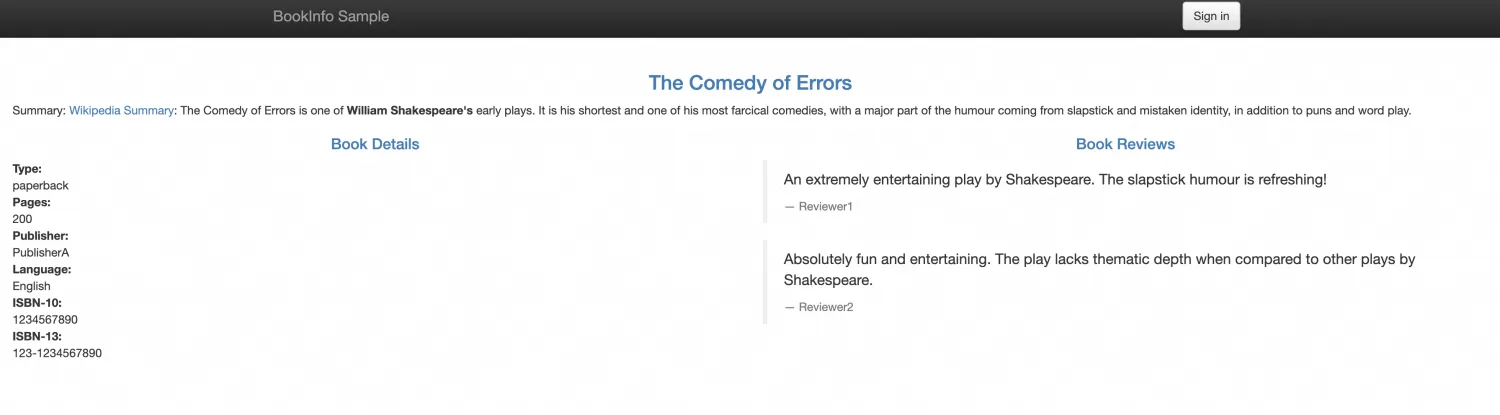
5. You can view the call relationships between microservices through the Kiali link on the Compute Nest Service Instances page. The call relationships between microservices are the same as those described on the official website. The v1 version of reviews does not call the ratings application.
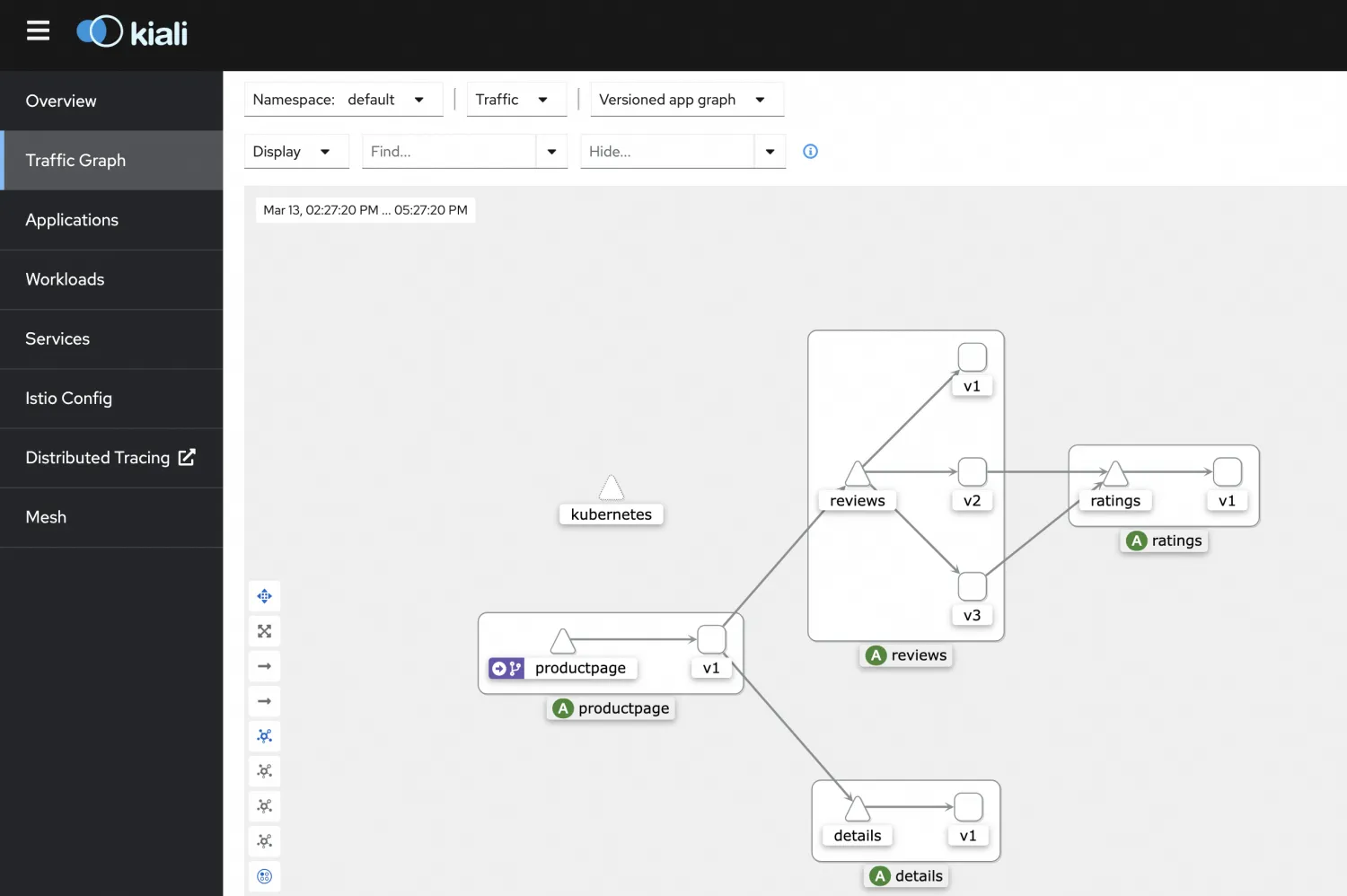
Next, we will verify the custom routing functionality, focusing on the reviews application, which has multiple versions that can easily be distinguished.
1. Set the destination rule to segment by version number.
apiVersion: networking.istio.io/v1alpha3
kind: DestinationRule
metadata:
  name: reviews
spec:
  host: reviews
  subsets:
  - name: v1
    labels:
      version: v1
  - name: v2
    labels:
      version: v2
  - name: v3
    labels:
      version: v3
2. Set the service routing rules to route requests to v2 if the end-user in the headers is Jason, otherwise route them to v1.
apiVersion: networking.istio.io/v1alpha3
kind: VirtualService
metadata:
  name: reviews
spec:
  hosts:
    - reviews
  http:
  - match:
    - headers:
        end-user:
          exact: jason
    route:
    - destination:
        host: reviews
        subset: v2
  - route:
    - destination:
        host: reviews
        subset: v1
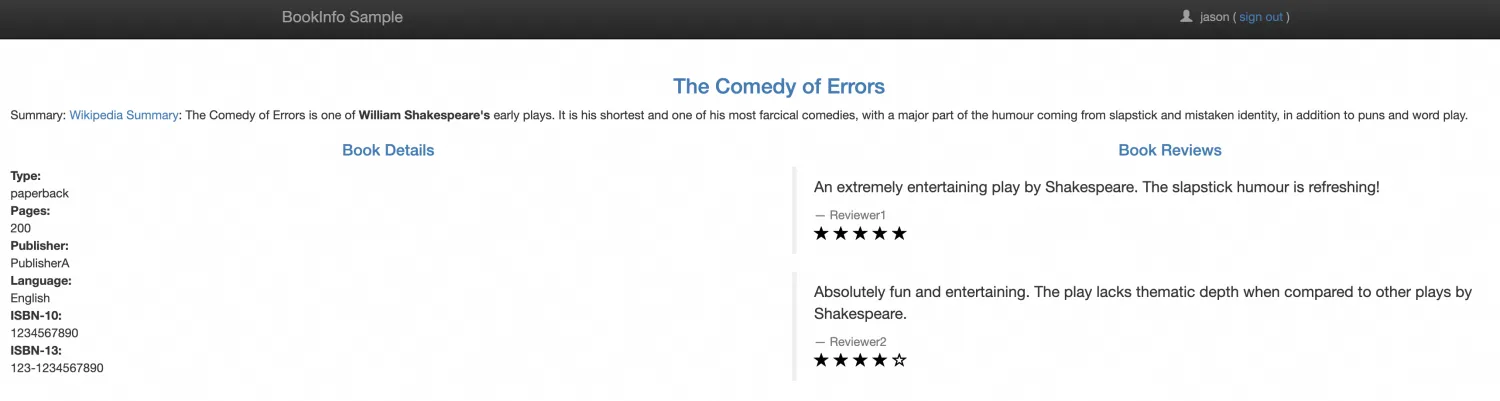
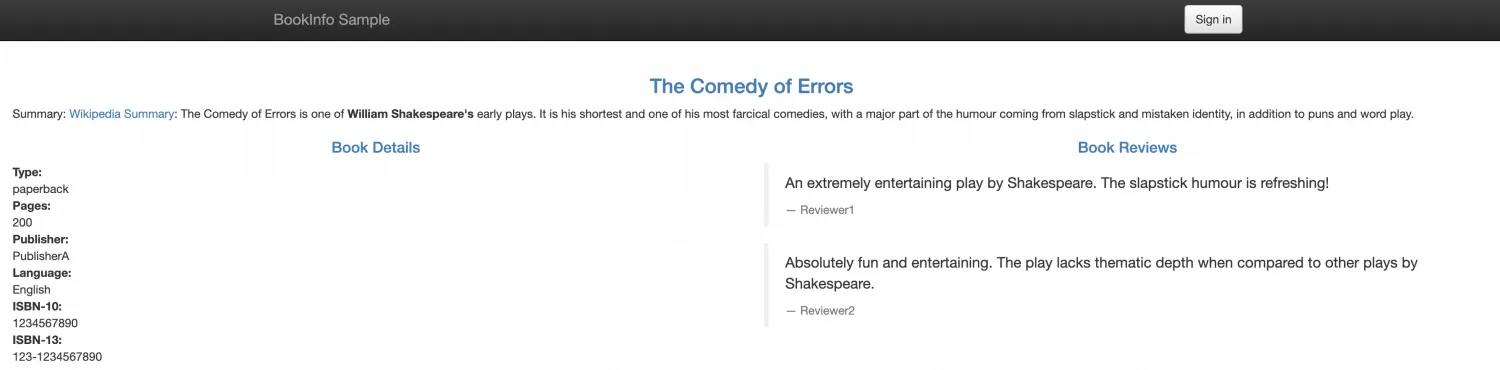
3. You can verify the effect now. When logged in as Jason, the reviews should display ratings with black stars. Without a login, no ratings should be displayed.
Compute Nest Uses Helm Hooks to Deploy Helm Charts in ACK Clusters

229 posts | 34 followers
FollowAlibaba Cloud Indonesia - April 10, 2023
Alibaba Container Service - May 23, 2025
Xi Ning Wang - August 16, 2018
Alibaba Container Service - October 12, 2024
Alibaba Cloud Native - October 8, 2022
Xi Ning Wang(王夕宁) - June 10, 2020
229 posts | 34 followers
Follow Microservices Engine (MSE)
MSE provides a fully managed registration and configuration center, and gateway and microservices governance capabilities.
Learn More Managed Service for Prometheus
Multi-source metrics are aggregated to monitor the status of your business and services in real time.
Learn More ECS(Elastic Compute Service)
Elastic and secure virtual cloud servers to cater all your cloud hosting needs.
Learn More Super Computing Cluster
Super Computing Service provides ultimate computing performance and parallel computing cluster services for high-performance computing through high-speed RDMA network and heterogeneous accelerators such as GPU.
Learn MoreMore Posts by Alibaba Container Service

