This article describes how to use Data Transmission Service (DTS) to migrate a MySQL database from Container Service for Kubernetes (ACK) to PolarDB for MySQL. The solution also supports schema synchronization, full data synchronization, and incremental data synchronization.
• The version of the MySQL database in ACK is 5.1, 5.5, 5.6, 5.7, or 8.0.
• A PolarDB for MySQL instance is created.
• The cluster network service cannot be a cluster IP.
• Before migrating and synchronizing data, you need to enable binlog for the database in the container.
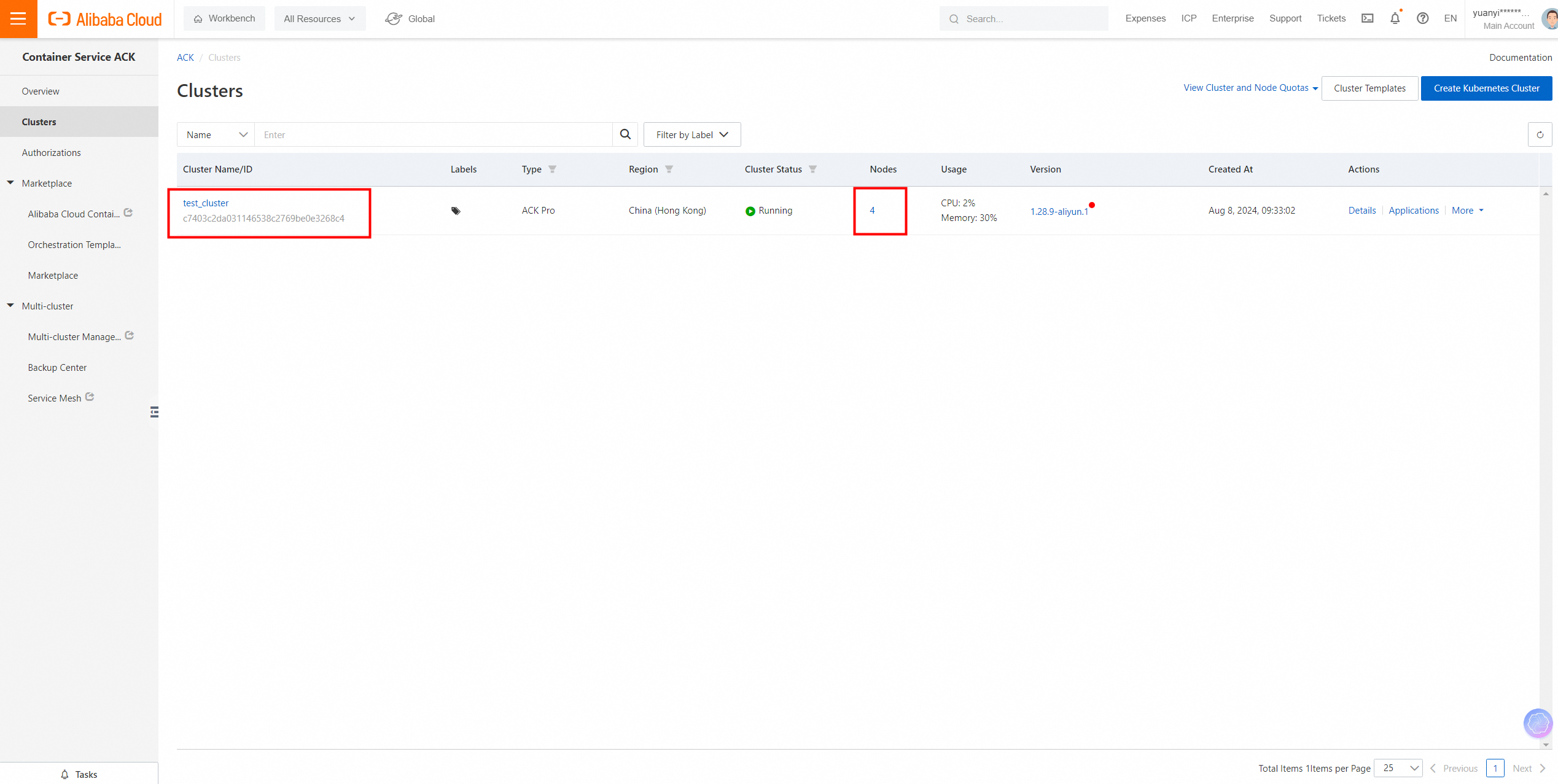
Check Nodes.
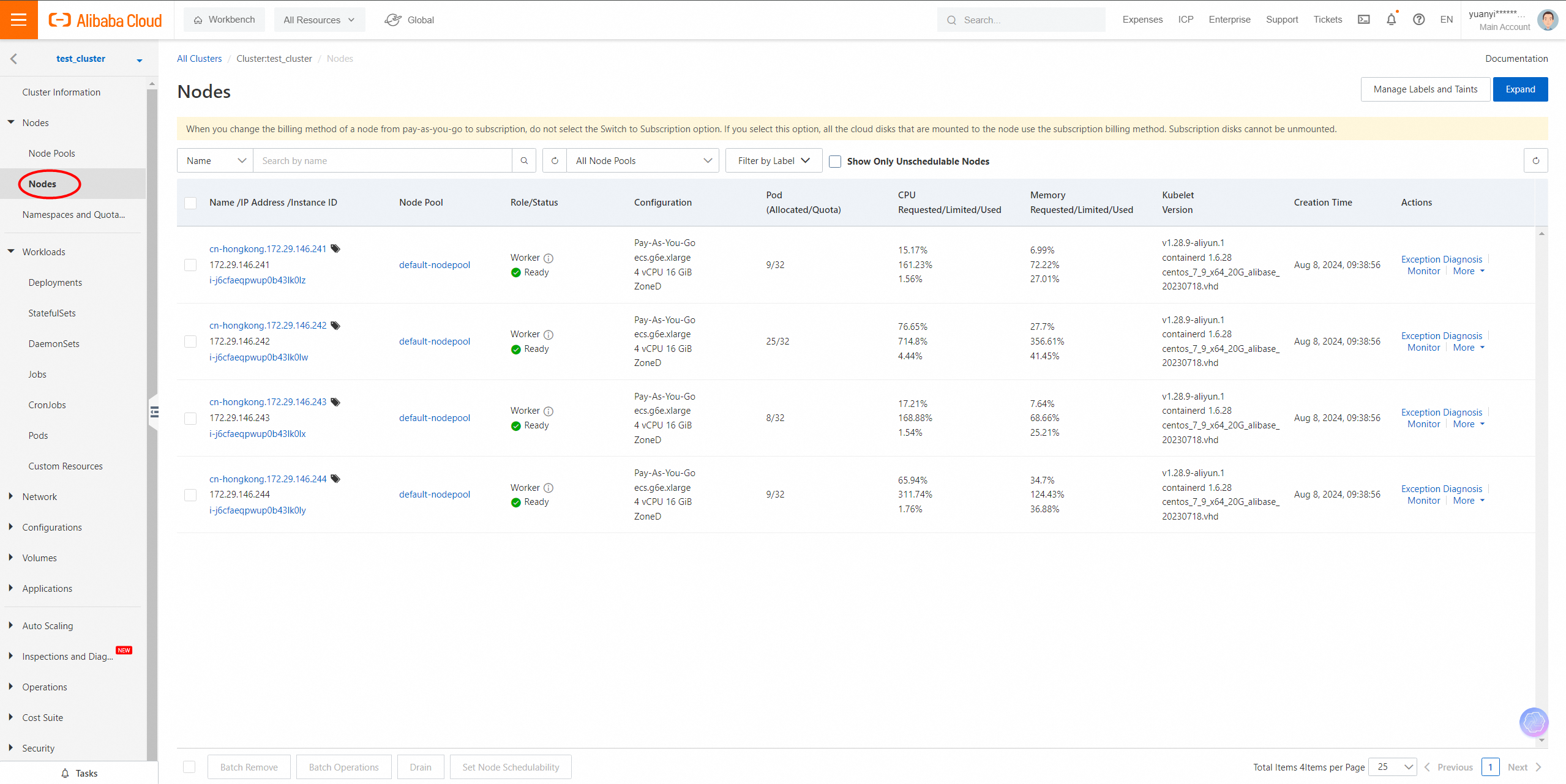
Check StatefulSets.
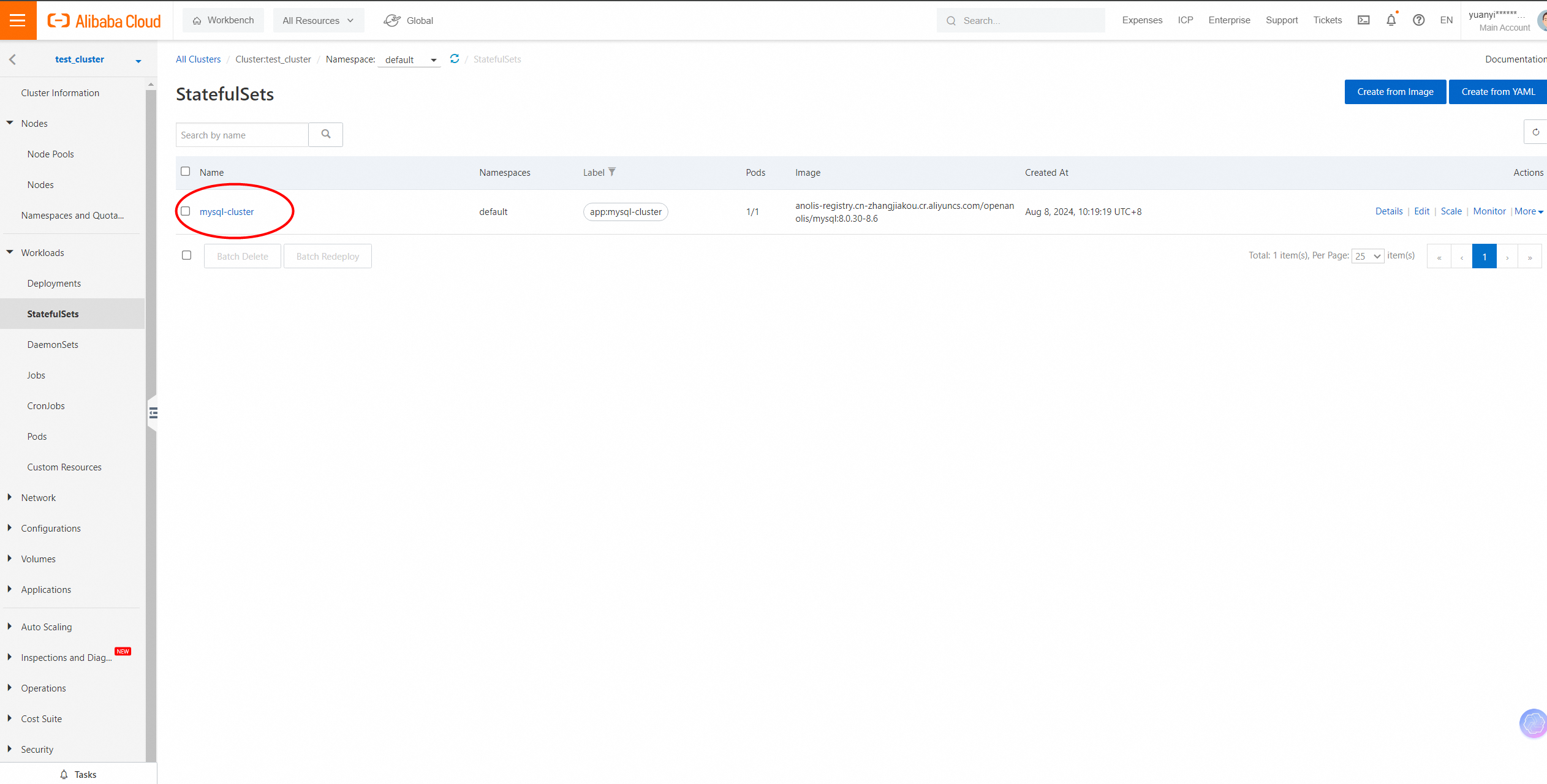
Check pod details.
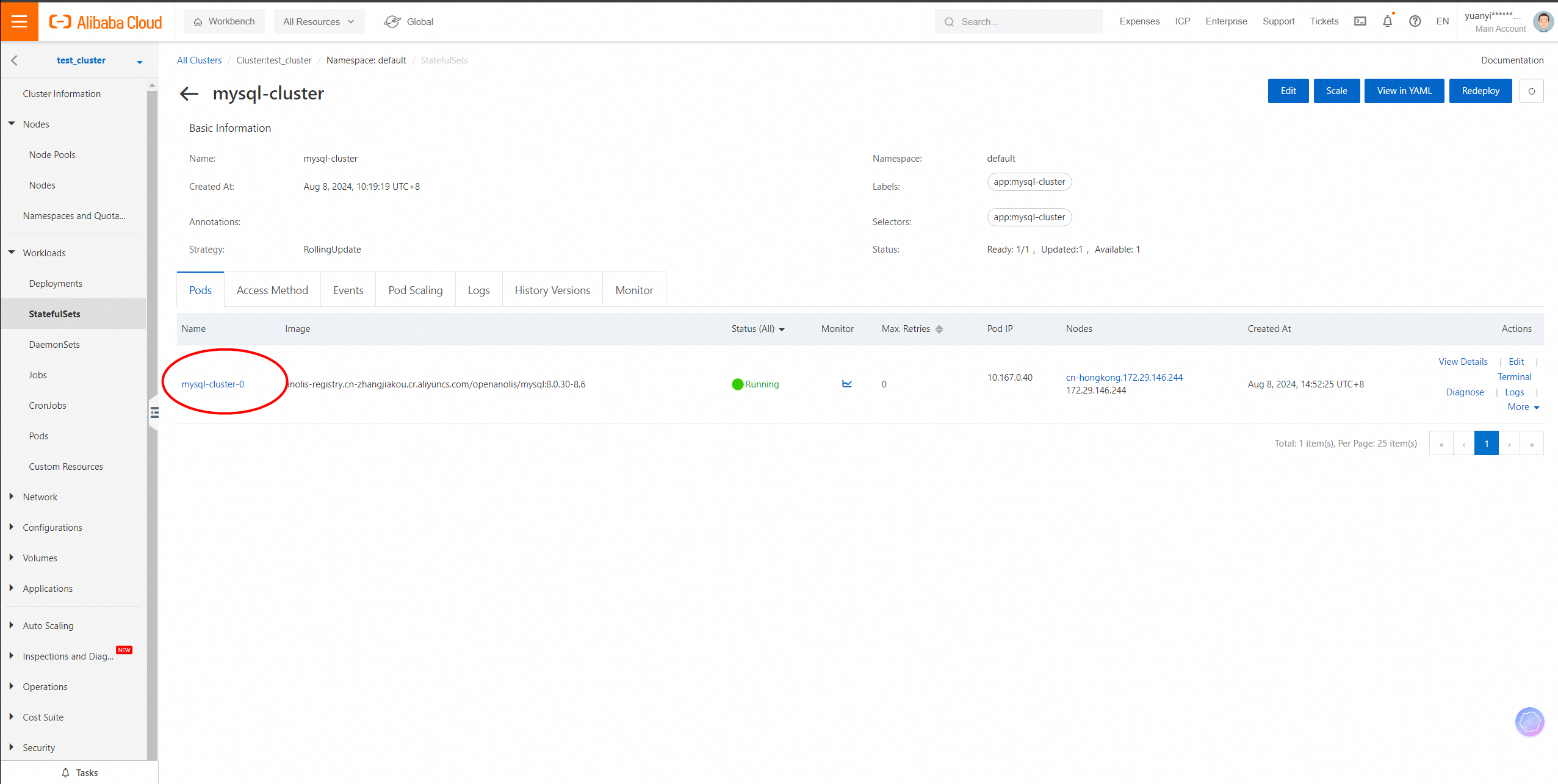
Check the SVC bound to the MySQL container and the network type.
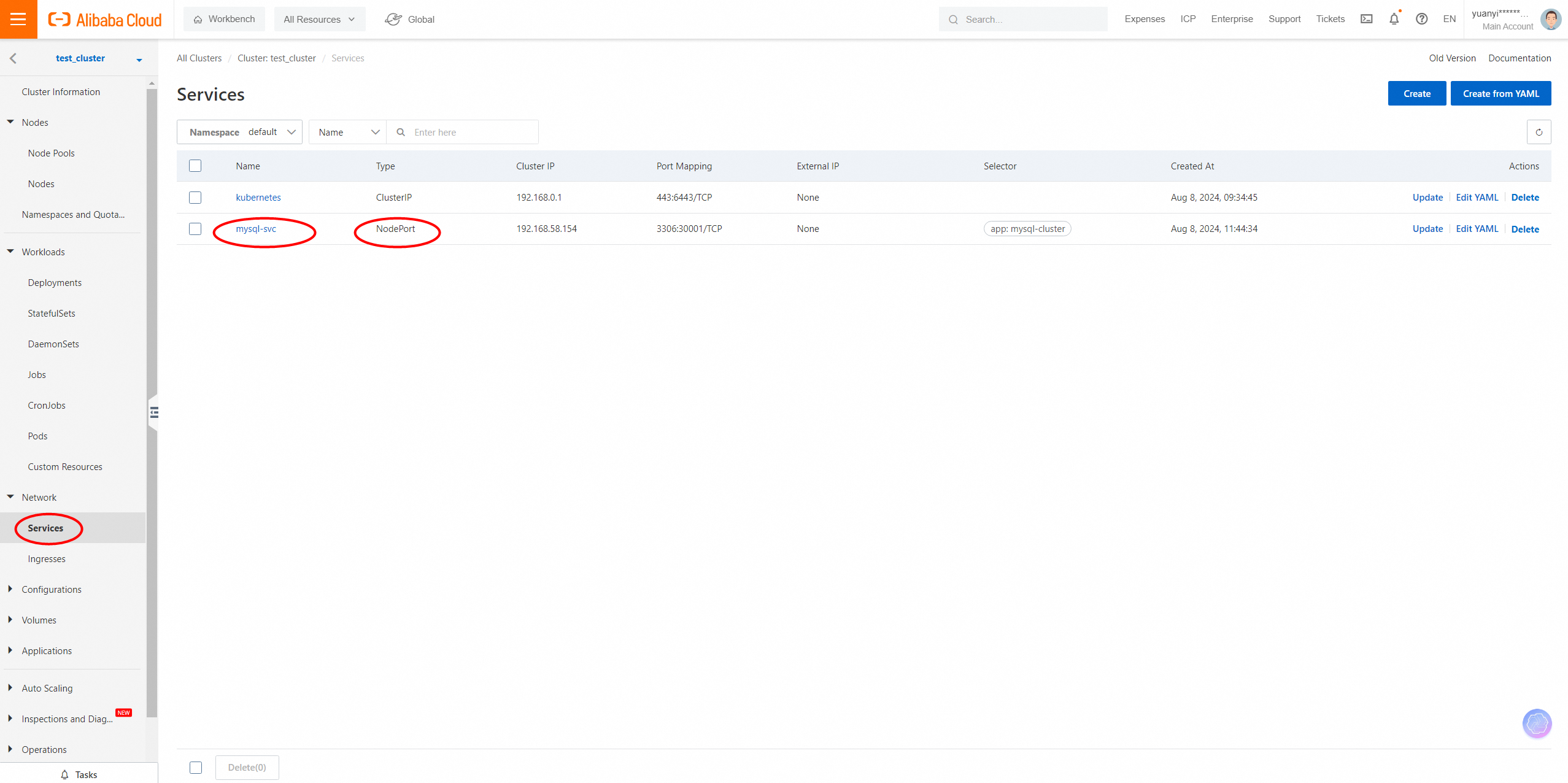
As shown in the figure, the Type is NodePort, and the Port Mapping is 30001 using TCP protocol, so we can use the internal IP address of any node to connect to the MySQL container, with the port mapping 30001.
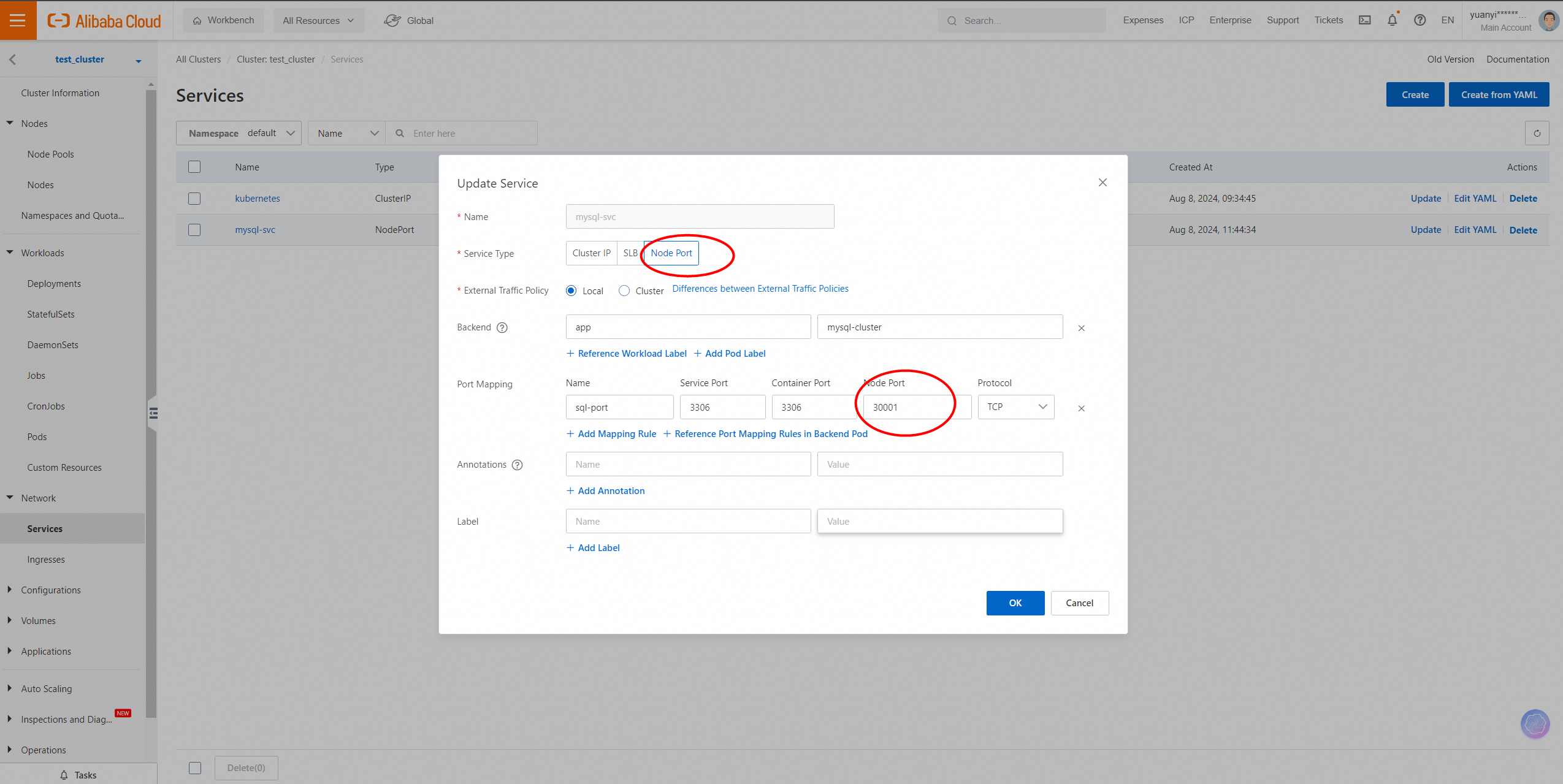
Log on to any node and use the internal IP address of the node to connect to container 3306 with port mapping 30001.
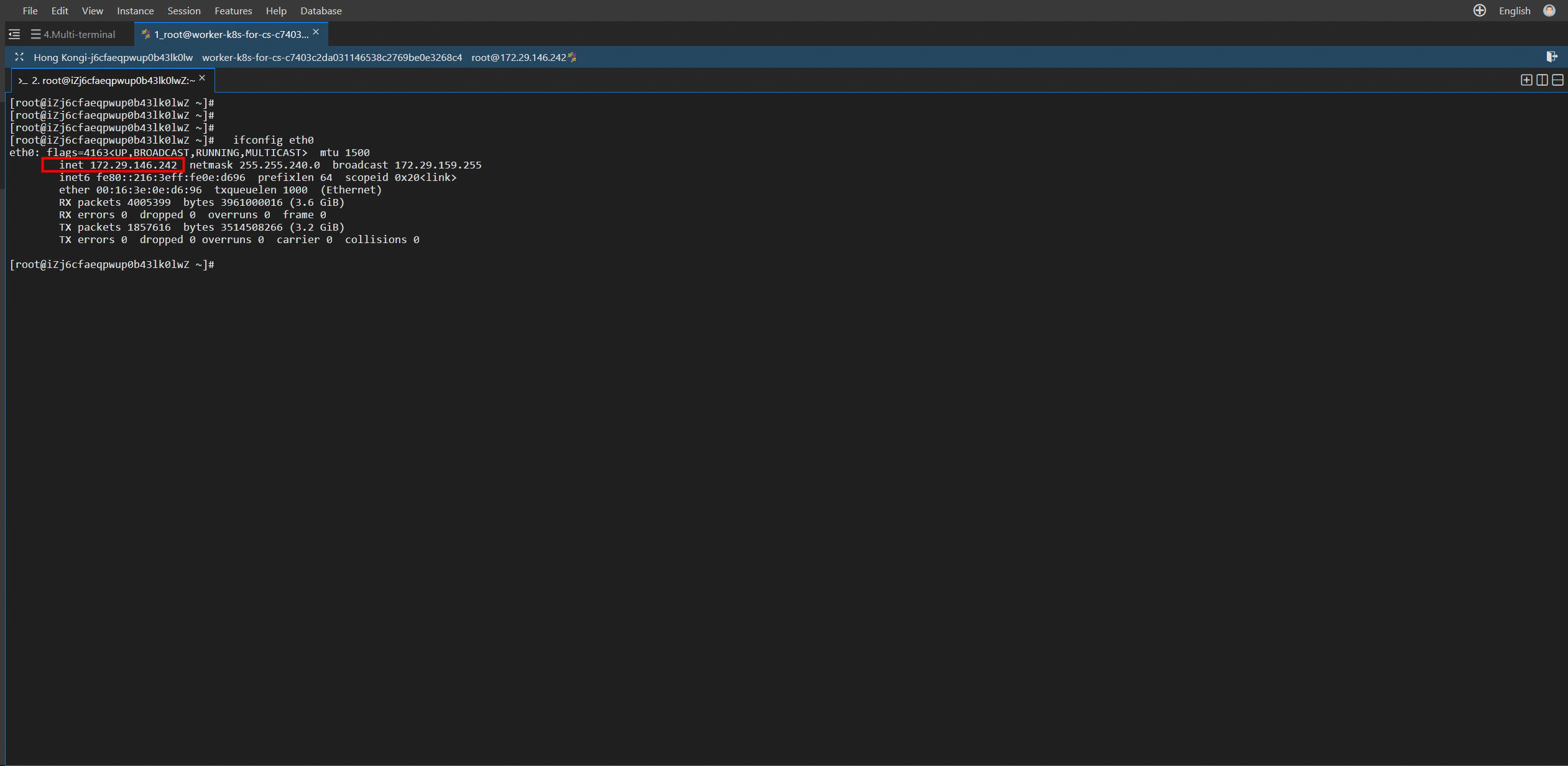
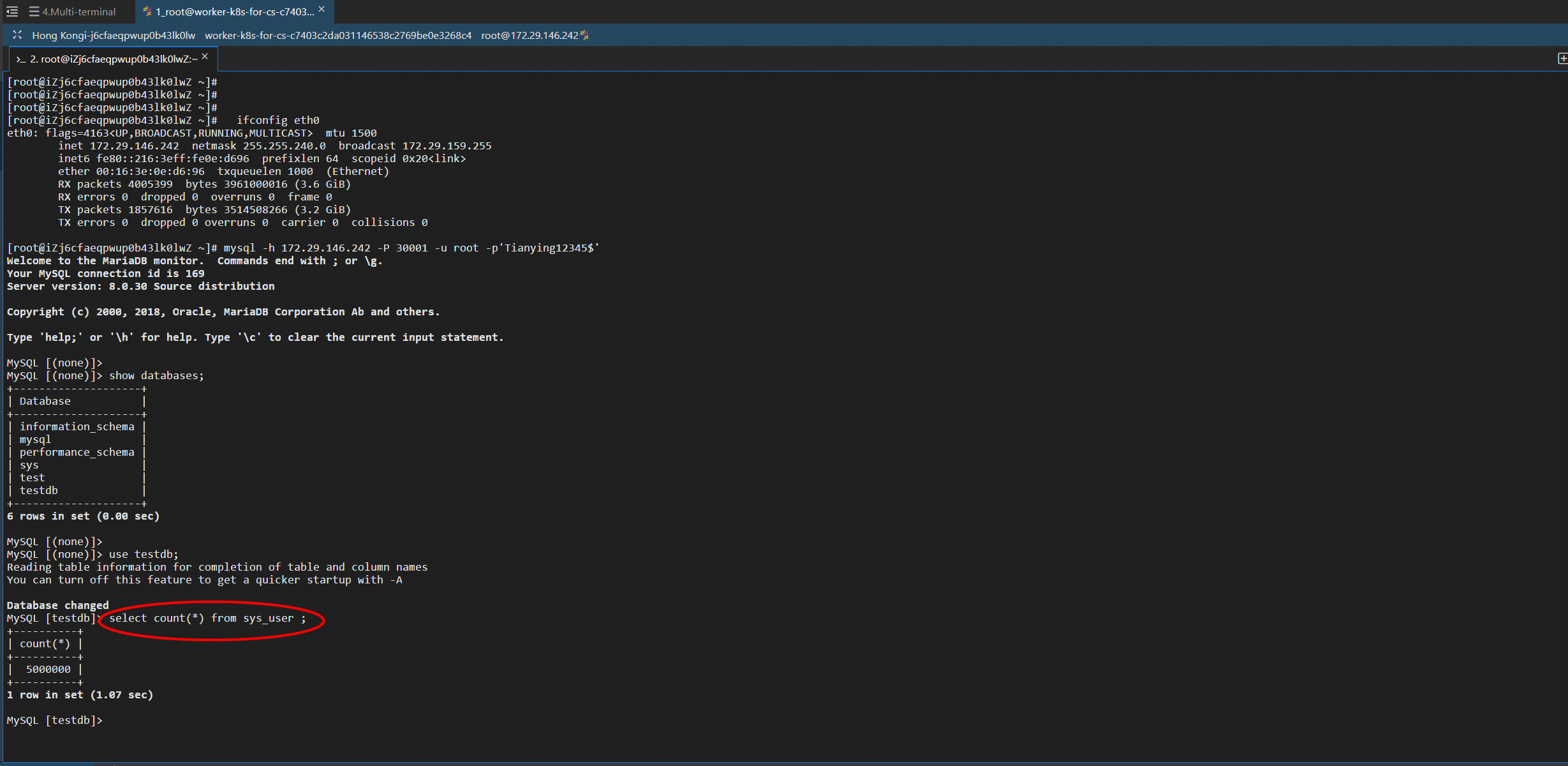
Connect to the MySQL database in the container.
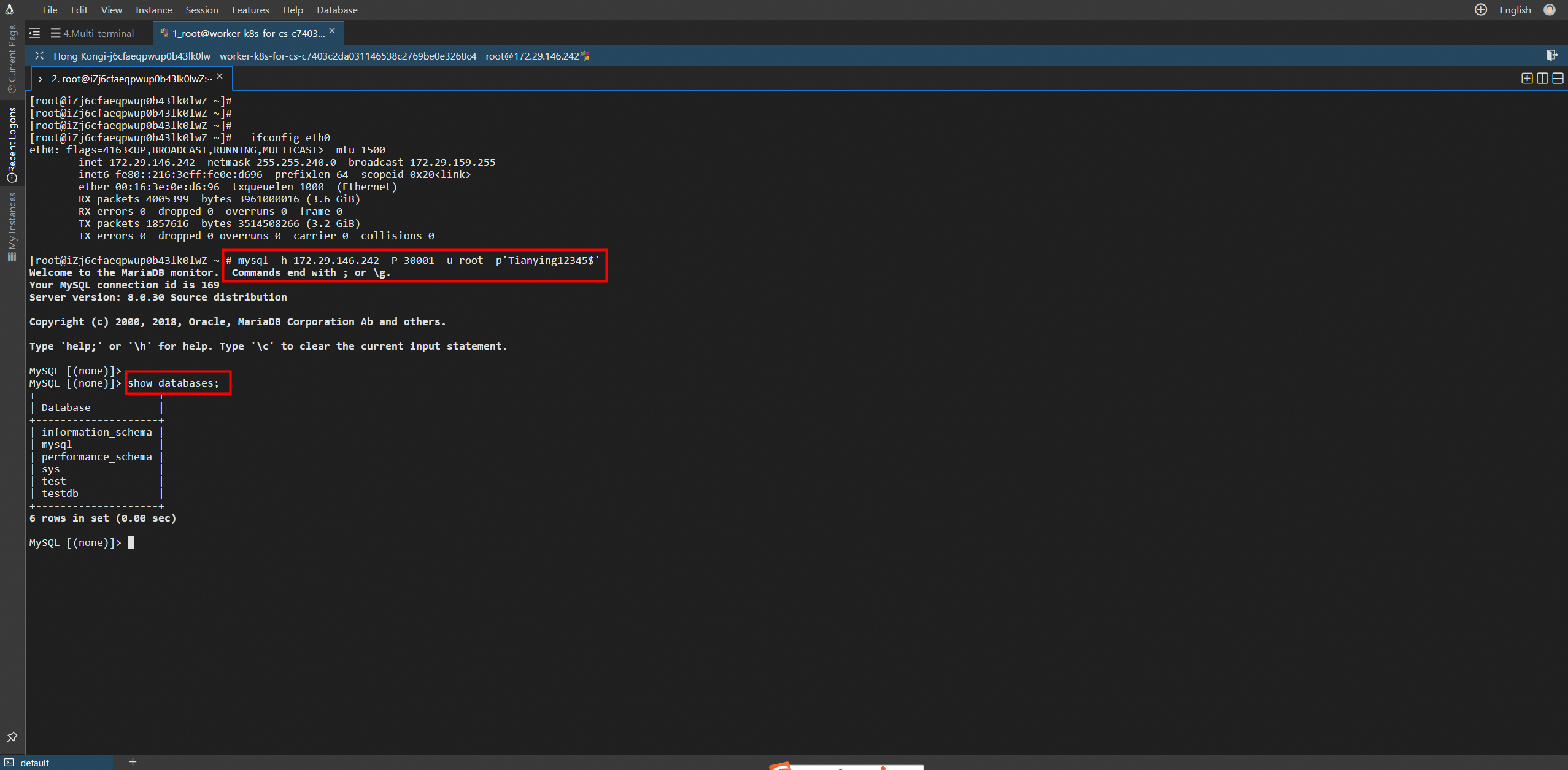
Check the content of the database table in the container database.
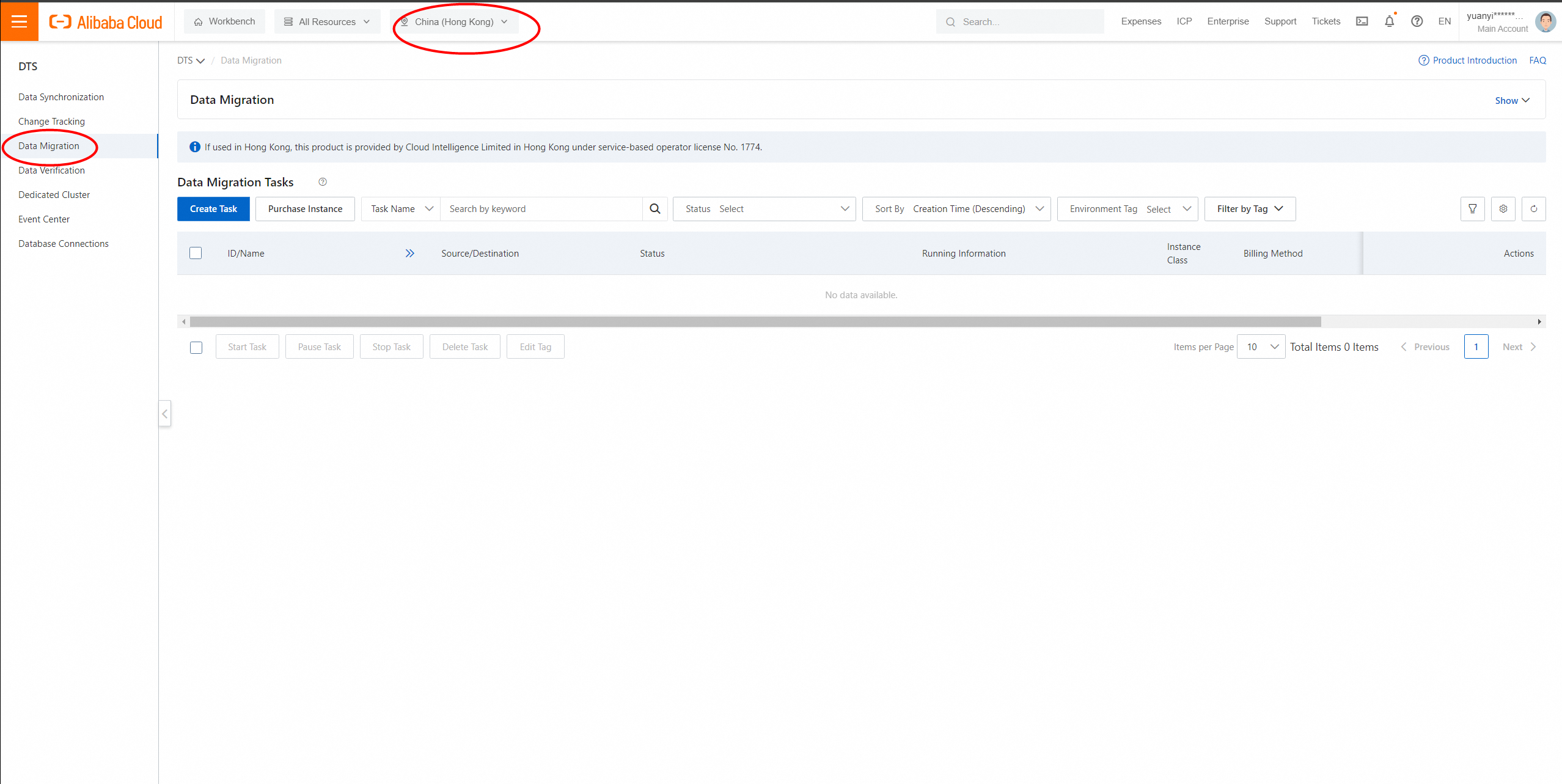
1. Go to the DTS console. In the left navigation pane, click Data Migration. In the page that appears, select a region and create a task.
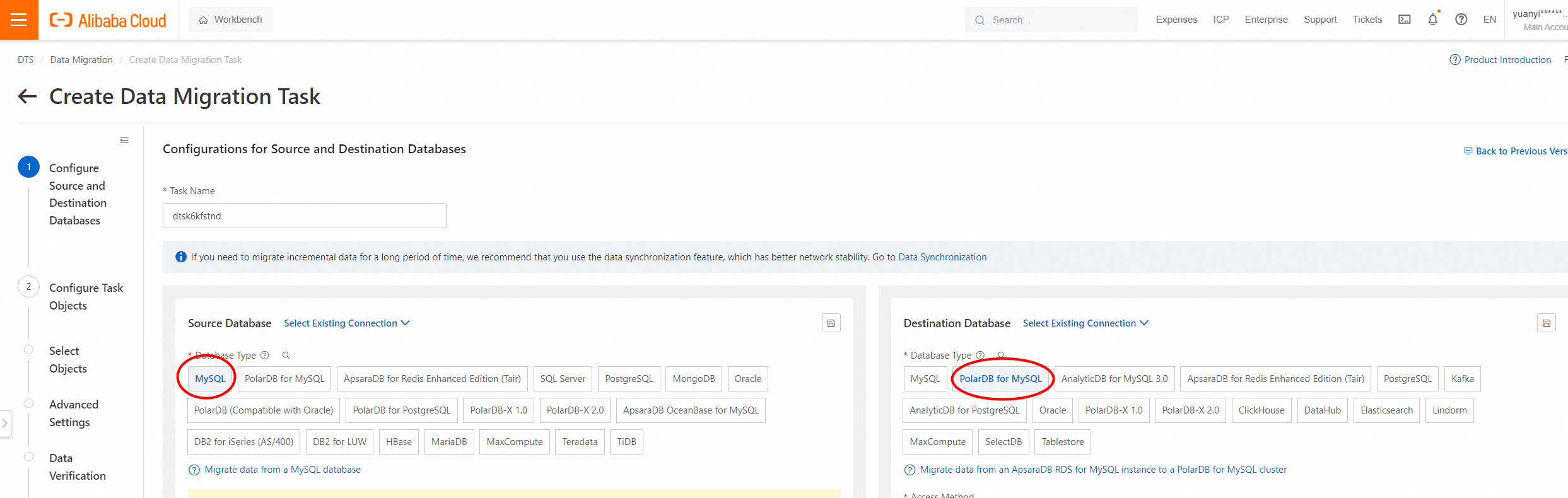
2. Select MySQL as the source database and PolarDB for MySQL as the destination database.
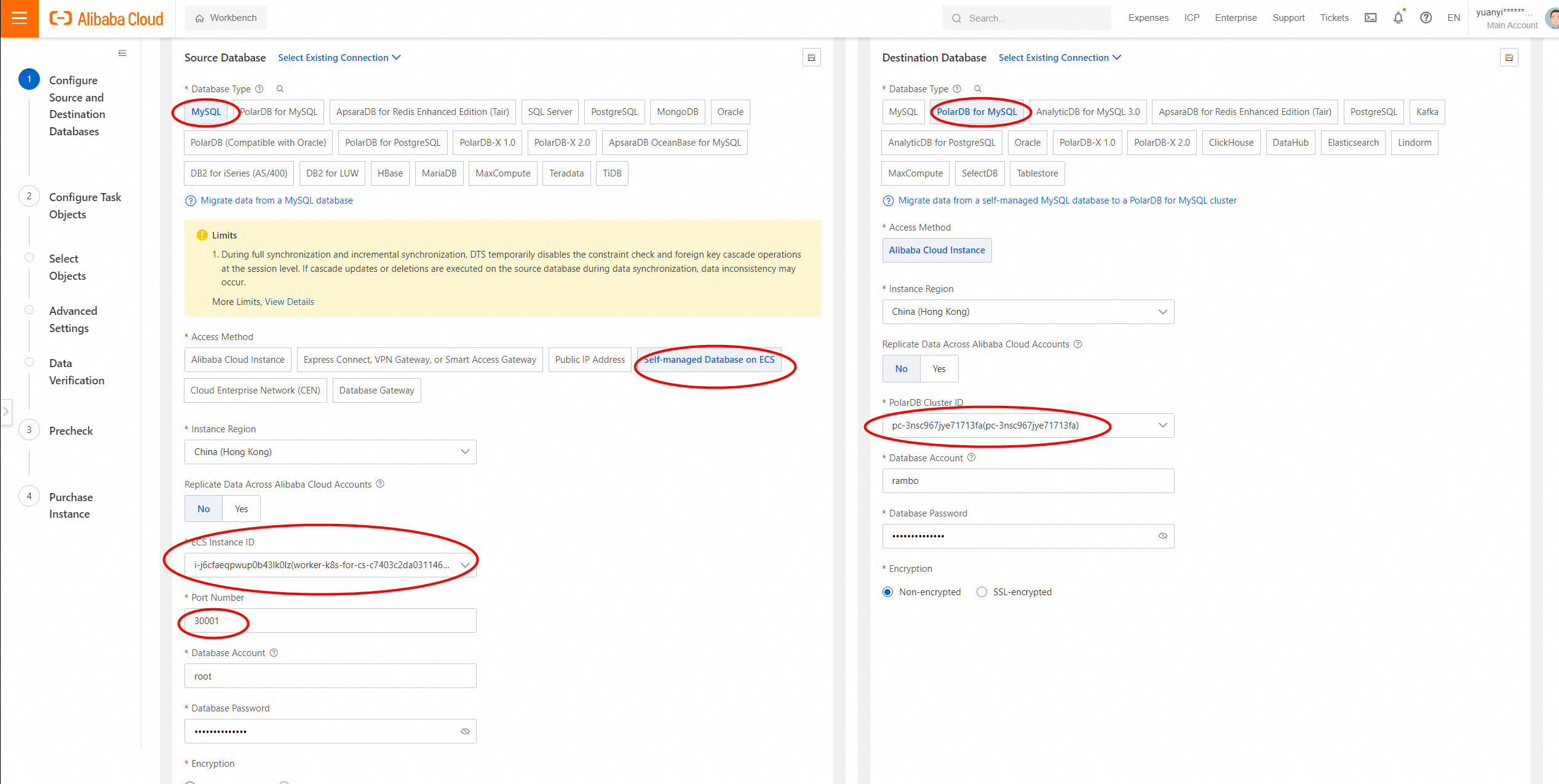
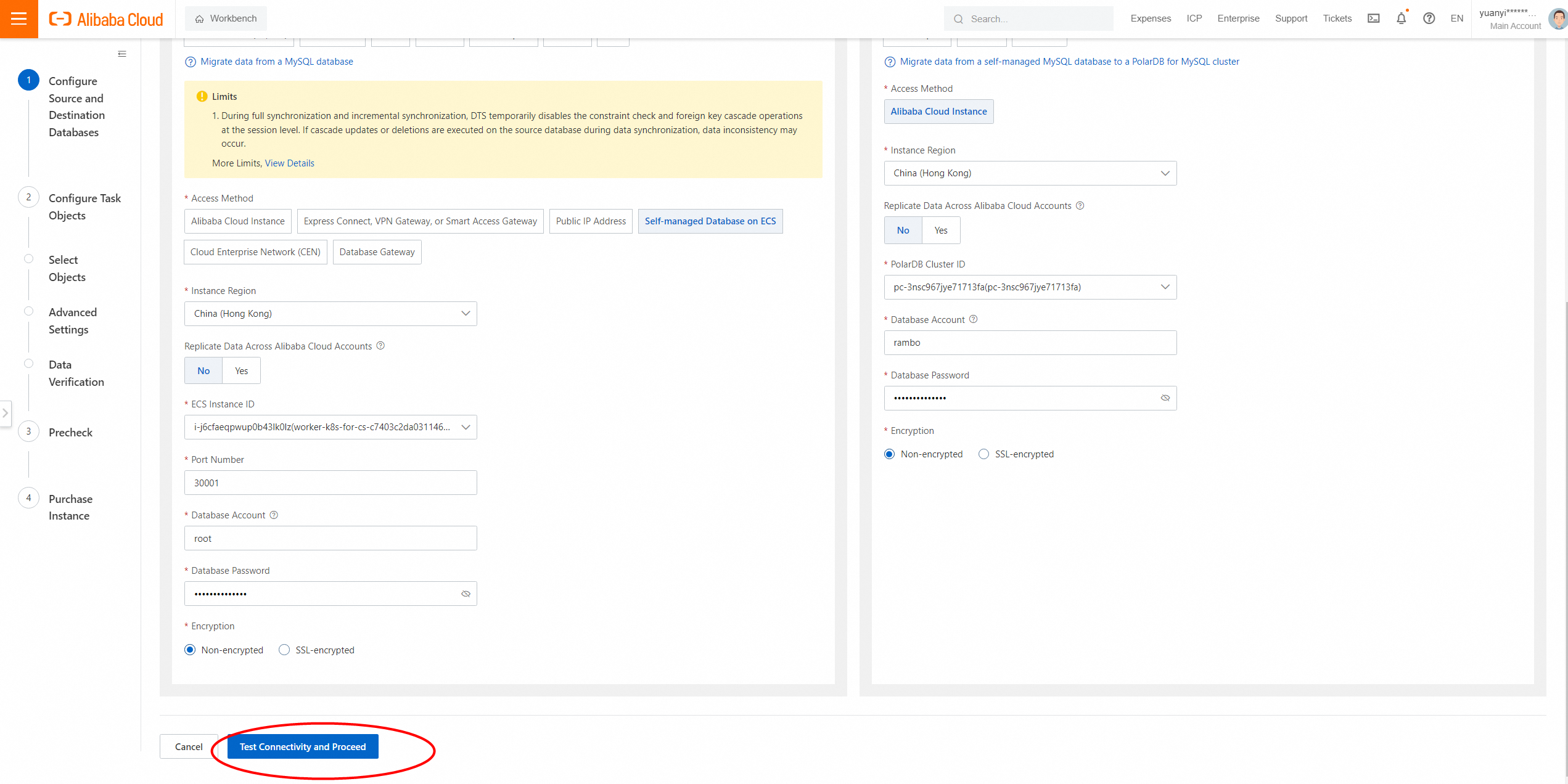
3. Configure source and destination databases.
|
Category |
Parameter |
Note |
|
Source Database Details |
Instance Type |
The type of the source database. Select User-Created Database in ECS Instance. |
|
Instance Region |
The region that you selected for the source database when you created the data synchronization task. |
|
|
The ID of the ECS Instance |
The ID of the ECS instance on any node of ACK. |
|
|
Database Type |
The database engine that you selected for the source database when you created the data synchronization task. The value of this parameter is set to MySQL. |
|
|
Port |
The port mapping of SVC in ACK, 30001. |
|
|
Database Account |
The account of the MySQL database. The account must have the SELECT permission on the required objects and the REPLICATION CLIENT, REPLICATION SLAVE, and SHOW VIEW permissions. |
|
|
Database Password |
The password for the account of the MySQL database. |
|
|
Destination Database Details |
Instance Type |
The type of the destination database. Select PolarDB Instance. |
|
Instance Region |
The region that you selected for the destination instance when you created the data synchronization task. |
|
|
Instance ID |
The ID of the destination database. |
|
|
Database Account |
The database account of the destination PolarDB for MySQL cluster. |
|
|
Database Password |
The password of the database account. |
|
|
Connection Method |
Specifies whether to encrypt the connection to the destination database. Select Non-encrypted or SSL-encrypted based on your business and security requirements. If you select SSL-encrypted, you must enable SSL encryption for the ApsaraDB RDS for MySQL instance before you configure the data migration task. For more information, see https://www.alibabacloud.com/help/en/rds/apsaradb-rds-for-mysql/configure-a-cloud-certificate-to-enable-ssl-encryption">Configure SSL encryption for an ApsaraDB RDS for MySQL instance. |
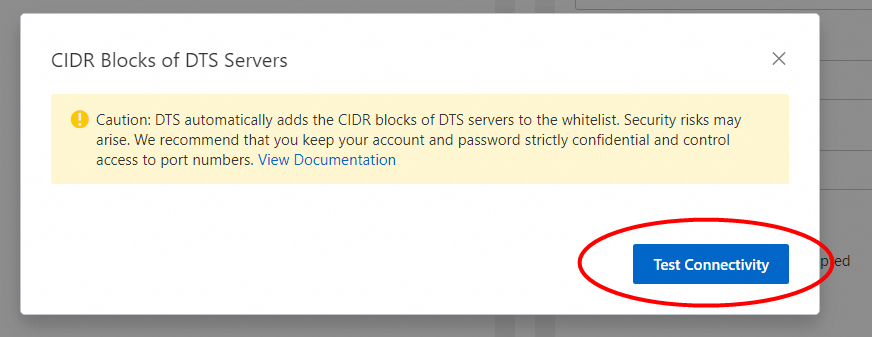
4. In the lower-right corner of the page, click Test Connectivity and Proceed.
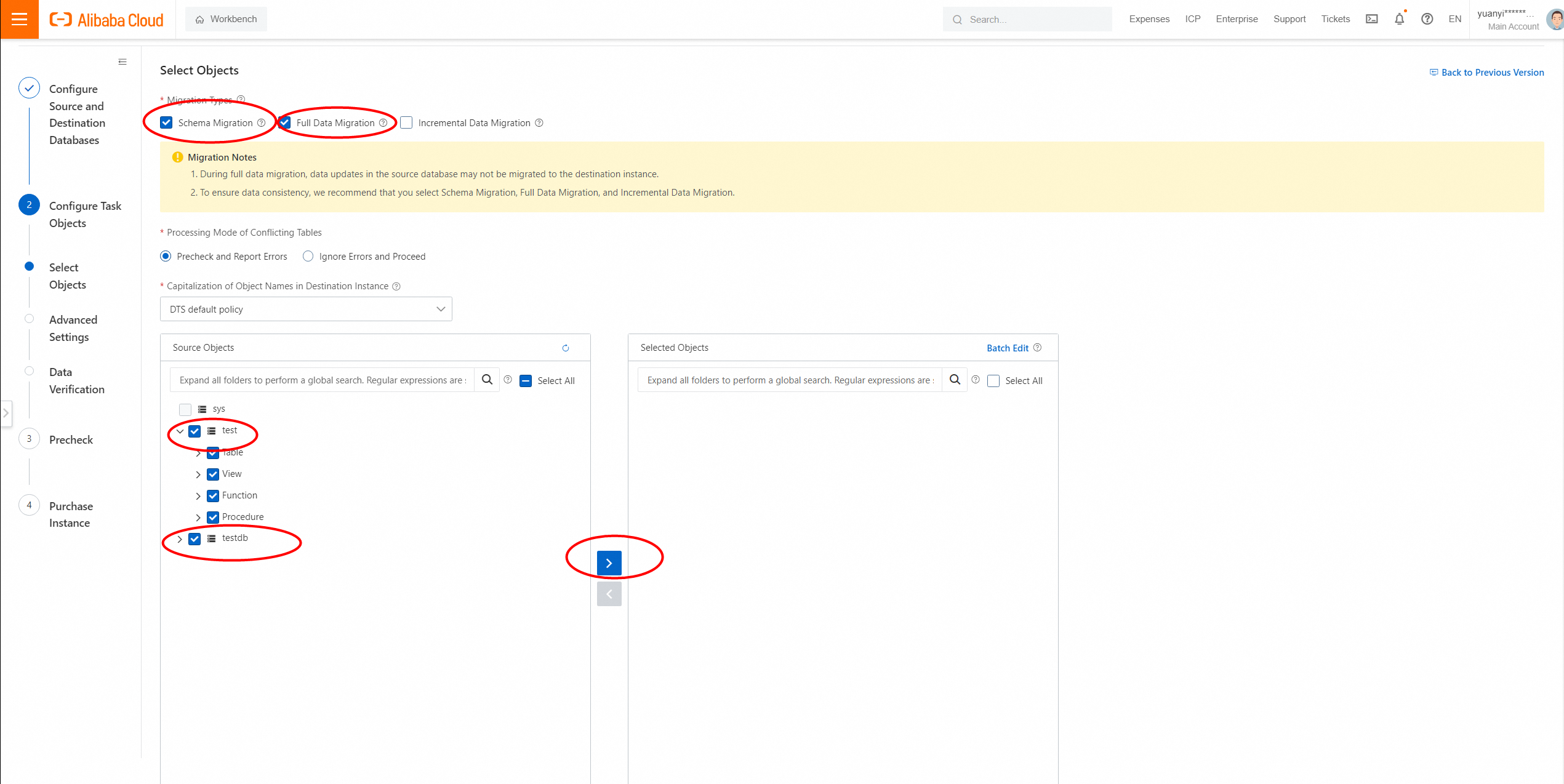
5. Select the database that you want to migrate.
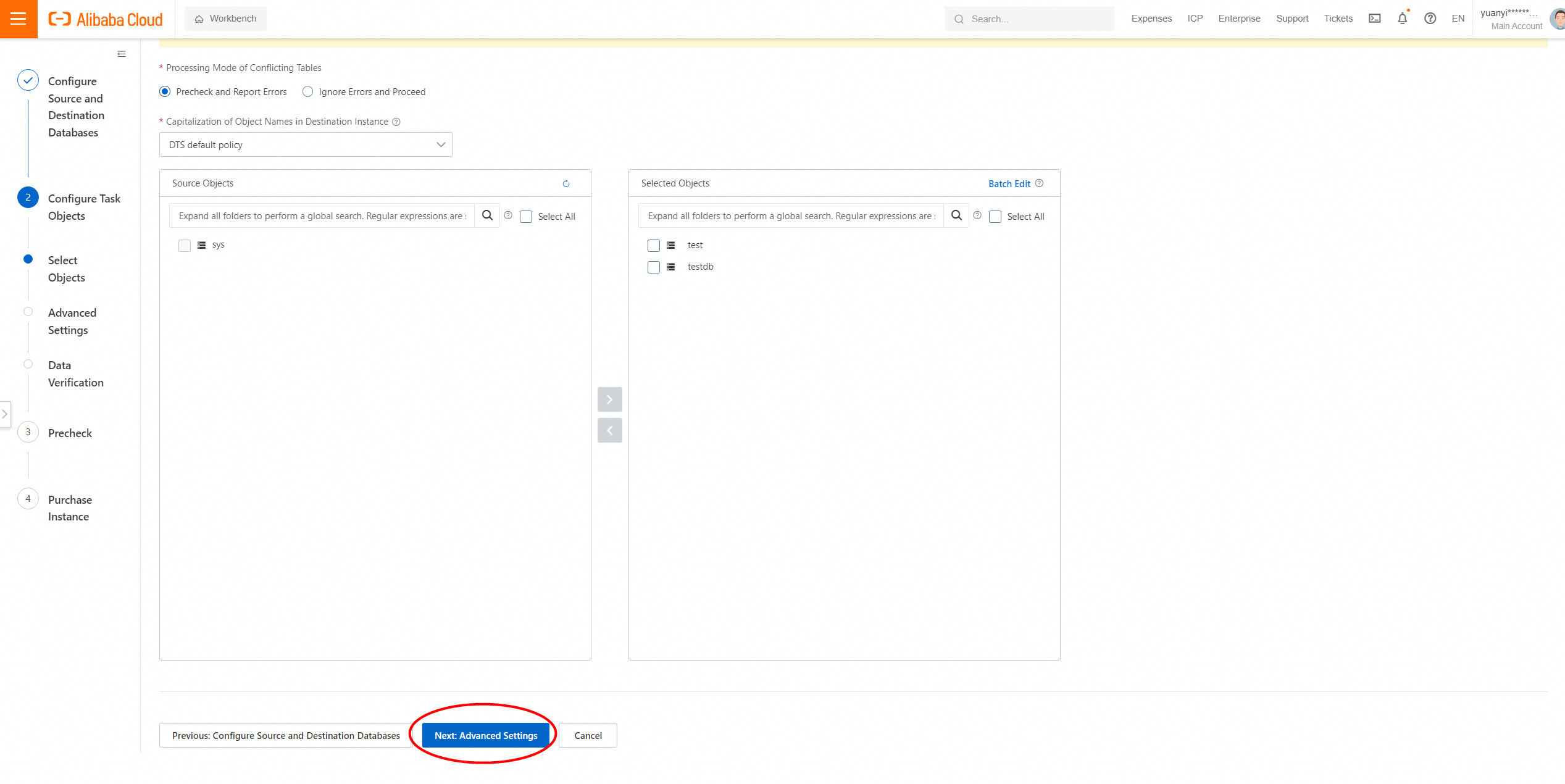
6. In the lower-right corner of the page, click Next. Configure initial synchronization.
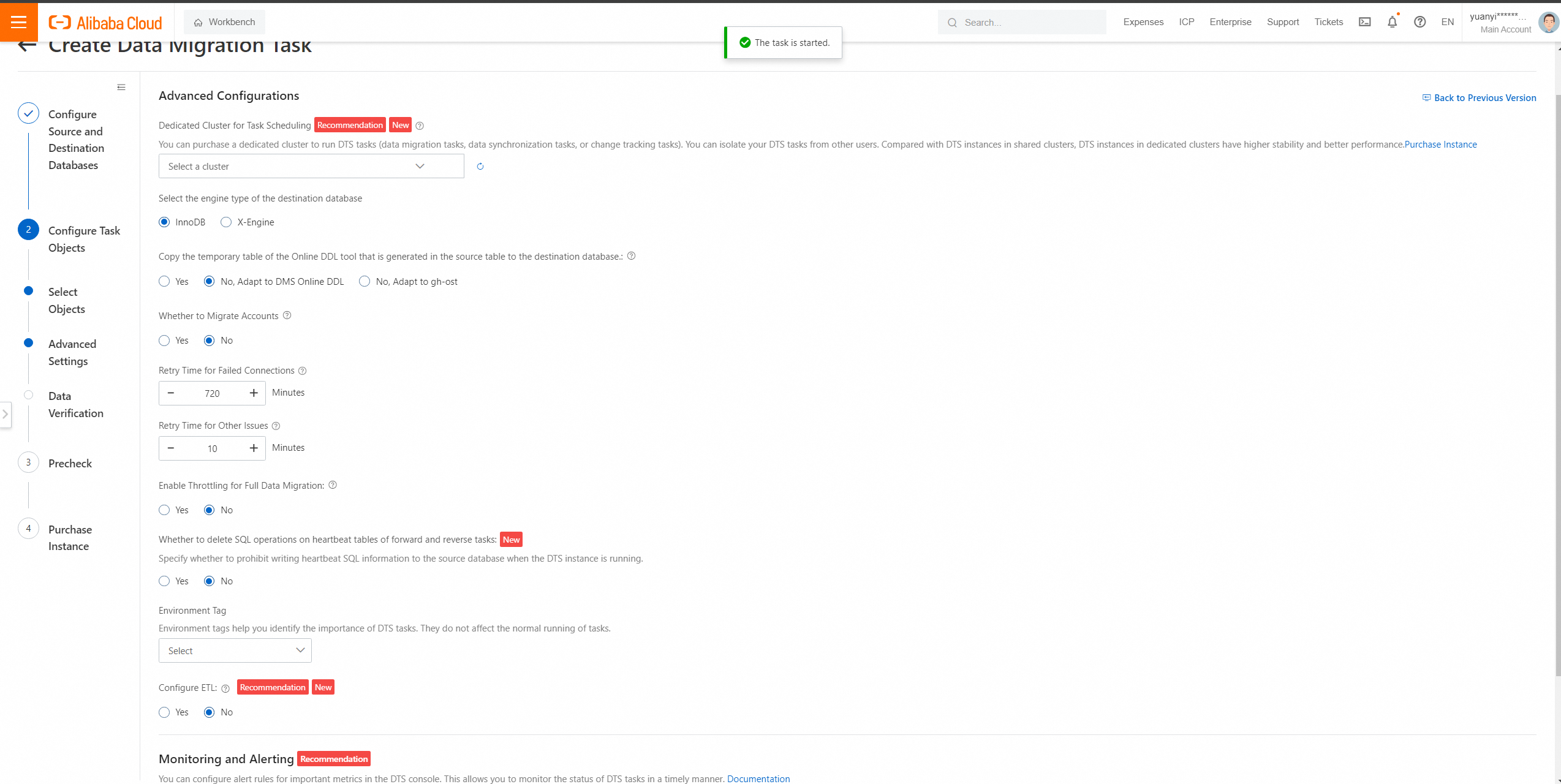
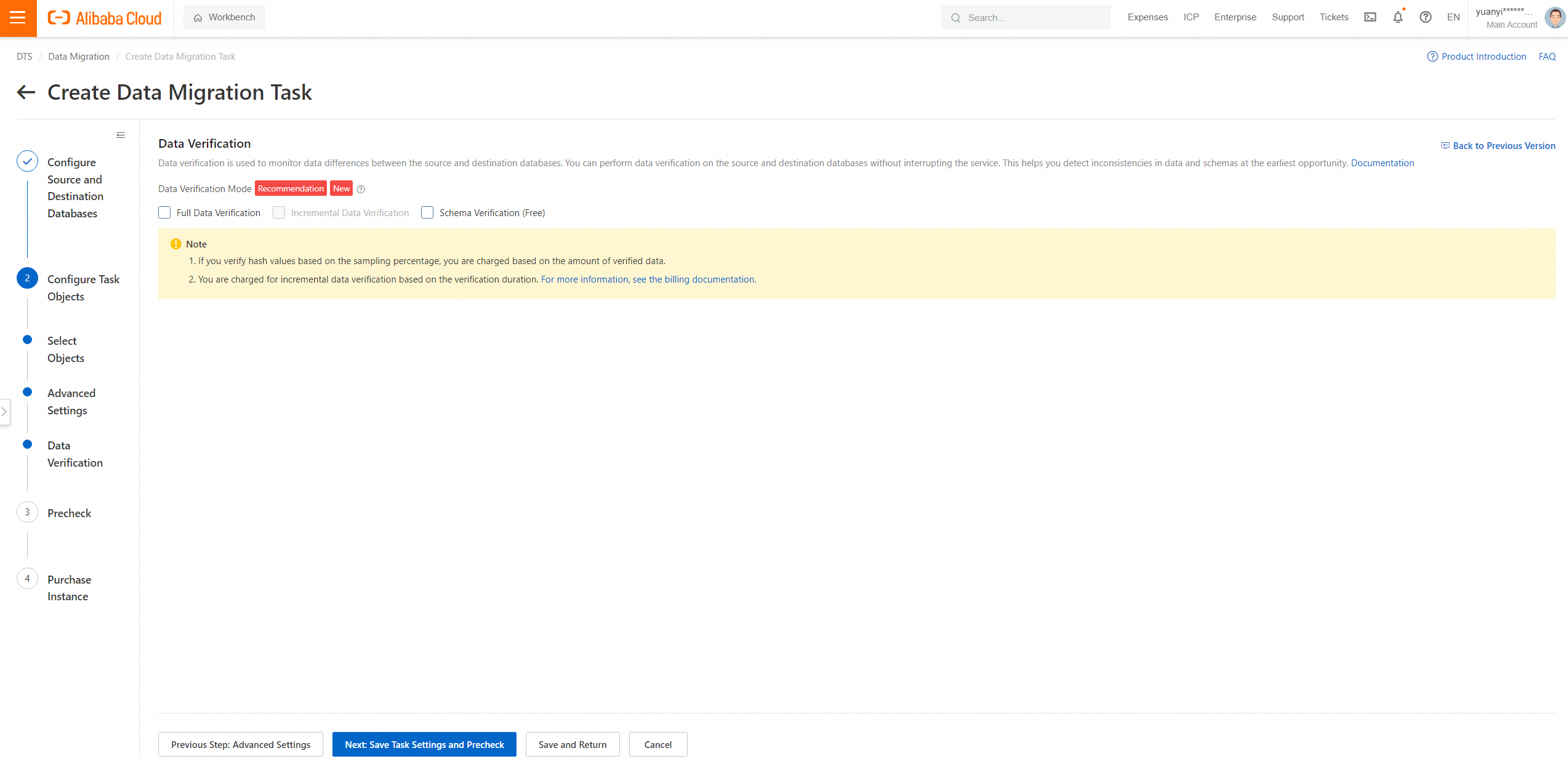
7. In the lower-right corner of the page, click Precheck.
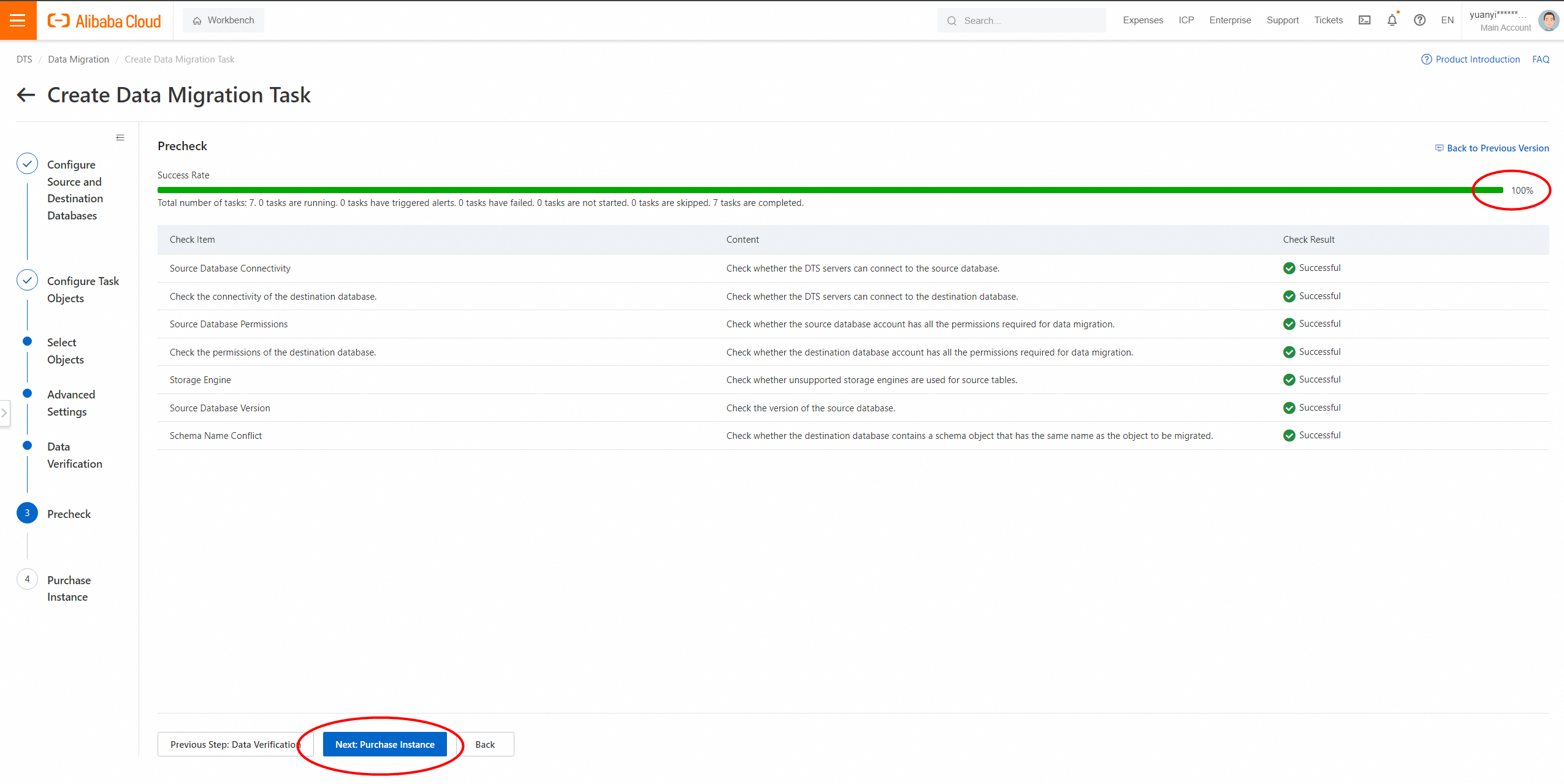
8. Close the Precheck dialog box after the following message is displayed: Precheck Passed. Then, the data synchronization task starts.
The synchronization types are schema migration and full data migration. No fees are charged.
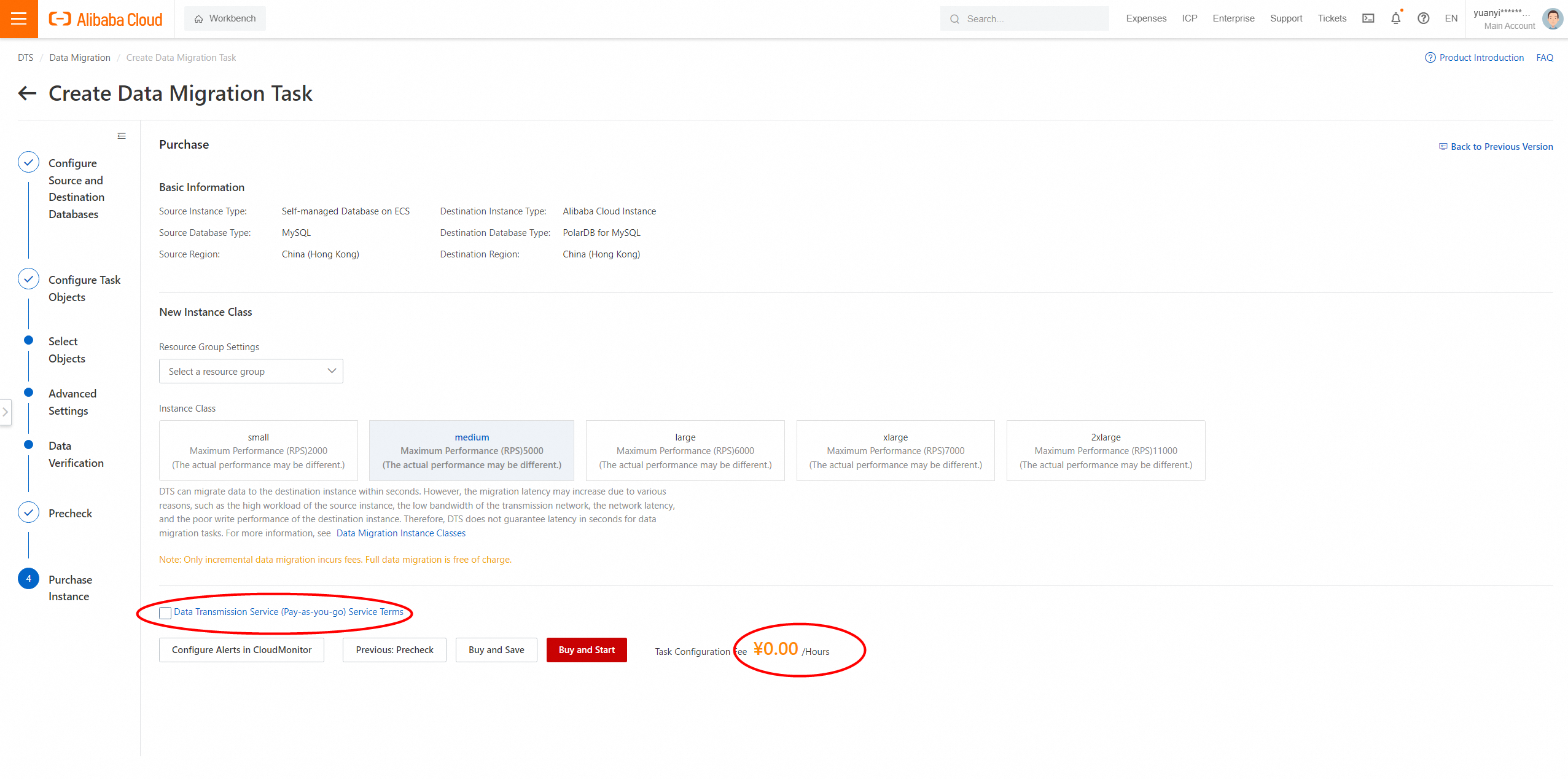
9. You can view the status of the data synchronization task on the Data Migration Tasks page.
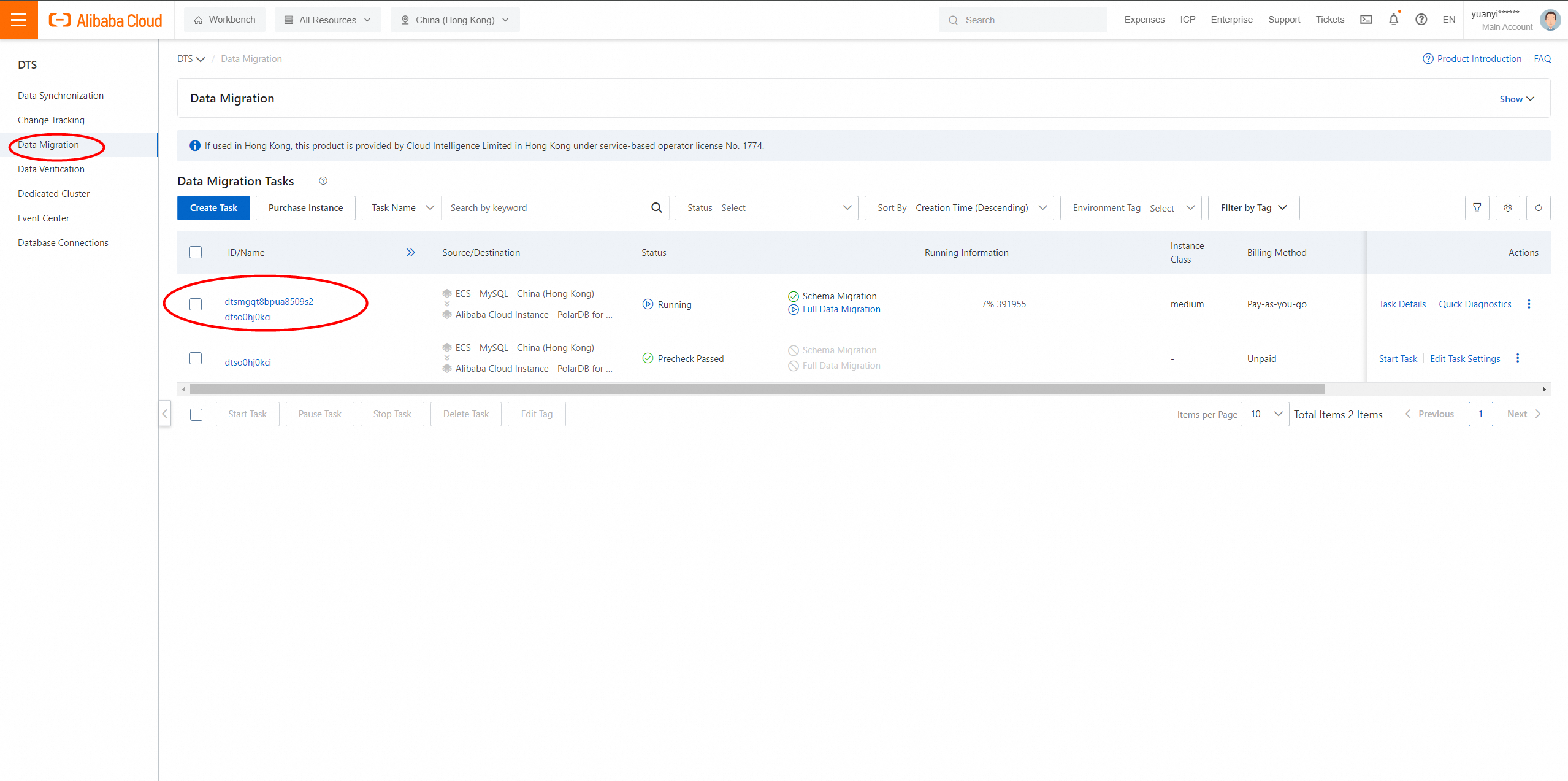
10. Click the instance to check the migration progress.
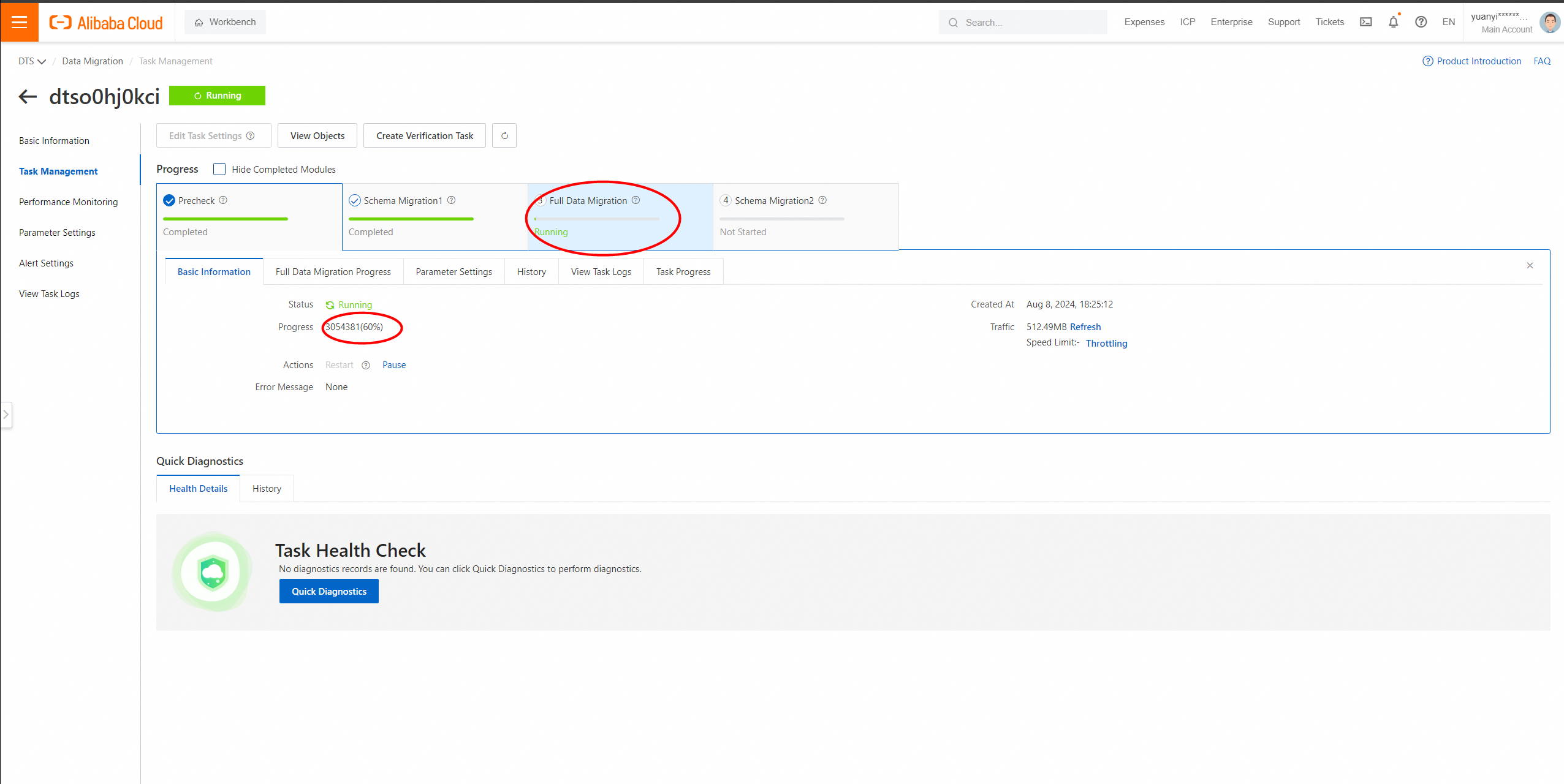
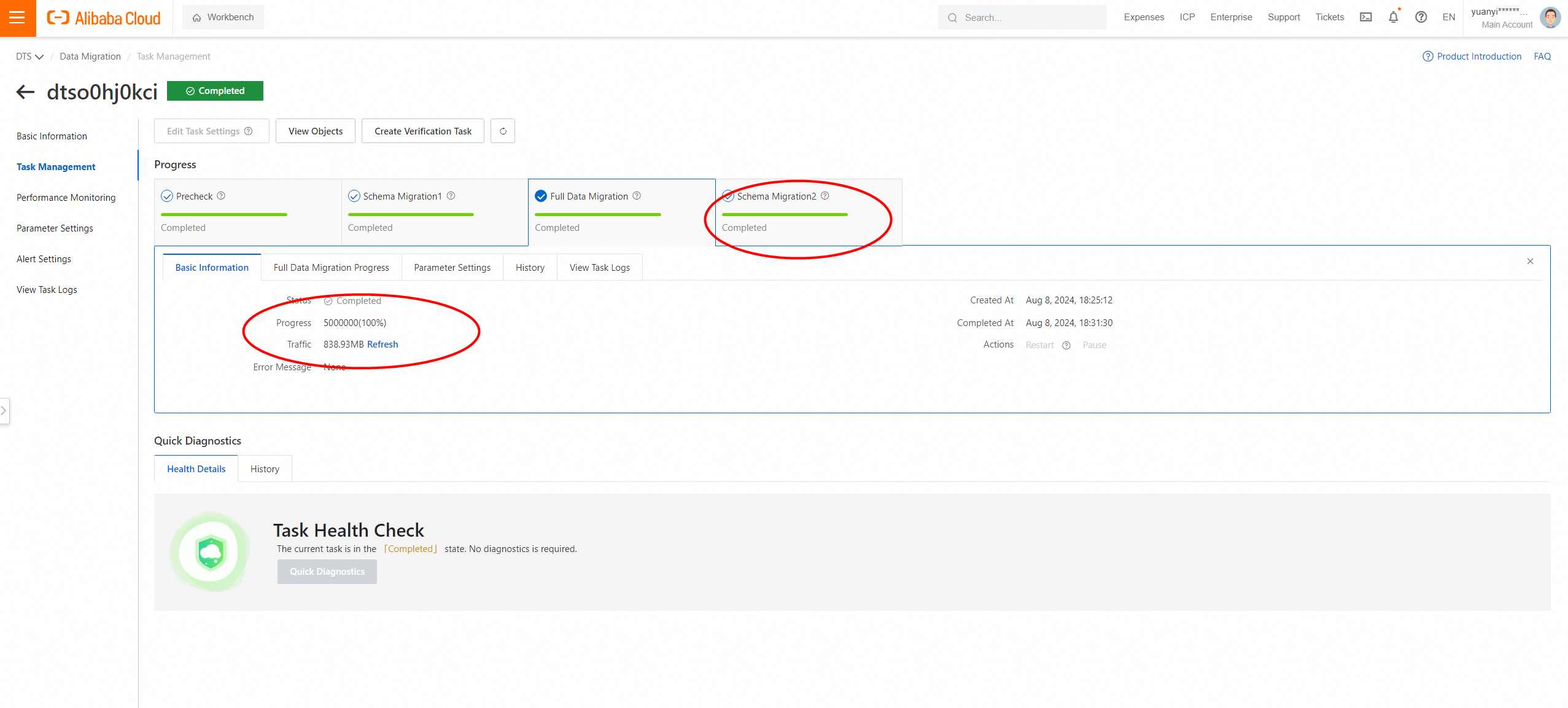
11. Wait until the migration task is complete.
1. Go to the PolarDB -M console and log on to the database.
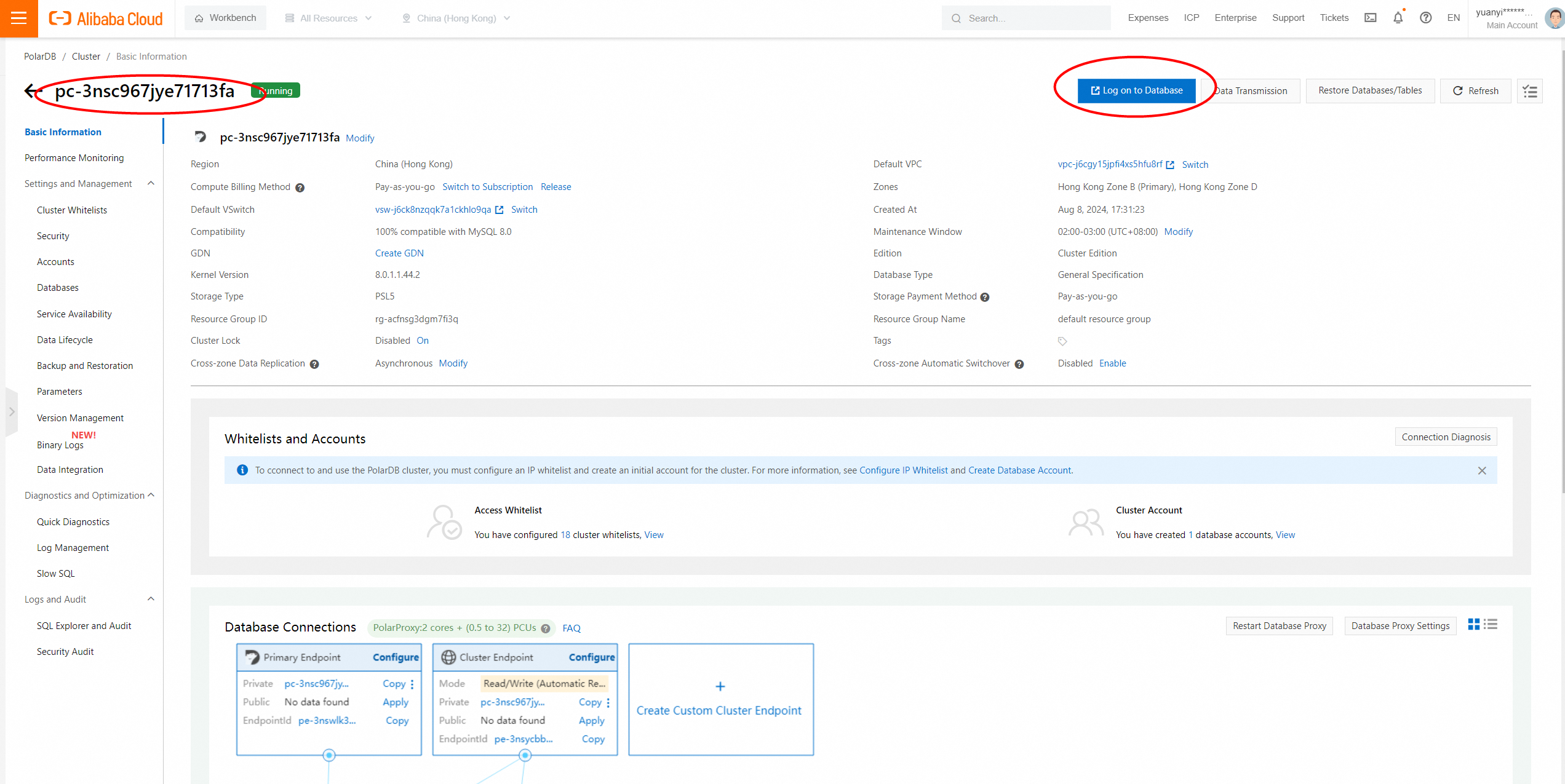
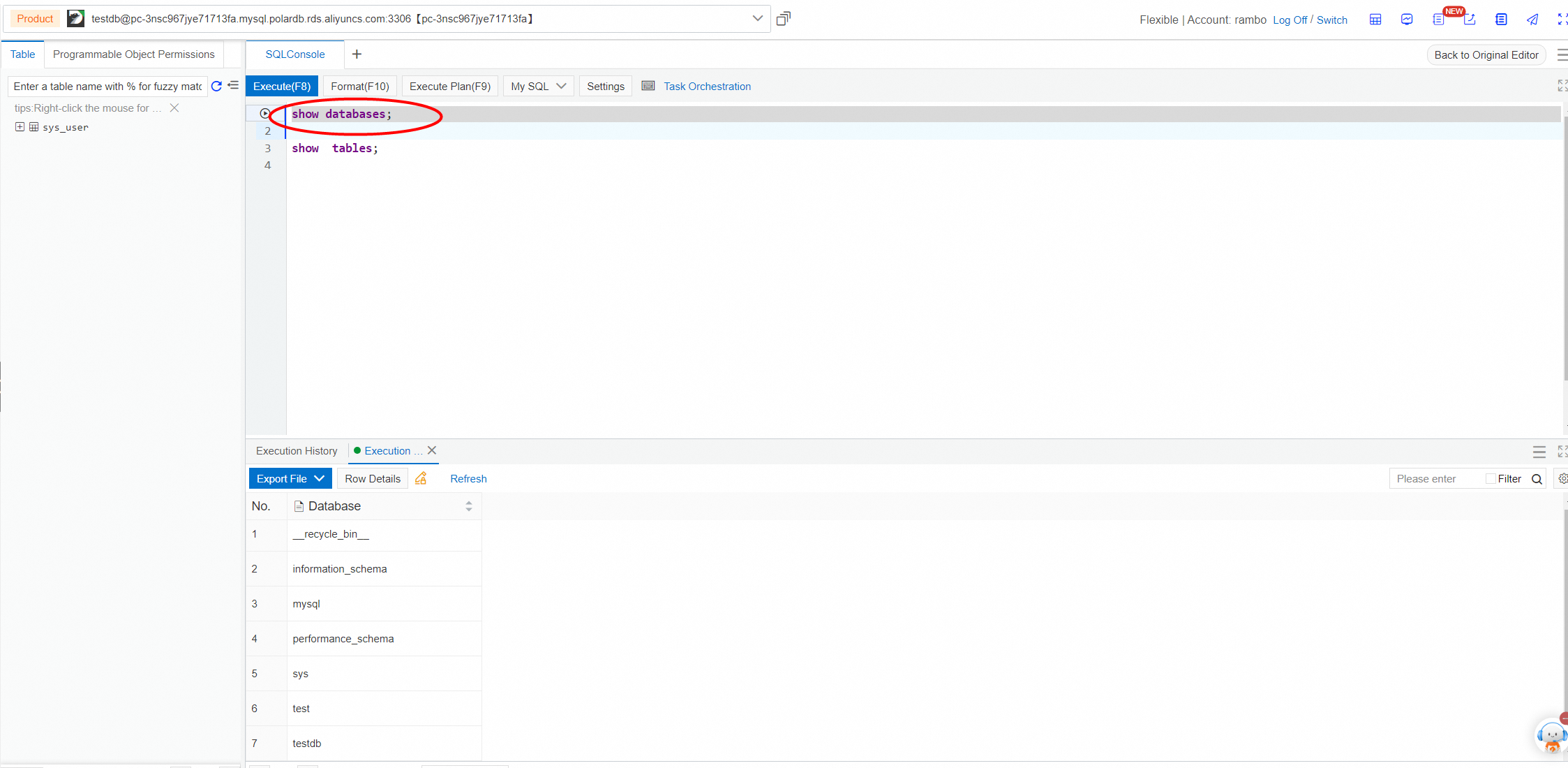
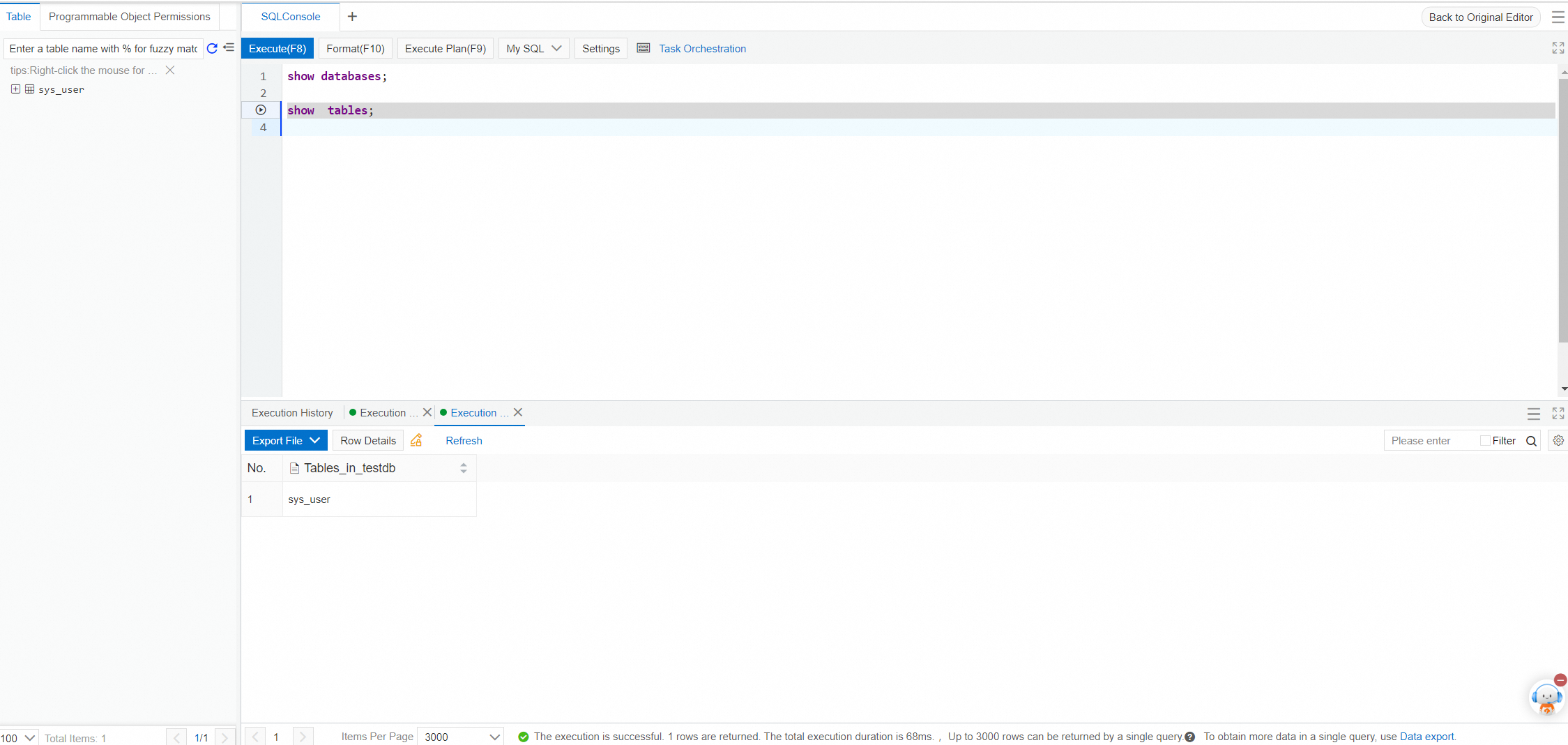
2. Verify the count of database tables.
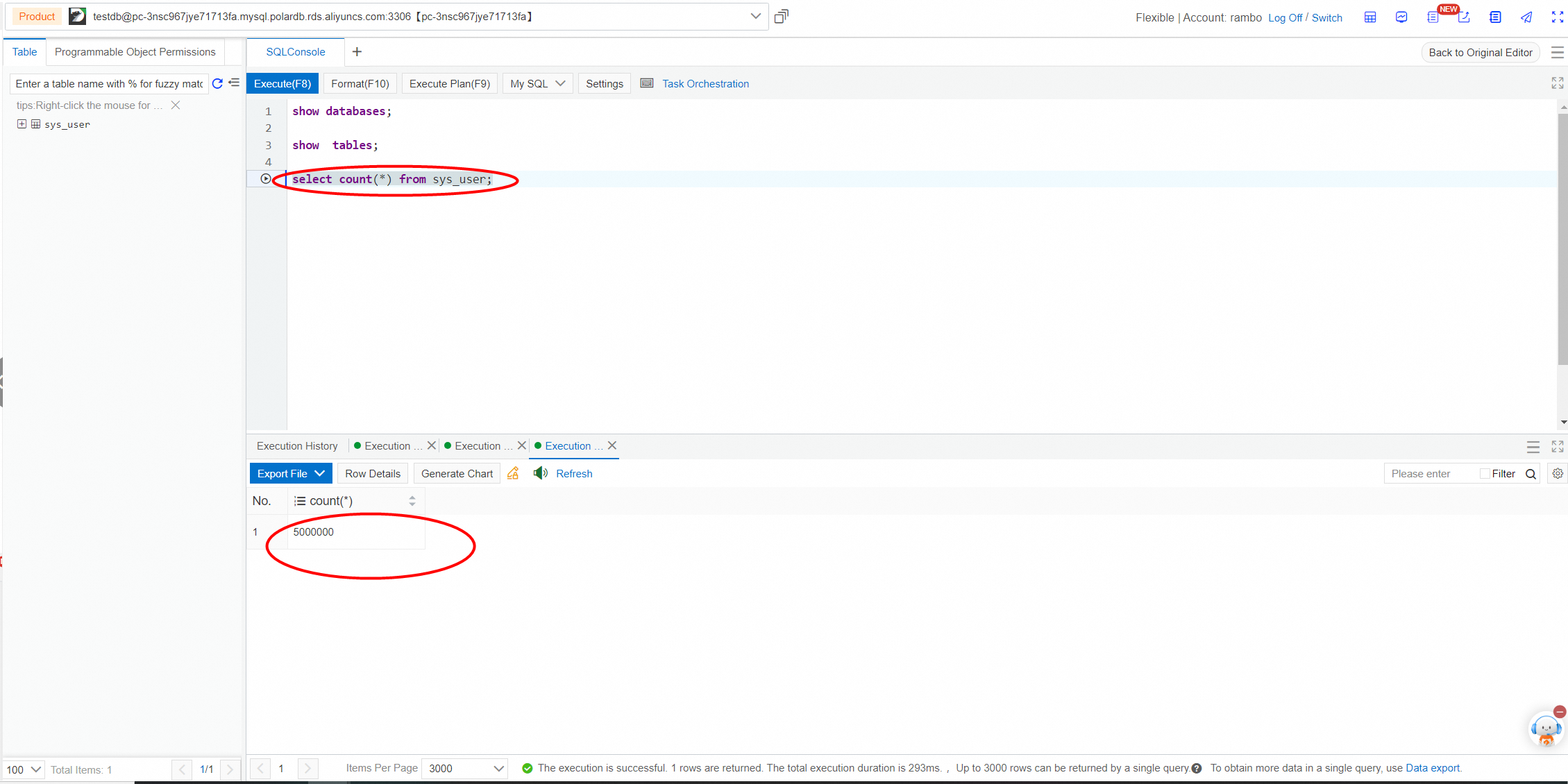
Validate data volume consistency between source and destination databases.
Alibaba Clouder - February 7, 2021
ApsaraDB - July 12, 2023
ApsaraDB - April 19, 2019
JDP - July 9, 2021
ApsaraDB - June 18, 2021
ApsaraDB - April 1, 2019
 PolarDB for MySQL
Alibaba Cloud PolarDB for MySQL is a cloud-native relational database service 100% compatible with MySQL.
Learn More Time Series Database (TSDB)
TSDB is a stable, reliable, and cost-effective online high-performance time series database service.
Learn More Database for FinTech Solution
Leverage cloud-native database solutions dedicated for FinTech.
Learn More Database Migration Solution
Migrating to fully managed cloud databases brings a host of benefits including scalability, reliability, and cost efficiency.
Learn MoreMore Posts by ApsaraDB


