Download the Redis source code: https://download.redis.io/releases/
Install Redis 5.0
wget https://download.redis.io/releases/redis-5.0.9.tar.gz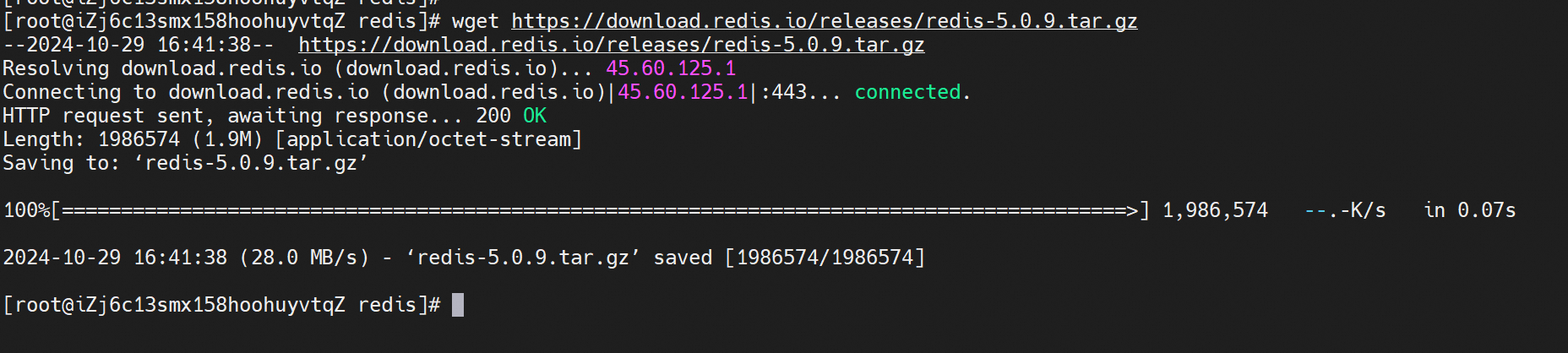
tar -zxvf redis-5.0.9.tar.gz
cd redis-5.0.9
make -j 4
If the compilation is successful, you will find several Redis binary files in the src directory, including:
Install the Redis program
make installOnce installed, you can run the program to start Redis in the foreground.
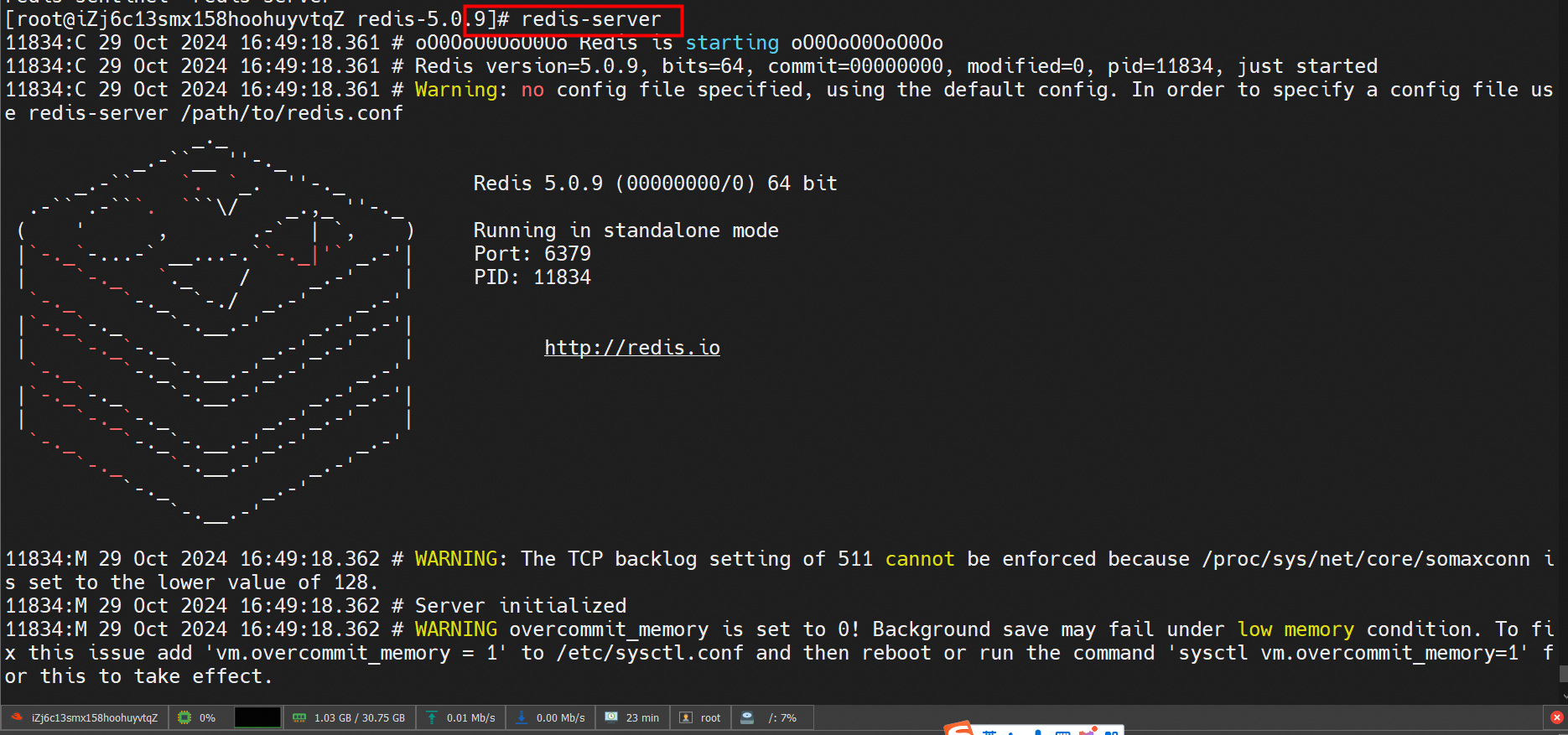
1. Connect to the Redis server:
redis-cli -h <hostname> -p <port> -a <password>2. Query the information of all databases:
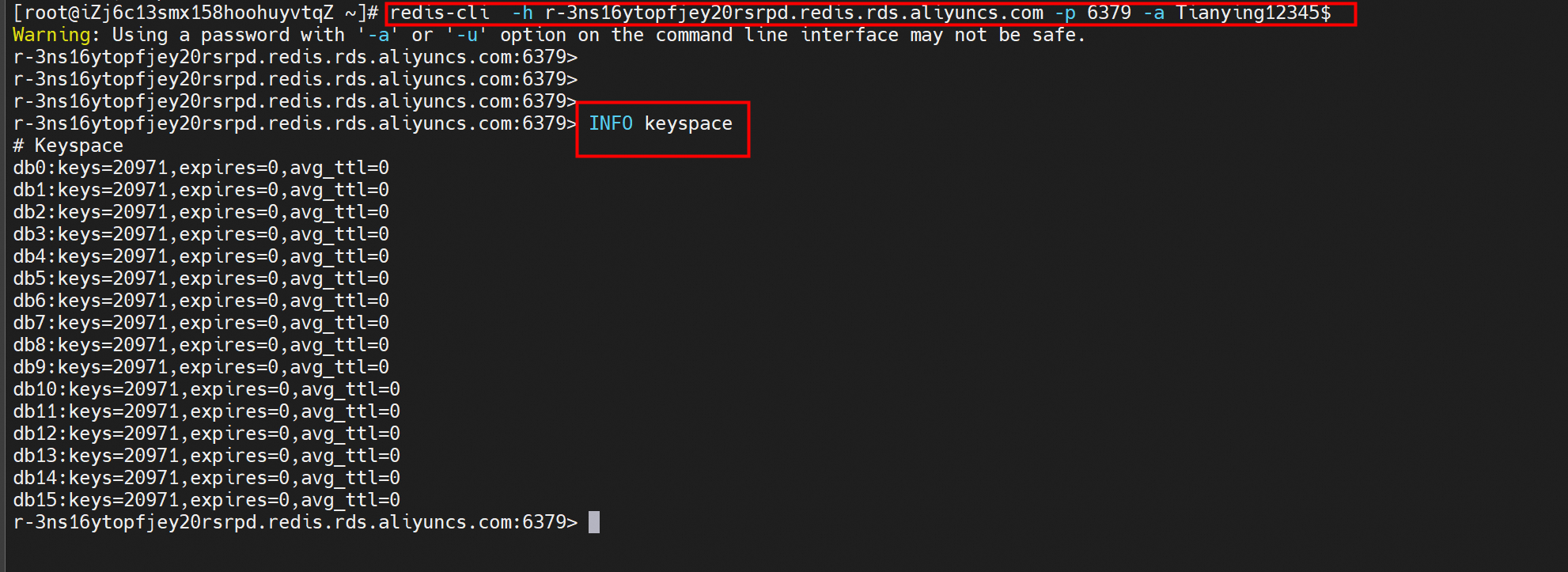
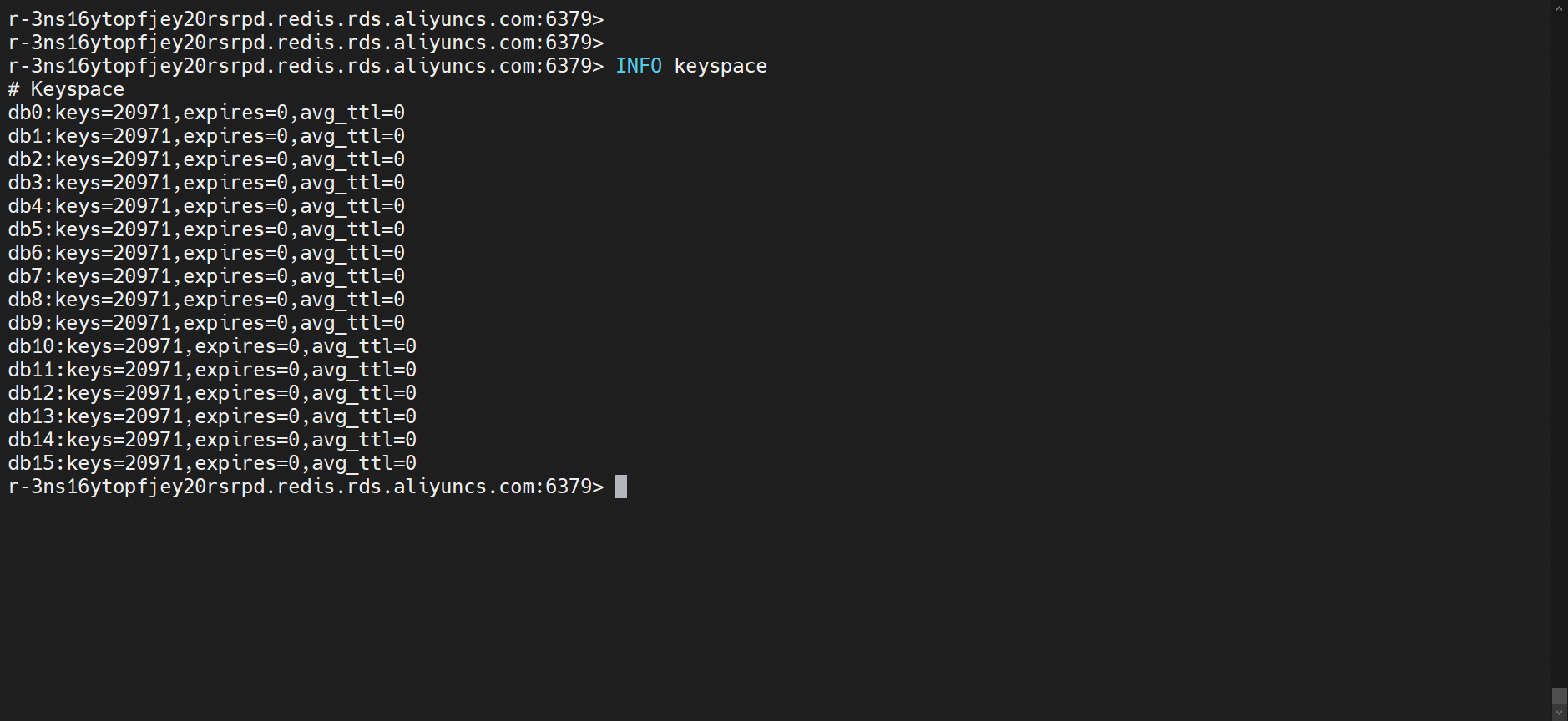
INFO keyspaceThe following output is returned:
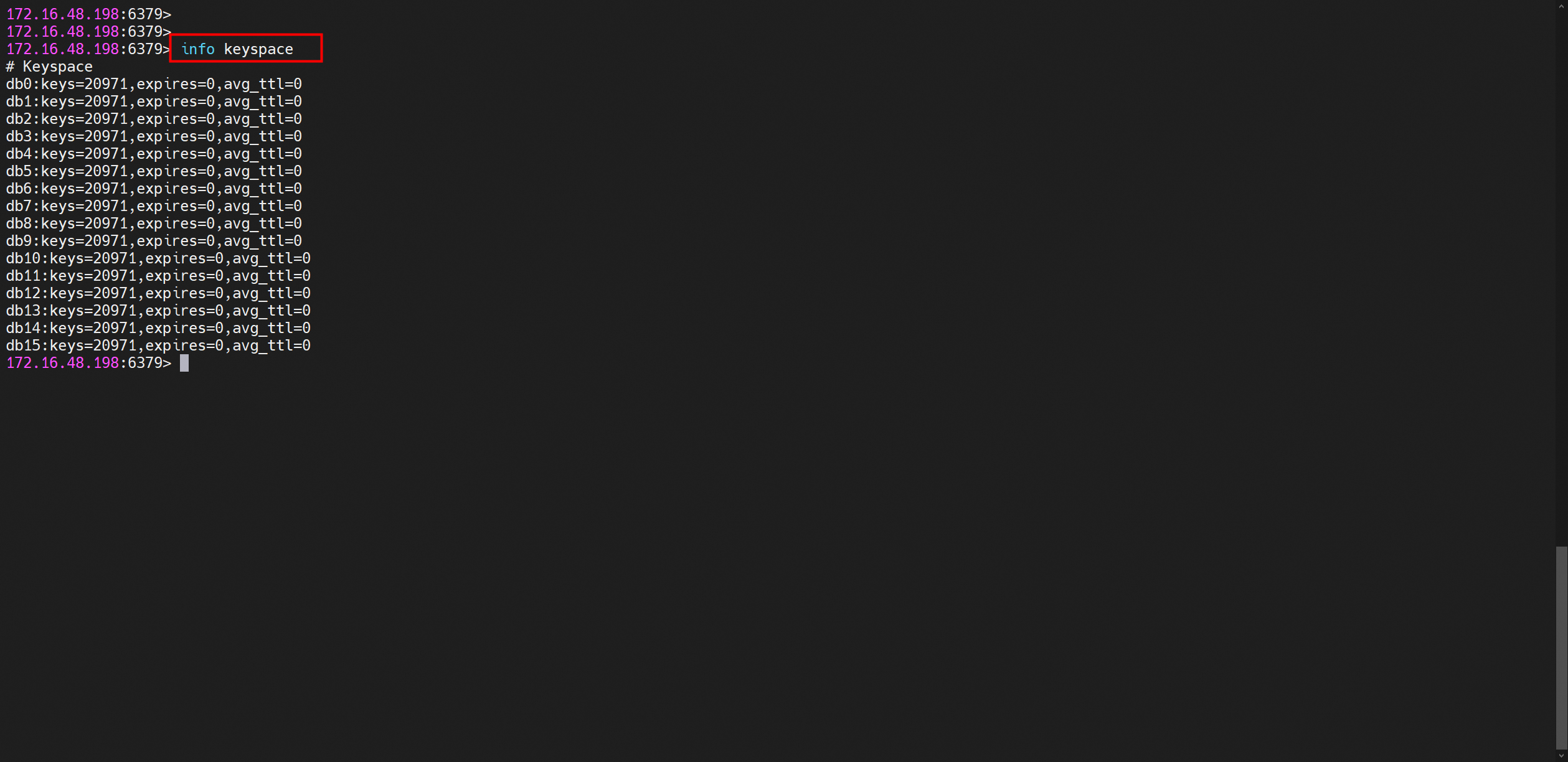
In this output:
• db0 indicates the database whose number is 0.
• keys=20971 shows that the database has 20,971 keys.
• expires=0 signifies that no expiration time is set for the key.
• avg_ttl=0 represents the average Time To Live.
In this example, a standard Redis Open-Source Edition 5.0 instance is created. The instance has a memory of 1 GB.
Go to the Tair (Redis®* OSS-Compatible) buy page and set the Service parameter to Tair (Redis® OSS-Compatible).
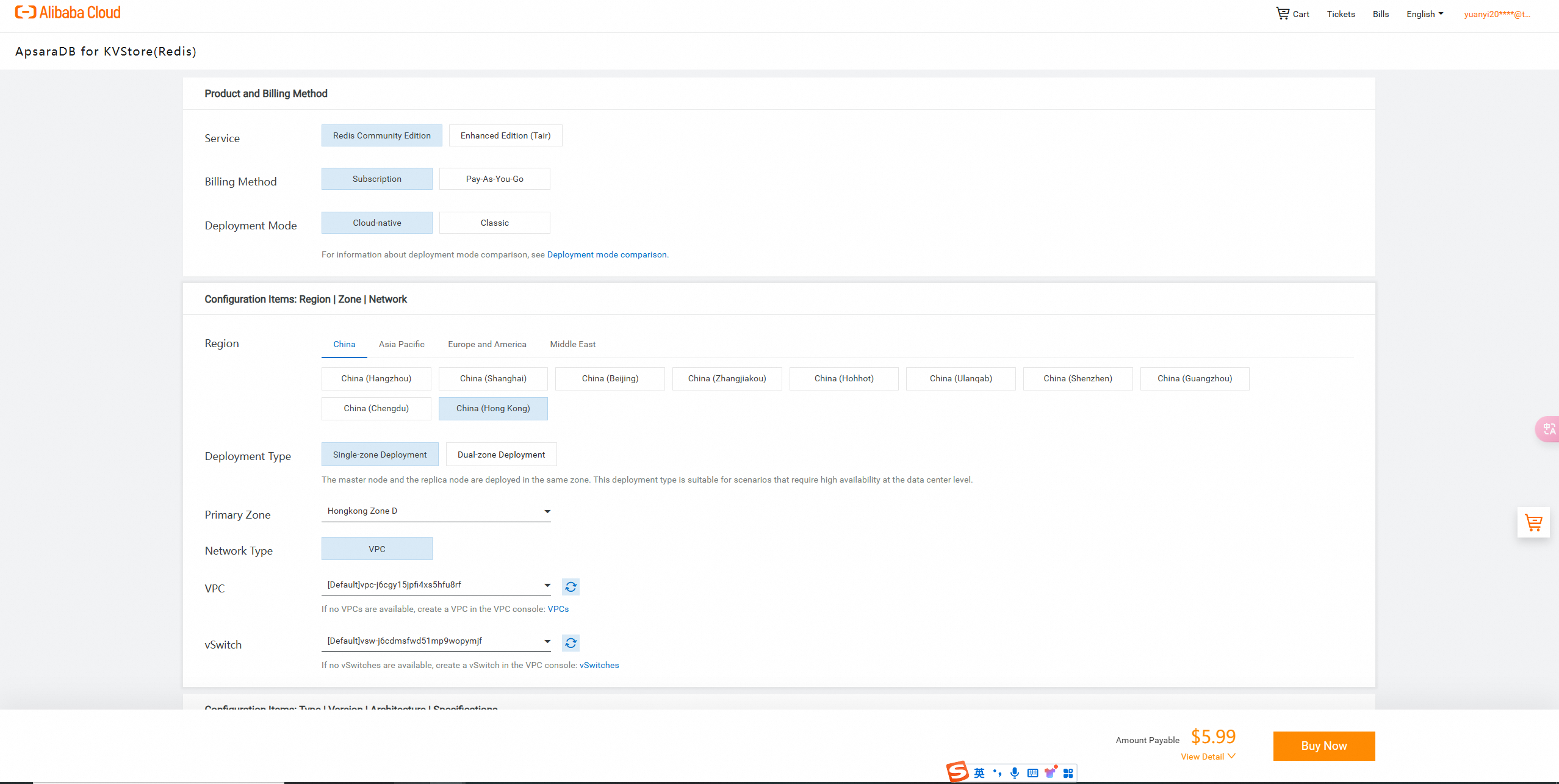
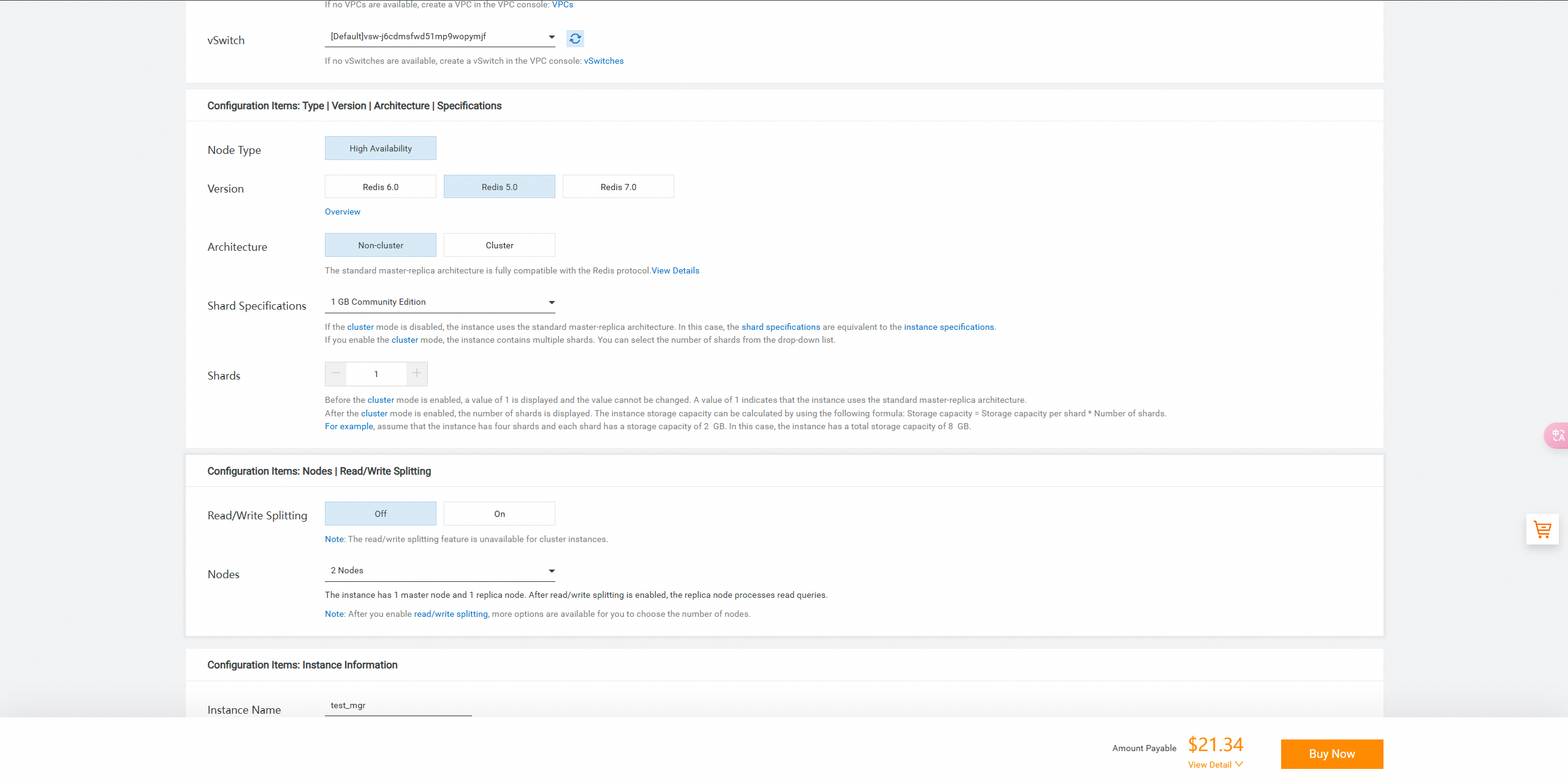
On the Confirm Order page, follow the instructions to pay for the instance.
View the created Tair (Redis® OSS-Compatible) instance.

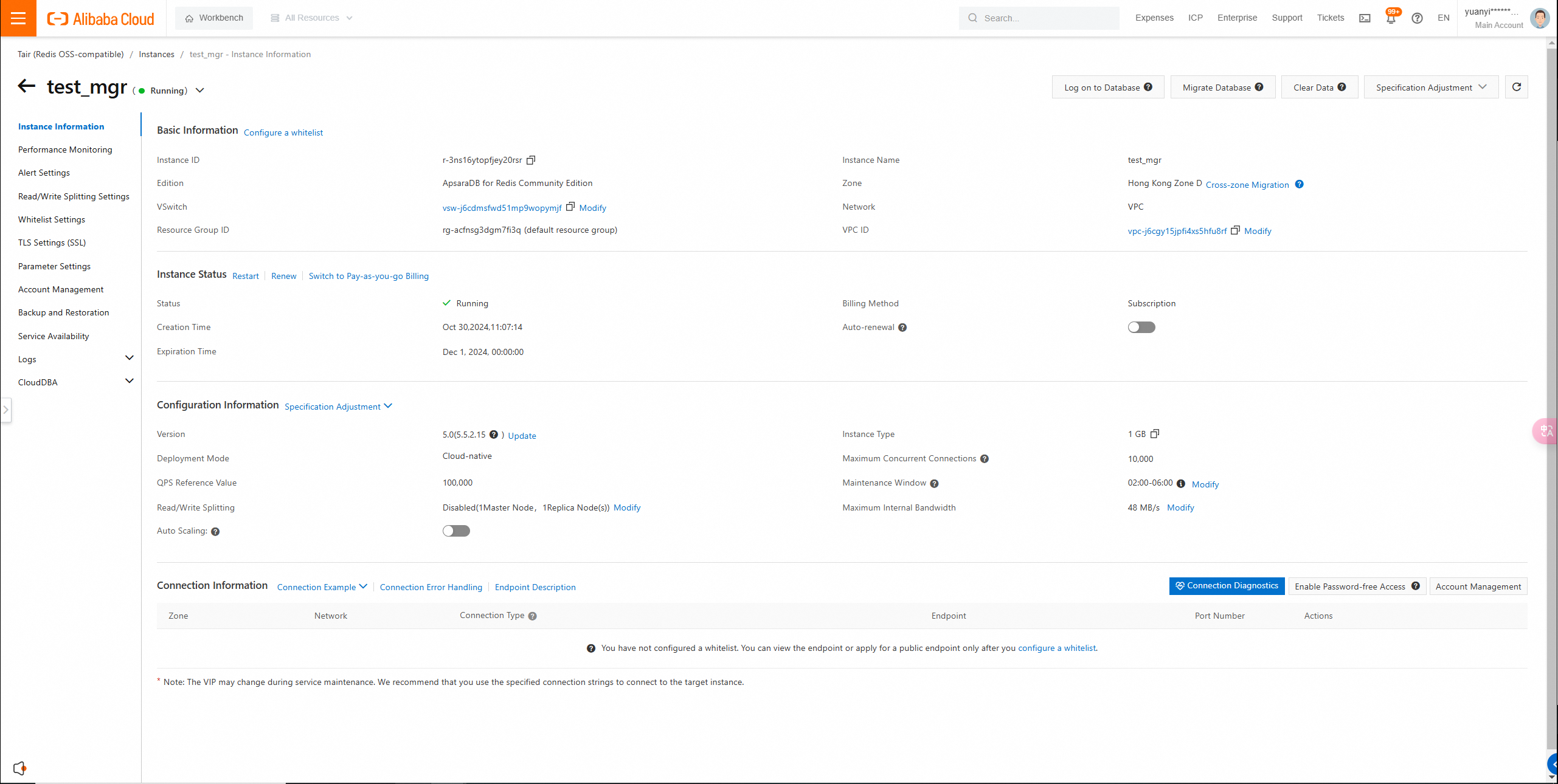
• The IP address of your client is added to a whitelist of the Tair (Redis® OSS-Compatible) instance.
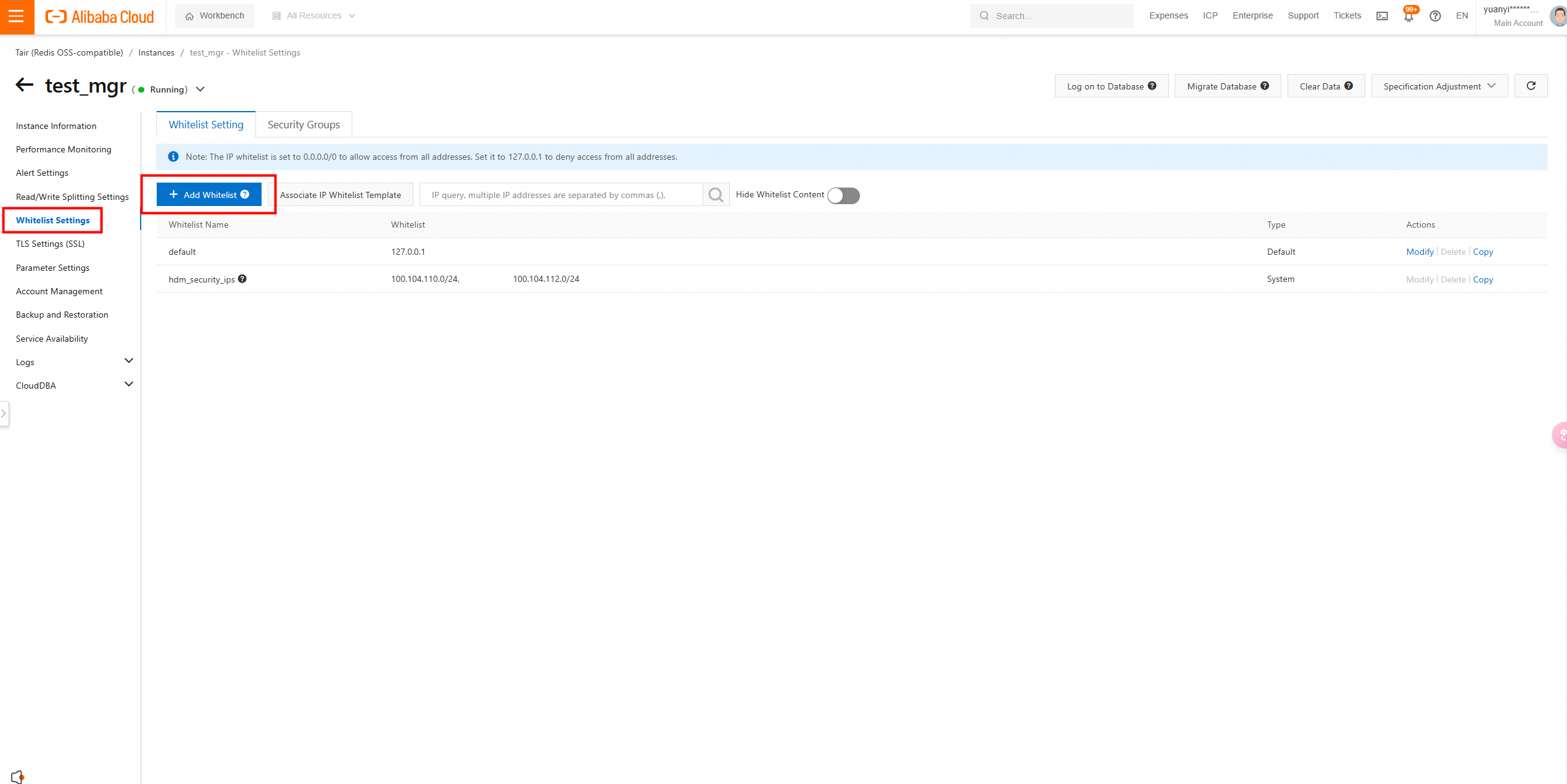
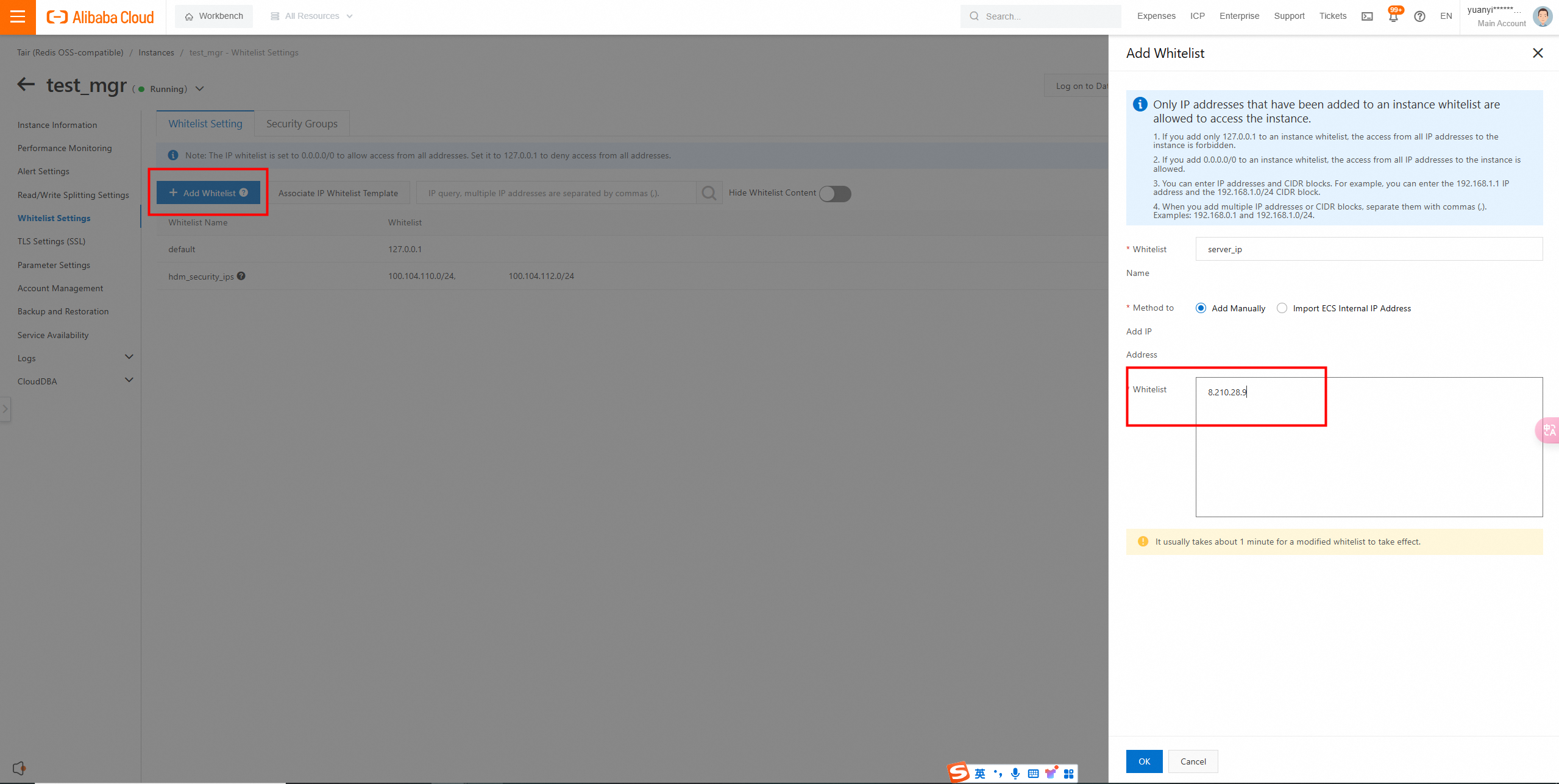
The public IP address of the server is added to a whitelist of the Tair (Redis® OSS-Compatible) instance.
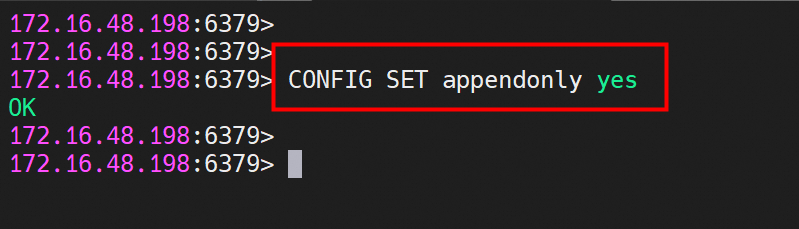
• AOF persistence is enabled for the self-managed Redis instance. If AOF persistence is disabled for the instance, run the CONFIG SET appendonly yes command to enable AOF persistence.
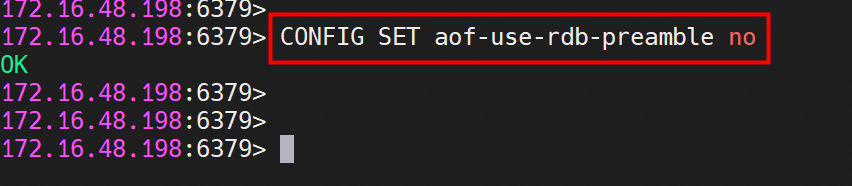
• Hybrid persistence is disabled for the self-managed Redis instance. If the major version of the self-managed instance is Redis 5.0 or later, run the CONFIG SET aof-use-rdb-preamble no command to disable hybrid persistence.
1. Connect to the self-managed Redis instance using redis-cli and manually trigger an AOF rewrite to save the latest AOF.
redis-cli -h <IP address of the self-managed Redis instance> -p <Port number> Run the BGREWRITEAOF command.
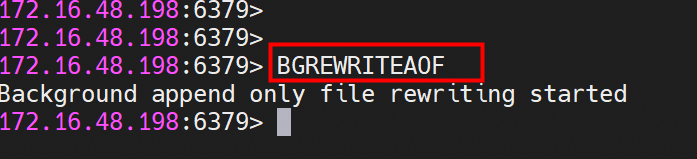
Output: Background append only file rewriting started
2. Use the AOF to import data to a new Tair (Redis® OSS-Compatible) instance. In this example, the AOF named appendonly.aof is used.
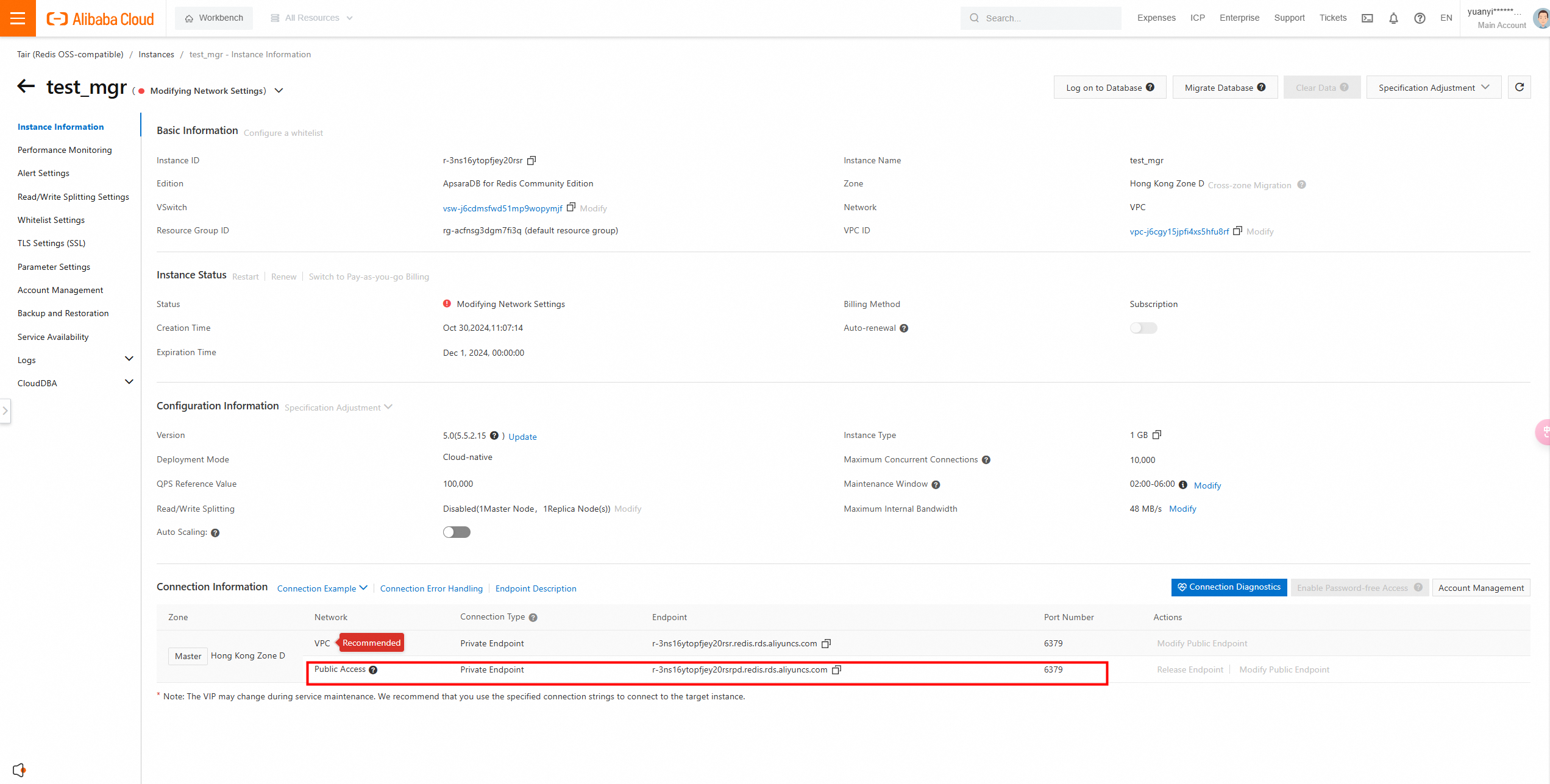
a) View the endpoint of the Tair (Redis® OSS-Compatible) instance. For more information, see https://www.alibabacloud.com/help/en/redis/getting-started/step-3-connect-to-an-apsaradb-for-redis-instance
b) Run the following command to connect to an Tair (Redis® OSS-Compatible) instance by using a client tool:
redis-cli -h <IP address of the Tair (Redis® OSS-Compatible) instance> -p <Port number> -a Password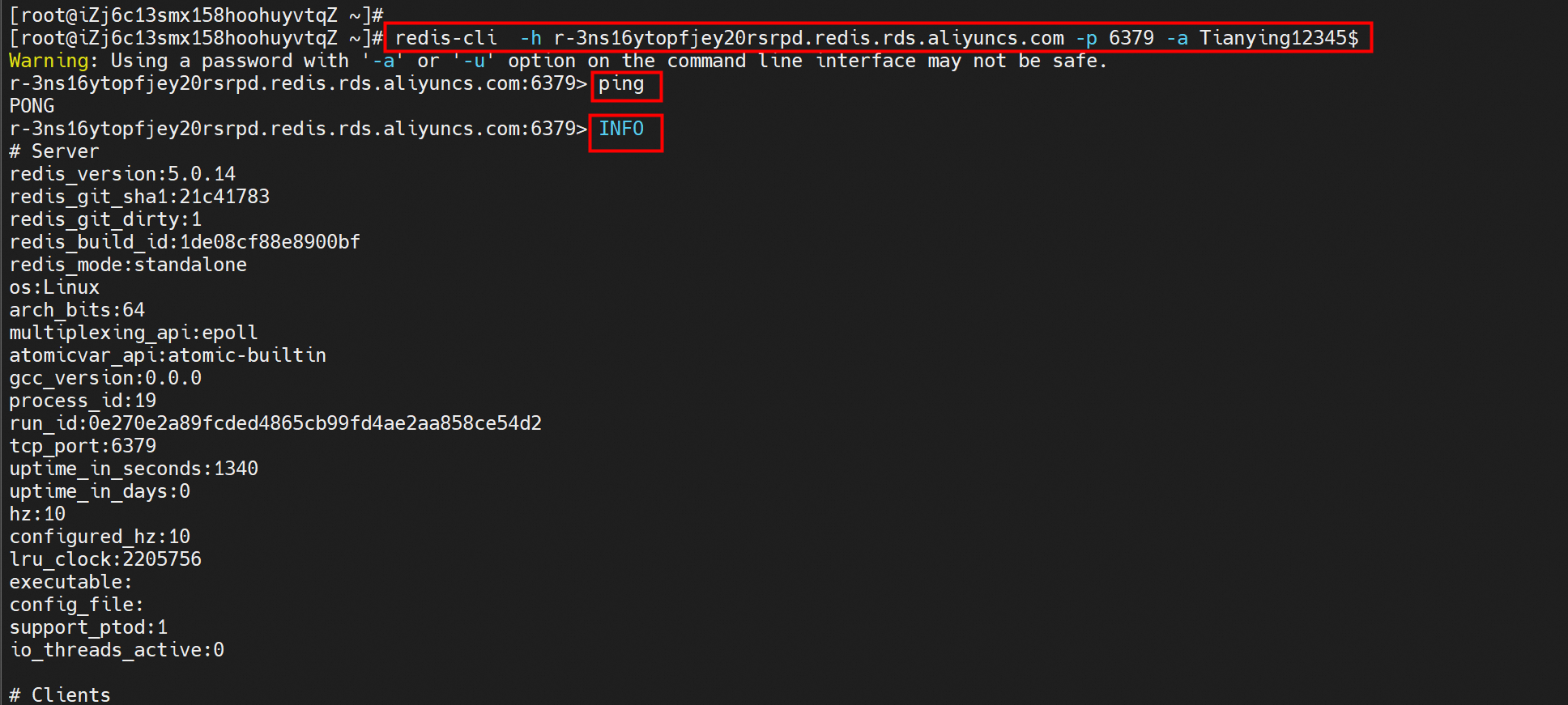
You can use redis-cli to migrate data that is saved to an append-only file (AOF) from a self-managed Redis database to an Tair (Redis® OSS-Compatible) instance. We recommend that you perform data migration during a planned downtime or make sure that no new data is written during the migration process.
redis-cli -h <IP address of the Tair (Redis® OSS-Compatible) instance> -p <Port number> -a <Instance password> --pipe < appendonly.aofView appendonly.aof of self-managed Redis.
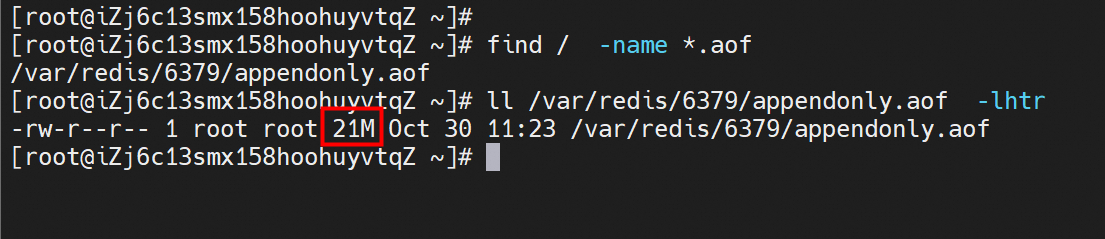
Perform data import.
redis-cli -h <IP address of the Tair (Redis® OSS-Compatible) instance> -p <Port number> -a <Instance password> --pipe < appendonly.aof
All data transferred. Waiting for the last reply...
Last reply received from server.
errors: 0, replies: 335552
If a message similar to the preceding one is returned, the migration is successful.
c) Log on to the Tair (Redis® OSS-Compatible) instance and view the imported data.
You can use Data Transmission Service (DTS) to migrate data from a self-managed Redis database that is deployed in an on-premises data center, on an Elastic Compute Service (ECS) instance, or a third-party cloud platform to Tair (Redis® OSS-Compatible) without affecting your business. DTS enables you to migrate data from an existing Redis database to Tair (Redis® OSS-Compatible) without interrupting the database service. DTS supports full and incremental data migration. DTS provides higher performance and security than the append-only file (AOF) method.
• Full data migration
DTS allows you to migrate all existing data from a source database to a destination database without incurring additional costs.
• Incremental data migration
After you perform full data migration, DTS can synchronize incremental data from the source database to the destination database in real time. To perform incremental data migration, you must run the PSYNC or SYNC command in the source database. Otherwise, you can perform only full data migration. You are charged for incremental data migration based on the duration of the migration instead of the amount of data that is transferred.
1. Go to the Data Migration page of the Data Transmission Service (DTS) console.
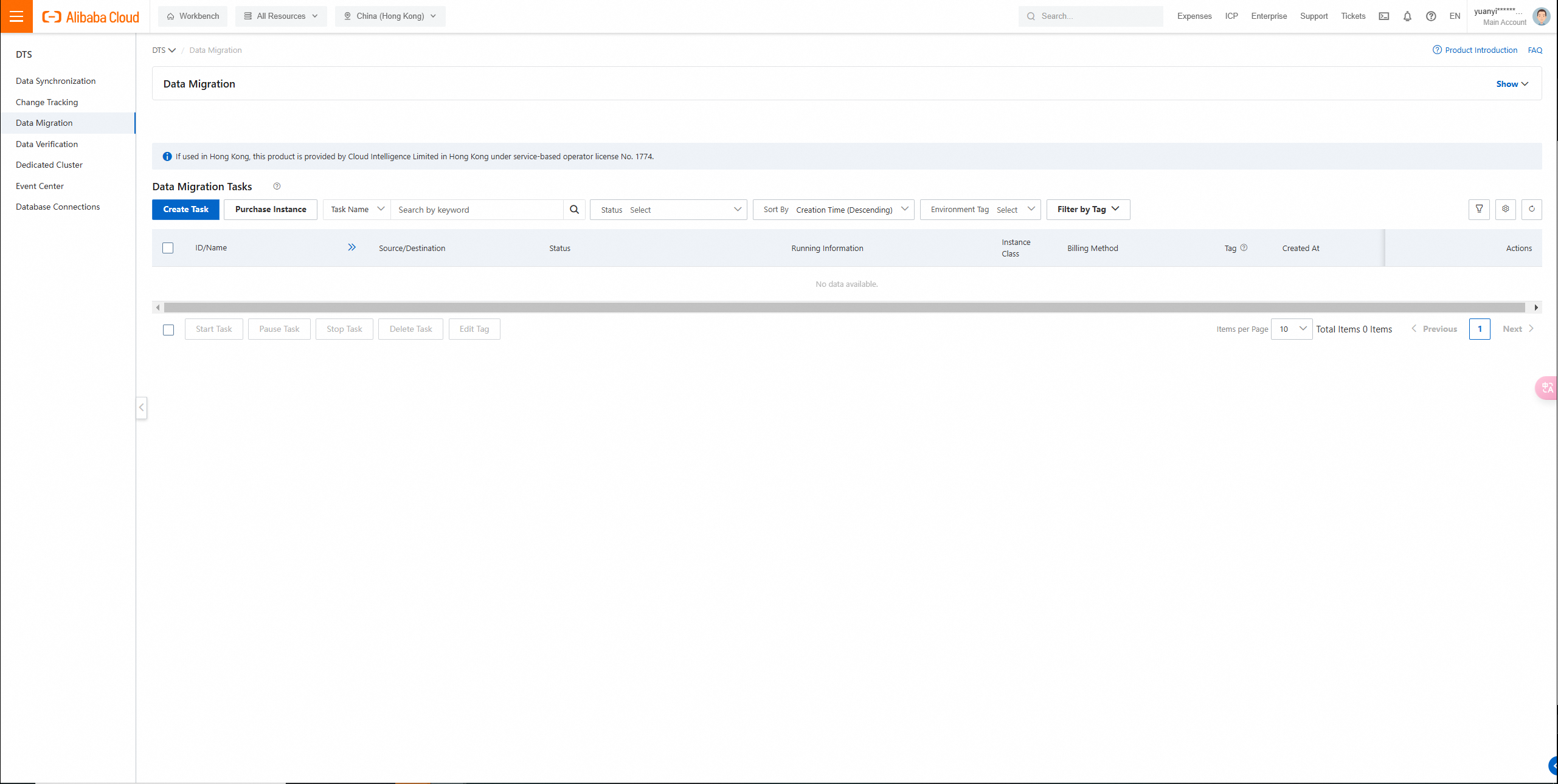
Create a migration job.
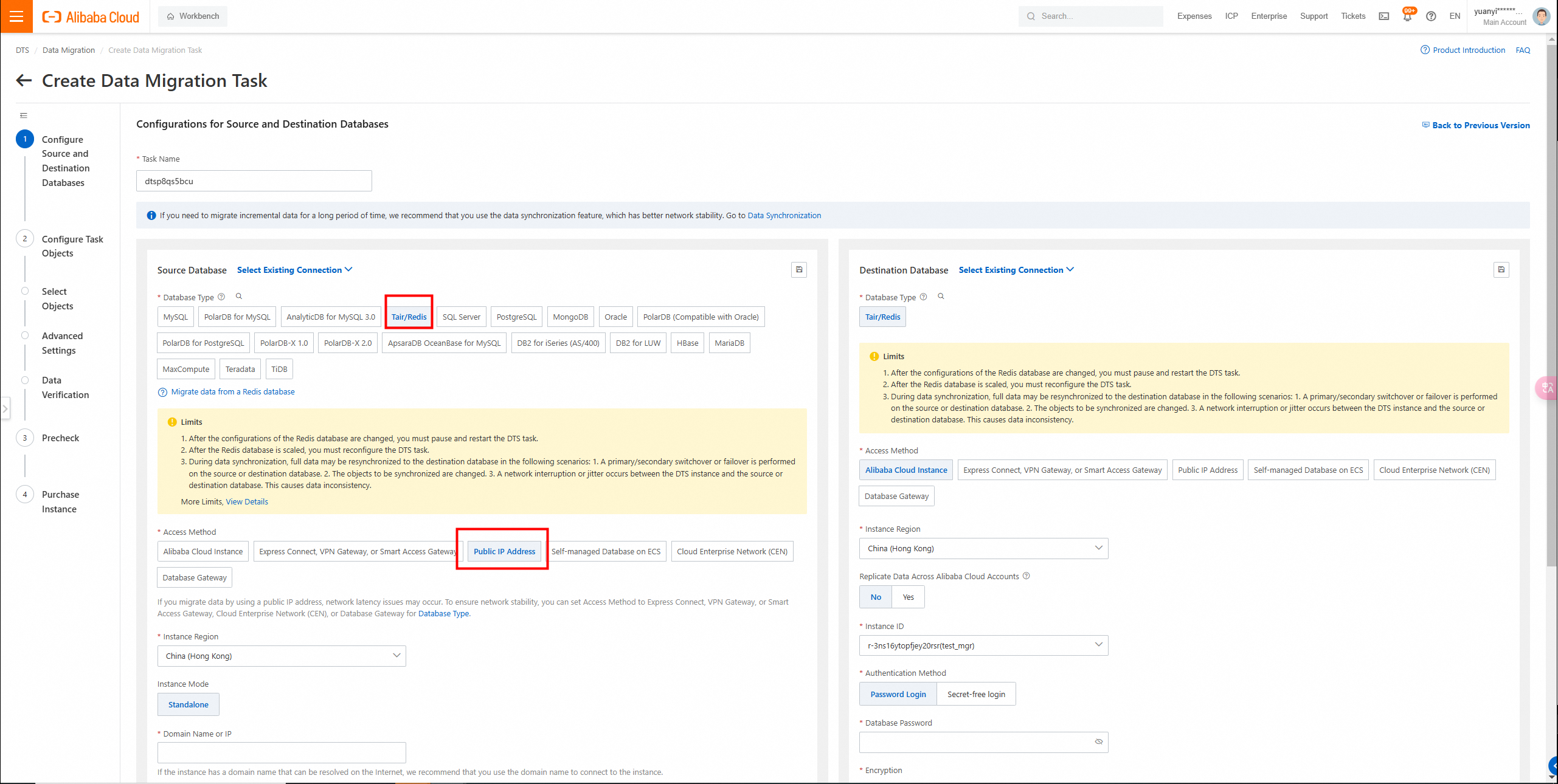
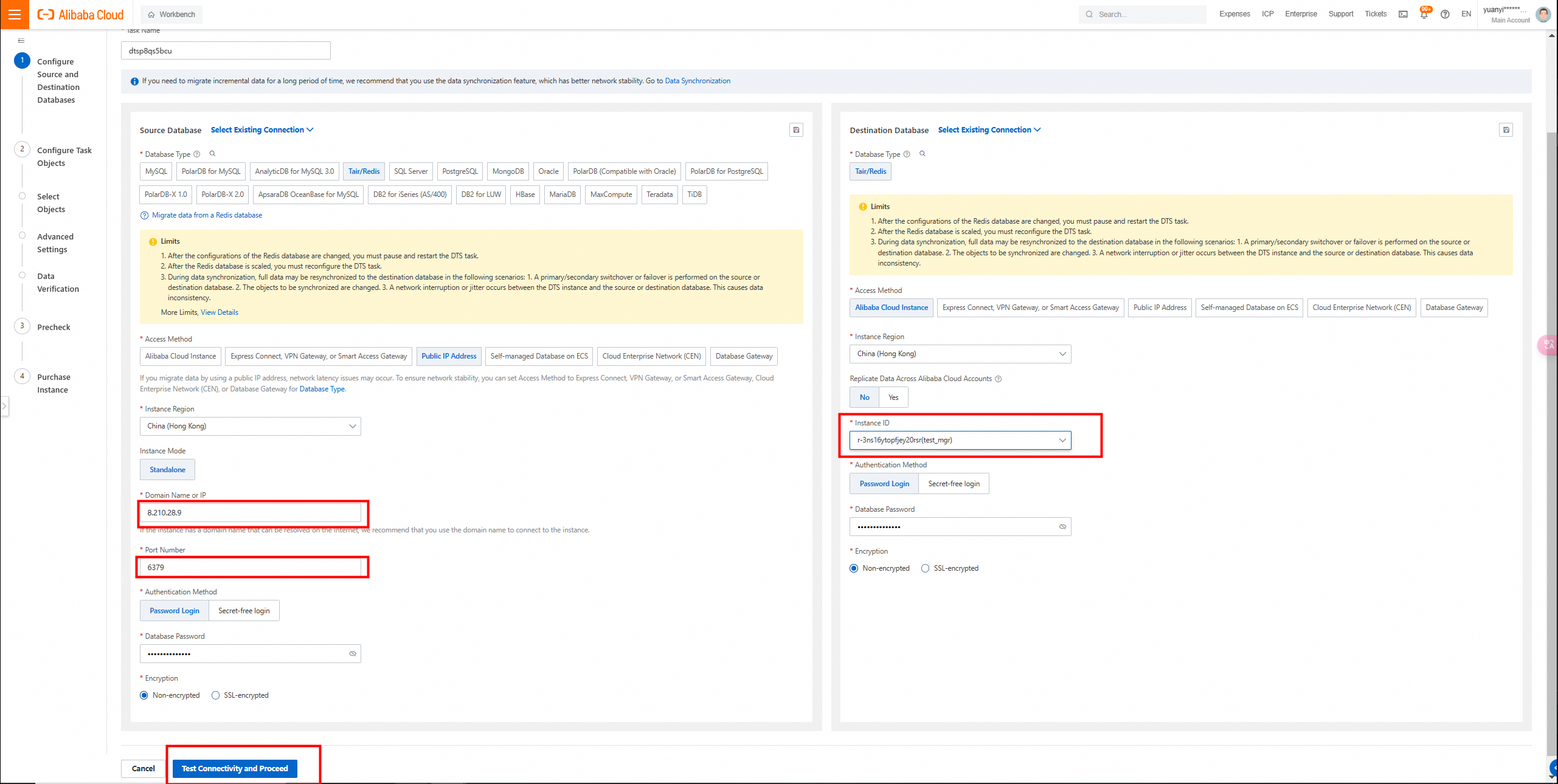
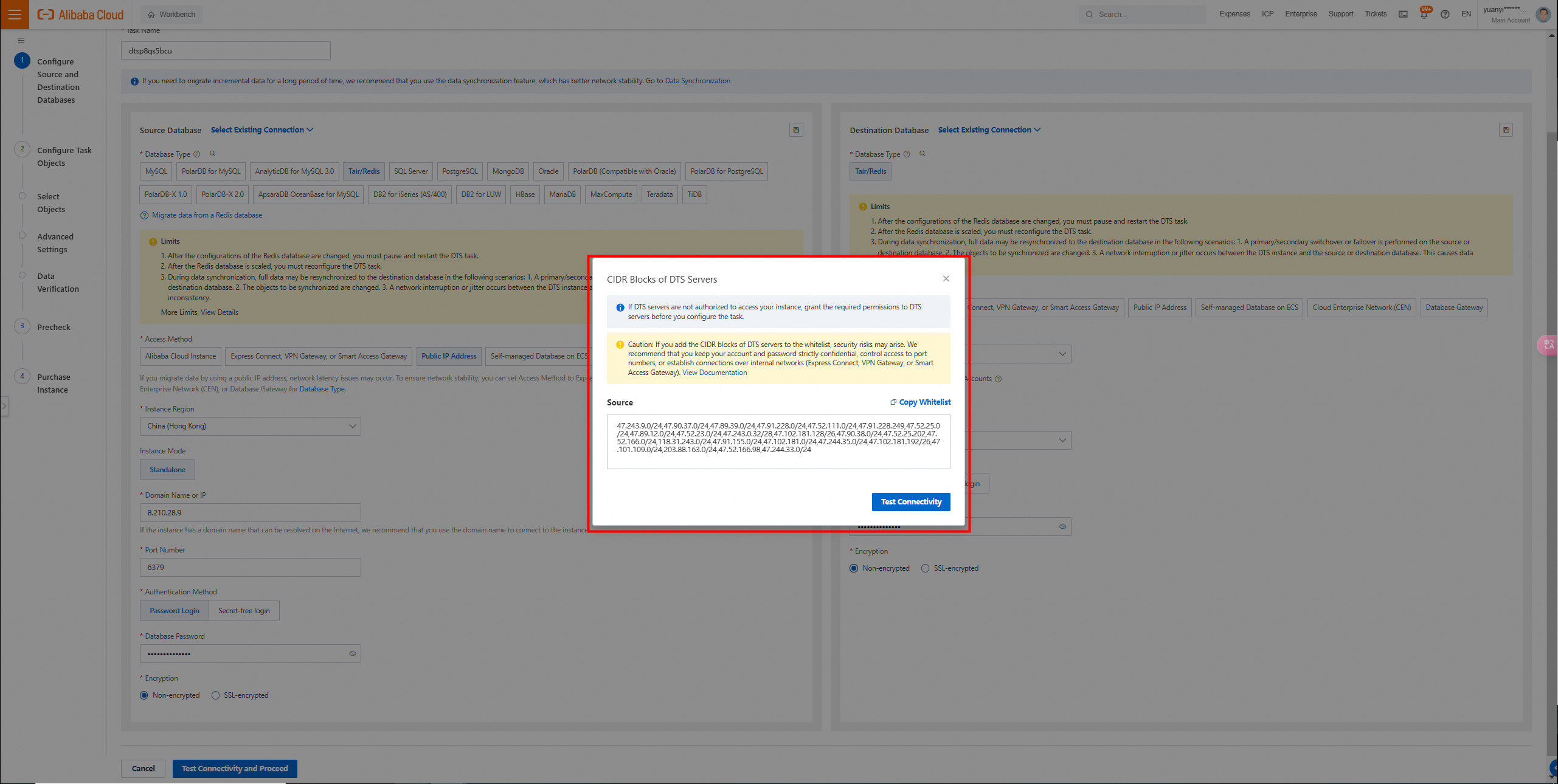
2. Configure the source and destination databases and click Test Connectivity and Proceed in the lower part of the page.
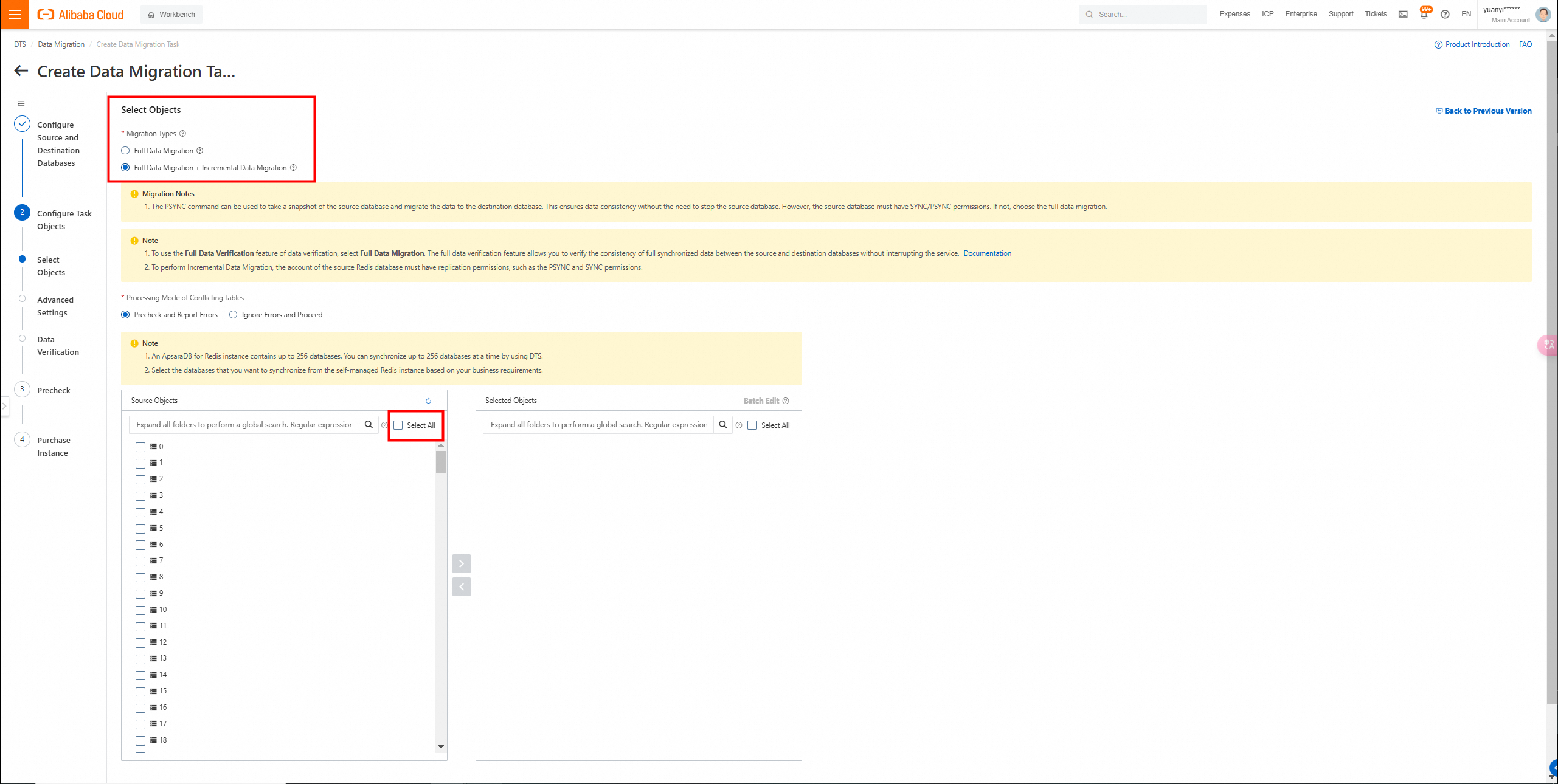
3. Configure task objects and click Next: Advanced Settings in the lower part of the page.
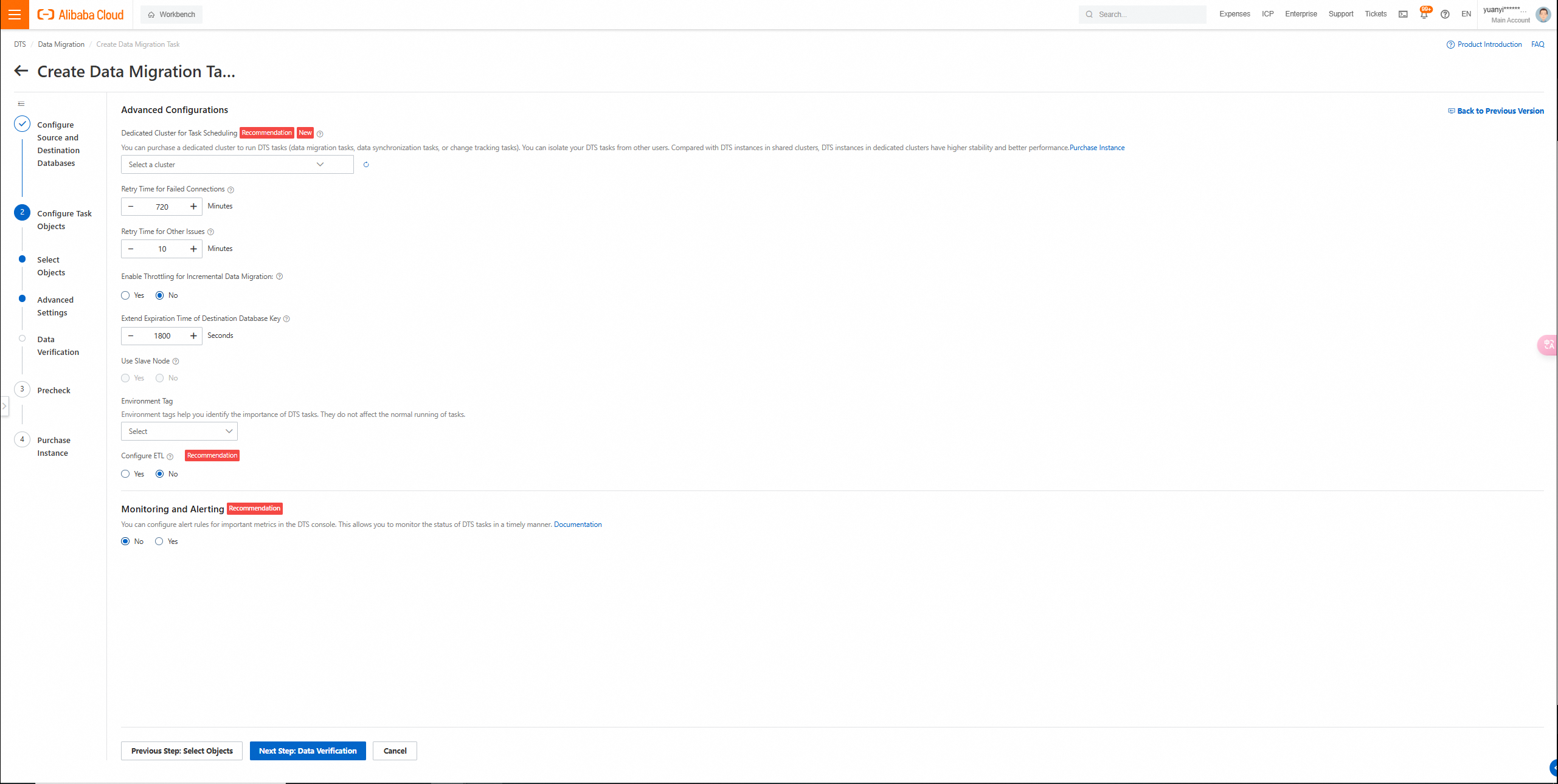
4. Configure the advanced settings and click Next Step: Data Verification in the lower part of the page.
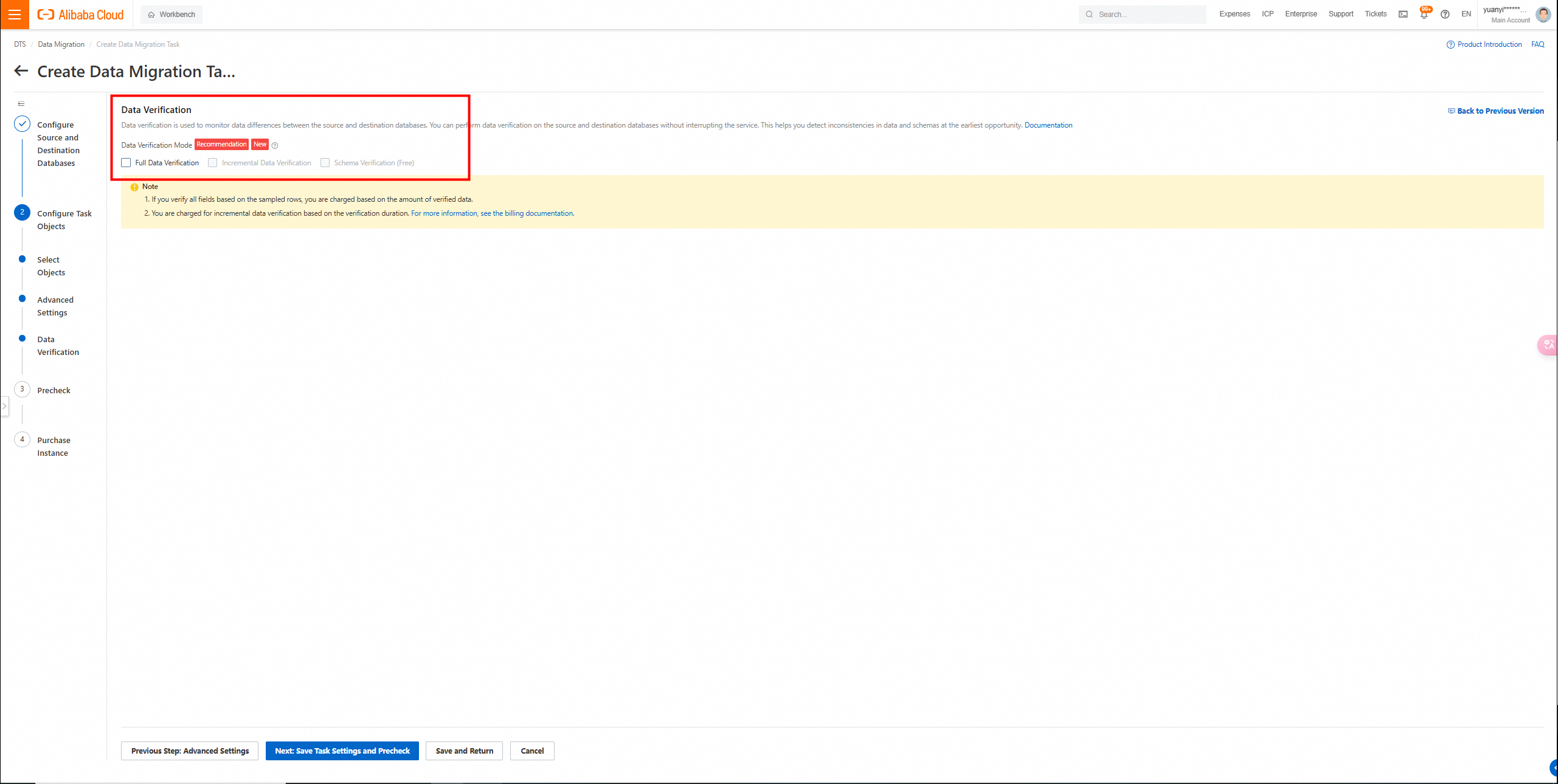
5. Configure data verification and click Next: Save Task Settings and Precheck in the lower part of the page.
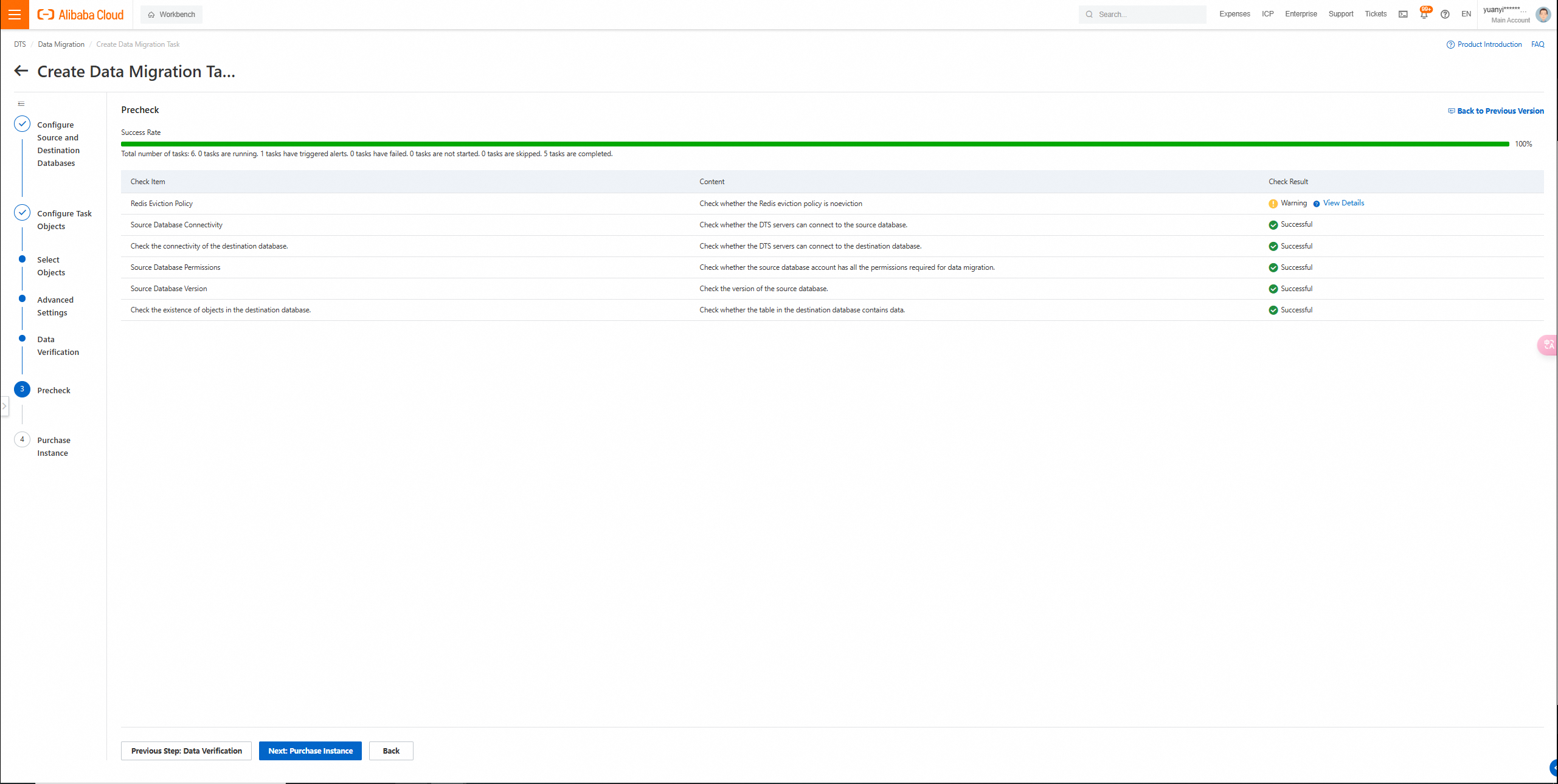
6. On the buy page, configure the parameters and click Buy and Start.
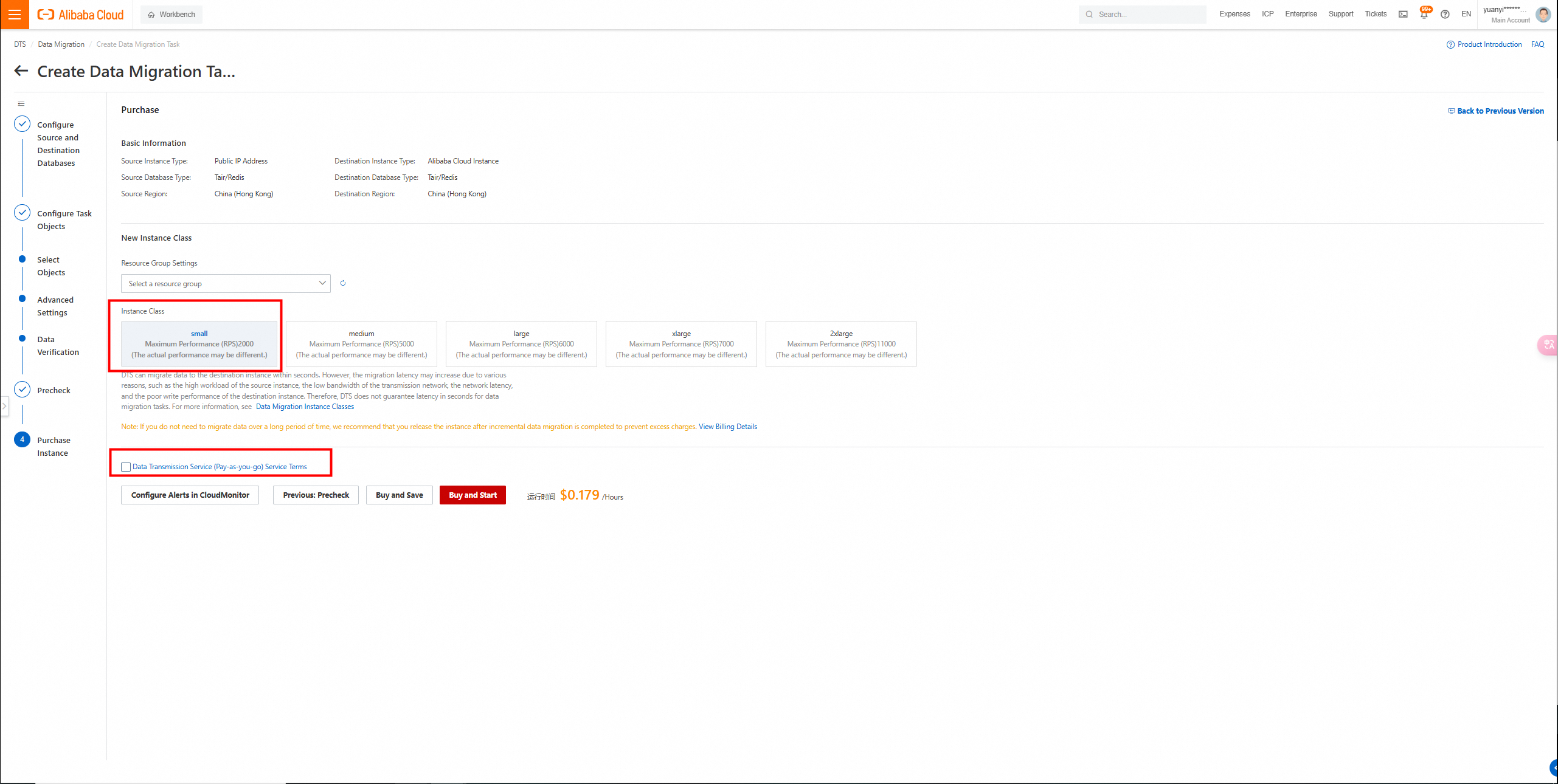
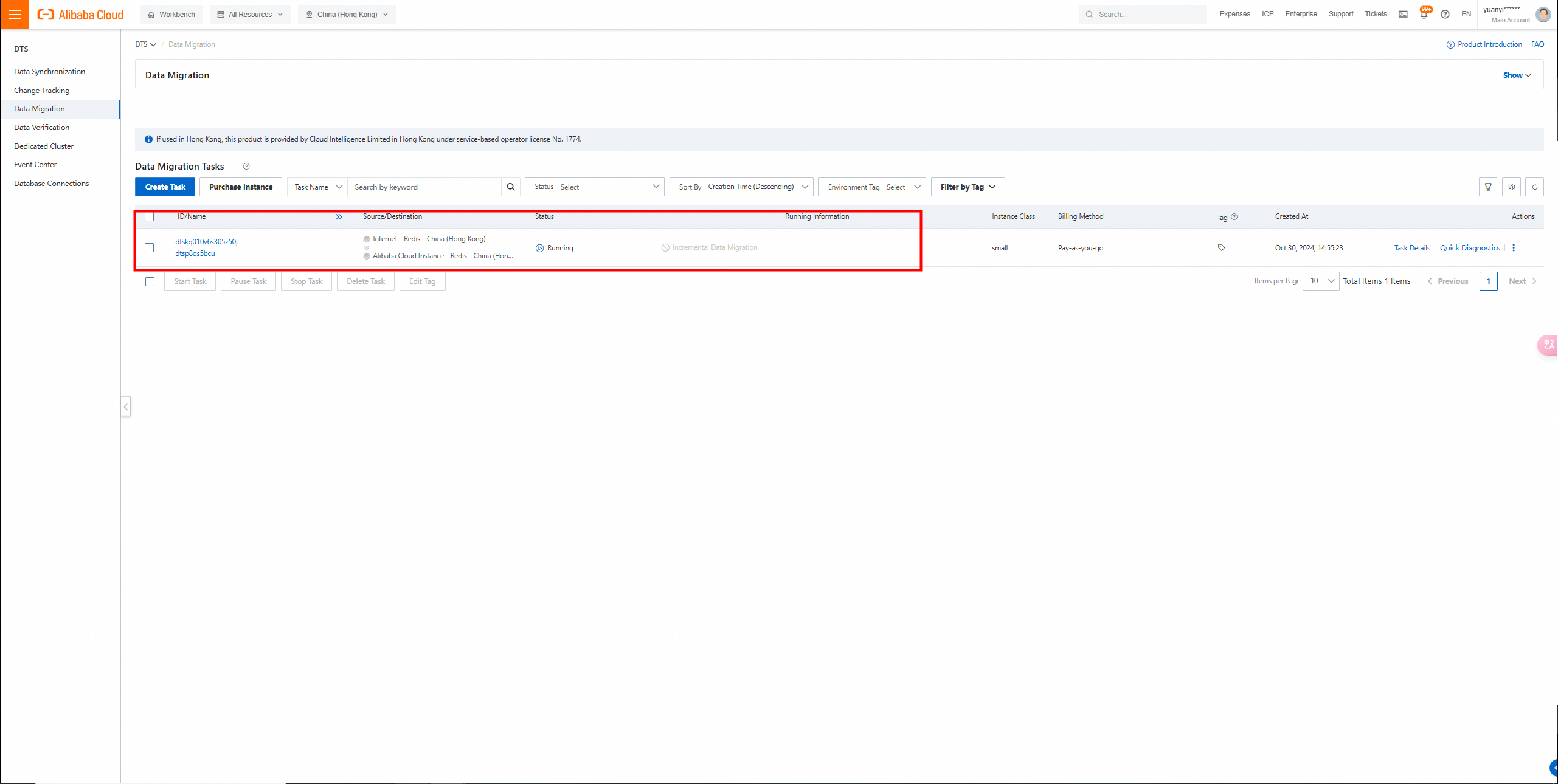
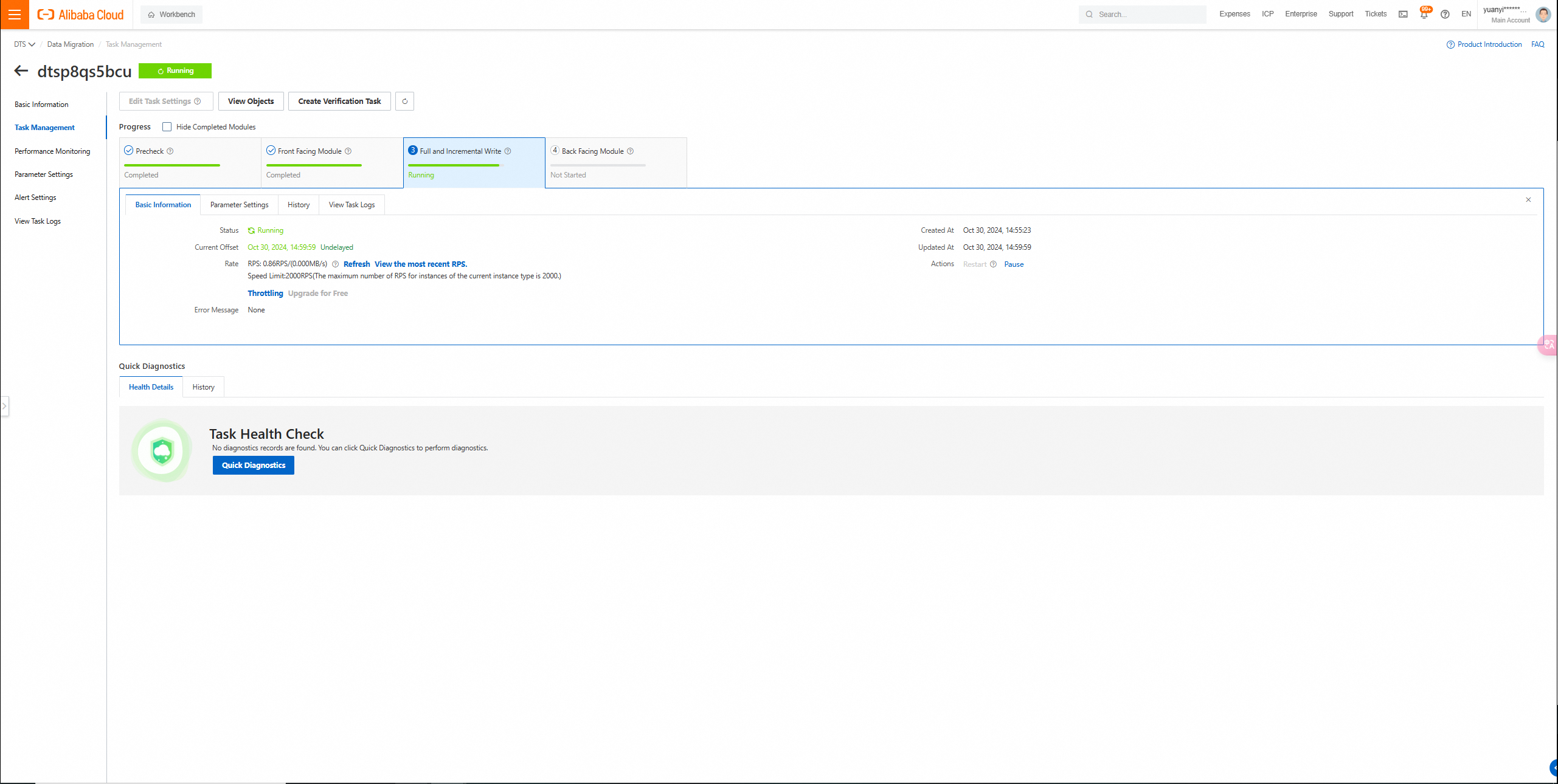
After you purchase the DTS data migration instance, you can view the data migration task and the progress of the task on the data migration page.
After the migration is complete, you can log on to the instance database to view the migrated data.
Commands that are supported for incremental data migration in DTS
The following commands are supported for incremental data migration:
APPEND

BITOP, BLPOP, BRPOP, and BRPOPLPUSH

DECR, DECRBY, and DEL

EVAL, EVALSHA, EXEC, EXPIRE, and EXPIREAT

FLUSHALL and FLUSHDB

GEOADD and GETSET

HDEL, HINCRBY, HINCRBYFLOAT, HMSET, HSET, and HSETNX

INCR, INCRBY, and INCRBYFLOAT

LINSERT, LPOP, LPUSH, LPUSHX, LREM, LSET, and LTRIM

MOVE, MSET, MSETNX, and MULTI

PERSIST, PEXPIRE, PEXPIREAT, PFADD, PFMERGE, PSETEX, and PUBLISH

RENAME, RENAMENX, RESTORE, RPOP, RPOPLPUSH, RPUSH, and RPUSHX

SADD, SDIFFSTORE, SELECT, SET, SETBIT, SETEX, SETNX, SETRANGE, SINTERSTORE, SMOVE, SPOP, SREM, and SUNIONSTORE

ZADD, ZINCRBY, ZINTERSTORE, ZREM, ZREMRANGEBYLEX, ZUNIONSTORE, ZREMRANGEBYRANK, and ZREMRANGEBYSCORE

XADD, XCLAIM, XDEL, XAUTOCLAIM, XGROUP CREATECONSUMER, and XTRIM
*Redis is a registered trademark of Redis Ltd. Any rights therein are reserved to Redis Ltd. Any use by Alibaba Cloud is for referential purposes only and does not indicate any sponsorship, endorsement or affiliation between Redis and Alibaba Cloud.
Use DTS to Migrate MySQL Databases Deployed in ACK to PolarDB for MySQL
Alibaba Cloud Community - January 4, 2026
Alibaba Cloud Native - November 6, 2024
ApsaraDB - July 11, 2018
Data Geek - May 9, 2024
ApsaraDB - July 23, 2025
Alibaba Cloud Community - July 13, 2023
 Database Migration Solution
Migrating to fully managed cloud databases brings a host of benefits including scalability, reliability, and cost efficiency.
Learn More Cloud Migration Solution
Secure and easy solutions for moving you workloads to the cloud
Learn More Oracle Database Migration Solution
Migrate your legacy Oracle databases to Alibaba Cloud to save on long-term costs and take advantage of improved scalability, reliability, robust security, high performance, and cloud-native features.
Learn More ADAM(Advanced Database & Application Migration)
An easy transformation for heterogeneous database.
Learn MoreMore Posts by ApsaraDB


