For how to migrate data from an SQLite database to PolarDB for MySQL, we recommend you use the Navicat Premium tool.
Official website link of Navicat Premium: https://www.navicat.com/en/
1.1 View the database file that SQLite needs to export.
.database 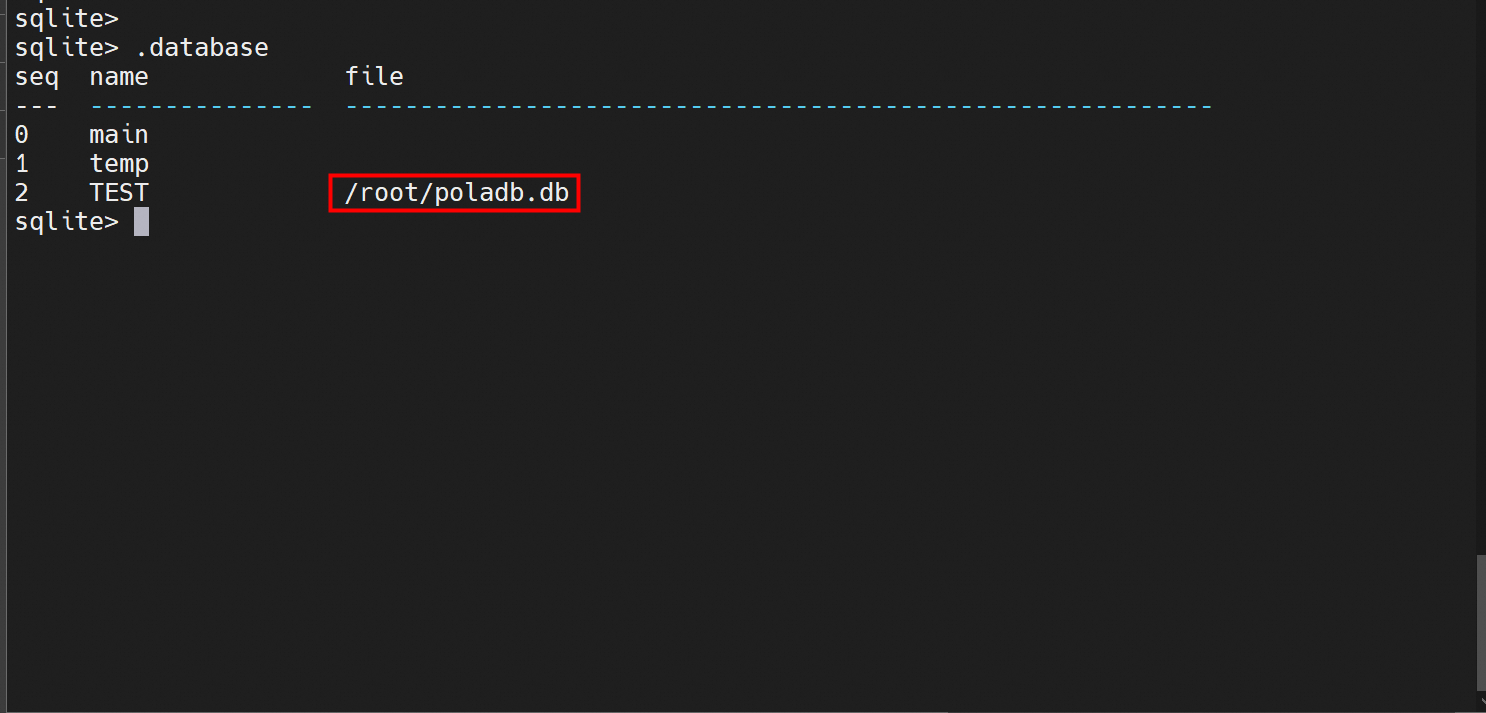
1.2 Locate the file in the system and download it to the local computer.
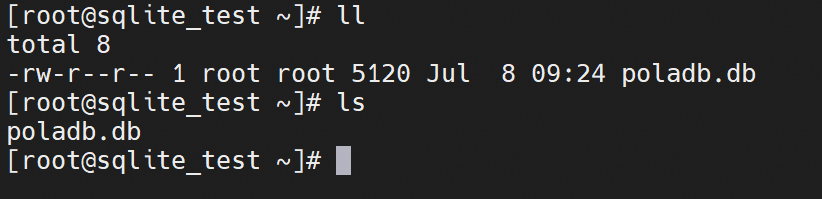
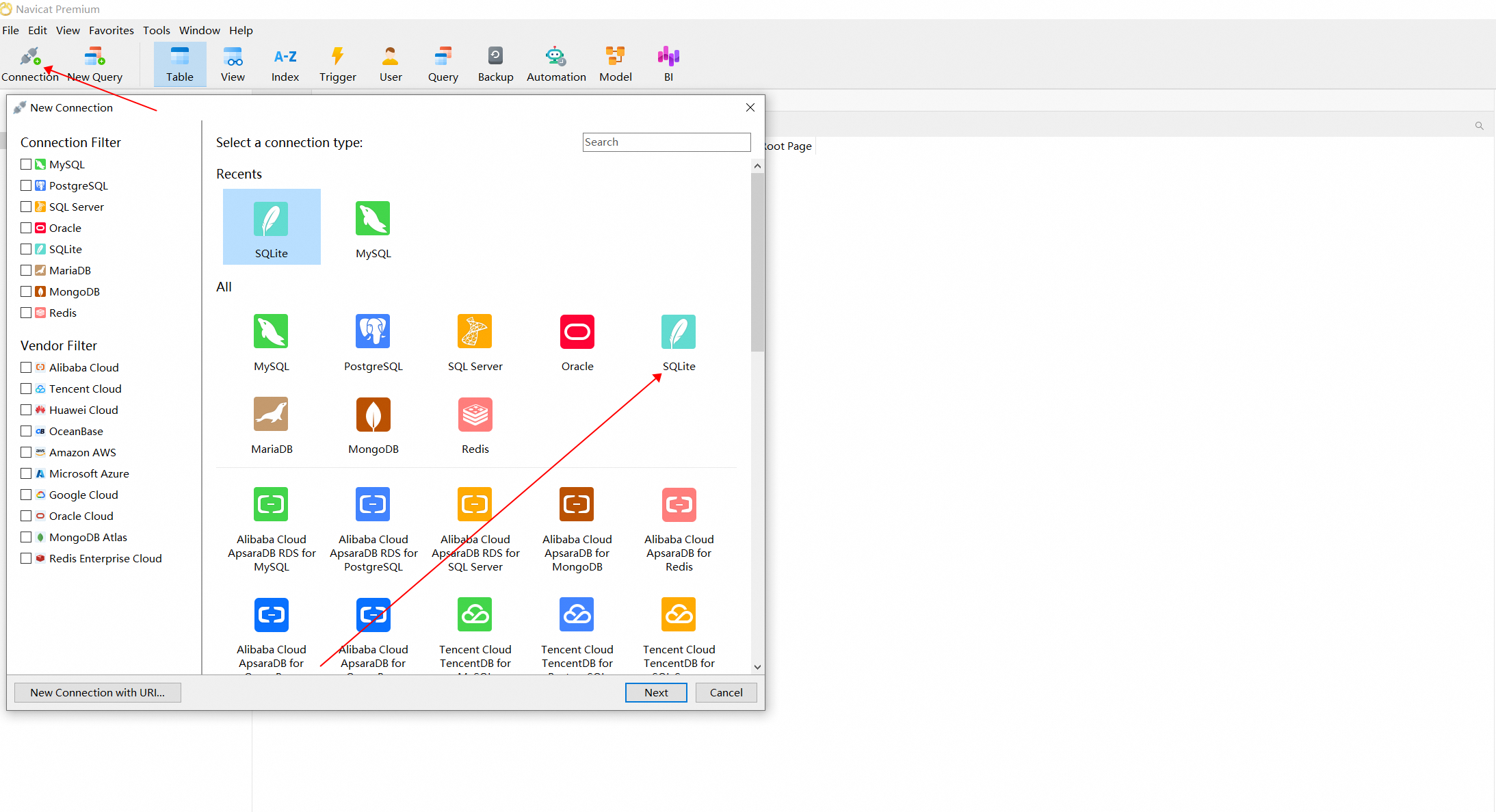
1.3 Use Navicat Premium to create an SQLite connection and import the .db file.
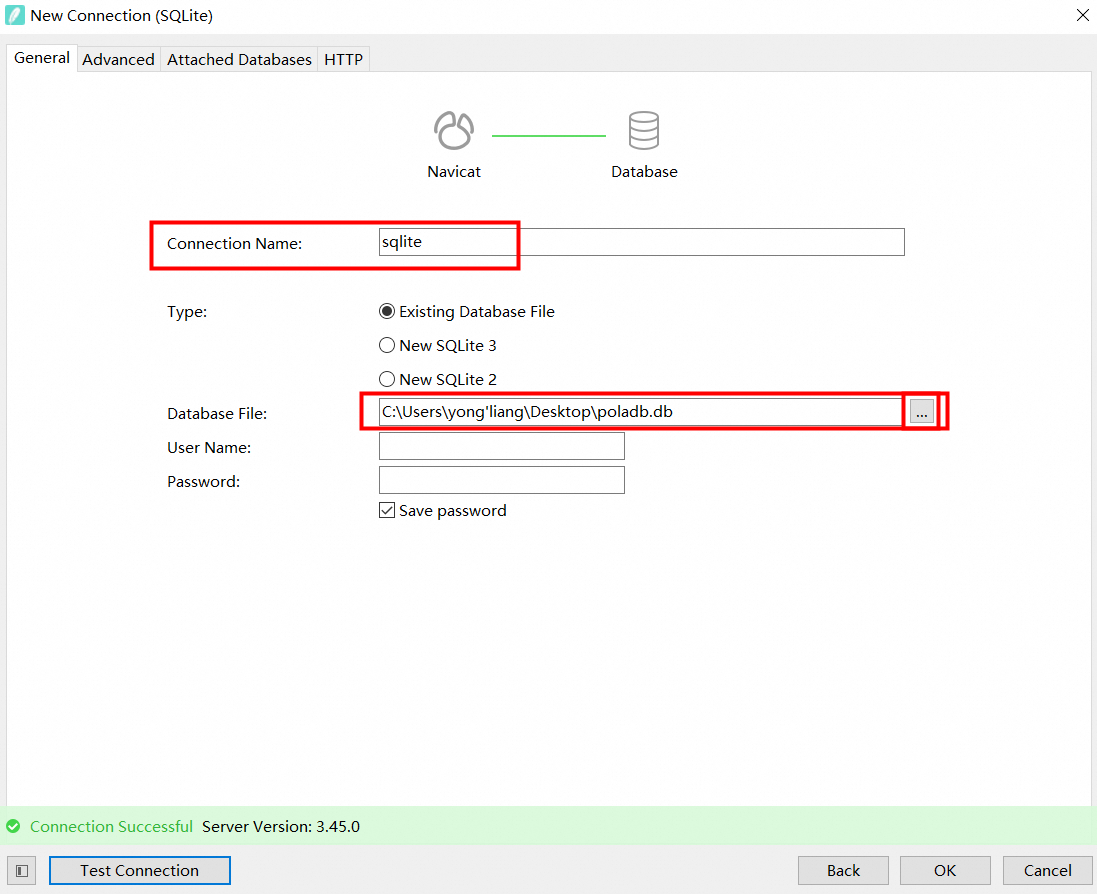
1.4 View the connected SQLite database and table file data.
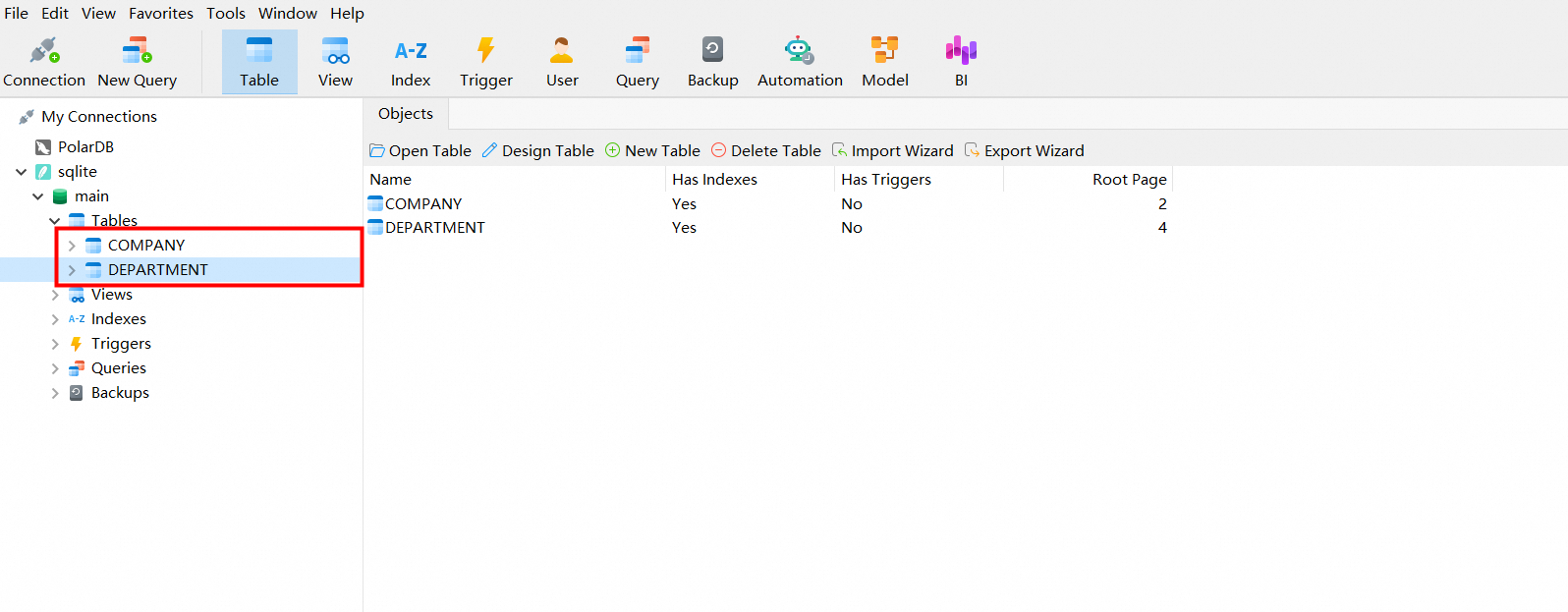
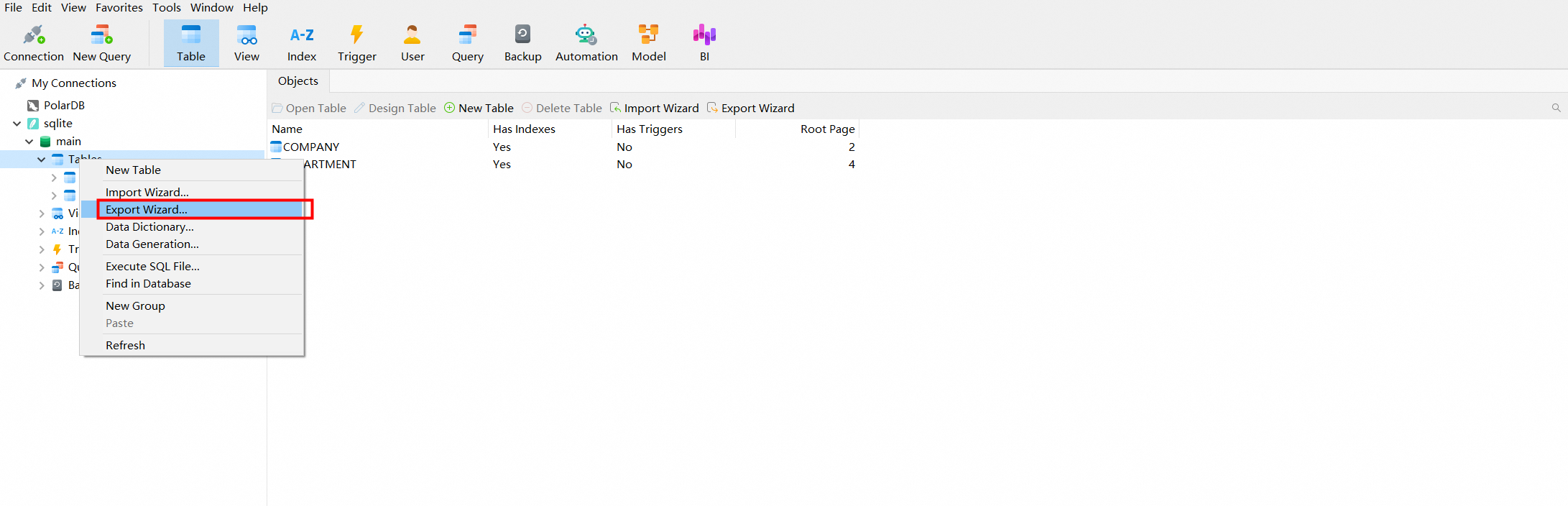
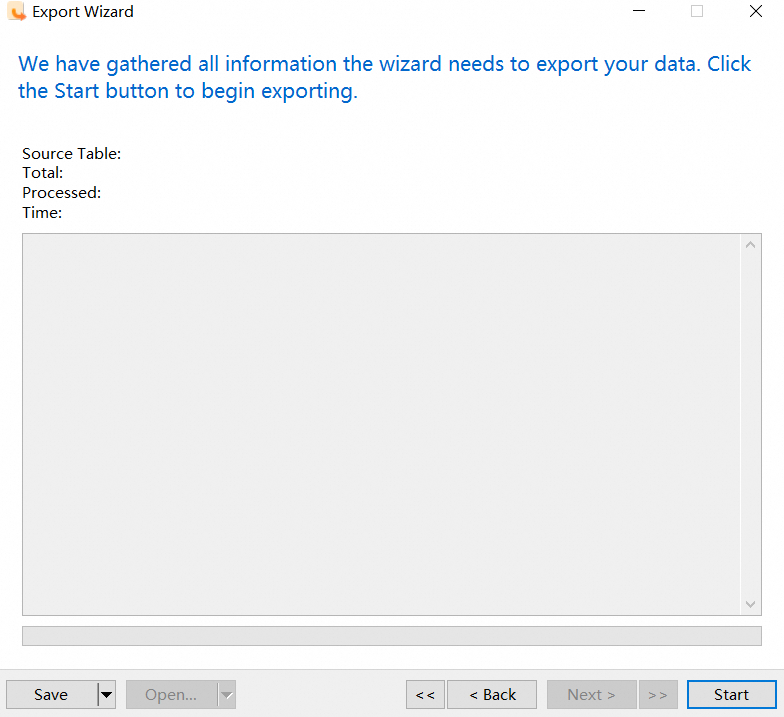
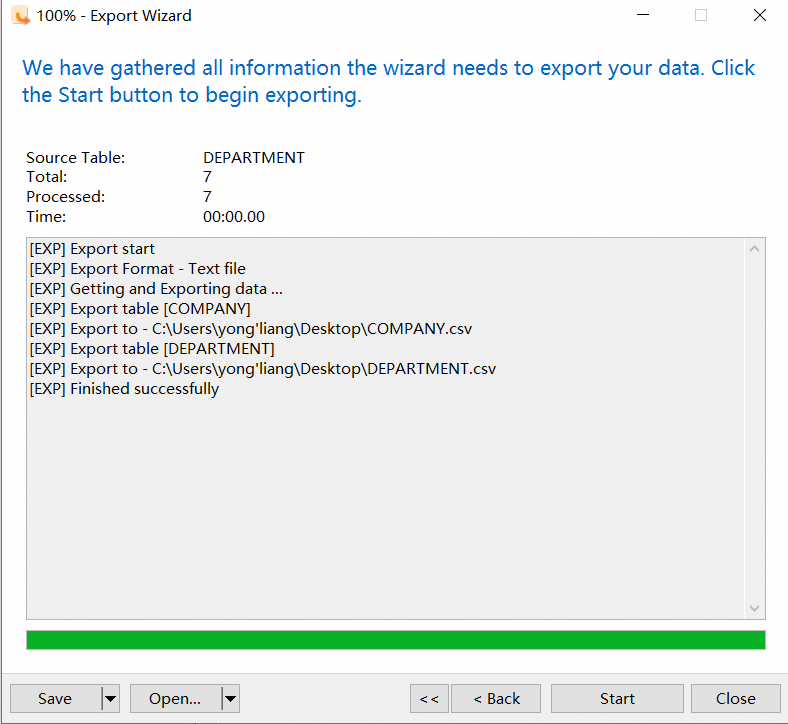
1.5 Export the table in the SQLite database as a CSV file.
-----> Do not export directly as an SQL file here.
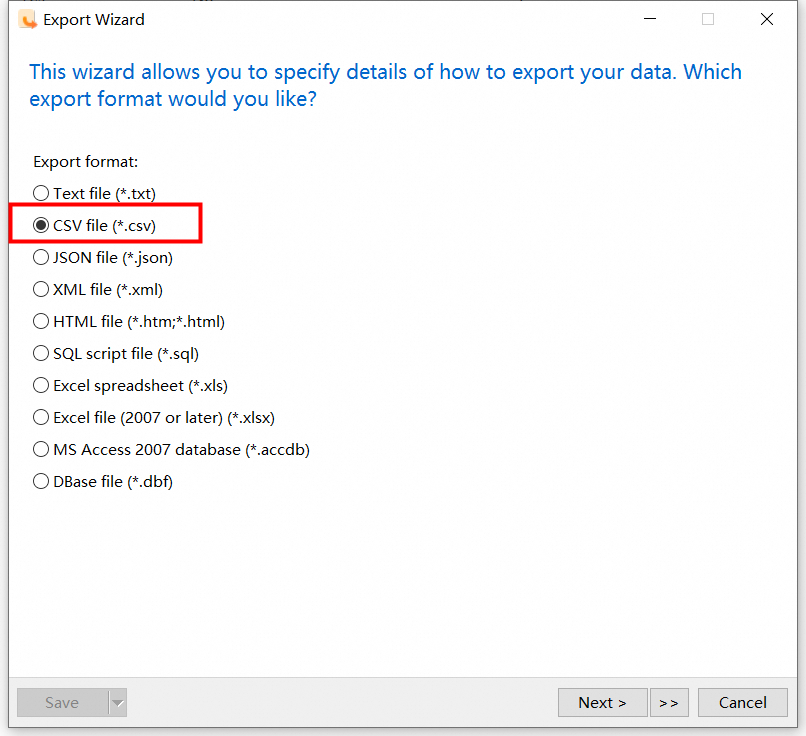
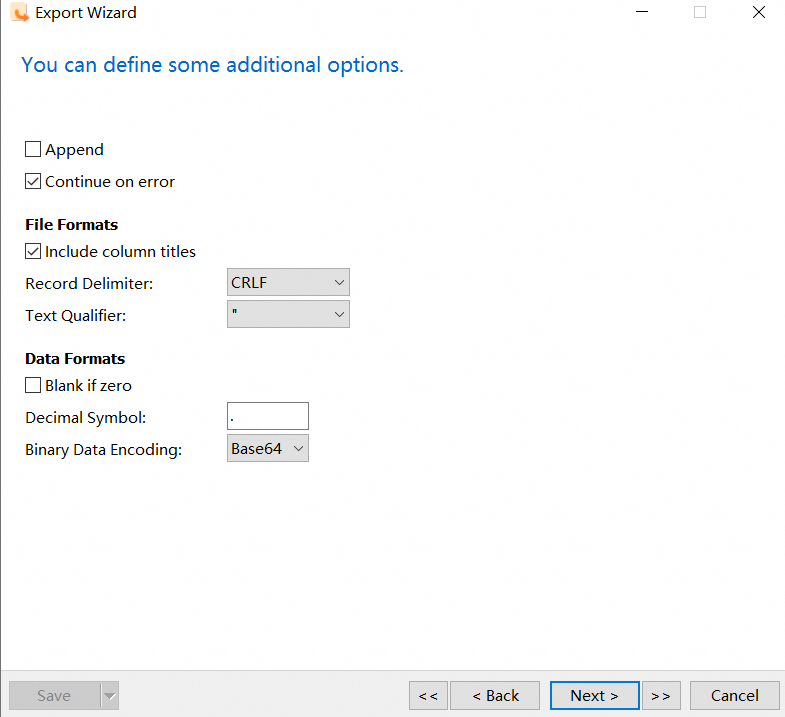
For the exported CSV file, you can do some custom restrictions, as follows (you can directly use the default settings).
2.1 Purchase a PolarDB for MySQL cluster instance.
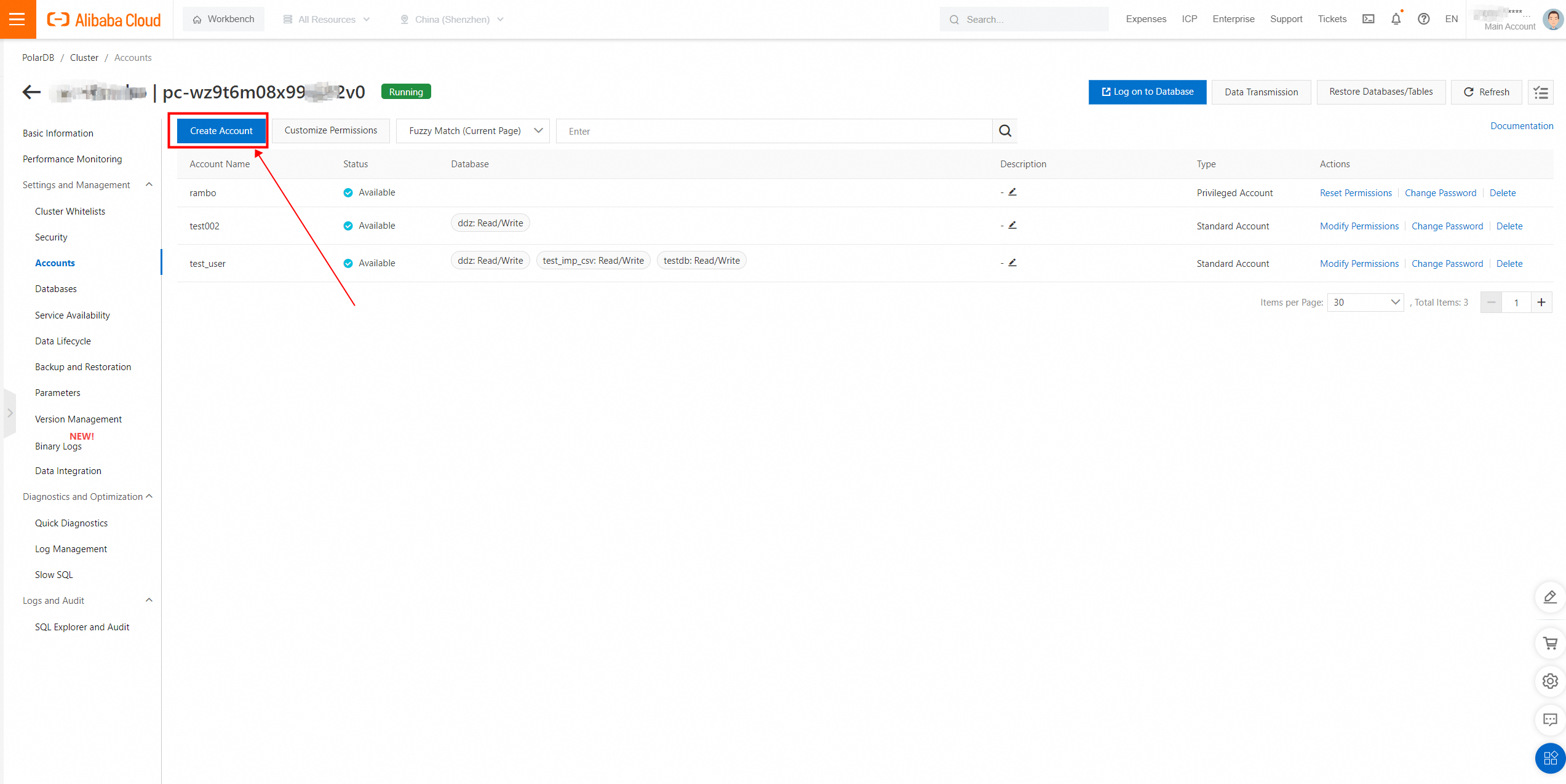
2.2 Create a PolarDB connection account.
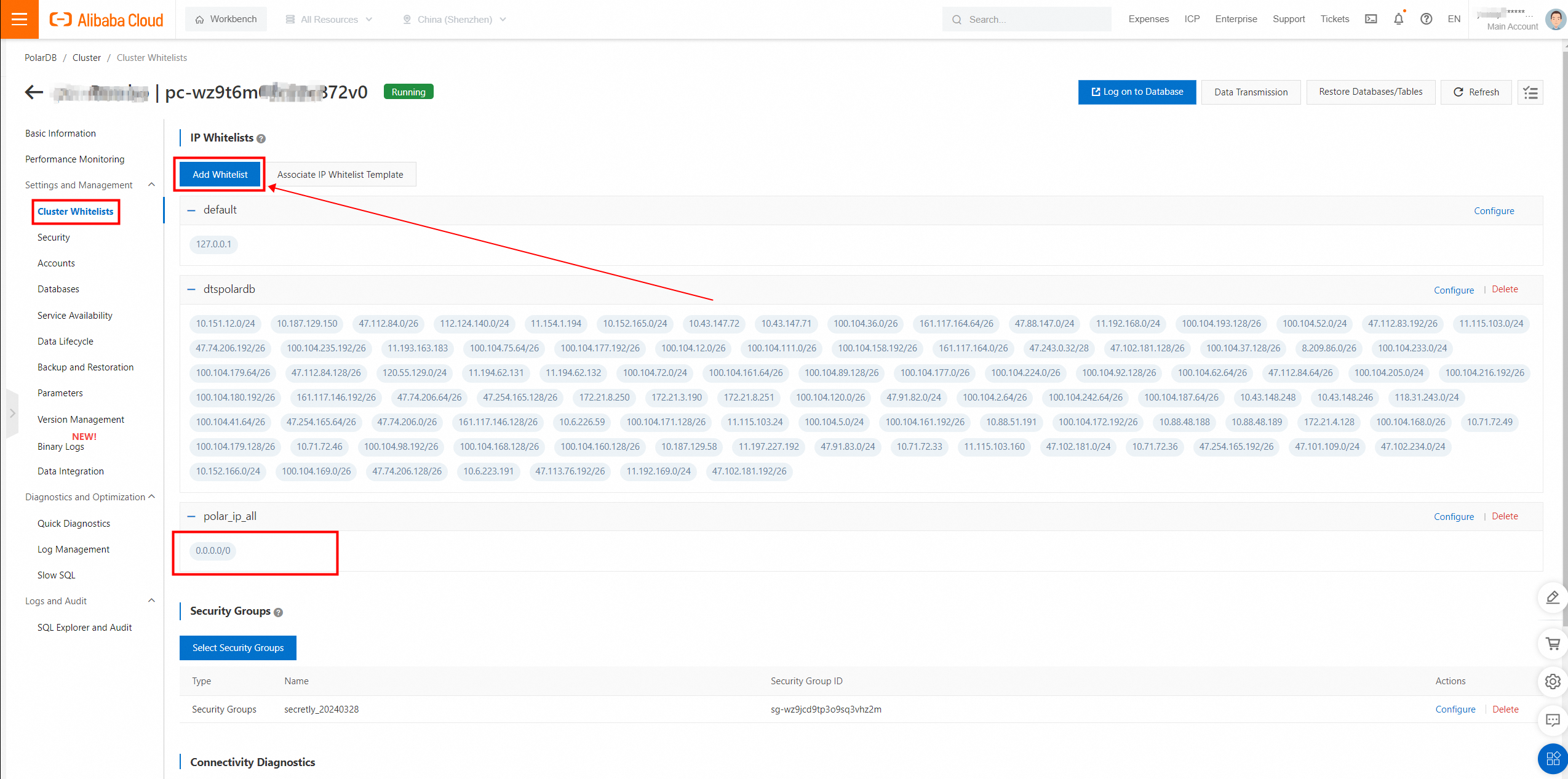
2.3 Enable the IP address whitelist for the cluster.
2.4 Enable the public endpoint.
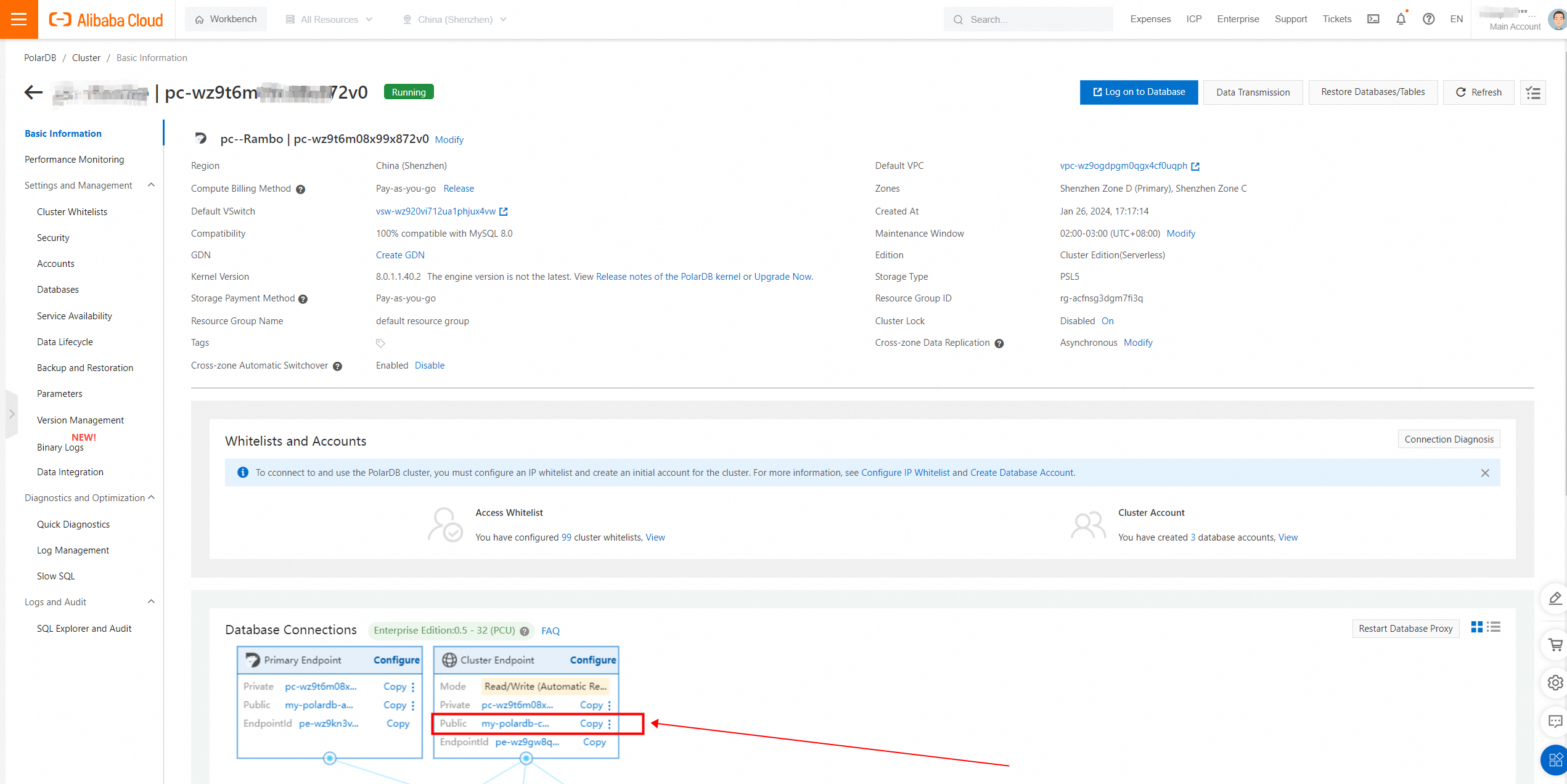
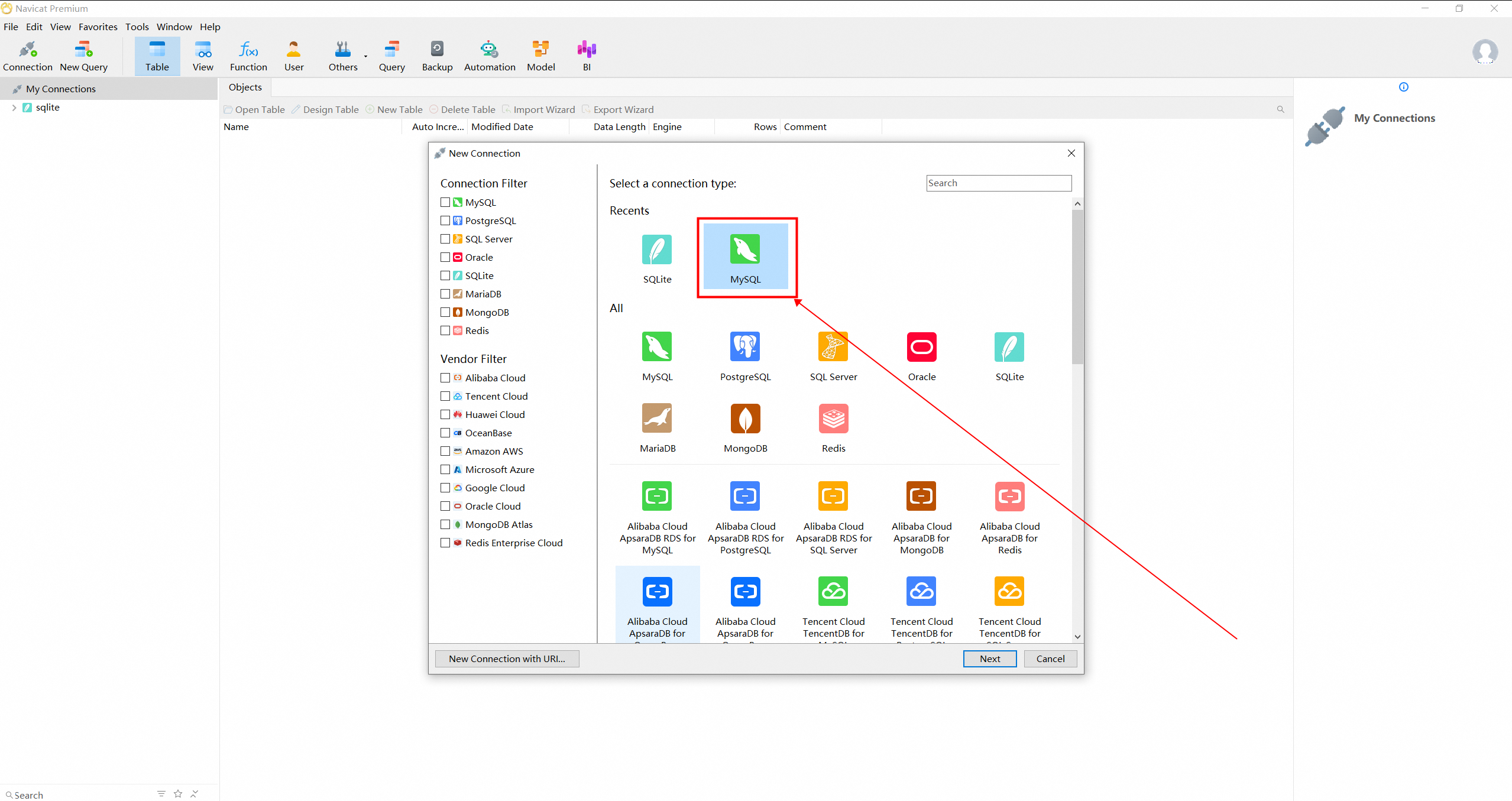
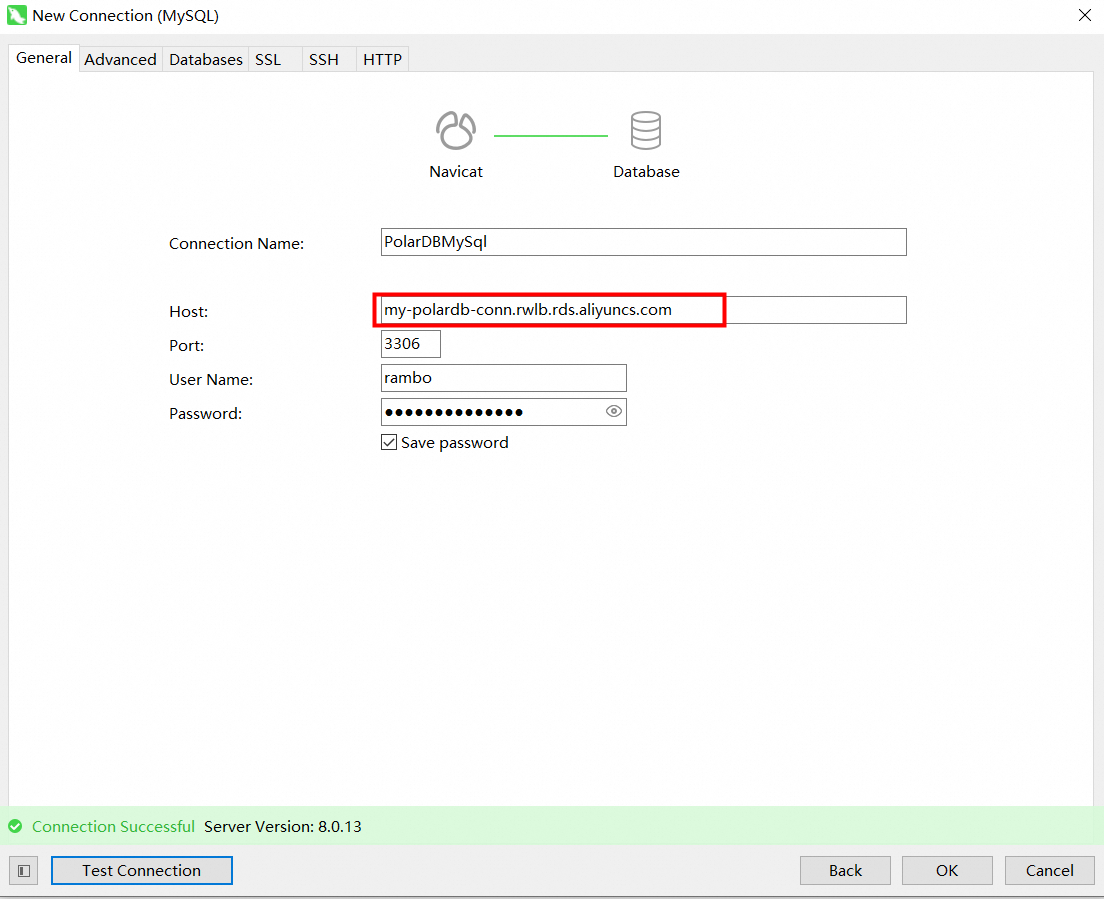
2.5 Use Navicat to connect to PolarDB for MySQL.
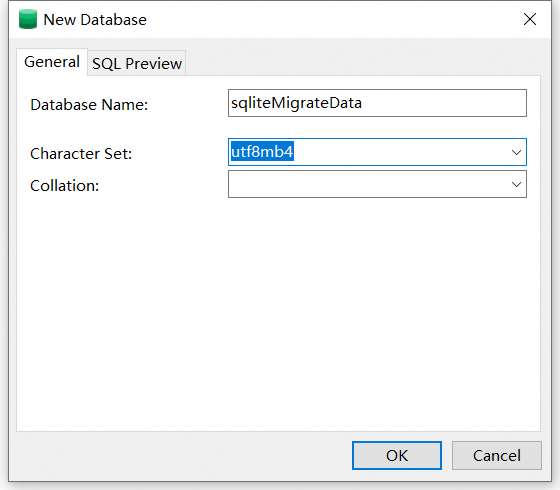
2.6 Create an SQLite to import the database.
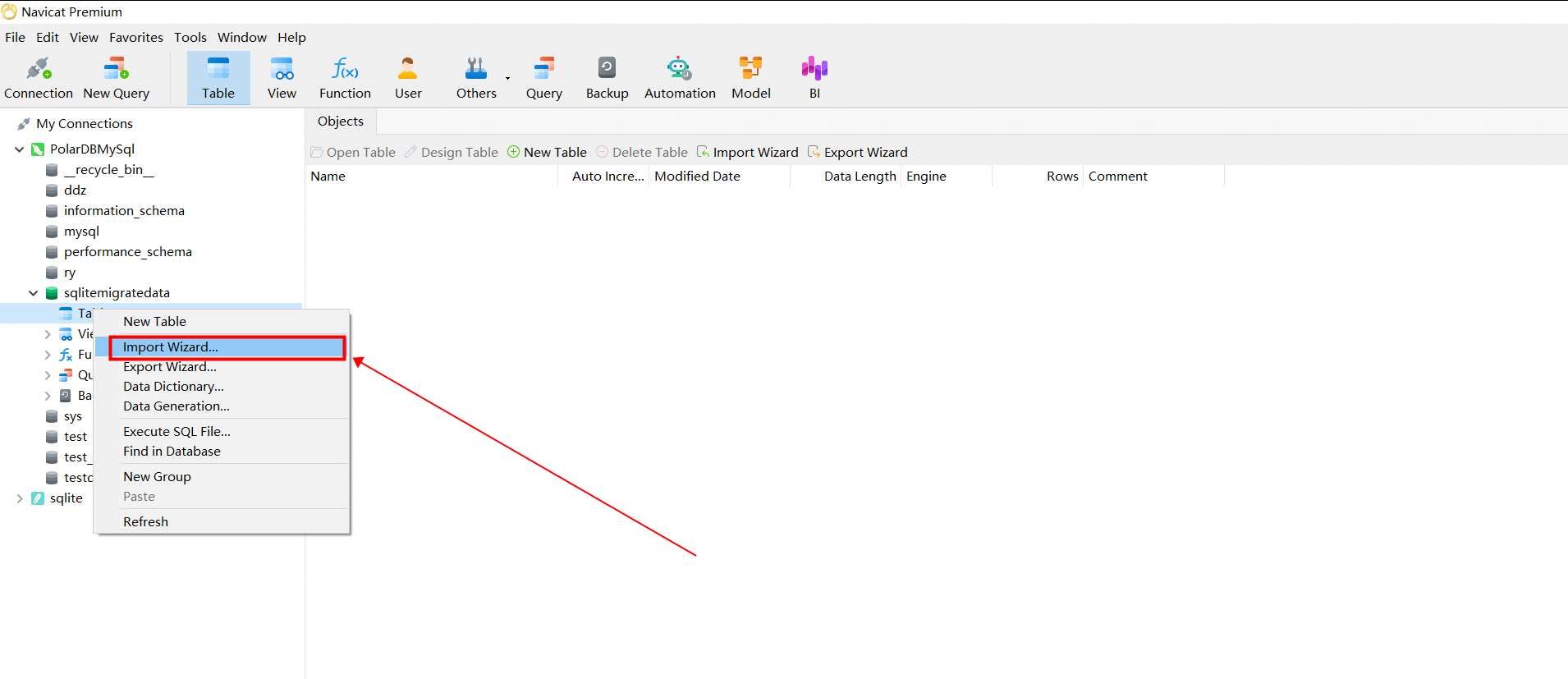
Select the CSV file to import.
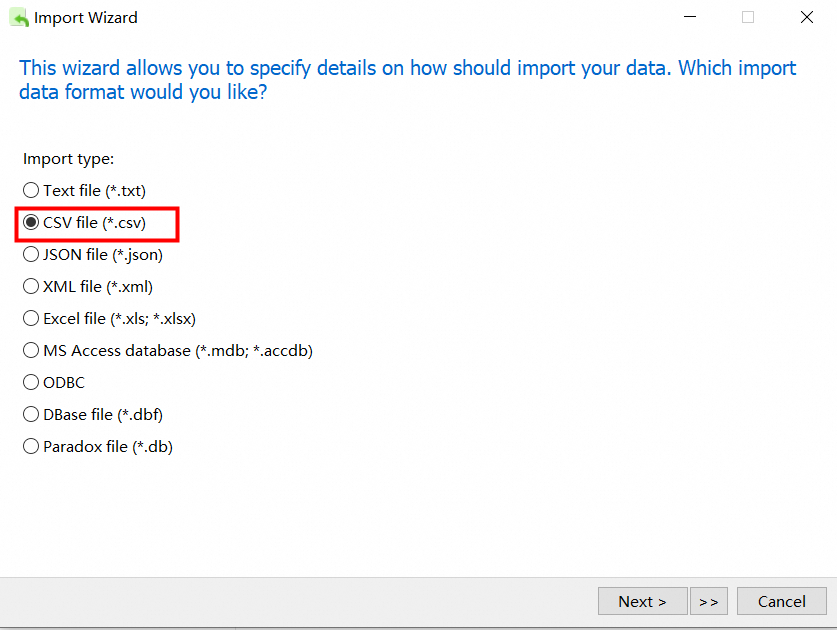
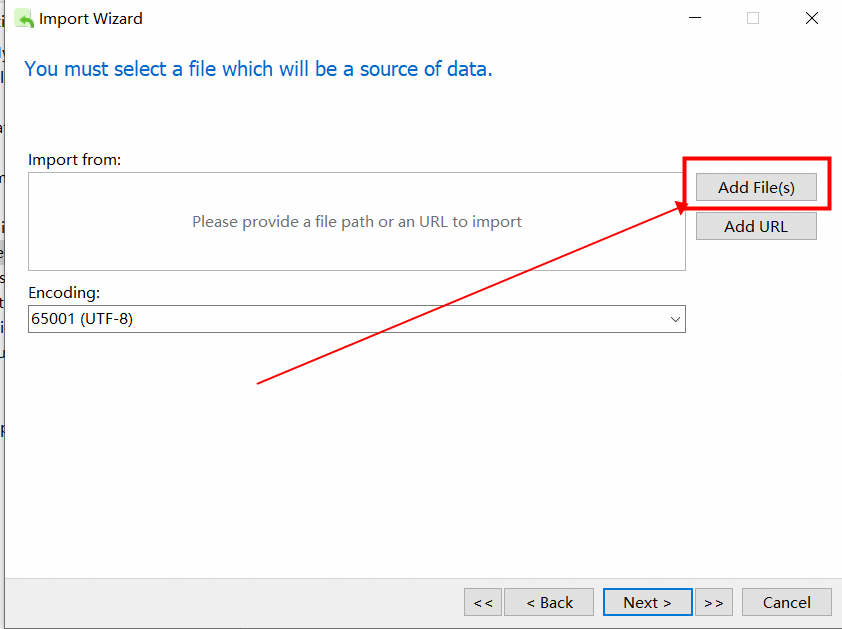
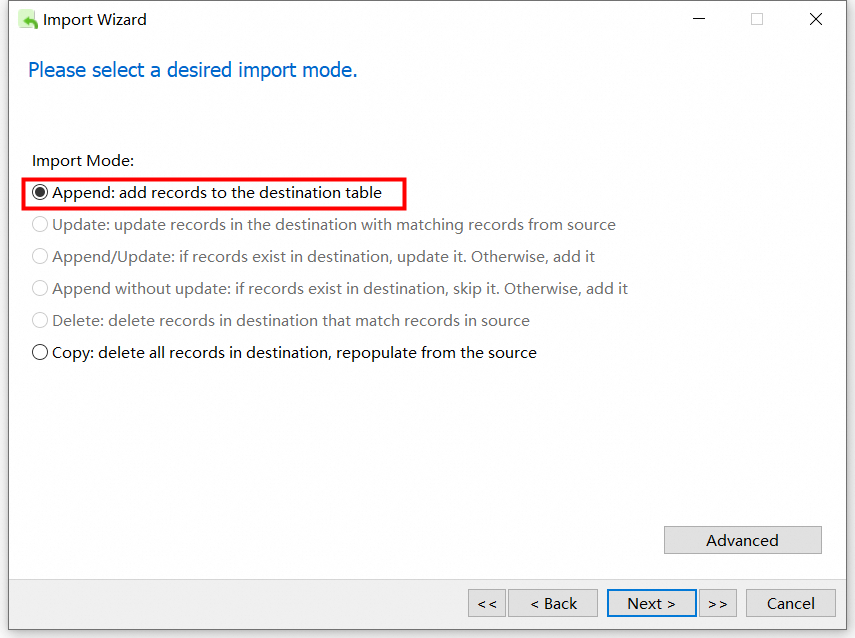
2.7 Select the CSV file exported by SQLite and import it into the database created by MySQL.
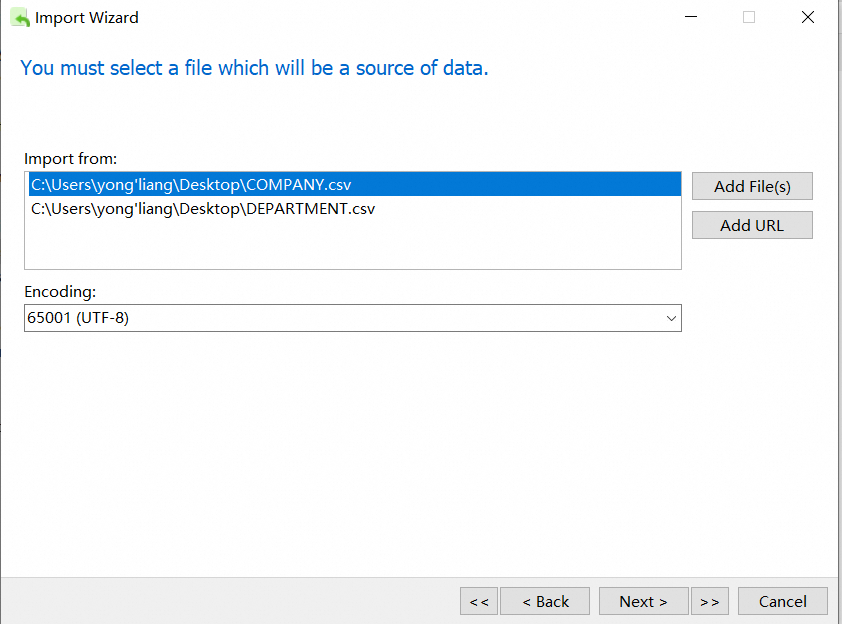
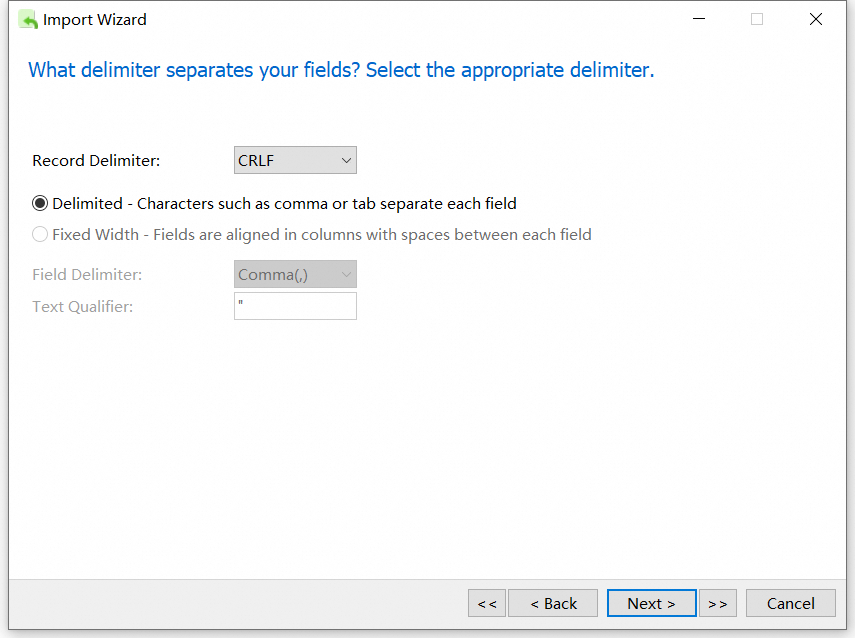
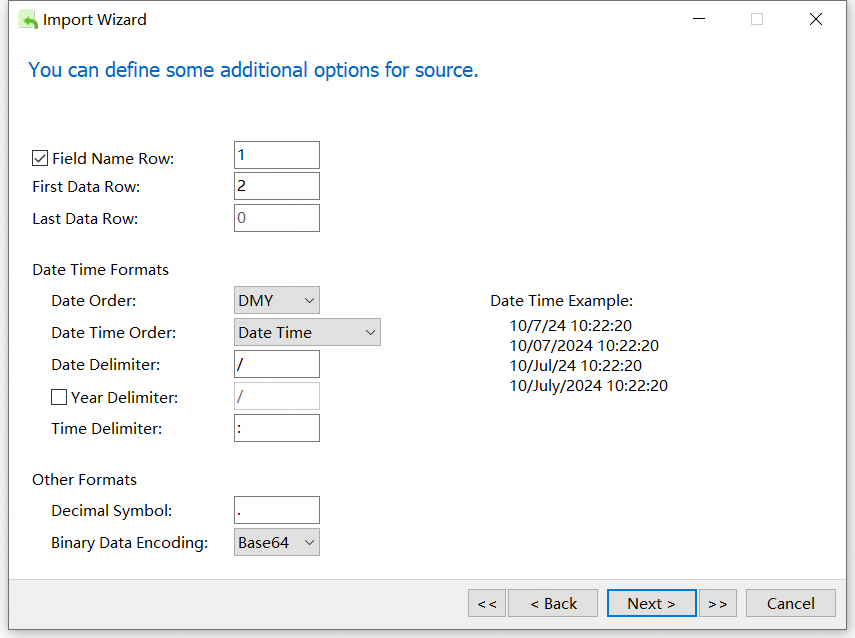
The settings here should be the same as those when you export the CSV file.
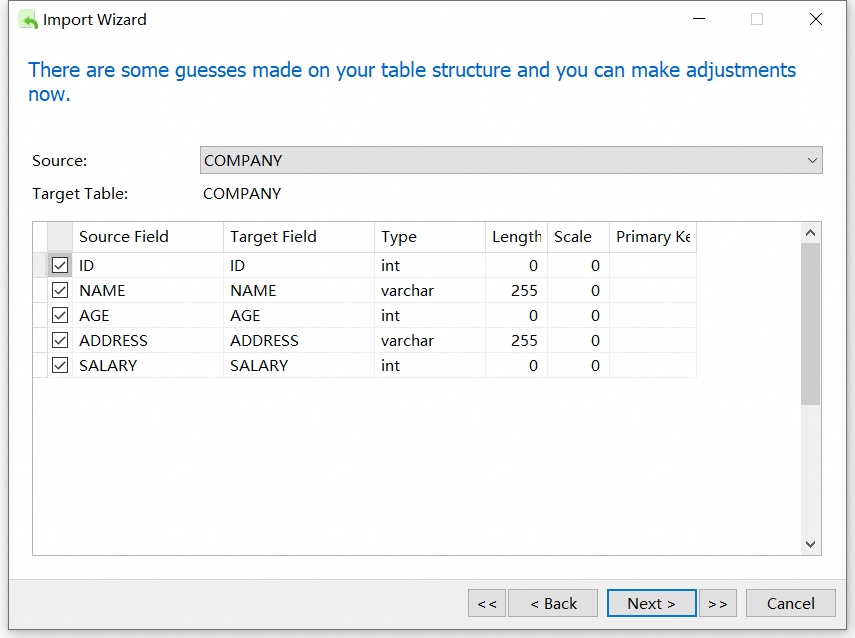
Here, the field length and primary key need to be modified according to the actual content.
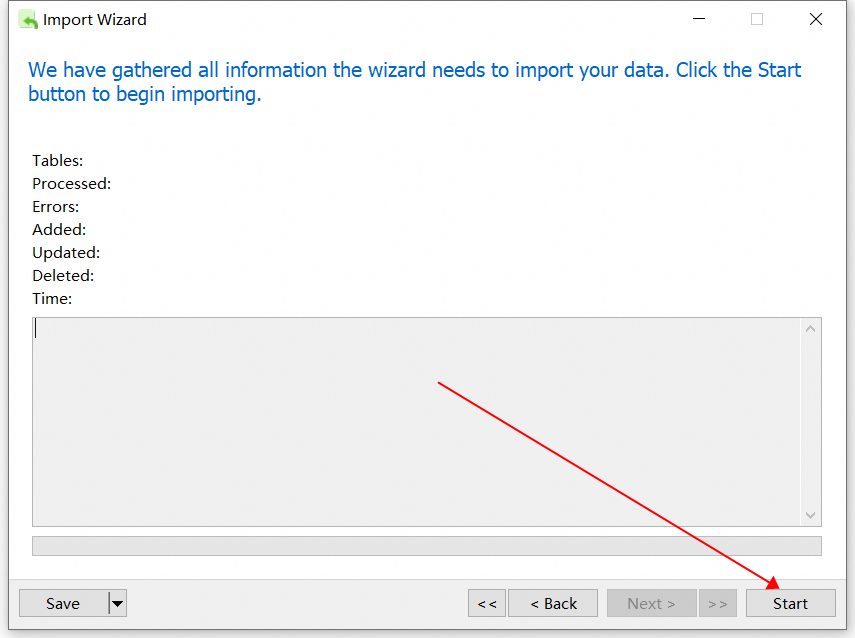
2.8 View the imported table data.
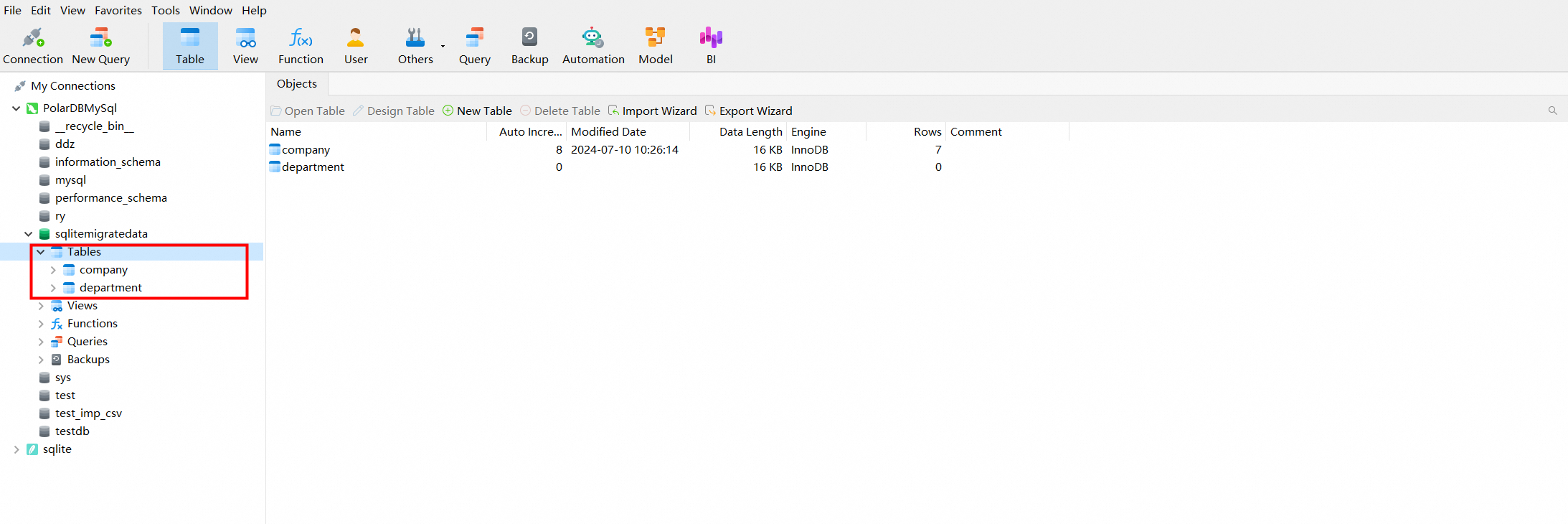
The above are the steps to import data from SQLite to PolarDB for MySQL.
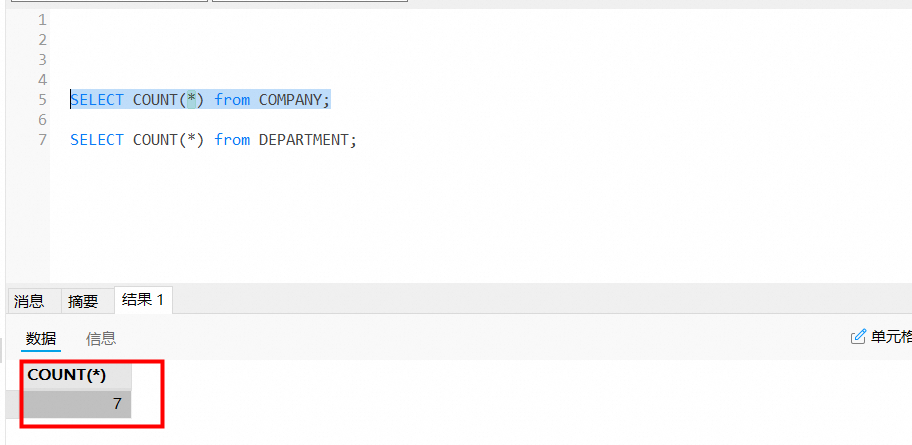
3.1 View the original SQLite database table and the count of data rows.
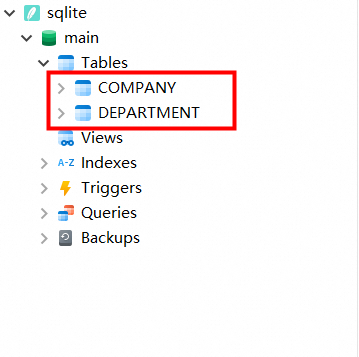
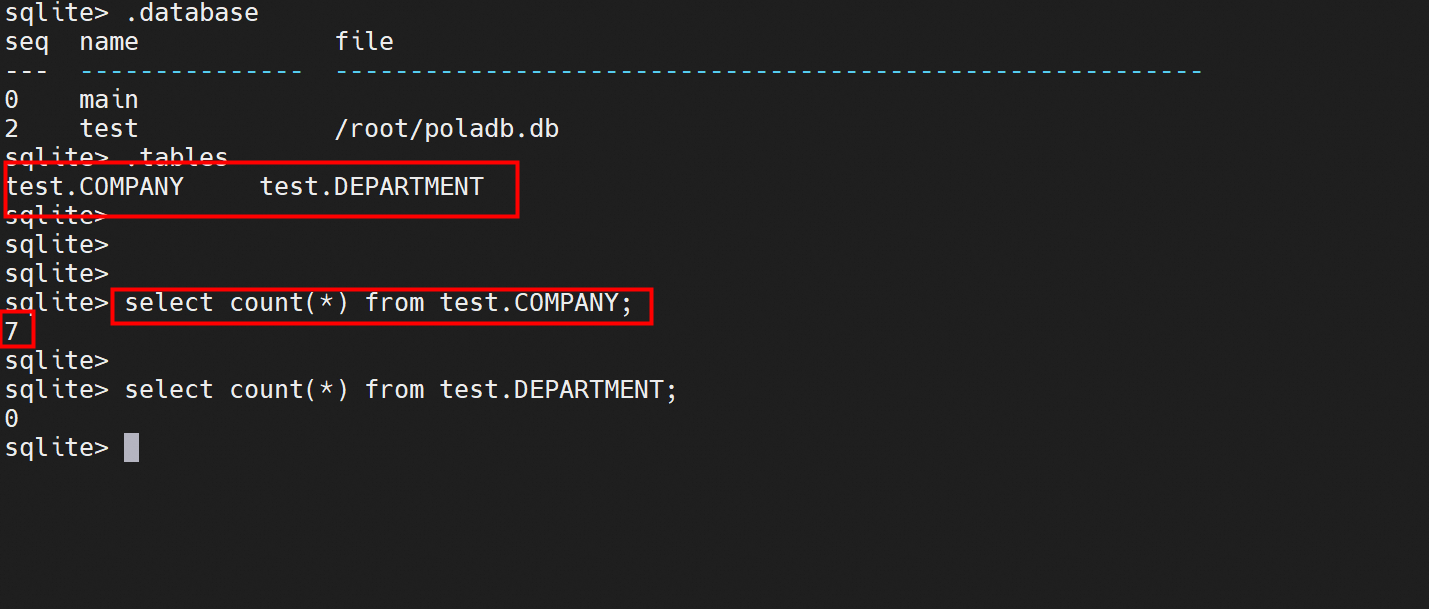
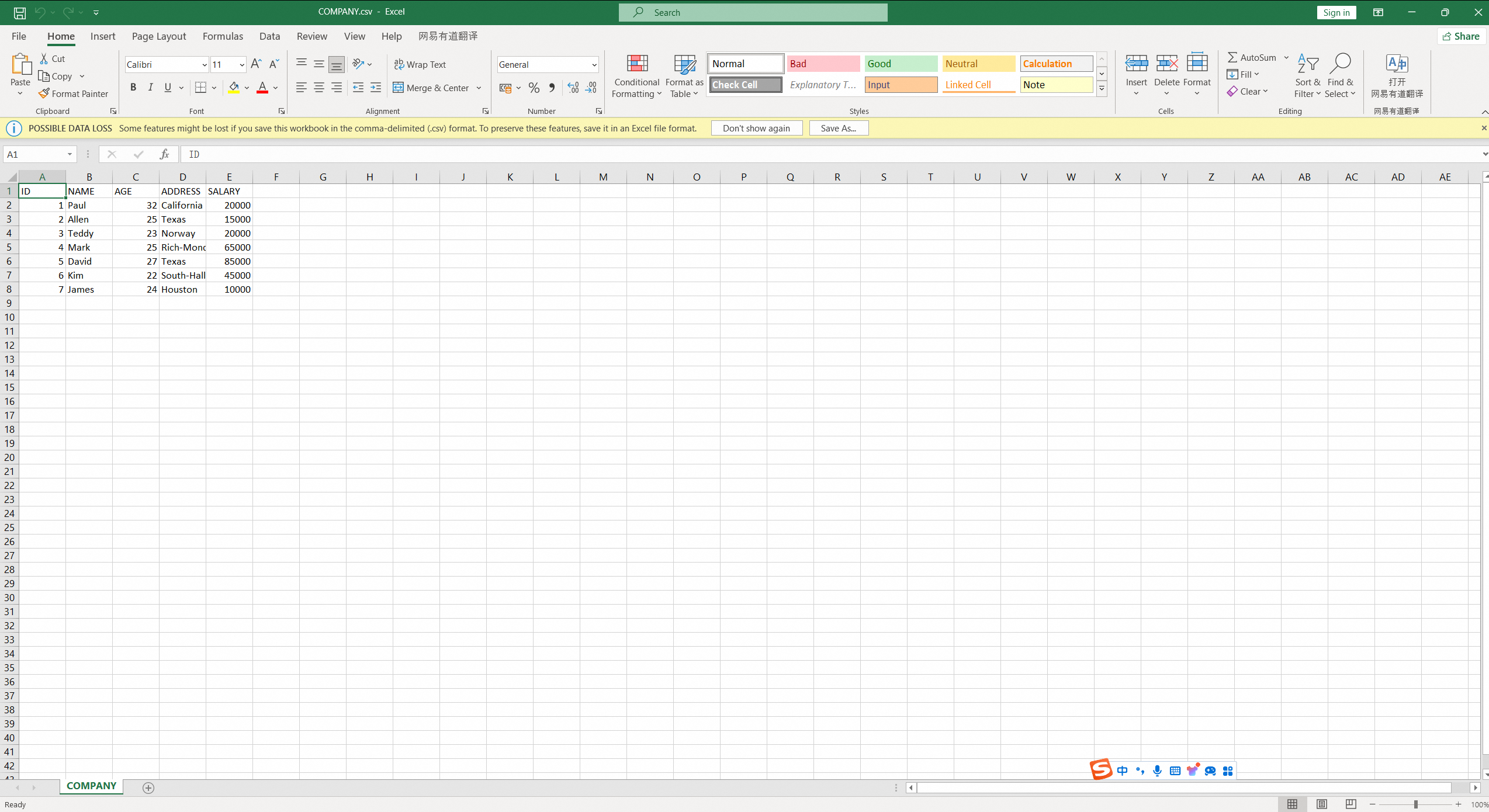
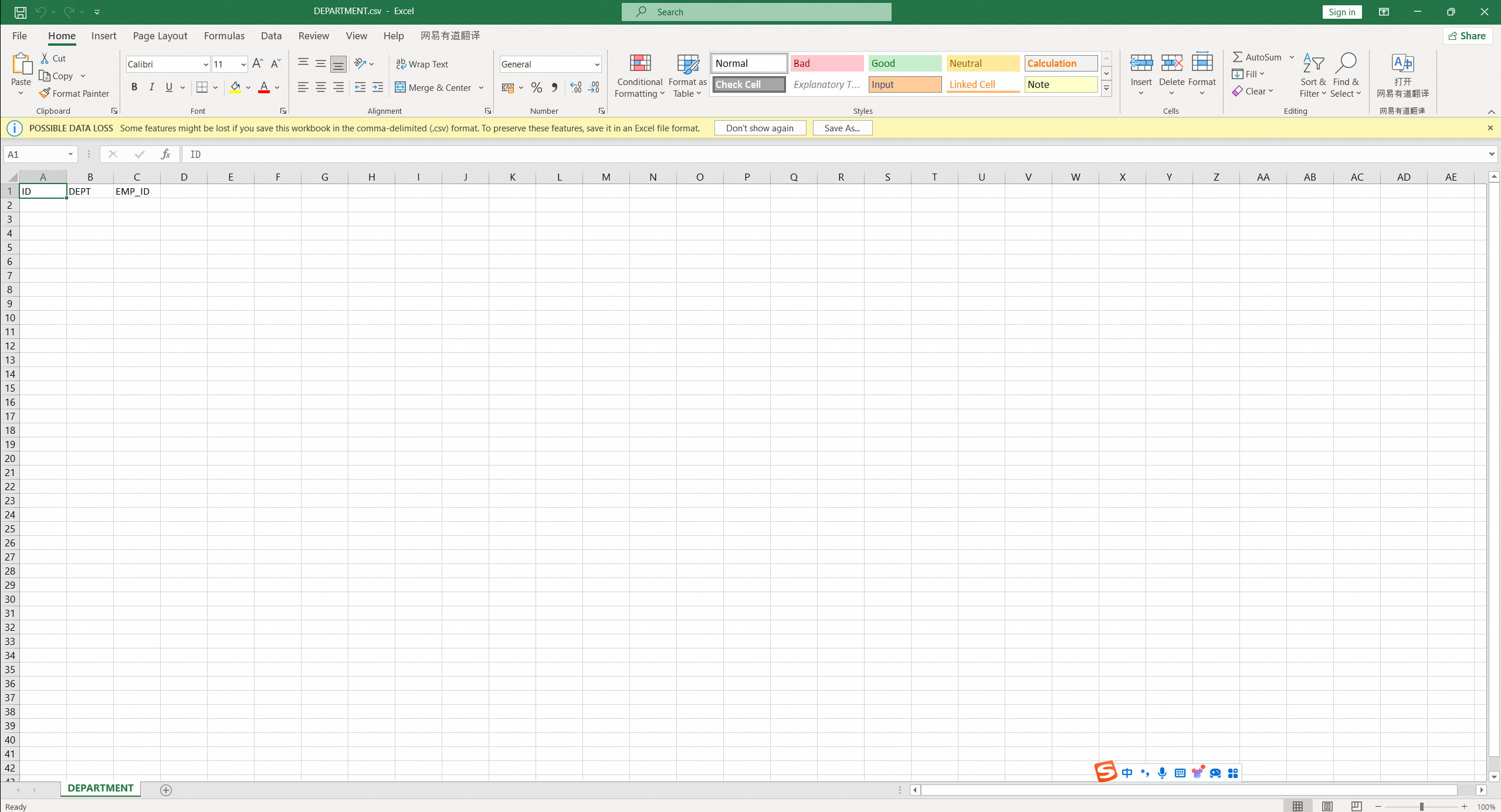
3.2 Check the exported CSV file to see whether the data and file encoding are normal.
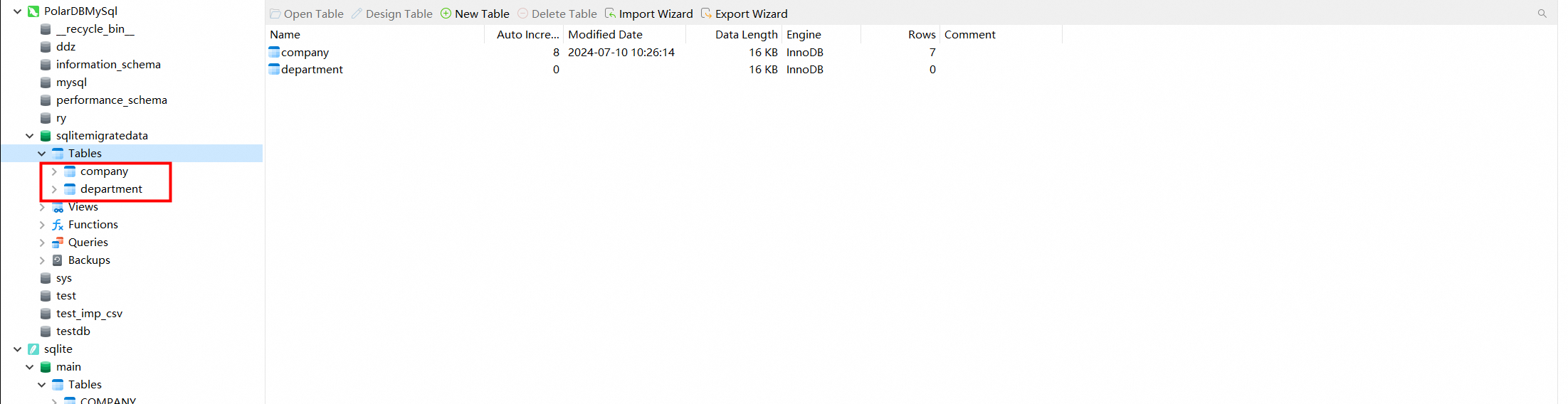
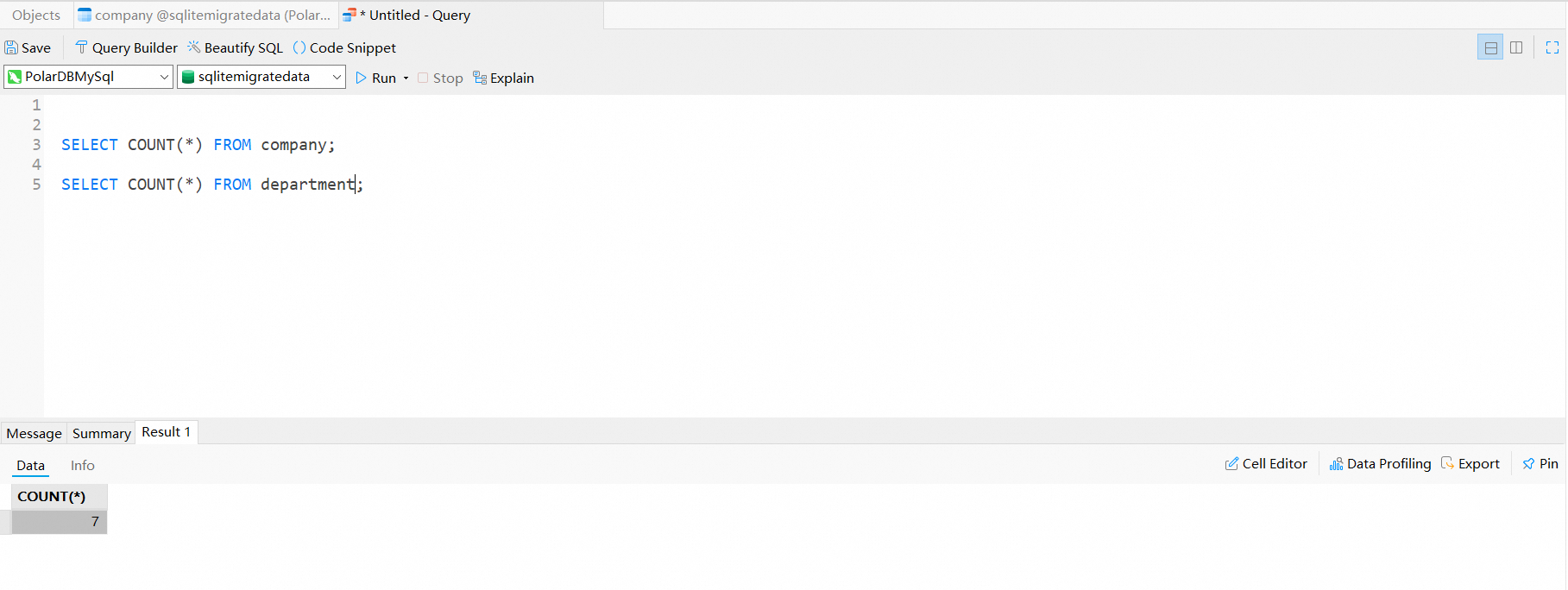
3.3 Check the database table and the count of rows imported into PolarDB for MySQL.
Use DTS to Migrate MySQL Databases Deployed in ACK to PolarDB for MySQL
ApsaraDB - September 19, 2024
ApsaraDB - September 23, 2021
digoal - November 28, 2023
ApsaraDB - January 16, 2026
ApsaraDB - April 30, 2019
ApsaraDB - July 12, 2023
 PolarDB for MySQL
Alibaba Cloud PolarDB for MySQL is a cloud-native relational database service 100% compatible with MySQL.
Learn More
PolarDB for PostgreSQL
Alibaba Cloud PolarDB for PostgreSQL is an in-house relational database service 100% compatible with PostgreSQL and highly compatible with the Oracle syntax.
Learn More
PolarDB for Xscale
Alibaba Cloud PolarDB for Xscale (PolarDB-X) is a cloud-native high-performance distributed database service independently developed by Alibaba Cloud.
Learn More Time Series Database (TSDB)
TSDB is a stable, reliable, and cost-effective online high-performance time series database service.
Learn MoreMore Posts by ApsaraDB


