A landing page used to mean a week of drag-and-drop or a developer ticket. QwenWork collapses that into a single sentence: describe the product, review the page it builds, refine it by talking. Here's the whole workflow, start to finish.
You have a product and you need a page for it — today. Not next sprint, not after the agency sends a quote. A real page: headline, features, pricing, a contact form, something you can actually put a link to.
The usual routes all cost you time you don't have. A website builder means dragging boxes for hours. A developer means a ticket and a wait. A template means it looks like everyone else's.
QwenWork takes a different route. You describe the product in plain language, and it builds the page for you — layout, copy, styling, even a working contact form — then lets you refine it by just talking. When you're happy, you open it, share it, ship it.
This tutorial builds a complete landing page from a single sentence, start to finish.
A finished, responsive product landing page with:
Time to set up: about 10 minutes. No code, no design skills required.
Open QwenWork and type what you want. Be specific about the product, the sections, and the look. Copy-paste this and edit to taste:
Build me a product landing page for "Lumen", a smart desk lamp that
adjusts its brightness and color temperature automatically through
the day to reduce eye strain.

Include:
- A hero section with a headline and a "Pre-order" button
- Three key features (adaptive lighting, app control, USB-C charging)
- A pricing section with two tiers: Lumen ($129) and Lumen Pro ($189)
- A contact form for pre-orders
- Clean, modern look — soft neutrals, one accent color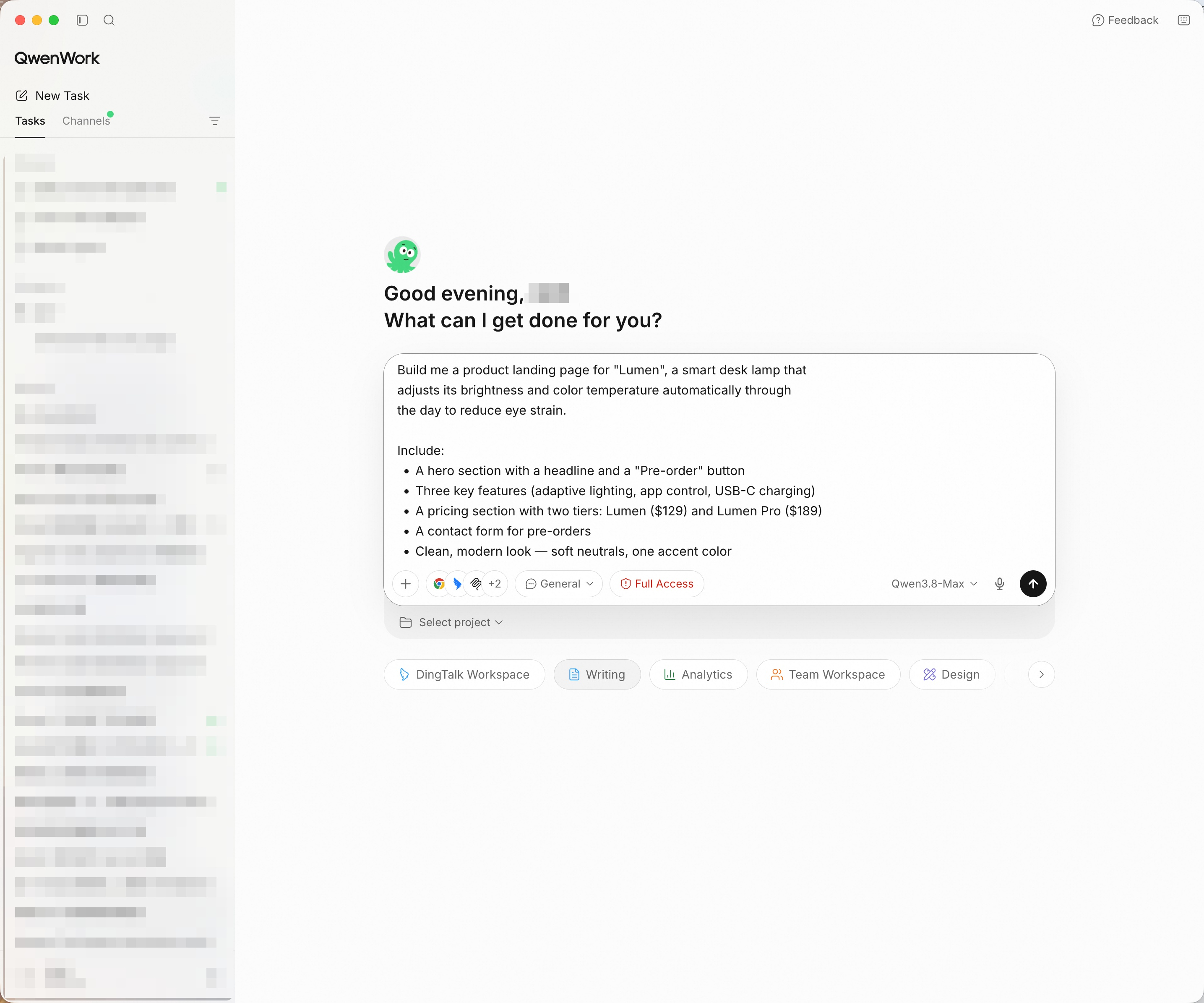
No drag-and-drop, no code — just describe the page you want.
Press Enter. QwenWork turns this into a visible plan and starts working.
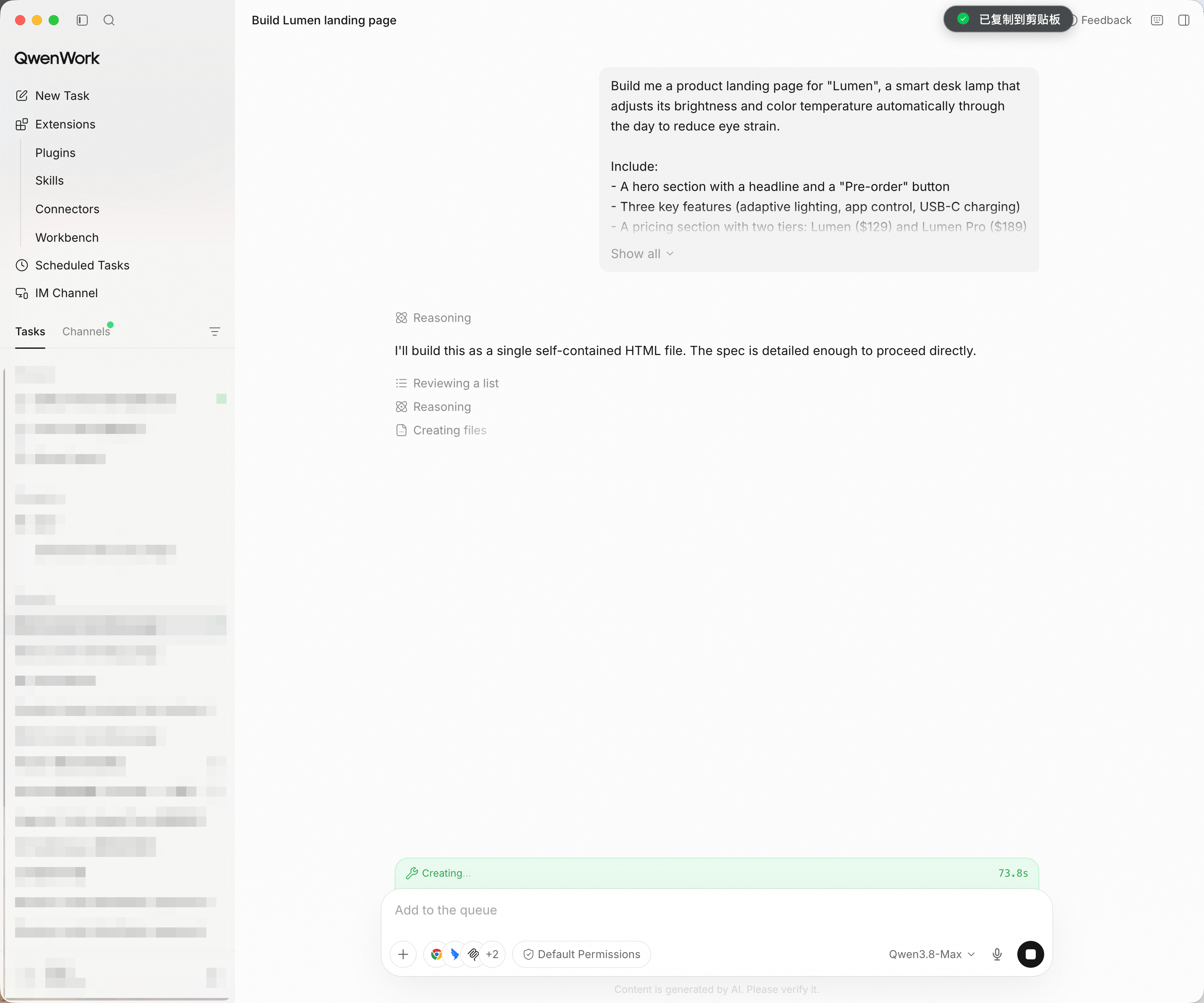
You can watch every step — nothing runs in a black box.
QwenWork generates the layout, writes the copy, and styles the sections — then opens the page in a browser and checks it section by section before calling it done. That self-verification is what separates it from a one-shot generator.
When the build finishes, you get the page as a single self-contained file, with a summary of exactly what's in it — and a live preview of the result.
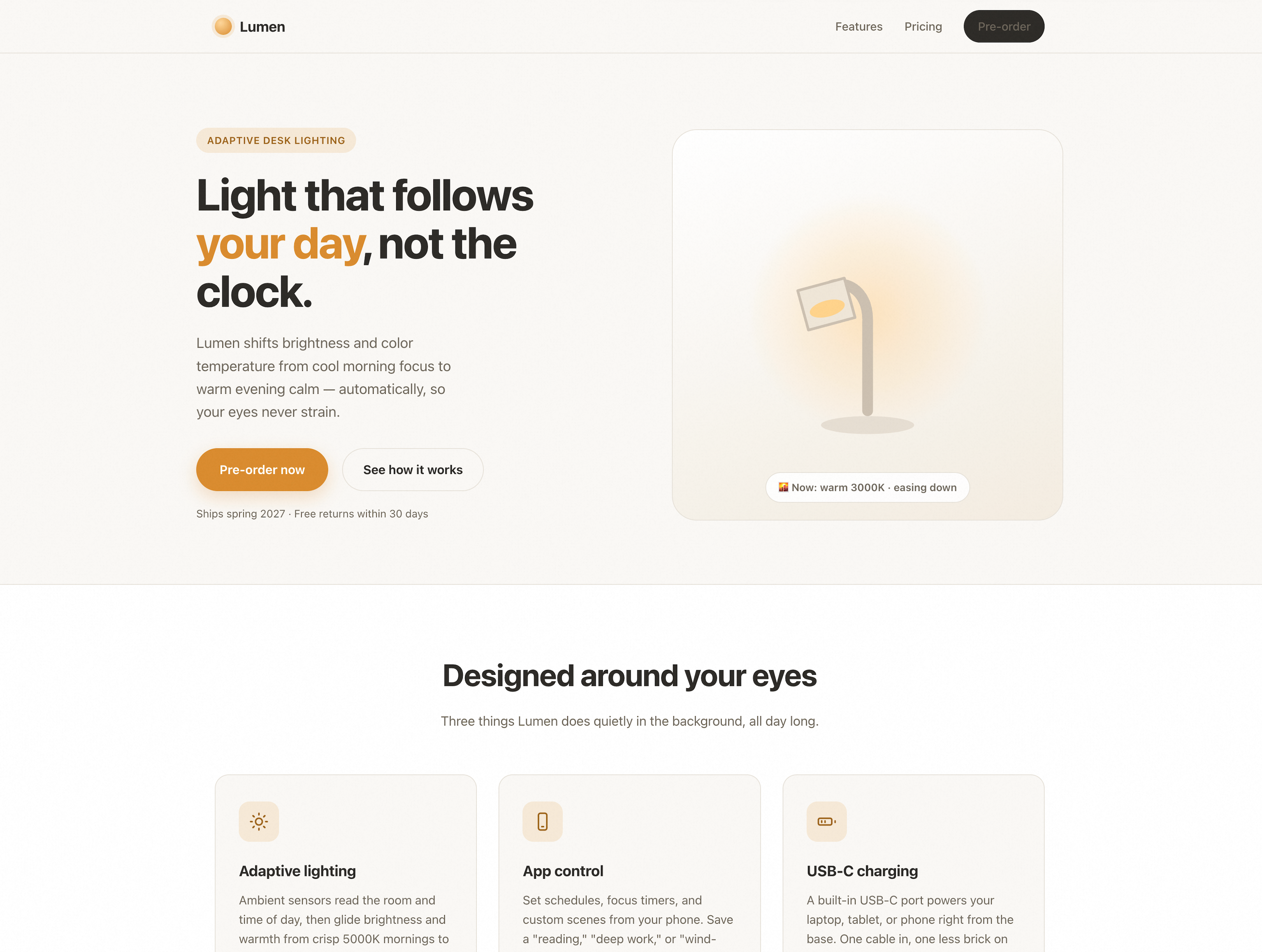
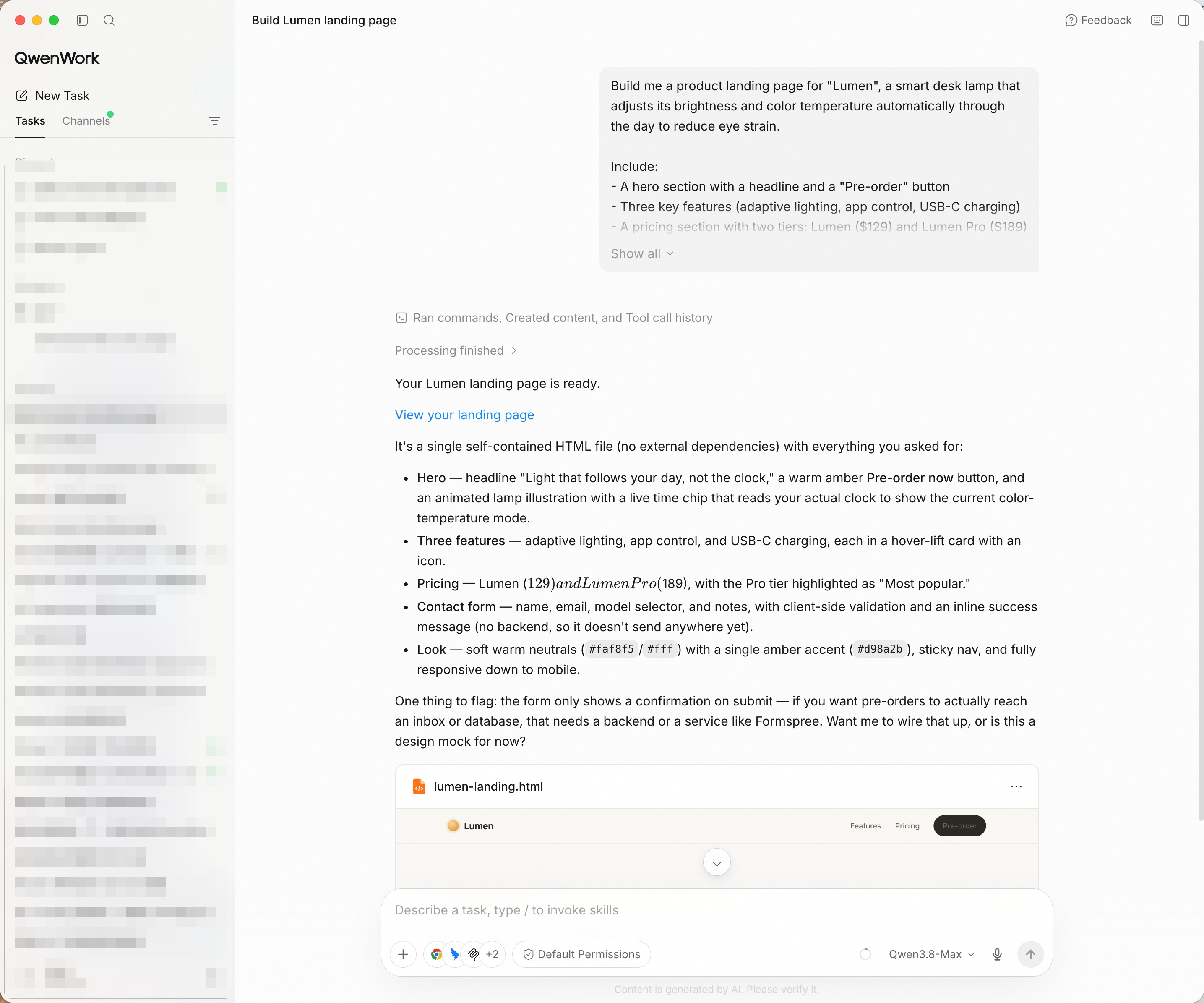
A finished, responsive page — hero, features, pricing, and a working contact form.
Tip: Test the contact form — type a name and email into it and watch it validate. A working form is more convincing than a static mockup.
This is where QwenWork pulls ahead of a template. Don't like something? Just say so — no rebuilding, no hunting through menus.
Make the hero headline bigger and change the accent color to teal.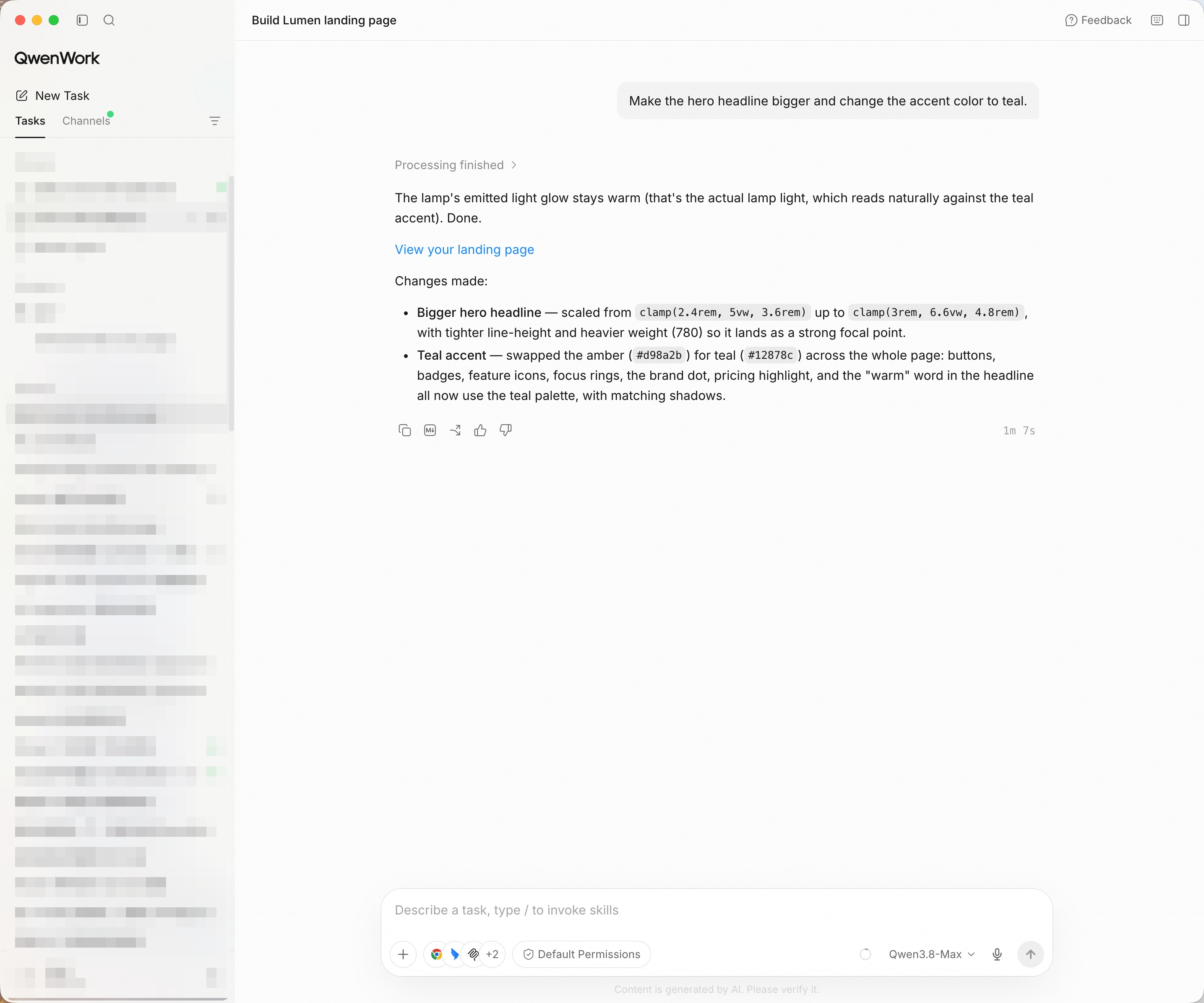
Change anything by describing it — QwenWork keeps the context and confirms each change.
Try more rounds: "Add a short testimonial section below the features." · "On mobile, stack the pricing tiers vertically."
The page is a single HTML file with no external dependencies, so sharing is trivial: open it locally, drop it on any static host, or serve it from your own domain. Here it is, live in the browser:
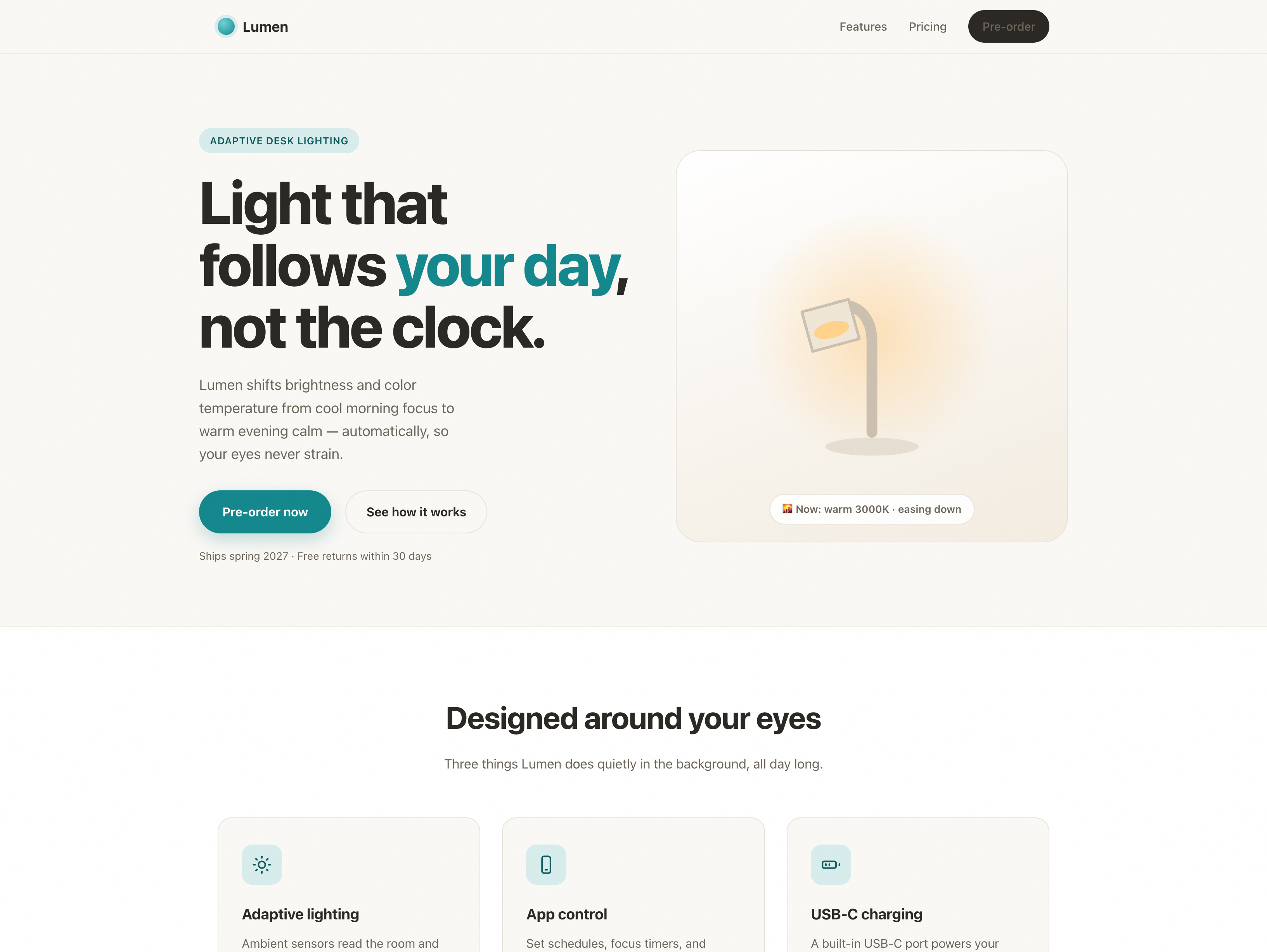
One file, any host — the page goes wherever you need it.
Tip: If you update the page later, re-export and the same URL shows the new version — no rebuild, no redeploy pipeline.
You didn't touch a website builder. You didn't write a line of code. You described a product in plain language, and QwenWork built, verified, and refined a real page — then handed you a file you can put anywhere.
That's the pattern for a lot of the work that quietly eats your week: describe the outcome, review it, let it run.
DeepSeek-V4.1-Flash-1017 Is Now on Alibaba Cloud Token Plan: How to Build with It from $6 a Month

1,573 posts | 525 followers
FollowAlibaba Cloud Community - October 23, 2026
Alibaba Cloud Community - October 23, 2026
Alibaba Cloud Community - October 14, 2026
Alibaba Cloud Community - September 4, 2026
Alibaba Cloud Community - October 23, 2026
Alibaba Cloud Community - August 3, 2026
1,573 posts | 525 followers
Follow Token Plan
Build more, spend less. One plan, every modality.
Learn More QwenWork
QwenWork is dedicated to helping employees strengthen their professional competitiveness in the AI era and to enabling enterprises to improve organizational effectiveness.
Learn More Qwen
Qwen
Full-range, open-source, multimodal, and multi-functional
Learn More Wan3.0
Unleash Your Creativity Try Wan 3.0 now — longer narratives, greater control, endless creativity.
Learn MoreMore Posts by Alibaba Cloud Community

