DSW (Data Science Workshop) is a cloud-based AI development IDE. It supports three development environments—Notebook, VSCode, and Terminal—and includes pre-built images for popular AI frameworks such as PyTorch and TensorFlow. You can mount OSS, NAS, and CPFS datasets, and use heterogeneous compute resources to fit your workload.
Product overview
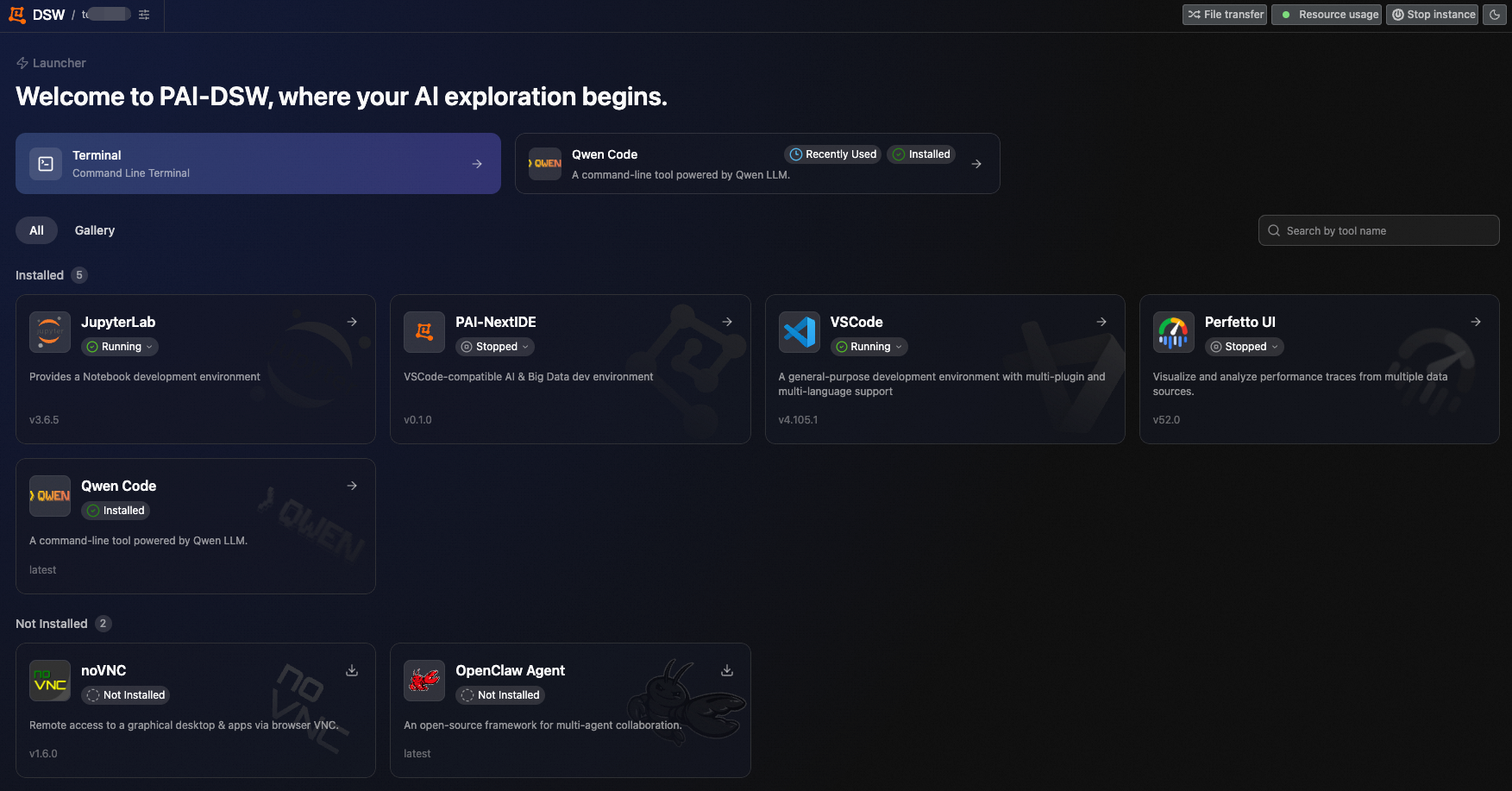
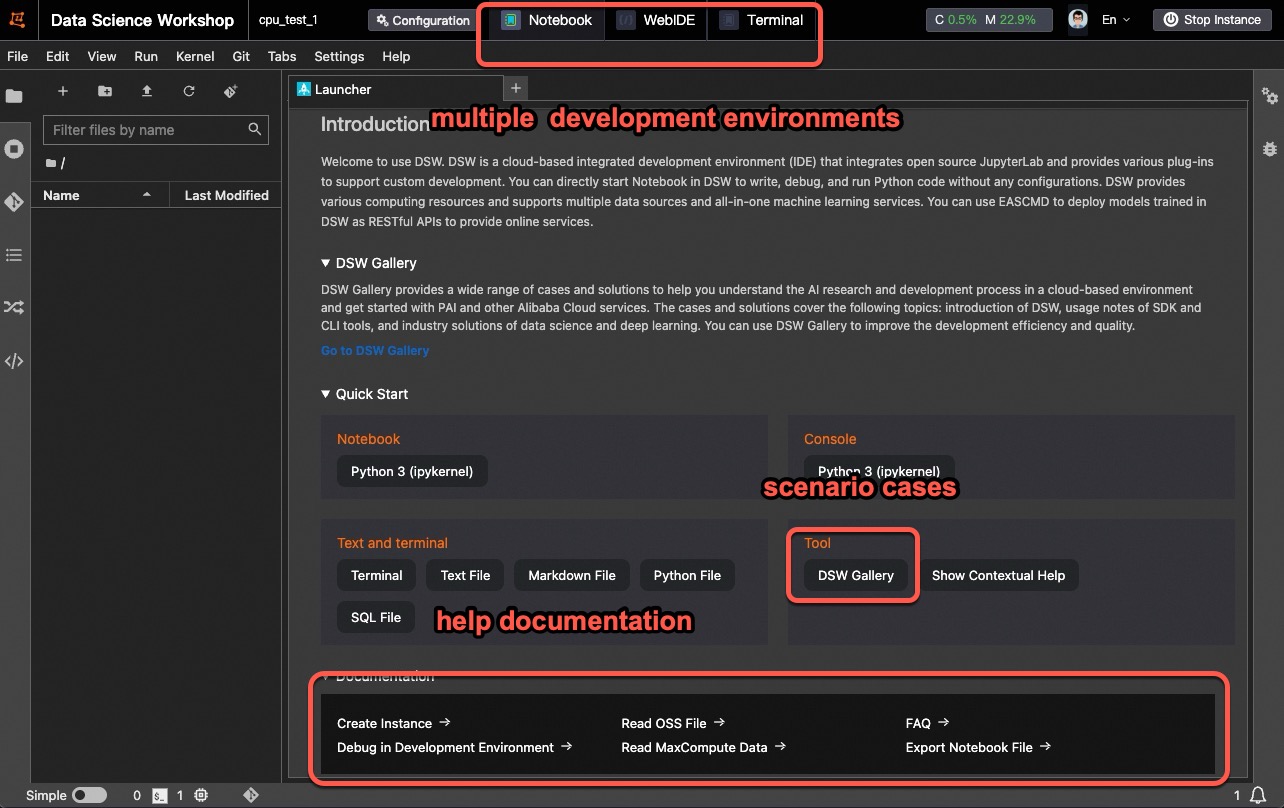
The DSW development environment includes two interface versions: New version and Old version.
New version
Old version
Benefits
Flexible and easy to use: Integrates multiple development environments and pre-built images for popular open-source frameworks including PyTorch and TensorFlow. Supports heterogeneous compute resources through public resource pools and dedicated resource pools (general-purpose compute or Lingjun intelligent computing resources).
End-to-end AI development: Integrates PAI-DLC for distributed training and PAI-EAS for online model serving, covering the full AI development lifecycle from data processing and development to model training and deployment.
Granular resource management: Scheduled shutdown and idle shutdown reduce costs by stopping instances when they're not in use. Workspace-level resource allocation and reclamation give you full control over compute resources.
Scenario-based tutorials: Notebook Gallery Tutorials covering LLMs and AIGC let you get started quickly or extend existing examples.
Features
Instance management
Create a DSW instance: To create a DSW instance, choose the resource type, mount datasets, and configure a custom image.
Access and manage DSW instances: Manage your DSW instance from the console: stop, release, or reconfigure it.
Instance RAM role: Associate a RAM role with the instance to access other cloud resources using STS temporary credentials. This eliminates the need for long-lived AccessKey credentials and reduces the risk of credential exposure.
Development environments
Perform AI coding in DSW: Built-in AI coding toolkit that integrates Qwen Code, OpenCode, Claude Code, CodeX, Hermes, OpenClaw, and other tools for AI-assisted coding.
Manage third-party libraries: Manage and install third-party Python libraries or software packages.
TensorBoard training visualization: Use the TensorBoard plugin to visualize metrics and information during model training.
Deploy a model as an online service: Deploy your model as an online service with PAI-EAS for elastic scaling, version control, and resource monitoring.
Manage sub-containers with DockerBoard、Use Docker in DSW: Create and manage secondary containers within a DSW instance.
Data access and mounting
Mount a dataset, OSS, NAS, or CPFS: Mount datasets or OSS, NAS, and CPFS paths to expand instance storage, persist data, and access data files.
Read and write data in OSS: Read and write OSS data files from within a DSW instance using the API or SDK.
File upload and download: Transfer data and models between your local machine and the instance.
Network configuration
Remote connection: Direct SSH connection: SSH remote connections let you develop locally while using DSW's compute resources.
Improve internet access with a private gateway: Create a public NAT gateway and bind an elastic IP address (EIP) to the VPC where the instance runs, improving upload and download speeds.
Access services in an instance over the public network: Access services running inside the instance from within a VPC or over the internet, for model testing and validation.
Pull models or container images from overseas regions: Configure Global Accelerator (GA) for DSW to speed up downloading container images (such as docker.io images) or models (such as Hugging Face models) from international sources.
Billing
Compute instances
Instance types include public resource pools and dedicated resource pools (general-purpose compute or Lingjun intelligent computing resources), each with a different billing method.
Instance type | Billing method | Billable item | Billing rules | Stop billing |
Public resource pool | Pay-as-you-go | DSW instance service duration (the time the instance uses shared compute resources). | Billed by the service duration of the DSW instance when using public resource pools. Important Billing note: DSW instances are billed per minute, with invoices generated hourly. Due to data aggregation and processing, your bill may be delayed by 2–3 hours. For accurate charges, refer to the final invoice. | Stop or delete the DSW instance. Important Stopping an instance requires a manual stop or a scheduled shutdown. For details, see Manage DSW instances. |
Dedicated resource pool (general-purpose compute or Lingjun intelligent computing resources) | Subscription (monthly or yearly) | Number of purchased node specifications and subscription duration. | Billed by the number of node specifications purchased and the subscription duration. For details, see Billing of AI computing resources. | Cancel the subscription. |
System disk
Billing method | Billable item | Billing rules | Stop billing |
Pay-as-you-go | System disk capacity and usage duration. | A free quota is provided based on the instance type and specification. The disk can be expanded; the expanded portion is billed by capacity and usage duration. | Delete the DSW instance. |
For more billing details, see DSW billing. For billing statements, see View PAI billing details.
Quick start
If you're new to DSW, start with Quick start: Interactive modeling with DSW, a tutorial that walks you through handwritten digit recognition with MNIST.
Get help
DSW FAQ: For issues such as instance startup or shutdown failures, billing questions, free trial release, remote connection failures, slow download speeds, or public access to DSW, see DSW FAQ.
Ask PAI Assistant (Agentic PAI): Click the
 icon in the upper-right corner of the PAI console to launch the PAI AI Assistant (Agentic PAI). Agentic PAI provides user manuals and operational guidelines for end-to-end PAI products. It supports O&M diagnostics for DSW instances, DLC tasks, and EAS services, automatically identifying the root causes of failures and providing troubleshooting recommendations.