December 2024
NO | Feature Description | Notes |
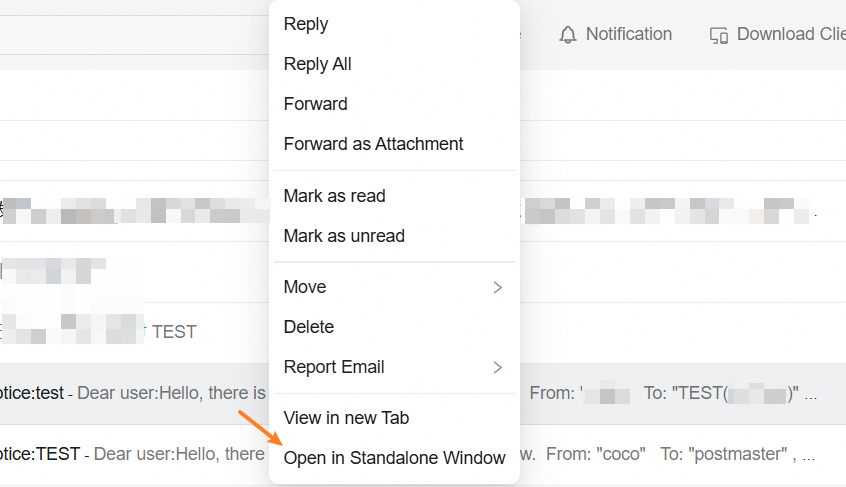
1 | The WebMail 5.1 supports opening email conversations in a separate window |
|
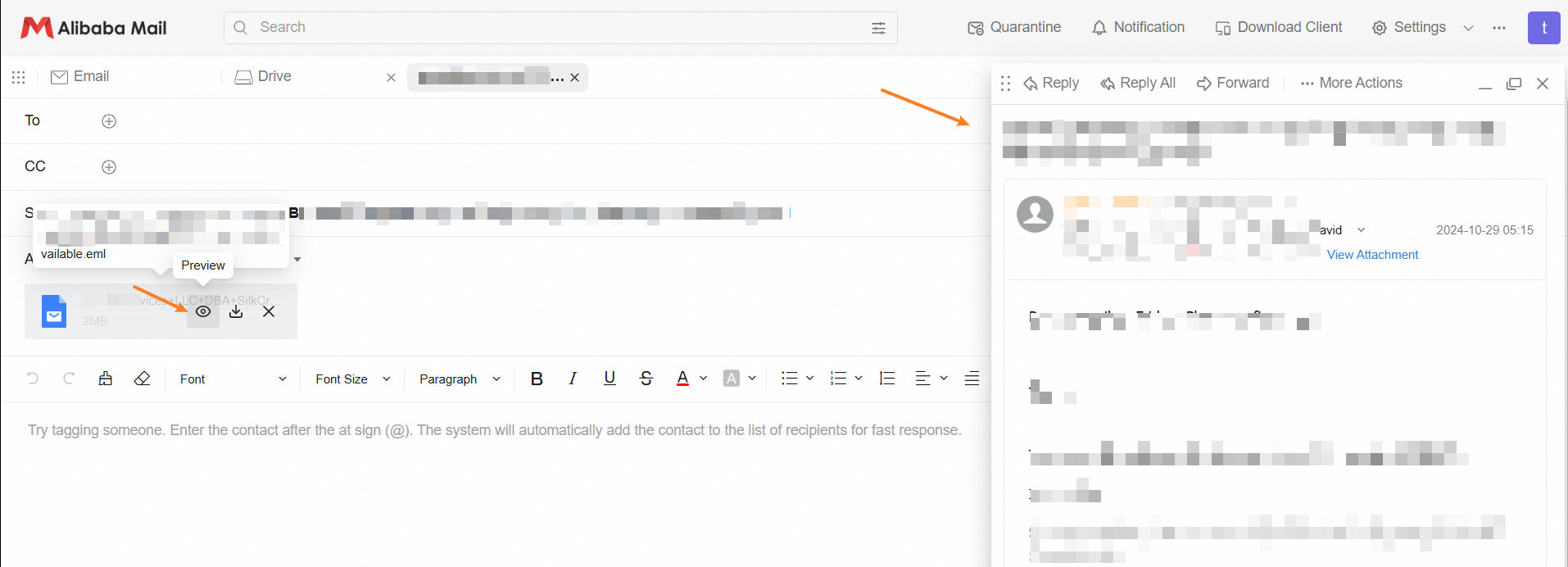
2 | The WebMail 5.1 supports eml attachment preview when composing emails |
|
3 | The WebMail 5.1 supports closing the email detail page after switching between full-width/three-column view | |
4 | The new read page in WebMail 5.1 supports marking conversations or individual emails as "Read/Unread" in the conversation detail menu | |
5 | The WebMail 5.1 supports automatically expanding the email if there is only one email in the conversation | |
6 | The WebMail 5.1 supports closing the email detail/conversation detail in the main view when opening/closing conversation mode | |
7 | The WebMail 5.1 supports automatically expanding subfolders when clicking on a folder in the sidebar (grayscale) | |
8 | The WebMail 5.1 supports graying out the attachment preview print button before displaying it (grayscale) | |
9 | The WebMail 5.1 adds an import method for contacts in the address book | |
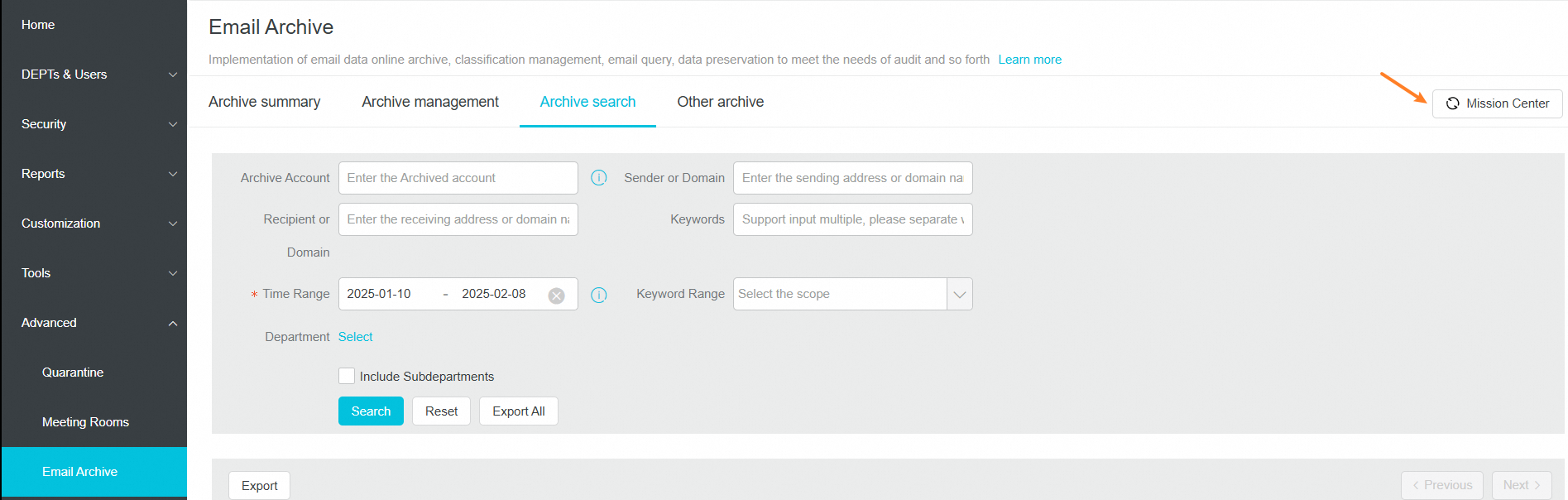
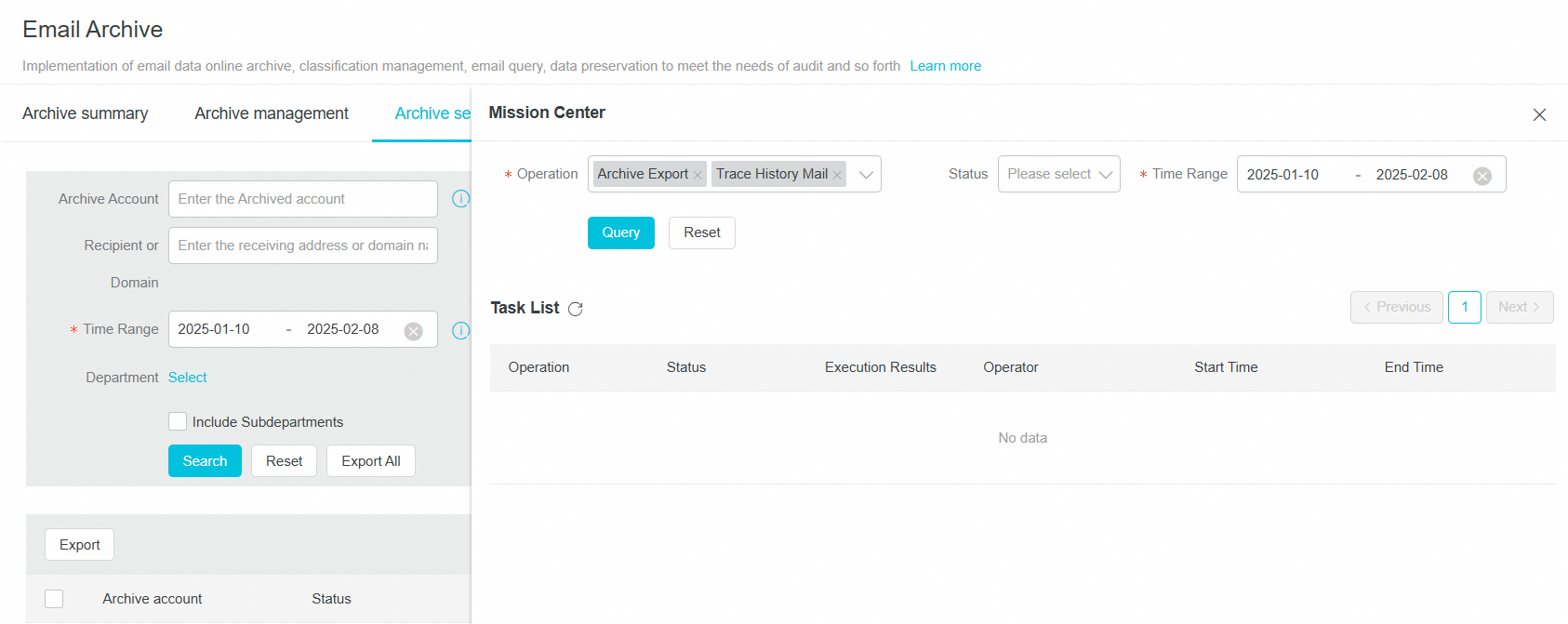
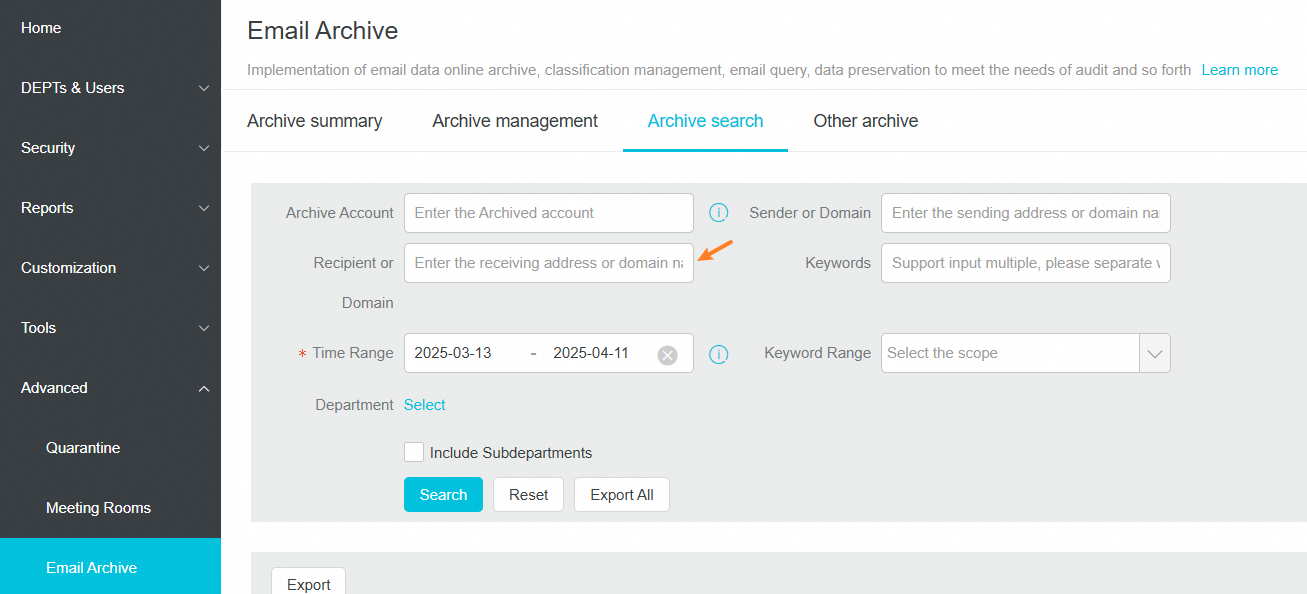
10 | The email management platform supports fuzzy search for sender and recipient email addresses and domain names in archive search query conditions, and supports multi-keyword search |
|
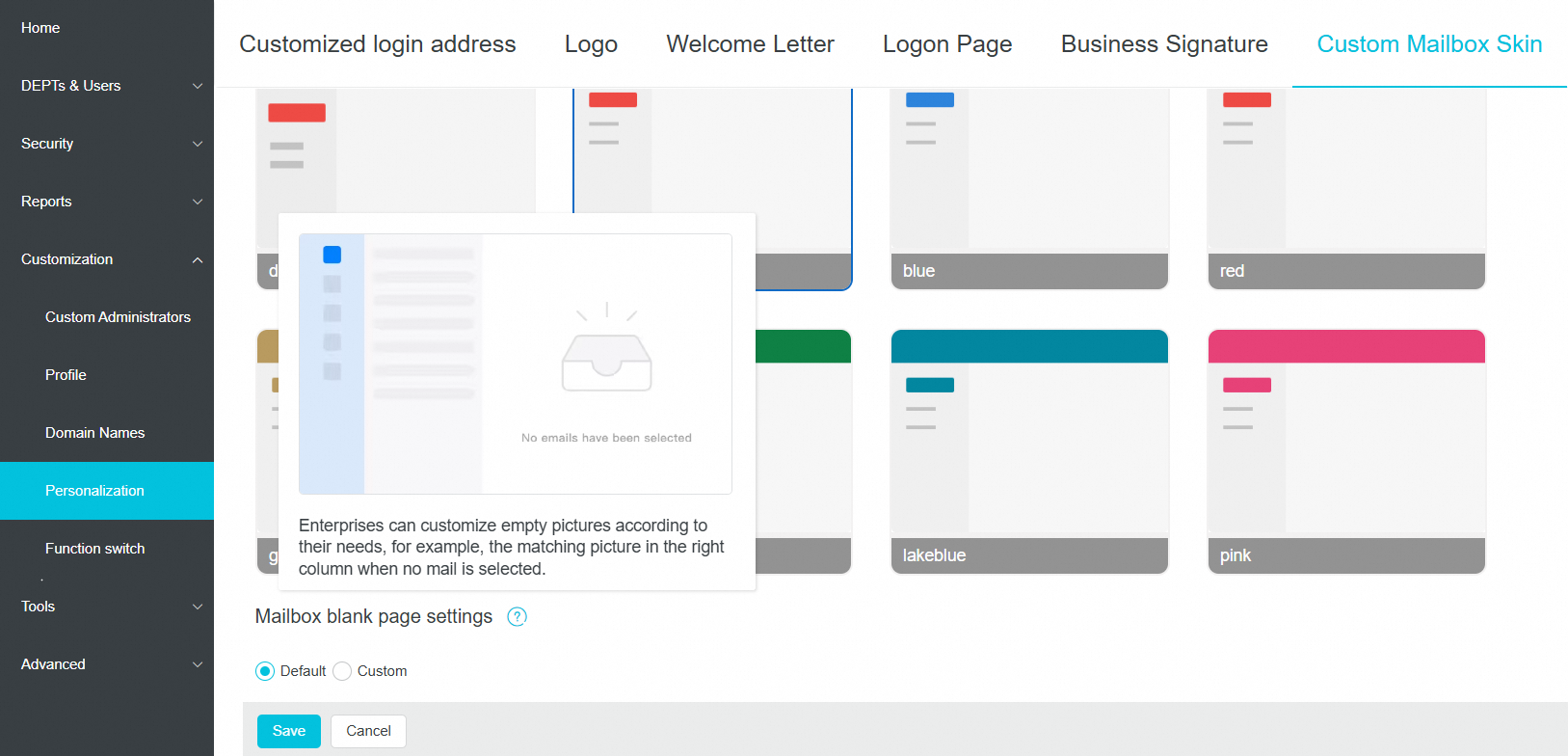
11 | The email management platform supports customizing images for the webmail blank page |
|
12 | The email management platform adds guide for the Quarantine function | |
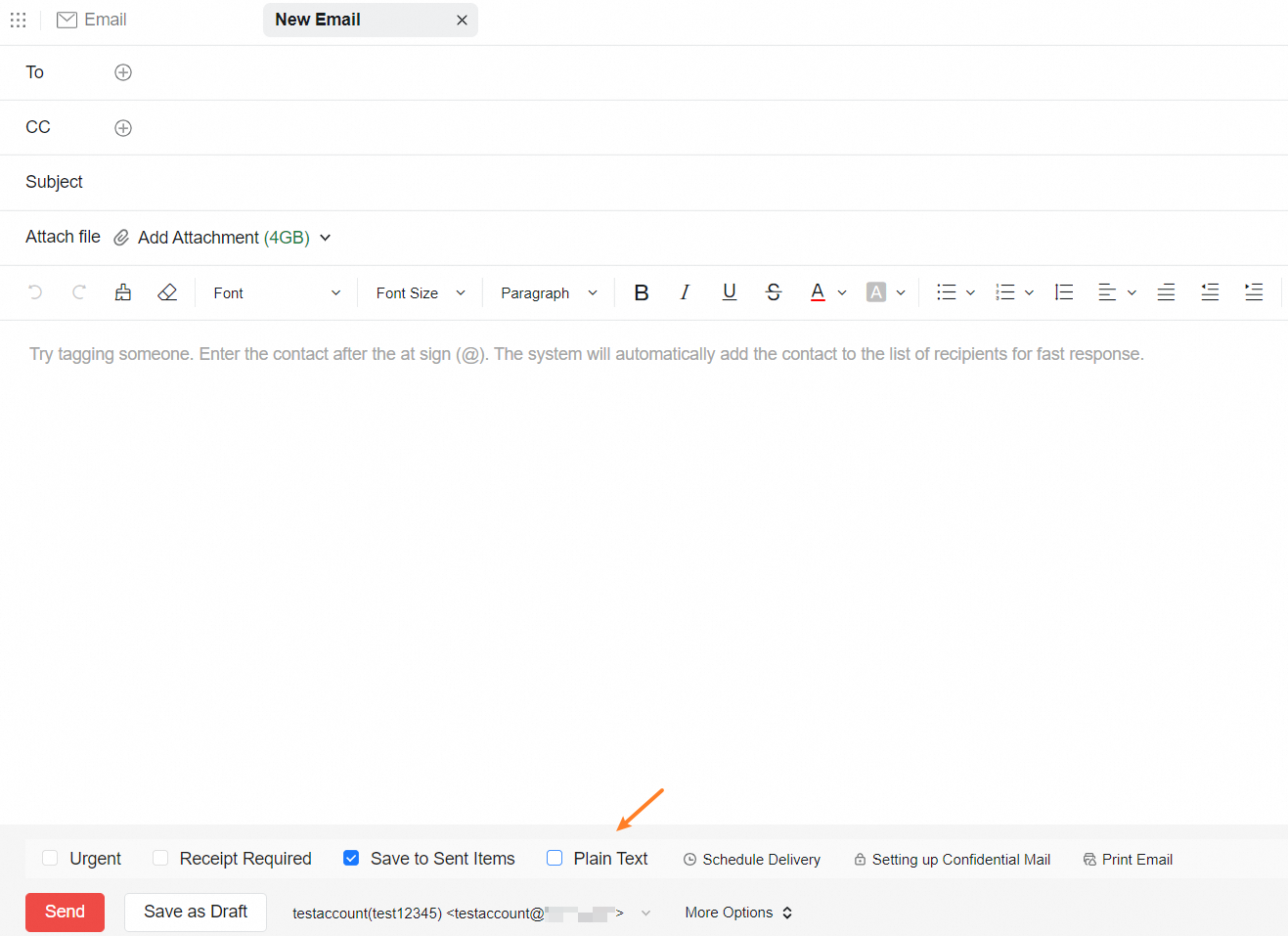
13 | The Alibaba Mail client desktop version supports the "Plain Text" option on the email compose page |
|
November 2024
NO | Feature Description | Notes |
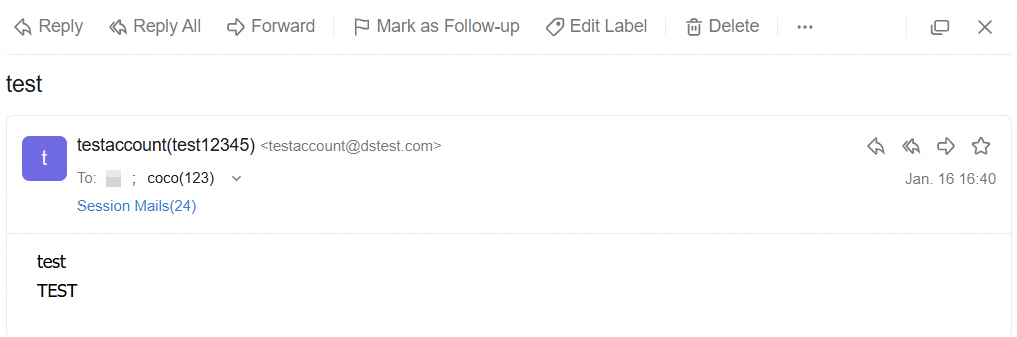
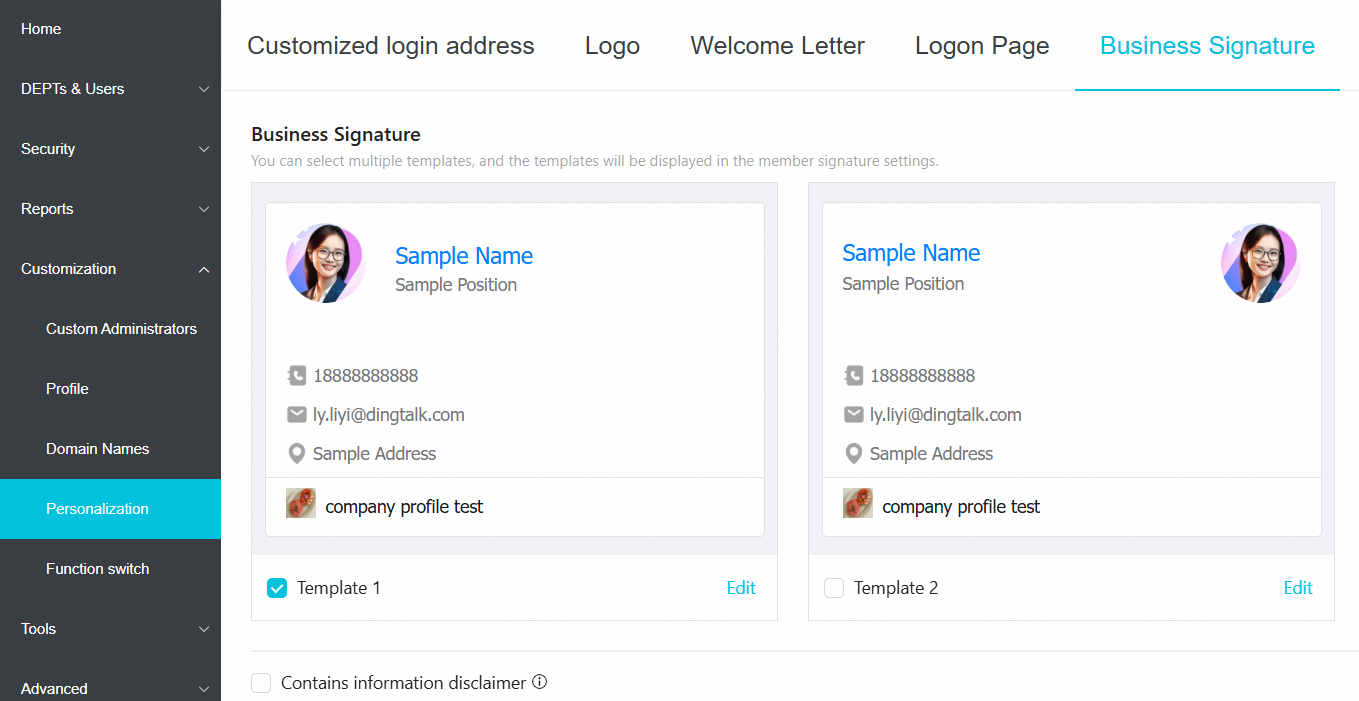
1 | The WebMail 5.1 supports enterprise signatures for users |
|
2 | The WebMail 5.1 supports adding remarks for devices in device management |
|
3 | The WebMail 5.1 modifies the prompt text in the device management list |
|
4 | The WebMail 5.1 changes the send button text to "Times Transmission" when scheduling emails |
|
5 | The WebMail 5.1 defaults to using the new email detail page |
|
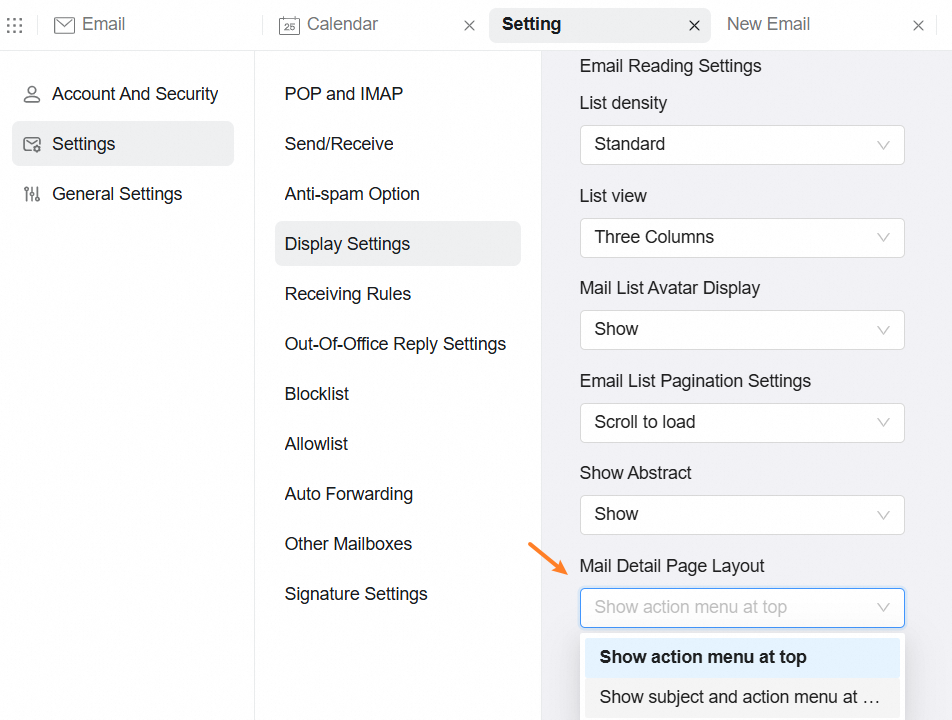
6 | The WebMail 5.1 changes the setting item "Email Reading Page Header" to "Email Reading Page Layout" in "Settings - Mail Settings - Display Settings" |
|
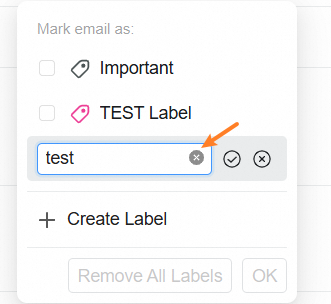
7 | The WebMail 5.1 supports clearing input box content by clicking the clear icon in scenarios like creating folders, tags, and renaming |
|
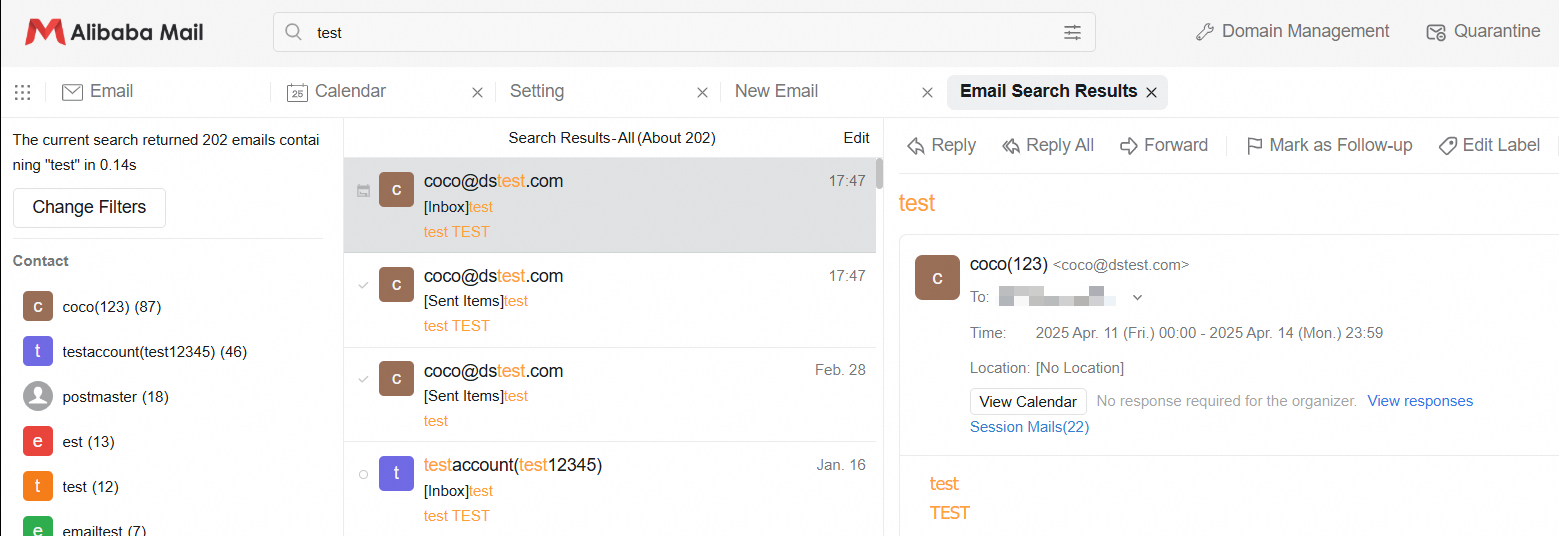
8 | The WebMail 5.1 supports highlighting keywords in the email body/title/attachments during search (only supports high version browsers, Chrome >= 105, Safari >= 17.2) |
|
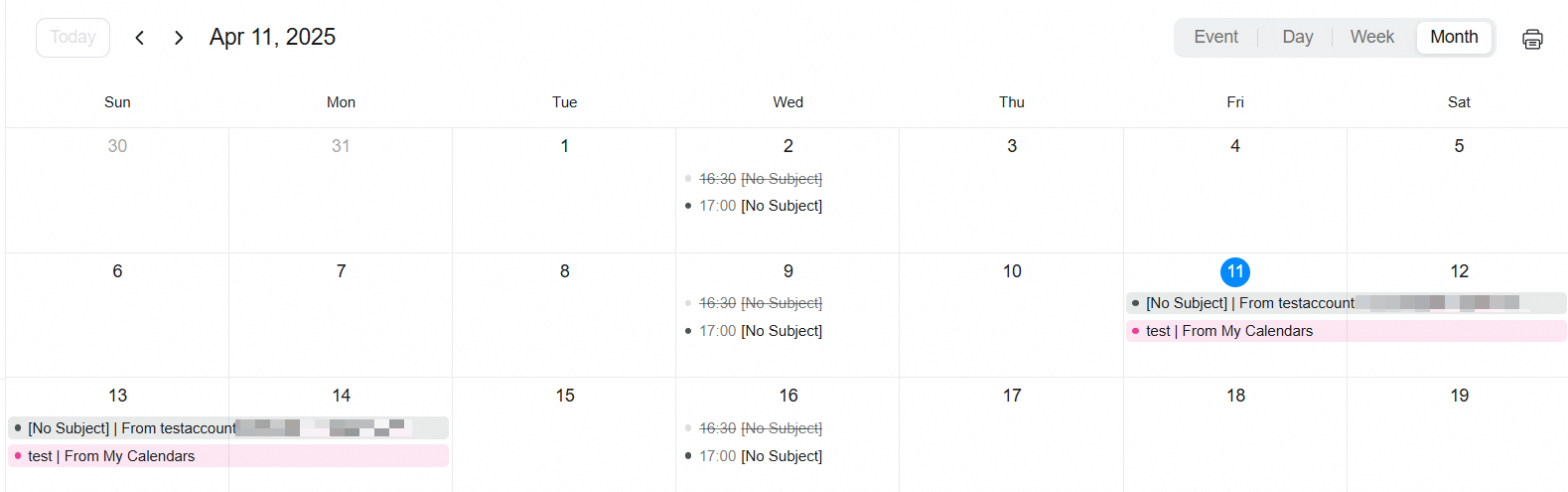
9 | The WebMail 5.1 defaults to displaying the background color for cross-day and all-day events in the calendar month view |
|
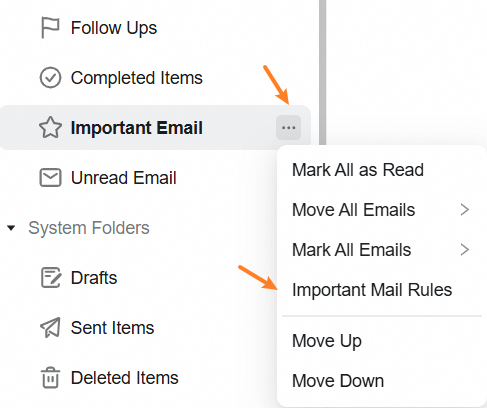
10 | The WebMail 5.1 supports important email rules |
|
11 | The WebMail 5.1 optimizes the display method and input box display effect for single logon method on the logon page | |
12 | The WebMail 5.1 adjusts the number of blank lines between the body and the quote when replying/forwarding emails to 2 lines | |
13 | The WebMail 5.1 optimizes the image preview scaling experience to make scaling more linear | |
14 | The email management platform supports setting enterprise signatures |
|
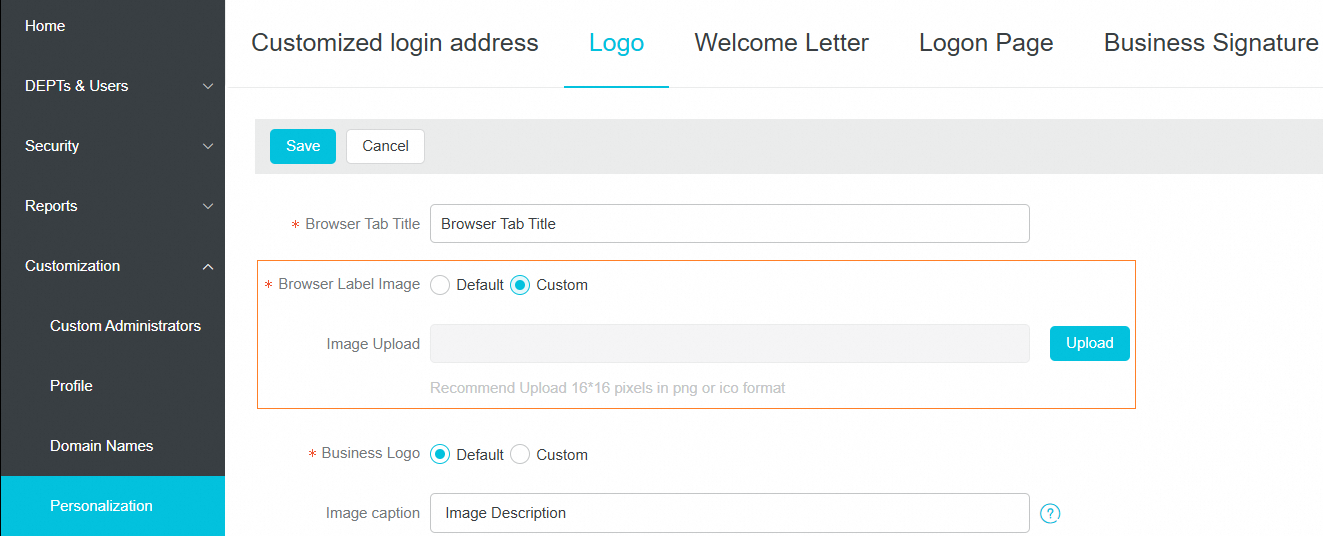
15 | The email management platform supports setting browser tab images |
|
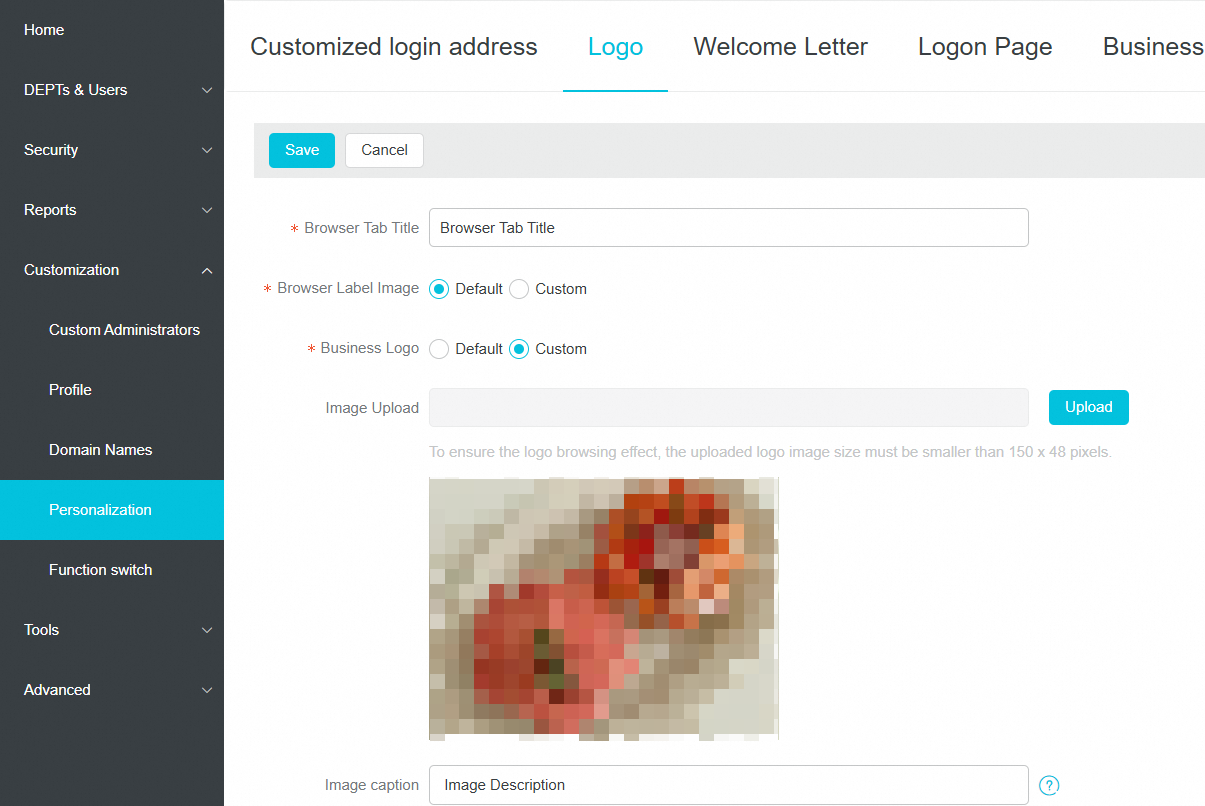
16 | The email management platform improves the functionality of customizing the interface logo page |
|




October 2024
NO | Feature Description | Notes |
1 | The mailbox management backend supports secure password control | |
2 | The mailbox management backend quarantine area supports setting control range | |
3 | The mailbox management backend supports hierarchical administrators accessing the organization quarantine area | |
4 | The mailbox management backend optimizes the new/edit dynamic group page | |
5 | The mailbox management backend optimizes the display of creator information when editing email groups | |
6 | Web version 5.1 supports pagination mode in the email list | |
7 | Web version 5.1 optimizes compatibility with some devices when composing emails, where pressing Enter after expanding the input method directly selects the current item | |
8 | Web version 5.1 optimizes calendar sharing by adding people and permissions | |
9 | Web version 5.1 optimizes the traditional Chinese text when dragging files in the editor | |
10 | Web version 5.1 supports printing emails while composing | |
11 | Web version 5.1 upgrades the contact selection component | |
12 | Web version 5.1 optimizes the logon page style | |
13 | Web version 5.1 supports batch adding organization contacts to address book groups | |
14 | Web version 5.1 supports drag-and-drop file upload in the cloud drive |
September
NO | Features | Usage Notes |
1 | Optimized the loss of width limits when forwarding specific email styles in the email management background. | |
2 | Optimized the problem that it shows Sending in the delivery status after approved by the auditor in the Webmail Version 5.1. | |
3 | Optimized of the problem of invalid links still displayed as link styles when email rendering in the Webmail Version 5.1. | |
4 | Optimized the problem of error in forwarding schedule emails when there is no organizer in the Webmail Version 5.1. | |
5 | Optimized the issue of table alignment in letters, where it is set to center or right-align but not displayed as such when viewed in the Webmail Version 5.1. | |
6 | Fixed the problem of contact number not changing when clicking shared group in the address book in the Webmail Version 5.1. | |
7 | Fixed the problem where not all email group are displayed from search results in the Webmail Version 5.1. | |
8 | Support exporting login logs, email logs, and operation logs from the task center in the email management background. | |
9 | Optimized the problem of abnormal form style in some browsers when creating a public account in the email management background. | |
10 | Optimized the problem of inaccurate time range when exporting email archives for the entire period in the email management background. | |
11 | Optimized the issue of not displaying the reminder that the email is not sent by the sender in the desktop client. |
August
NO | Features | Usage Notes |
1 | The mail log query time span is changed from 7 days to 30 days in the domain management background. | |
2 | Optimize to whether allow the use of third-party clients and the validity range can be set in the Account Security Strategy of domain management background. | How to Enable or Disable the Third-party Client Access Feature? |
3 | Support enabling or disabling the group, large attachments, and Drive functions in the domain management background. | |
4 | Only authorized departments are allowed to be seen when searching for archived emails in the domain management background. | |
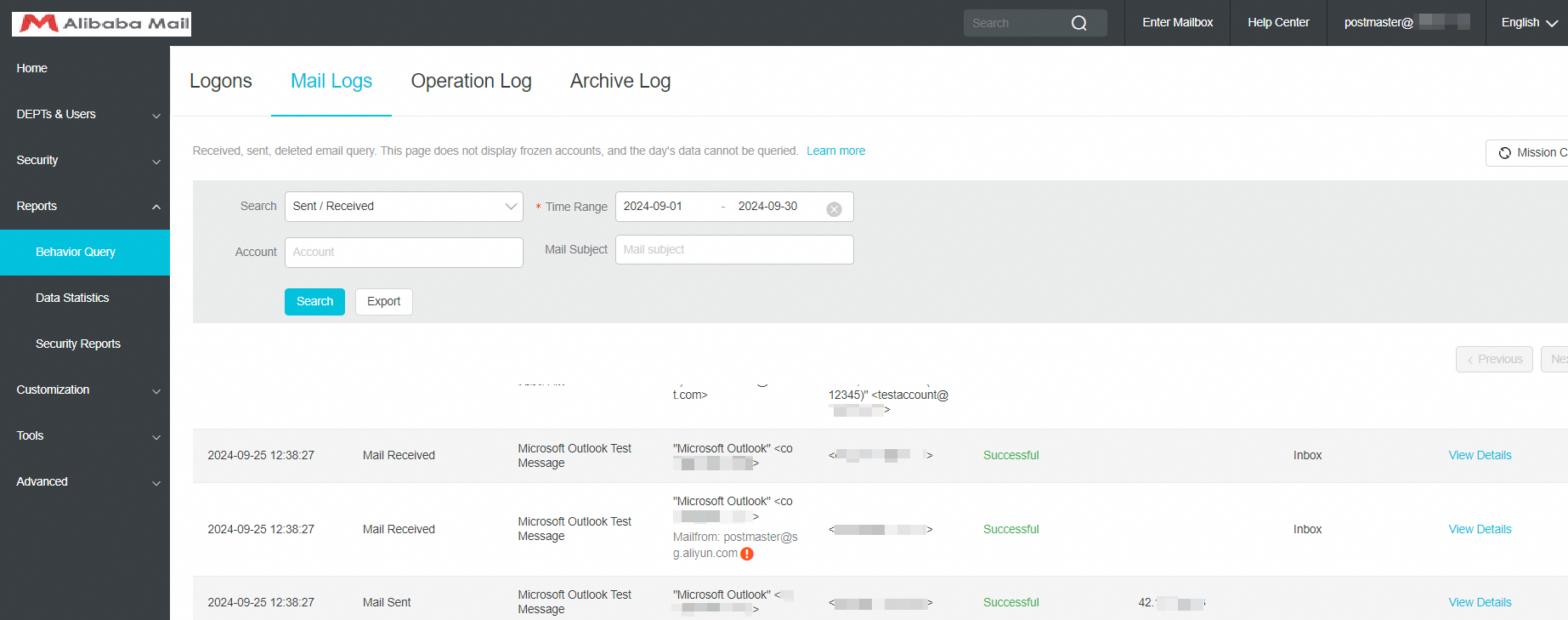
5 | Email Recall and Mail Log lists support the display of mailFrom information in the domain management background. |
|
6 | Optimize the issue that do not take effect when exporting archived emails based on department in the domain management background. | |
7 | Optimize the problem of inconsistent data after email archive search and export in the domain management background. | |
8 | Optimize Email Archive search problem that the check status of the list is not reset when switching between archive email addresses/searching/successfully exporting selected emails in the domain management background. | |
9 | Address editor xss security vulnerability risk in the domain management background. | |
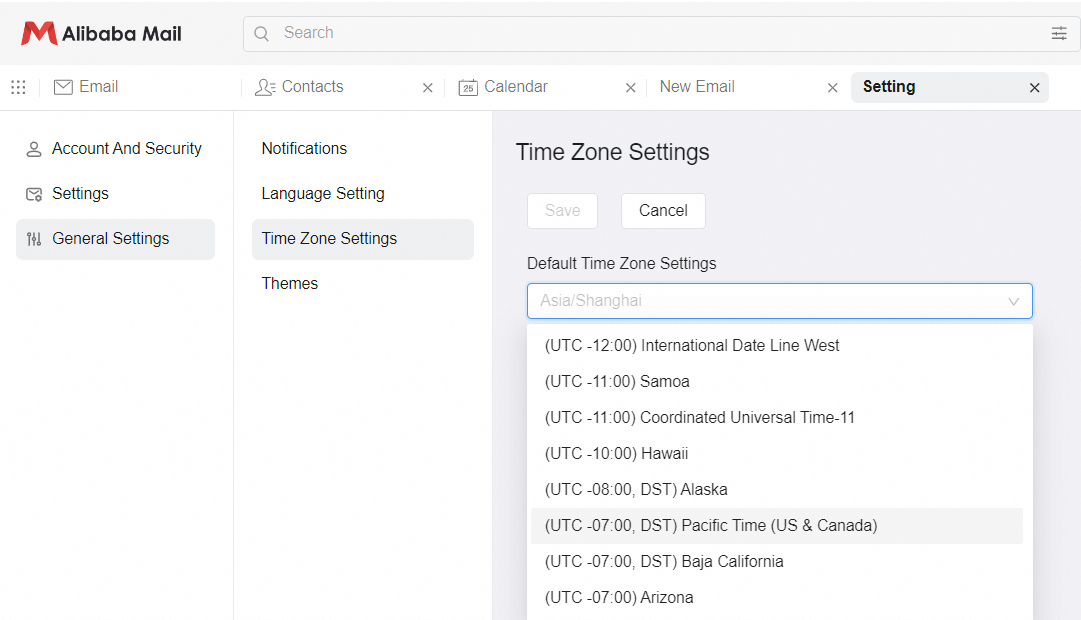
10 | Display the DST identifier for the time zones that currently use the DST in the Time Zone Settings of Webmail Version 5.1. |
|
11 | Block the Select from Drive option when closing the Large Attachment function in the Webmail Version 5.1. | |
12 | Optimize the issue where the number of failed retractions is displayed incorrectly when email partial retractions are successful in the Webmail Version 5.1. | |
13 | Optimize the custom link style exception in the top navigation bar in the Webmail Version 5.1. | |
14 | Optimize the issue that the @function of the text of the email writing page may not take effect when the Chinese input method is used on Windows devices in the Webmail Version 5.1. |
July
NO | Overview | Usage Notes |
1 | Optimize the advanced search in WebMail 5.1 | |
2 | Remove "Calendar Of" from the display name when accepting the shared calendar in the English page of WebMail 5.1 | |
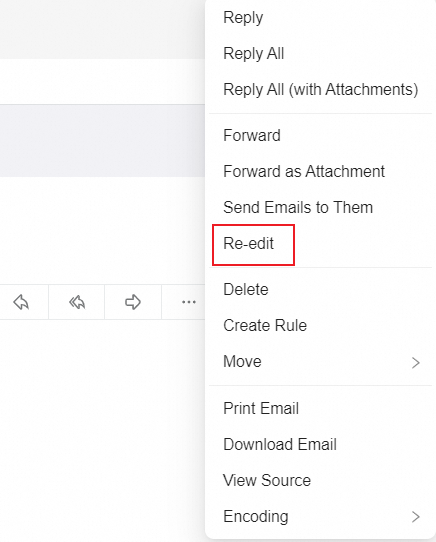
3 | Adjust the place of Re-edit function |
|
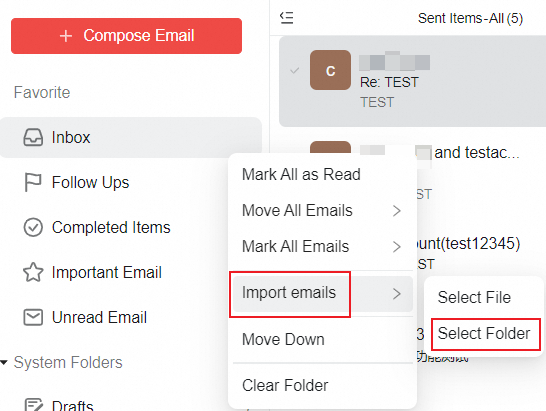
4 | Support selecting the folder when importing emails |
|
5 | Optimize the time zone issue while using schedule delivery | |
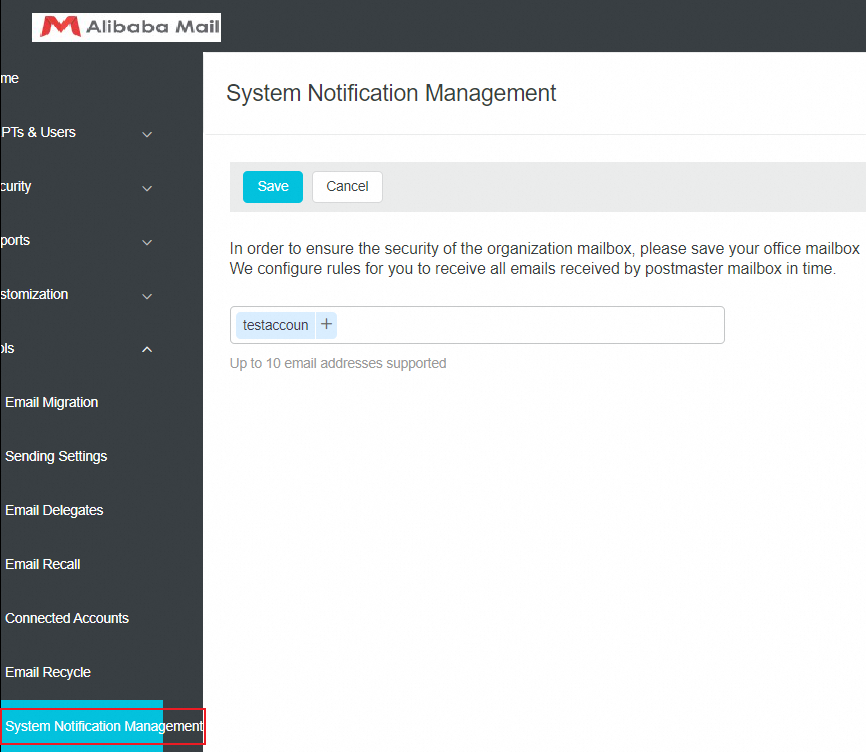
6 | Support setting the email account to receive the notification email in the Tools- Sytem Notification Management |
|
June
NO | Overview | Usage Notes |
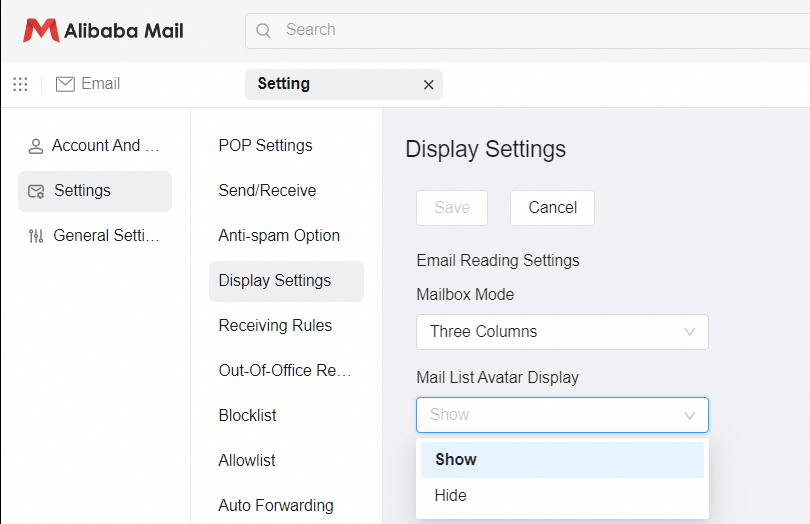
1 | Support whether to display the avatar of sender in the Mail List of WebMail 5.1 |
|
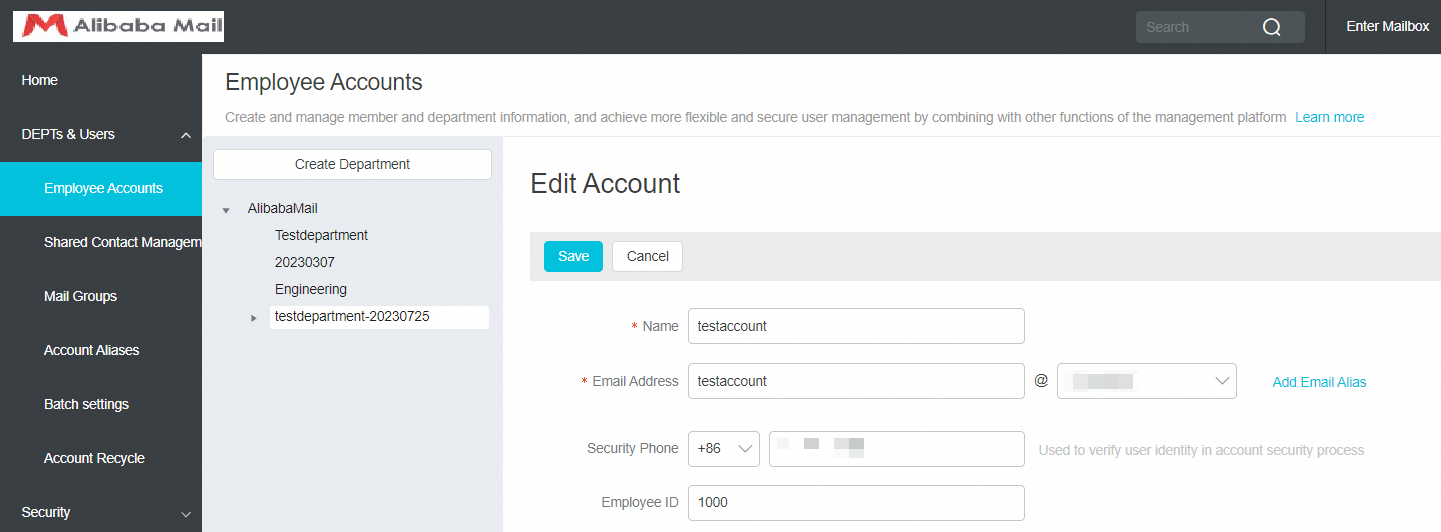
2 | Support filling in the security phone in the Edit Account page |
|
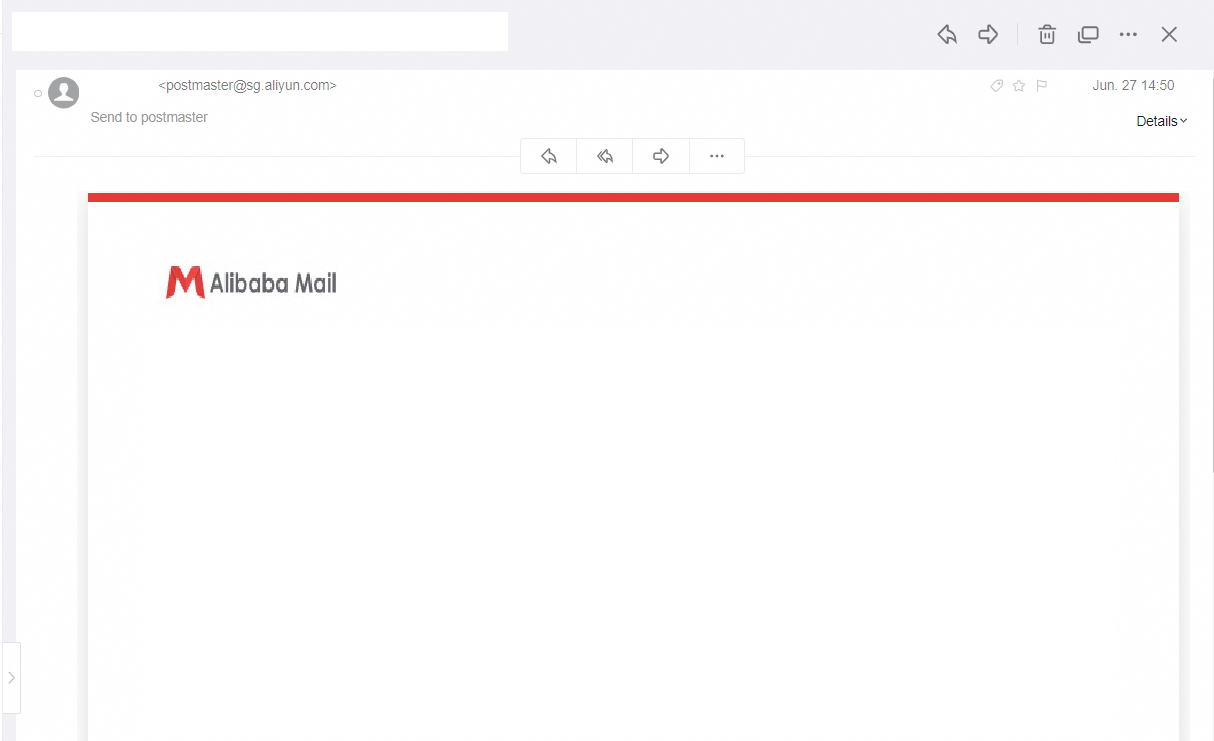
3 | The security upgrade notification email about enabling the third-party client security password |
|
May
NO | Overview | Usage Notes |
1 | Support exporting the data for 365 days from an archive account at a time in the domain management page | |
2 | Optimized display of attachment names when viewing emails in the Webmail | |
3 | Support variable for login address in system notification email |
April
NO | Overview | Usage Notes |
1 | Support batch import and export the shared contacts | |
2 | Trust the sender function optimization for WebMail 5.1 Version | |
3 | Address book naming optimization for WebMail5.1 |
March
NO | Overview | Usage Notes |
1 | Add the authenticator to the authentication method of two-factor authentication in the domain management page | |
2 | Add Export Import function to the batch settings in domain management page |
February
NO | Overview | Usage Notes |
1 | Support obtaining the DKIM public key configuration in domain management page directly by user | |
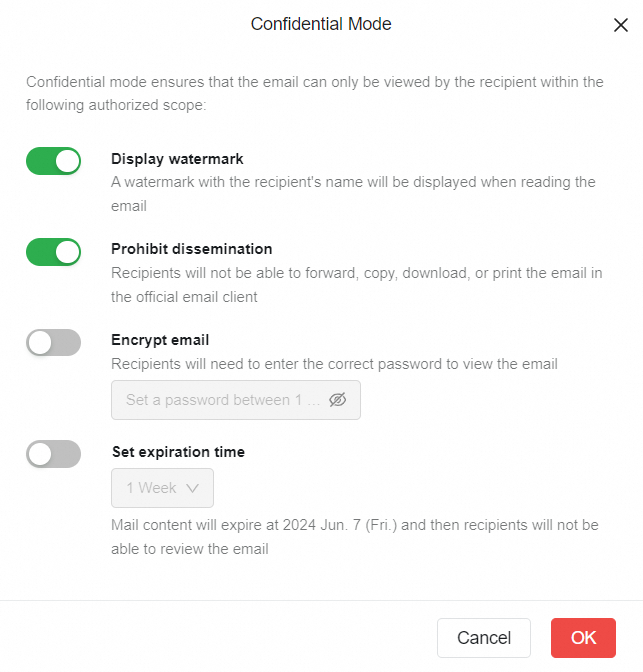
2 | Confidential email interface optimization in WebMail 5.1 version |
|
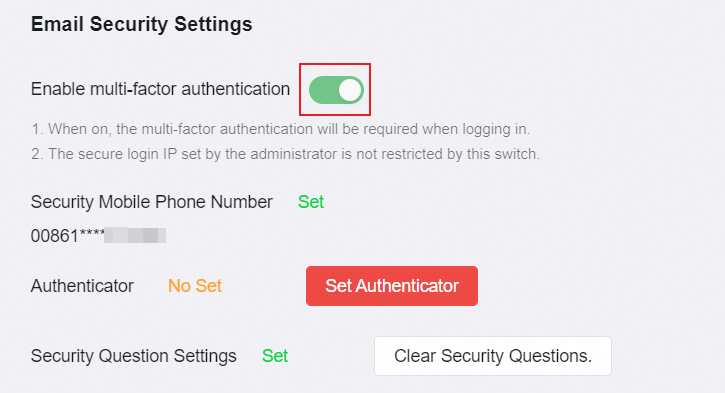
3 | Add the two-factor authentication switch to account and security settings in WebMail 5.1 |
|
4 | Forgotten password link optimization | |
5 | Weak password rule and password change process optimization |
January
NO | Overview | Usage Notes |
1 | Webmail login page optimization | |
2 | Optimization of the number of aliases created in domain management page | |
3 | User keep alive log initiated client display optimization in domain management page | |
4 | Custom administrator export account optimization in domain management page | |
5 | Custom administrator view DEPTs & Users Optimization | |
6 | Add the Mission Center for Archive search in domain management page |
|