All Products
Search
Document Center

Alibaba Mail:Security Password Management

Last Updated:Nov 25, 2024

This topic provides an overview of the security password management feature, which assists administrators in revoking passwords set by employees for third-party clients, thereby strengthening security in scenarios such as employee offboarding.

Feature Entry

  • Access point one: Under security management in the navigation bar, select Security Password Management.

image

  • Access point two: Navigate to Security - Account Security Strategy - Third-party Client Login Security, and enable the security password feature by toggling the switch on the right. Click Go to Manage User Security Password to proceed to Security Password Management.

image

Security Password Management

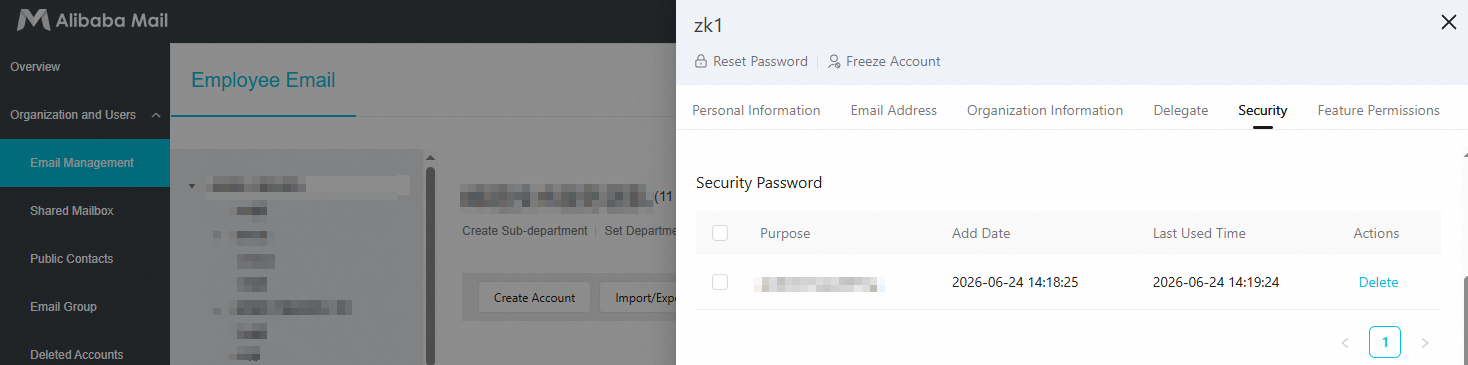
Delete specified security password

To search for an account, tap Query.

To remove a secure password, select it and tap Delete. The password will be invalidated, and any services using it will be inaccessible.

image

Hierarchical Permissions

Hierarchical administrators must be granted the Security Password Management permission to manage secure passwords.

image