Administrators with a postmaster account can query operation records, such as account deletions, from this page.
Account logon query
-
Log on to the mailbox management interface with an administrator account. Click Statistics & Logs >> Activity Query >> Account Logon Query.
-
Enter the account to query and select a time range. The maximum time range for a single query is 30 days. Records from the last 180 days are available. Select the query type and click Query.
-
Click Export to export the query results. Go to the Task Hub in the upper-right corner of the page to download the file.
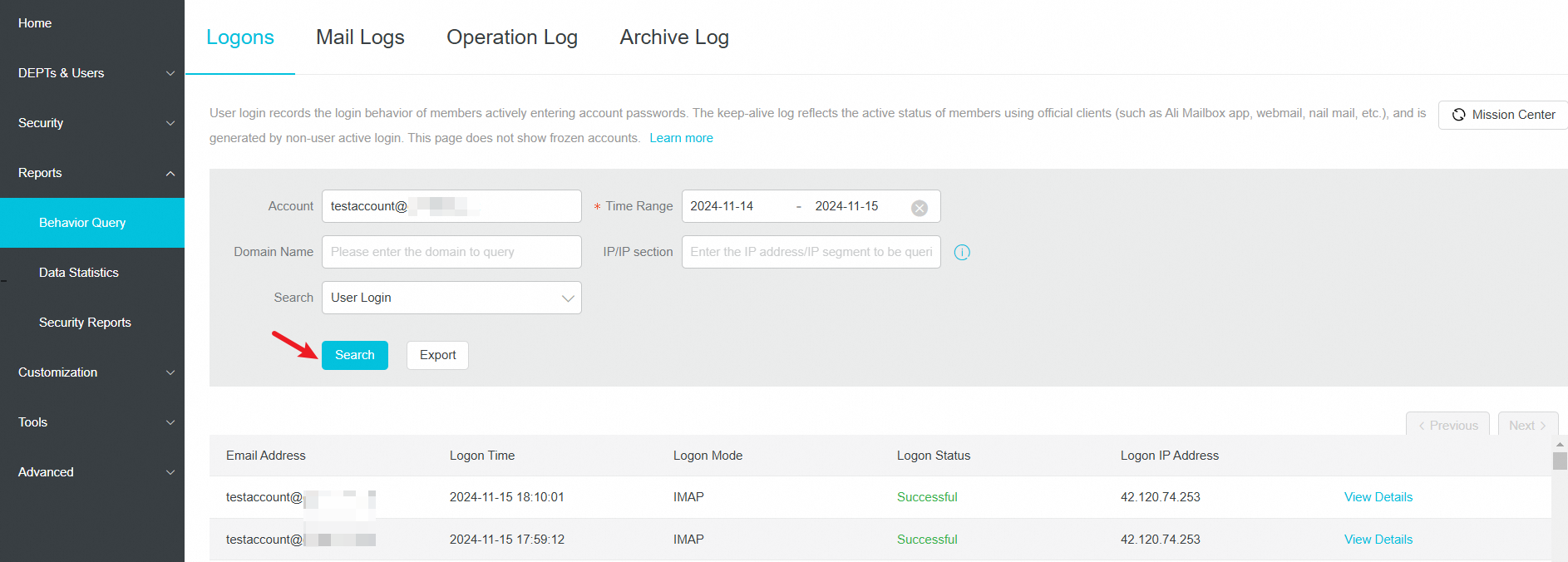
User keepalive: This feature maintains a user's logon status to prevent automatic logoffs or session timeouts due to inactivity.
Email log query
-
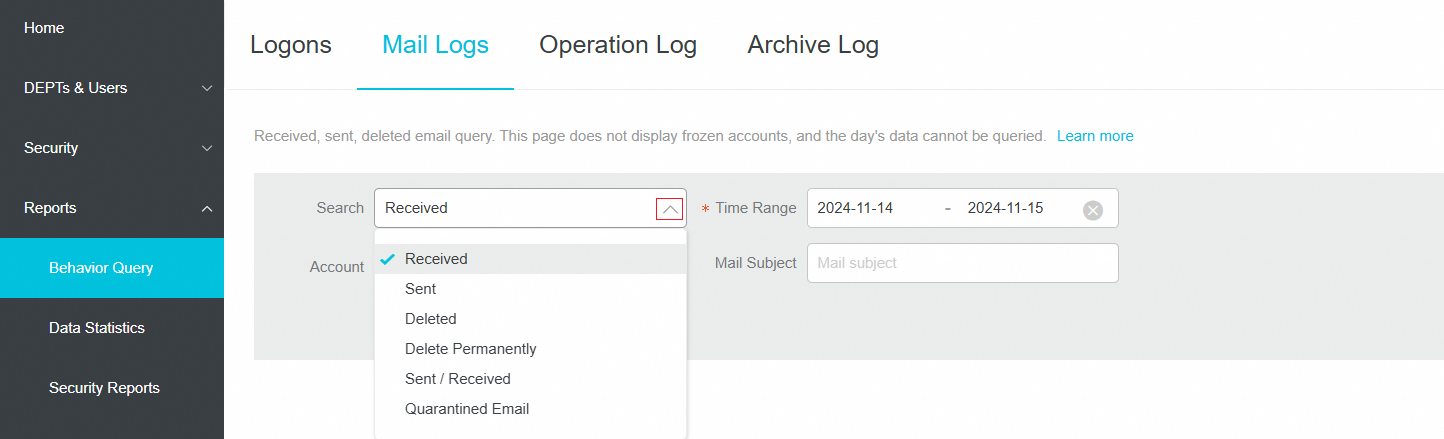
Log on to the domain management interface with an administrator account. Click Statistics & Logs >> Activity Query >> Email Log Query.
-
Select a query type.
-
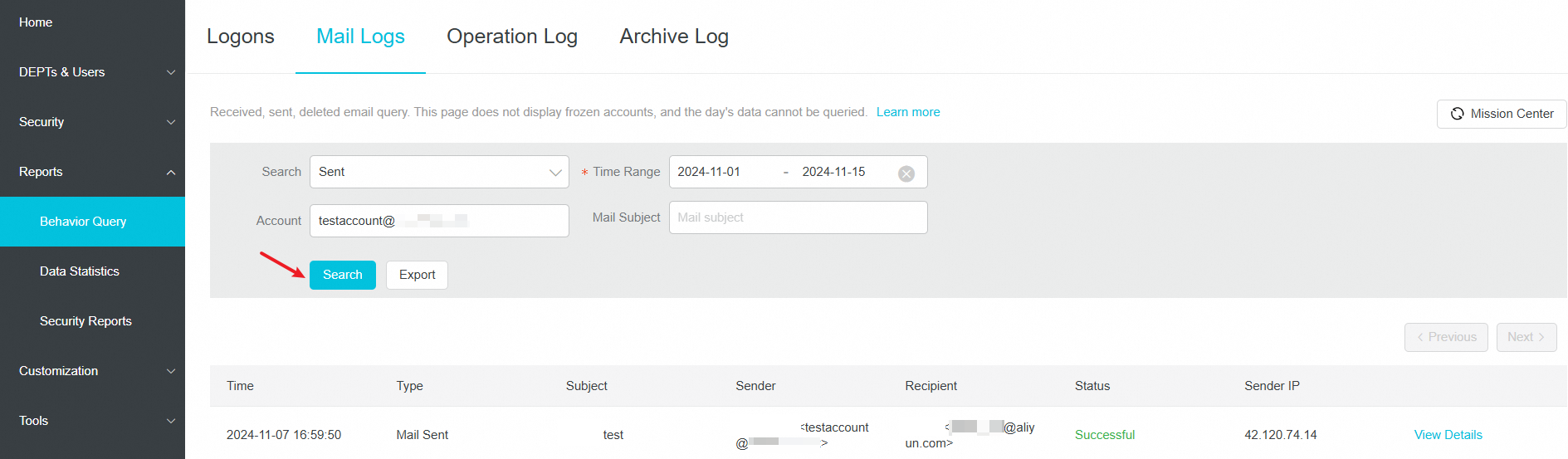
Select a time range. The time span cannot exceed 30 days, and data from the last 180 days is available. Optionally, specify the recipient, subject, source (internal/external), and sender address. Then, click Query.
-
Click Export to export the query results. Go to the Task Hub in the upper-right corner of the page to download the file.
For proxied emails, the sender address field displays both the 'Display address (From)' and the 'Real address (Mailfrom)', as shown in the screenshot.
The email logs available through Activity Query include only the time, type, subject, sender, recipient, success/failure status, and folder name. The full email body is not available. To view the full body of an email, use Mail archiving (requires the mail archiving service to be enabled).
You can still query the send and receive records of a frozen account through Email Log Query. After a sender's mailbox is frozen, recipients can still view the emails that they have already received from that mailbox.
Operation log query
-
Log on to the domain management interface with an administrator account. Click Statistics & Logs >> Activity Query >> Operation Log Query.
-
Enter the target account, select a query type, and select a time range. The maximum time range for a single query is 30 days, and records from the last 180 days are available. Click Query.
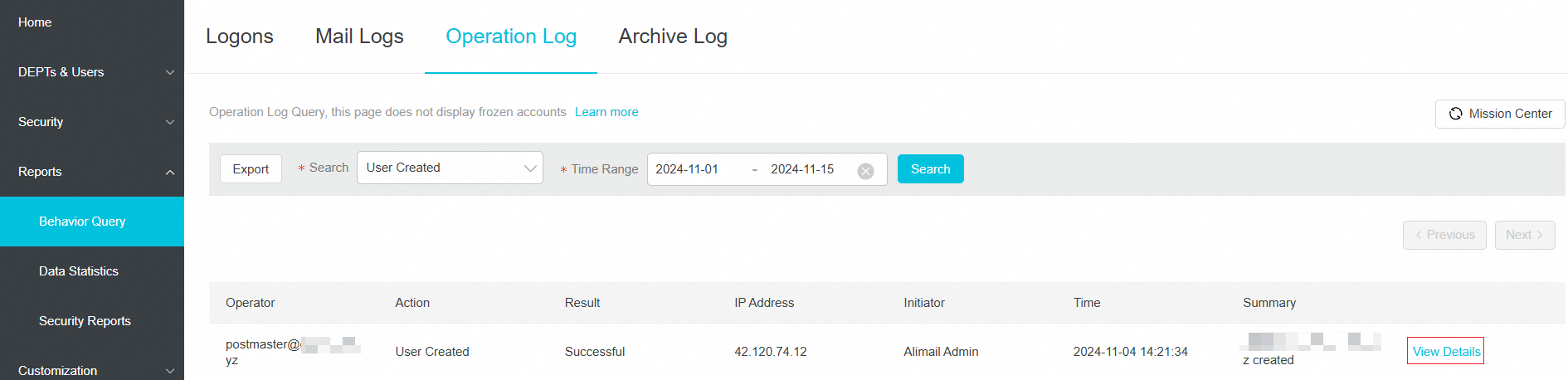 The log details provide more specific information. For more information, see Log field descriptions.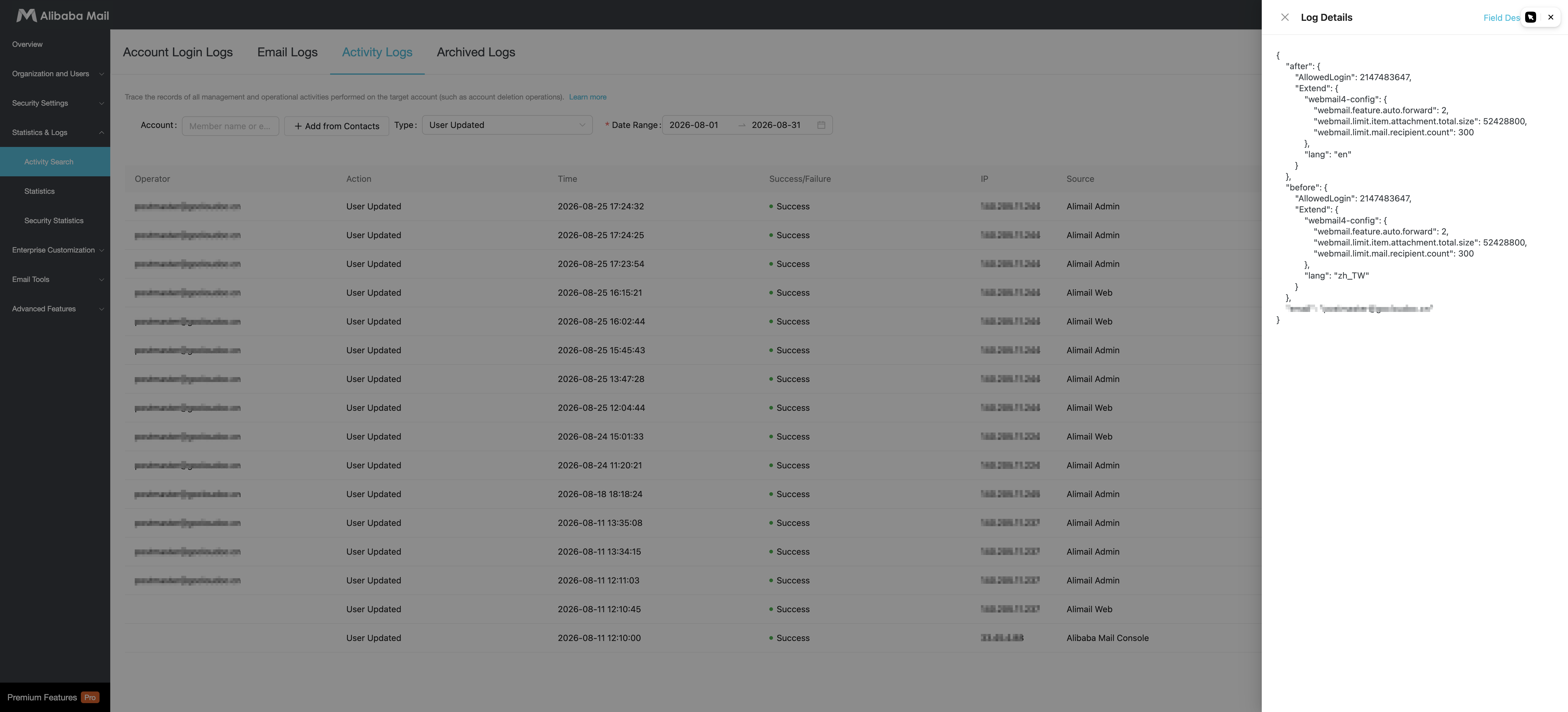
-
Click Export to export the query results. Go to the Task Hub in the upper-right corner of the page to download the file.
Querying Download attachment operation logs is supported only by the AI Premium Edition of Alibaba Mail. Other editions (Free, Standard, Group, and Premium) do not support this log type.
Archived log query
-
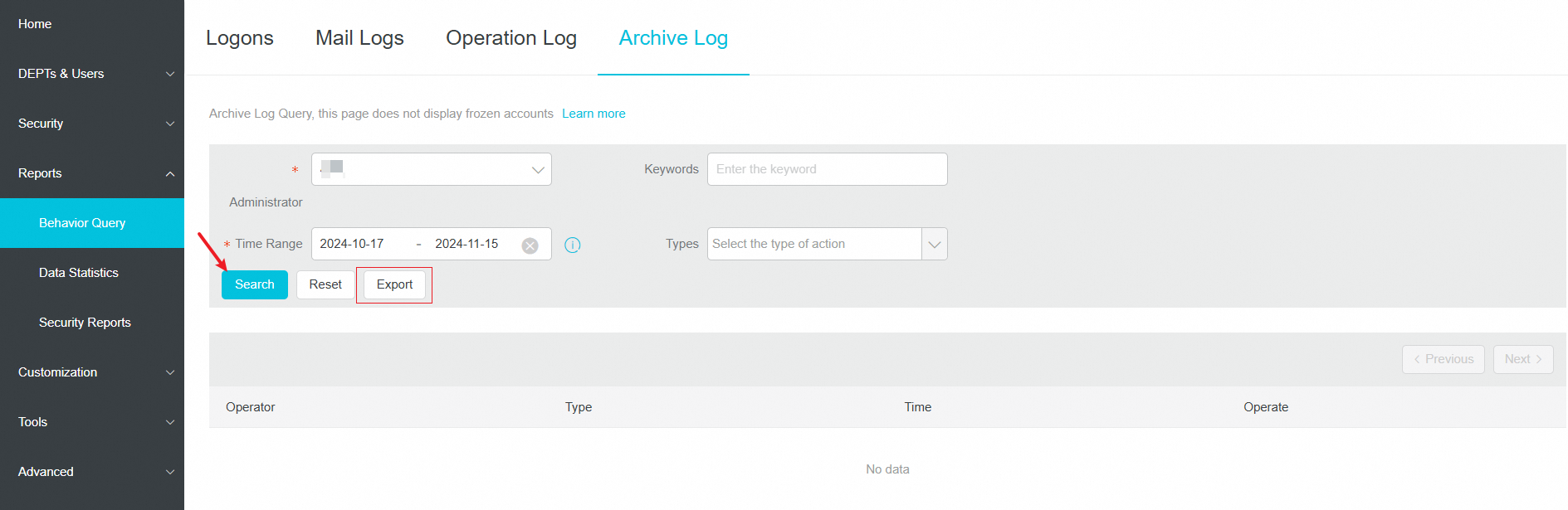
Log on to the domain management interface with an administrator account. Click Statistics & Logs >> Activity Query >> Archived Log Query.
-
Enter the target account, select a query type, and select a time range. The maximum time range for a single query is 30 days. Records from the last 3 months are available. Click Query.
-
Click Export to export the query results. Go to the Task Hub in the upper-right corner of the page to download the file.