Written by Decai Xu and Yuanyi
Reviewed by Xiaodang, Jiushe and Fude
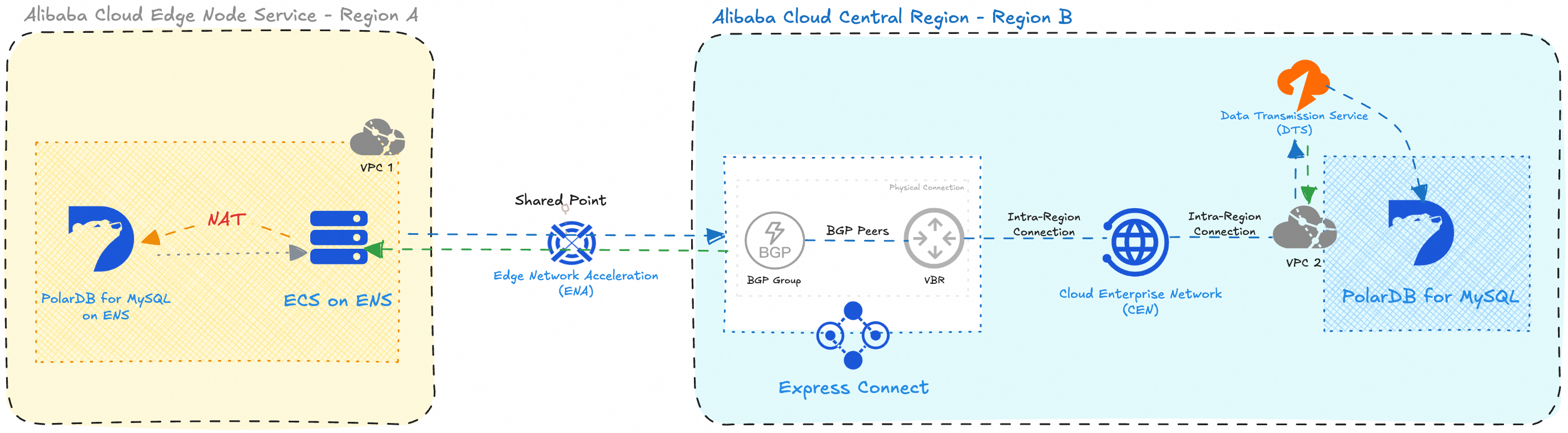
This solution implements secure, low-latency, and reliable data synchronization from a PolarDB for MySQL instance deployed on Alibaba Cloud Edge Node Service (ENS) in Region A to a PolarDB for MySQL instance hosted in the Alibaba Cloud Public Cloud in Region B.
The architecture leverages a combination of Alibaba Cloud networking and data migration services:
• Edge Network Acceleration (ENA) provides optimized network paths between edge locations (Region A ENS) and public cloud regions (Region B).
• Express Connect establishes a private, high-bandwidth physical connection between the Region A ENS environment and the Region B VPC via a Virtual Border Router (VBR).
• Cloud Enterprise Network (CEN) enables seamless interconnection and dynamic route propagation between the Region B VPC and the Express Connect VBR, forming a unified global network backbone.
• Due to network isolation in the ENS environment, direct access to the source PolarDB for MySQL instance (10.0.0.2) from the Region B region is not possible. To overcome this, an ECS instance within the same Region A VPC (10.0.0.4) acts as a NAT proxy, using iptables rules to forward traffic from a custom port (13306) to the PolarDB for MySQL on ENS.
• Finally, Data Transmission Service (DTS) in Region B initiates a synchronization task by connecting to the ECS proxy IP (10.0.0.4:13306), which transparently routes requests to the source PolarDB for MySQL. The target is the PolarDB for MySQL instance in the Region B VPC (172.30.0.84).
Key Benefits:
• End-to-end private network connectivity (no public internet exposure)
• Minimal latency via ENA and Express Connect
• Secure data transfer with VPC isolation and controlled routing
• Transparent database access through NAT proxying
This architecture ensures that real-time or scheduled data synchronization can be performed reliably across geographically distributed environments while adhering to enterprise-grade security and performance requirements.
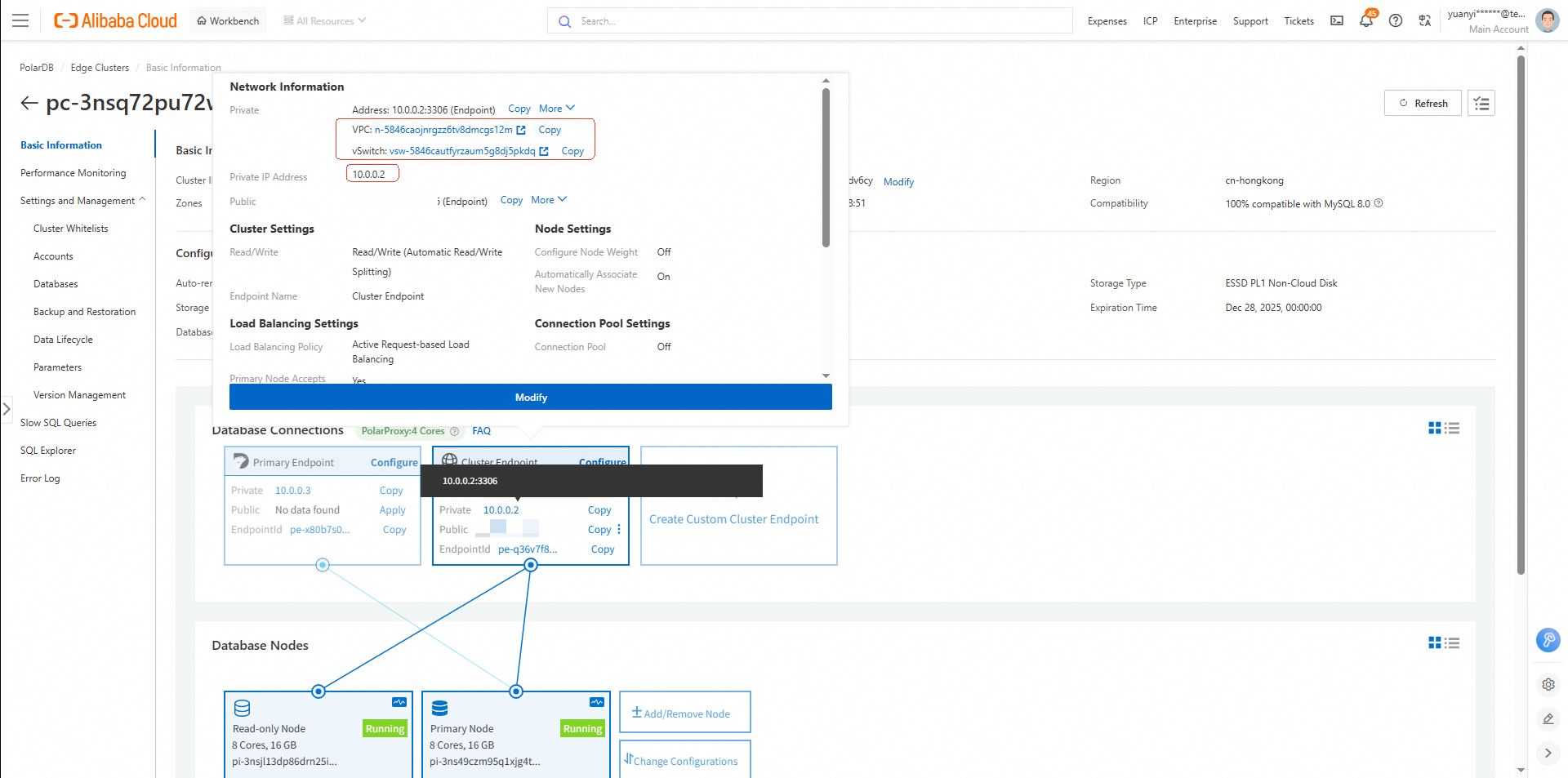
• Private IP Address: 10.0.0.2
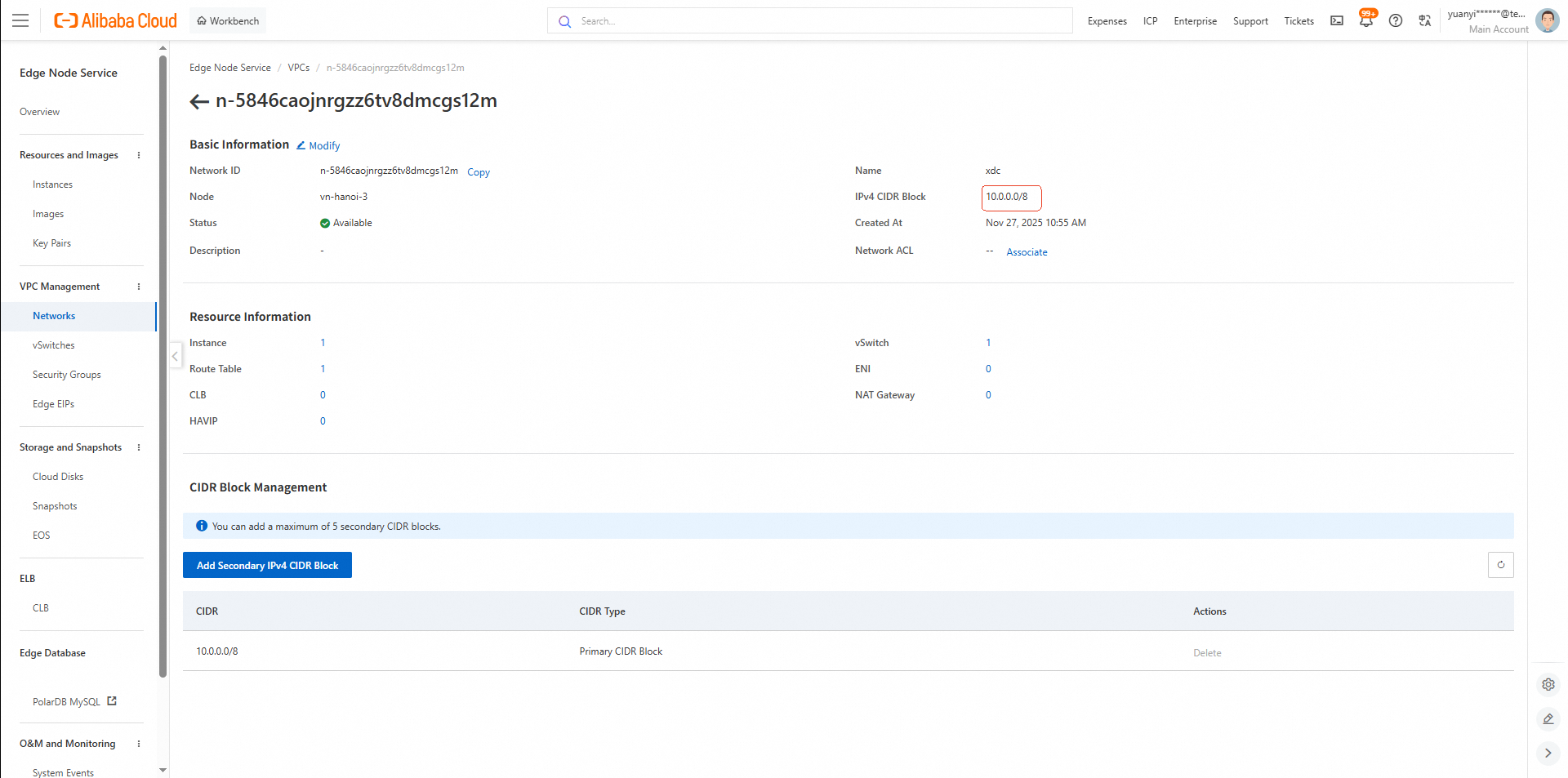
• VPC: n-5846caojnrgzz6tv8dmcgs12m (10.0.0.0/8)
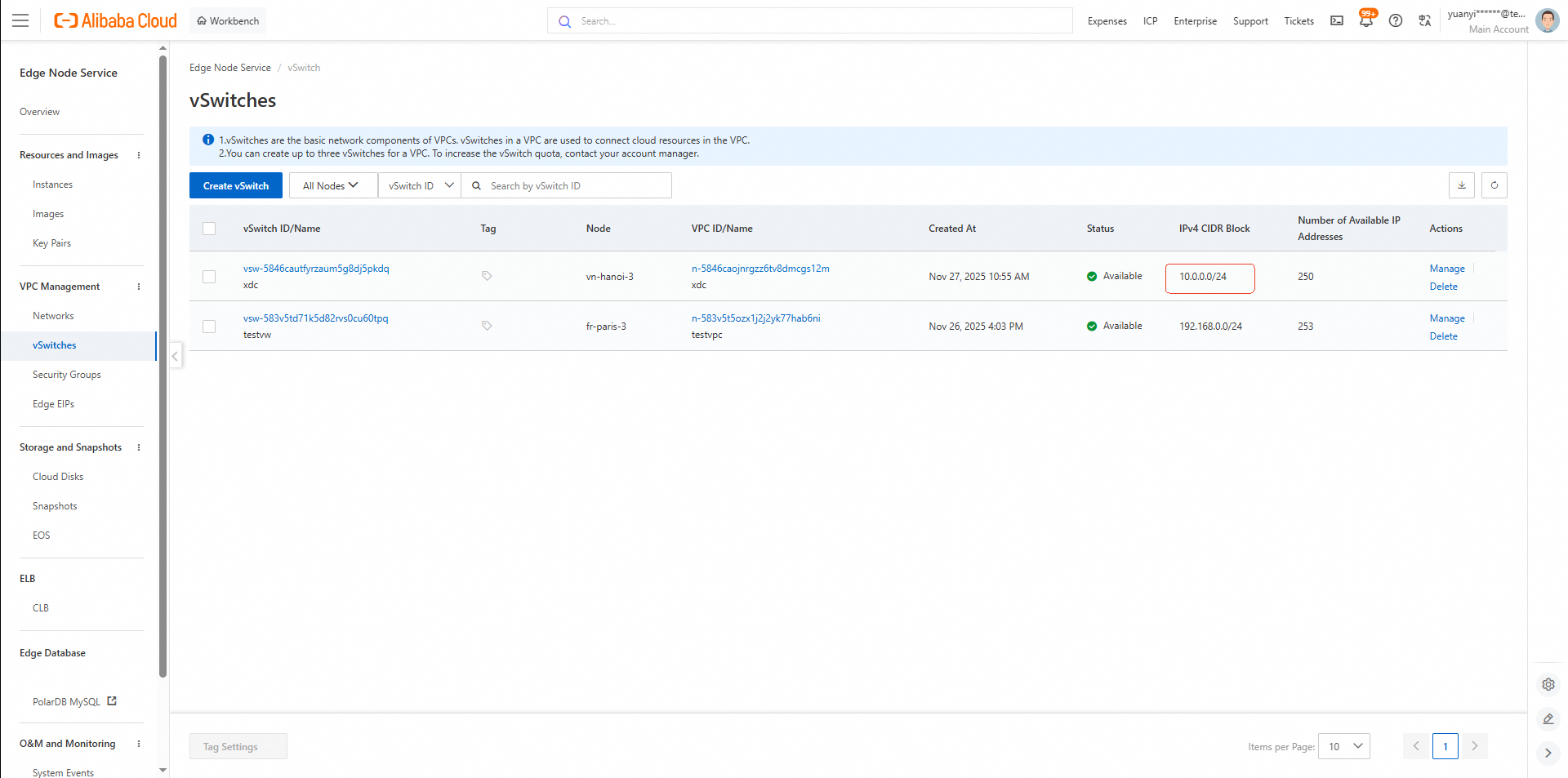
• vSwitch: vsw-5846cautfyrzaum5g8dj5pkdq (10.0.0.0/24)
• Console Link: PolarDB ENS Clusters Console
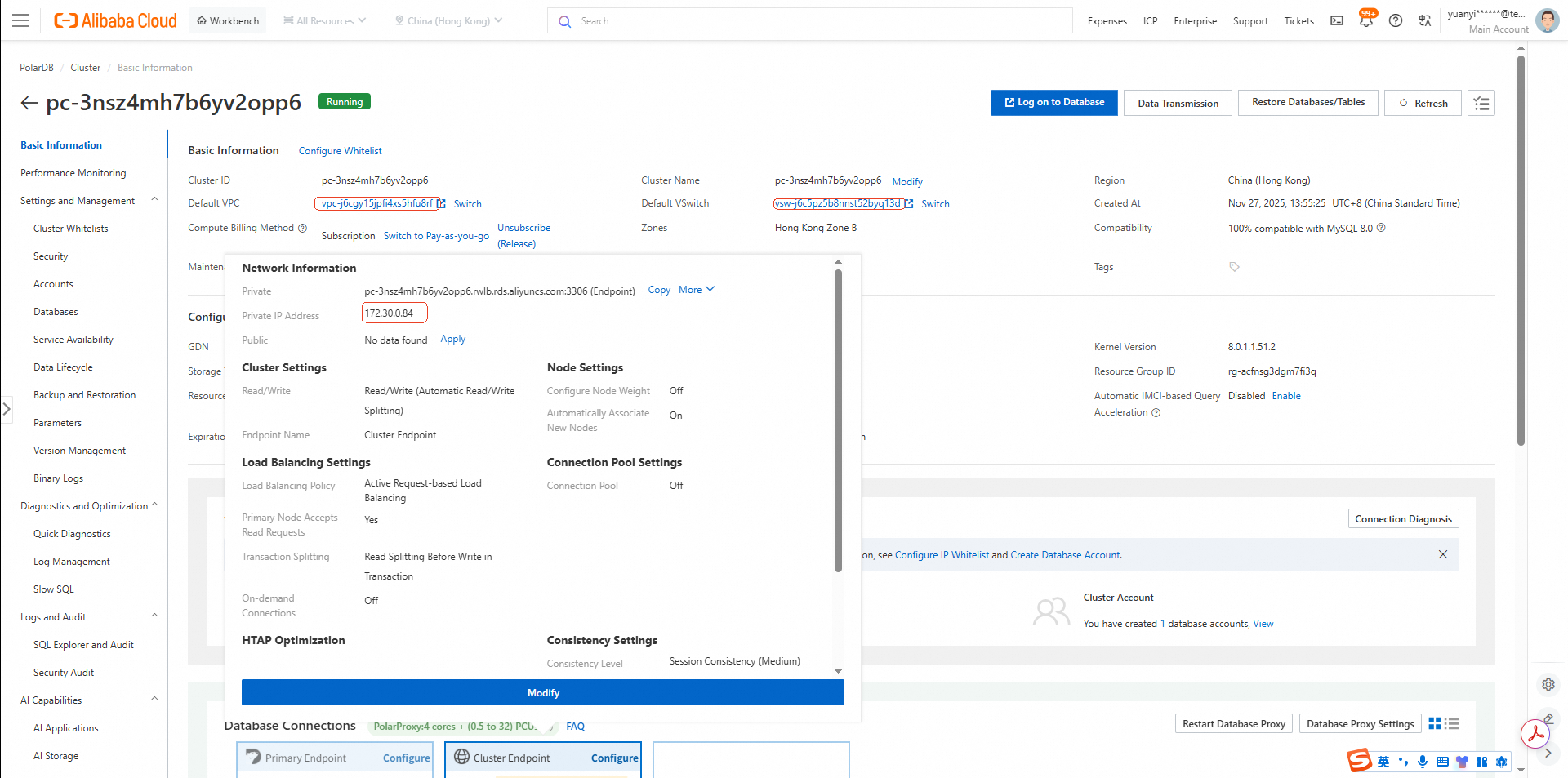
• Private IP Address: 172.30.0.84
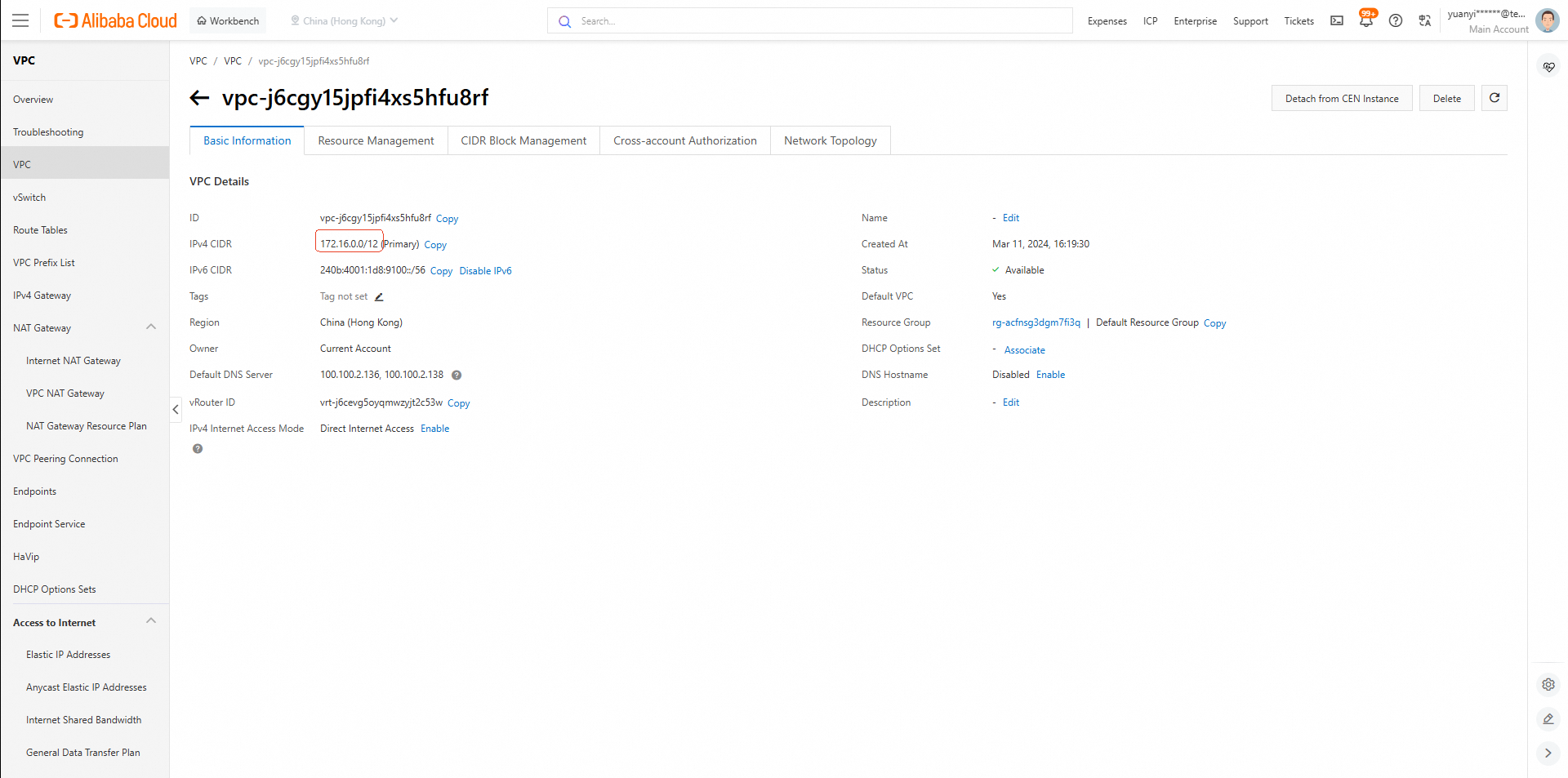
• VPC: vpc-j6cgy15jpfi4xs5hfu8rf (172.16.0.0/12)
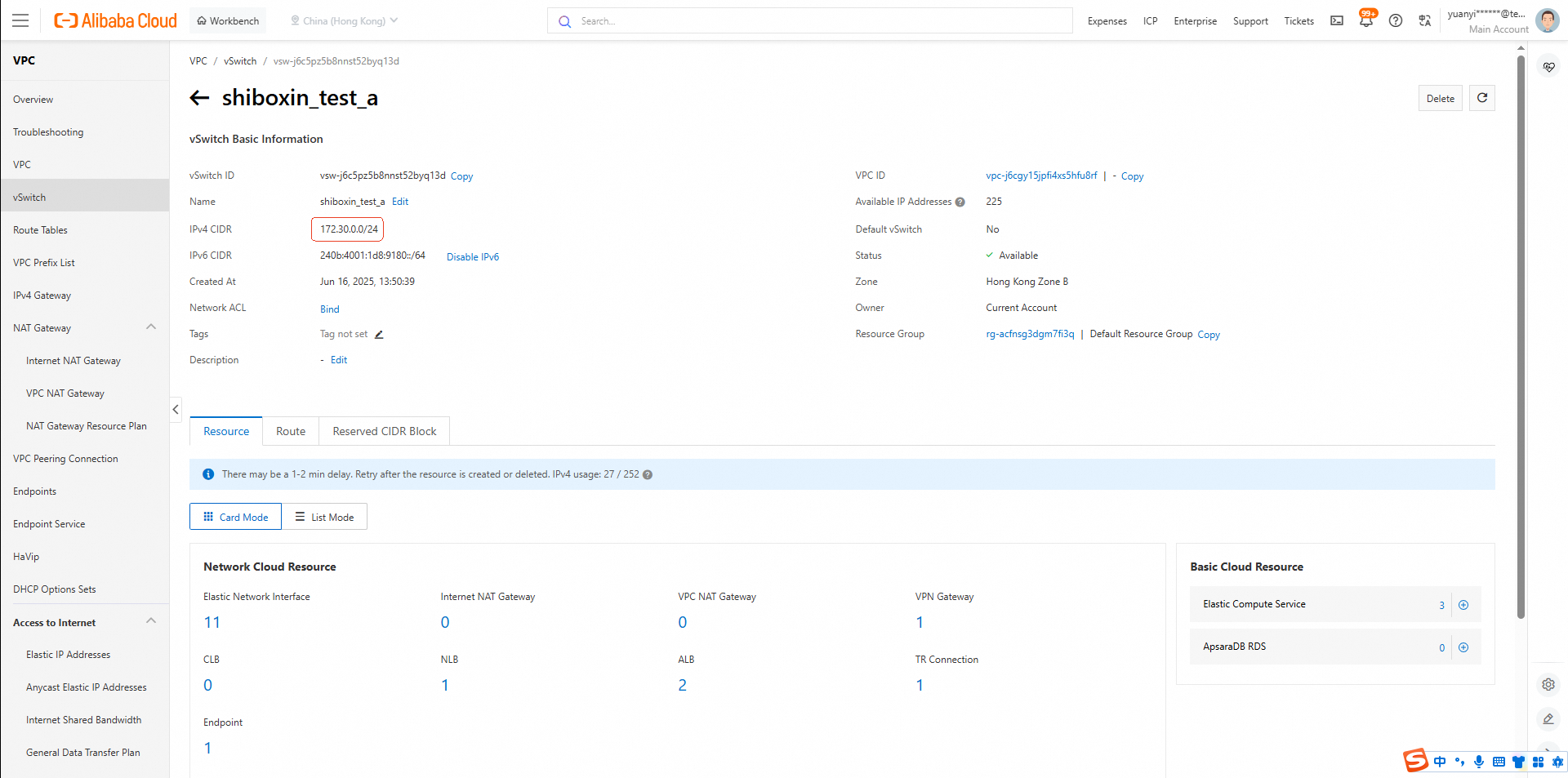
• vSwitch: vsw-j6c5pz5b8nnst52byq13d (172.30.0.0/24)
• Console Link: PolarDB Region B Clusters Console
• Console Link: Shared Cloud Port List
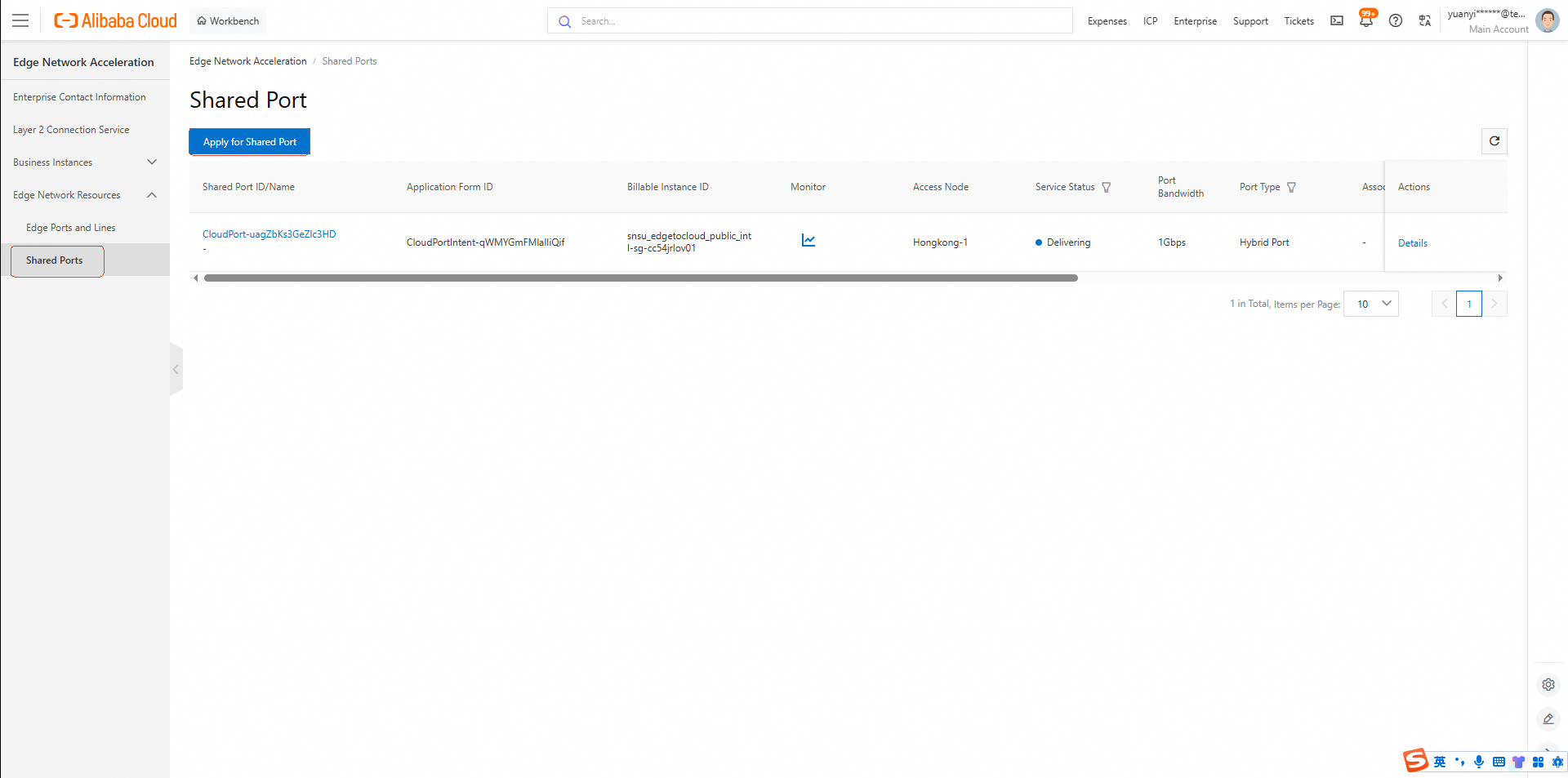
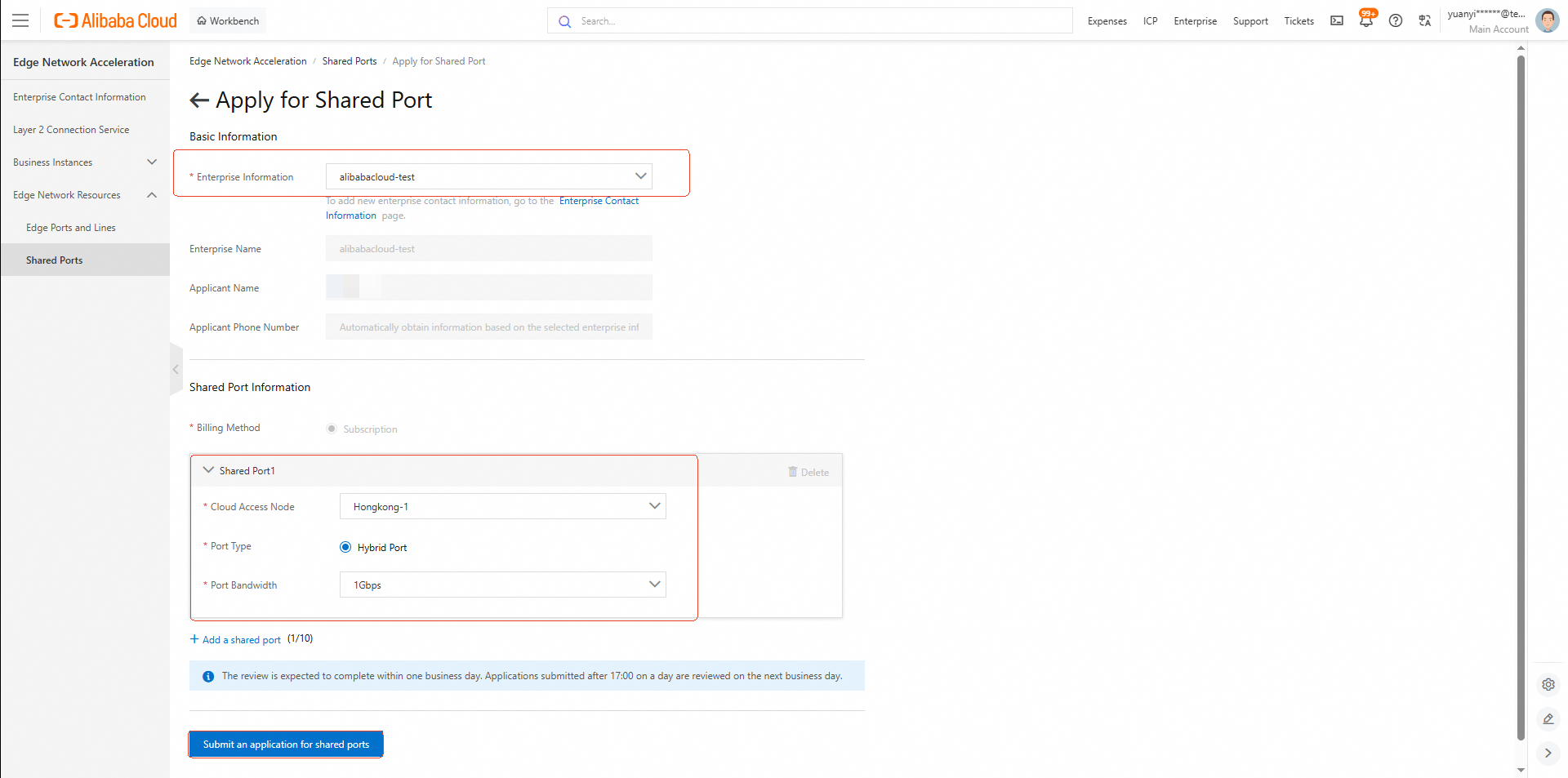
• Action: Submit an application for a Shared Port.
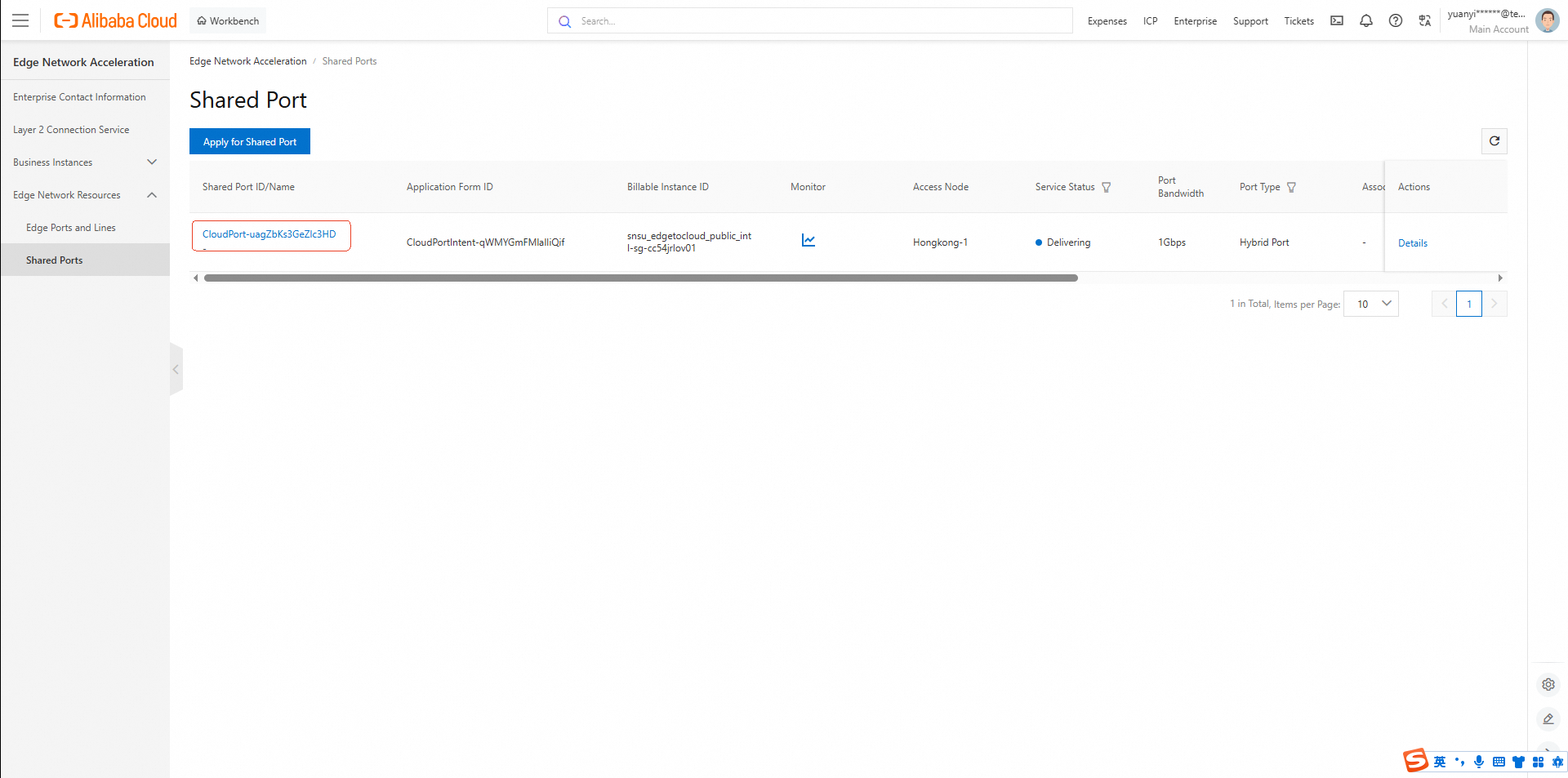
• Next Steps: After submission, contact Alibaba Cloud support to request approval. Once approved, proceed with payment to activate the Shared Port. And the ENA service will provide Edge Private Network Instance (a virtual leased line) at no cost for now. Should billing be introduced in the future, we will notify you in advance.
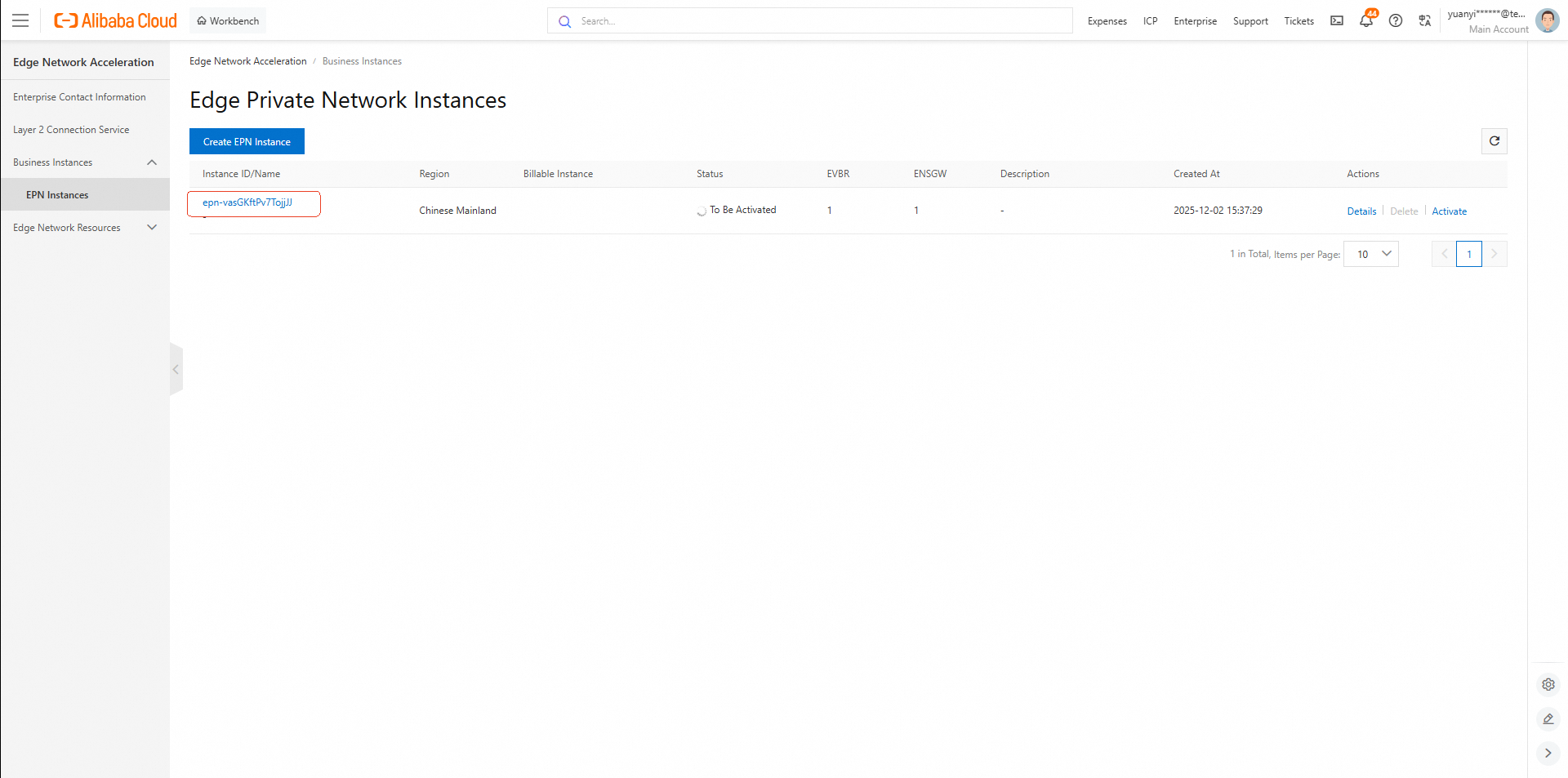
Once you get the Edge Private Network Instance on ENA, contact Alibaba Cloud support to create Physical Connections of Express Connect. Then check resource ID on the console. In this case study, the resource ID is pc-j6c1dn0mkeg718oyfiwf.
• Console Link: Express Connect – Physical Connections (Region B)
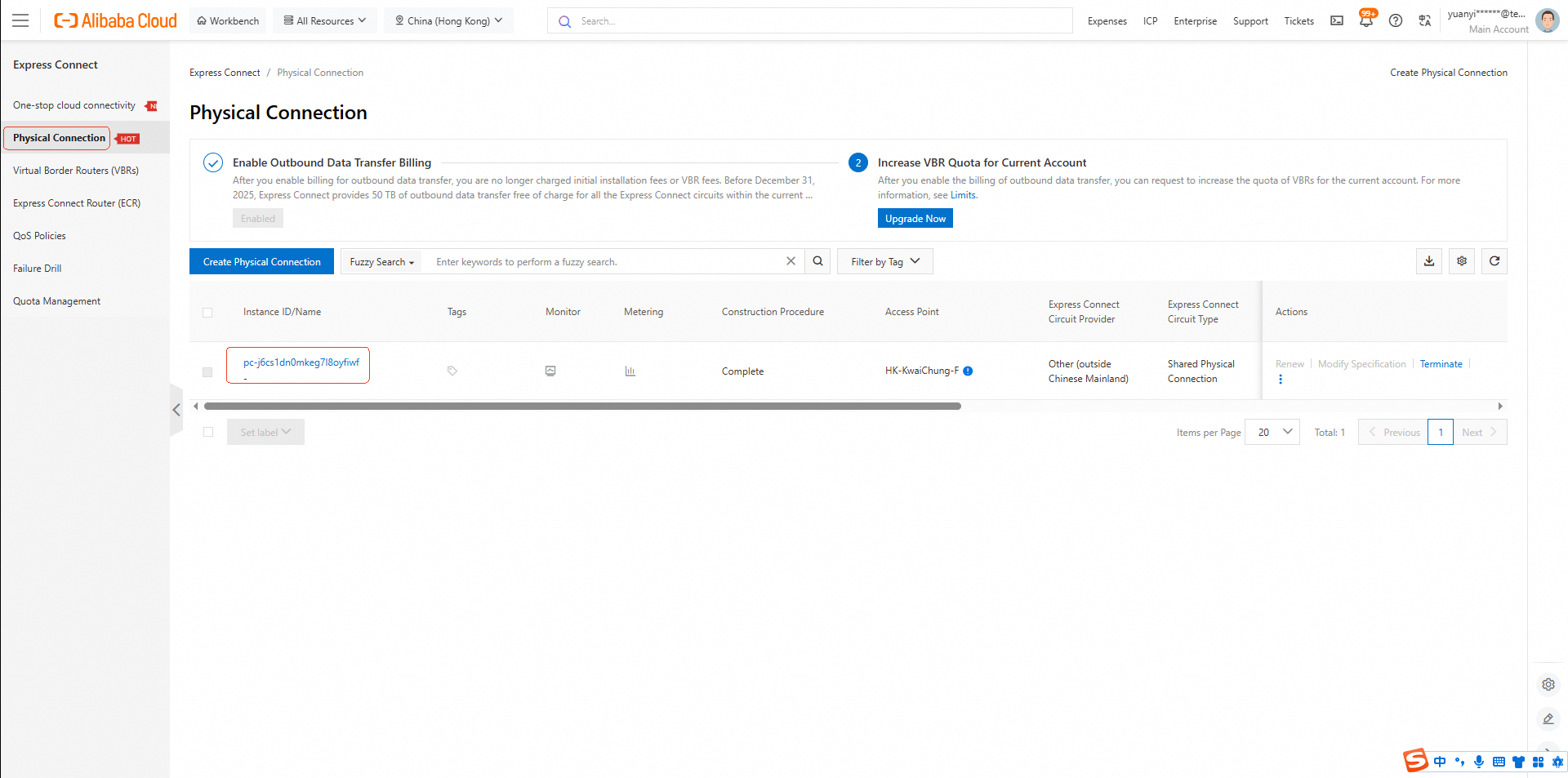
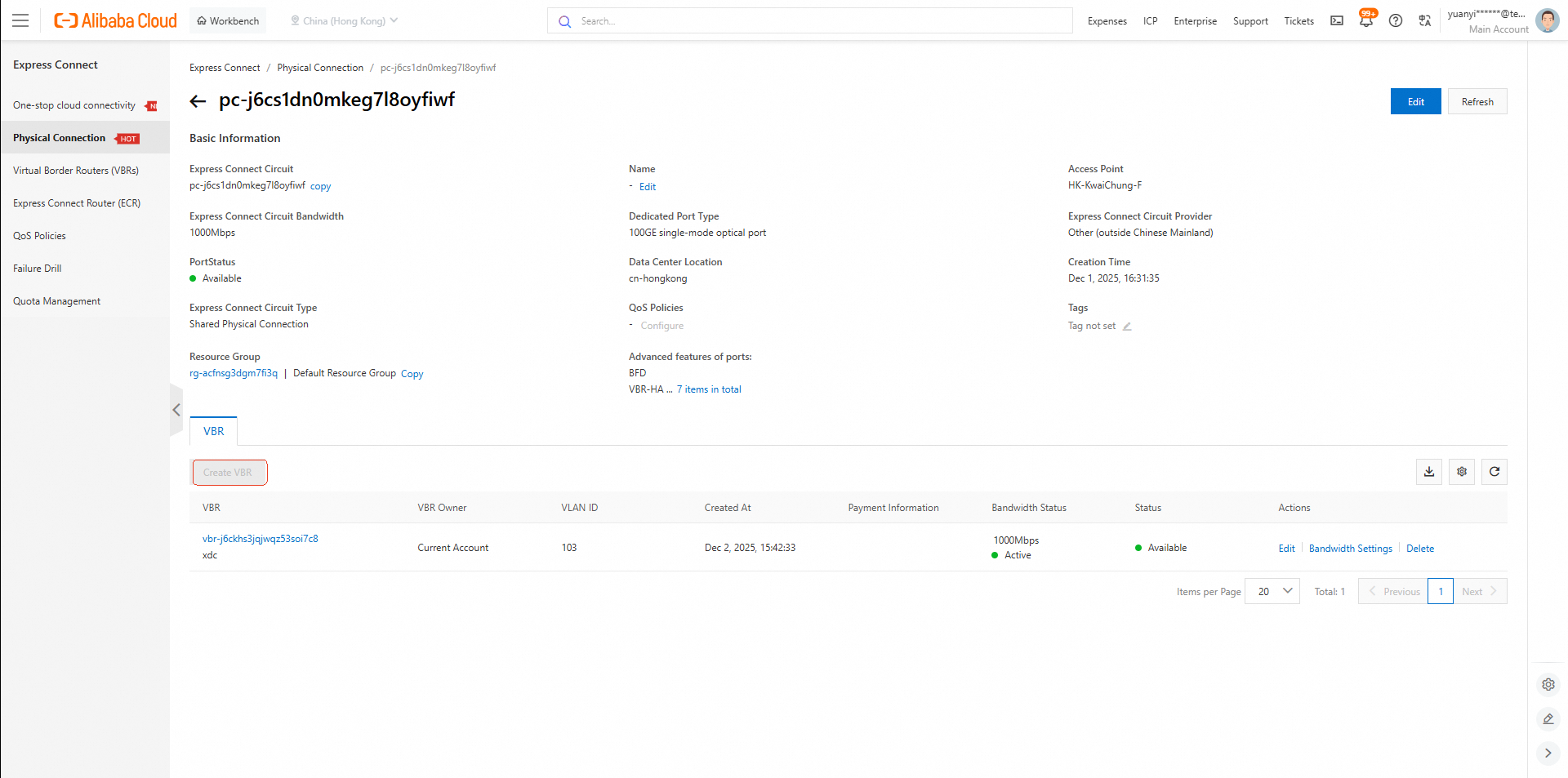
Next, create a Virtual Border Router (VBR)
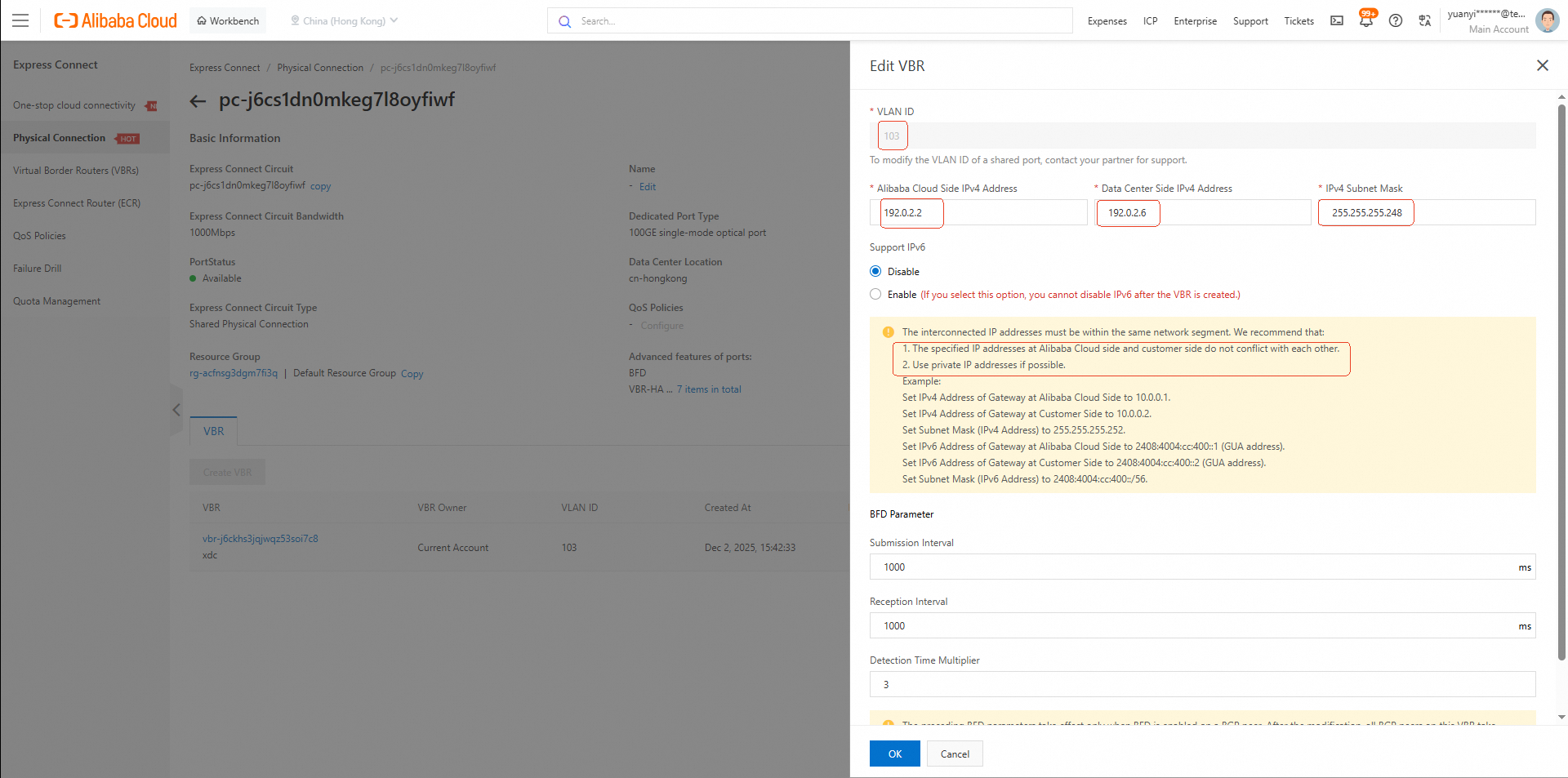
• Click the Physical Connection instance ID to create a VBR.
• Required Information:
Plan two non-conflicting IPv4 addresses:
192.0.2.2
192.0.2.6
Ensure these IPs do not overlap with:
172.16.0.0/12
10.0.0.0/8
/29 recommended.Note: After creating the VBR, contact Alibaba Cloud support to complete the Express Connect setup between the Region B VBR and the Region A VPC (n-5846caojnrgzz6tv8dmcgs12m).
Next, configure BGP
• VBR Console: Express Connect – VBR (Region B)
• In the VBR, create a BGP Group.
45103 (or confirm with Alibaba Cloud).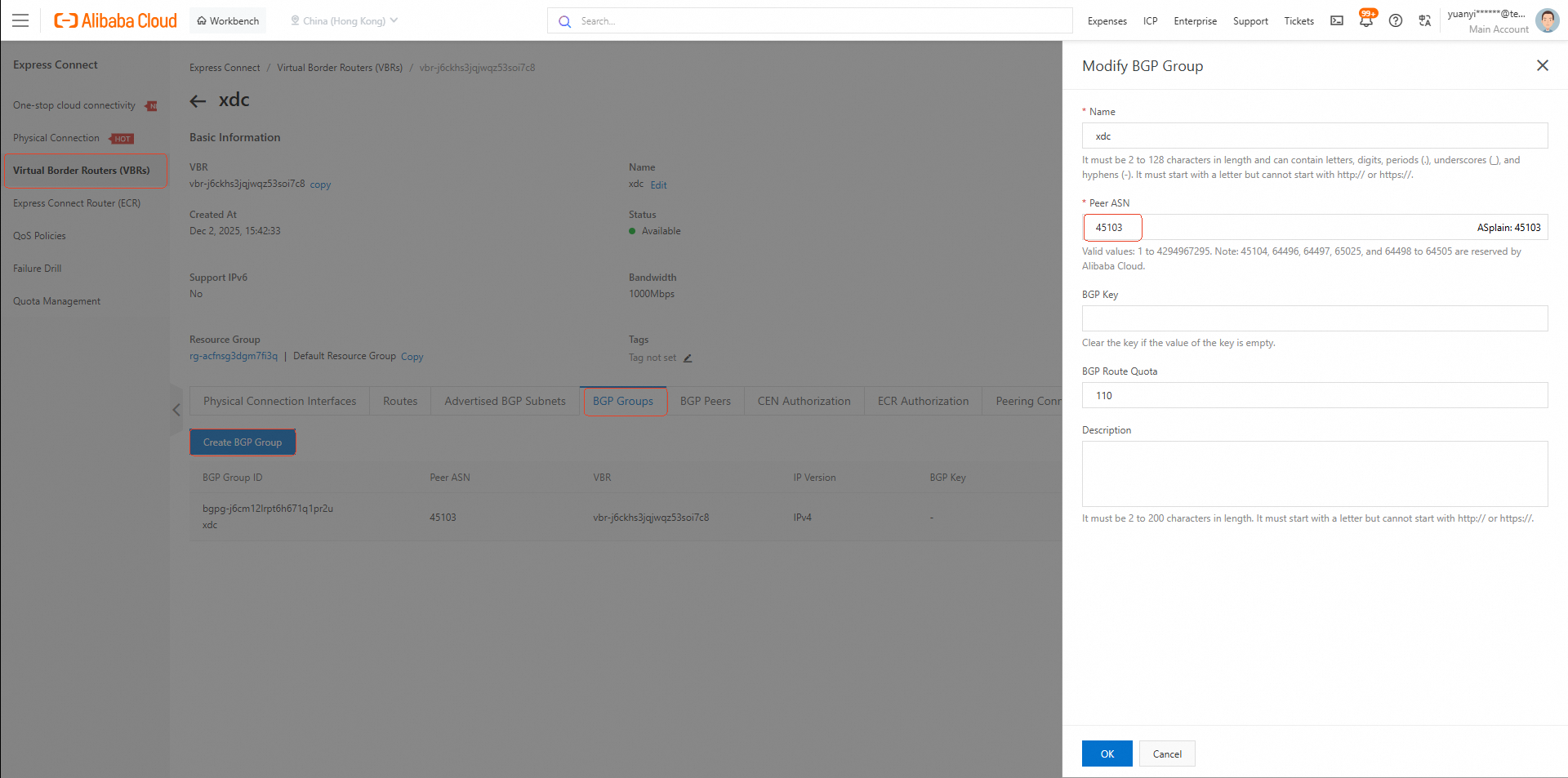
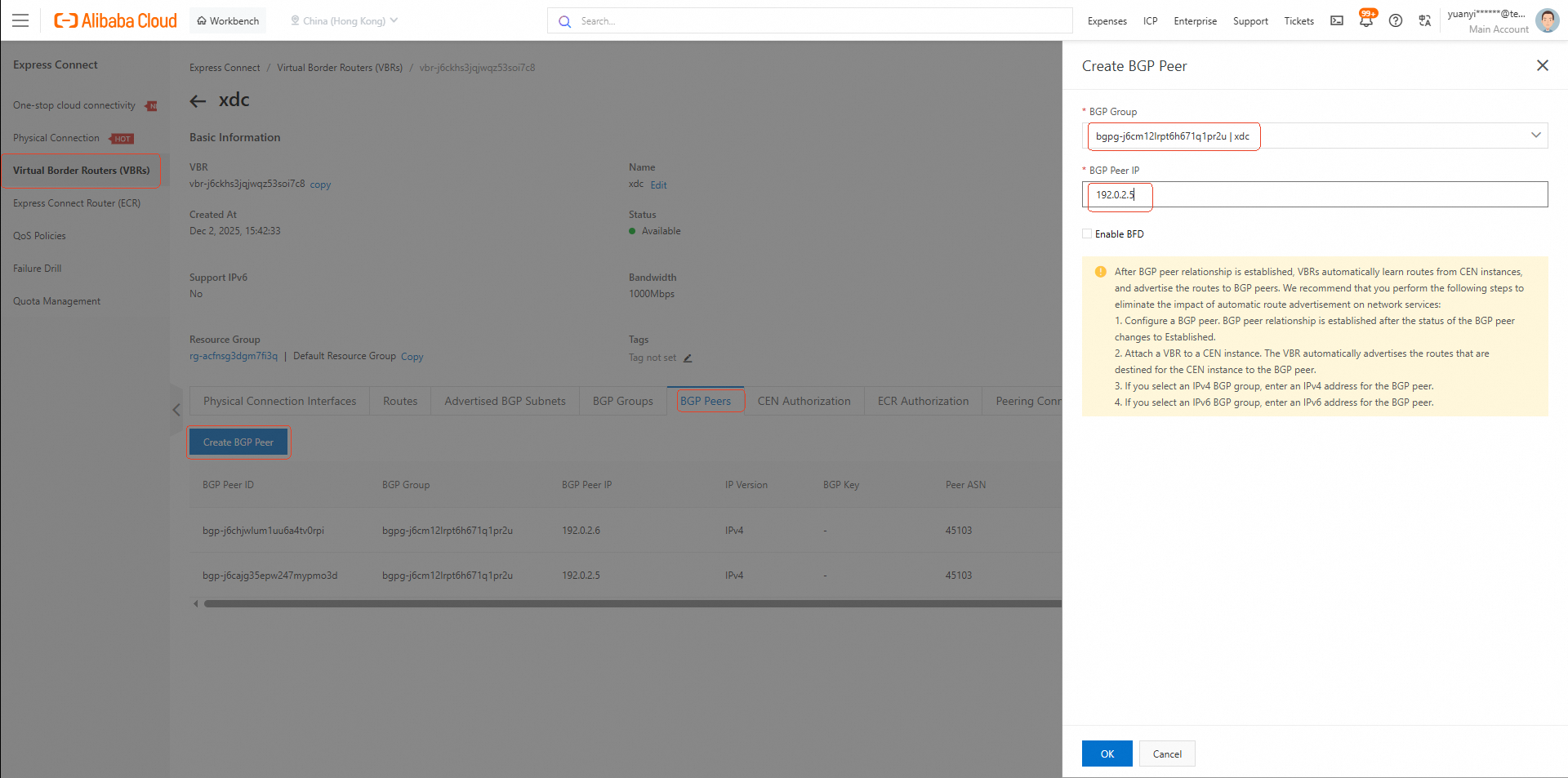
• Create two BGP Peers with IPs from your interconnection subnet (e.g., 192.0.2.5 and 192.0.2.6).
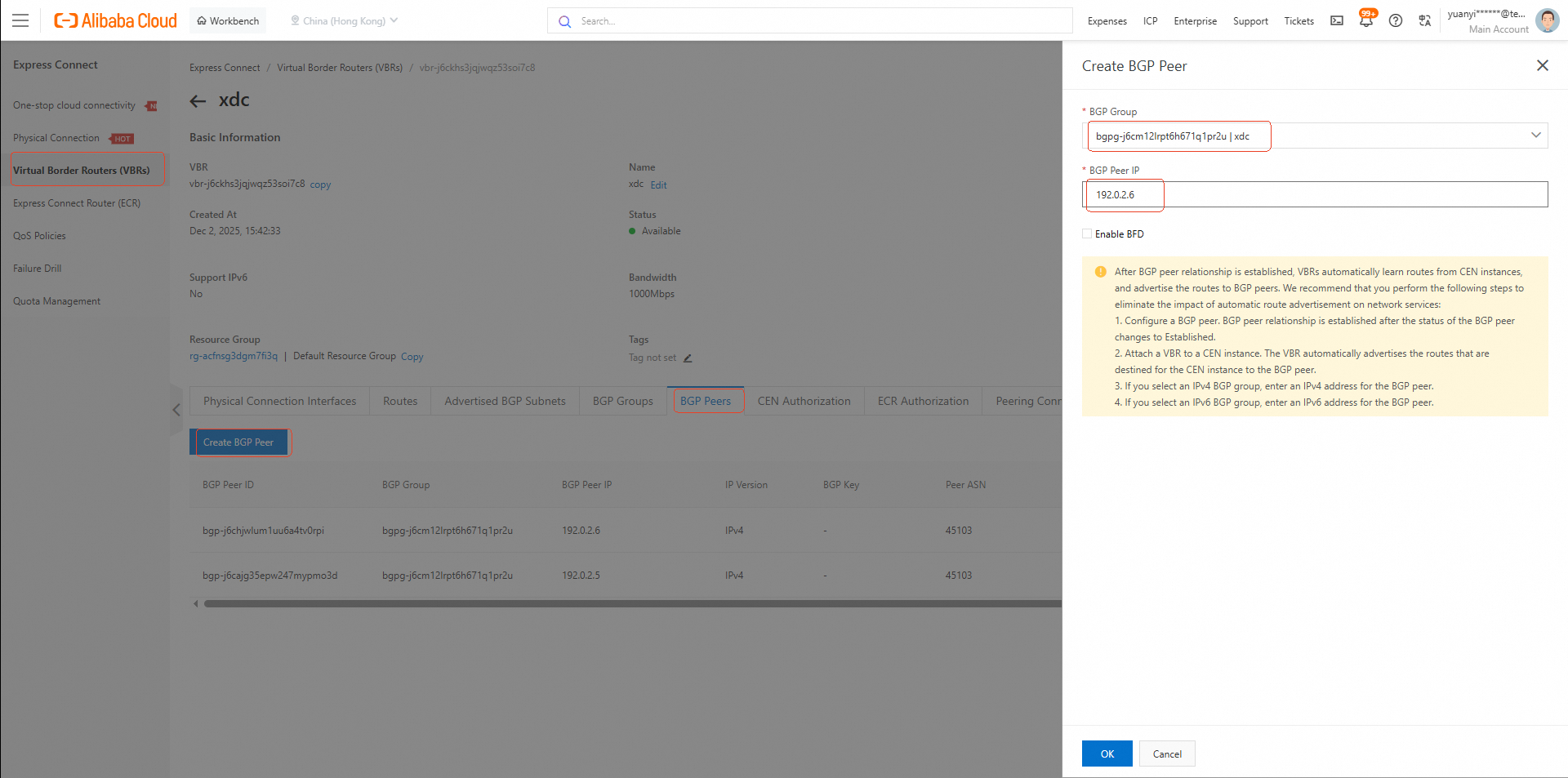
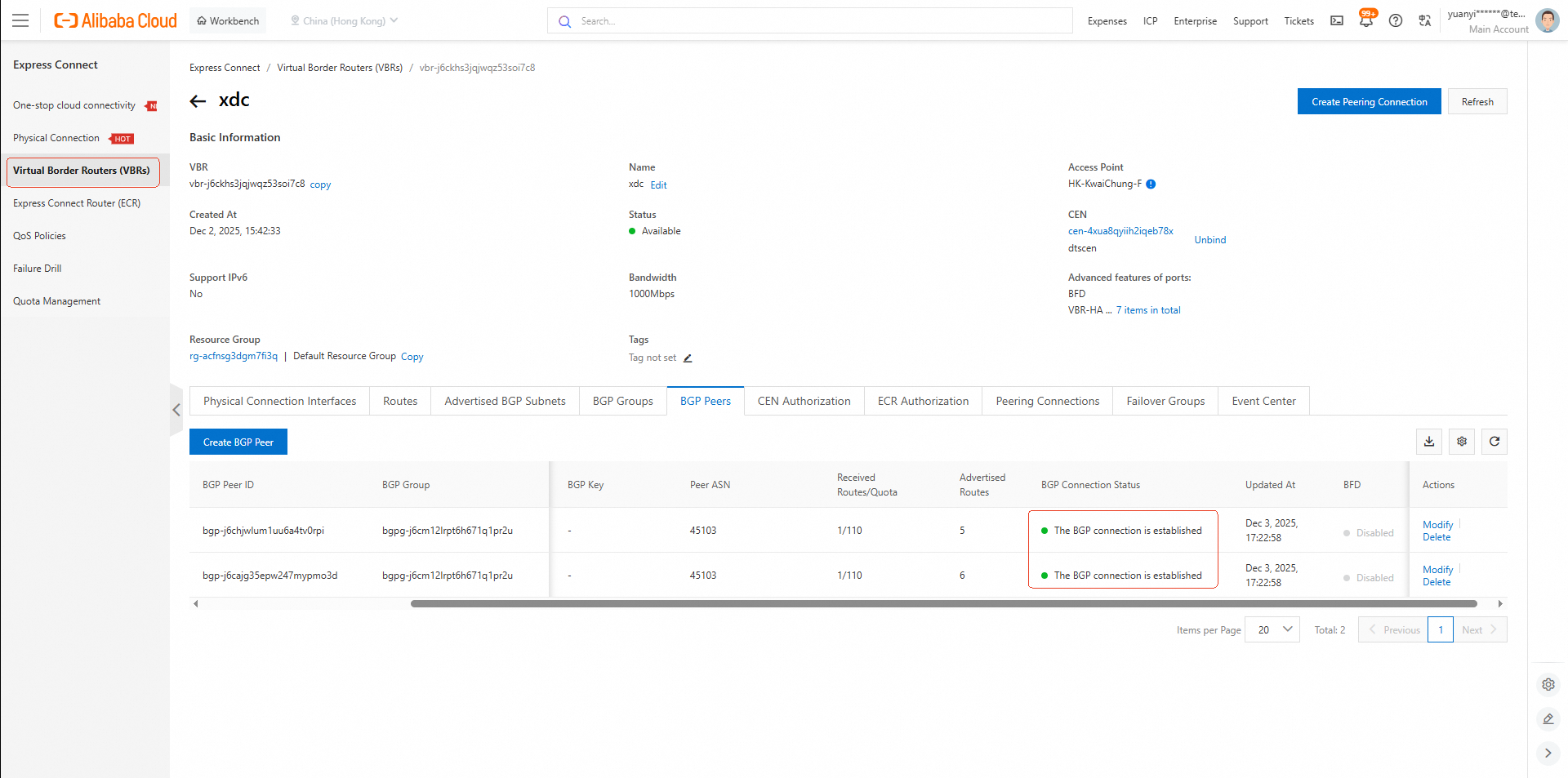
• Verify that the BGP Connection Status shows "The BGP Connection is established".
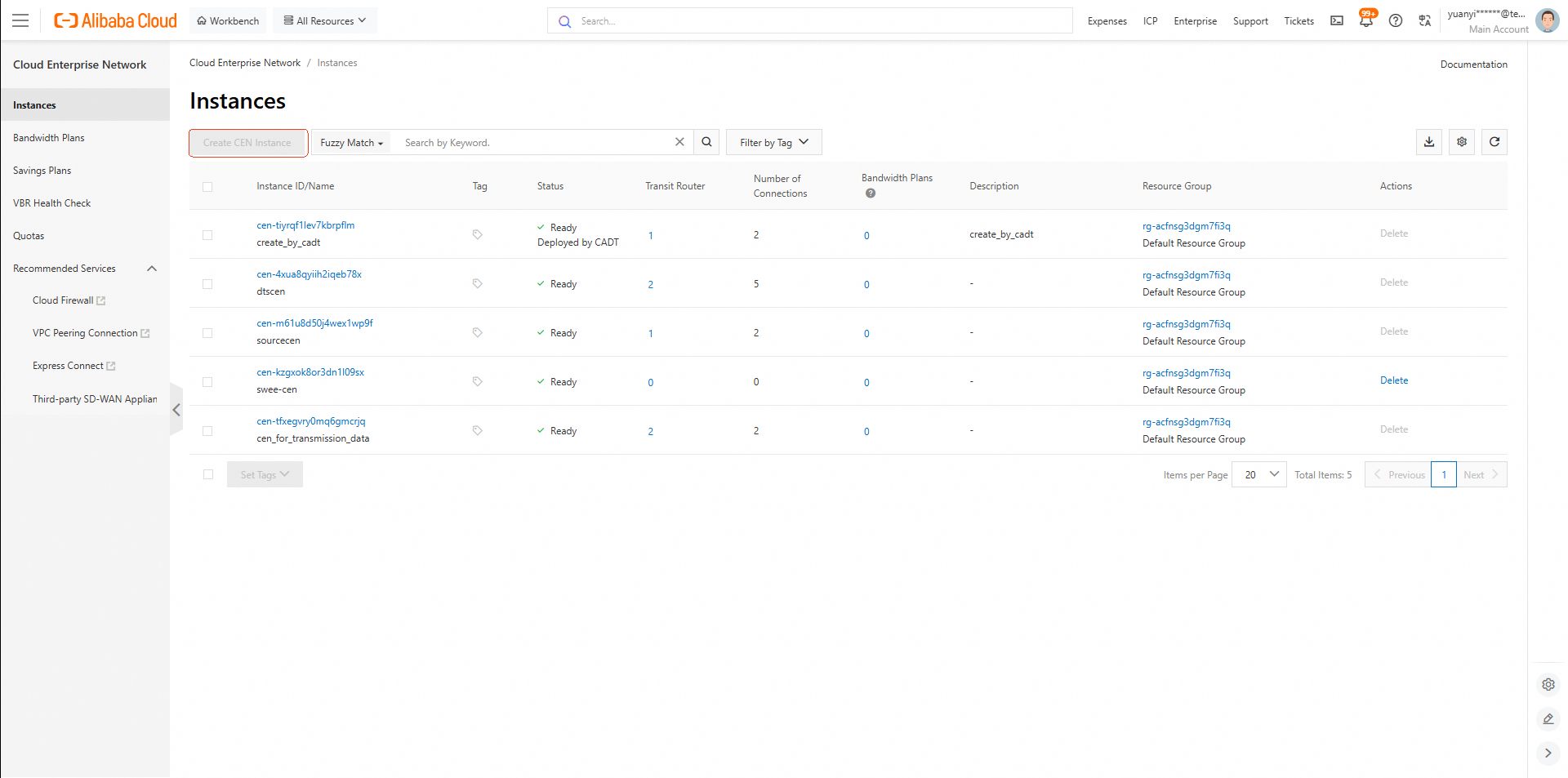
• Console Link: CEN Instance List
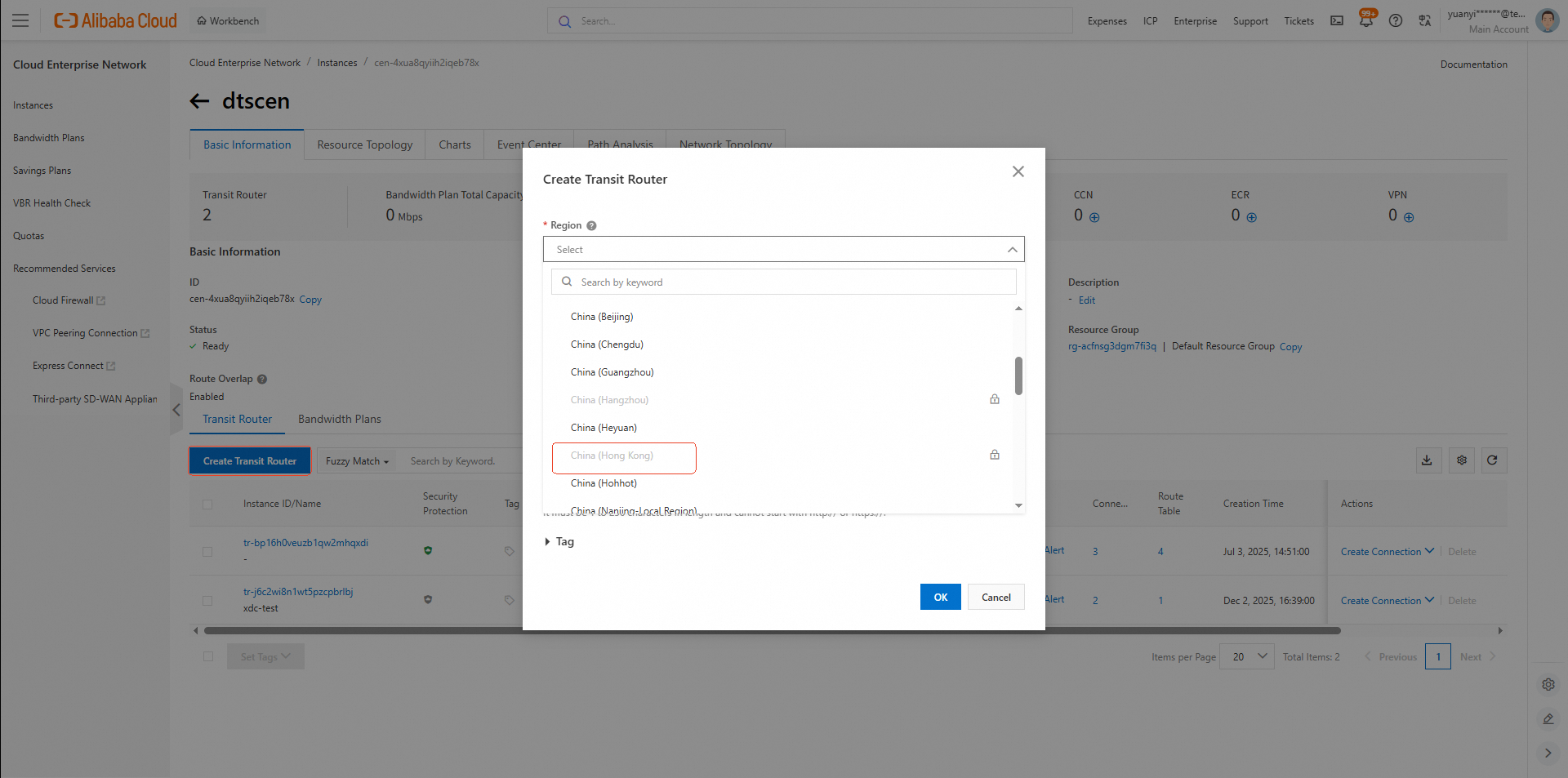
• Within the CEN instance, deploy a Transit Router in the Region B.
• In the Transit Router, create an intra-region connection to link:
vpc-j6cgy15jpfi4xs5hfu8rf
vbr-j6ckhs3jqjwqz53soi7c8
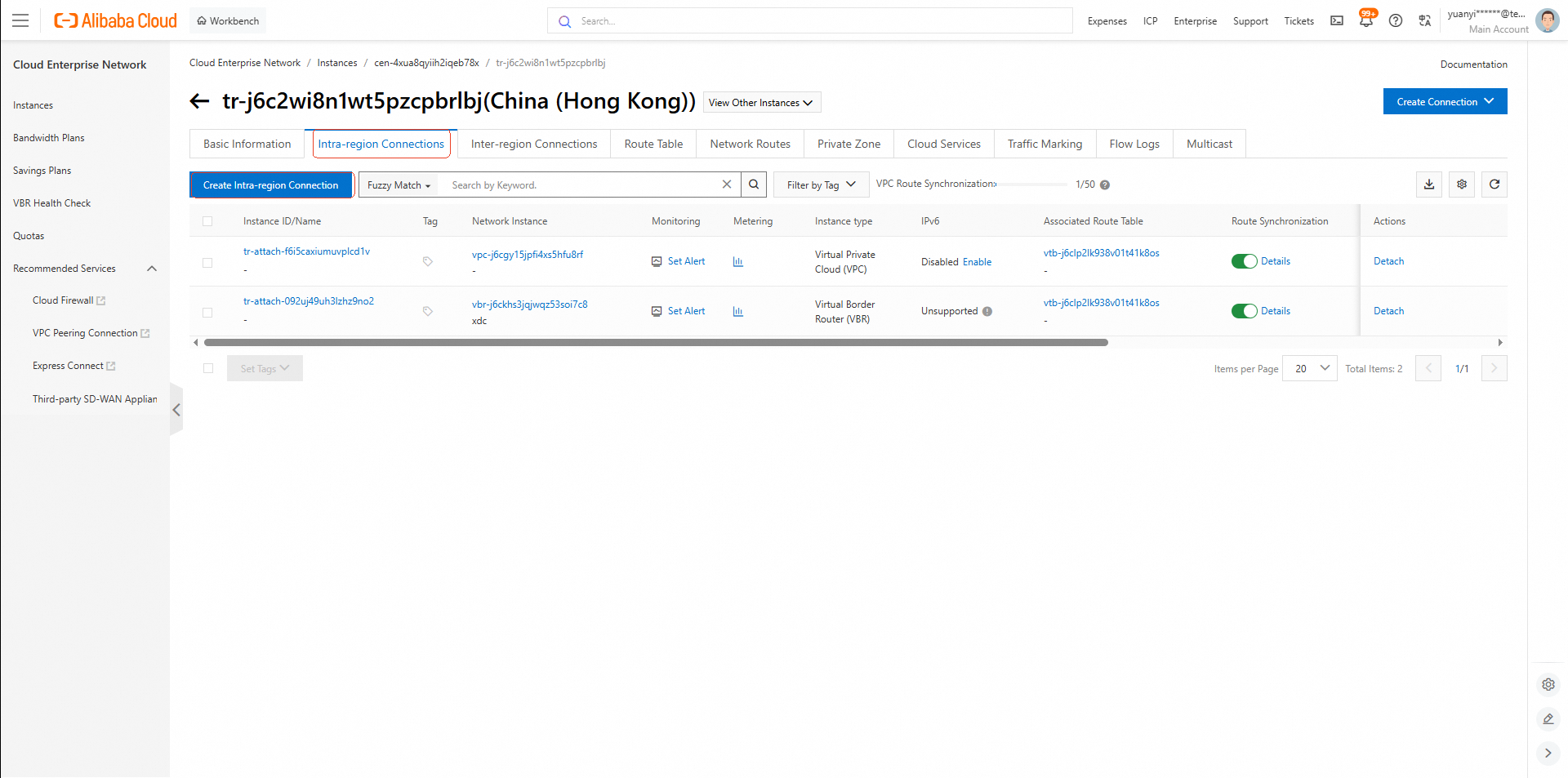
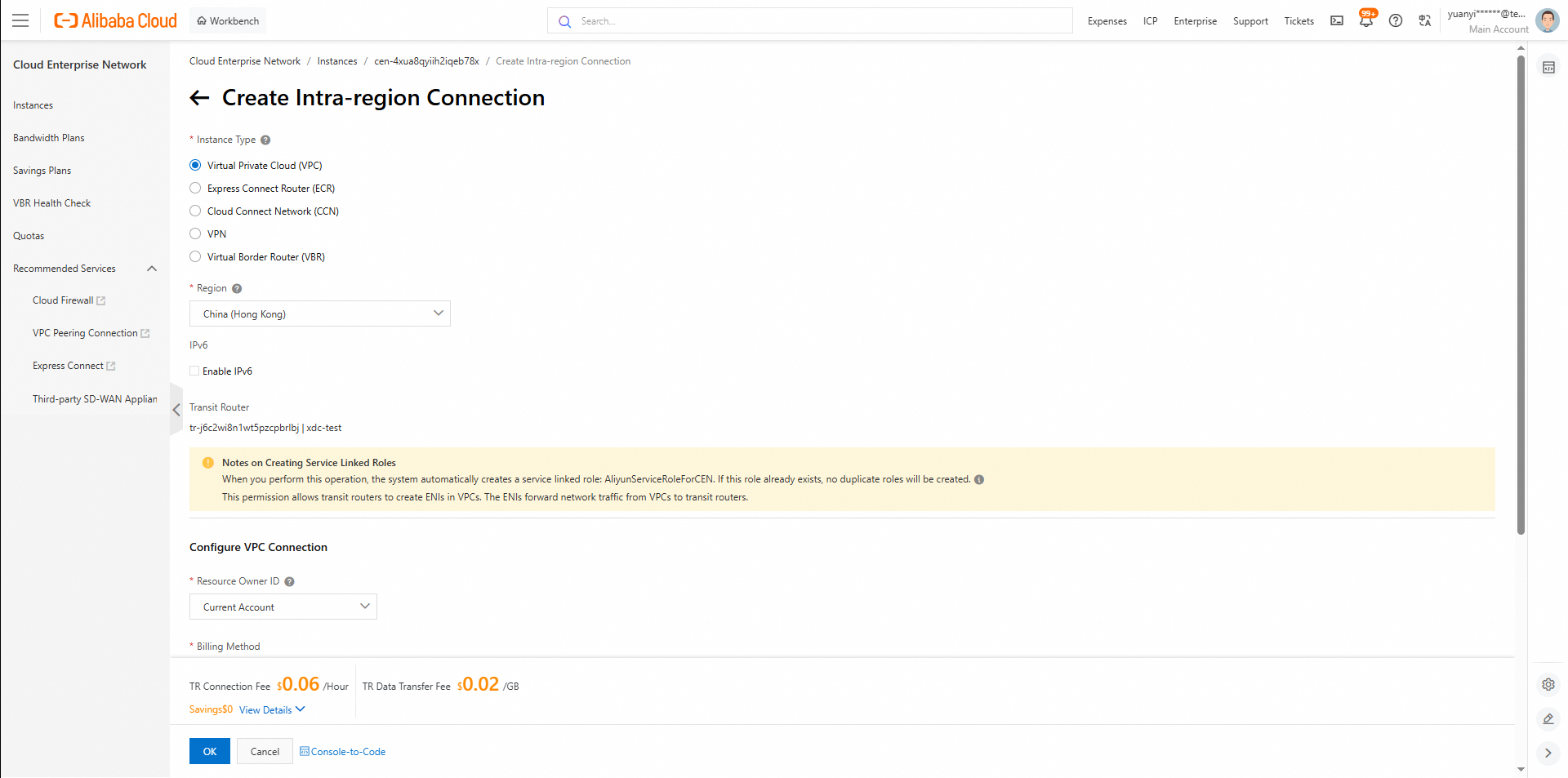
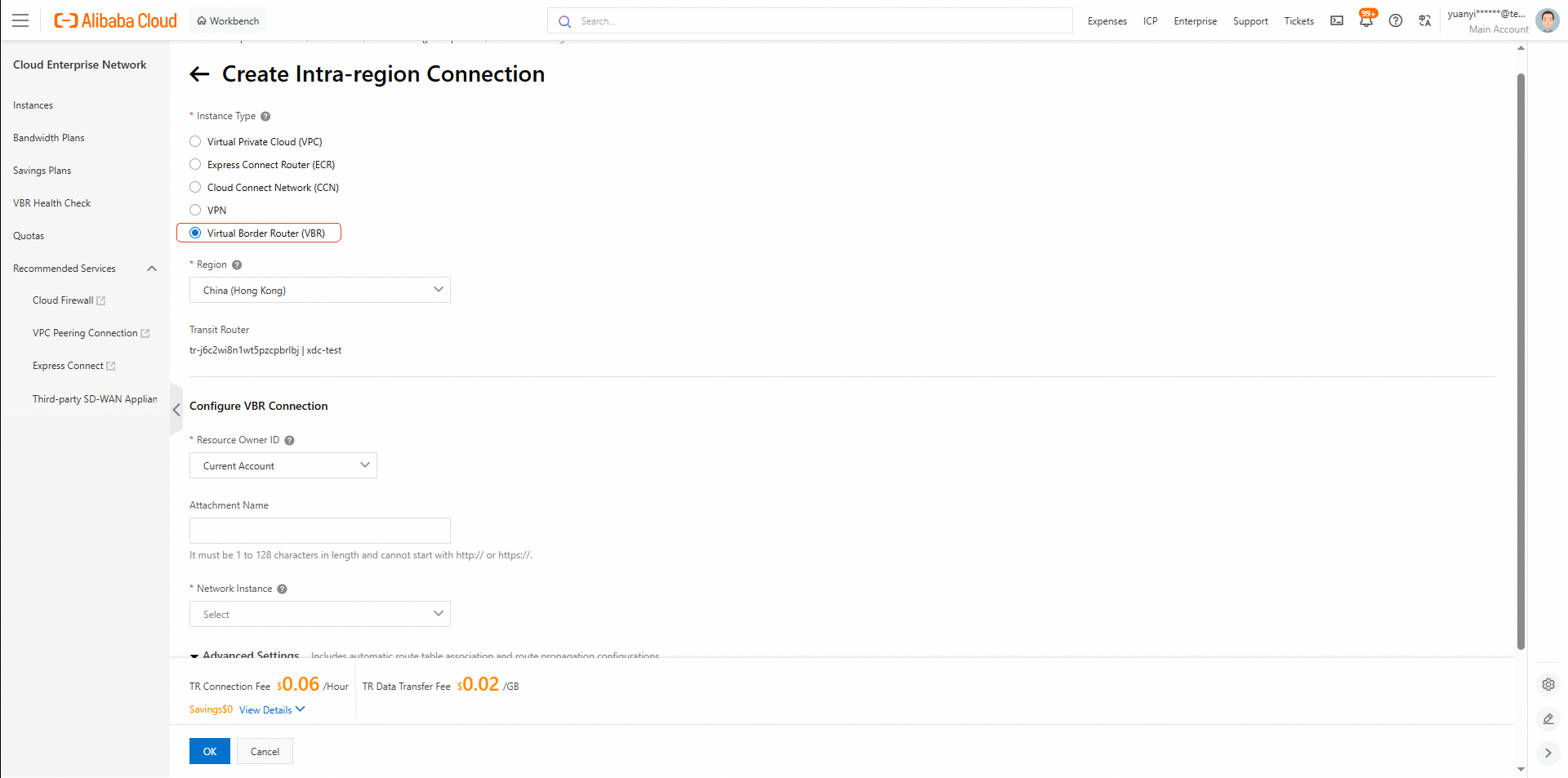
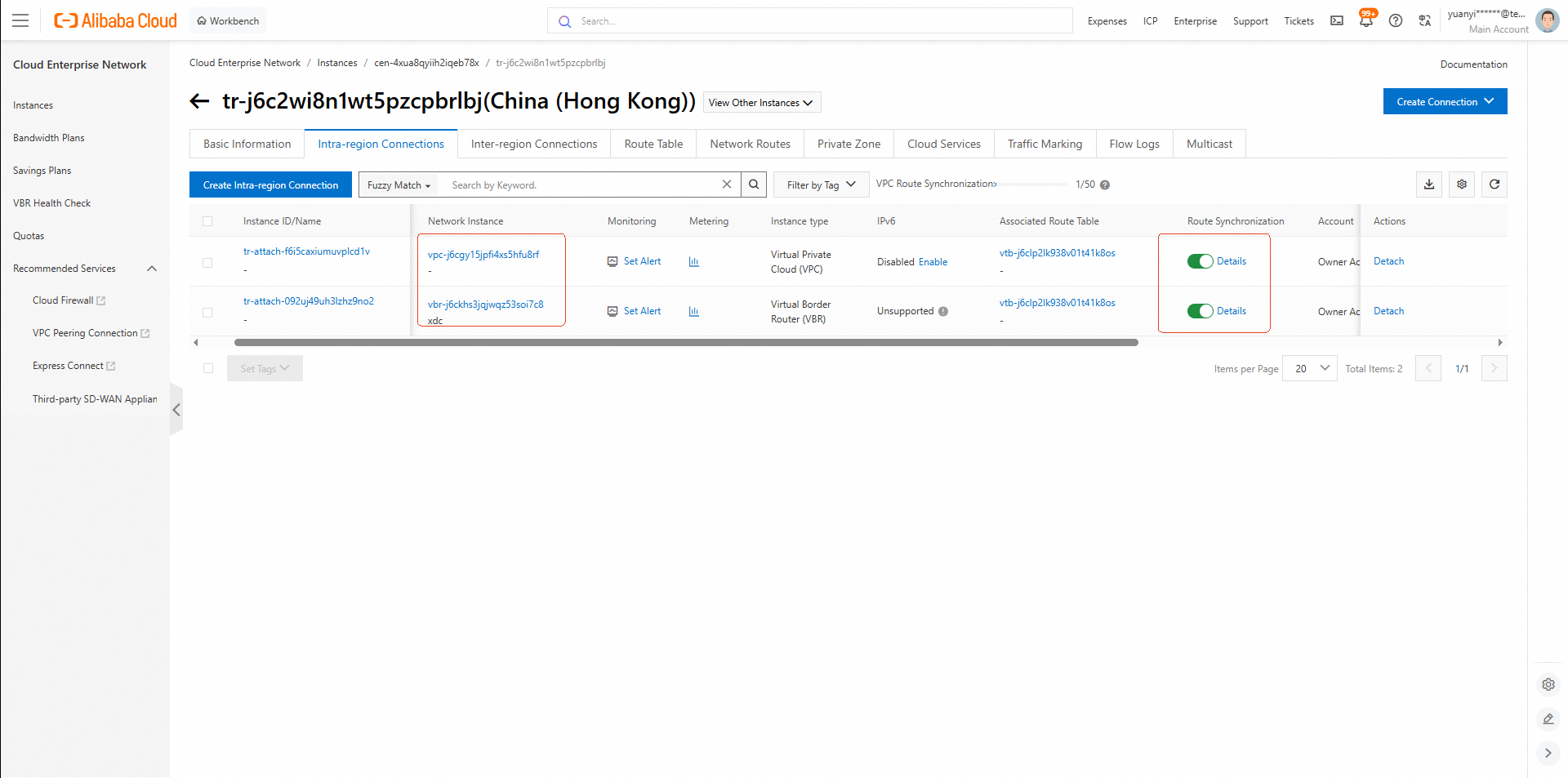
• Enable route synchronization for both connections.
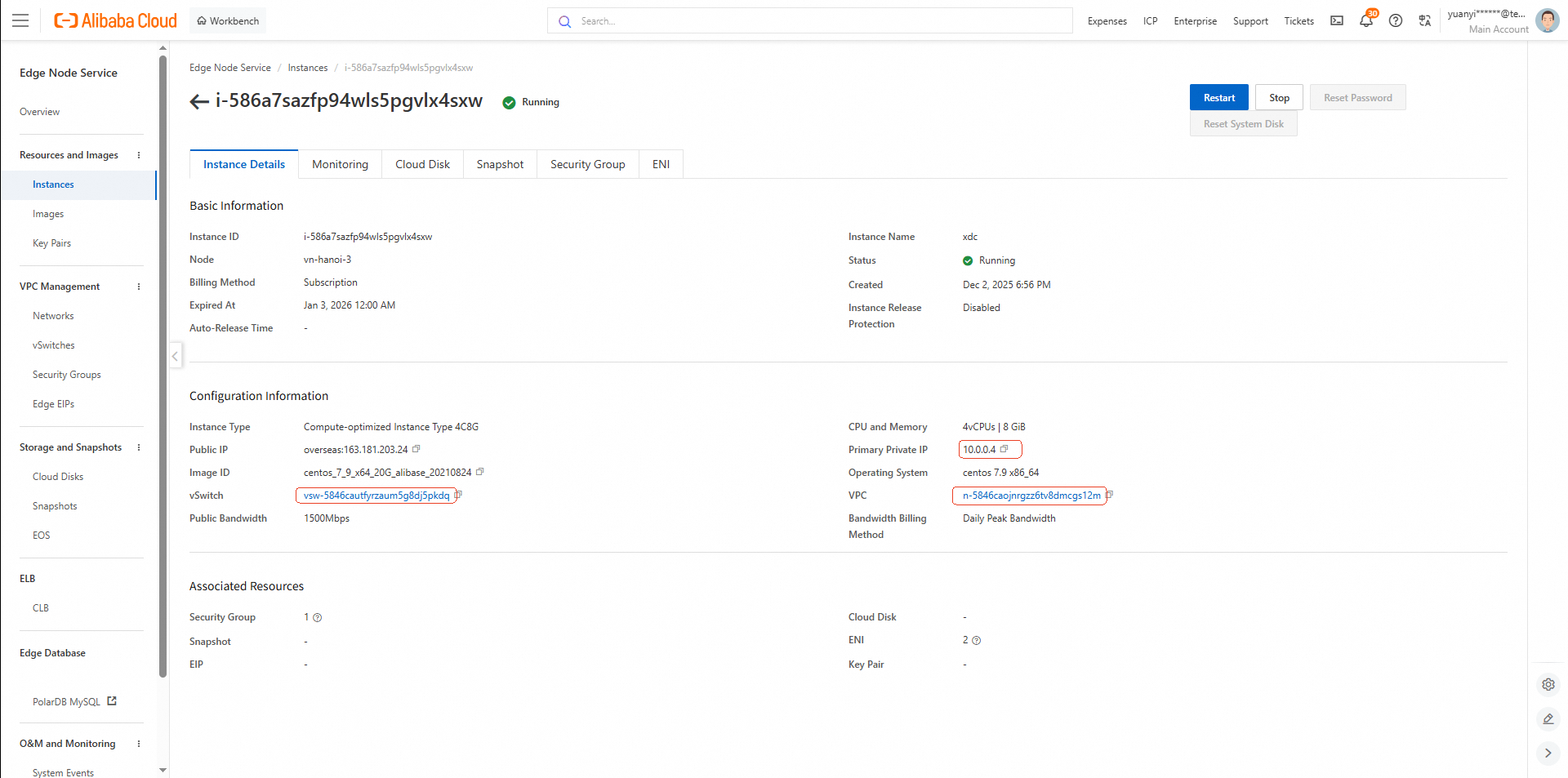
• Private IP Address: 10.0.0.4
• VPC: n-5846caojnrgzz6tv8dmcgs12m (10.0.0.0/8)
• vSwitch: vsw-5846cautfyrzaum5g8dj5pkdq (10.0.0.0/24)
• Console Link: ENS Instance List
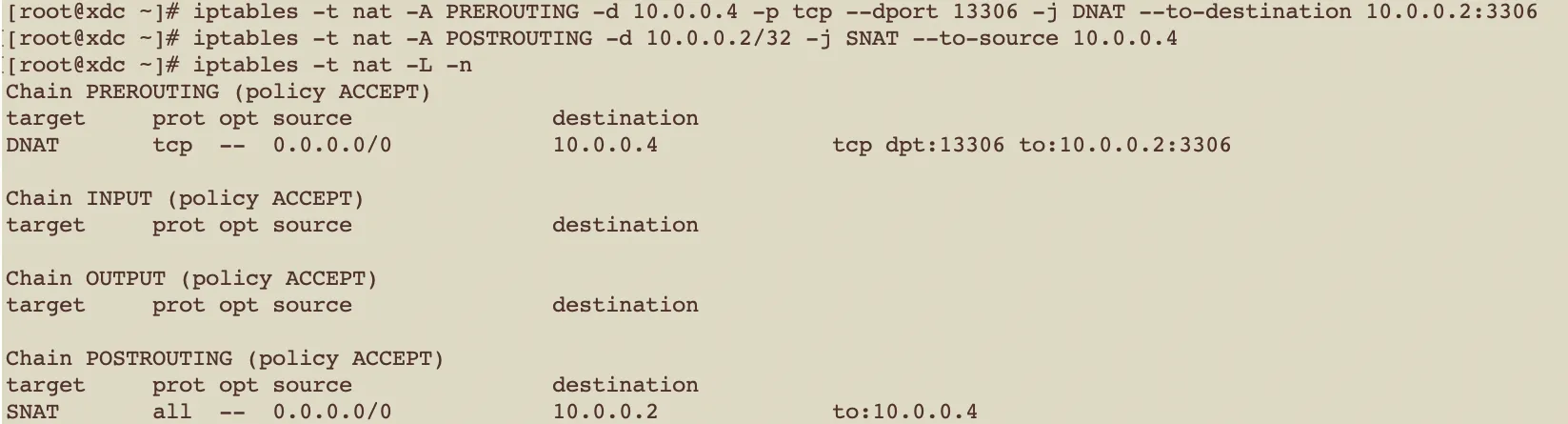
Use the following iptables rules on the ECS instance (10.0.0.4) to forward traffic to the local PolarDB for MySQL instance (10.0.0.2):
# DNAT: Redirect incoming traffic on port 13306 to PolarDB for MySQL (`10.0.0.2:3306`)
iptables -t nat -A PREROUTING -d 10.0.0.4 -p tcp --dport 13306 -j DNAT --to-destination 10.0.0.2:3306

# SNAT: Ensure return traffic appears to originate from the ECS instance
iptables -t nat -A POSTROUTING -d 10.0.0.2/32 -j SNAT --to-source 10.0.0.4
These rules allow the DTS service in Region B to reach the Region A PolarDB for MySQL instance via the ECS proxy at
10.0.0.4:13306.
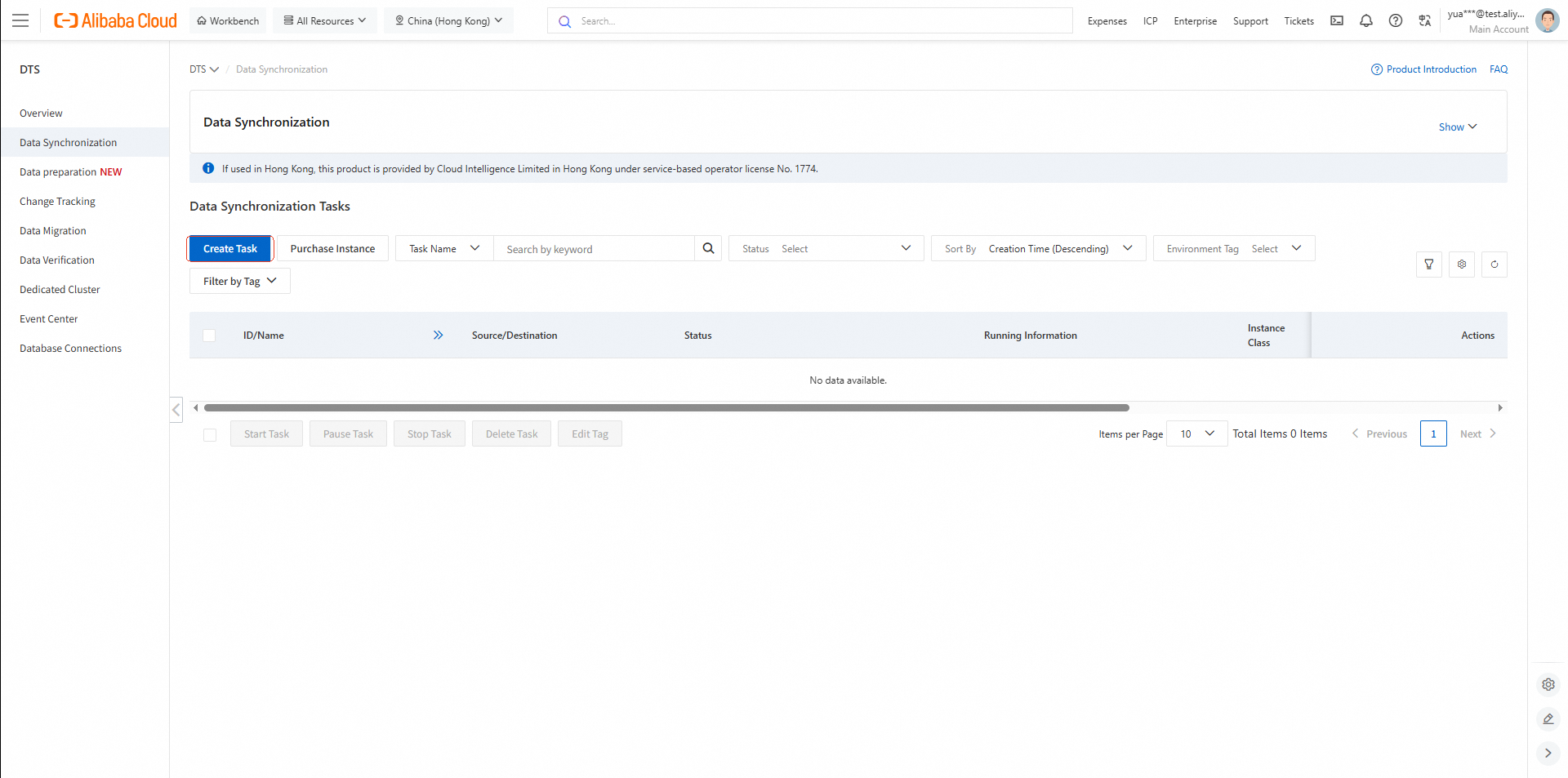
DTS Synchronization Tasks (Region B)
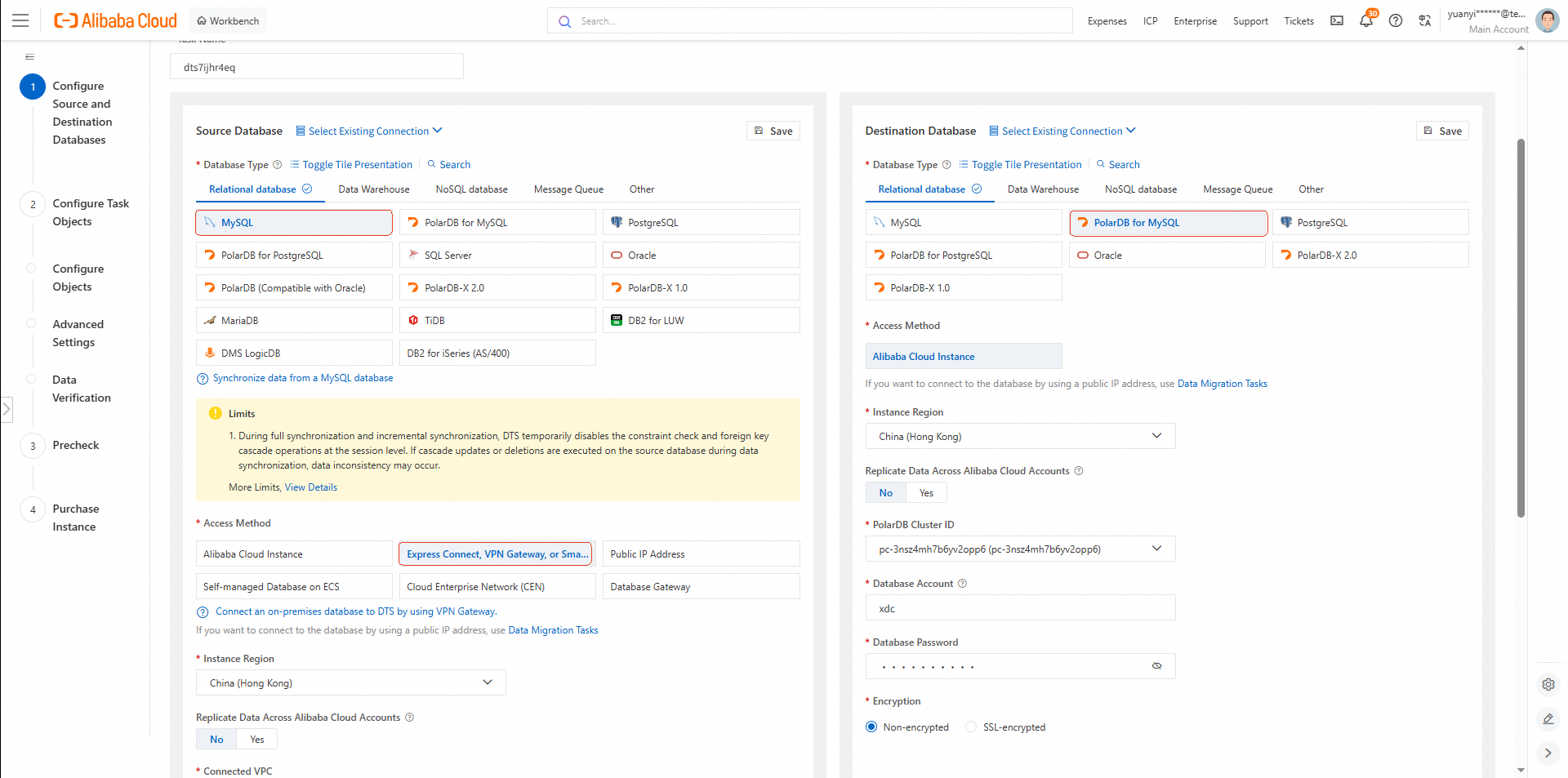
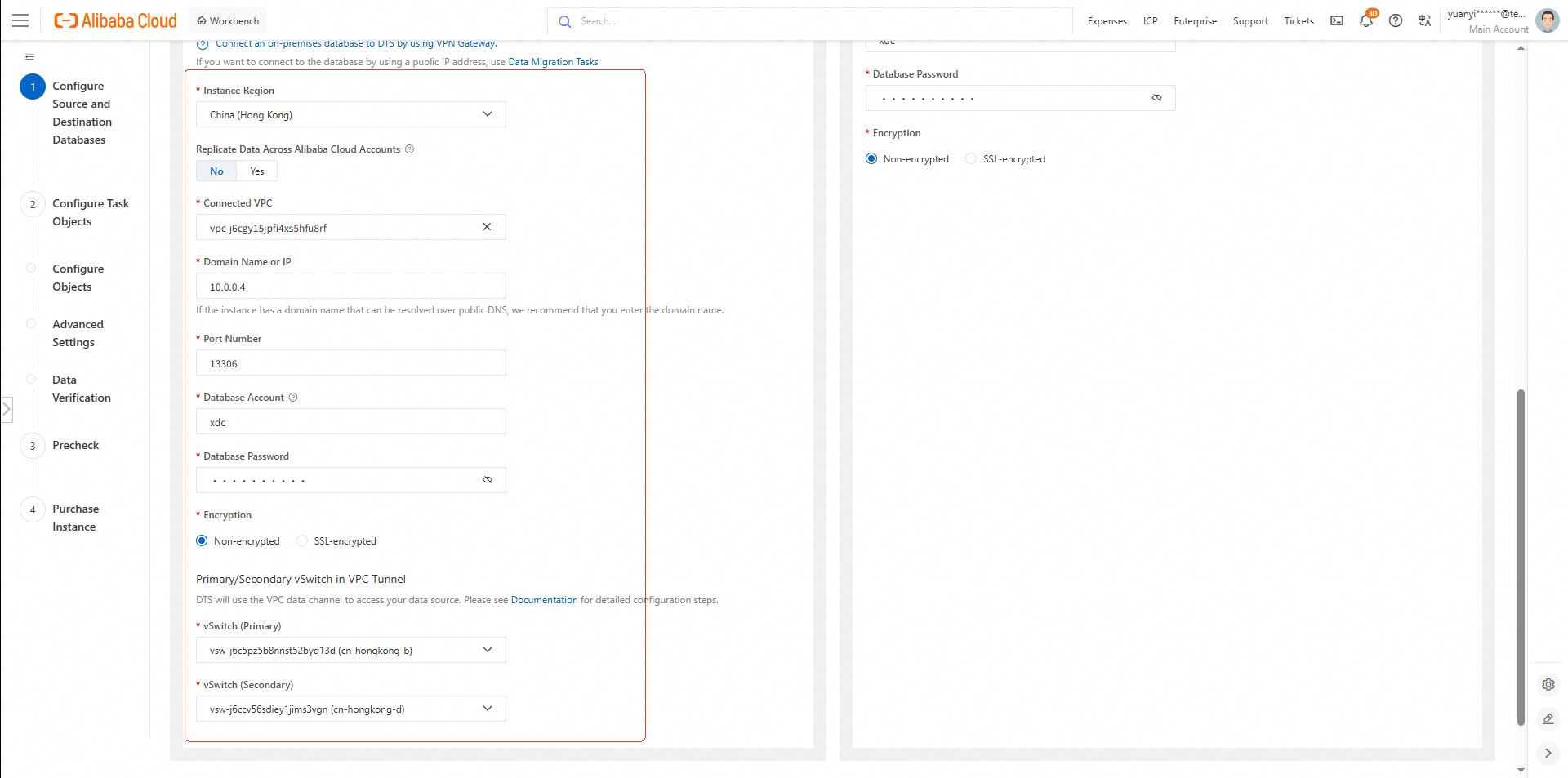
• VPC: vpc-j6cgy15jpfi4xs5hfu8rf (Region B VPC)
• IP Address: Region A ECS private IP: 10.0.0.4
• Port: 13306 (forwarded to PolarDB for MySQL via NAT)
• vSwitch: Use the same vSwitch as the target PolarDB for MySQL: vsw-j6c5pz5b8nnst52byq13d
Proceed to configure the target endpoint (Region B PolarDB for MySQL) and start the synchronization task.
The DTS source endpoint is configured to connect to the Region A ECS instance (10.0.0.4:13306)—not directly to the source PolarDB for MySQL (10.0.0.2). This design is intentional and essential due to network architecture constraints:
• The source PolarDB for MySQL resides in an Alibaba Cloud Edge Node Service (ENS) environment, which is network-isolated from central cloud regions like Region B.
• Direct access from the Region B VPC to the ENS database is not permitted by default.
To bridge this gap, the solution leverages a multi-layered private network backbone:
DTS → Region B VPC → CEN Transit Router → Express Connect (VBR) → ENA → Region A ENS VPC
Here’s how data flows during synchronization:
1. DTS initiates a connection from within the Region B VPC (vpc-j6cgy15jpfi4xs5hfu8rf) to the proxy address 10.0.0.4:13306.
2. This traffic travels over a fully private, low-latency path enabled by:
3. The request reaches the ECS instance (10.0.0.4) in the Region A ENS VPC.
4. On the ECS host, iptables NAT rules transparently forward the request:
13306 to the local PolarDB for MySQL at 10.0.0.2:3306.5. The source PolarDB for MySQL processes the query and returns data to the ECS instance.
6. SNAT rules on the ECS ensure return traffic appears to originate from 10.0.0.4, allowing seamless routing back through the same private network path.
7. Data flows back via ENA + Express Connect + CEN to the DTS service in Region B, which then writes it to the target PolarDB for MySQL (172.30.0.84).
This section summarizes all key cloud resources involved in the data synchronization solution, including database instances, network components, and connectivity endpoints. Resources are categorized by functional role to facilitate deployment, operations, and troubleshooting.
| Role | Resource Type | Region / Environment | Private IP Address | VPC | vSwitch | Console Link |
|---|---|---|---|---|---|---|
| Source Database | PolarDB for MySQL (ENS) | Region A | 10.0.0.2 |
n-5846caojnrgzz6tv8dmcgs12m (10.0.0.0/8) |
vsw-5846cautfyrzaum5g8dj5pkdq (10.0.0.0/24) |
PolarDB ENS Clusters |
| NAT Proxy | ECS (ENS) | Region A | 10.0.0.4 |
n-5846caojnrgzz6tv8dmcgs12m (10.0.0.0/8) |
vsw-5846cautfyrzaum5g8dj5pkdq (10.0.0.0/24) |
ENS Instance List |
| Target Database | PolarDB for MySQL (Public Cloud) | Region B | 172.30.0.84 |
vpc-j6cgy15jpfi4xs5hfu8rf (172.16.0.0/12) |
vsw-j6c5pz5b8nnst52byq13d (172.30.0.0/24) |
PolarDB Region B Clusters |
Notes:
• The source PolarDB for MySQL and the ECS instance reside in the same Region A ENS VPC, ensuring low-latency local communication.
• DTS connects to the source database via 10.0.0.4:13306; traffic is transparently forwarded to 10.0.0.2:3306 using iptables NAT rules.
| Component | Resource ID / Name | Type | Key Configuration | Console Link |
|---|---|---|---|---|
| Physical Connection | pc-j6cs1dn0mkeg7l8oyfiwf |
Express Connect Physical Connection | Region A ↔ Region B | Express Connect – Physical Connections |
| Virtual Border Router (VBR) | vbr-j6ckhs3jqjwqz53soi7c8 |
VBR | VLAN ID: provided by Alibaba CloudInterconnection IPs: e.g., 192.0.2.2/29
|
Express Connect – VBR |
| BGP Group | bgpg-j6cm121rpt6h671q1pr2u |
BGP Group | Peer ASN: 45103
|
— |
| BGP Peers | — | BGP Peer | IPs: 192.0.2.5, 192.0.2.6Status must be Established |
— |
| Resource Type | Resource ID | Region | Attached To | Description |
|---|---|---|---|---|
| CEN Instance | cen-4xua8qyiih2iqeb78x |
Global | — | Central hub for global networking |
| Transit Router | tr-j6c2wi8n1wt5pzcpbrlbj |
Region B | — | Handles inter-region routing |
| VPC Attachment | tr-attach-f6i5caxiumuvplcd1v |
Region B | VPC: vpc-j6cgy15jpfi4xs5hfu8rf
|
Route synchronization enabled |
| VBR Attachment | tr-attach-092uj49uh3lzhz9no2 |
Region B | VBR: vbr-j6ckhs3jqjwqz53soi7c8
|
Route synchronization enabled |
Notes: All attachments must have route propagation (route synchronization) enabled to ensure end-to-end reachability between the Region A VPC and the Region B VPC.
These tables provide a comprehensive overview of the resource topology and configuration details across the entire synchronization pipeline, enabling efficient validation, monitoring, and troubleshooting.
PolarDB Brings Alibaba Cloud Another SIGMOD Best Paper Award
Alibaba Cloud Community - January 4, 2026
ApsaraDB - November 19, 2025
Community Builder - August 19, 2026
ApsaraDB - August 25, 2026
ApsaraDB - June 21, 2026
ApsaraDB - July 22, 2026
 Data Transmission Service
Supports data migration and data synchronization between data engines, such as relational database, NoSQL and OLAP
Learn More CEN
CEN
A global network for rapidly building a distributed business system and hybrid cloud to help users create a network with enterprise level-scalability and the communication capabilities of a cloud network
Learn More Enterprise IT Governance Solution
Alibaba Cloud‘s Enterprise IT Governance solution helps you govern your cloud IT resources based on a unified framework.
Learn More Big Data Consulting for Data Technology Solution
Alibaba Cloud provides big data consulting services to help enterprises leverage advanced data technology.
Learn MoreMore Posts by ApsaraDB


