Tool link: https://github.com/mydumper/mydumper
MyDumper is a backup tool superior to MySQL's official MySQLdump, primarily due to its multi-threading capability and backup file storage mode. MySQL 5.7 officially released a new backup tool named MySQLdump, which also supports multi-threading and features an innovative implementation. However, it still only provides table-level parallelism. MyDumper enables record-level parallel backup, utilizing a framework composed of a main thread and multiple worker threads.
Install MyDumper and myloader
release=$(curl -Ls -o /dev/null -w %{url_effective} https://github.com/mydumper/mydumper/releases/latest | cut -d'/' -f8)
yum install https://github.com/mydumper/mydumper/releases/download/${release}/mydumper-${release:1}.el7.x86_64.rpm
yum install https://github.com/mydumper/mydumper/releases/download/${release}/mydumper-${release:1}.el8.x86_64.rpm
The database size is 14 GB.

Backup test. Create backup script diff_time.sh to test the time required to back up 14 GB of data.
#!/bin/bash

# Record the start time.
START=$SECONDS

# The command to be executed.


mydumper  -u rambo -p xxxxxxxx  -h xxxxxxxxxx.com -B testdb2    -t 12  -o /data/bak_up/testbak/ >/dev/null 2>&1

# Record the end time.
END=$SECONDS

# Calculate the execution time.
DIFF=$((END - START))

# Output the execution time (unit: seconds).
echo "Execution time: $DIFF seconds"
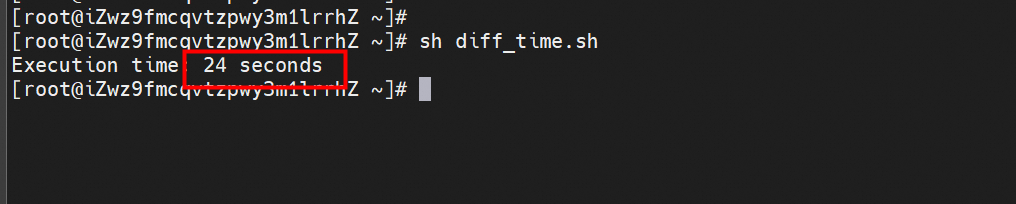
Run the script diff_time.sh and the backup is completed in 24 seconds.
View the backup file:
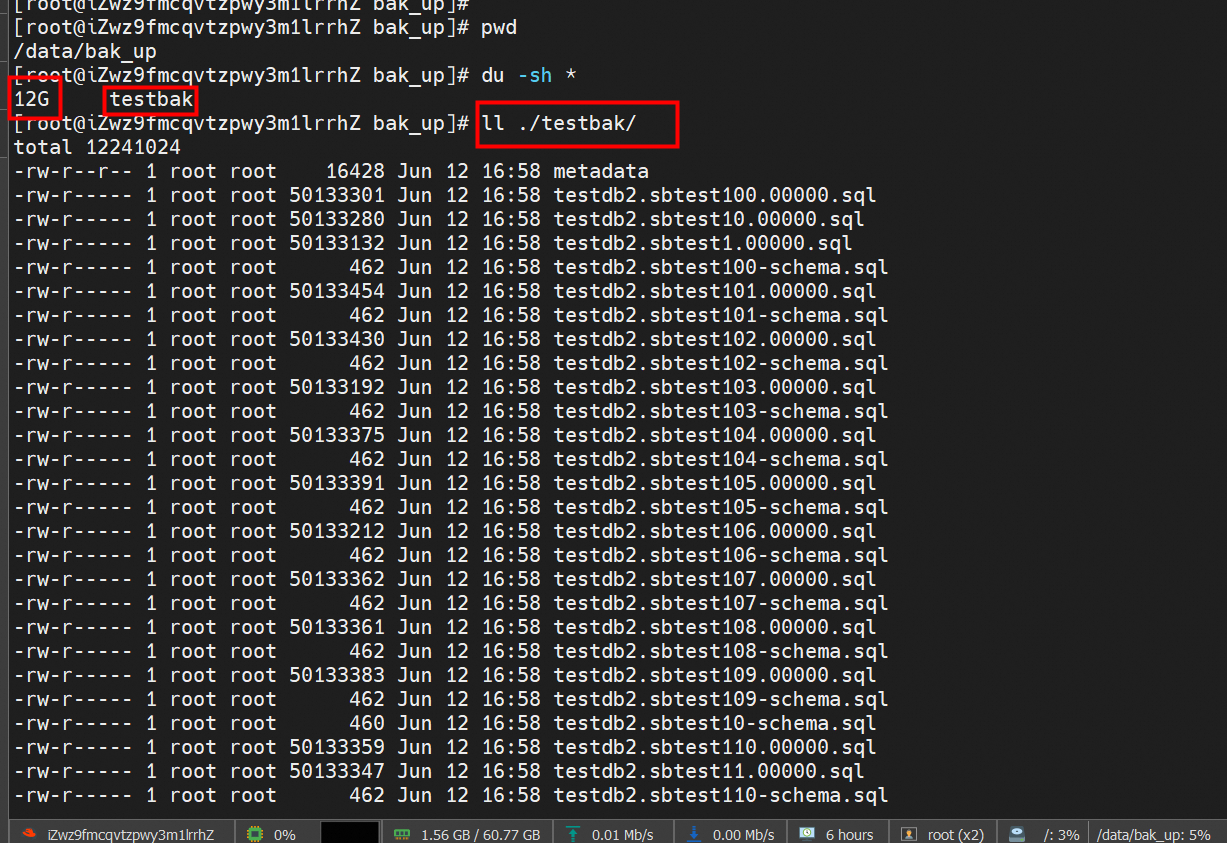
It occupies about 12 GB.
Run MySQLdump to back up the same database.
 #!/bin/bash
# Database configurations
DB_HOST="pc-wz9t6m08x99x87232.mysql.polardb.rds.aliyuncs.com" # Database server address, such as "localhost" or "192.168.1.100".
DB_USER="rambo"      # Database username.
DB_PASSWORD="xxxxxxxx$"  # Database password.
DB_NAME="testdb2"     # Database name.
TABLE_NAME="your_table"     # The name of the table to be backed up.
BACKUP_PATH="/data/bakup/mysqldump_bak/" # The path of the backup file.

 # The name of the backup file.
 BACKUP_FILENAME="backup_$DB_NAME-$TABLE_NAME-$(date +%Y%m%d%H%M%S).sql"
 BACKUP_FILEPATH="$BACKUP_PATH/$BACKUP_FILENAME"

 # Ensure that the backup directory exists.
 mkdir -p "$BACKUP_PATH"

 # Run the mysqldump command to back up a specified table.
 mysqldump -h "$DB_HOST" -u "$DB_USER" -p"$DB_PASSWORD" "$DB_NAME"  > "$BACKUP_FILEPATH"

 # Verify backup status.
 if [ $? -eq 0 ]; then
     echo "Backup successful: $BACKUP_FILEPATH"
 else
         echo "Backup failed"
          exit 1
 fi
Execution time comparison script
#!/bin/bash

# Record the start time.
START=$SECONDS

# The command to be executed.
rm -rf /data/bakup/mysqldump_bak/*

sh /root/mysqldump.sh
# Record the end time.
END=$SECONDS

# Calculate the execution time.
DIFF=$((END - START))

# Output the execution time (unit: seconds).
echo "Execution time: $DIFF seconds"
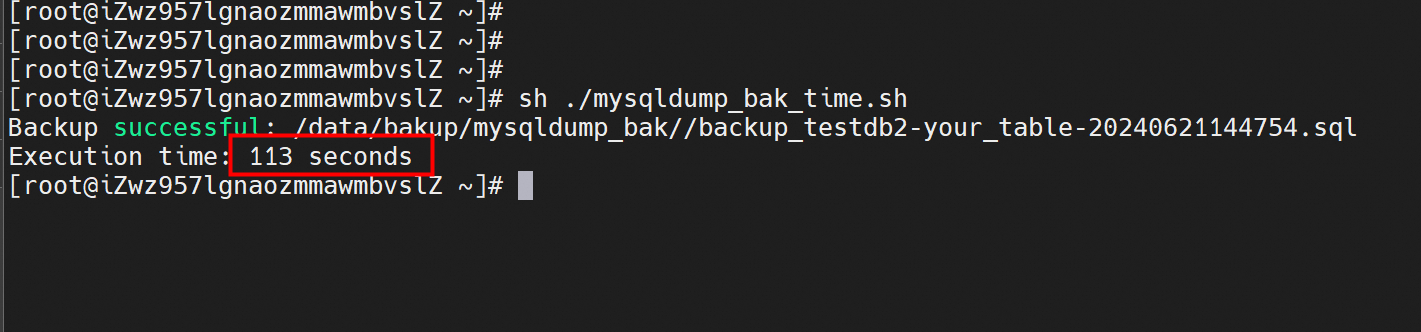
Run the time calculation script. Using MySQLdump to back up the same database takes 113 seconds.
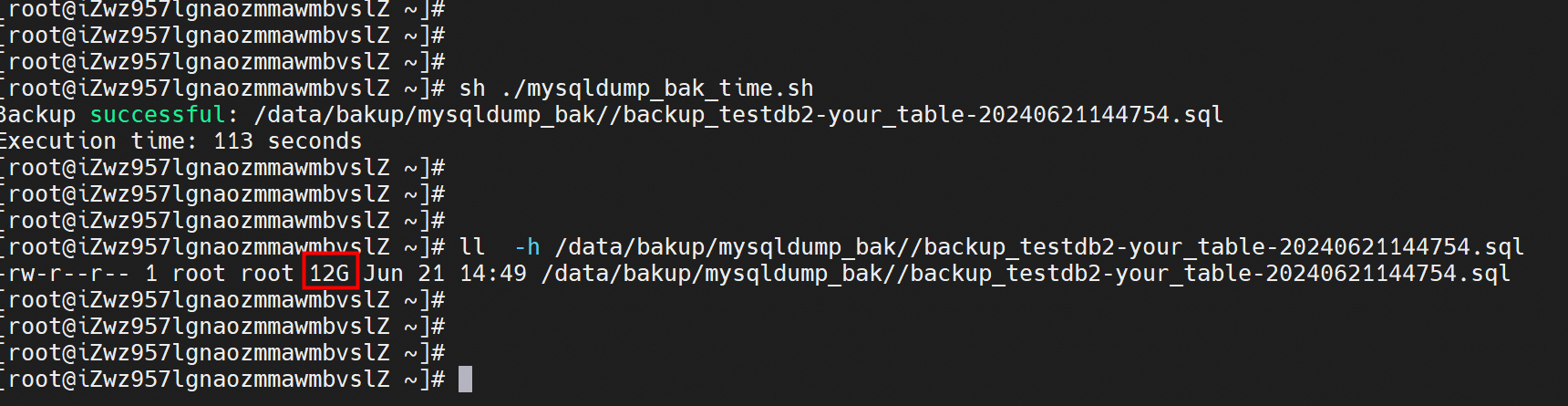
The space occupied by the backup is 12 GB.
The space occupied by the database is 25 GB.
SELECT table_schema AS 'Database',
 ROUND(SUM(data_length + index_length) / 1024 / 1024/1024, 3) AS 'Size (GB)'
FROM information_schema.TABLES  where `TABLE_SCHEMA` = "test03";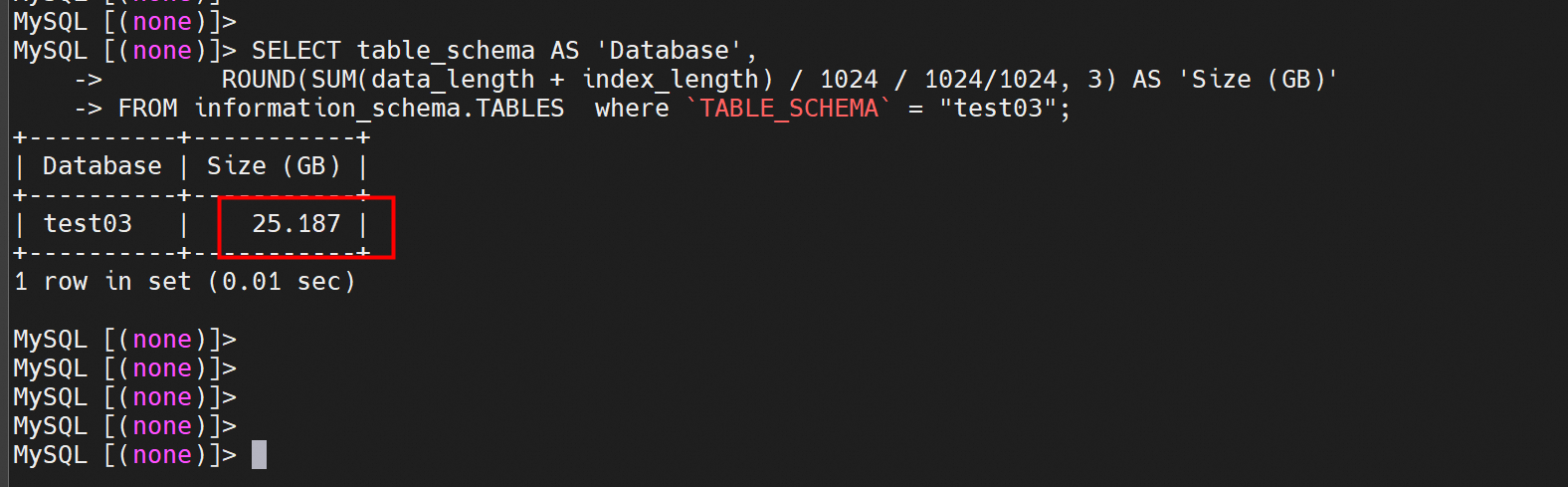
The time required to back up 25 GB using MyDumper is 57 seconds.
Backup script
#!/bin/bash

# Record the start time.
START=$SECONDS

# The command to be executed.


mydumper  -u rambo -p 'xxxxxxxx$'  -h pc-wz9t6m08x99x8723.mysql.polardb.rds.aliyuncs.com  -B test03    -t 128   -o /data/bakup/mydump_bak >/dev/null 2>&1
#     -t    Number of threads during backup   -o Output path
# Record the end time.
END=$SECONDS

# Calculate the execution time.
DIFF=$((END - START))

# Output the execution time (unit: seconds).
echo "Execution time: $DIFF seconds"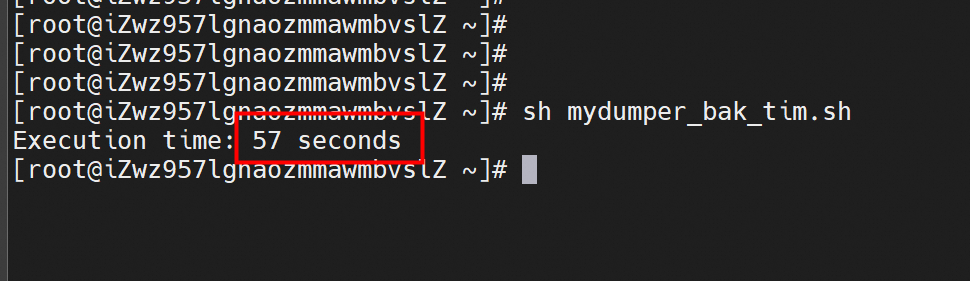
The time required to back up 25 GB by using MySQLdump is 203 seconds.

The storage space occupied by the MySQLdump backup is 24 GB.

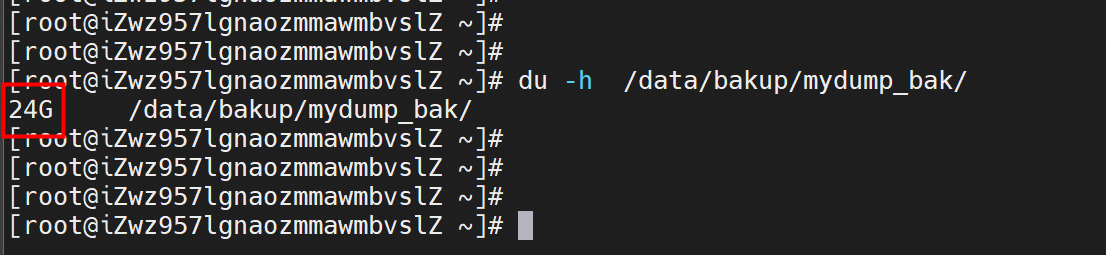
The storage space occupied by the MyDumper backup is 24 GB.
| Tool | Backup time required for 14 GB of data | Backup time required for 25 GB of data | Comparison of backup file storage usage | Backup type | Maximum backup speed | Data compression |
|---|---|---|---|---|---|---|
| mysqldump | 113 s | 203 s | Same | Single thread | 1800MB | Not supported |
| mydumper | 24 s | 57 s | Same | Multiple threads | 5700MB | Supported |
Parameter Abbreviation Description
-user -u Username
-pasword -p Password
-host -h Address
-port -P Port
-threads -t The number of threads during backup. Default value: 4.
-database -B The name of the database to be backed up. If not specified, all databases are backed up.
-outputdir -o The output directory for backups
-no-schemas -m Do not back up table schemas.
-no-data -d Do not back up table data.
-triggers -G Backup triggers
-events -E Backup events
-routines -R Backup storage procedure and functions
-no-views -W Do not back up views.
-no-locks -k Do not use temporary shared read-only locks. Using this option will cause data inconsistency.
--less-locking Minimum table lock time used in InnoDB tables
Develop Data ETL Links in AnalyticDB for PostgreSQL Using DMS
francisndungu - August 2, 2018
ApsaraDB - January 17, 2025
Alibaba Clouder - April 8, 2018
Alibaba Clouder - August 2, 2019
Alibaba Clouder - July 31, 2019
ApsaraDB - January 16, 2026
 PolarDB for MySQL
Alibaba Cloud PolarDB for MySQL is a cloud-native relational database service 100% compatible with MySQL.
Learn More Database Backup
A reliable, cost-efficient backup service for continuous data protection.
Learn More Database for FinTech Solution
Leverage cloud-native database solutions dedicated for FinTech.
Learn More Oracle Database Migration Solution
Migrate your legacy Oracle databases to Alibaba Cloud to save on long-term costs and take advantage of improved scalability, reliability, robust security, high performance, and cloud-native features.
Learn MoreMore Posts by ApsaraDB


