A contract reads fine until the clause that bites you is on page nine, in the definitions. QwenWork reads all nine pages in seconds and tells you, in plain English, where the risk moved onto your side of the table.
Nobody signs a bad contract on purpose. It happens because the risk is buried: an auto-renewal window you missed, an indemnity with no cap, a data clause that reads like a giveaway. Legal review catches these — when there's time for legal review.
The gap is the everyday contract: the vendor MSA, the renewal, the SOW someone needs signed by Friday. Reading it properly takes an evening; skimming it takes twenty minutes and misses the clause that matters.
QwenWork closes that gap. Bring in the contract, say whose side you're on, and it flags every clause that shifts risk toward you — with a plain-English explanation and suggested redline language for each.
From one contract excerpt:
Time to set up: about 6 minutes. You stay the decision-maker — QwenWork prepares, counsel decides.
Perspective changes everything. The same clause is fine for one party and toxic for the other:
Review this vendor contract from my side (the customer). Flag every
clause that shifts risk onto us. For each: quote it, explain it in
plain English, and suggest redline language.

MASTER SERVICES AGREEMENT (excerpt)
1. Term. This Agreement renews automatically for successive 12-month
   periods unless Customer cancels in writing 90 days before renewal.
2. Fees. Provider may increase fees upon 30 days' notice, effective
   for the then-current term.
3. Indemnity. Customer indemnifies Provider for all claims arising
   from use of the Service, without limitation.
4. Liability cap. Provider's total liability is capped at fees paid
   in the prior 1 month; the cap does not apply to Customer's
   indemnity obligations.
5. Data. Provider may use Customer Data to improve its services,
   including training models, in perpetuity and irrevocably.
6. Suspension. Provider may suspend the Service for any breach,
   including disputed invoices, without prior notice.
7. Termination for convenience. Customer may terminate on 30 days'
   notice with a fee equal to 50% of remaining term value.
8. Venue. Provider's home jurisdiction; Customer waives objection.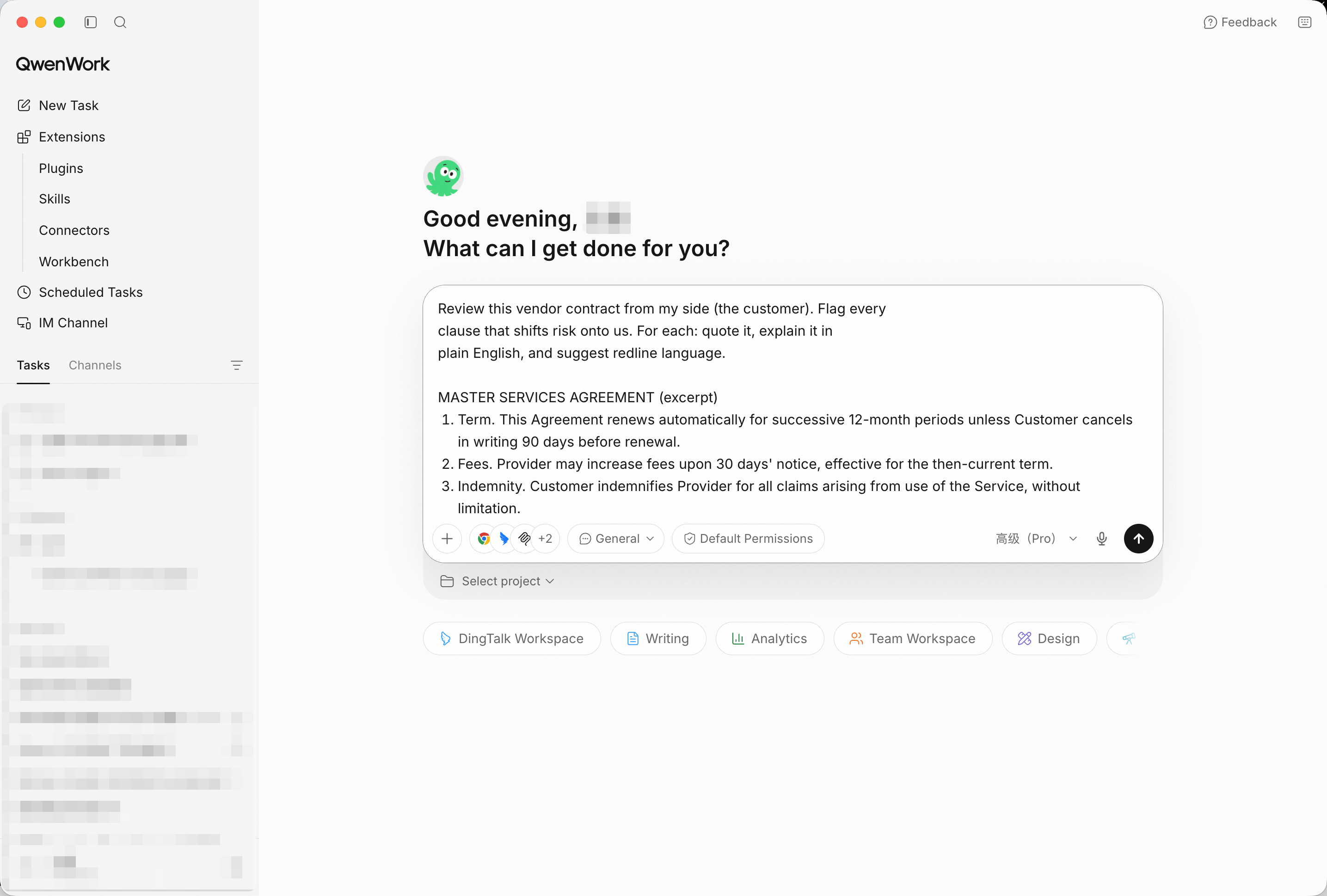
The contract goes in with your perspective attached — "from my side" is the instruction that makes the review useful. Screenshot shows sample input entered by hand for the demo; in production, point QwenWork at your connected source and the same prompts run unchanged.
Each flag arrives as a trio: the quoted clause, what it actually does to you, and language that fixes it. The perpetuity data license and the uncapped indemnity surface immediately — they're the two most people miss on a skim.
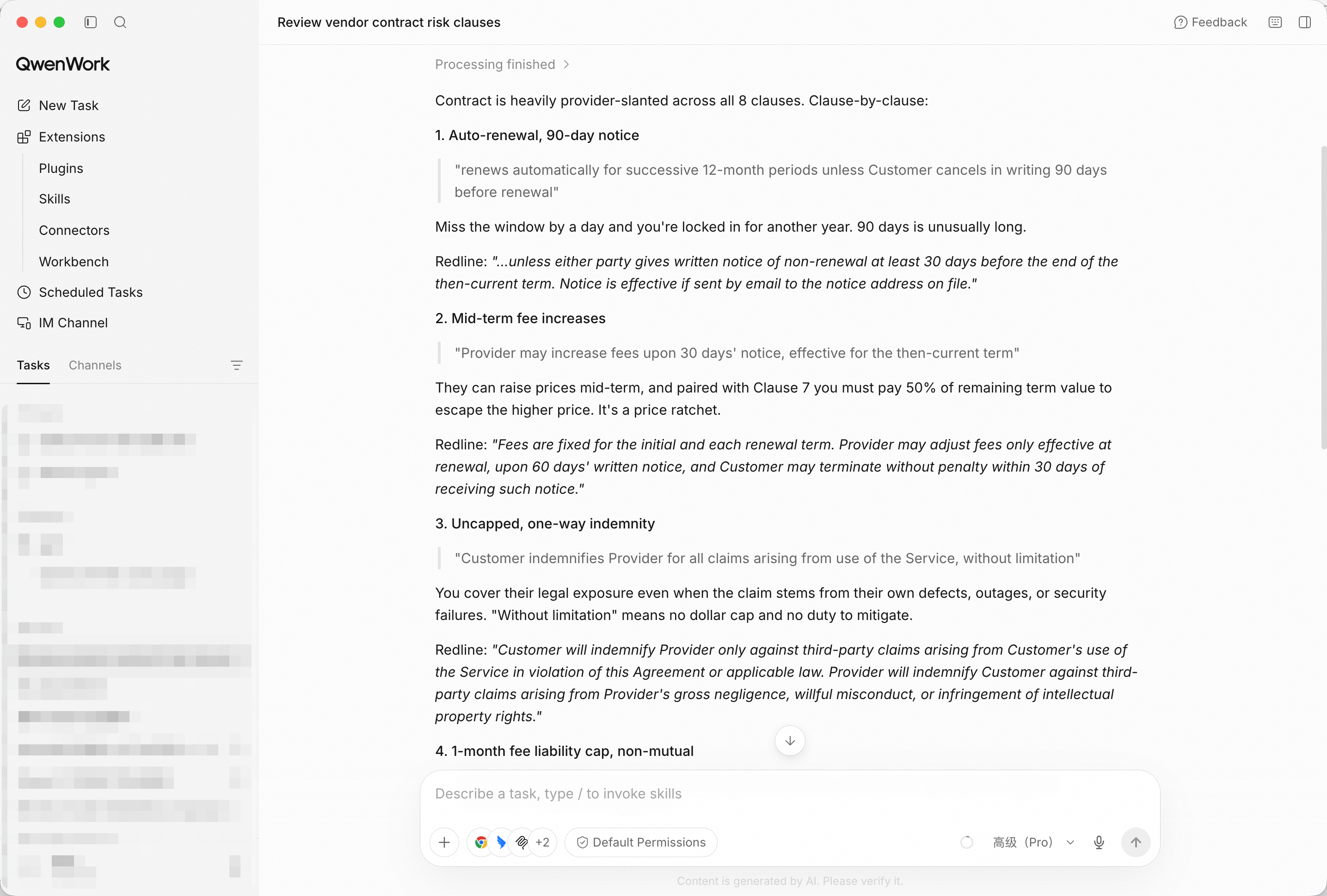
Quoted clause, plain-English risk, suggested redline — every flag in the same readable shape.
Eight flags is a list; a ranking is a negotiation plan:
Rank the flags by severity: deal-breaker, negotiable, or
standard-but-watch. One line of reasoning each.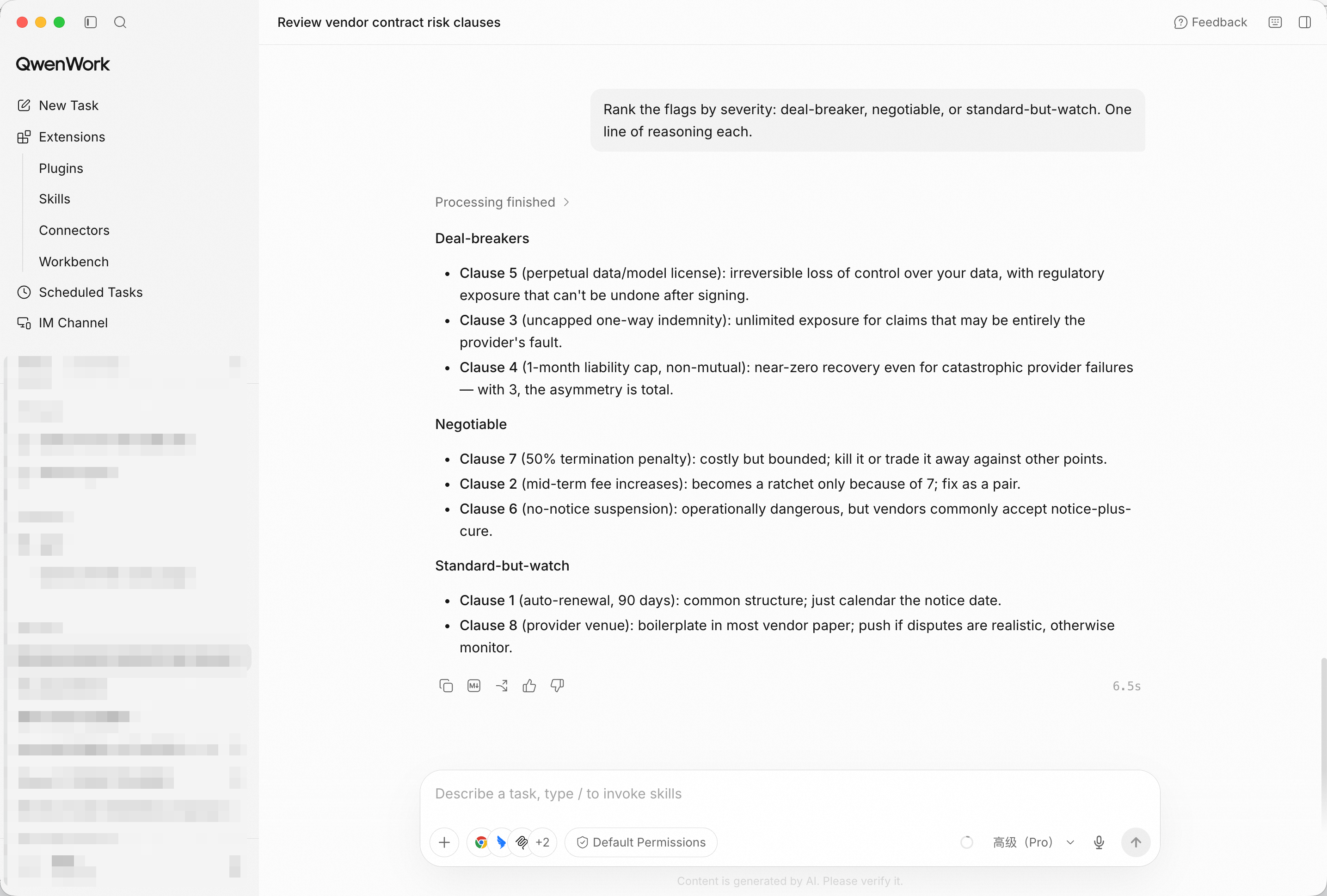
Deal-breakers first — the review becomes an agenda for the negotiation call.
Note: QwenWork prepares the analysis; your counsel makes the call. Nothing in this workflow is legal advice.
Now turn the ranking into something you can send:
Draft the redline language for the two deal-breakers, in the style
of a markup comment I can send to counsel.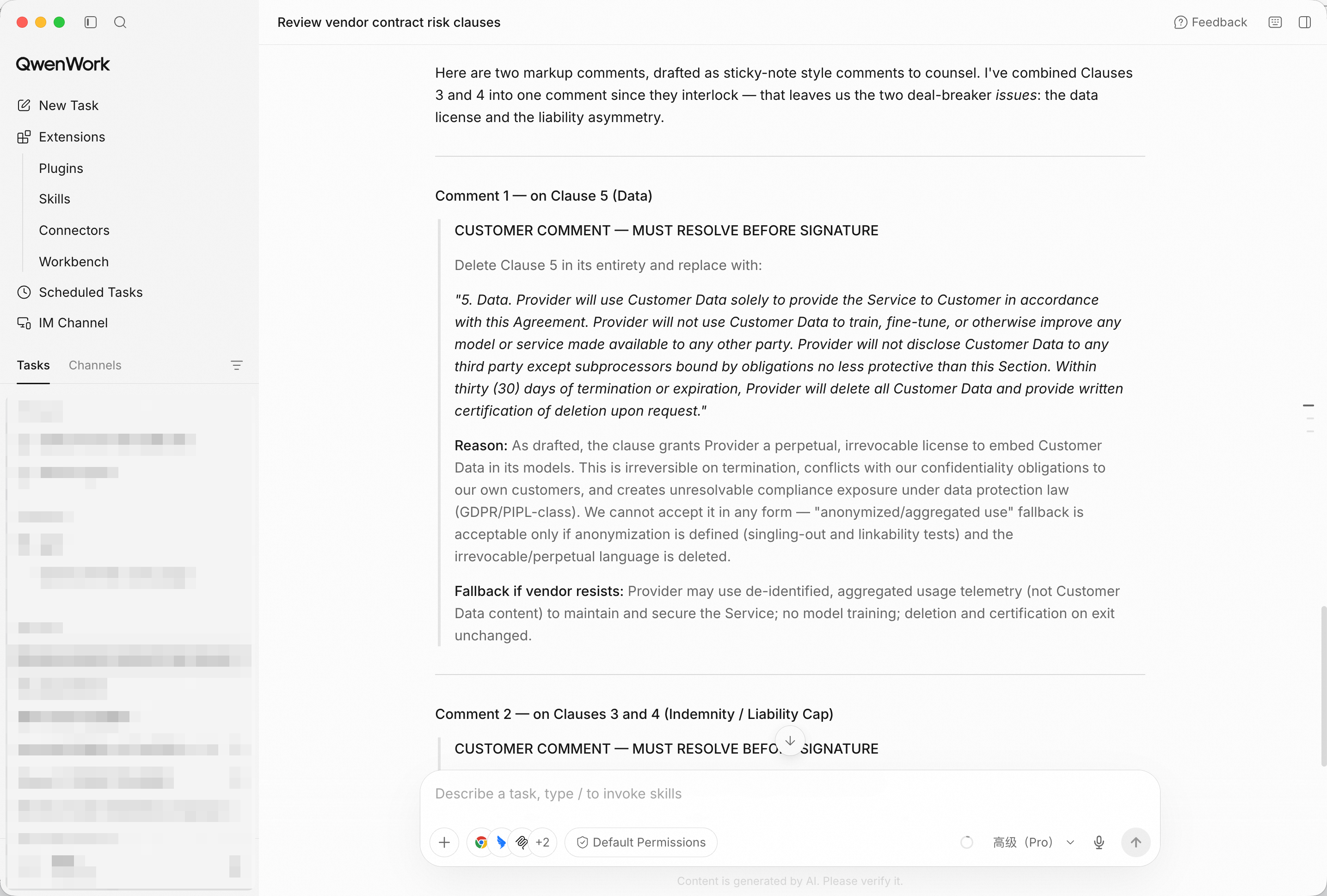
Markup-ready language for the clauses that would otherwise stop the deal.
The CFO doesn't want clause numbers. One more instruction:
Summarize for a non-legal stakeholder: five bullets, no legalese,
what we're asking to change and why.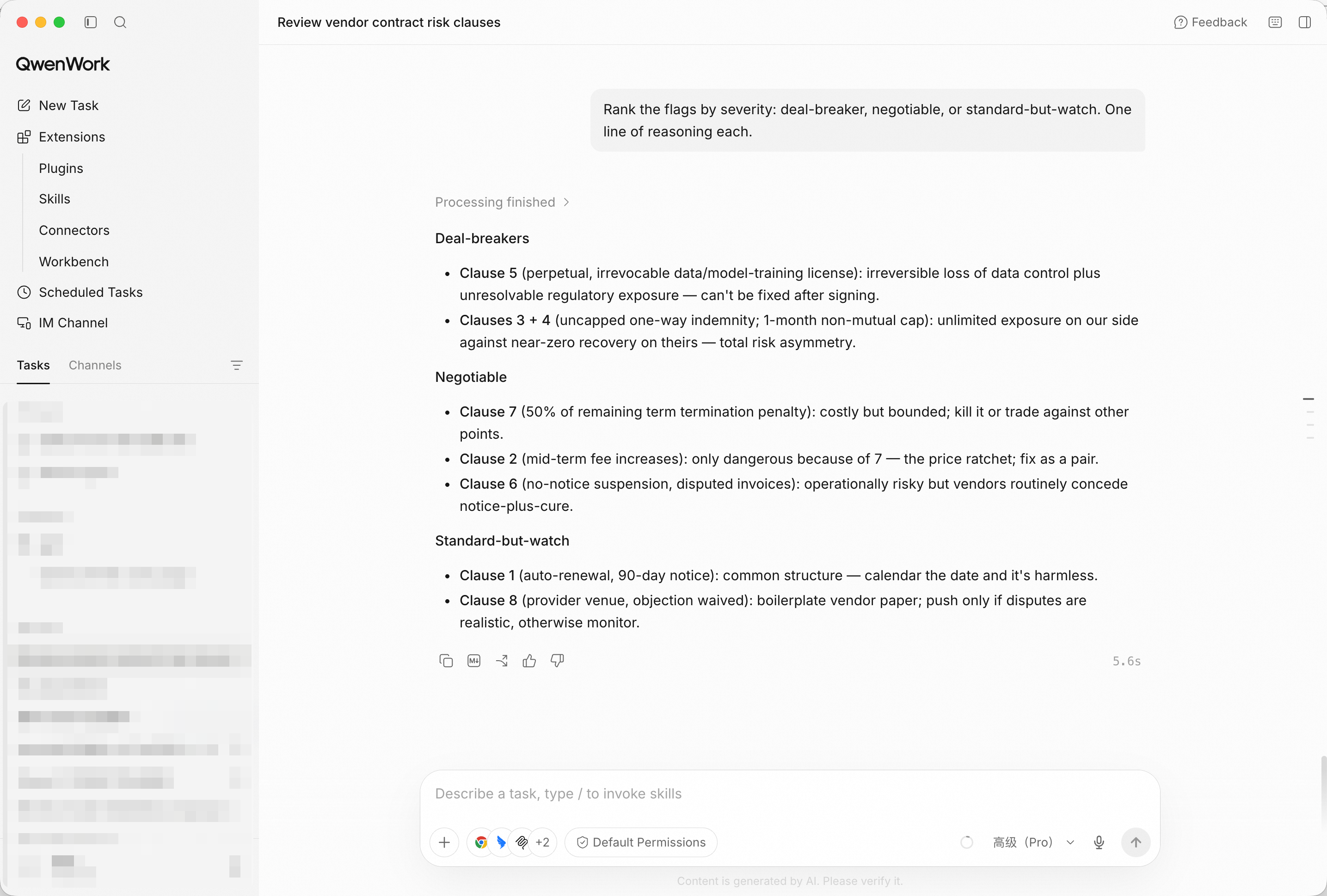
Five bullets the business can approve — the negotiation gets backing, not delay.
You didn't skim page nine at midnight. You brought the contract in with your perspective, and QwenWork returned flags, a ranking, redline language, and a summary the business can sign off on — with counsel still owning the decision.
That's the pattern for a lot of the work that quietly eats your week: read everything, miss nothing, decide faster.
Turn Raw Support Tickets into a Reply Playbook with QwenWork
Reconcile Invoices Against Purchase Orders in Minutes with QwenWork

1,578 posts | 525 followers
FollowFarruh - June 23, 2025
Alibaba Cloud Community - October 23, 2026
Alibaba Cloud Community - October 23, 2026
Alibaba Cloud Big Data and AI - October 14, 2026
Alibaba Cloud Community - August 26, 2026
Alibaba Clouder - September 27, 2018
1,578 posts | 525 followers
Follow Token Plan
Build more, spend less. One plan, every modality.
Learn More QwenWork
QwenWork is dedicated to helping employees strengthen their professional competitiveness in the AI era and to enabling enterprises to improve organizational effectiveness.
Learn More Qwen
Qwen
Full-range, open-source, multimodal, and multi-functional
Learn More
Alibaba Cloud Model Studio
A one-stop generative AI platform to build intelligent applications that understand your business, based on Qwen model series such as Qwen-Max and other popular models
Learn MoreMore Posts by Alibaba Cloud Community

