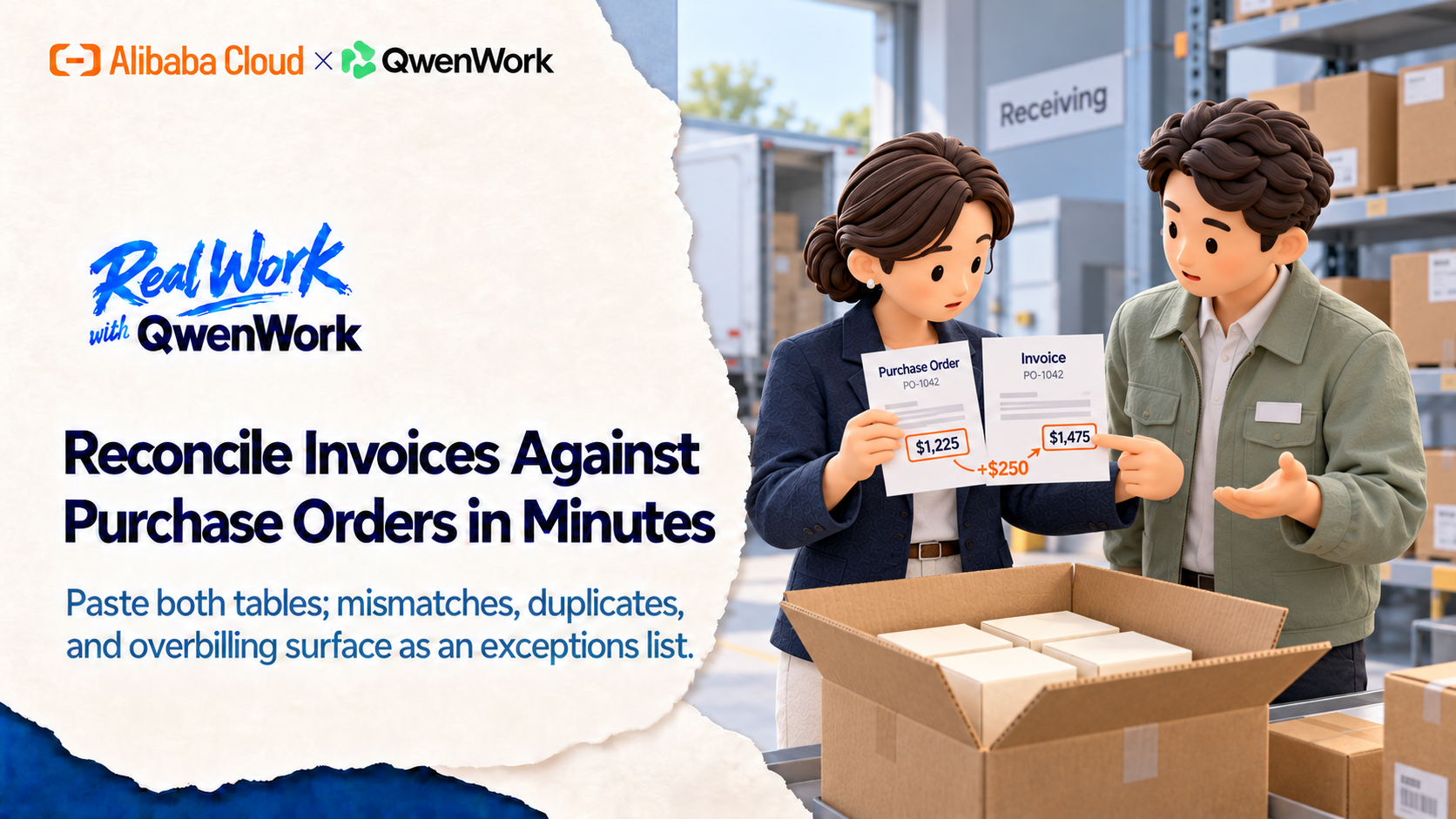
Month-end reconciliation is where overbilling goes to hide: a duplicate invoice, a unit price that drifted, a surcharge nobody agreed to. QwenWork matches both tables line by line and hands you the exceptions — with the likely cause and the email to send.
AP reconciliation is comparison work done by eyeball. Two tables, five columns, forty rows — and the error you miss this month becomes a vendor credit chase next quarter.
Spreadsheets help until the formats disagree: your PO export says "$12.00", the vendor PDF says "12,00 USD", and VLOOKUP gives up. The real skill isn't the formula; it's knowing which mismatch is a typo and which is a billing pattern.
QwenWork does the matching semantically — unit prices, quantities, references, line items — and separates noise from exceptions. You get a list you can act on, not a list you have to re-check.
From a PO table and an invoice table:
Time to set up: about 6 minutes. QwenWork surfaces the exceptions; your controller owns the close.
Reconcile these invoices against the purchase orders. Match line by
line and list every exception: duplicates, price or quantity
mismatches, unmatched references, and charges not on any PO.

Purchase orders:
PO-1041, Widget A, qty 100, unit $12.00
PO-1042, Widget B, qty 50, unit $24.50
PO-1043, Service visit, qty 2, unit $300.00
PO-1044, Widget A, qty 80, unit $12.00
PO-1045, Spare parts kit, qty 10, unit $45.00

Invoices:
INV-2201, PO-1041, qty 100, unit $12.00
INV-2202, PO-1042, qty 50, unit $29.50
INV-2203, PO-1043, qty 2, unit $300.00
INV-2204, PO-1044, qty 80, unit $12.00
INV-2205, PO-1044, qty 80, unit $12.00
INV-2206, PO-9999, qty 12, unit $45.00
INV-2207, PO-1045, qty 10, unit $45.00, plus fuel surcharge $60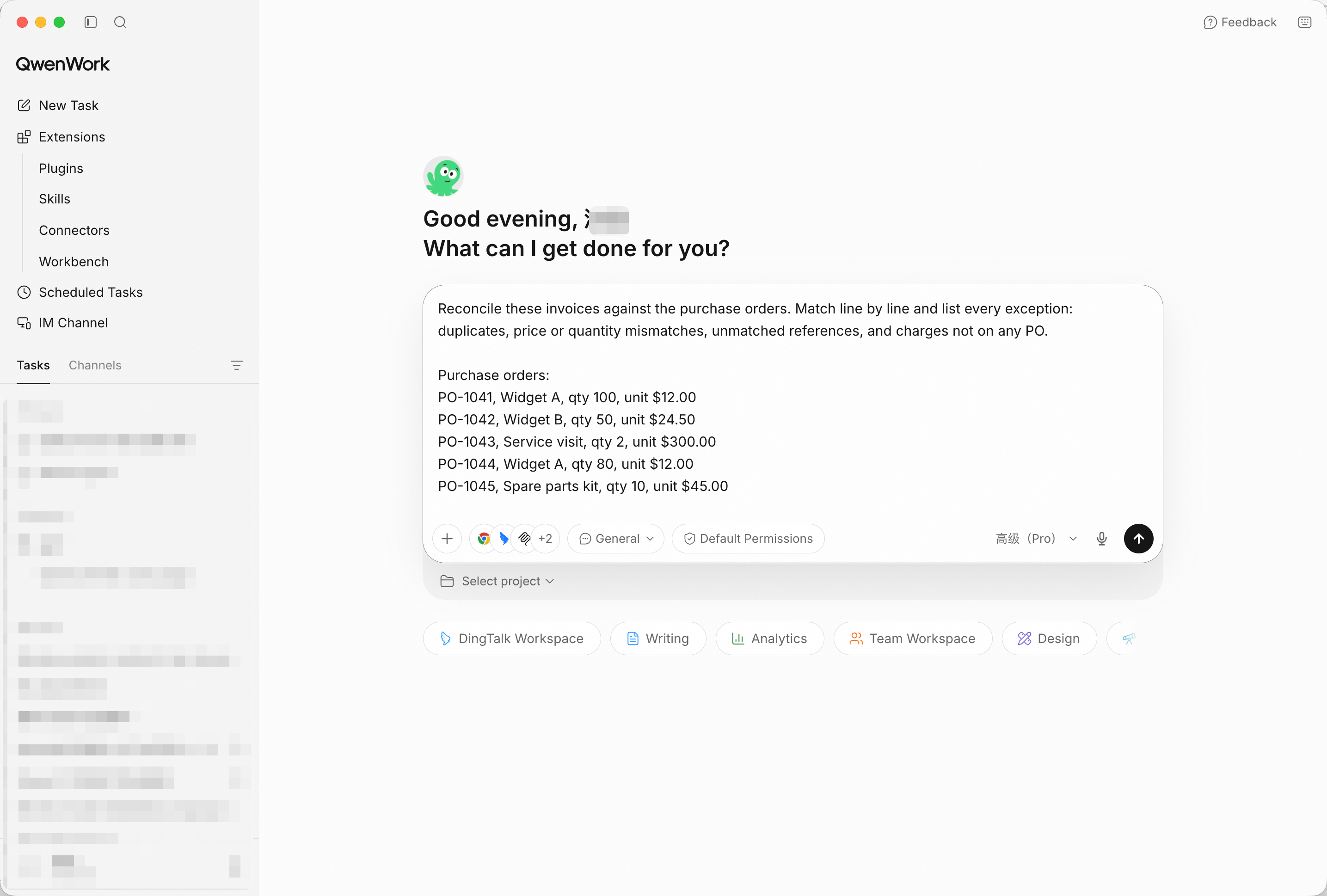
Both tables in, perspective stated: match and list exceptions. Screenshot shows sample input entered by hand for the demo; in production, point QwenWork at your connected source and the same prompts run unchanged.
The four planted problems surface as four distinct exception types: a unit price above PO ($29.50 vs $24.50), a duplicate invoice (INV-2205 repeats INV-2204), an invoice against a PO that doesn't exist (PO-9999), and a surcharge with no PO line (fuel, $60). Clean rows are reported as matched, not listed.
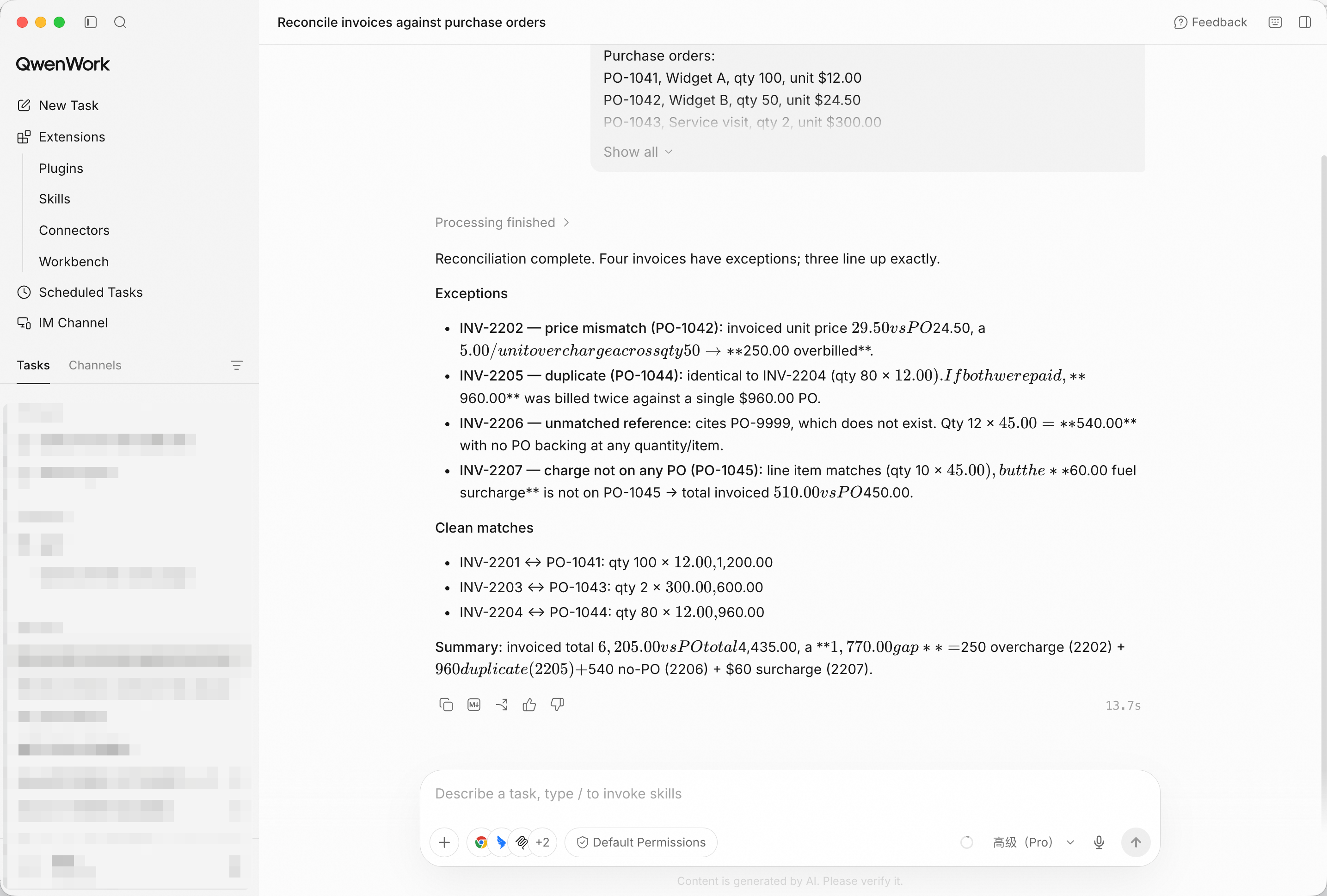
Exceptions only — matched rows confirmed in one line, not re-listed.
An exception without a cause is a to-do without a direction:
For each exception, state the likely cause and the one question to
ask the vendor.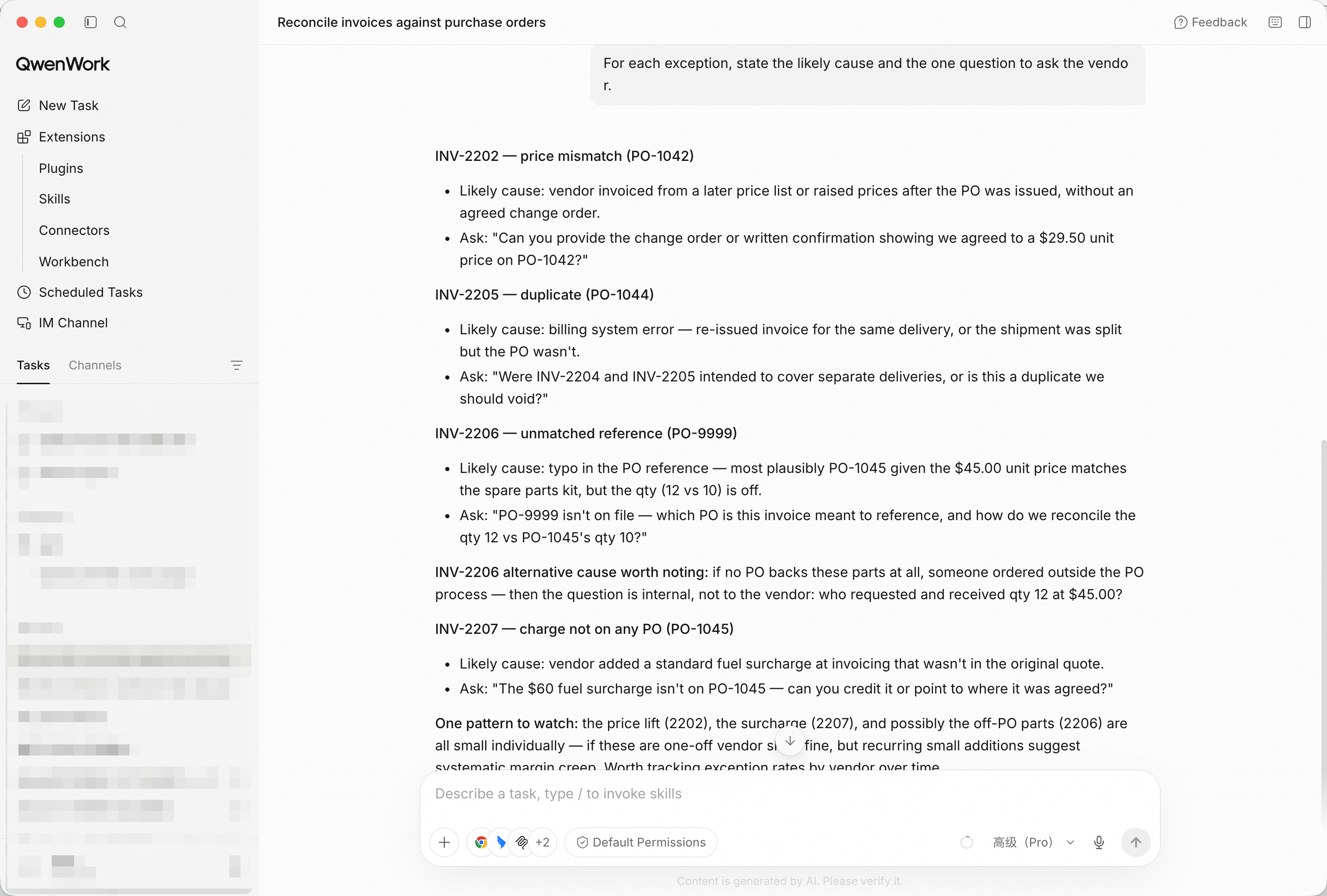
Likely cause plus the exact vendor question — the exception becomes a conversation.
Draft the vendor query emails for the overbilling row and the
unmatched-PO row. Firm, factual, one paragraph each.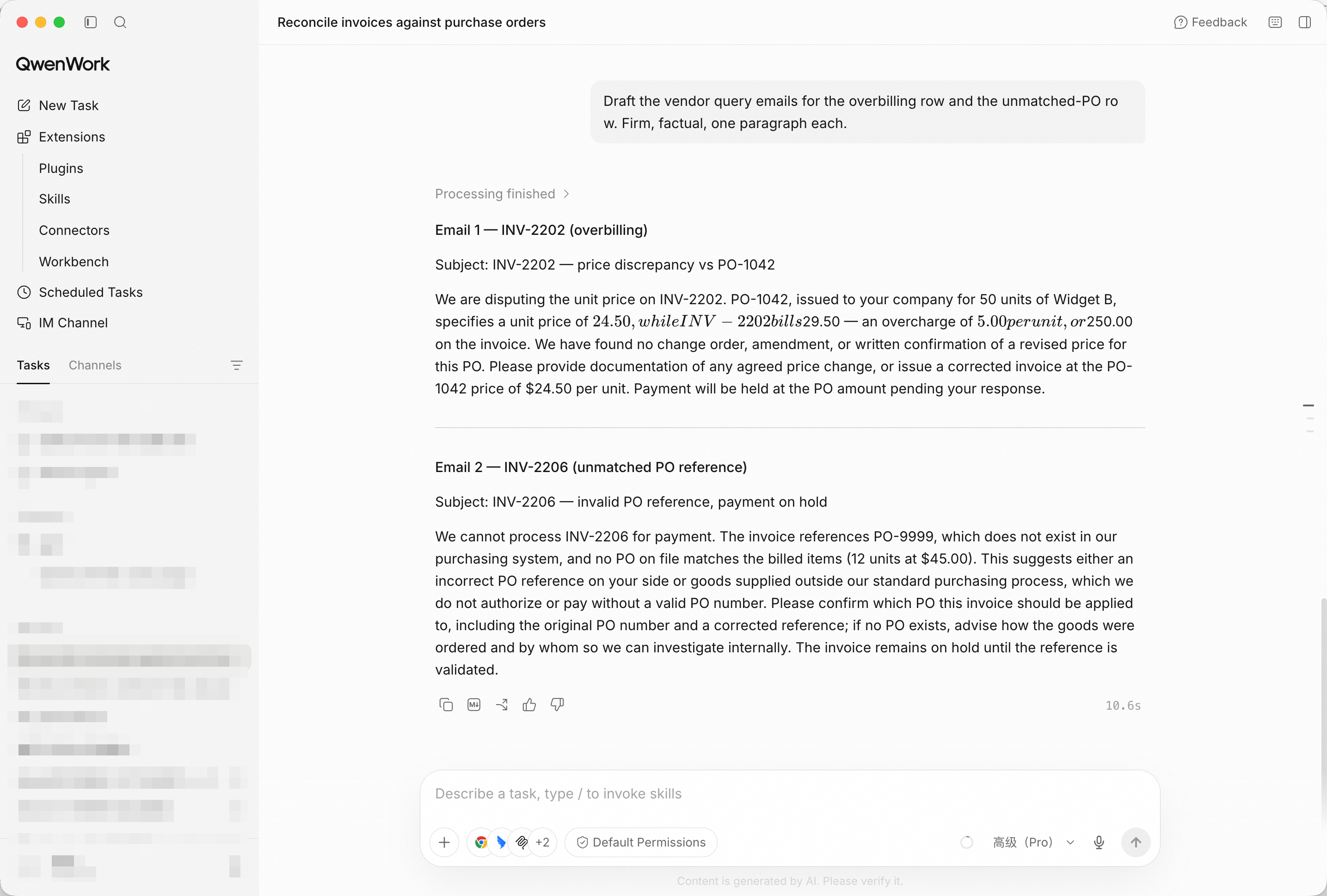
Two emails ready to send — reference numbers, amounts, and the ask in the first line.
Give me a reconciliation summary for the close checklist: total
matched value, exception count, and net exposure at risk.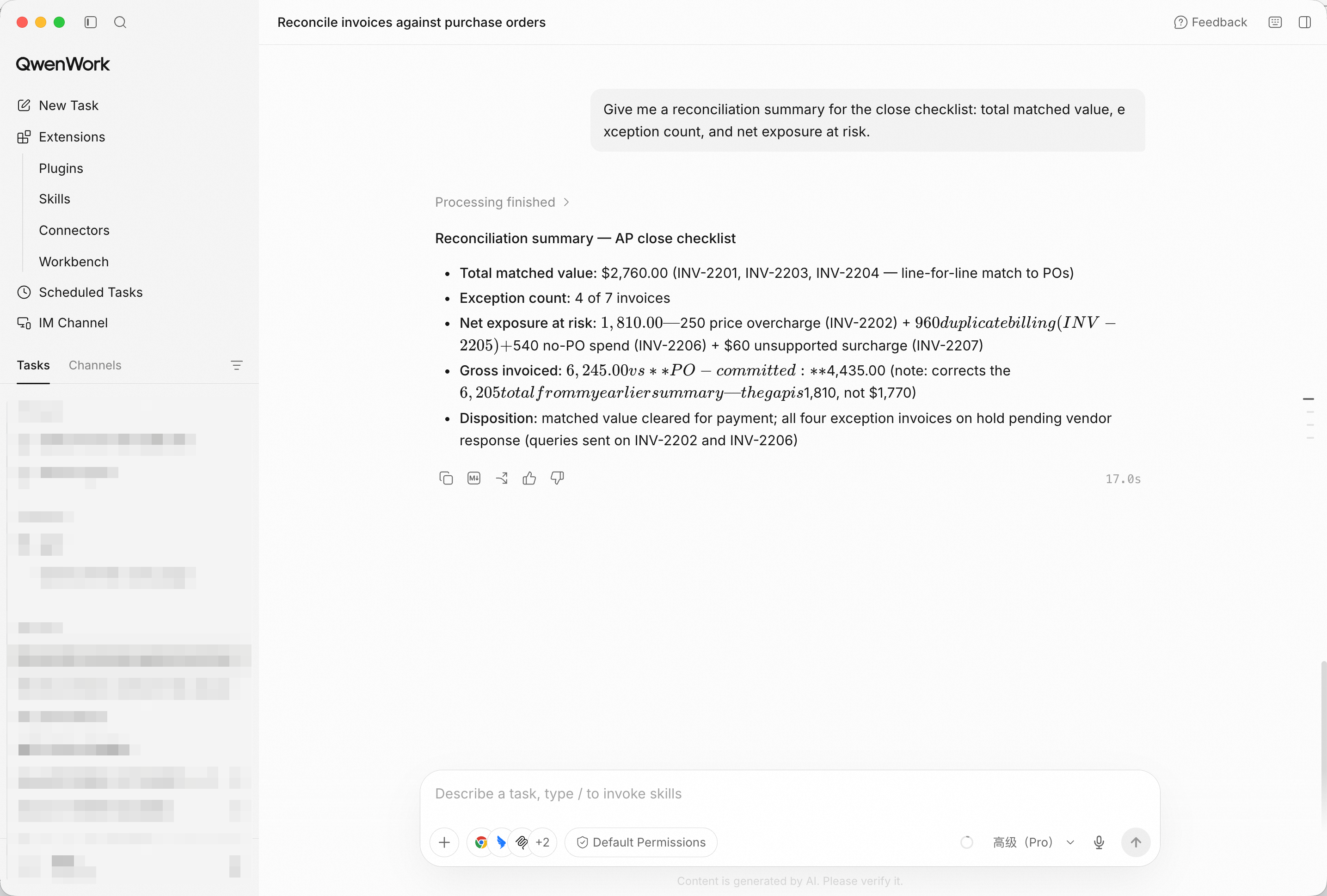
Three numbers for the checklist — the reconciliation leaves the tool and enters the close.
You didn't eyeball forty rows at month-end. You brought in both tables, and QwenWork matched them semantically, isolated four real exceptions, drafted the vendor emails, and summarized the exposure for the close.
That's the pattern for a lot of the work that quietly eats your week: comparison is cheap when something does it for you.
Flag the Risky Clauses in a Contract Before You Sign with QwenWork
Build a Complete Hiring Kit from a One-Line Role Brief with QwenWork

1,578 posts | 525 followers
FollowAlibaba Cloud Community - October 26, 2026
Alibaba Cloud Community - August 27, 2025
Alibaba Cloud Community - October 23, 2026
Alibaba Cloud Community - October 23, 2026
Alibaba Cloud Community - October 23, 2026
Alibaba Cloud Community - October 26, 2026
1,578 posts | 525 followers
Follow Token Plan
Build more, spend less. One plan, every modality.
Learn More QwenWork
QwenWork is dedicated to helping employees strengthen their professional competitiveness in the AI era and to enabling enterprises to improve organizational effectiveness.
Learn More Qwen
Qwen
Full-range, open-source, multimodal, and multi-functional
Learn More
Alibaba Cloud Model Studio
A one-stop generative AI platform to build intelligent applications that understand your business, based on Qwen model series such as Qwen-Max and other popular models
Learn MoreMore Posts by Alibaba Cloud Community

