Five touches, one prospect, two weeks — the difference between a sequence and spam is whether each message earns the next. QwenWork drafts the whole arc with a job per touch, then personalizes the openers against real triggers and runs a deliverability pass before anything sends.
Most outbound sequences are one email repeated five times with escalating punctuation. Prospects feel the repetition instantly, and the domain pays for it in spam folders.
The good version has architecture: each touch advances a different idea, uses a different channel or angle, and knows when to stop. Writing five distinct messages that read like one coherent conversation — for a segment, not a person — is copywork plus strategy, and it's usually done in a hurry.
QwenWork drafts the architecture first, then the messages, then checks the whole thing against the rules that keep it out of the spam folder.
From a one-paragraph product and ICP brief:
Time to set up: about 7 minutes. Your voice and your offer stay yours; the drafting scales.
Design a five-touch outbound sequence for this offer. Give me
channel, day, and the single job of each touch before writing
any copy.

Product: Lumen, a smart desk lamp sold to companies for office
build-outs. ICP: office managers at 50-500 person companies
running hybrid teams. Triggers: they just posted an office
manager role, or announced a return-to-office date.
Offer: a 30-day office pilot, no credit card.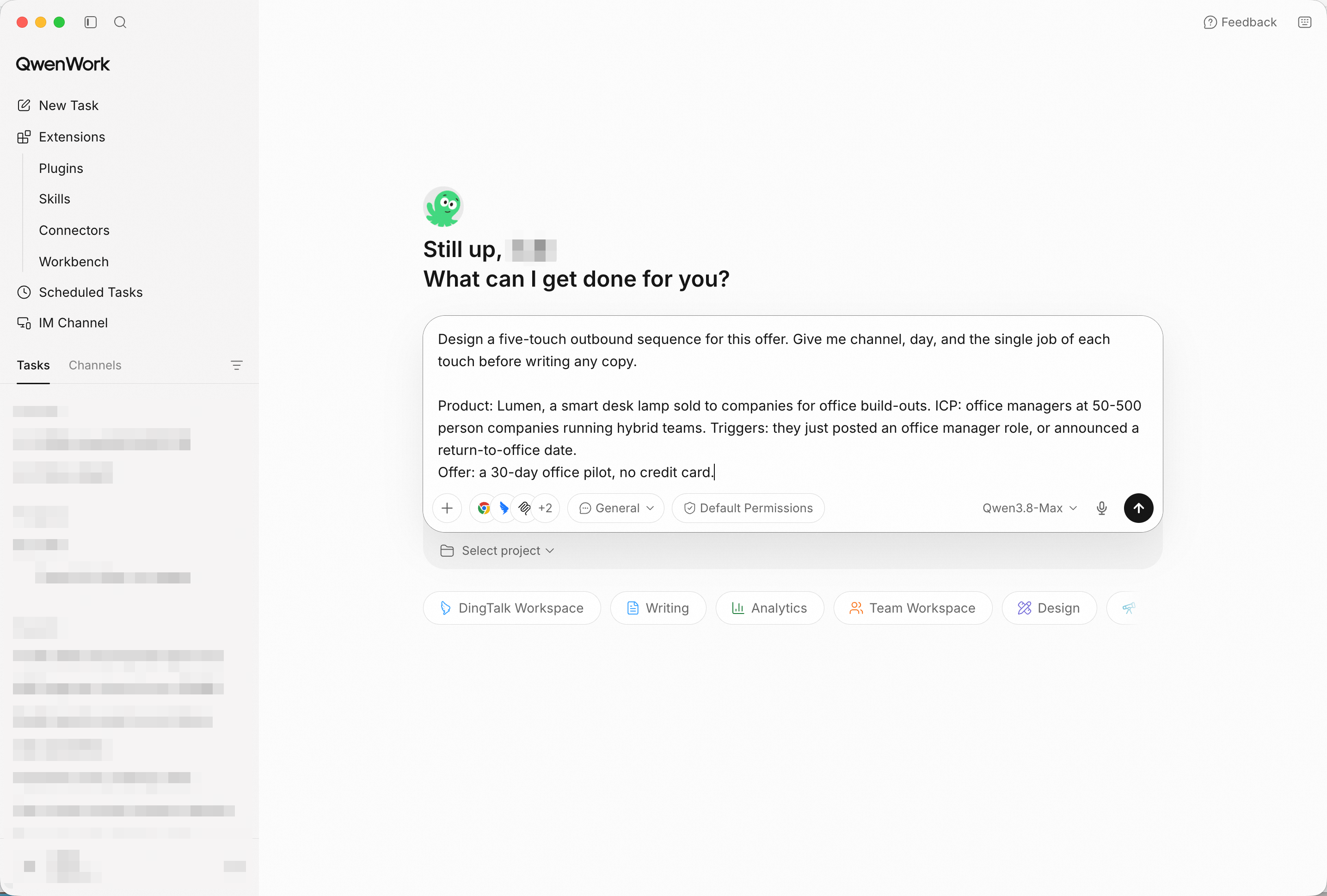
Architecture before copy: channel, day, and job per touch. Screenshot shows sample input entered by hand for the demo; in production, point QwenWork at your connected source and the same prompts run unchanged.
The five jobs should be distinct: open on the trigger (not the product), prove the problem is expensive, show the fix in one concrete scene, handle the obvious objection, and close with a clean break-up that leaves the door open. If two touches share a job, the sequence will read as repetition.
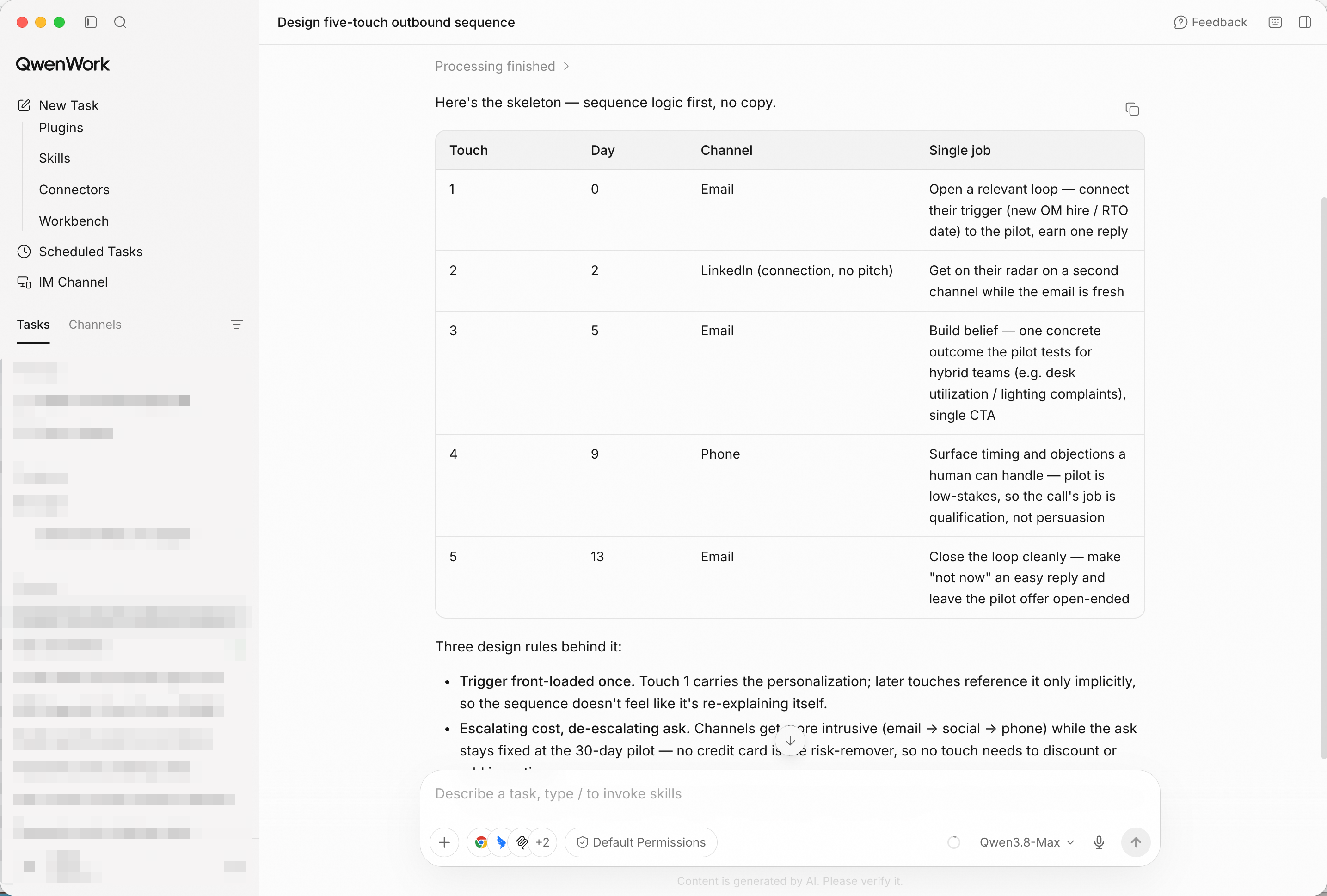
Five touches, five jobs — the arc is visible before a single sentence is written.
Personalization that isn't trigger-based is mail-merge:
Write three opener variants per trigger: new office-manager job
post, and return-to-office announcement. One sentence each, no
flattery.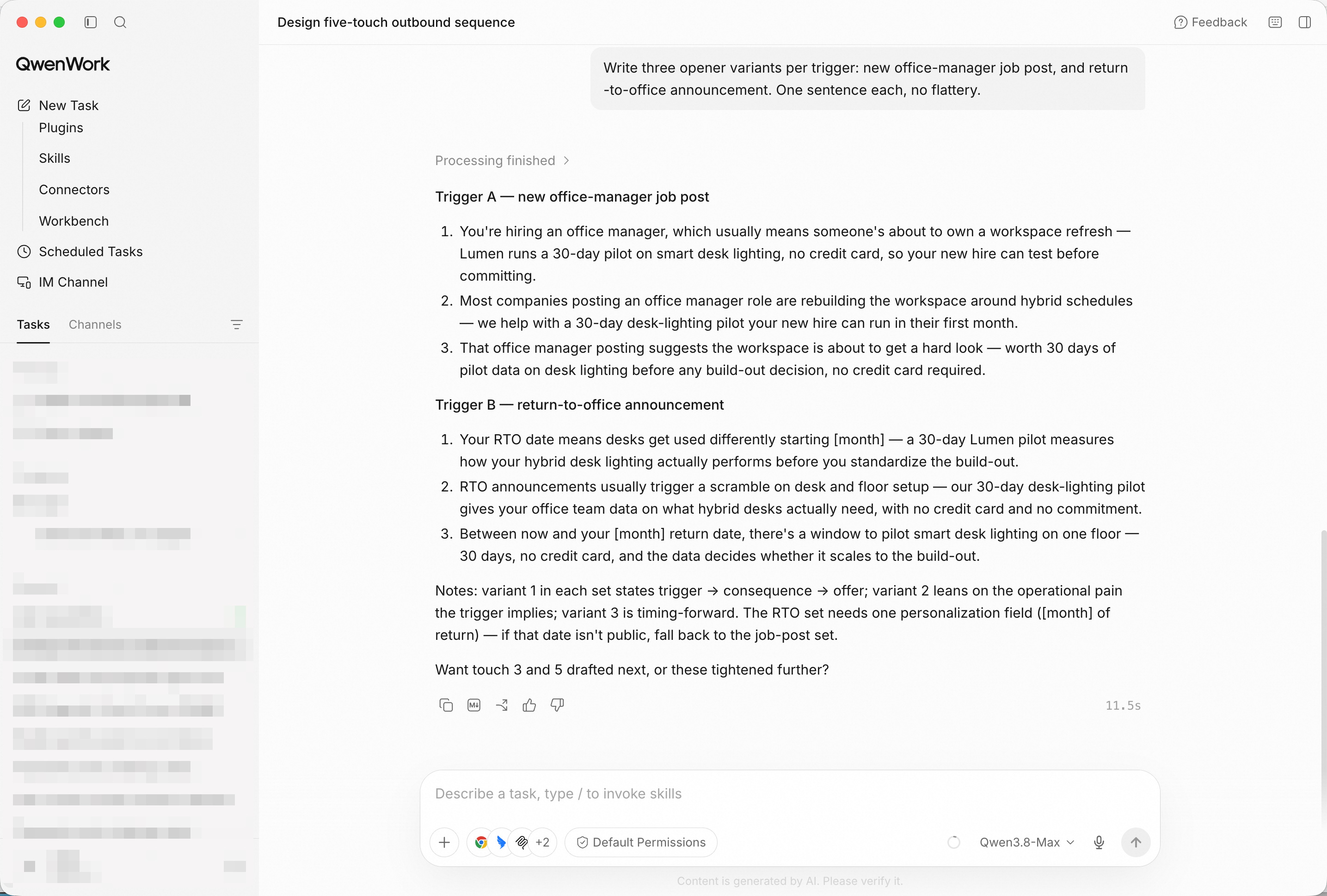
Six openers tied to real signals — the first line earns the second.
Give me A/B subject lines for touch 1 and touch 3.Now run a deliverability pass: sender identification, unsubscribe
path, no deceptive subjects, sane frequency, and plain-text
balance. Flag anything that looks like spam behavior.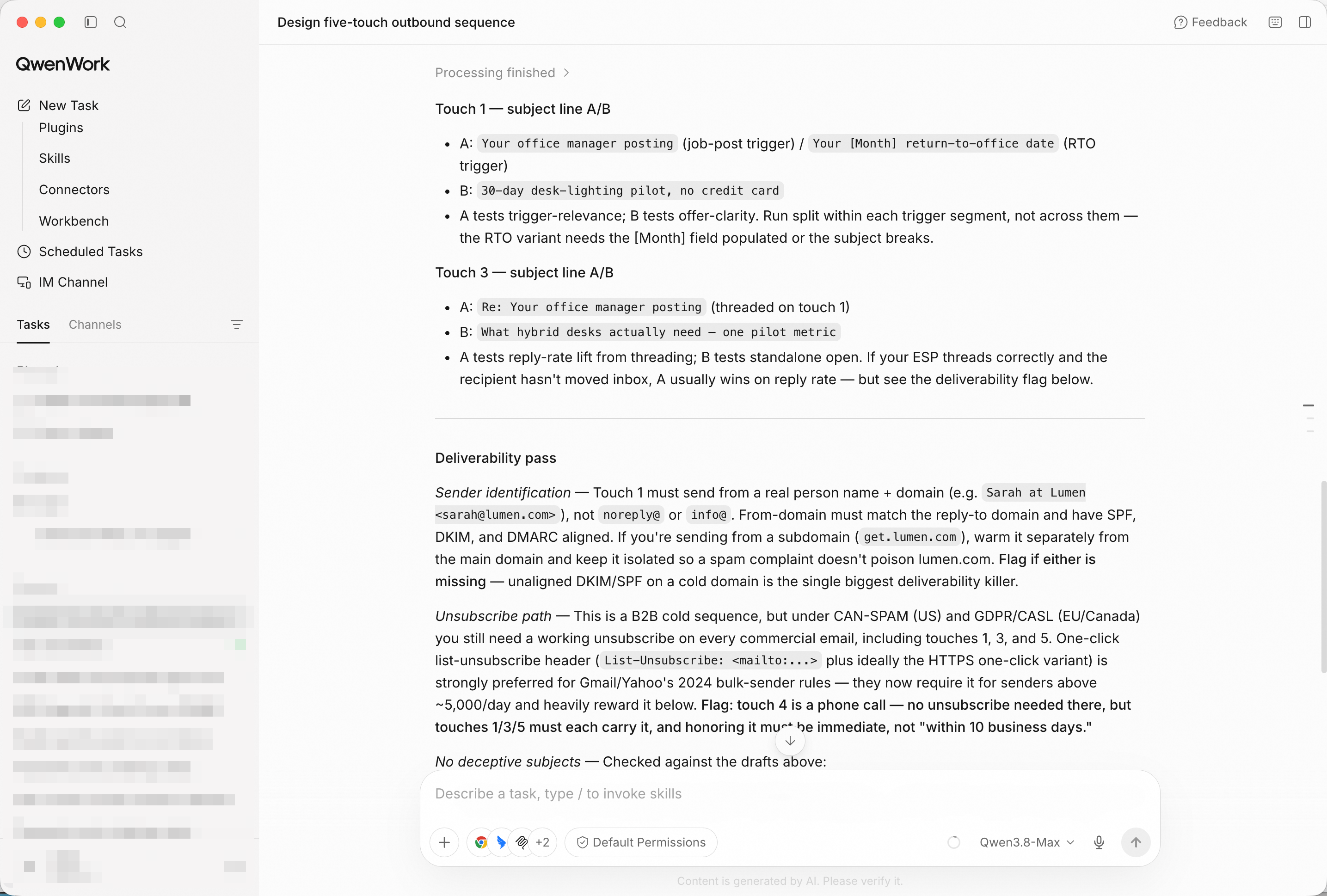
Subject variants plus the compliance flags — the sequence ships clean.
Compile everything into one sequence doc: the five touches with
full copy, opener variants, subject tests, and a send calendar.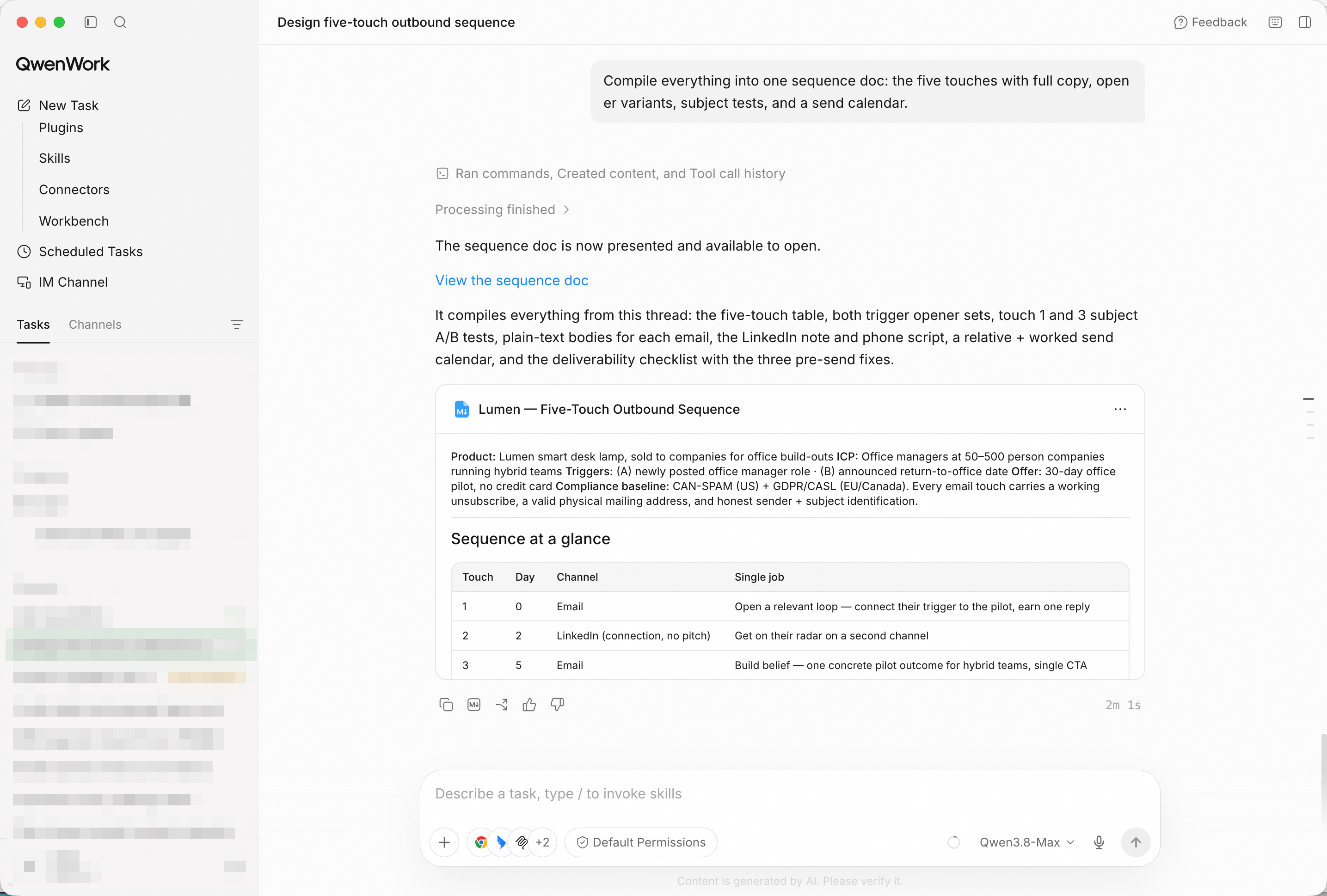
One document the whole team sends from — calendar included.
You didn't write one email five times. You brought in a brief, and QwenWork returned an architected sequence — distinct jobs, trigger-based openers, tested subjects, a clean compliance pass — compiled into a doc your team can send from.
That's the pattern for a lot of the work that quietly eats your week: outbound is a conversation; draft it like one.
Turn Raw Experiment Results into Publication-Ready Figures with QwenWork
Turn a One-Page Syllabus into a Semester of Lesson Plans with QwenWork

1,590 posts | 525 followers
FollowAlibaba Cloud Community - October 28, 2026
Alibaba Cloud Community - October 26, 2026
Alibaba Cloud Community - October 26, 2026
Alibaba Cloud Community - October 28, 2026
Alibaba Cloud Community - October 23, 2026
Alibaba Cloud Community - October 27, 2026
1,590 posts | 525 followers
Follow QwenWork
QwenWork is dedicated to helping employees strengthen their professional competitiveness in the AI era and to enabling enterprises to improve organizational effectiveness.
Learn More Token Plan
Build more, spend less. One plan, every modality.
Learn More Qwen
Qwen
Full-range, open-source, multimodal, and multi-functional
Learn More
Alibaba Cloud Model Studio
A one-stop generative AI platform to build intelligent applications that understand your business, based on Qwen model series such as Qwen-Max and other popular models
Learn MoreMore Posts by Alibaba Cloud Community

