Token Plan Individual is a personal AI model subscription plan from Alibaba Cloud Model Studio, with Credits as the unified billing unit. Once subscribed, you can use it in mainstream coding and agent tools, including Claude Code, Cursor, Qwen Code, Qoder, Qoder CN, and OpenClaw.
The subscription covers the full Qwen model family (text, image, video, and other modalities), with built-in tools such as Web Search and Code Interpreter. For specific usage notes, please refer to the official documentation.
Token Plan Individual offers three plans: Lite ($6/month), Standard ($18/month, recommended), and Pro ($68/month), suited for getting started, high-frequency daily use, and heavy professional use respectively. You can view the detailed quotas of each plan on the subscription page.
The following steps walk you through subscribing to Token Plan Individual on Alibaba Cloud as an individual user.
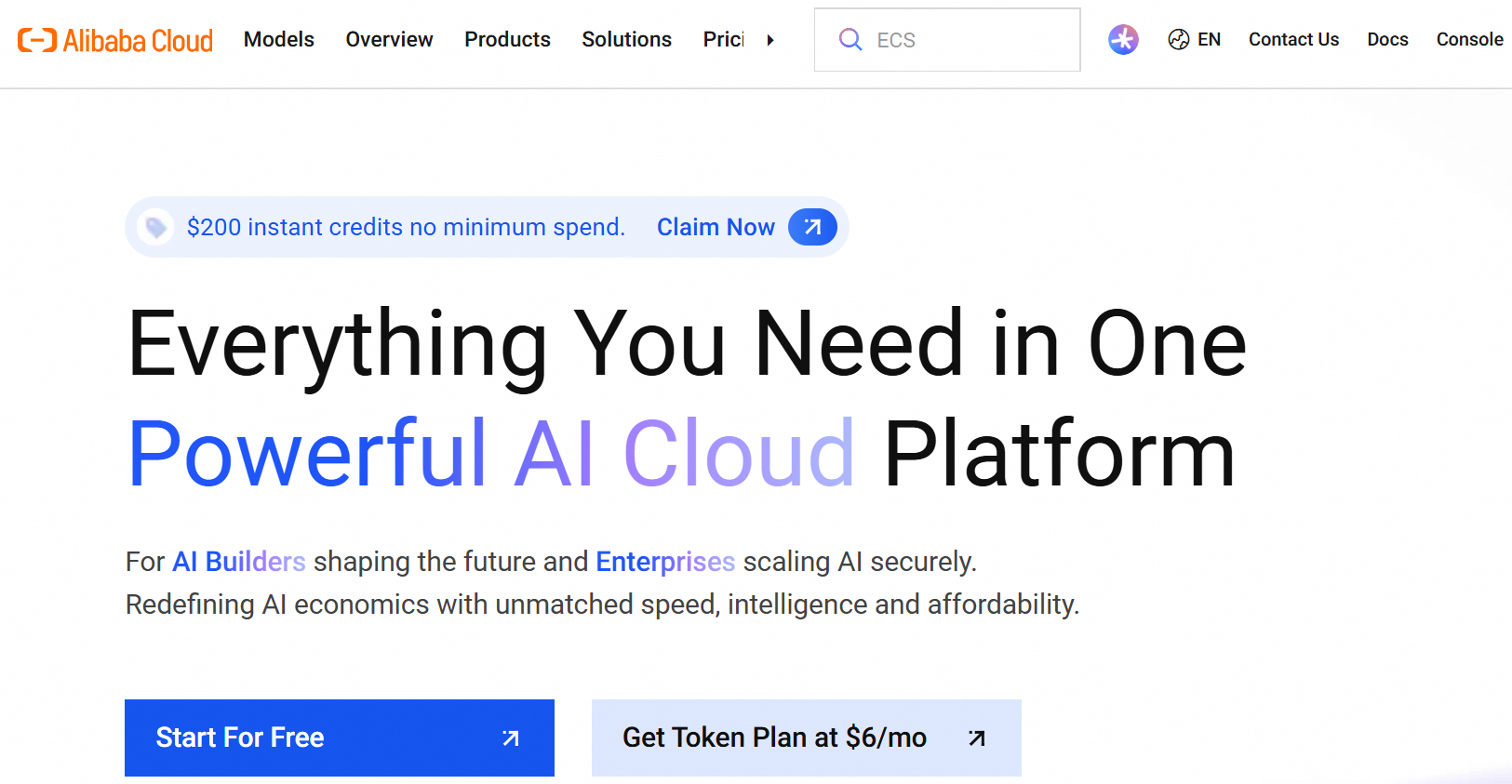
Open a browser and go to alibabacloud.com, or visit the Token Plan page directly. On the homepage you can see an introduction to the Alibaba Cloud AI Cloud Platform.
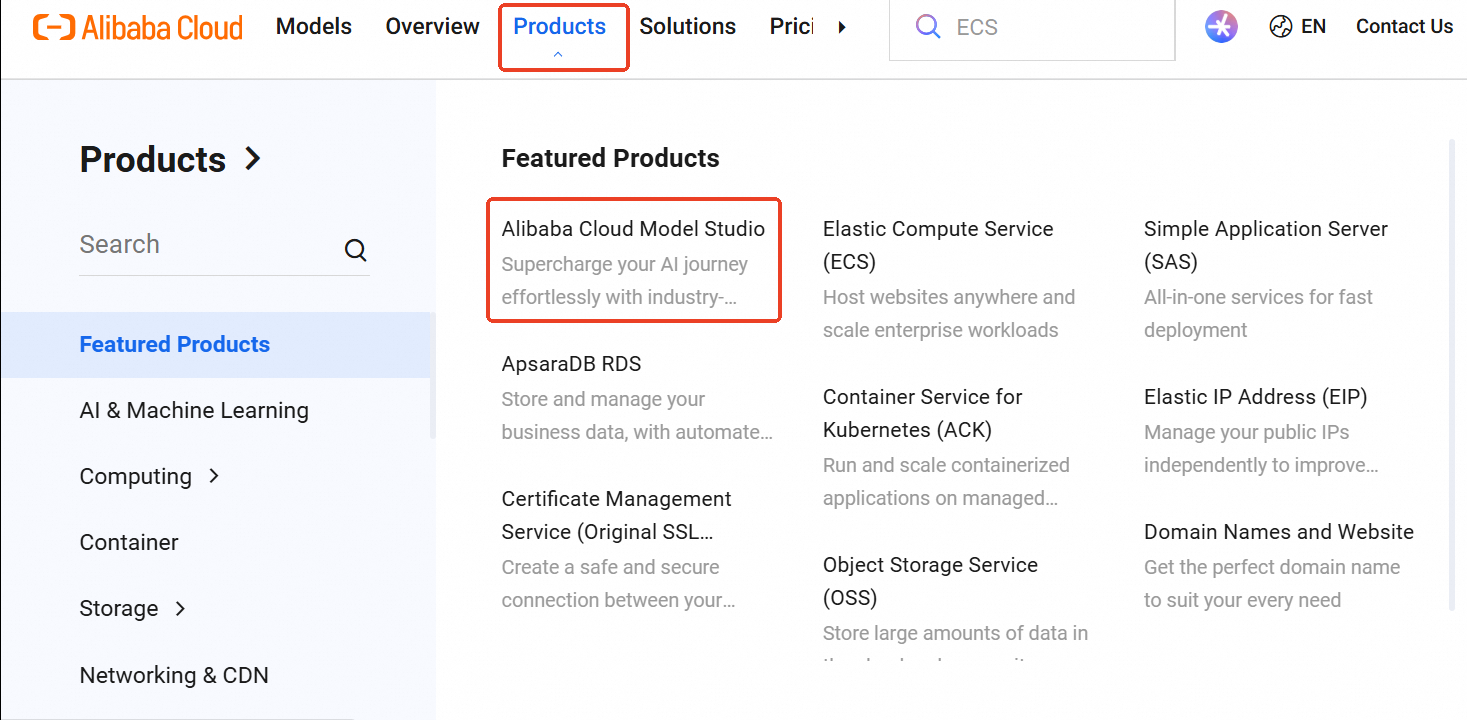
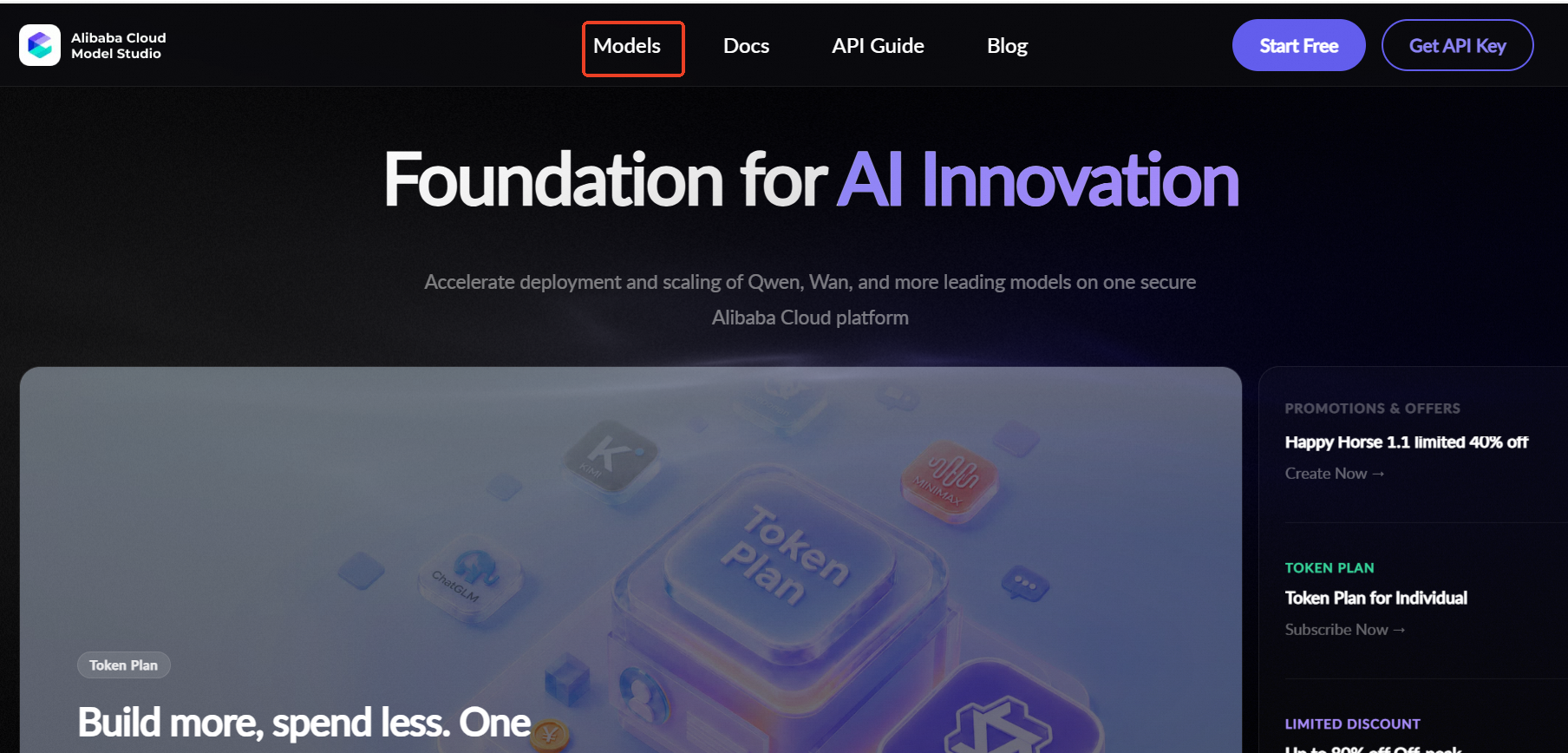
In the top navigation bar, click Products, and find Alibaba Cloud Model Studio under Featured Products in the dropdown menu. You can also click Models in the navigation bar to enter directly.
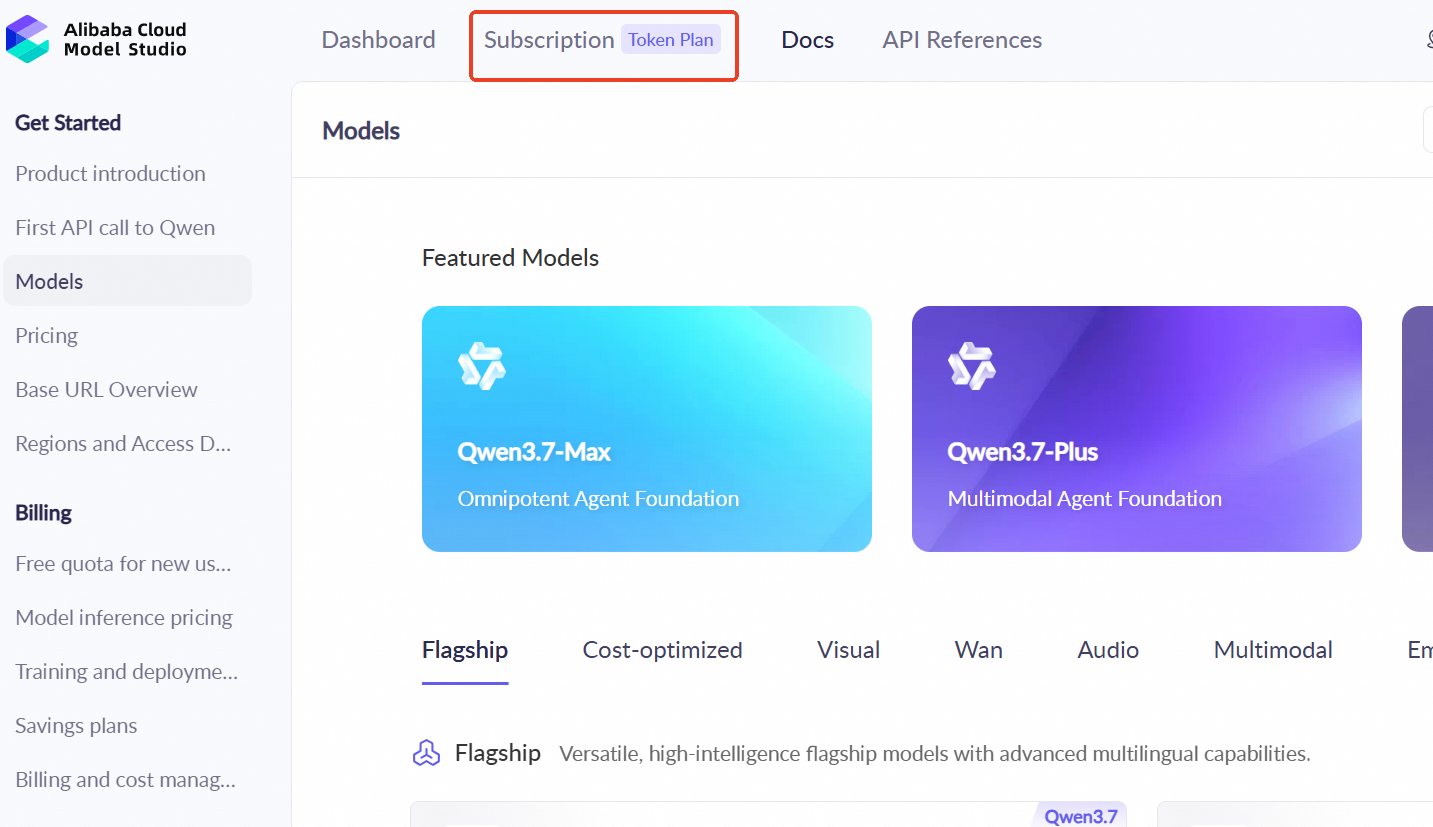
After entering Model Studio, click Subscription in the top navigation bar and select the Token Plan tab. The Token Plan Overview page is then displayed.
On the Token Plan Overview page, you can see three plans: Lite Plan, Standard Plan, and Pro Plan. Choose a plan based on your needs and click Subscribe Now to go to the details page.
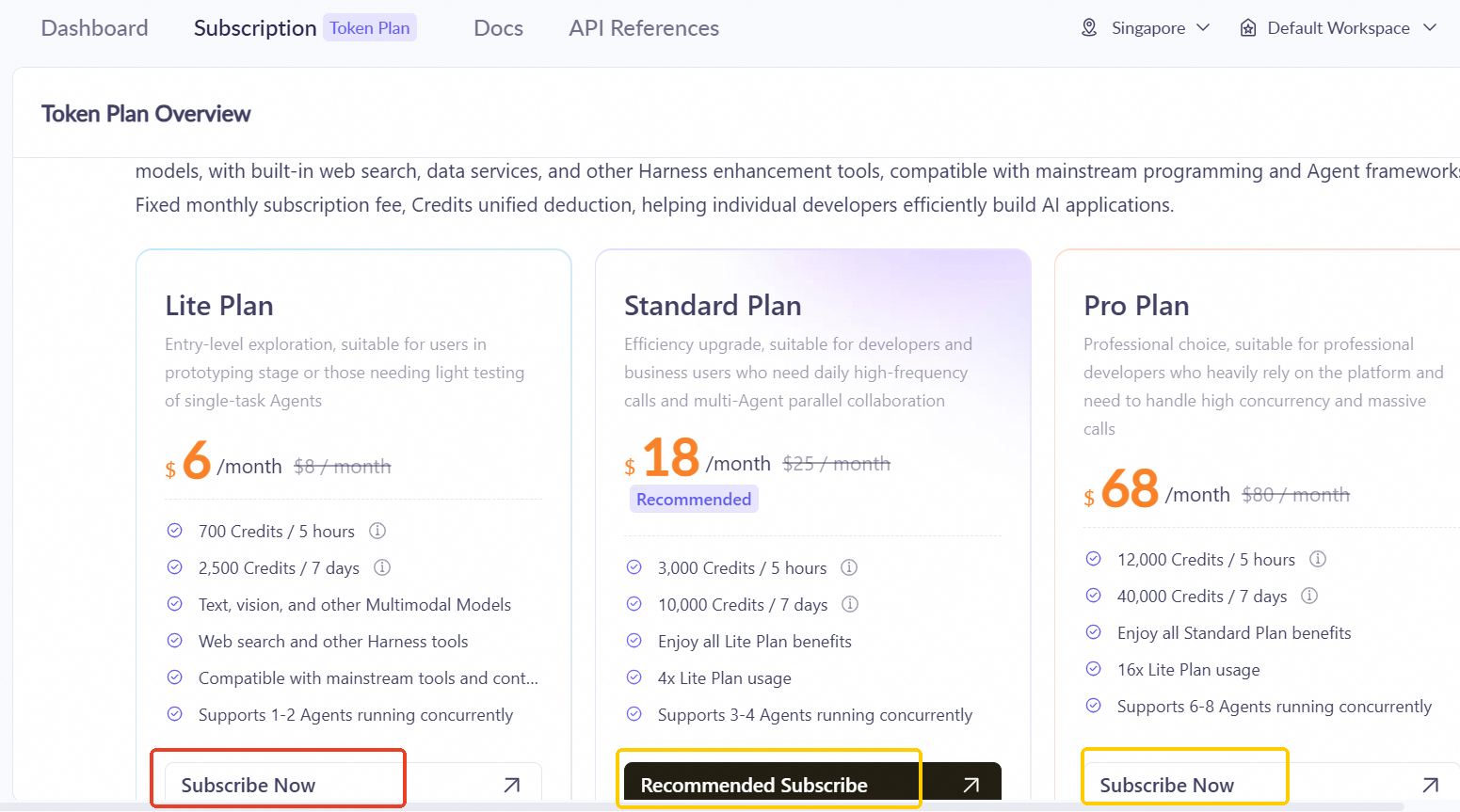
Note: The Lite Plan marked with a red box in the image above is the example used in this topic. You can choose the Standard Plan or Pro Plan marked with yellow boxes based on your needs.
If you are already logged in to your Alibaba Cloud account, clicking Subscribe Now takes you directly to the next step. If you are not logged in or do not have an account yet, you will be redirected to the sign-in/sign-up page first and automatically returned to the subscription flow after signing in or signing up.
On the subscription details page:
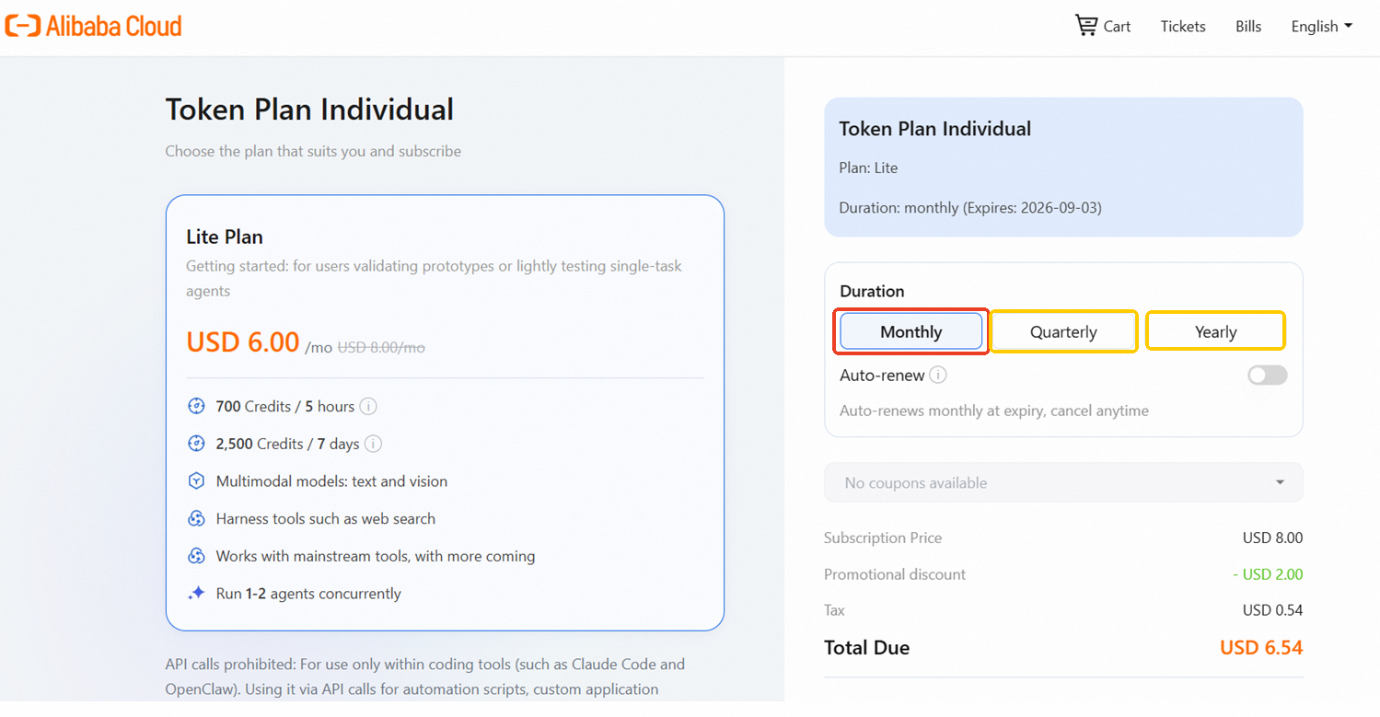
Note: Monthly marked with a red box in the image above is the example used in this topic. You can also choose Quarterly or Yearly marked with yellow boxes.
After confirming the subscription duration and price, you will enter the payment page:
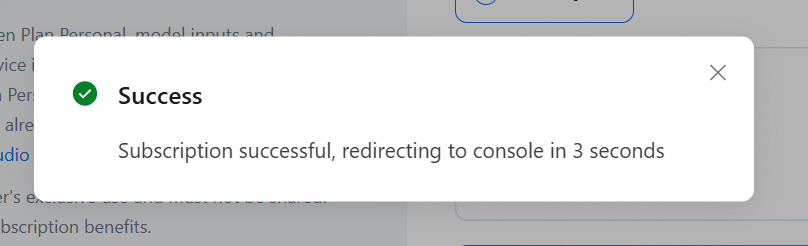
After the subscription succeeds, a success message appears and you are automatically redirected to the console.
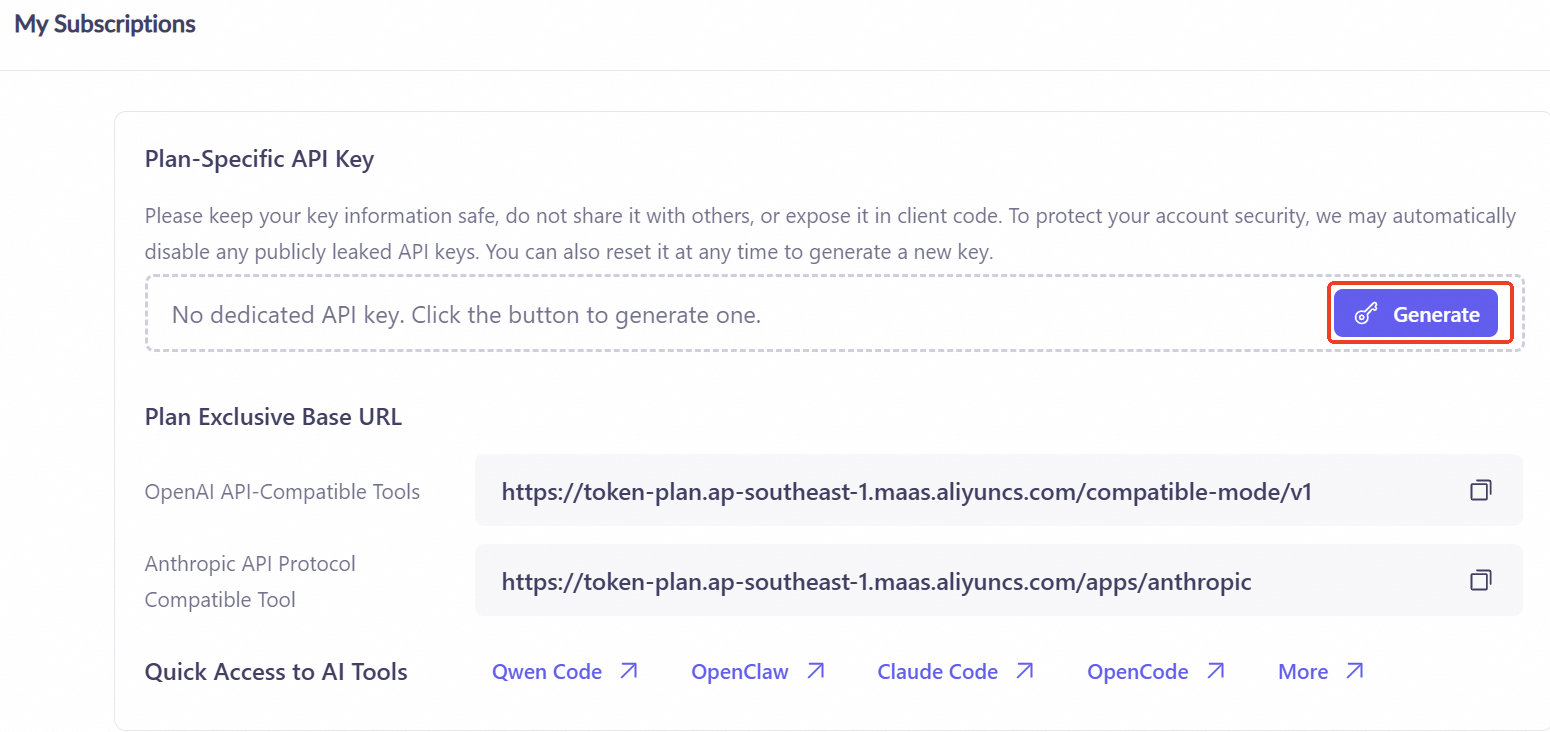
Go to the API Key management page and click the Generate button to create your own API key.
After you click Generate, a configuration window appears, offering two ways to get and use your API key:
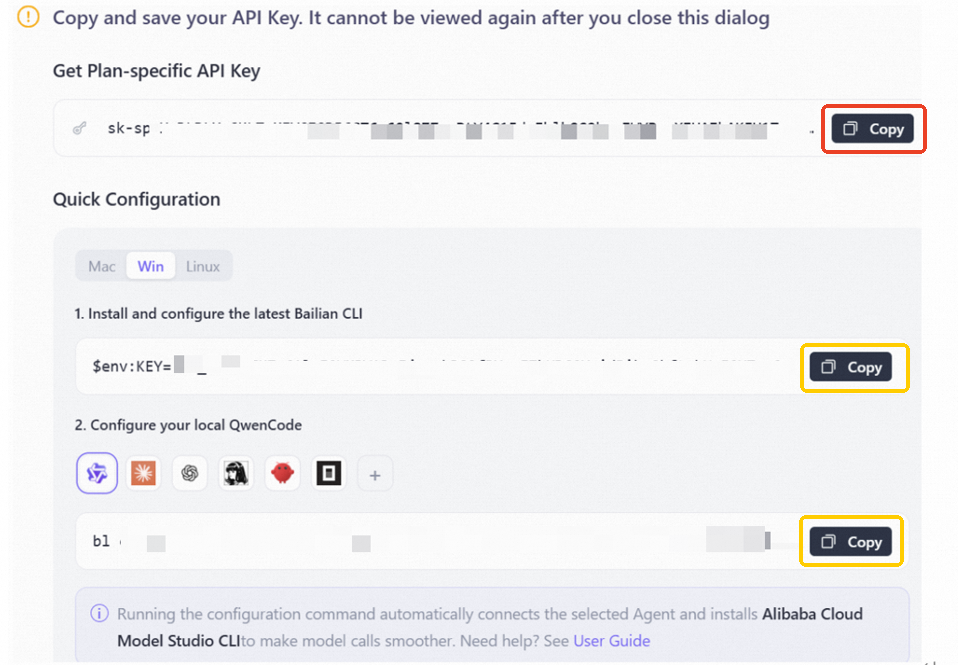
Note: The area marked with a red box in the image above is the manual way of copying the API key - click the Copy button to copy the key, then fill it into the configuration of your AI agent tool manually. This topic uses this method as the example.
The areas marked with yellow boxes are the Quick Configuration method, which installs and configures automatically through the Bailing CLI command-line tool - suitable for users who prefer the command line.
Important: The API key is shown only once in the popup window and cannot be viewed again after the window is closed. Be sure to click Copy and keep the key safe. Do not share it with others or expose it in client-side code.
If your API key is accidentally leaked, you can click Reset on the API Key management page to generate a new one. The old key will stop working immediately.
Token Plan provides two dedicated Base URLs, one compatible with the OpenAI API protocol (for Cursor, Cherry Studio, Cline, etc.) and one with the Anthropic API protocol (for Qwen Code, Claude Code, etc.). The full list of currently supported tools can also be viewed on the Model Studio Console page.
Note: The Token Plan API Key starts with sk-sp- and is not interchangeable with regular API Keys that start with sk-. The API Key and Base URL must be used as a paired set.
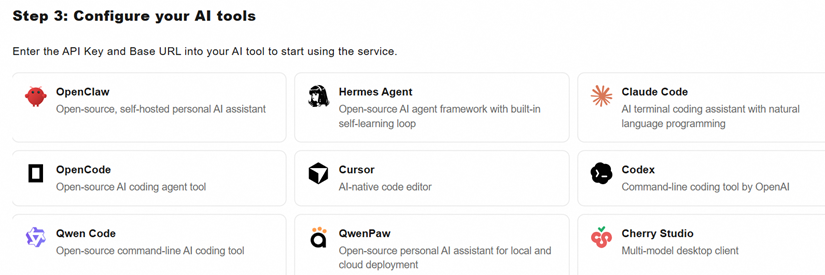

This topic uses Qoder to demonstrate how to connect. Qoder has the Base URL of Alibaba Cloud Model Studio built in: after you select the provider, it is filled in automatically, and you only need to provide the API key to complete authentication - no need to look up or configure the Base URL manually. Other tools work in a similar way: enter the corresponding Base URL and API key.
Add a Token Plan model in Qoder
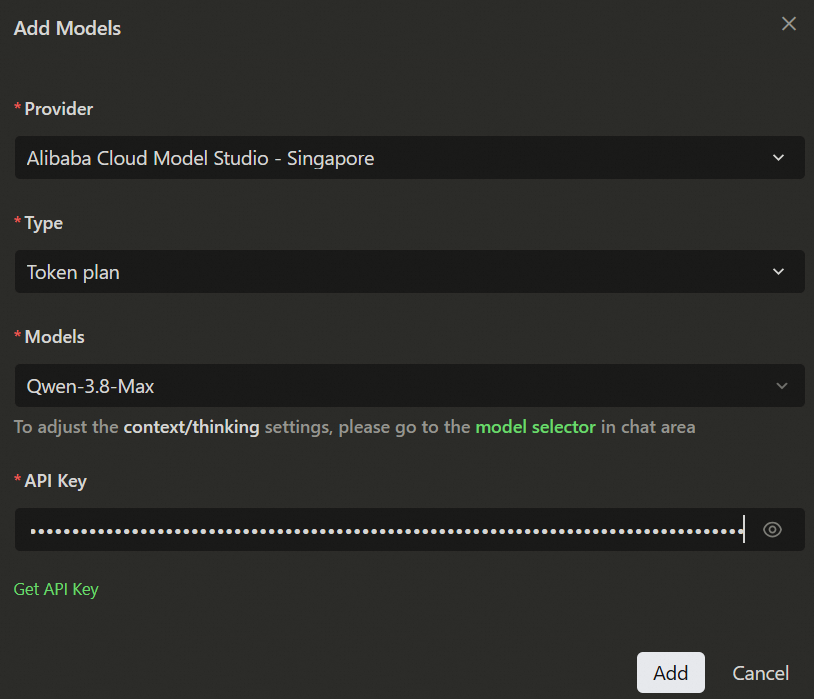
Open Qoder, go to Settings, and find Models. Click Add, and configure the popup window as follows:
Below is the configuration screen for adding the Qwen-3.8-Max model:
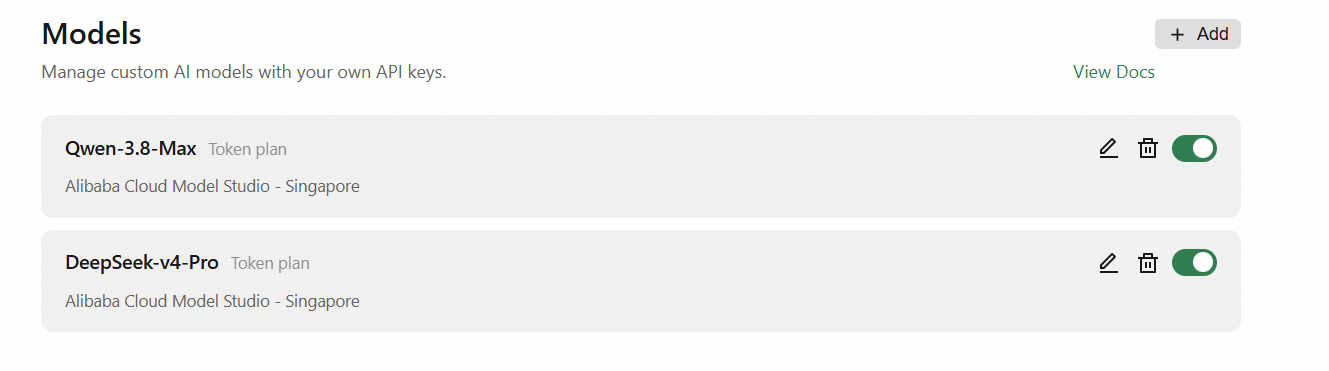
Once added, you can see the enabled Token Plan models on the model management page:
Chat demo
Once configured, you can chat directly with the models in Qoder. Below are chat demos with Qwen-3.8-Max and DeepSeek-V4-Pro respectively:
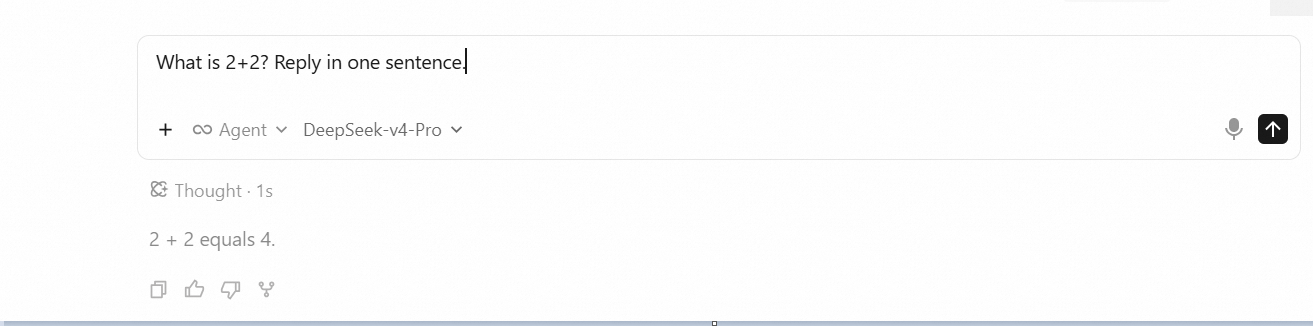
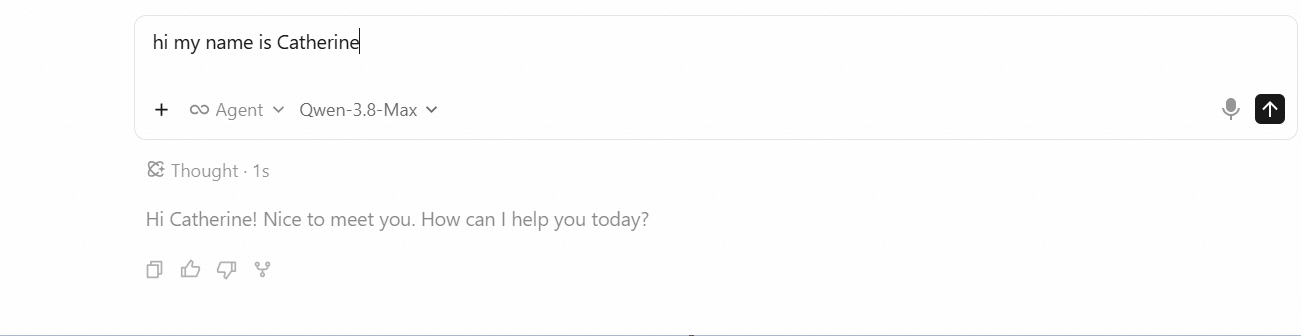
As shown above, a single Token Plan subscription gives you access to multiple models, including the Qwen series and third-party models such as DeepSeek. Choose the model that fits your use case in Qoder or any other compatible tool to get started.
The authentication flow may vary slightly between tools. Some command-line tools require extra terminal authentication steps - please refer to the official documentation of the tool you are using.
A Self-Iterating Knowledge Engine for AI-Native Software Engineering

1,543 posts | 517 followers
FollowAlibaba Cloud Community - August 13, 2026
Alibaba Cloud Community - August 4, 2026
Alibaba Cloud Community - August 10, 2026
Muhamad Miftah - June 9, 2026
Alibaba Cloud Community - August 24, 2026
Alibaba Cloud Community - September 17, 2026
1,543 posts | 517 followers
Follow QwenWork
QwenWork is dedicated to helping employees strengthen their professional competitiveness in the AI era and to enabling enterprises to improve organizational effectiveness.
Learn More Token Plan
Build more, spend less. One plan, every modality.
Learn More
Alibaba Cloud Model Studio
A one-stop generative AI platform to build intelligent applications that understand your business, based on Qwen model series such as Qwen-Max and other popular models
Learn More AgentBay
Multimodal cloud-based operating environment and expert agent platform, supporting automation and remote control across browsers, desktops, mobile devices, and code.
Learn MoreMore Posts by Alibaba Cloud Community

