By Shiyan Chen
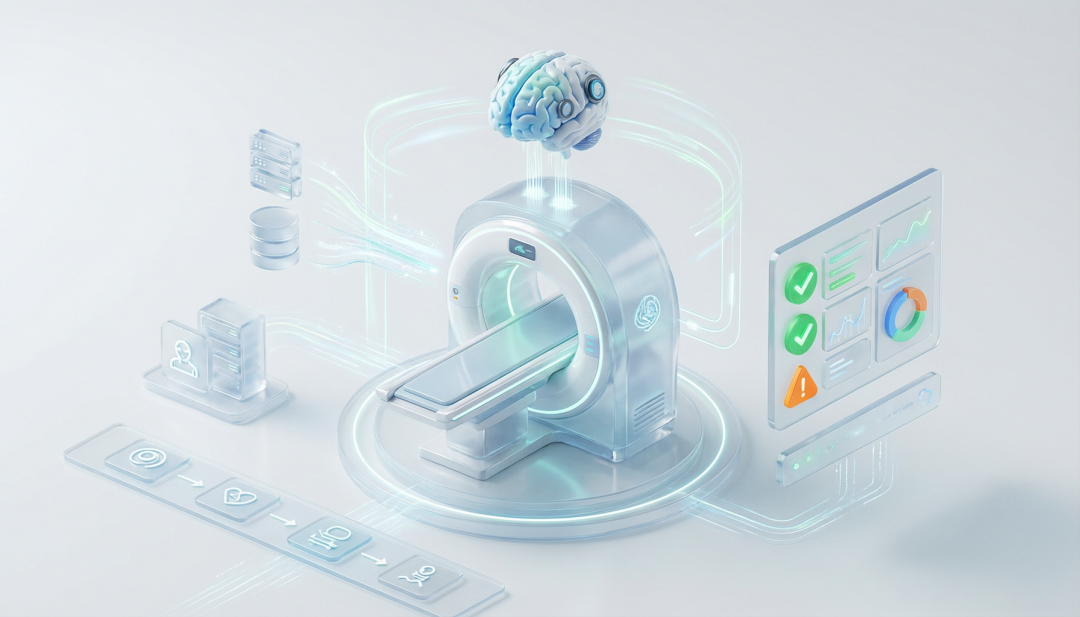
It's 3 a.m. An alert drags you out of bed. Half asleep, you log in to the bastion host and run top, dmesg, and iostat on machine after machine. Two hours later, with dawn approaching, you finally find it: one NIC, silently dropping packets. If this scene feels familiar, this article is for you.
After reviewing vast numbers of production incidents, we found a pattern that sounds contradictory but is completely true: servers rarely die suddenly. Most outages are chronic conditions turning acute.
Memory creeps up for three days straight — you ignore it, until OOM kills the one process you can't lose. The conntrack table quietly approaches capacity — you never see it, until new connections start failing in batches. Logs eat away at your disk inch by inch — you don't care, until the database can't write and the whole service goes down. An optical module ages inside a NIC — something you could never watch — until retransmissions spike tenfold and user complaints come flooding in.
Every one of these killers left a clear medical record before it erupted. But traditional monitoring only alarms when a metric hits the ceiling — too late. Manual inspection can't keep up either: no one can deeply inspect the full stack of hundreds of machines, at high frequency. The real pain point was never too little data — it's too little depth, too little coverage, and too little speed.
In one line: an automated health checkup, plus an AI doctor.
Intelligent Host Inspection is a core capability of STAROps, Alibaba Cloud's intelligent O&M platform. The STAR in STAROps stands for the platform's four-layer philosophy: Sense — holistic observability; Target — goal-oriented operations; Autonomy — autonomous operations; Resilience — business resilience. And Intelligent Host Inspection is the sharpest blade of Resilience — shifting O&M from after-the-fact firefighting to prevention before the fact.
People get regular checkups — servers need them too. Host Inspection automatically runs a full-body CT on every host you own: over 50 checks across seven domains in one pass — CPU, memory, disk, network, GPU, kernel, and hardware. And when it finds something wrong, it never just throws a cold “there's a problem” at you. Like a seasoned doctor, it tells you why it's happening — and what to do next.
Traditional inspection shows you symptoms. Intelligent inspection gives you answers.
| Dimension | Traditional inspection | STAROps Intelligent Inspection |
|---|---|---|
| Checks | 5–10 items: CPU, memory, disk | 50+ items: performance + kernel + hardware, fully covered |
| Depth | Stops at “memory is high” | Keeps asking: who's using it? why is it high? what now? |
| Kernel issues | Nearly invisible | softlockup, OOM, hungtask — all at a glance |
| Hardware failures | Found only after things break | Early signs of CPU / memory / disk / NIC failure caught in advance |
| Response | Spot issue → log in by hand → dig step by step | Spot issue → AI diagnoses automatically → fix served up |
| Output | CPU usage: 92% | Java regex backtracking is saturating the CPU — cap the backtracking depth |
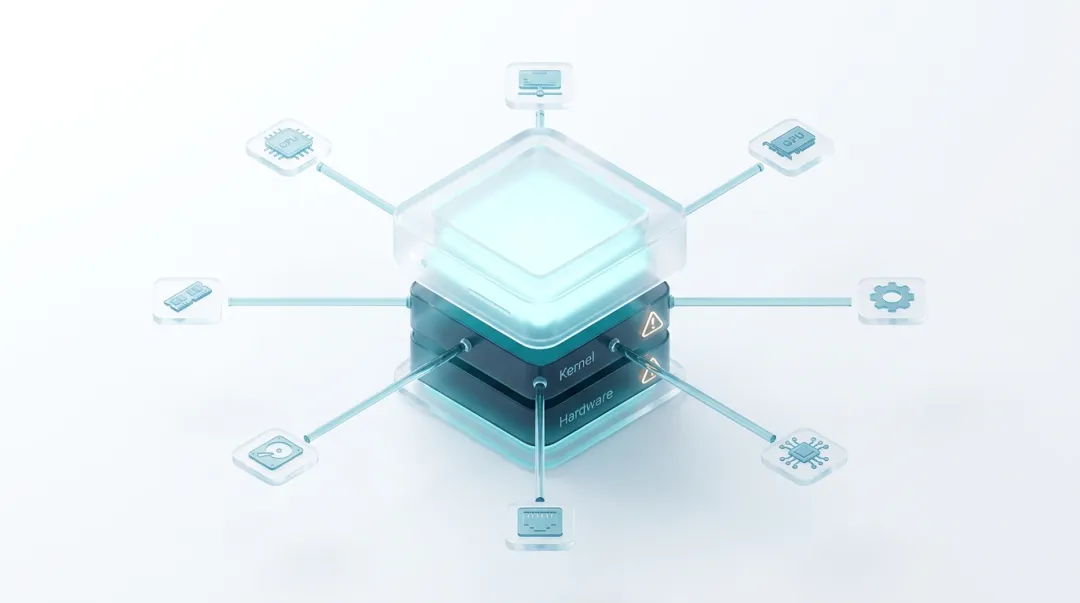
Regular monitoring watches the usual suspects — CPU, memory, disk. Real failures hide deeper. STAROps pushes its probes straight into the kernel and the hardware.
In kernel events, it catches the invisible killers that ordinary tools miss: softlockups starving business threads to death, hung tasks frozen for over two minutes, RCU stalls foreshadowing kernel deadlock, and full conntrack tables silently dropping new connections.
In hardware, it lives by one rule: swap-after-break is too late. MCE errors flag a degrading processor; ECC errors warn that a memory stick is about to fail; SMART alerts catch a disk on the brink; CRC errors expose an aging optical module before the packet loss starts. Every hidden risk gets lit up before it blows.
Take the classic “everything suddenly got slow.”
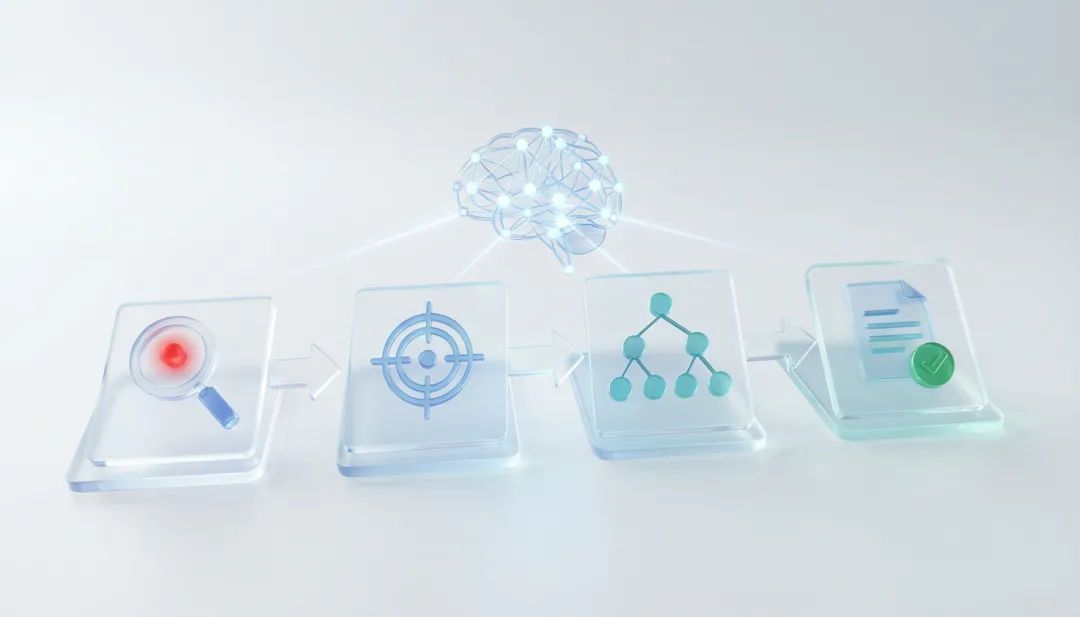
Traditional monitoring drops a cold "CPU iowait 90%" and leaves you to suffer. STAROps hands you a complete chain of evidence: it spots the anomaly — sustained high iowait; it pins it down — a MySQL process hammering fsync; it digs out the root cause — sync_binlog=1 forcing every transaction commit to wait on disk; and it hands you a fix you can act on.
One inspection = detection + localization + root cause + action plan, fully automatic in one shot. That's the STAROps AI diagnosis engine: hours, even days, of senior-SRE troubleshooting craft, compressed into a single automated run.
Every inspection capability comes from Alibaba Cloud's ocean of real customer failures, not from textbooks. The rules weren't invented on a whim — production data taught us that only persistent anomalies matching specific patterns are real problems, and that's how false alarms get pinned down. The scenarios weren't copied from docs — behind every check lies a real customer's painful lesson. The fixes aren't theory — every recommendation has been validated in production and staged into urgent / mid-term / long-term. And every check ships with fault-injection test cases that guarantee 100% accurate detection.
The night before the mega sale. Inspection found kernel slab memory (SReclaimable) abnormally high — already 30% of system memory. The AI traced it to the log-collection agent traversing /proc/*/fd and producing a flood of dentry cache. Adjust the collection strategy, and 8 GB of kernel memory came back — the OOM risk on sale day, dodged. Without this inspection, core services would likely have been OOM-killed on the big day itself, with losses in the millions.
Intermittent timeouts in a microservice cluster. Inspection found the conntrack table at 92% and dmesg reporting “table full, dropping packet”. The AI's verdict: under Kubernetes' flood of short-lived connections, the default conntrack_max wasn't enough. Raise the parameter, enable keepalive — timeouts gone for good. Hunting through network devices one by one by hand would have eaten hours.
A sudden surge of slow queries. Inspection caught disk write latency spiking from 5 ms to 200 ms. The diagnosis: O_SYNC writes colliding with a co-located workload in a fight over IOPS. Split the WAL log disk from the data disk, and latency snapped back to 5 ms. Before that, the DBA had spent two whole days down the wrong road of SQL tuning — the real disease was in the storage layer.
STAROps offers three inspection modes — take your pick:
| Mode | Best for | Highlights |
|---|---|---|
| Scheduled inspection | Day-to-day ops | Runs automatically every day / week; alerts on anomalies |
| Conversational inspection | Troubleshooting | Describe the problem in natural language; the AI picks the checks |
| API / MCP integration | Platform integration | Drops seamlessly into existing ops platforms or AI agent workflows |
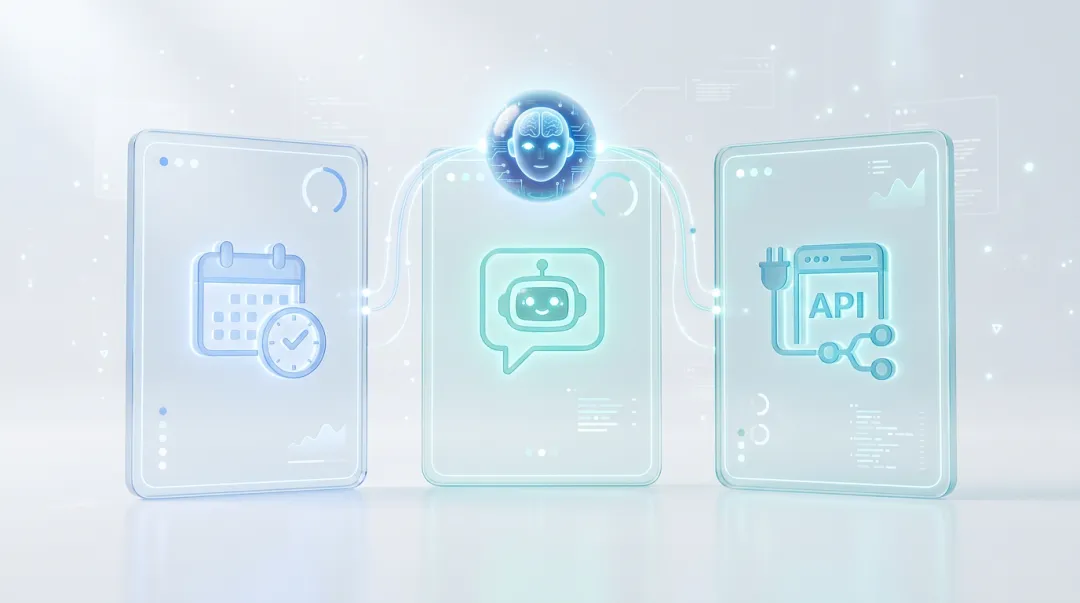
You can even just say: “check the memory on this machine for me” — and it automatically runs a full memory panorama analysis, OOM detection, and slab checks, then hands you a complete report. That's the STAROps digital employee: a dedicated SRE agent whose responsibilities, permissions, and skills you define yourself. It chats with you — and it works for you.
Enough talk — let's walk through a real STAROps host inspection demo: from one line of natural language to a fully autonomous diagnosis and a tiered report — five steps, one or two minutes end to end.
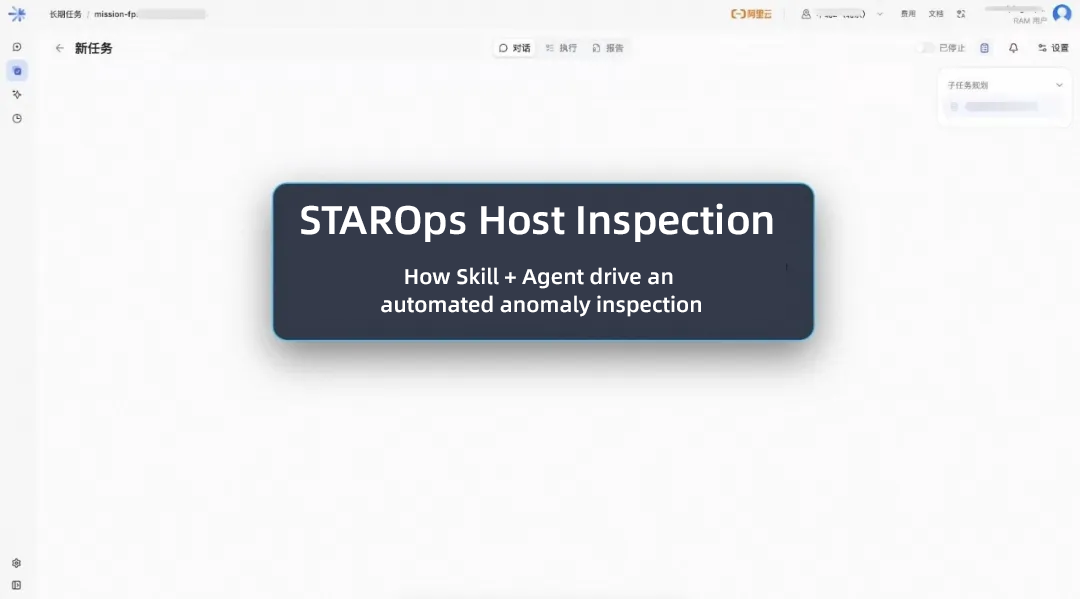
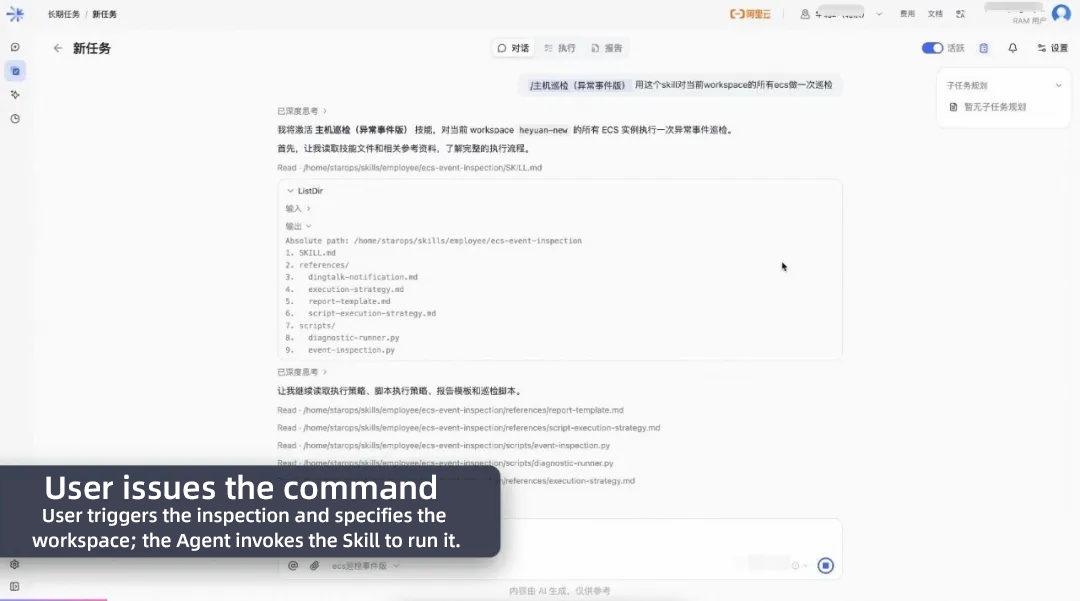
1. Give the command. Type one line into the STAROps chat box: “/host-inspection — run an inspection on all ECS instances in the current workspace.” No UI clicking, no YAML, no ticket routing. One sentence of natural language is the entire command.
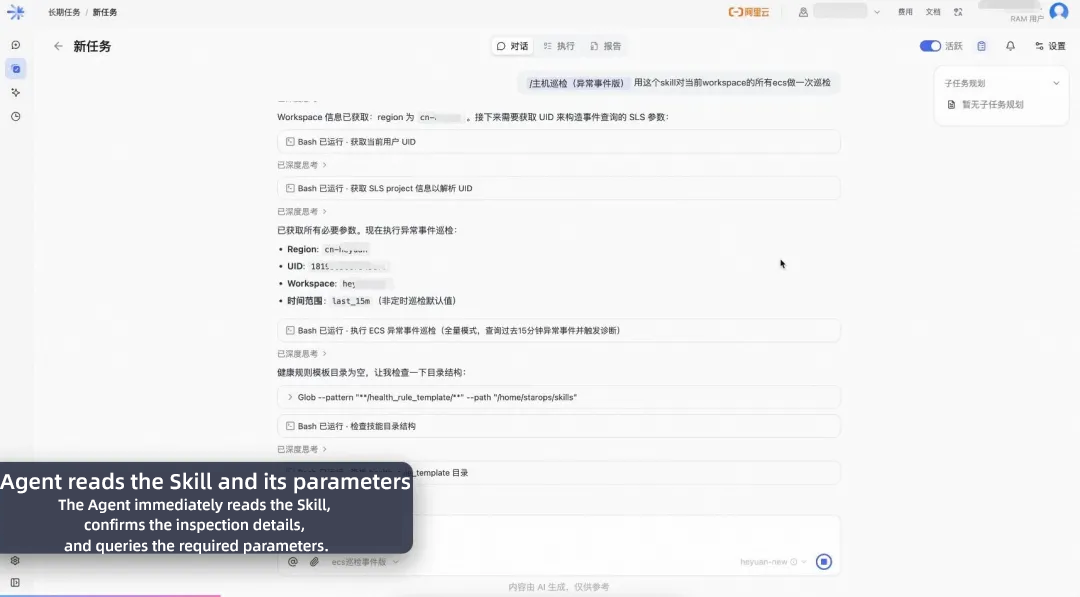
2. The agent loads the Skill and its parameters. The agent immediately reads the Skill and auto-fills everything an inspection needs: region, UID, workspace, time_range. Who runs it, which cloud account, which instances, what time window — parameters that used to take rounds of human back-and-forth are written into the flow once.
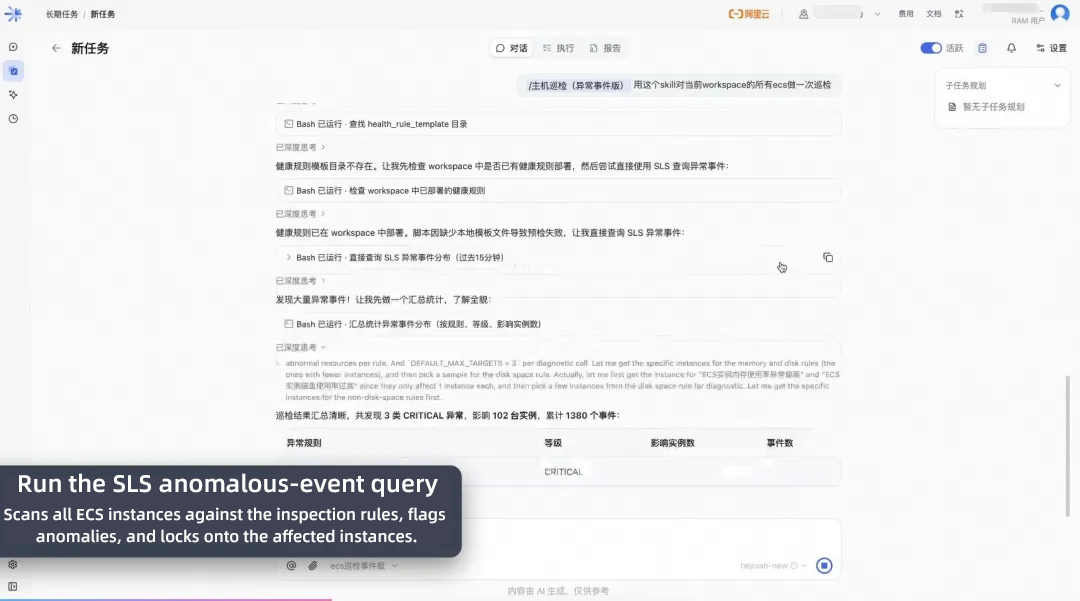
3. Query the anomalous events. The agent calls the underlying SLS anomalous-event query and scans the whole workspace. The result at a glance: 3 classes of CRITICAL anomalies, 102 instances affected, 1,380 events in total. In the manual era this meant logging into machines one by one to grep logs — now it costs one query's latency.
4. Trigger automatic SysOM diagnosis. Not satisfied with “found anomalies,” the agent fires off concurrent SysOM diagnoses on the key instances: memgraph memory-hotspot analysis for the memory-heavy ones, diskanalysis for the disk-tight ones — producing machine-readable, executable, structured conclusions.
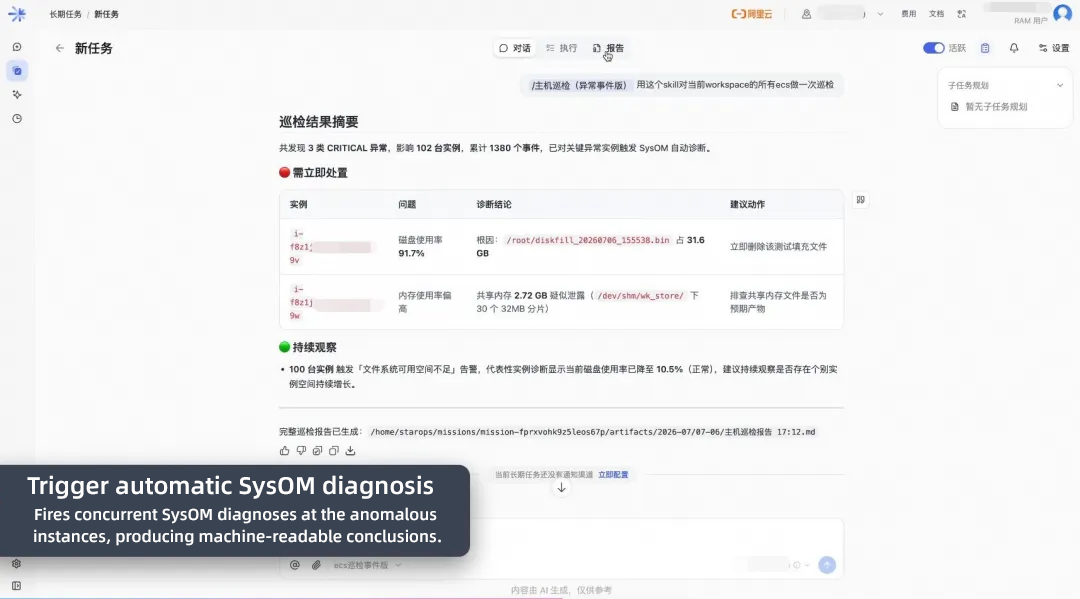
5. The tiered report. All conclusions are consolidated into one tiered report: 🔴 act now (P0 issues, with recommended actions) and 🟢 keep watching (P2, recovered but worth monitoring) — your workspace's health picture on a single screen. “3 classes of CRITICAL, 102 instances, 1,380 events” — that's the best annotation for this screen.
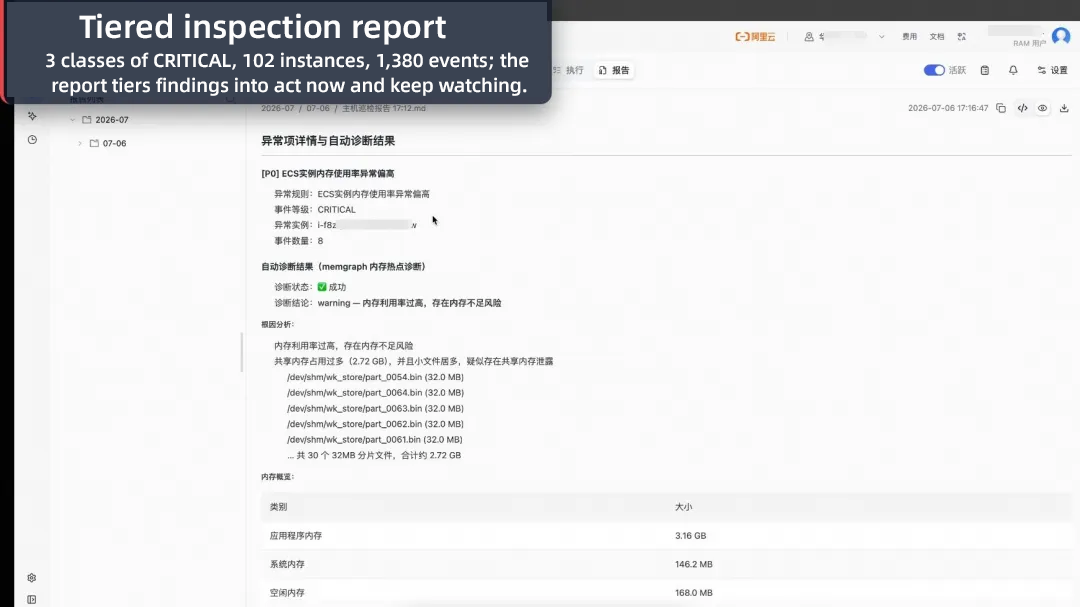
Drill one level deeper, and you see the AI doctor's real craft:
• Memory hotspot: memgraph concludes “warning — memory utilization too high, risk of memory shortage,” locks suspicion onto a specific process, and goes further: 30 shard files of 32 MB in one directory = 2.72 GB — a suspected shared-memory leak. From “memory is high” all the way to “who, where, how much.”
• Disk diagnosis: diskanalysis concludes “error — disk usage at 91.7%, risk of running out of space,” and pins the root cause straight on you: a 31.6 GB test filler file. The recommended action is “delete this file now.” Not “figure it out yourself” — it tells you which button to press.
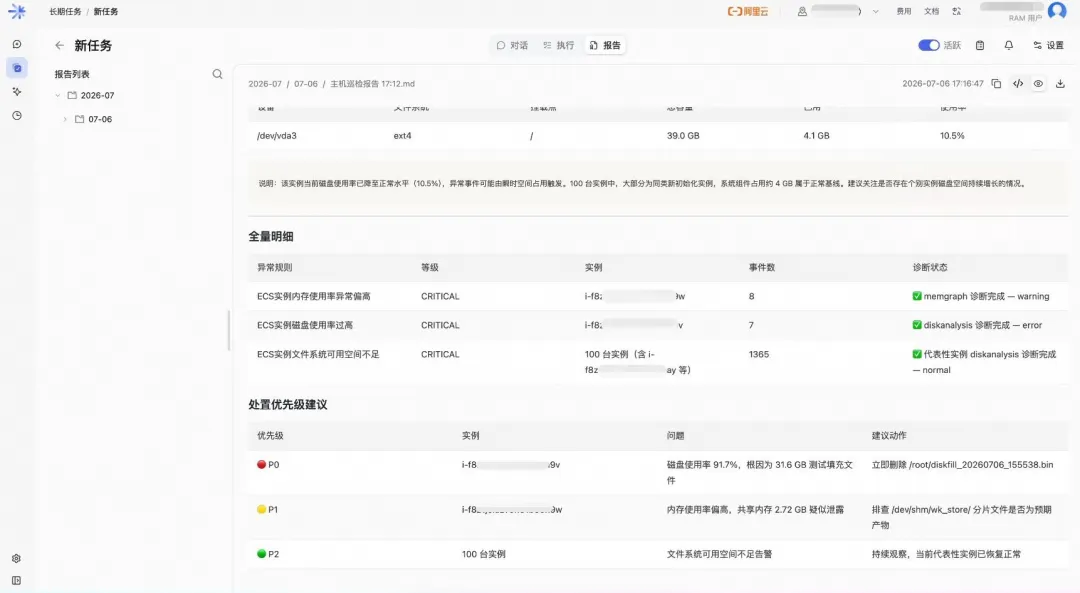
That's what the Skill + Agent + SysOM trio delivers. From “see if anything's wrong” to “delete this file on these machines right now; chase a shared-memory leak on those” — every step of hunting, judging, diagnosing, and summarizing, compressed into one automated inspection.
| Your question | Our answer |
|---|---|
| How many checks? | 50+, covering CPU / memory / IO / network / GPU / kernel / hardware — and still growing |
| Is it accurate? | Every check validated in Alibaba Cloud production + fault-injection tested |
| Just another alarm? | No — automatic root-cause analysis plus step-by-step fixes |
| Any manual work? | Fully automatic, with conversational interaction too |
| Is it secure? | Tiered RAM authorization + Human-in-the-Loop (HIL) + full audit trail |
| Conflicts with my existing tools? | No — seamless integration via OpenAPI / MCP |
| Separate activation? | No — one click inside CloudMonitor 2.0 or Simple Log Service, and it's on |
Servers can't speak, but they never stop leaving signals. The only difference: are you frantically digging through logs after the blow-up — or letting a 24/7, never-tiring AI O&M expert press the risks down in advance?
Open CloudMonitor 2.0 now, click into STAROps, and book a checkup for every server you own.
Your first inspection might just save you from the next 3 a.m.
Low GPU Utilization You Can't Explain? Try This Zero-Intrusion AI Profiling Tool

124 posts | 6 followers
FollowAlibaba Cloud Native Community - October 12, 2026
Alibaba Cloud Native Community - October 19, 2026
Alibaba Cloud Native Community - October 23, 2026
Alibaba Cloud Native Community - August 26, 2026
Alibaba Cloud Native Community - August 28, 2026
Alibaba Cloud Native Community - August 25, 2026
124 posts | 6 followers
Follow ECS(Elastic Compute Service)
Elastic and secure virtual cloud servers to cater all your cloud hosting needs.
Learn More Bastionhost
A unified, efficient, and secure platform that provides cloud-based O&M, access control, and operation audit.
Learn More Managed Service for Grafana
Managed Service for Grafana displays a large amount of data in real time to provide an overview of business and O&M monitoring.
Learn More Container Compute Service (ACS)
A cloud computing service that provides container compute resources that comply with the container specifications of Kubernetes
Learn MoreMore Posts by OpenAnolis

