QwenWork introduces an agent-oriented approach to productivity. Users describe the desired outcome in natural language, while the Agent coordinates available capabilities to help complete the task. Instead of manually switching between applications and performing repetitive operations, users can delegate suitable workflows to an AI-powered environment.
For businesses looking to accelerate digital transformation, QwenWork offers an opportunity to rethink how everyday operations are performed.
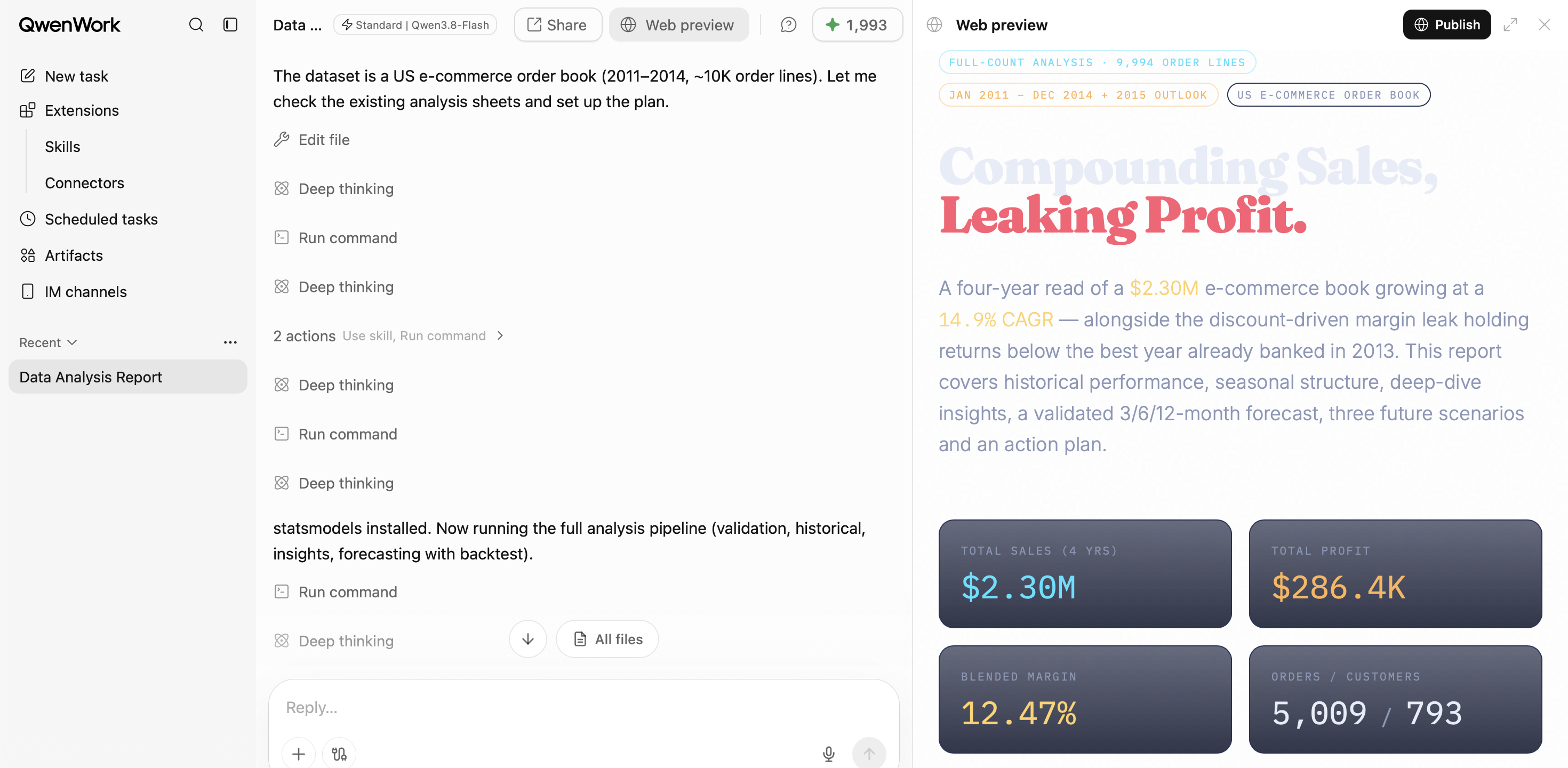
QwenWork is an AI work platform designed to help individuals and organizations complete knowledge-work tasks. Users describe what they want to accomplish, provide relevant context, and work with the Agent to produce deliverables that can be reviewed and refined.
Unlike a conventional chatbot that primarily focuses on generating responses, QwenWork supports broader workflows involving document creation, spreadsheet analysis, research, multimodal content processing, website creation, scheduled tasks, and supported browser or desktop-based workflows.
The important distinction is that QwenWork focuses on helping users complete work rather than simply answering questions.
For example, a sales operations team preparing a weekly business performance report may need to collect multiple Excel files, consolidate sales records, calculate performance metrics, create charts, and prepare an executive summary.
With QwenWork, users can provide the source files and describe the expected output. The Agent can assist with analyzing the data, organizing findings, generating visualizations, and preparing a report for further review.
This can reduce the manual steps required to transform raw information into business-ready outputs.
QwenWork brings together several capabilities that support an end-to-end working experience. The following sections explain how these capabilities can contribute to enterprise workflows.
Agent Sessions provide the primary workspace where users interact with the AI Agent. Users submit instructions, provide relevant files, and specify the expected deliverables. The Agent interprets the request and uses available capabilities to help perform the task.
A typical workflow consists of:
This approach makes AI interaction more structured and outcome-oriented. Instead of treating every interaction as an isolated prompt, users can manage task execution and deliverables within a working environment.
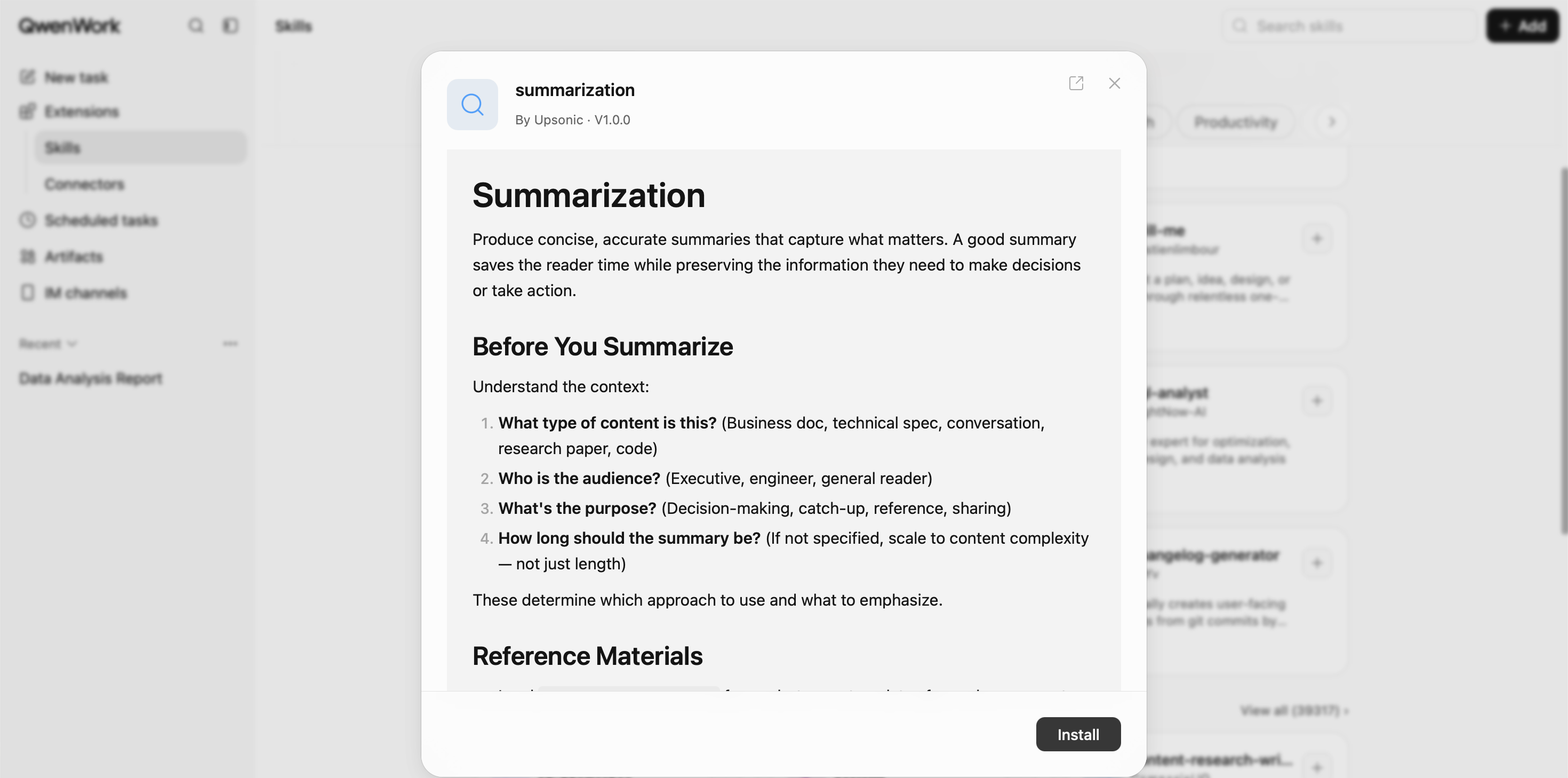
A Skill is a predefined set of instructions or workflow capabilities designed for a particular type of task, such as content creation, data analysis, or information organization.
Skills are valuable in enterprise environments because business processes often require consistency. Different employees may prepare financial reports, sales presentations, and technical documentation. Without standardized procedures, the resulting deliverables can vary in structure and completeness.
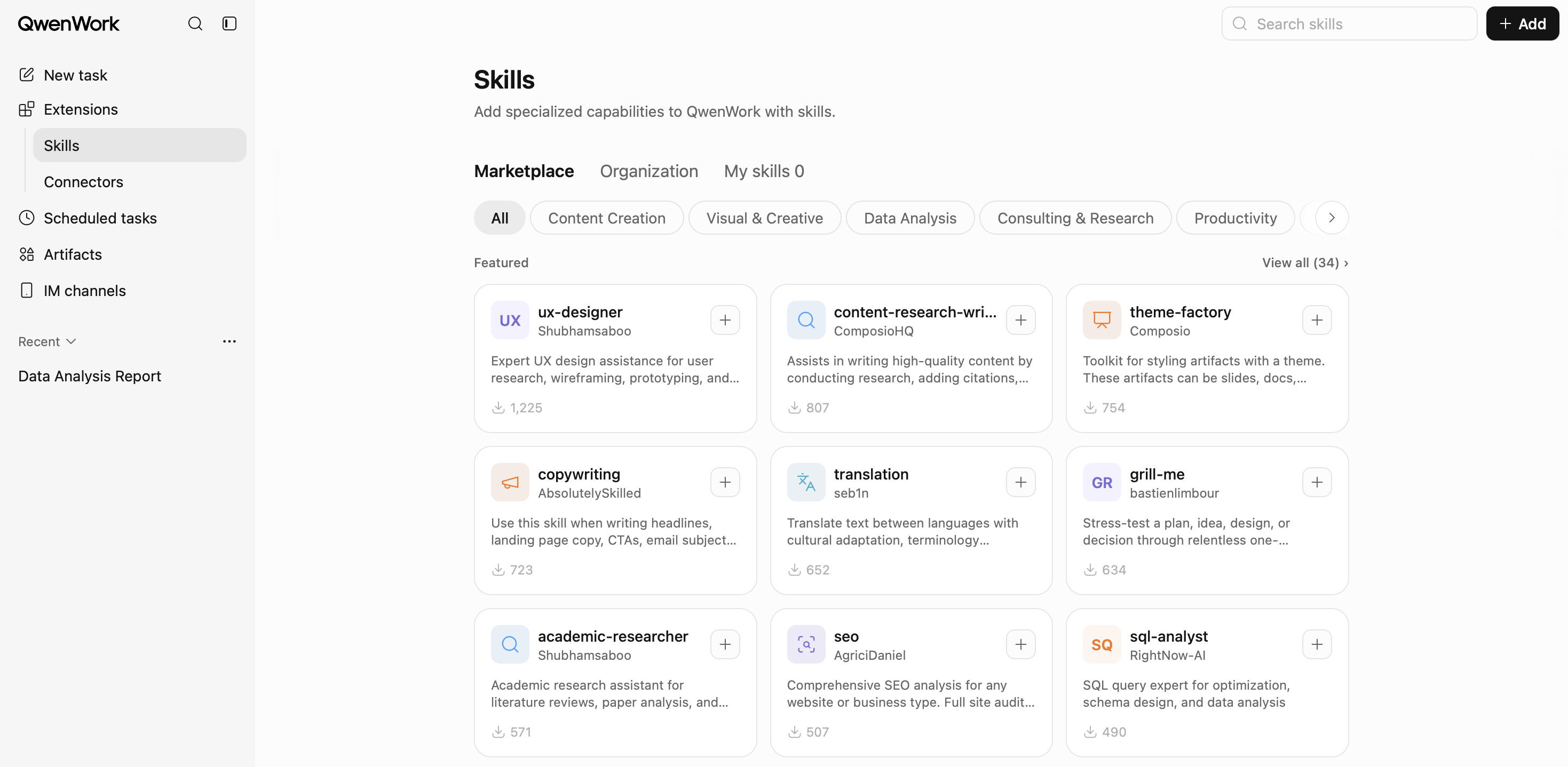
For example, a data-analysis workflow may include importing a spreadsheet, checking for missing or inconsistent values, analyzing key performance indicators, generating charts, summarizing findings, and preparing a structured report.
By using a repeatable Skill-based workflow, users can reduce the need to define every instruction from scratch. This can help organizations scale AI adoption beyond individual experimentation.
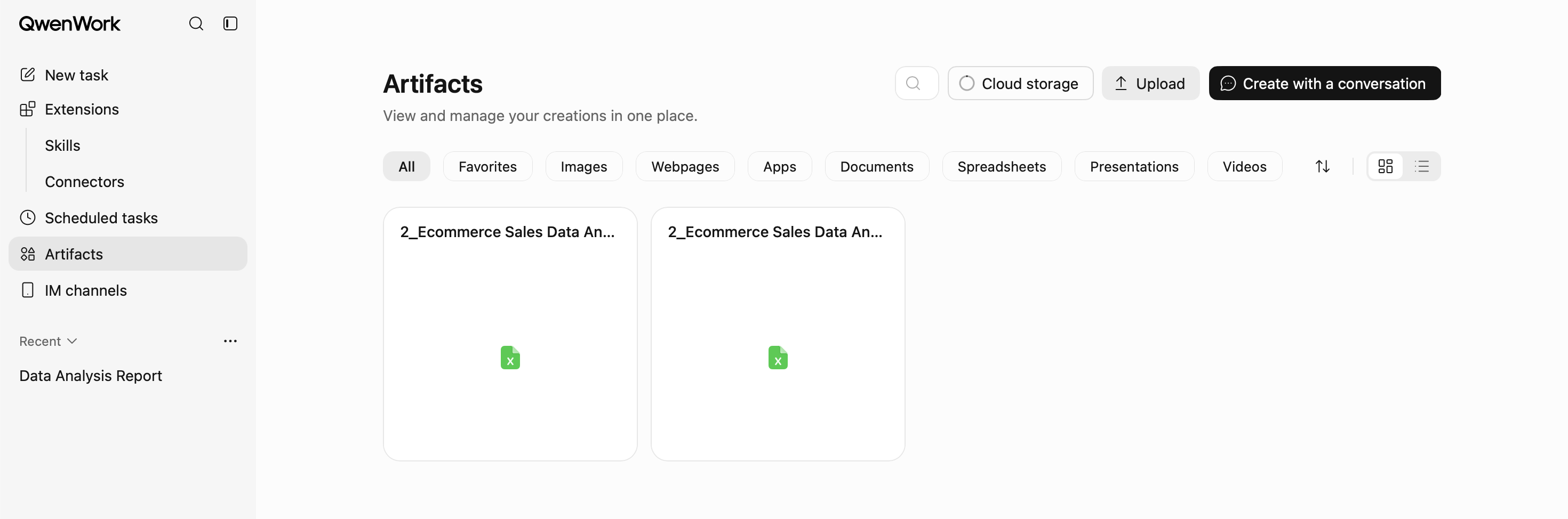
QwenWork supports Connectors that can connect the platform with supported external services and data sources through authorized integrations. These integrations can extend the Agent's working context and allow it to use information from connected services.
A business workflow could involve retrieving information from an authorized source, processing that information, generating a report, and preparing the output for the relevant team.
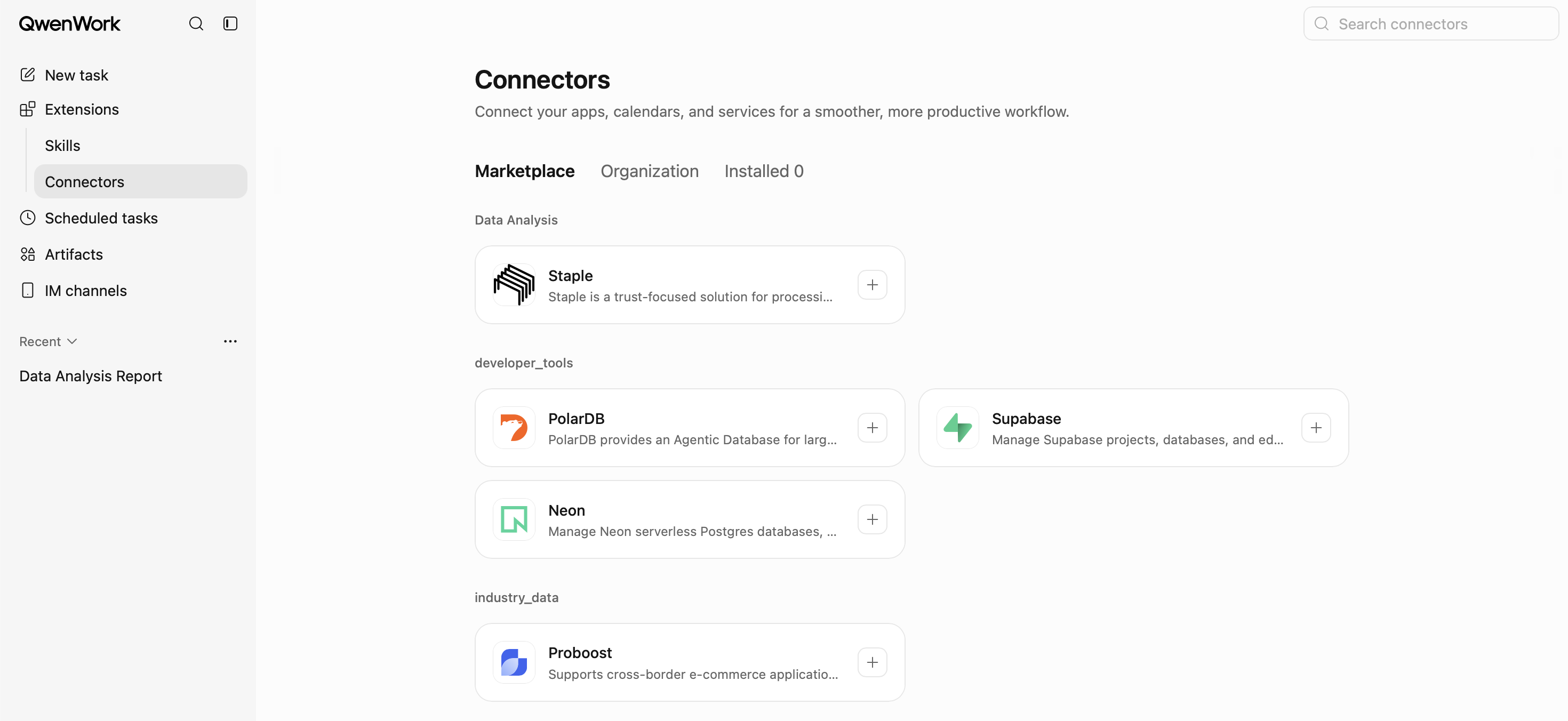
Connectors help bridge the gap between AI capabilities and existing business applications. However, organizations should evaluate connector availability, authorization requirements, access permissions, and data-handling policies before deploying integrations in production.
The objective is not simply to connect more applications. It is to provide the Agent with the right information and permissions for a specific business purpose.
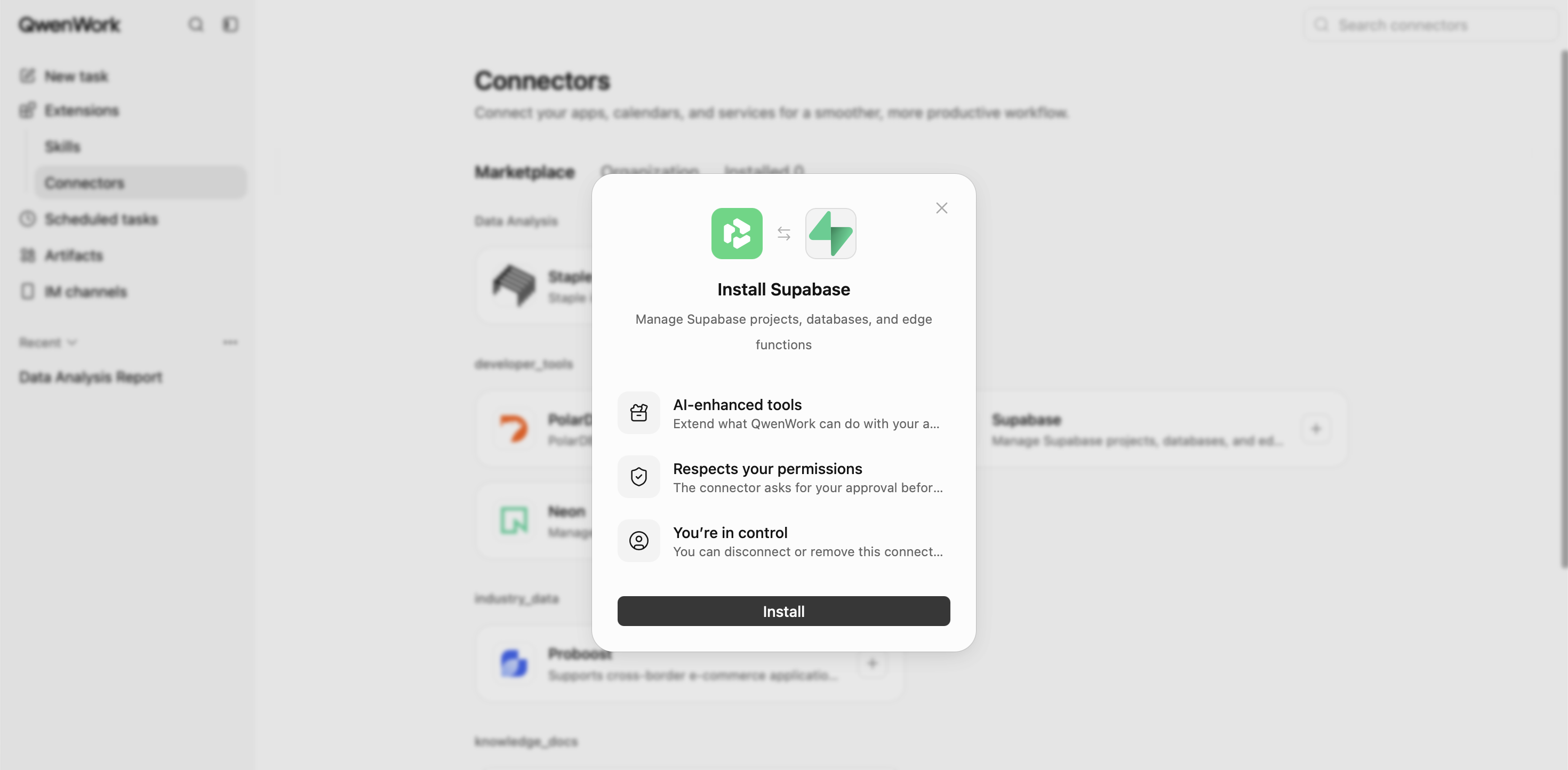
Many business activities are repetitive and time-dependent. Examples include weekly reporting, periodic data analysis, research updates, and recurring operational summaries.
QwenWork provides Scheduled Tasks for configuring recurring or time-based work. Depending on the available scheduling options, users can define one-time or recurring executions and review the resulting sessions.
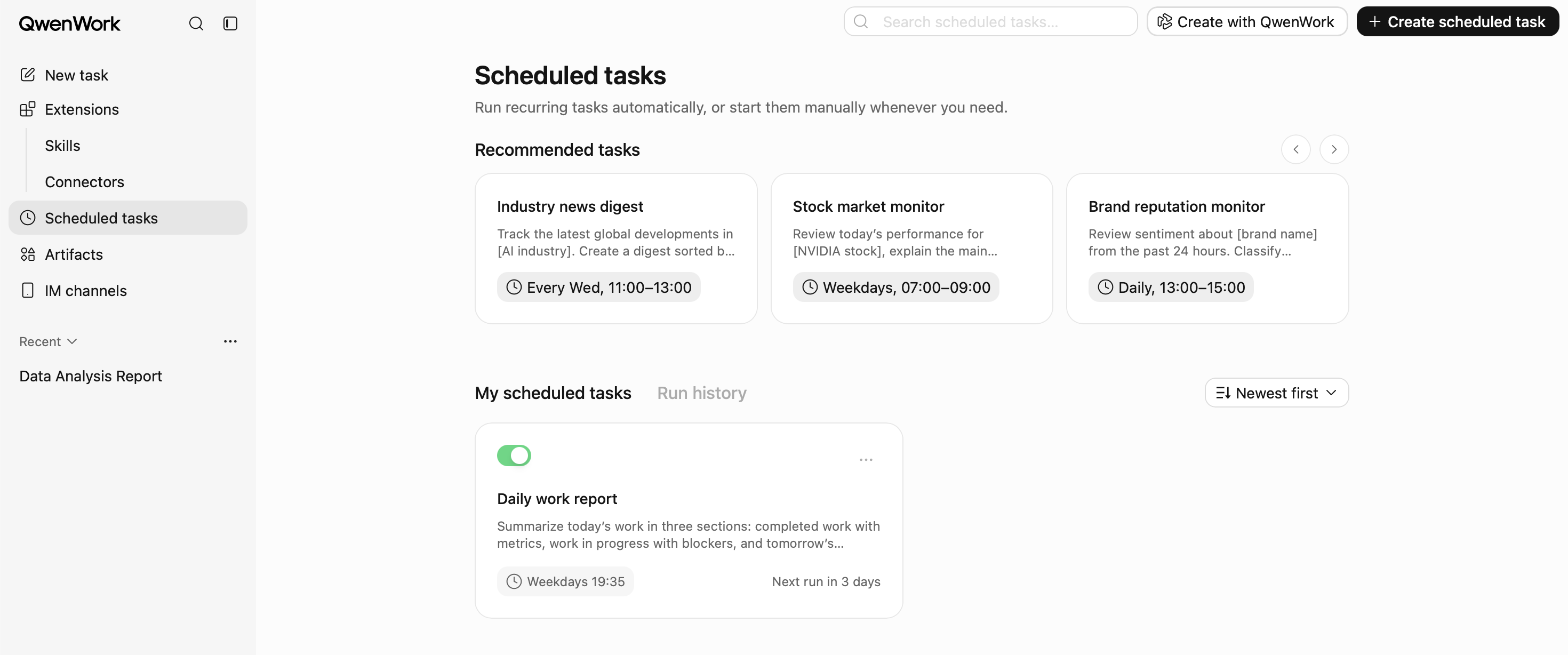
For example, an operations team could configure a recurring task to:
This can reduce reliance on employees remembering to initiate repetitive tasks manually. Organizations should still validate the output and confirm that the required data sources and permissions remain available.
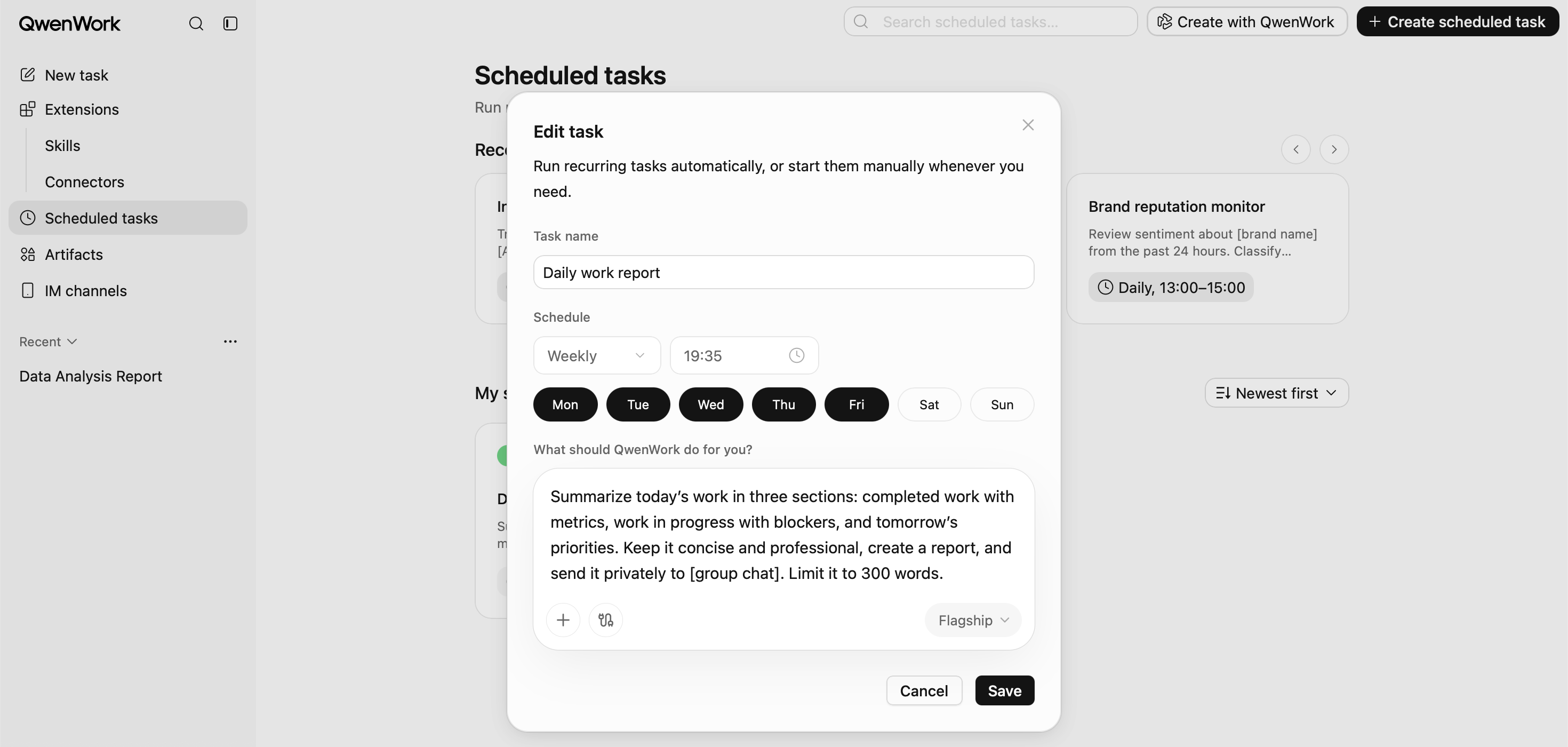
QwenWork supports workflows involving business documents and other types of content. Depending on the supported format and feature, users can work with documents, spreadsheets, presentations, PDFs, images, audio, and video.
Pages also provides capabilities for creating and managing web-based content.
Together, these features help users move from information processing to deliverable production within a more integrated working environment.
The technical capabilities of QwenWork become more meaningful when mapped to actual business requirements. The following examples illustrate potential applications across different departments.
Sales teams frequently work with spreadsheet data, customer information, opportunity records, and performance reports. Manually consolidating this information can consume significant time, especially when reports must be prepared regularly.
A sales operations team can provide relevant Excel files and request an analysis covering:
-- Total sales performance
-- Revenue distribution by product or business unit
-- Monthly growth trends
-- Sales target achievement
-- Underperforming segments
-- Potential business opportunities
The Agent can assist in processing the information, identifying patterns, generating visualizations, and preparing an executive-level summary.
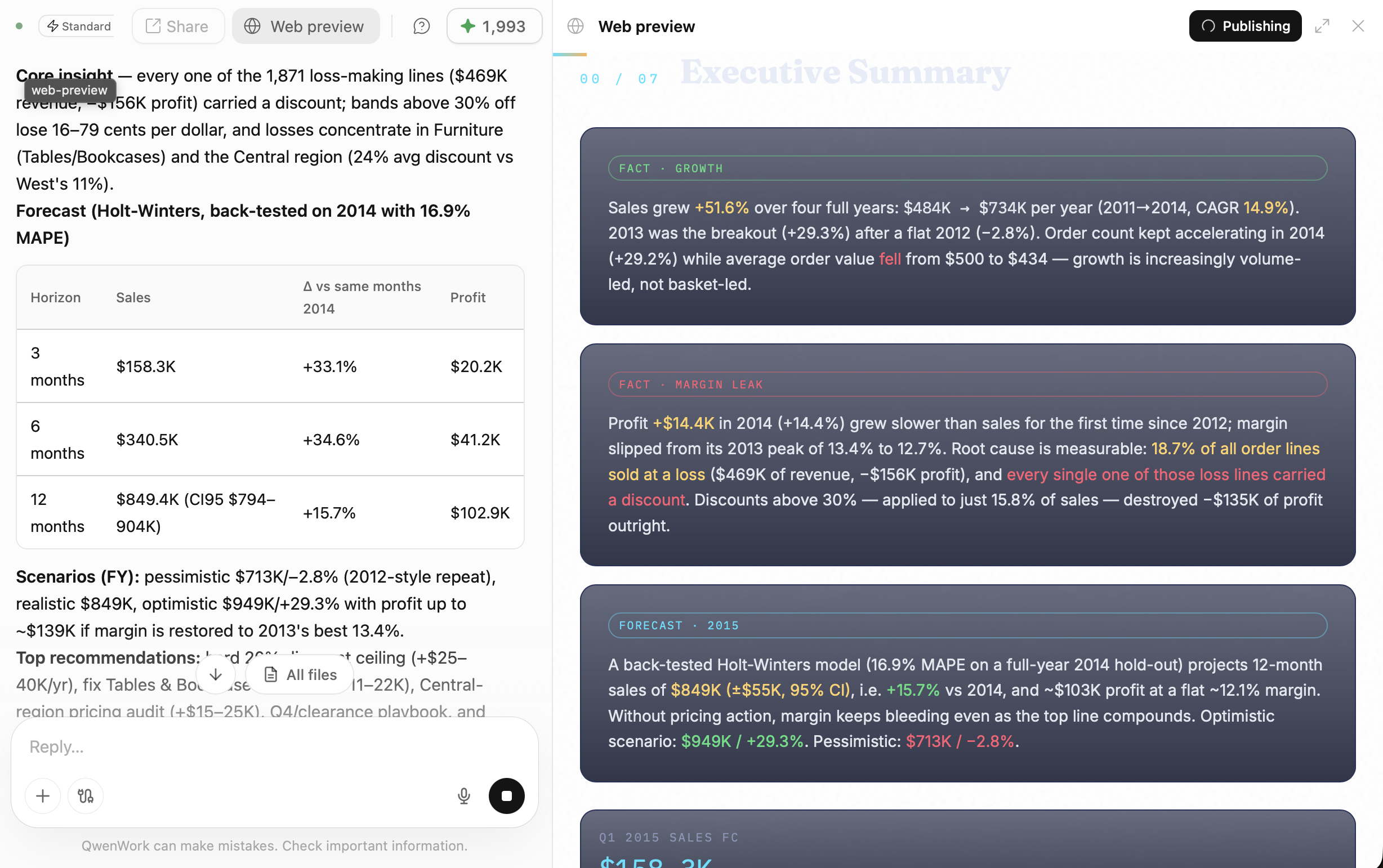
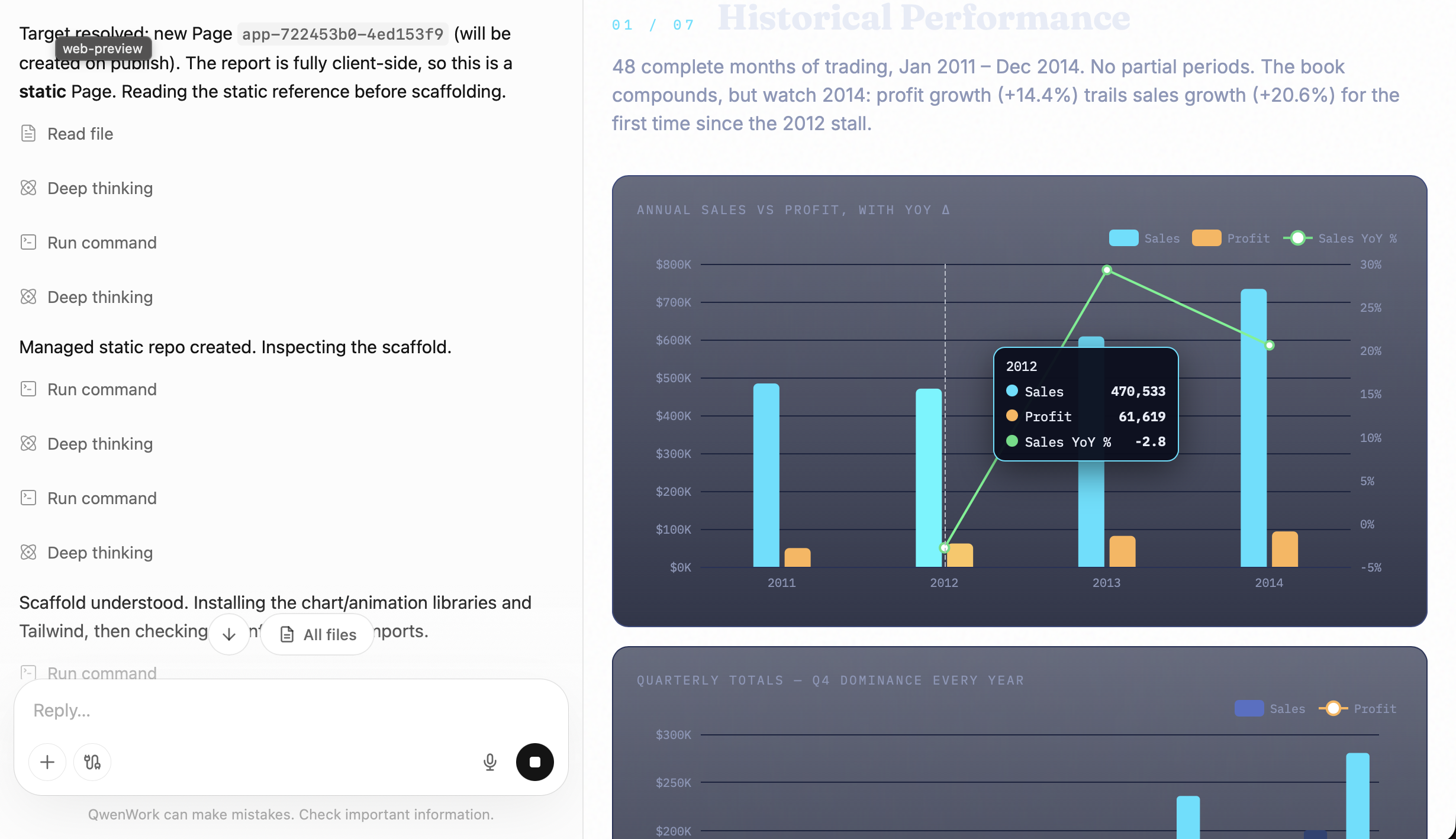
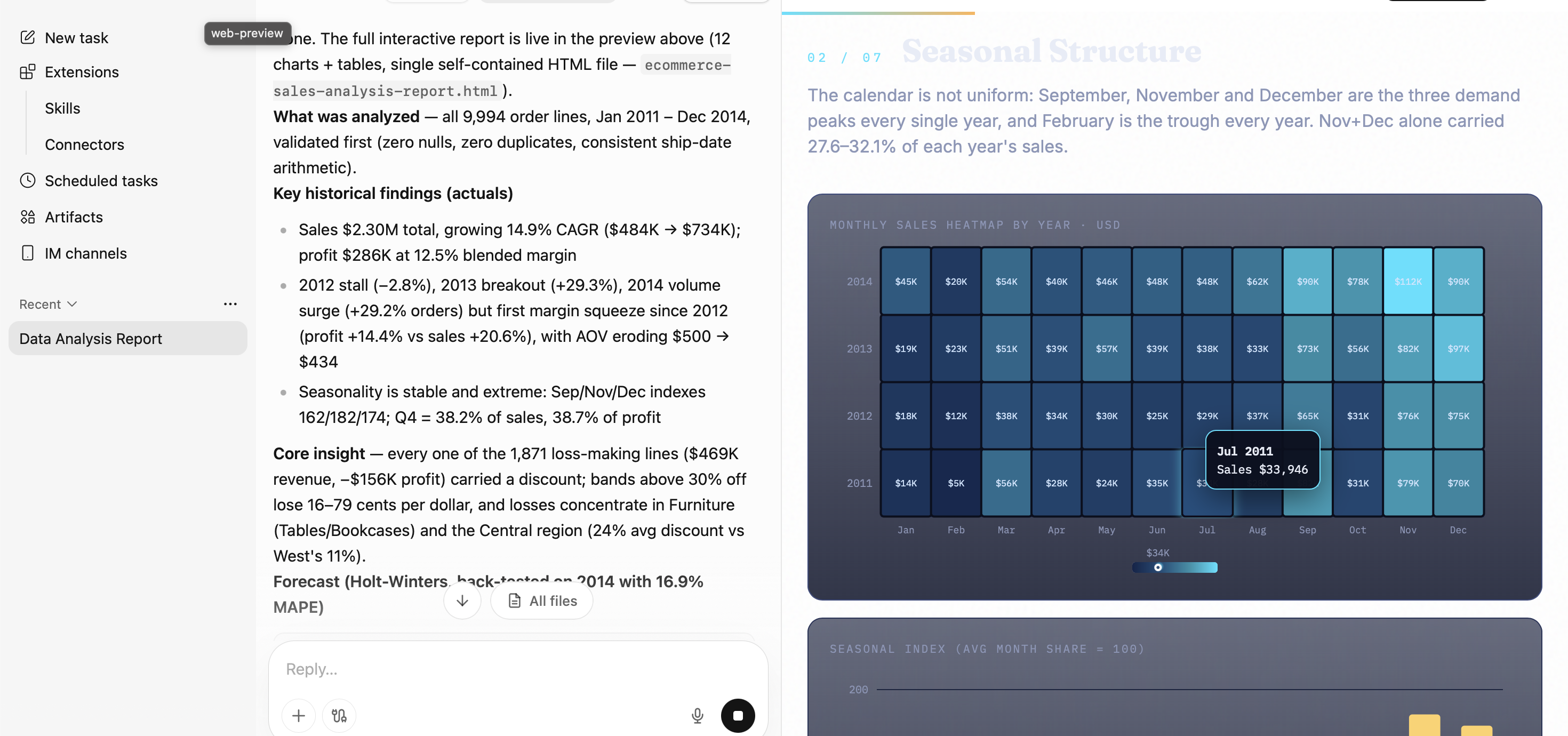
Business value: Reduced reporting effort, faster access to business insights, and more time for sales teams to focus on customer engagement and revenue generation.
The value of an AI platform should not be measured solely by the number of generated responses or the sophistication of its underlying models.
For enterprises, the more important question is: How much business work can the organization complete more efficiently with AI?
Consider a simplified example of a team that spends approximately 10 hours every week preparing reports, analyzing spreadsheets, and organizing documentation.
If an AI-assisted workflow reduces the manual effort required by 40%, the potential time savings would be:
-- Original workload: 10 hours per week
-- Estimated time reduction: 40%
-- Remaining workload: 6 hours per week
-- Potential time savings: 4 hours per week
Across a team of 10 employees, this represents approximately 40 hours of potential time savings every week.
This is an illustrative scenario, not a guaranteed QwenWork performance benchmark. Actual results depend on task complexity, data quality, workflow design, validation requirements, and user adoption.
The opportunity is not simply to reduce manual work. It is to allow employees to spend more time on activities that require human judgment, strategic thinking, customer relationships, and innovation.
Organizations and individuals interested in exploring QwenWork can begin with a straightforward evaluation:
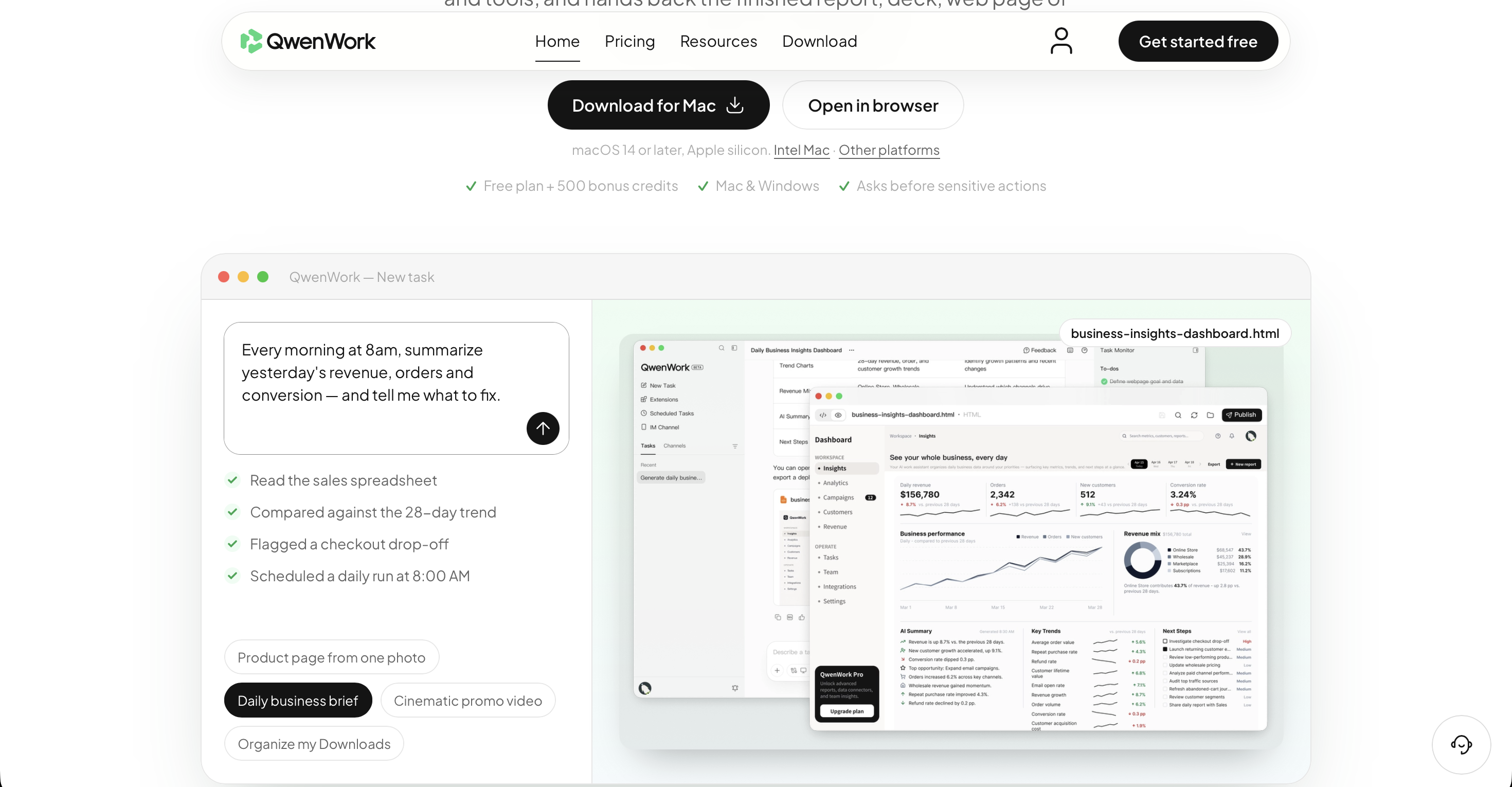
For an initial enterprise evaluation, start with a clearly defined, low-risk business process. Choose a workflow with measurable inputs and outputs, establish a baseline for the current execution time, and compare the results after introducing AI assistance.
This provides a practical way to evaluate the platform's contribution to operational efficiency.
The evolution of enterprise AI is moving beyond conversational interfaces toward platforms that can support the execution of real business workflows.
QwenWork brings together Agent Sessions, Skills, Connectors, Scheduled Tasks, file processing, and deliverable management in an AI-powered work environment.
For IT teams, it provides opportunities to simplify technical documentation and information processing. For business teams, it can accelerate reporting, research, content development, and administrative workflows.
The competitive advantage will not necessarily come from using the largest number of AI tools. It will come from identifying the right workflows, integrating AI capabilities effectively, establishing appropriate governance, and translating AI adoption into measurable business outcomes.
QwenWork offers a practical starting point for organizations looking to move from experimenting with AI to incorporating AI Agents into everyday work.
The next step is to identify one business process, explore what an AI Agent can accomplish, and evaluate the results.
The future of enterprise productivity is not just about asking AI questions. It is about getting meaningful work done with AI.
The Ultimate Guide to WonderClip: Transforming Storyboard Scripts into Cinematic Video Stories

9 posts | 0 followers
FollowAlibaba Cloud Community - August 3, 2026
Alibaba Cloud Community - October 13, 2026
Alibaba Cloud Community - October 12, 2026
Alibaba Cloud Community - August 24, 2026
Alibaba Cloud Community - October 23, 2026
Alibaba Cloud Community - September 4, 2026
9 posts | 0 followers
Follow Big Data Consulting for Data Technology Solution
Alibaba Cloud provides big data consulting services to help enterprises leverage advanced data technology.
Learn More Big Data Consulting Services for Retail Solution
Alibaba Cloud experts provide retailers with a lightweight and customized big data consulting service to help you assess your big data maturity and plan your big data journey.
Learn More Token Plan
Build more, spend less. One plan, every modality.
Learn More
Alibaba Cloud Model Studio
A one-stop generative AI platform to build intelligent applications that understand your business, based on Qwen model series such as Qwen-Max and other popular models
Learn MoreMore Posts by Muhamad Miftah

