In the current landscape of cloud computing and AI-driven applications, managing database performance effectively has become more critical than ever. Organizations are experiencing exponential growth in data volume, real-time transactional traffic, and complex analytical workloads. Traditional manual tuning approaches are no longer sufficient to maintain optimal performance and scalability. Modern database systems must not only process large amounts of data efficiently, but also adapt proactively to changes in workload patterns, reduce operational overhead, and prevent performance degradation before it impacts users.
With the rise of e-commerce, digital banking, SaaS analytics, and real-time digital experiences, slow SQL queries can translate directly into poor customer experience, system instability, and increased operational costs. Developers and database administrators (DBAs) need tools that not only detect performance issues but also help resolve them intelligently.
Alibaba Cloud’s RDS Copilot is a next-generation integrated performance assistant for ApsaraDB RDS also designed to meet this need. Using advanced diagnostics and automated insight, RDS Copilot helps optimize SQL execution, uncover hidden bottlenecks, and suggest actionable improvements for significantly reducing downtime and manual troubleshooting.
In this article, we explore how to use RDS Copilot to analyze and optimize slow queries in a real e-commerce database scenario hosted on ApsaraDB RDS for MySQL.
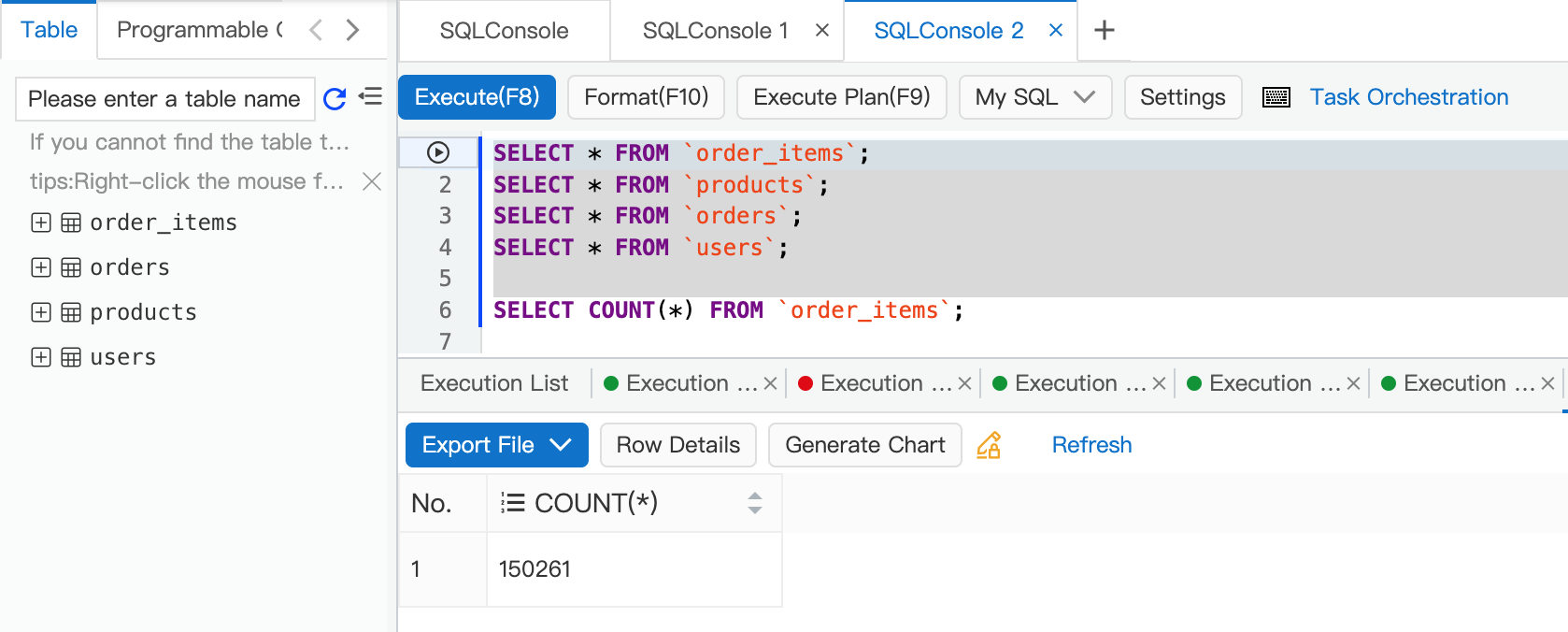
Consider an e-commerce application powering product catalogs, shopping carts, order histories, and user profiles. Behind the scenes, data relationships span multiple tables such as:
These tables contain thousands of records and relational joins, typical of transactional systems.
One of the heavy analytical queries executed was as follows:
SELECT
    u.id,
    u.name,
    (
        SELECT SUM(oi.quantity * oi.price)
        FROM orders o
        JOIN order_items oi ON o.id = oi.order_id
        WHERE o.user_id = u.id
    ) AS total_spent
FROM users u
ORDER BY total_spent DESC;
The query aims to compute the total spending of each user in the system, ranking them from highest to lowest.
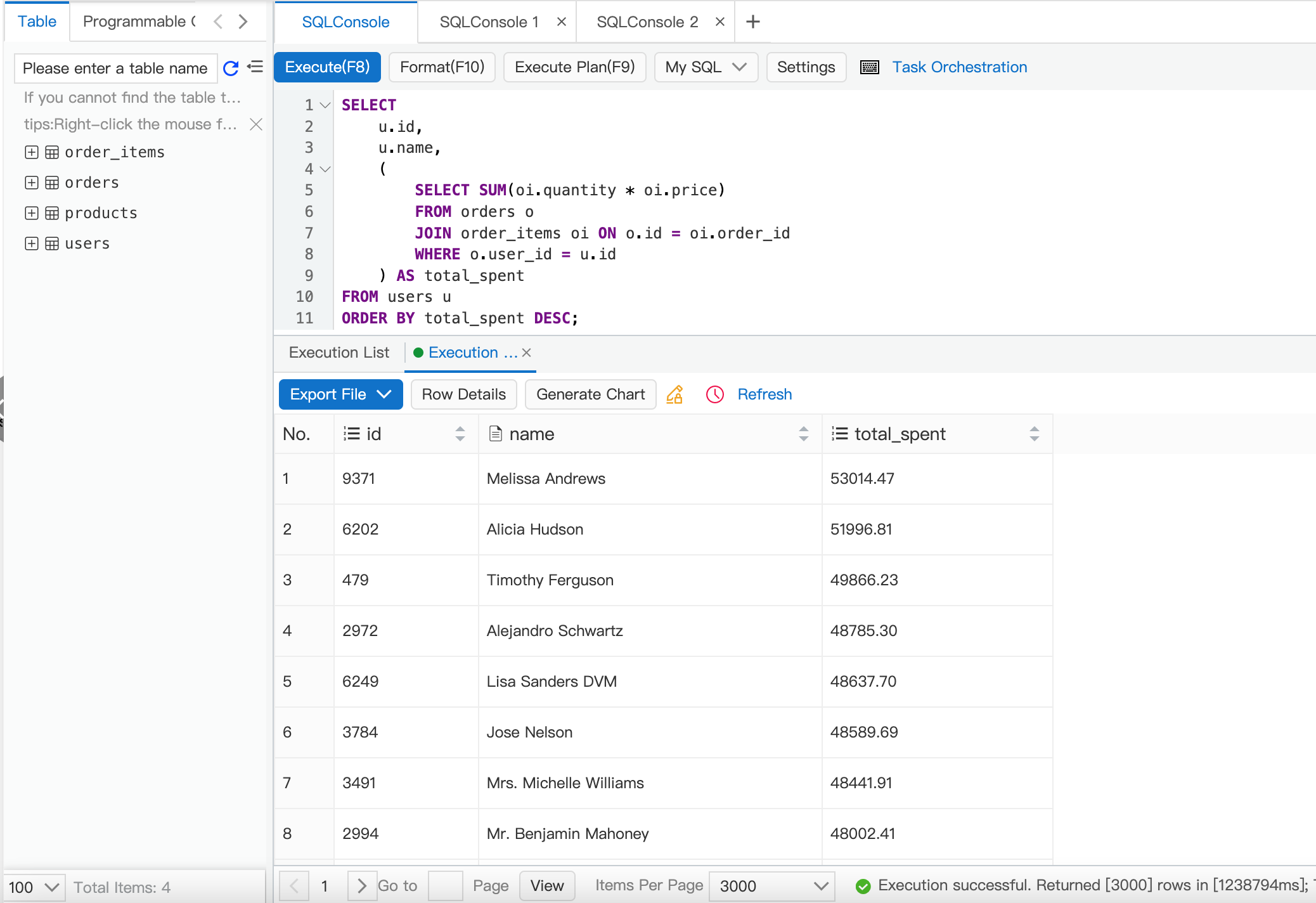
Although logically correct, this query repeatedly invokes a nested subquery for each row in the users table. When executed against thousands of users and related records, it results in:
This is a common pattern known as a correlated subquery, which can cause significant performance issues in production workloads and this query was identified as a slow SQL by RDS Copilot.

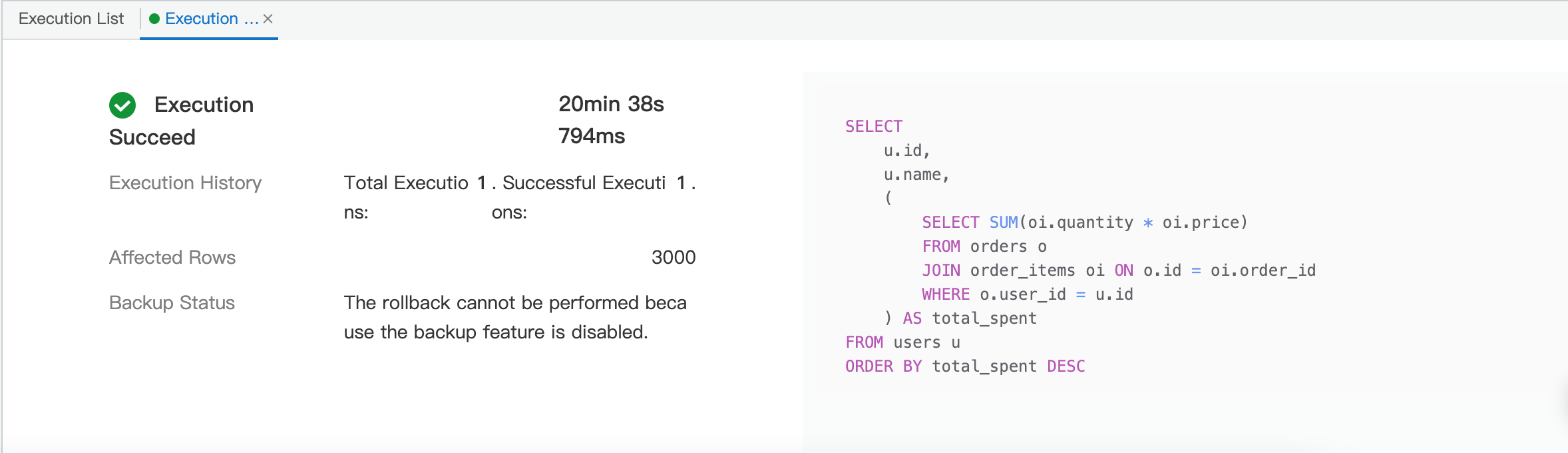
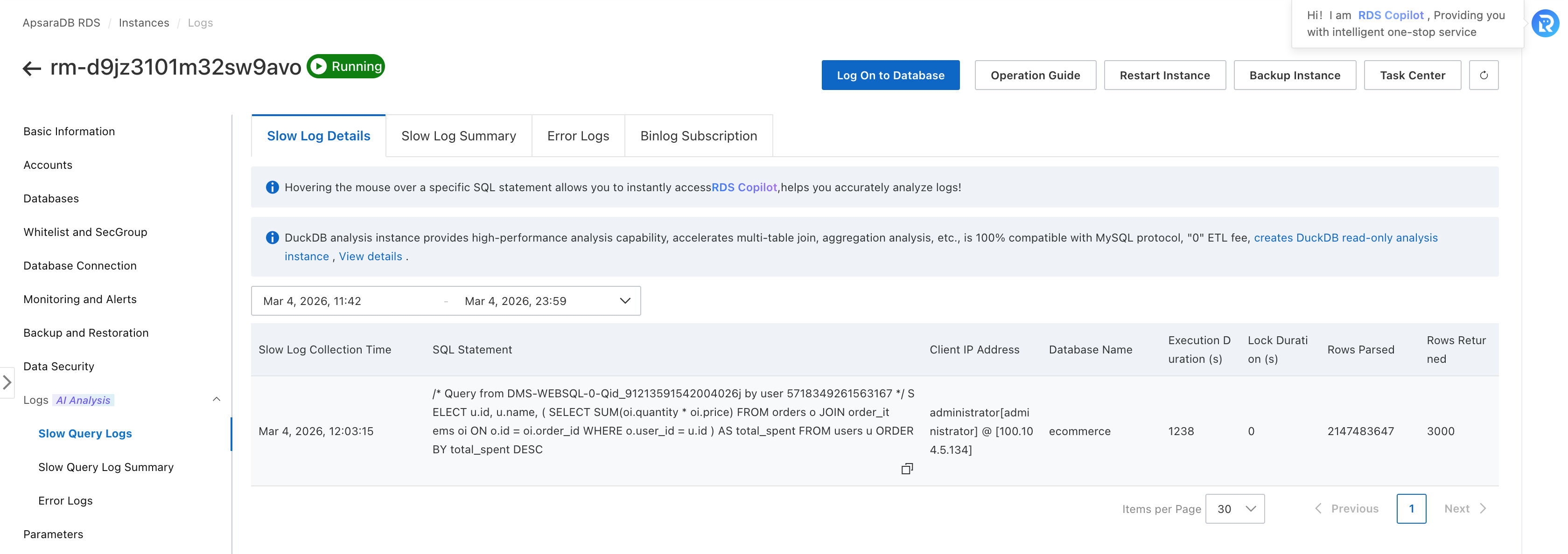
After executing the query and observing its performance, we inspected the ApsaraDB RDS dashboard under:
RDS Copilot is an intelligent assistant integrated into ApsaraDB RDS that provides:
By leveraging RDS Copilot, teams can quickly uncover performance bottlenecks and implement changes with confidence.
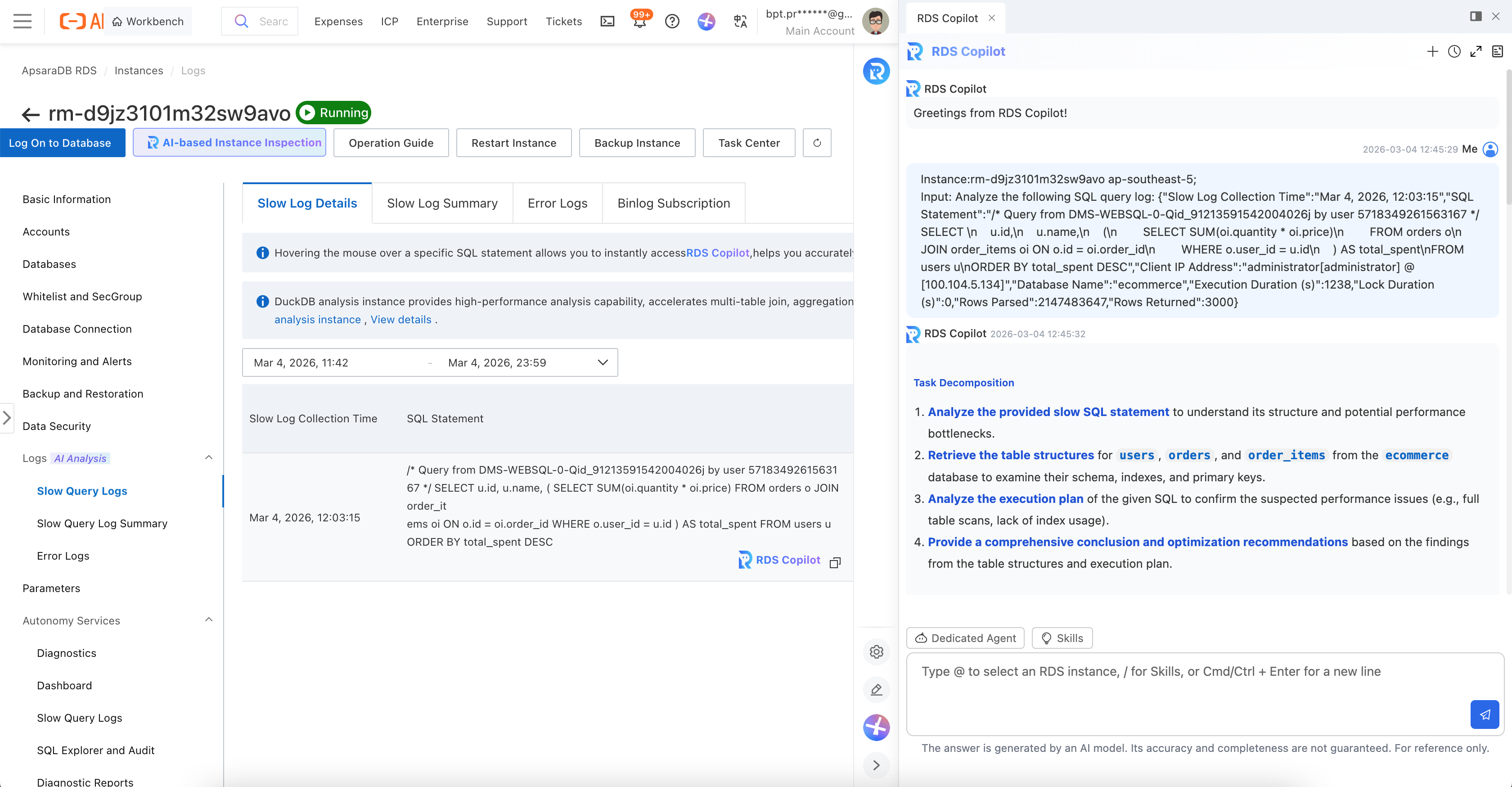
The main issue was a correlated subquery that runs for each user:
For each user, the subquery scans orders and order_items again.
This causes repeated full scans, ballooning execution time and database load.
Detecting the Slow Query
After running the correlated subquery, RDS Copilot automatically flags it under the Slow Query Analysis dashboard:
This detection is powered by continuous monitoring of query performance metrics and execution statistics.
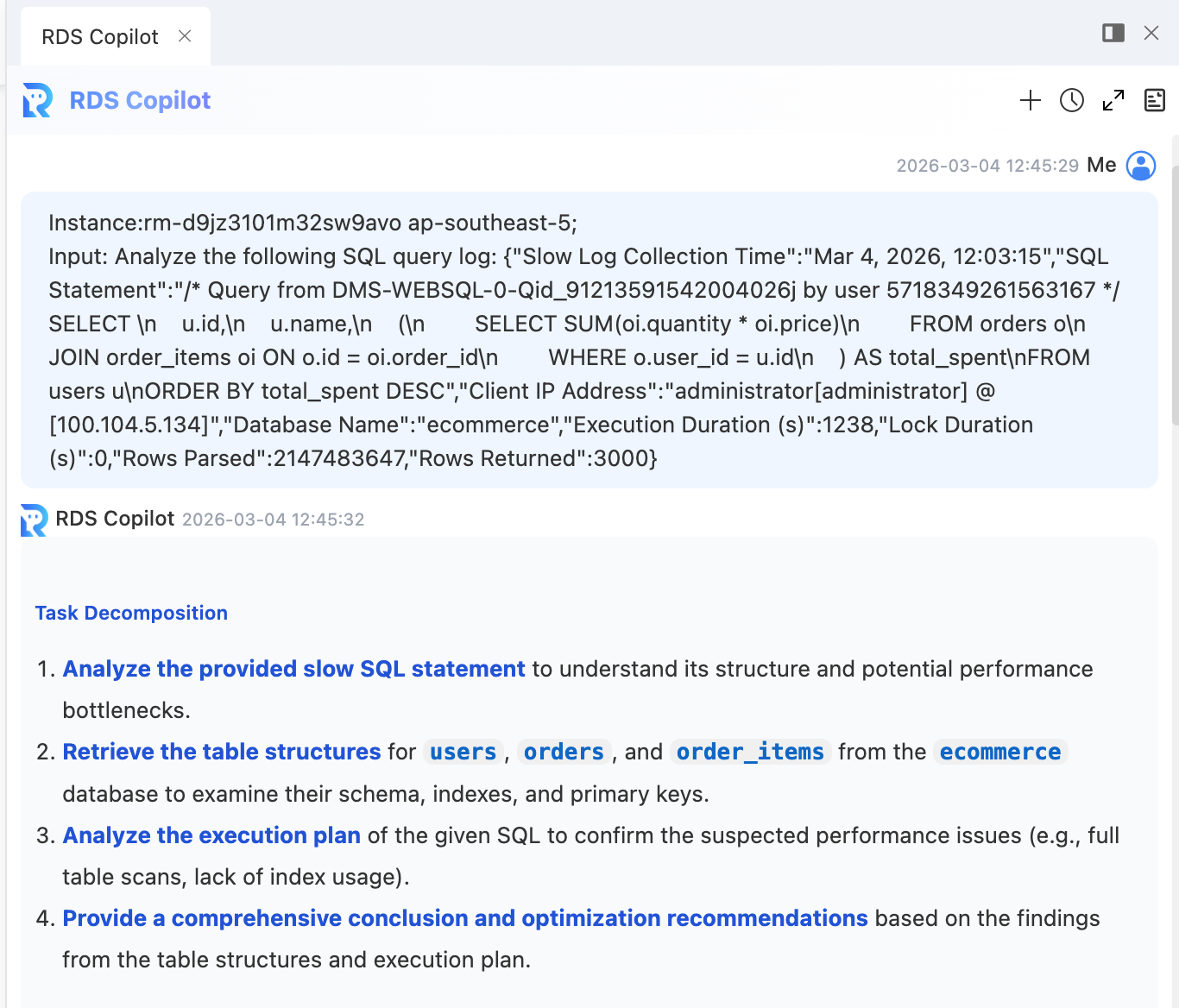
Root Cause Identification
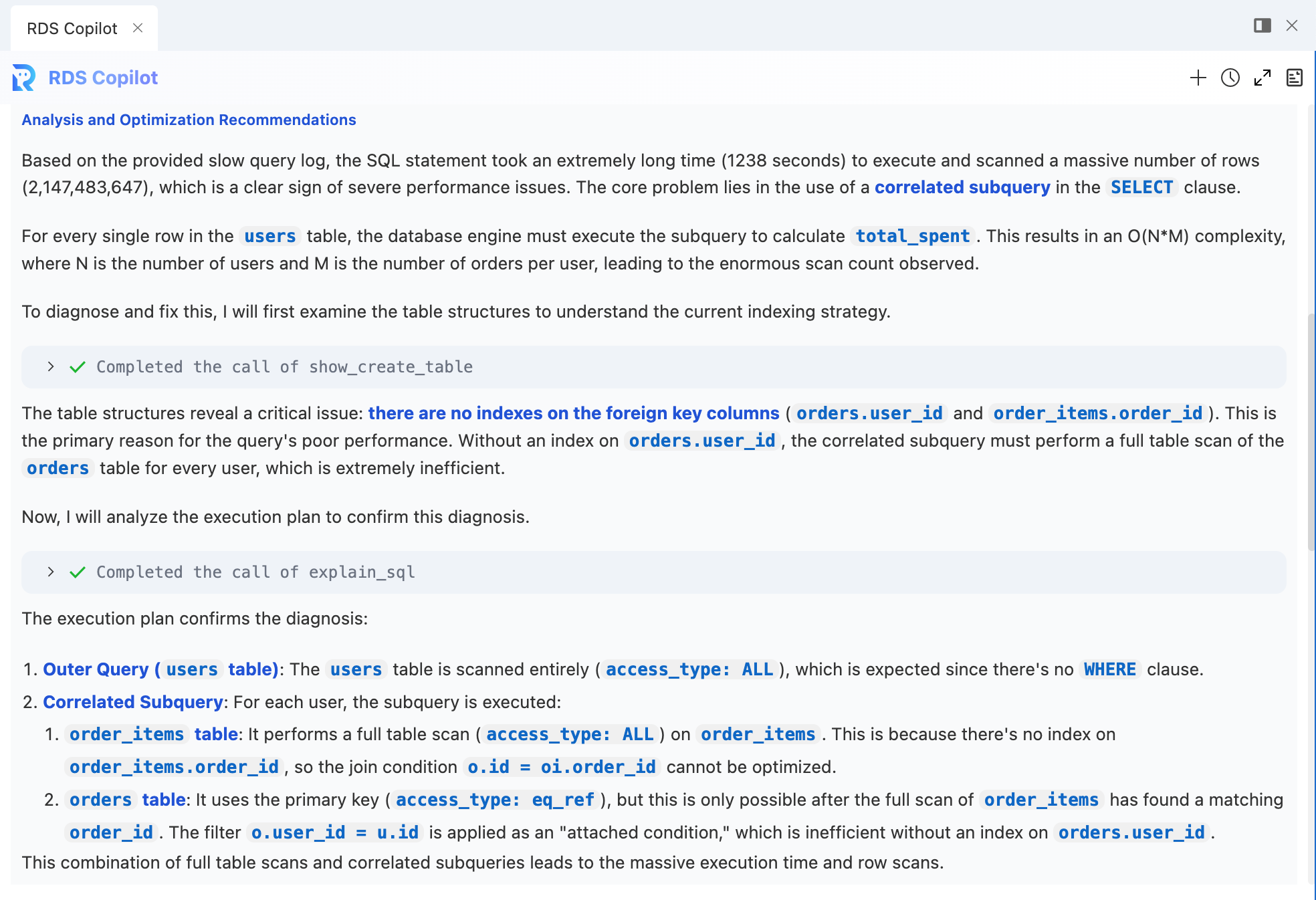
RDS Copilot presents a breakdown of the query execution plan showing that:
This makes it clear that the issue is not with data correctness but with query efficiency.
Refactor the Query
Rewrite the Query Using JOIN and GROUP BY: Replace the correlated subquery with a more efficient LEFT JOIN and GROUP BY pattern. This allows the database to process the data in a single pass.
SELECT
    u.id,
    u.name,
    COALESCE(SUM(oi.quantity * oi.price), 0) AS total_spent
FROM users u
LEFT JOIN orders o ON u.id = o.user_id
LEFT JOIN order_items oi ON o.id = oi.order_id
GROUP BY u.id, u.name
ORDER BY total_spent DESC;
Add Essential Indexes: To support the rewritten query (and improve overall database performance), create the following indexes:
On the orders table for the user_id column:
CREATE INDEX idx_orders_user_id ON orders(user_id);On the order_items table for the order_id column:
CREATE INDEX idx_order_items_order_id ON order_items(order_id);These indexes enable the optimizer to resolve joins using index seek operations, significantly reducing the number of scanned rows.
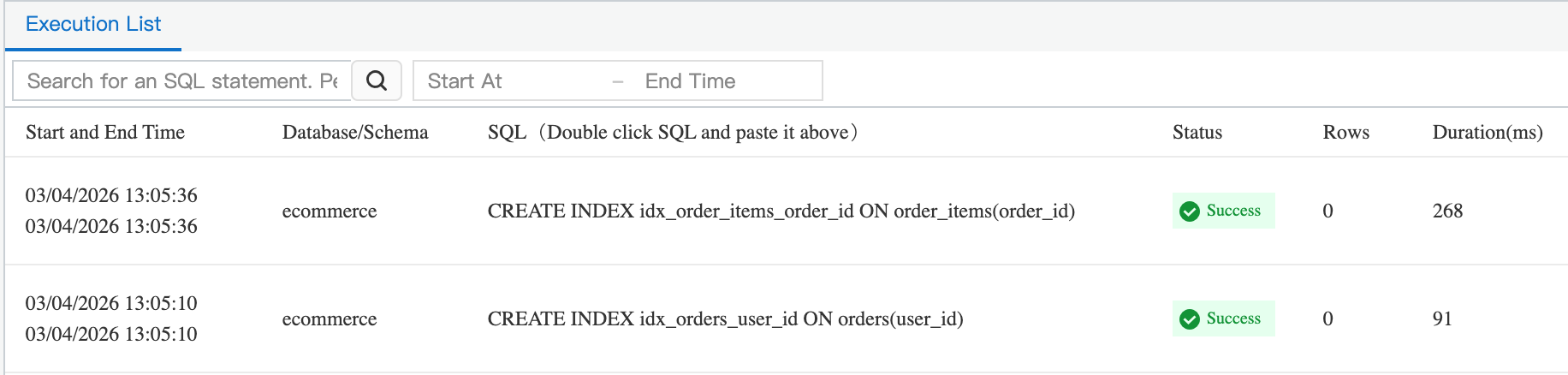
These changes will transform the query from an O(N*M) operation into a much more efficient one, leveraging indexes for fast lookups and allowing the optimizer to use better join strategies.
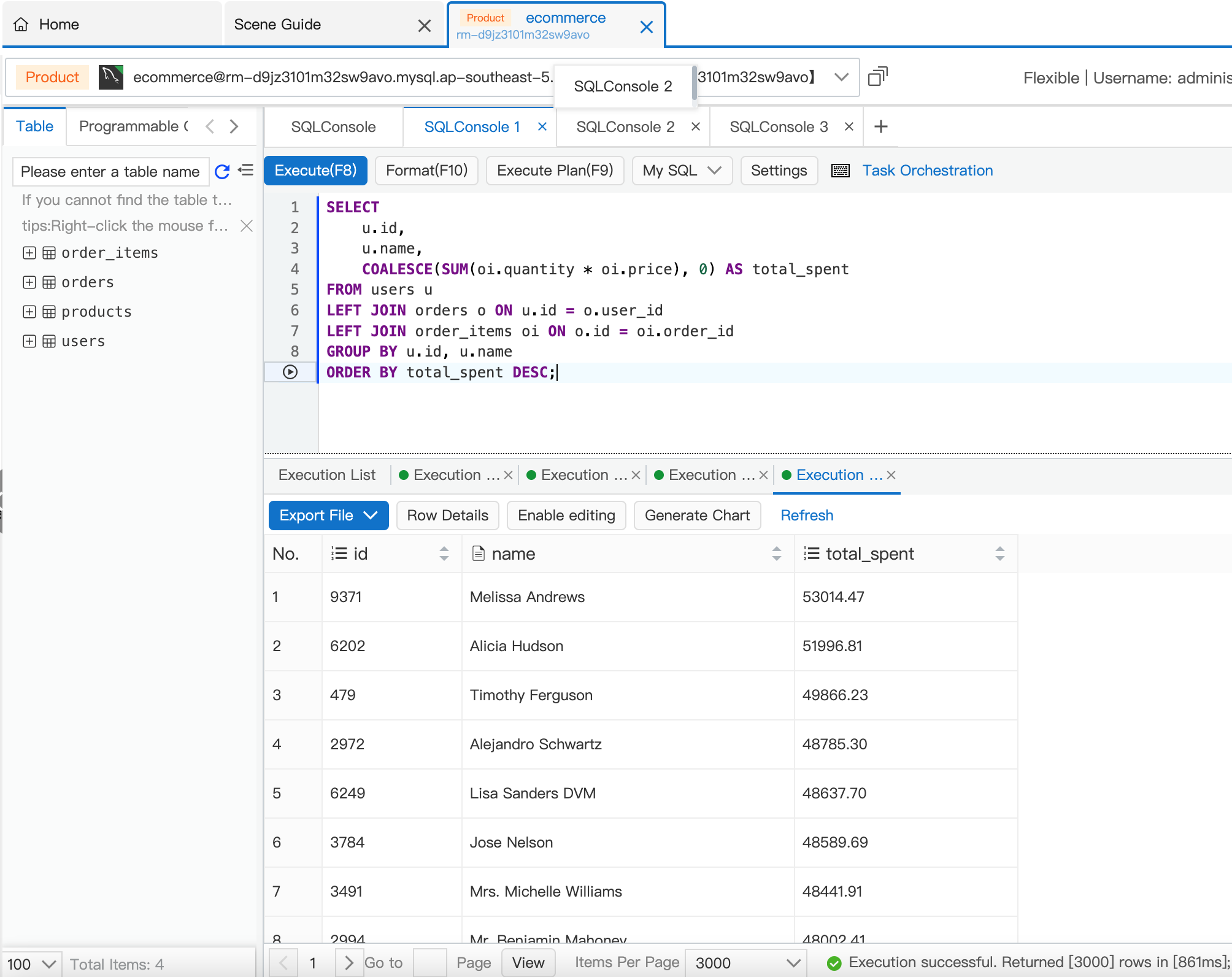
The execution time should drop from over 20 minutes to a few seconds or less.
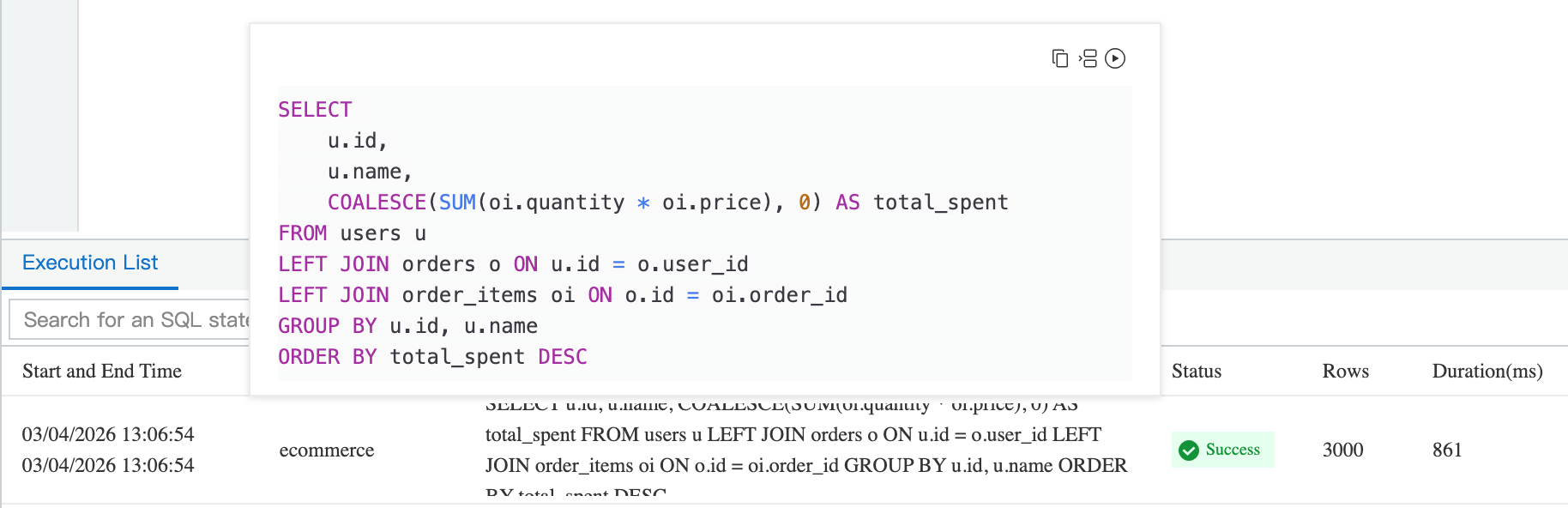
This approach ensures:
This rewrite dramatically reduces the volume of repeated operations.
| Metric | Before Optimization | After Optimization |
|---|---|---|
| Execution Time | High (slow response) | Low (milliseconds) |
| Examined Rows | Large | Significantly Smaller |
| CPU Utilization | Spiked | Stabilized |
| Slow Query Log | Present | Removed |
| I/O Utilization | High | Optimized |
This empirical comparison demonstrates how a poorly written SQL can impact performance and how effective RDS Copilot can be in resolving it.
Real-world digital workloads especially in e-commerce, fintech, SaaS, and analytics on demand:
Manual SQL tuning is time consuming, error prone, and requires deep expertise. Modern cloud databases should be:
RDS Copilot delivers this level of intelligence by providing actionable insights backed by real execution data.
The scenario described is relatable to many e-commerce and transactional workloads:
In large production systems, correlated subqueries and poor indexing can lead to scale-induced performance bottlenecks that inflate cloud costs or degrade user experience. RDS Copilot helps mitigate these efficiently.
Optimizing database performance is more than just scaling instance size but it’s about understanding how queries interact with data, schema, and indexes.
In this real-world example, a suboptimal SQL query on an e-commerce dataset caused performance issues that were quickly identified and guided to resolution using Alibaba Cloud’s RDS Copilot. The combination of query refactoring and indexing recommendations transformed a slow analytical workload into an efficient and scalable operation.
By adopting modern tools like RDS Copilot, organizations can significantly reduce operational overhead, improve database performance, and deliver better application responsiveness at all without requiring deep database tuning expertise.
Building Secure RAG-Based Applications with Dify on Alibaba Cloud

8 posts | 0 followers
FollowApsaraDB - February 27, 2026
ApsaraDB - August 19, 2026
Alibaba Cloud Native Community - July 31, 2025
Alibaba Clouder - July 5, 2019
Alibaba Clouder - July 5, 2019
ApsaraDB - October 21, 2024
8 posts | 0 followers
Follow ApsaraDB RDS for MySQL
An on-demand database hosting service for MySQL with automated monitoring, backup and disaster recovery capabilities
Learn More ApsaraDB RDS for SQL Server
An on-demand database hosting service for SQL Server with automated monitoring, backup and disaster recovery capabilities
Learn More ApsaraDB RDS for PostgreSQL
An on-demand database hosting service for PostgreSQL with automated monitoring, backup and disaster recovery capabilities
Learn More ApsaraDB RDS for MariaDB
ApsaraDB RDS for MariaDB supports multiple storage engines, including MySQL InnoDB to meet different user requirements.
Learn MoreMore Posts by Muhamad Miftah

