By Kidd Ip
This article explains how to create Auto Scaling and managed node pools under Alibaba Cloud console.
Login Alibaba Cloud console via https://account.alibabacloud.com/
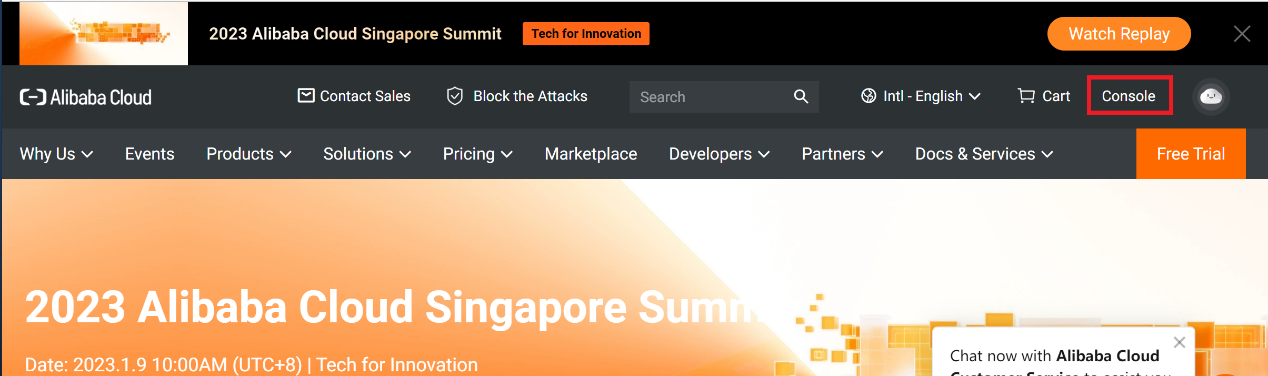
Click Console:
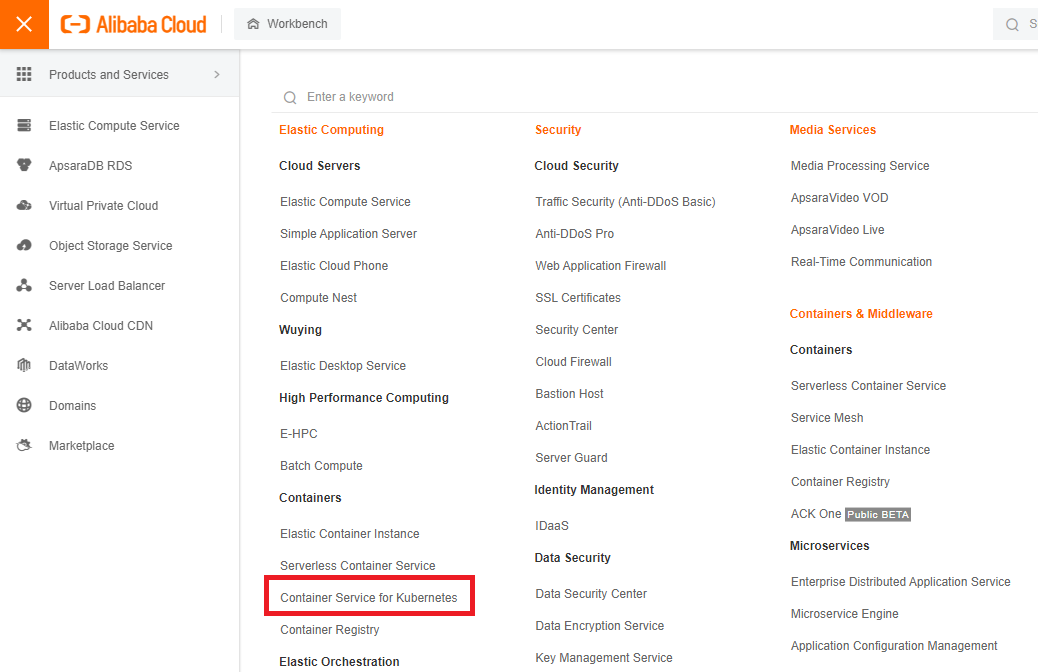
Under Menu, Click Container Services for Kubernetes
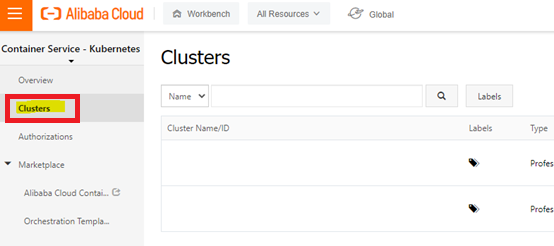
Click Clusters and click on Cluster Name
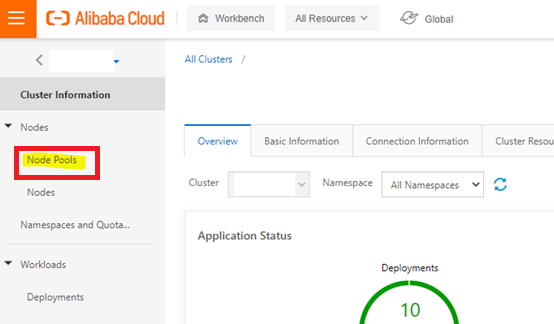
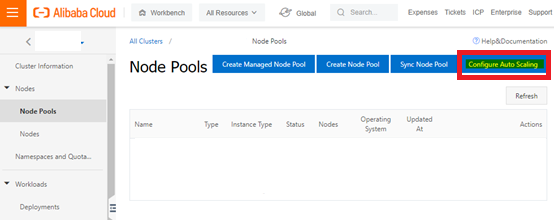
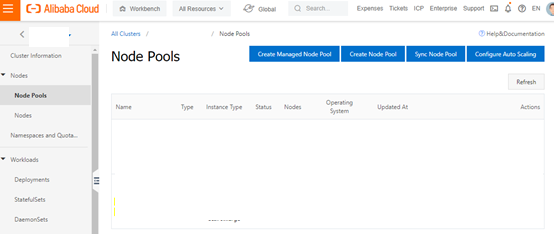
Under Nodes, Click Node Pools
Enable Auto Scaling by clicking Configure Auto Scaling
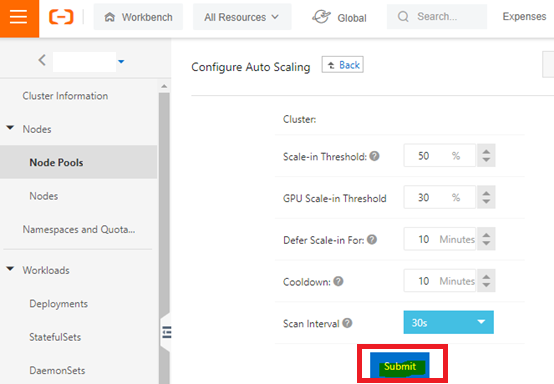
Input the criteria for the Auto Scaling and click Submit to confirm
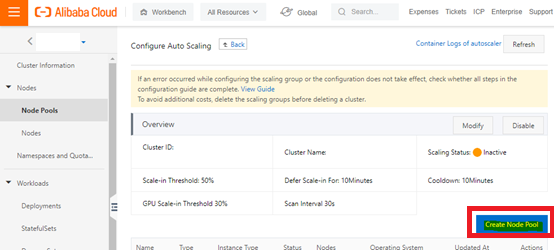
Click Create Node Pool
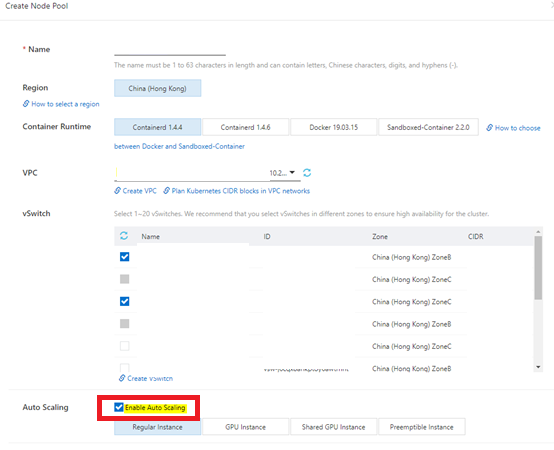
Key in Node Pool Name and select proper vSwitch for node subnet
Check Enable Auto Scaling
Select the Node VM spec
Select CIS Reinforcement if required
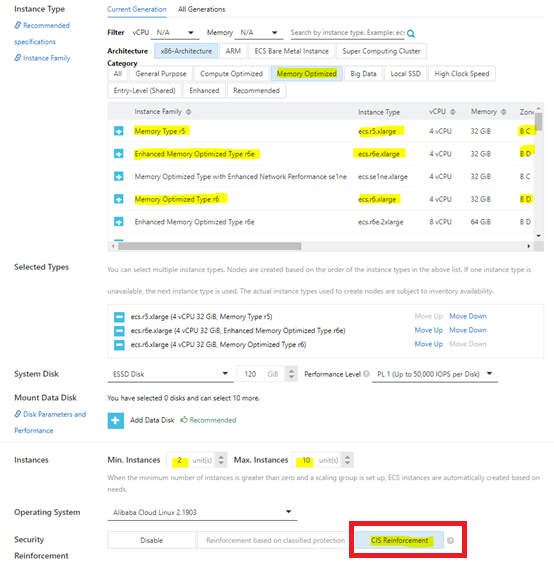
Select Key Pair and Add Node Label if required
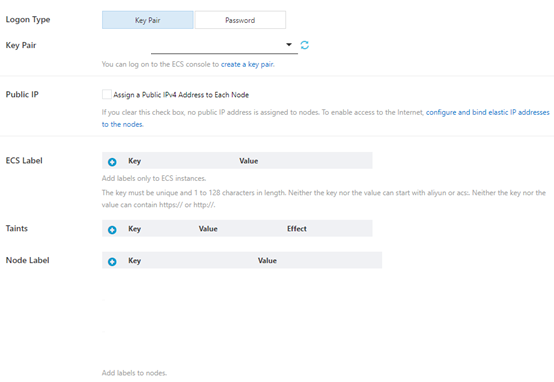
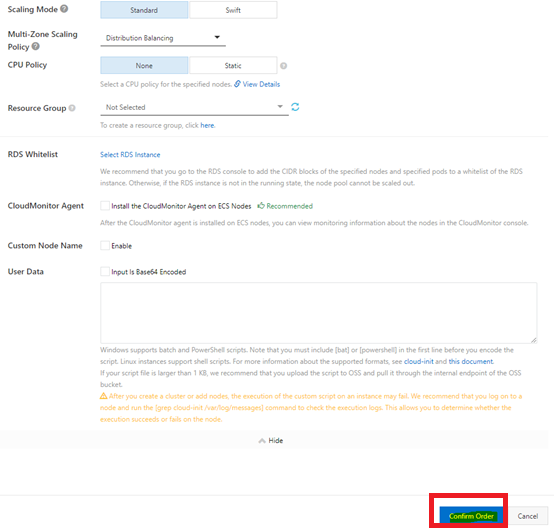
Keep default settings for others and Click Confirm Order
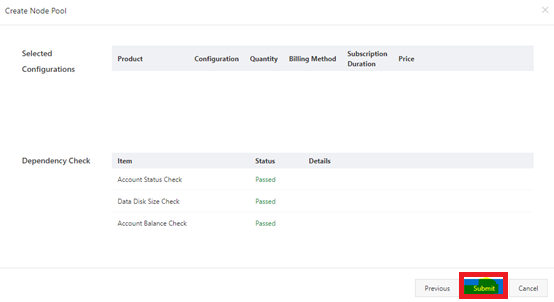
Click Submit
Verify the result under Node Pools
Kidd Ip - February 13, 2023
Alibaba Container Service - May 27, 2025
Alibaba Cloud Native - October 18, 2023
Community Builder - July 13, 2026
Community Builder - June 8, 2026
Alibaba Cloud Native - October 18, 2023
 Auto Scaling
Auto Scaling automatically adjusts computing resources based on your business cycle
Learn More Container Compute Service (ACS)
A cloud computing service that provides container compute resources that comply with the container specifications of Kubernetes
Learn More
Container Service for Kubernetes
Alibaba Cloud Container Service for Kubernetes is a fully managed cloud container management service that supports native Kubernetes and integrates with other Alibaba Cloud products.
Learn More
ACK One
Provides a control plane to allow users to manage Kubernetes clusters that run based on different infrastructure resources
Learn MoreMore Posts by Kidd Ip


