By Kidd Ip
This article explains how to create Auto Scaling and managed node pools on the Alibaba Cloud console.
Part 1: https://www.alibabacloud.com/blog/kubernetes-ack-k8s-auto-scaling-node-pool-part-1_599674
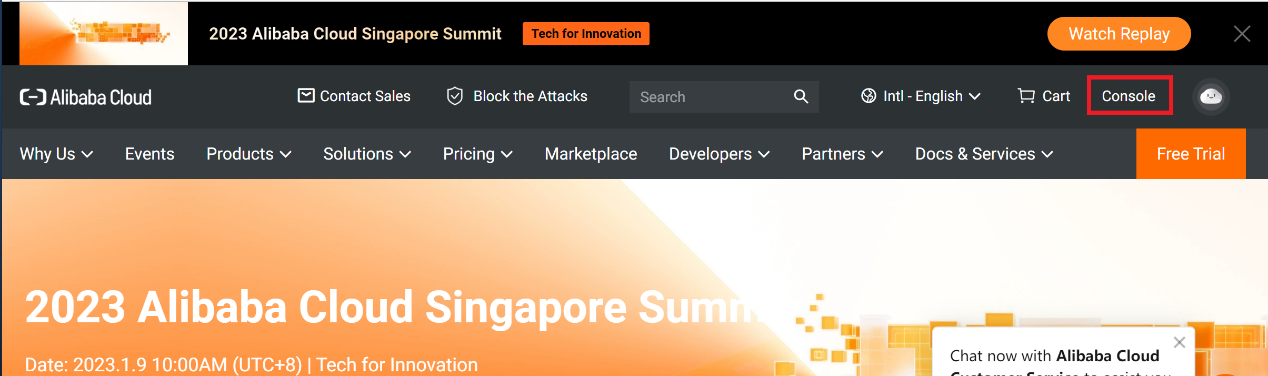
Log in to the Alibaba Cloud console via https://account.alibabacloud.com/
Click Console:
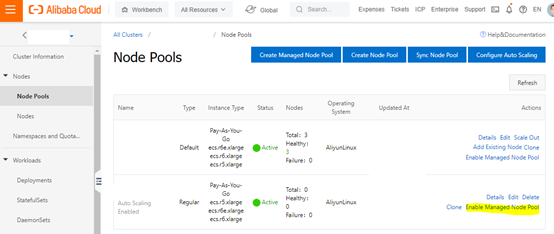
Click the Enable Managed Node Pool under the target node pool:
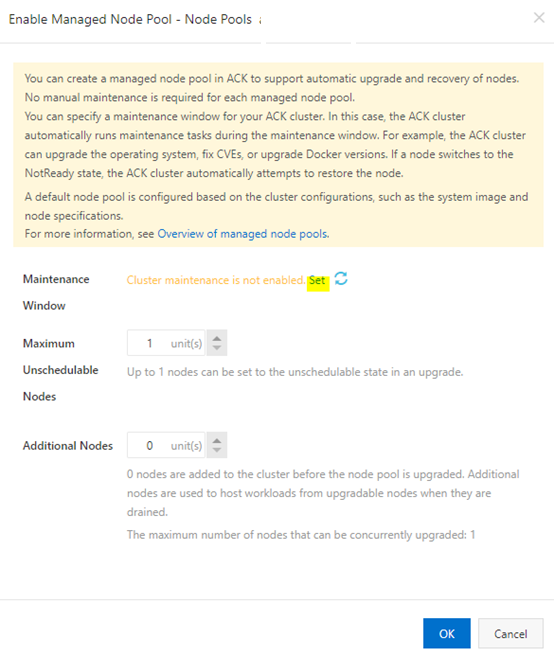
Click Set to define the Maintenance Windows:
Set up the Maintenance Windows and click OK:
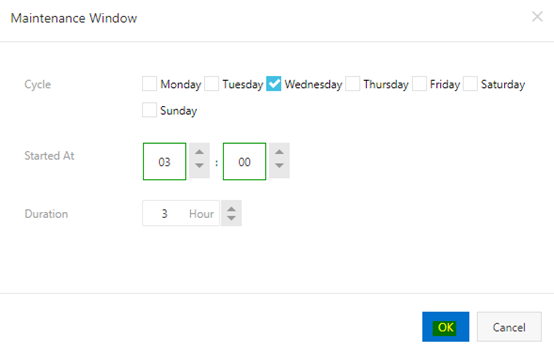
Click OK to confirm the set:
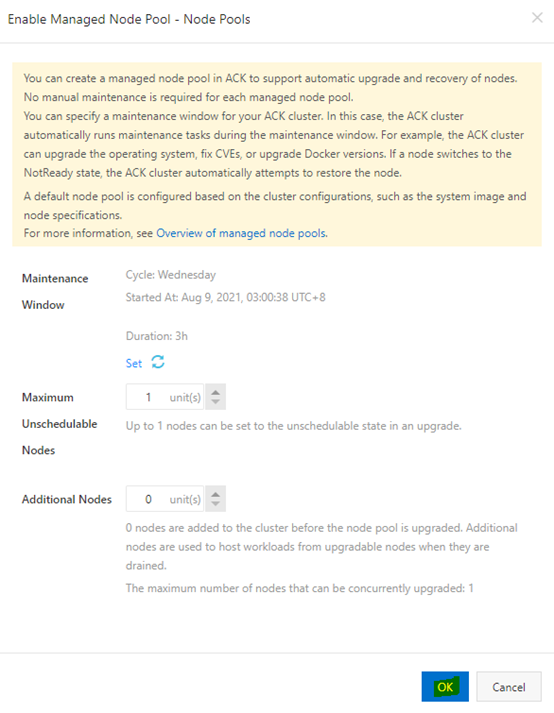
The Managed Node Pool is enabled:

Kidd Ip - January 29, 2023
Alibaba Container Service - May 27, 2025
Alibaba Cloud Native - October 18, 2023
Community Builder - July 13, 2026
Community Builder - June 8, 2026
Alibaba Cloud Native - October 18, 2023
 Auto Scaling
Auto Scaling automatically adjusts computing resources based on your business cycle
Learn More Container Compute Service (ACS)
A cloud computing service that provides container compute resources that comply with the container specifications of Kubernetes
Learn More
Container Service for Kubernetes
Alibaba Cloud Container Service for Kubernetes is a fully managed cloud container management service that supports native Kubernetes and integrates with other Alibaba Cloud products.
Learn More
ACK One
Provides a control plane to allow users to manage Kubernetes clusters that run based on different infrastructure resources
Learn MoreMore Posts by Kidd Ip


