By Yehan
FlowiseAI is an open-source low-code development tool designed for developers to build customized large language model (LLM) applications.
Through its drag-and-drop interface, users can easily create and manage AI-powered interactive applications such as chatbots and data analysis tools.
It is based on the LangChain framework and supports integration with various AI models and databases to implement highly customizable workflow automation. For more information, see the FlowiseAI official website.
Alibaba Cloud Compute Nest provides a one-click deployment link for FlowiseAI. Click the link to deploy FlowiseAI. The deployment steps are as follows:
1. Choose Create Service Instance, set the parameters as prompted, and then click Next: Confirm Order.
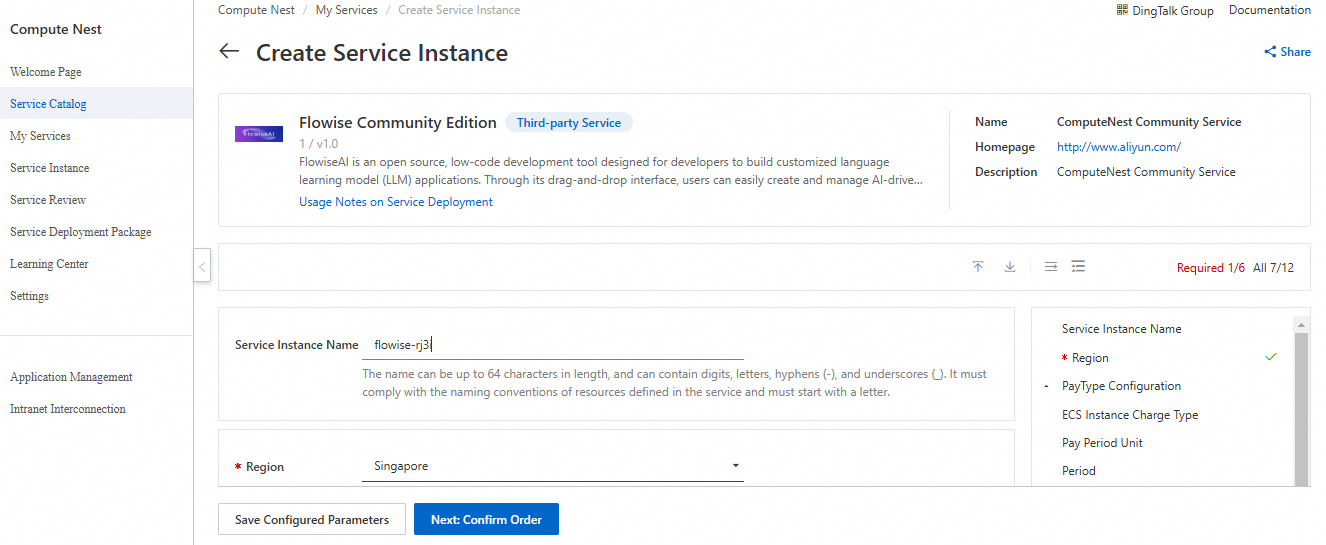
2. Click Create Now and wait until the service instance is created.
3. After the service instance is created, go to the Service Instance Details page. You can obtain the Flowise login information on the Overview page.
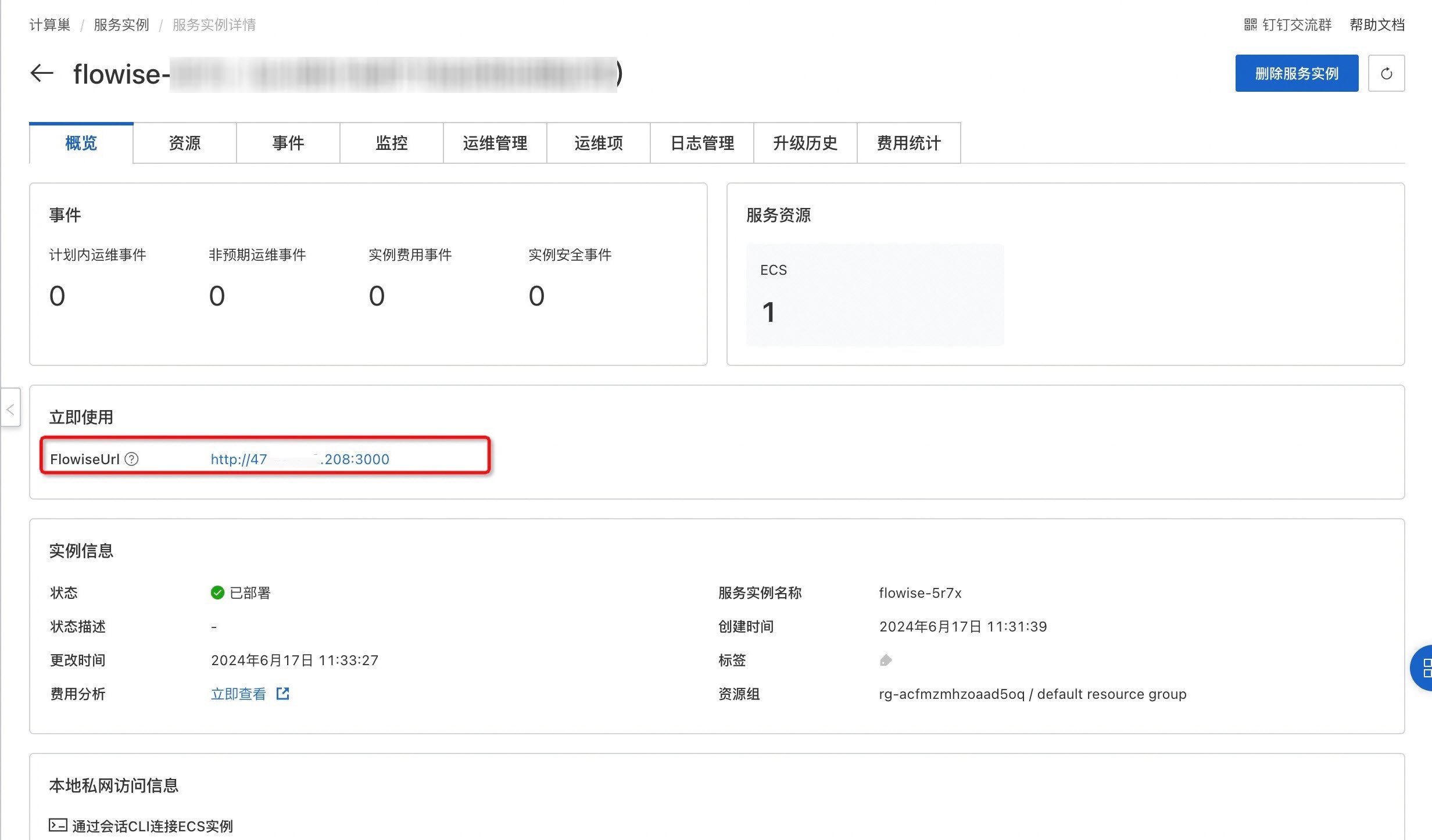
Click the endpoint generated after the deployment of Alibaba Cloud Compute Nest to go to the homepage of FlowiseAI.
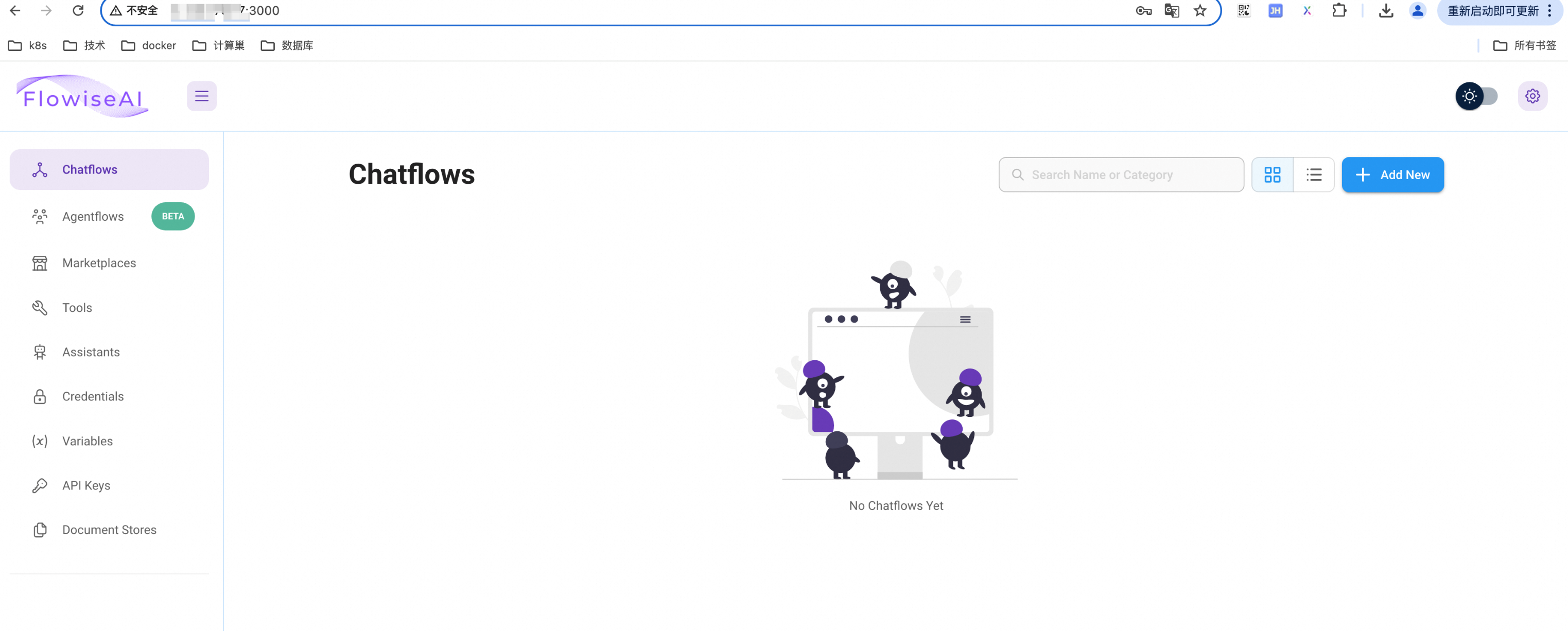
The following is a simple example of a chatbot to illustrate how to use FlowiseAI to construct your own LLM chain.
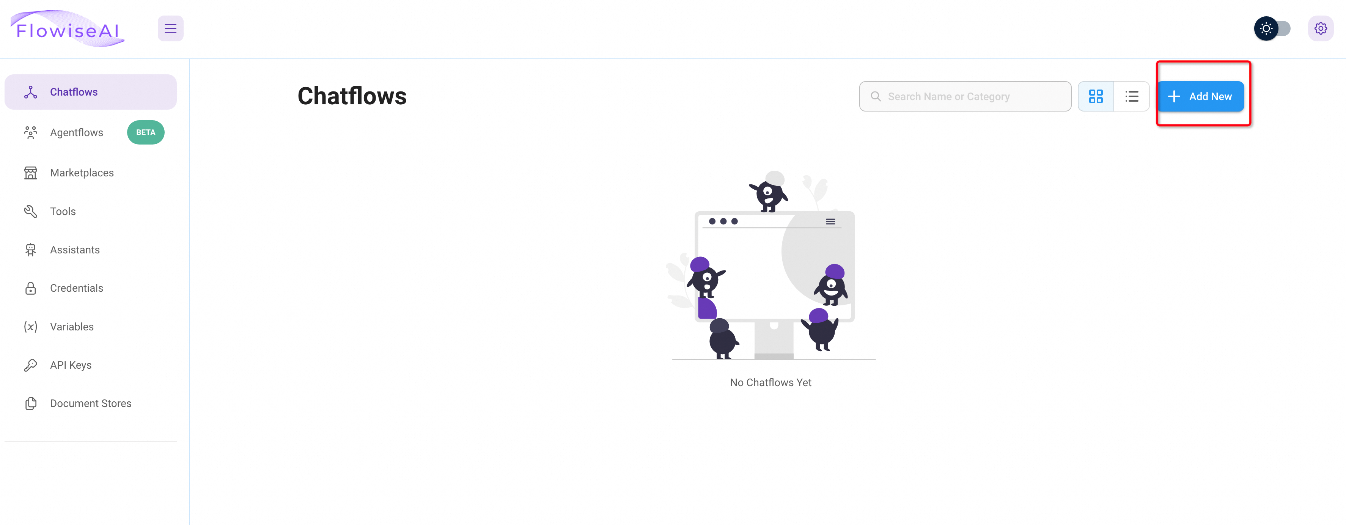
1. Click Add New in the upper-right corner of the page to add a new Chatflows.
2. Select the following components from the Add Nodes panel and drag them to the canvas.
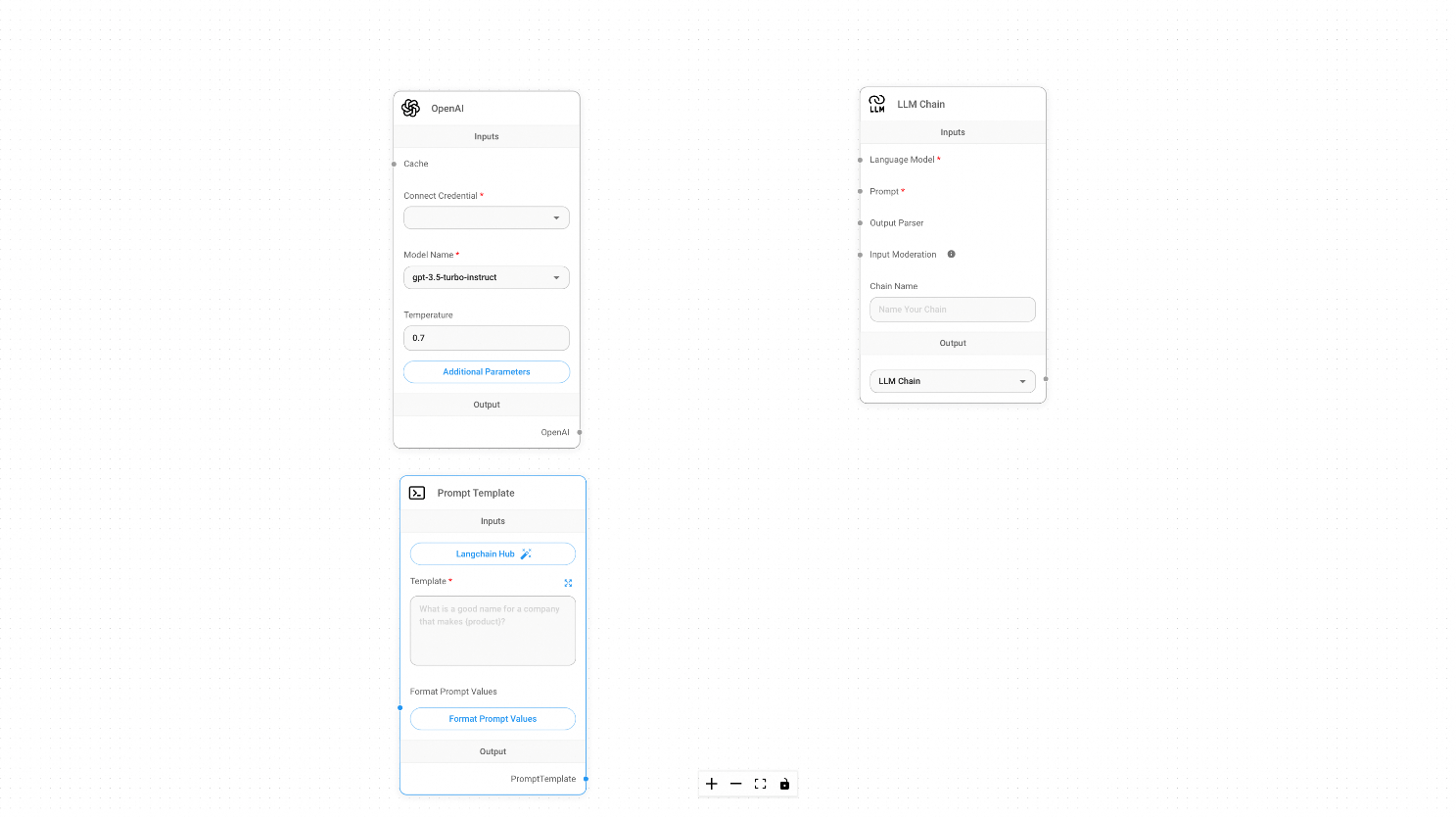
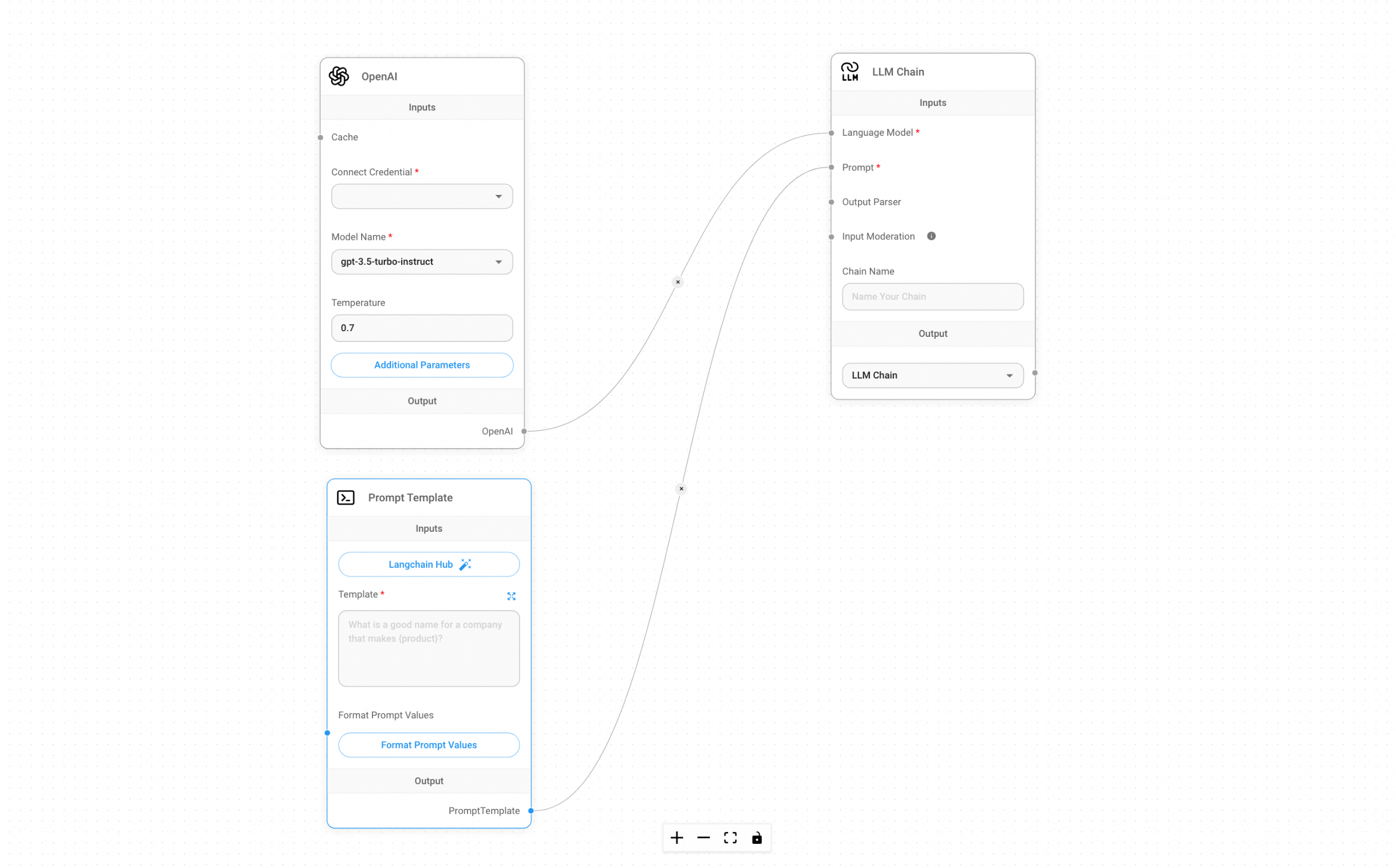
3. Connect these components.
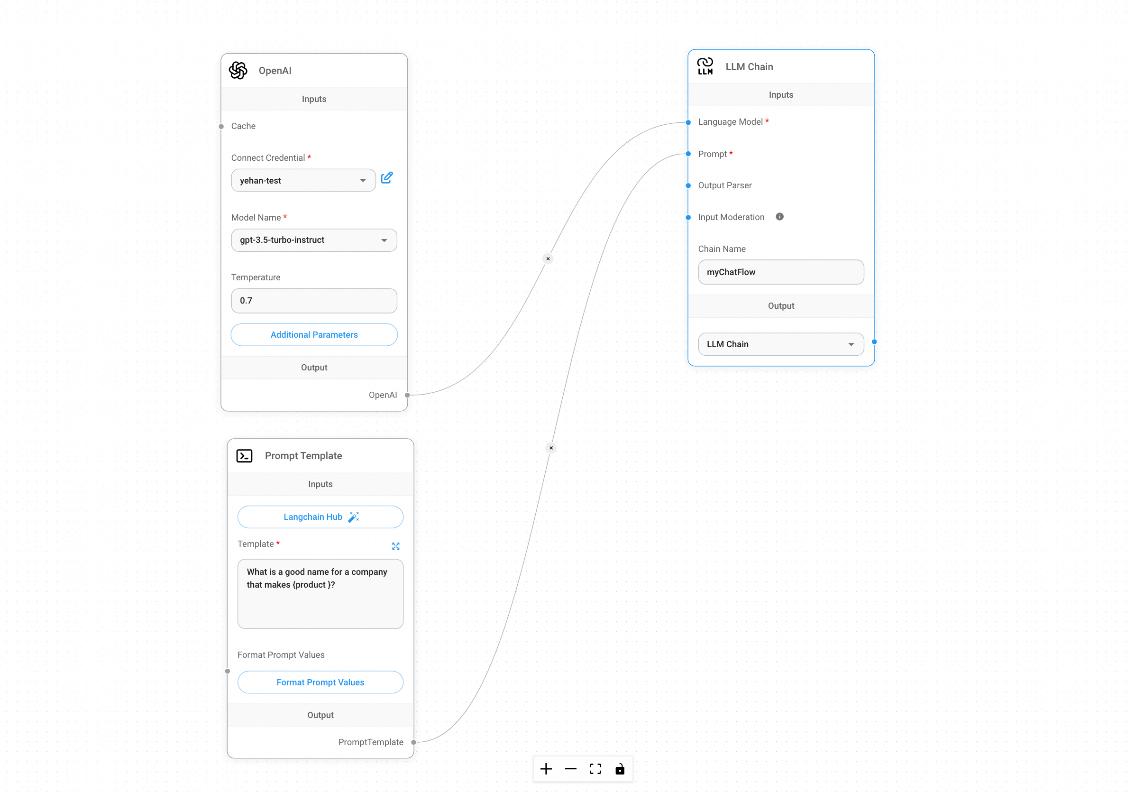
4. Enter the following information.
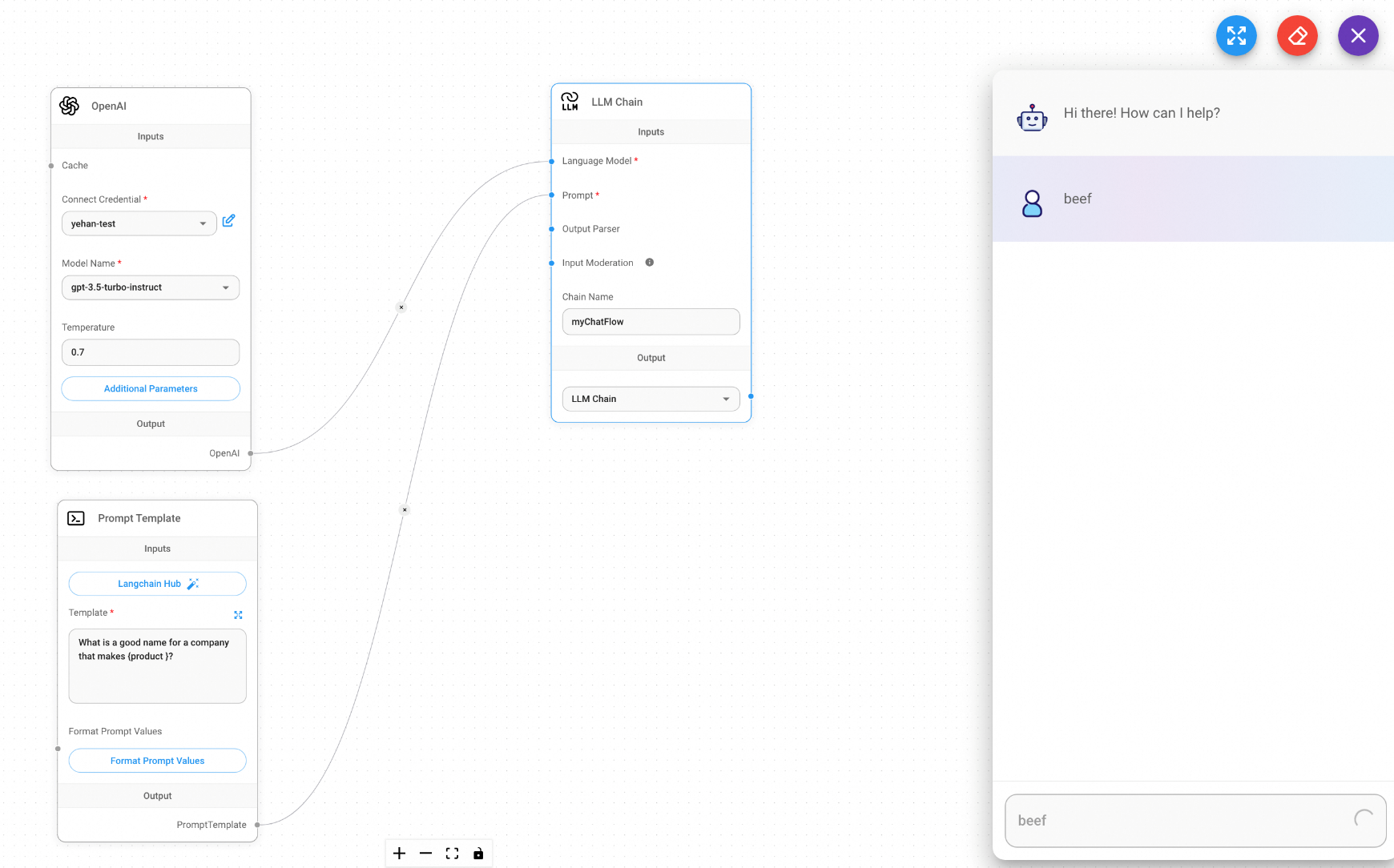
5. Save the ChatFlow and click the dialog box in the upper-right corner to start the conversation.
Simplified Deployment Tutorial of the Qwen3 LLM on Alibaba Cloud Container Service for Kubernetes
Use Flux CD to Deploy a Helm Chart in an ACK Cluster Through Compute Nest

229 posts | 34 followers
FollowAlibaba Cloud Data Intelligence - December 27, 2024
Alibaba Cloud Data Intelligence - December 5, 2023
Alibaba Clouder - April 10, 2019
Alibaba Clouder - June 18, 2019
Alibaba Cloud Indonesia - April 10, 2023
Alibaba Cloud Data Intelligence - April 22, 2024
229 posts | 34 followers
Follow QwenWork
QwenWork is dedicated to helping employees strengthen their professional competitiveness in the AI era and to enabling enterprises to improve organizational effectiveness.
Learn More Token Plan
Build more, spend less. One plan, every modality.
Learn More
Alibaba Cloud Model Studio
A one-stop generative AI platform to build intelligent applications that understand your business, based on Qwen model series such as Qwen-Max and other popular models
Learn More Qwen
Qwen
Full-range, open-source, multimodal, and multi-functional
Learn MoreMore Posts by Alibaba Container Service

