Use this guide to diagnose and resolve connection failures in Tair (Redis OSS-compatible). For errors returned by the client, see Common errors and troubleshooting.
Before you connect
Check the network environment
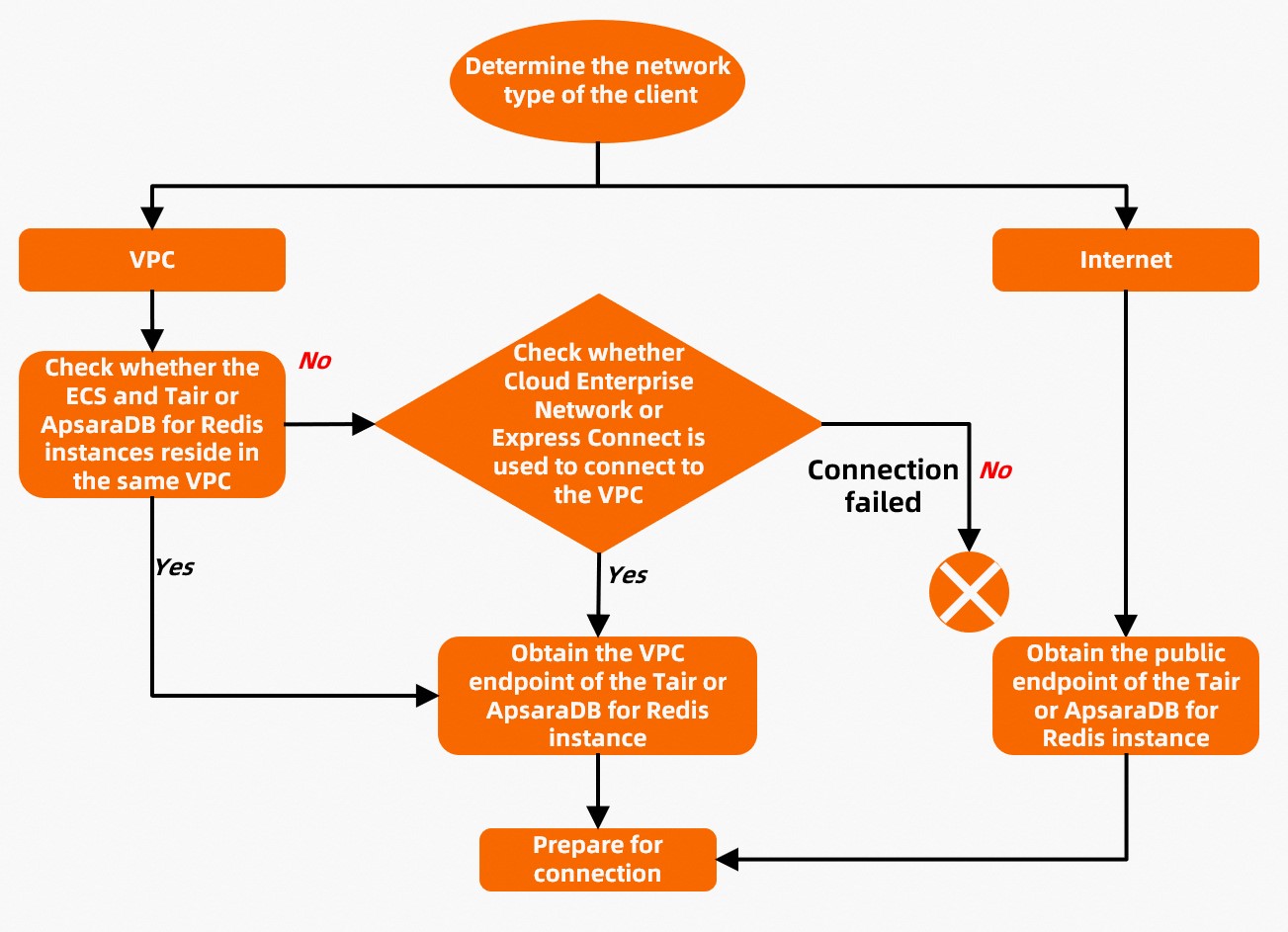
Before connecting to a Tair or Redis Open-Source Edition instance, verify that your client's network environment is correctly configured.
-
Identify the network type your client uses.
-
VPC: If your client runs on an Elastic Compute Service (ECS) instance inside a virtual private cloud (VPC), the ECS instance and the Tair instance must reside in the same VPC. When they are in the same VPC, the client can connect to the Tair instance over the VPC. If they are in different VPCs, they may belong to different regions or different Alibaba Cloud accounts.
-
Internet: If your client connects over the Internet, obtain the public endpoint for your instance.
-
-
Get the correct endpoint for your instance. See View endpoints.
ImportantMatch the endpoint type to your network. Using a VPC endpoint when connecting over the Internet — or vice versa — prevents the connection from being established.
-
Proceed to verify the connection settings below.
Verify connection settings
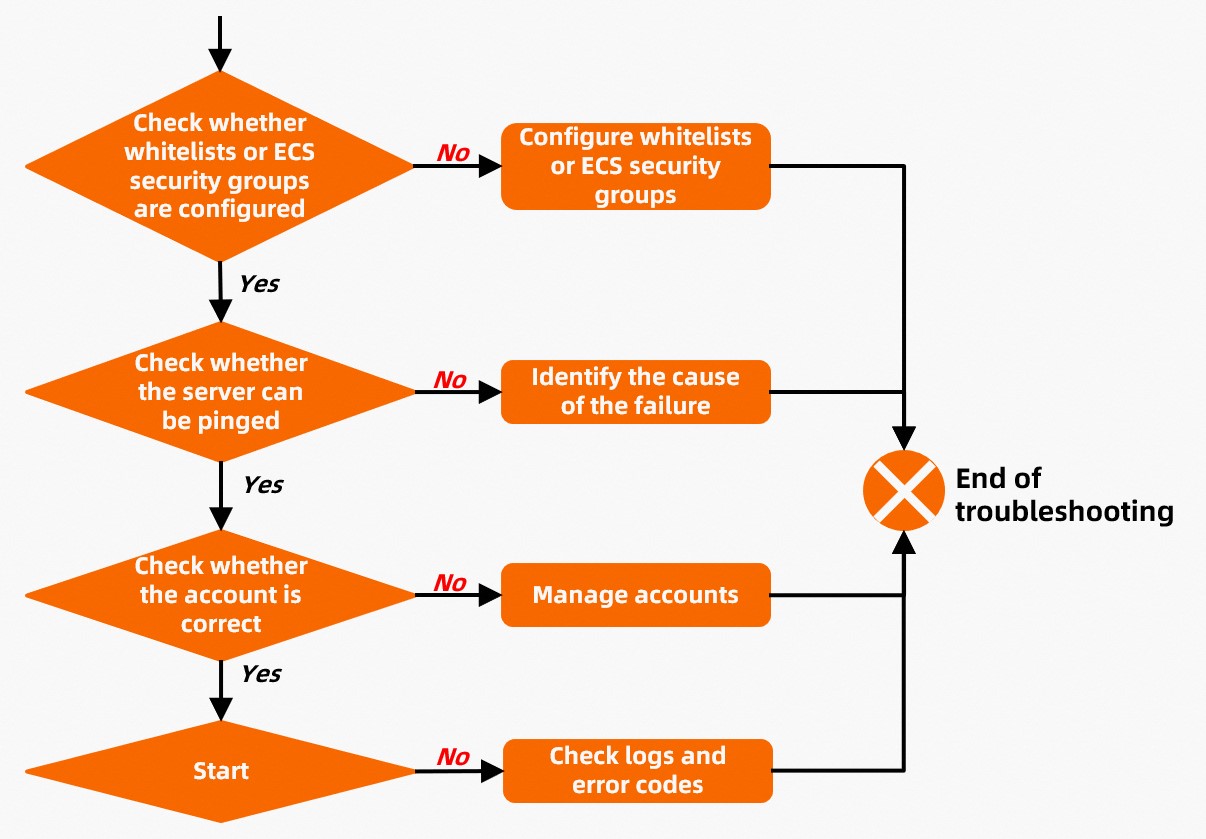
Work through these checks in order:
-
Whitelist — Confirm that your client's IP address or CIDR block is added to the instance whitelist. See Configure whitelists for the full procedure.
-
Network connectivity — Run
PINGfrom your ECS instance to confirm the network path to the Tair instance is open. See Run the PING command to check the connection between an ECS instance and a Tair instance. -
Credentials — Verify that the credentials used to authenticate are valid. See Connect to an instance.
-
Client logs — If the connection still fails after the checks above, inspect the client logs and error codes. See Common errors and troubleshooting.
During instance runtime
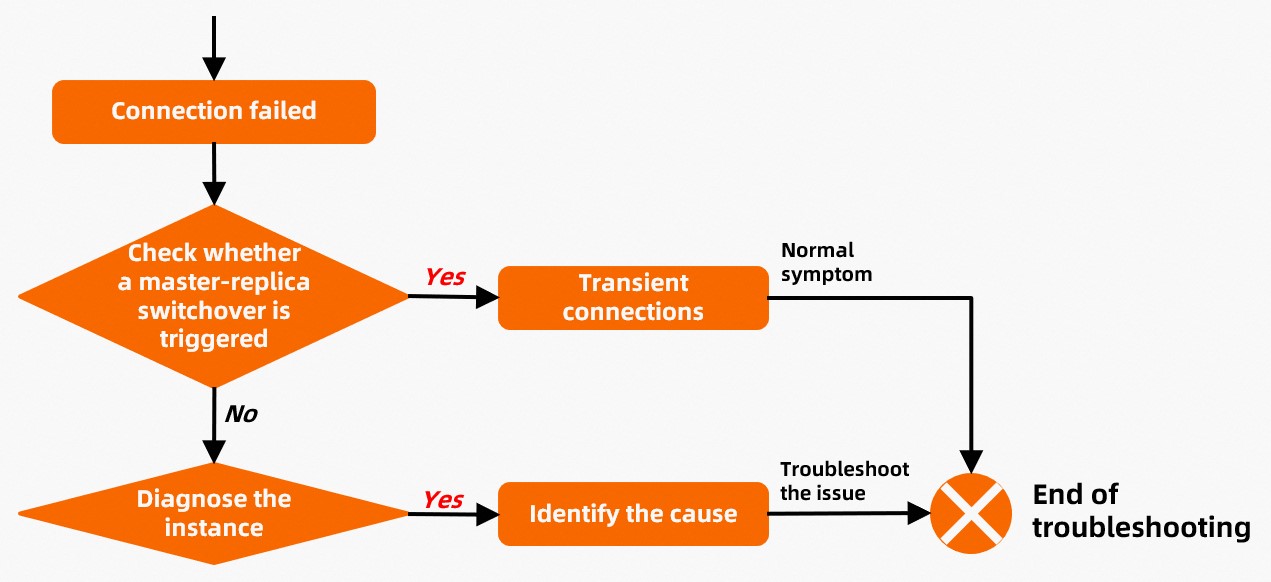
If connection issues occur while the instance is already running, follow this procedure.
-
Check for a master-replica switchover — A master-replica switchover causes transient connection drops lasting a few seconds. The connection recovers automatically without any intervention required. See Master-replica switchovers.
-
Run instance diagnostics — If the issue is not caused by a switchover, run a diagnostic report and review the results. See Analyze a diagnostic report for guidance on interpreting the findings.