ApsaraDB RDS for MySQL, PostgreSQL, SQL Server, and MariaDB are each available in multiple editions that differ in architecture, high availability, and read scalability. The key differentiator across editions is how many instances make up the database system and whether secondary instances can serve read traffic.
RDS Basic Edition: single primary instance, no high availability (HA), no read-only instances.
RDS High-availability Edition: primary + one secondary instance in HA mode with automatic failover. The secondary instance cannot serve read traffic. For read scaling, add read-only instances or upgrade to Cluster Edition.
RDS Cluster Edition: primary + multiple secondary instances in HA mode with automatic failover. Secondary instances can serve read traffic, increasing read capacity beyond what High-availability Edition provides.
RDS editions of ApsaraDB RDS for MySQL
All three MySQL editions use compute-storage separation. Choose an edition based on your availability requirements and read workload.
Edition | Architecture | Read-only instances | Use cases |
Single primary instance. | Not supported. | Personal learning, microsites, development and testing environments for small and medium-sized enterprises. | |
Primary instance + one secondary instance in HA mode with automatic failover. The secondary instance cannot be accessed and does not serve read traffic. For read scaling, use read-only instances or upgrade to Cluster Edition. | Supported. See Create a read-only ApsaraDB RDS for MySQL instance. | Production databases for large and medium-sized enterprises; Internet, Internet of Things (IoT), e-commerce, logistics, and gaming. | |
Primary instance + multiple secondary instances in HA mode with automatic failover. Secondary instances can be accessed, increasing read capacity beyond what High-availability Edition provides. | Supported (multiple secondary instances). | Production databases for large and medium-sized enterprises; Internet-based new retail, automobile manufacturing, and Enterprise Resource Planning (ERP) systems. |
Upgrade paths
Basic Edition to High-availability Edition: Requires RDS for MySQL 5.7 or 8.0 instances. See Upgrade from RDS Basic Edition to RDS High-availability Edition.
Basic Edition to Cluster Edition: Requires RDS for MySQL 5.7 or 8.0 instances with cloud disks. See Upgrade from Basic Edition to Cluster Edition.
High-availability Edition to Cluster Edition: Requires RDS for MySQL 5.7 or 8.0 instances with cloud disks. See Upgrade from RDS High-availability Edition to RDS Cluster Edition.
If your instance does not meet the upgrade requirements, create a new instance with the target edition and migrate your data. See Create an ApsaraDB RDS for MySQL instance and Migrate data between ApsaraDB RDS for MySQL instances.
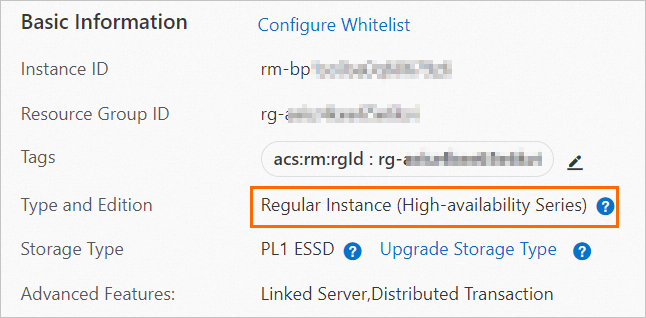
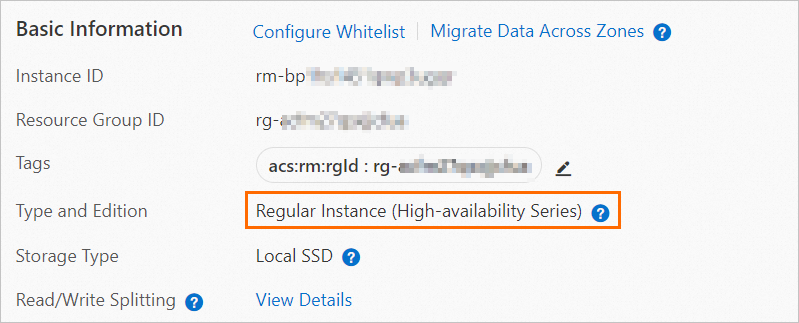
View the edition
Log on to the ApsaraDB RDS console, go to your instance, and open the Basic Information page.
References
RDS editions of ApsaraDB RDS for PostgreSQL
PostgreSQL supports two editions. Both use compute-storage separation.
Edition | Architecture | Read-only instances | Use cases |
Single primary instance. | Not supported. | Personal learning, microsites, development and testing environments for small and medium-sized enterprises. | |
Primary instance + one secondary instance in HA mode with automatic failover. The secondary instance cannot be accessed and does not serve read traffic. For read scaling, use read-only instances. | Supported. See Create a read-only ApsaraDB RDS for PostgreSQL instance. | Production databases for large and medium-sized enterprises; Internet, IoT, e-commerce, logistics, and gaming. |
Upgrade paths
Basic Edition to High-availability Edition: Requires RDS instance running PostgreSQL 10 or later. See Upgrade an ApsaraDB RDS for PostgreSQL instance from RDS Basic Edition to RDS High-availability Edition.
If your instance does not meet the upgrade requirements, create a new instance with the target edition and migrate your data. See Create an ApsaraDB RDS for PostgreSQL instance and Migrate data between ApsaraDB RDS for PostgreSQL instances.
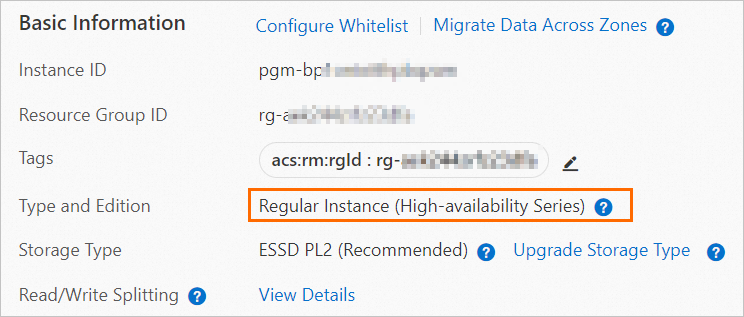
View the edition
Log on to the ApsaraDB RDS console, go to your instance, and open the Basic Information page.
References
RDS editions of ApsaraDB RDS for SQL Server
SQL Server supports three editions.
Edition | Architecture | Read-only instances | Use cases |
Single primary instance. | Not supported. | Personal learning, microsites, development and testing environments for small and medium-sized enterprises. | |
Primary instance + one secondary instance in HA mode with automatic failover. The secondary instance cannot be accessed and does not serve read traffic. For read scaling, upgrade to Cluster Edition. | Not supported. | Production databases for large and medium-sized enterprises; Internet, IoT, e-commerce, logistics, and gaming. | |
Primary instance + one secondary instance in HA mode with automatic failover. The secondary instance can be accessed, increasing read capacity beyond High-availability Edition. | Supported (up to 7 read-only instances). Read-only instances do not participate in primary instance elections or workload switchovers. See Create a read-only ApsaraDB RDS for SQL Server instance. | Production databases for large and medium-sized enterprises; Internet-based new retail, automobile manufacturing, and ERP systems. |
Upgrade paths
Basic Edition to High-availability Edition: Supported for the following versions. See Upgrade the major engine version.
SQL Server 2022 SE, 2019 SE, 2017 SE, 2016 SE, and 2014 SE
SQL Server 2022 Web, 2019 Web, 2017 Web, 2016 Web, and 2012 Web
SQL Server 2016 EE and SQL Server 2012 EE Basic
High-availability Edition to Cluster Edition: Supported for the following versions. See Upgrade the major engine version.
SQL Server 2022 SE, 2019 SE, 2017 SE, 2016 SE, 2014 SE, and 2012 SE
SQL Server 2016 EE, 2014 EE, and 2012 EE
Basic Edition to Cluster Edition: Supported for the following versions. See Upgrade the major engine version,edition,or instance type.
SQL Server 2022 EE, 2019 EE, 2017 EE
If your instance does not meet the upgrade requirements, create a new instance with the target edition and migrate your data. See Create an ApsaraDB RDS for SQL Server instance and Migrate data between ApsaraDB RDS for SQL Server instances.
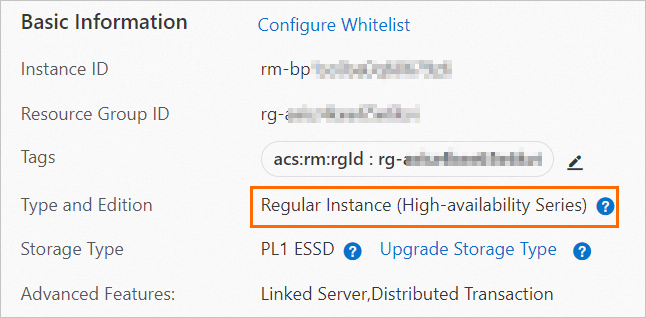
View the edition
Log on to the ApsaraDB RDS console, go to your instance, and open the Basic Information page.
References
RDS editions of ApsaraDB RDS for MariaDB
MariaDB supports one edition.
Edition | Architecture | Use cases |
Primary instance + one secondary instance in HA mode with dual-zone disaster recovery. The secondary instance cannot be accessed. | Production databases for large and medium-sized enterprises; Internet, IoT, e-commerce, logistics, and gaming. |
View the edition
Log on to the ApsaraDB RDS console, go to your instance, and open the Basic Information page.