Release date
September 3, 2025
Smart Q features are currently available only in China (Hong Kong) and Malaysia sites.
Key upgrade overview
Smart Q
Chat BI
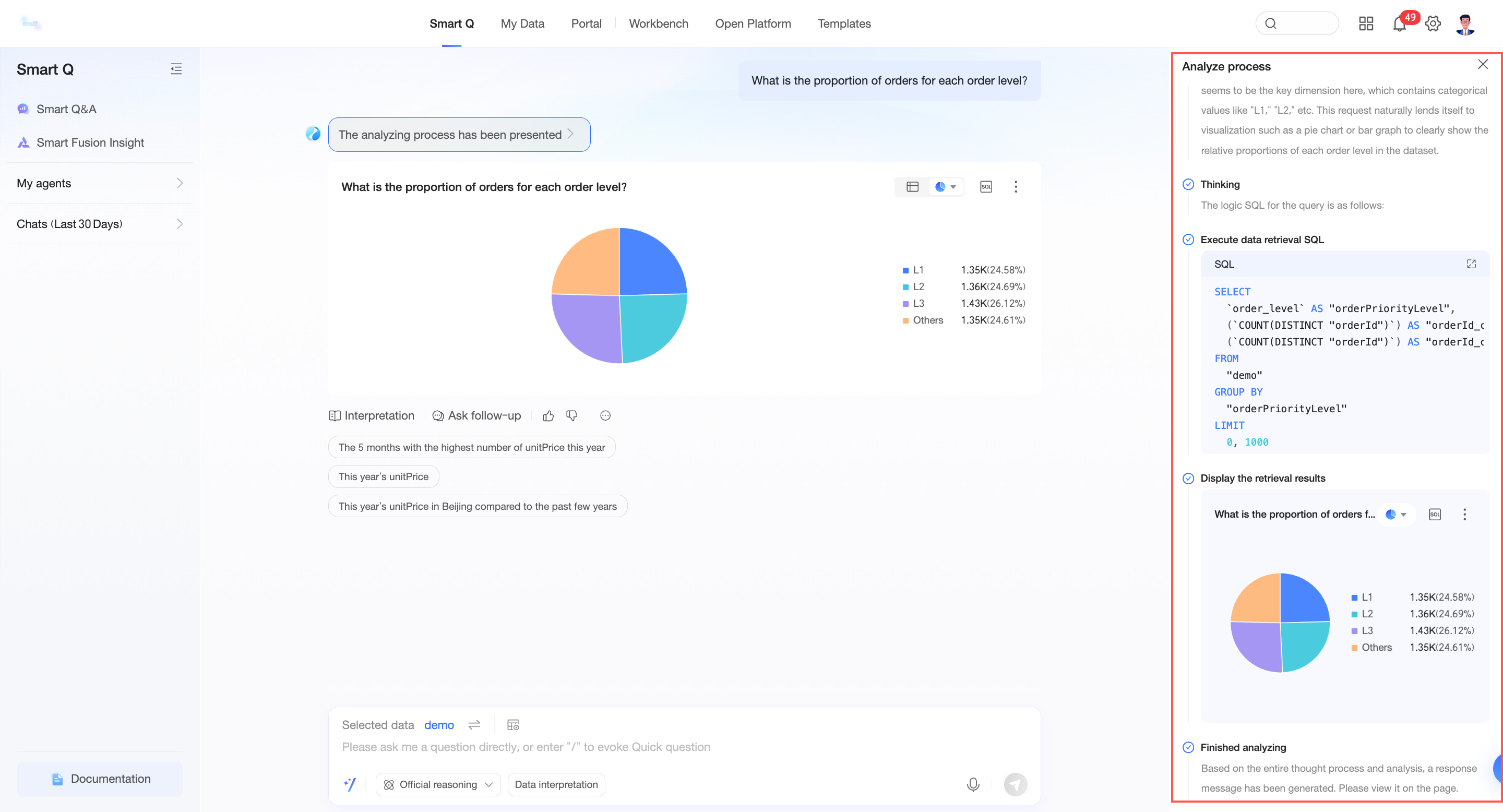
Chat BI now uses a multi-step, streaming, split-screen display that clearly separates the analysis process from the results.
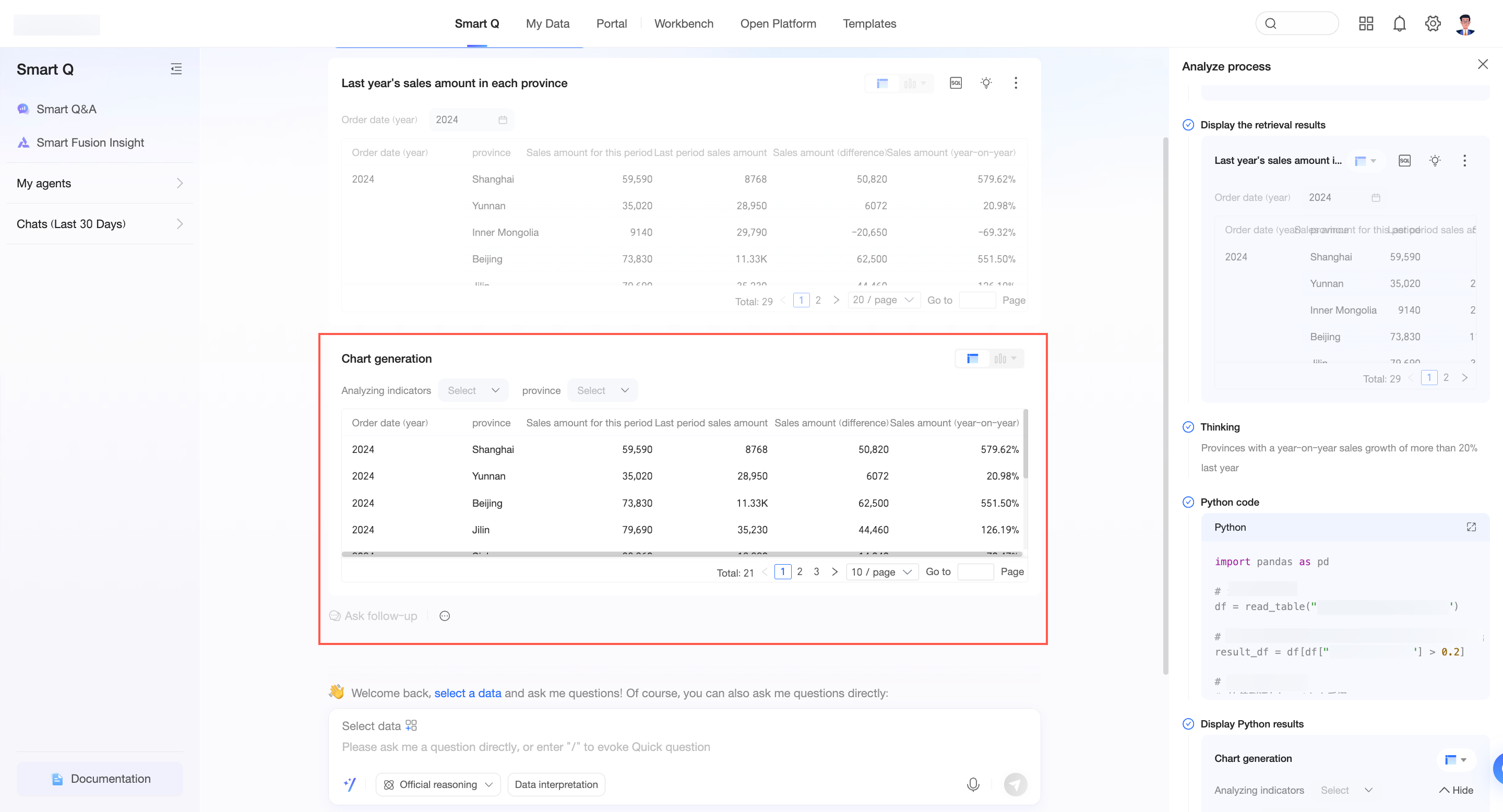
Interactive rendering is added for Python result data.
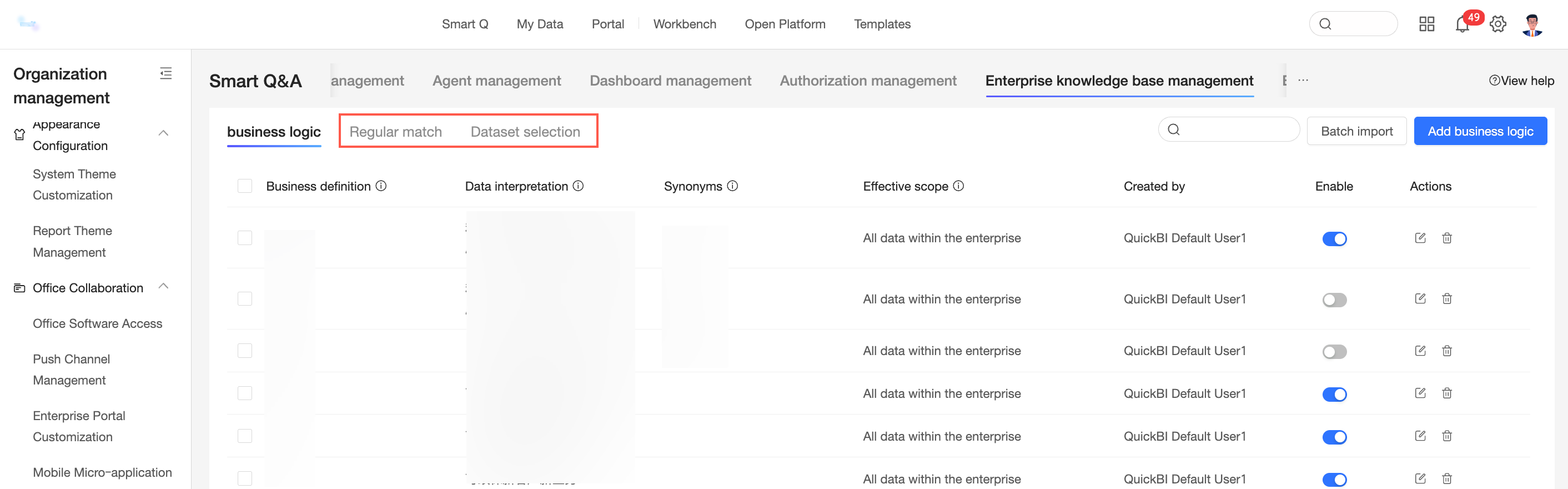
The knowledge base now supports two new knowledge types: regular expression matching and dataset selection.
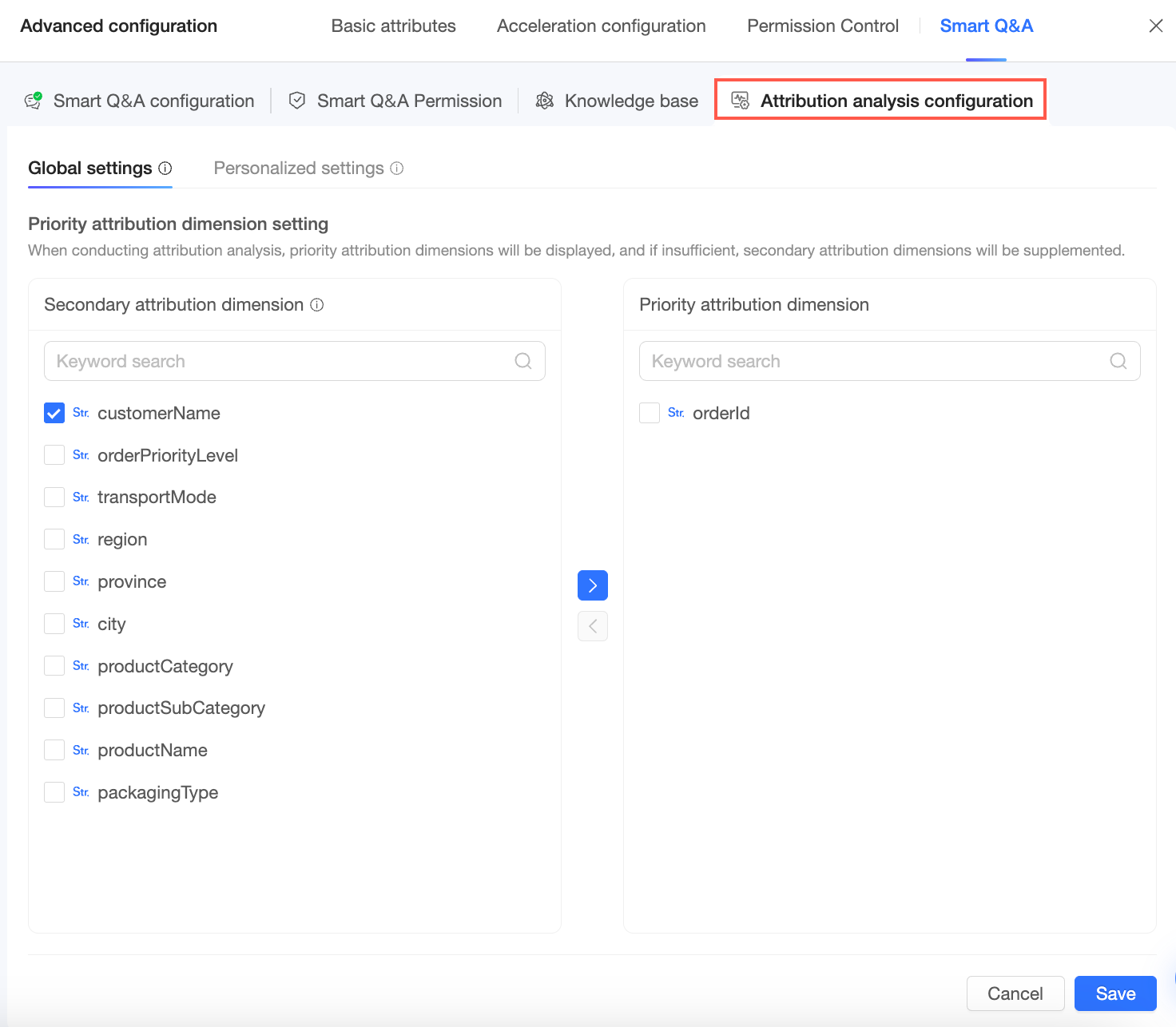
Key driver analysis is enhanced. You can now configure priority attribution dimensions for individual measures.
Chat BI now supports custom prompts for secondary interpretation.
You can now batch configure recommended questions for different users.
Agents
My Agents now supports integration with Alibaba Cloud Model Studio agents on the public cloud.
Data Modeling
Data Sources
Support is added for the Alibaba Cloud SelectDB data source.
Presto data sources in Trino mode now support custom weeks.
Built-in function support is expanded for data sources to include OceanBase, TiDB (the BI_MID function is not supported), and MariaDB.
The text and user interaction on the file upload interface are optimized.
Quick Engine
Quick Engine now supports flexible data lookback.
AnalyticDB for MySQL 3.0 data sources now support the extraction acceleration feature in Spark engine mode.
Datasets
The `dayofweek` built-in function is added.
The Level of Detail (LOD) function is optimized for complex calculations.
Data Analytics
Visual Charts
The styles and configuration items for funnel charts are upgraded and optimized.
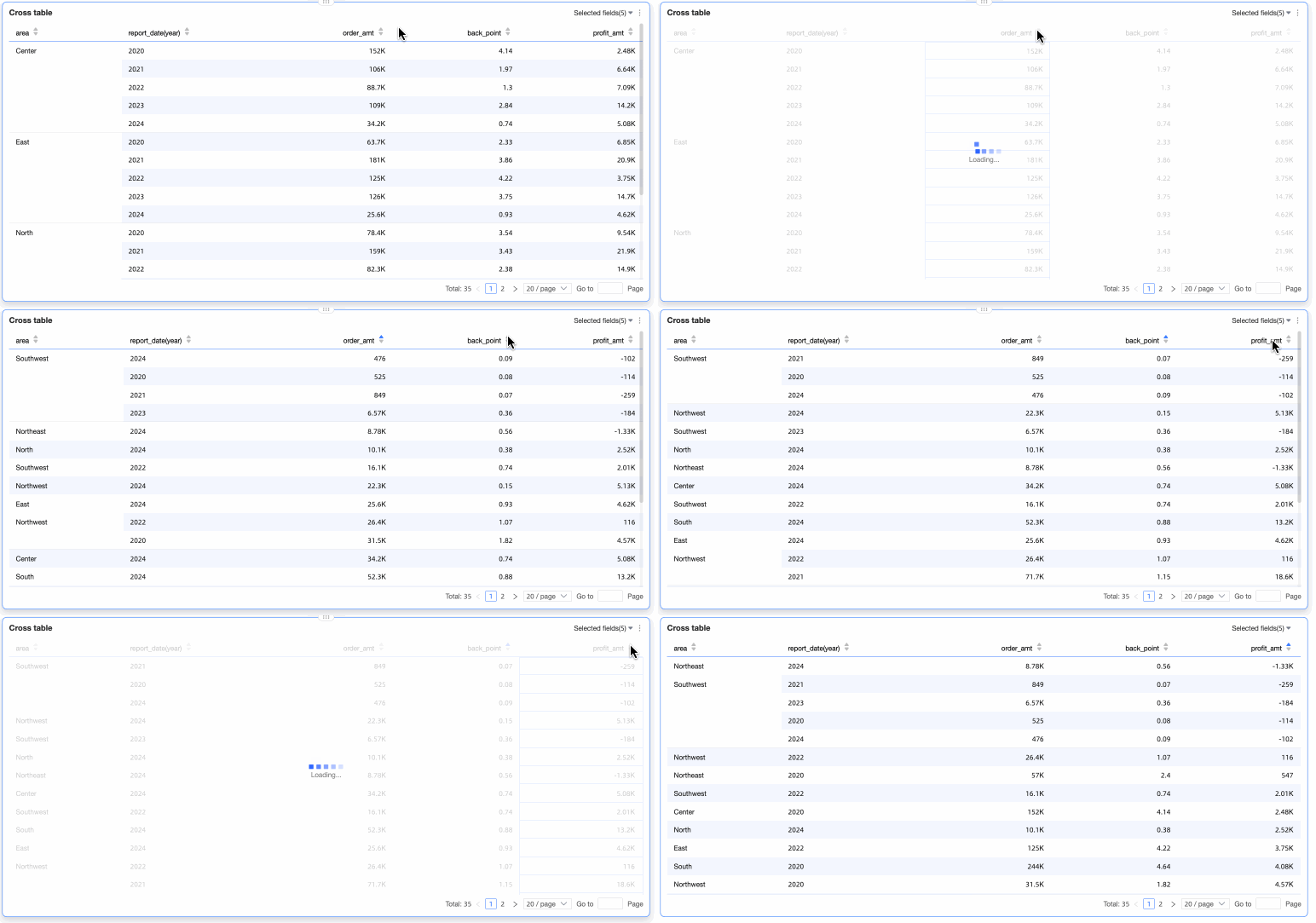
Tabular reports now have a global sorting mode that applies only to a single column.
Workbooks
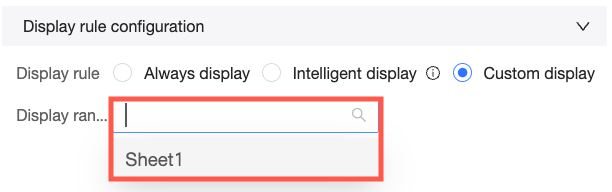
You can now customize the display logic for custom query controls on each sheet.
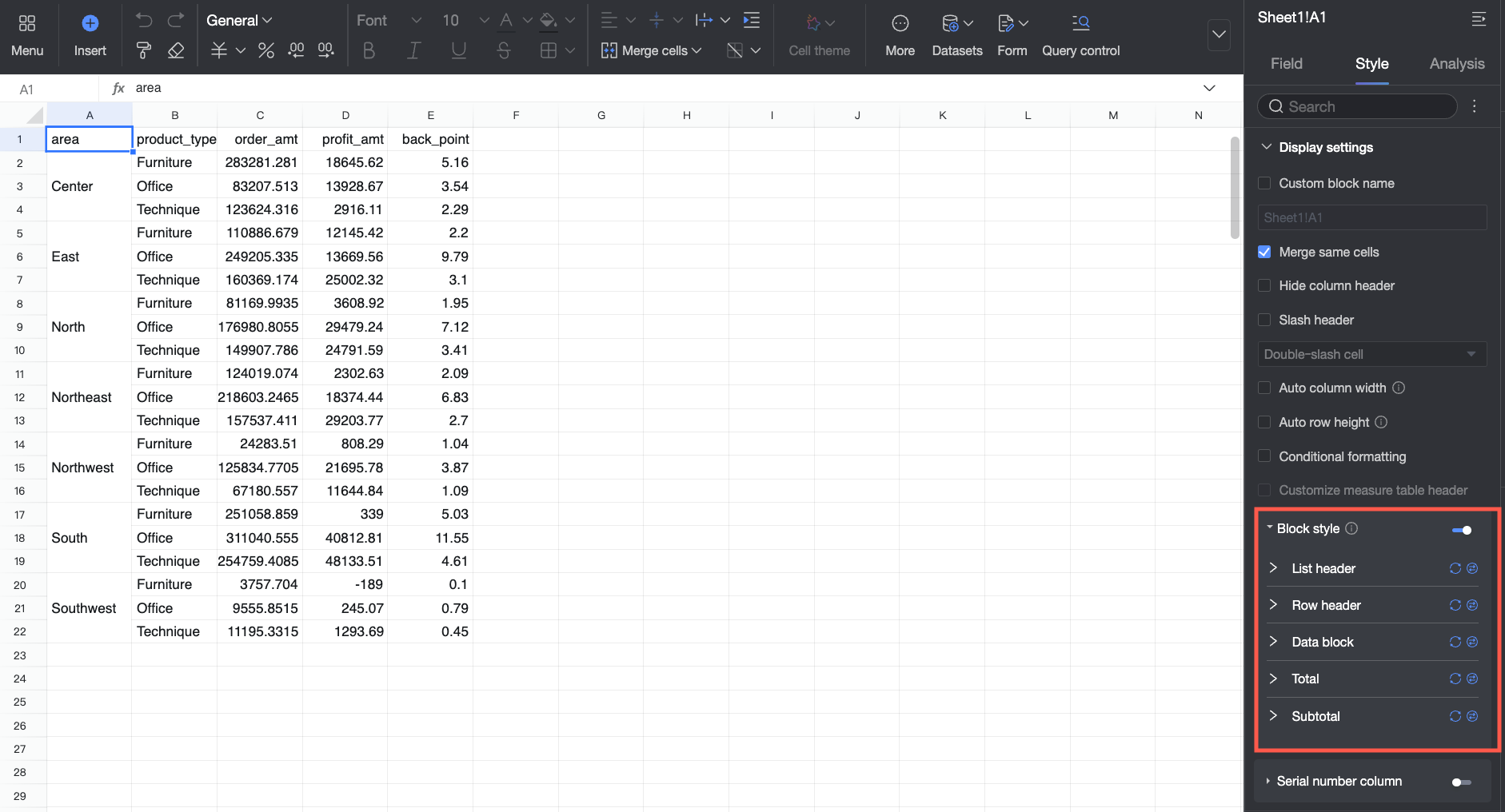
You can now configure different cell styles for different blocks within a dataset table.
Advanced Calculations
Date accumulation now supports weekly accumulation.
Open Platform
The following OpenAPI interfaces have been updated:
The `QueryAuditLog` interface has new request parameters, `accessSourceFlag` and `userAccessDevice`, which are effective only when you query access logs.
Change details
Smart Q
Chat BI
Chat BI uses a multi-step, streaming, split-screen display to present the analysis process and results more clearly.
Interactive rendering is added for Python result data.
The knowledge base now supports two new knowledge types: regular expression matching and dataset selection.
For more information, see Manage enterprise knowledge bases.
Key driver analysis is enhanced. You can now configure priority attribution dimensions for individual measures.
For more information, see Configure key driver analysis.
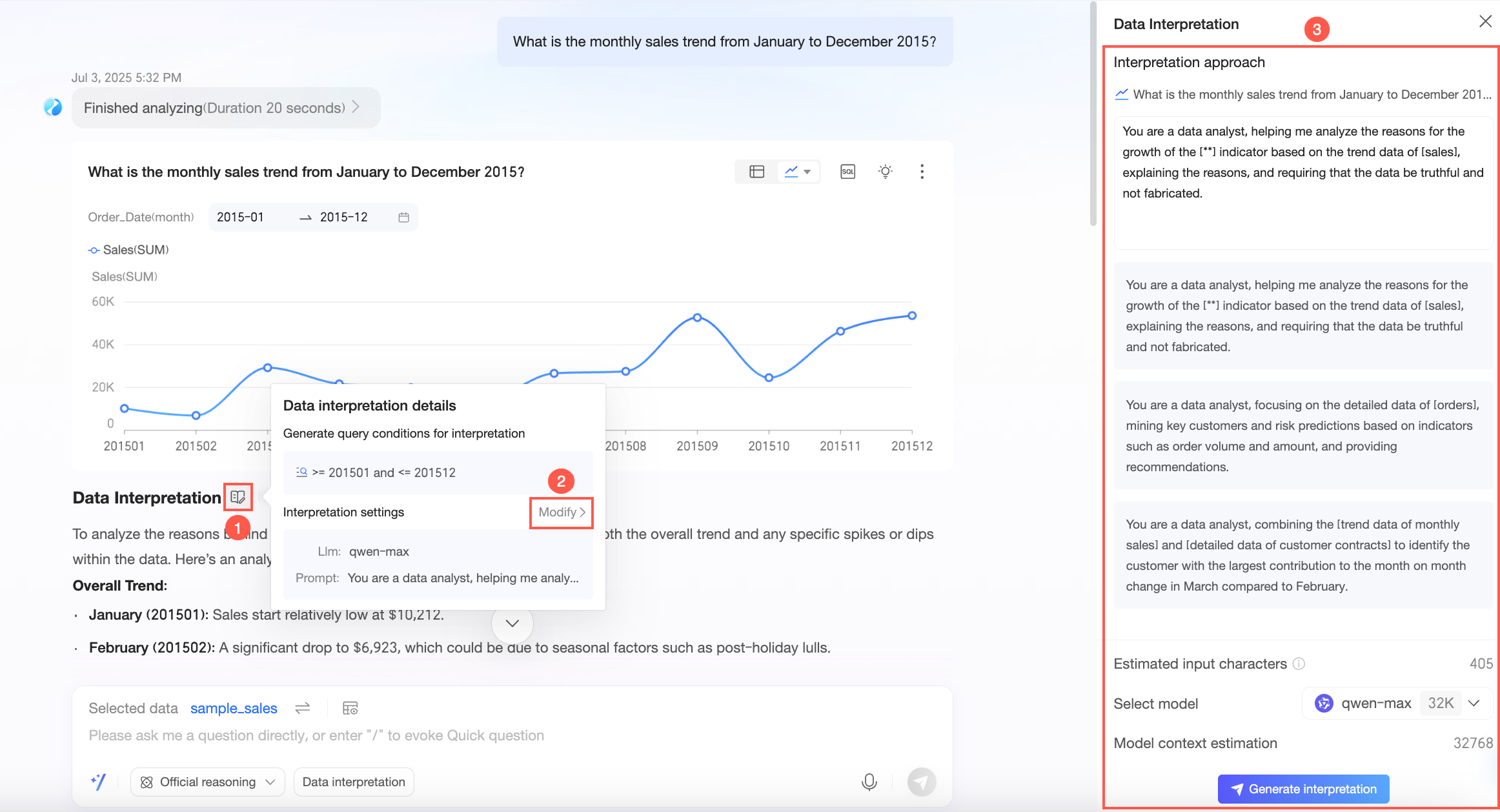
Chat BI now supports custom prompts for secondary interpretation.
You can now batch configure recommended questions for different users.
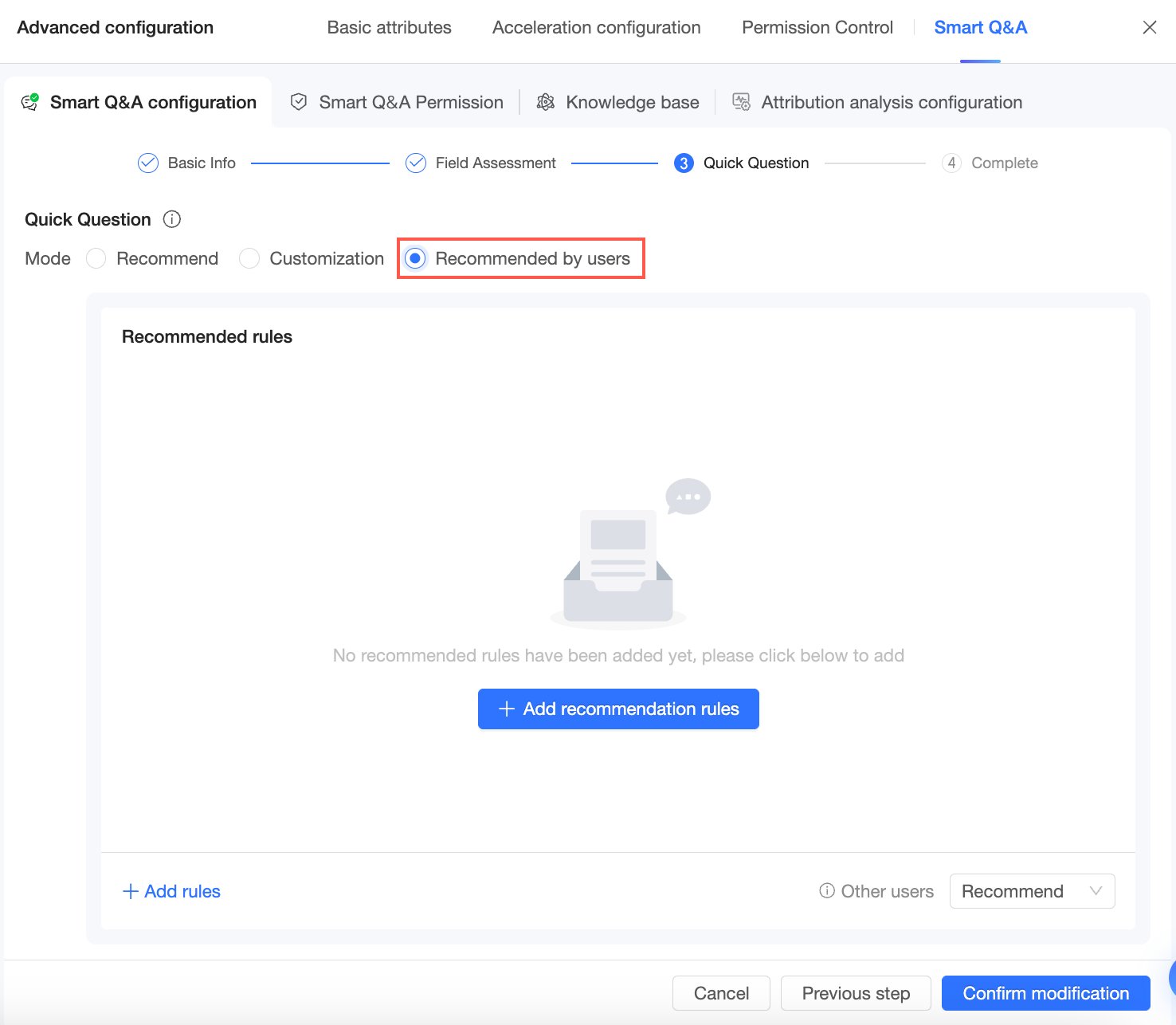
For more information, see Quick questions.
Agents
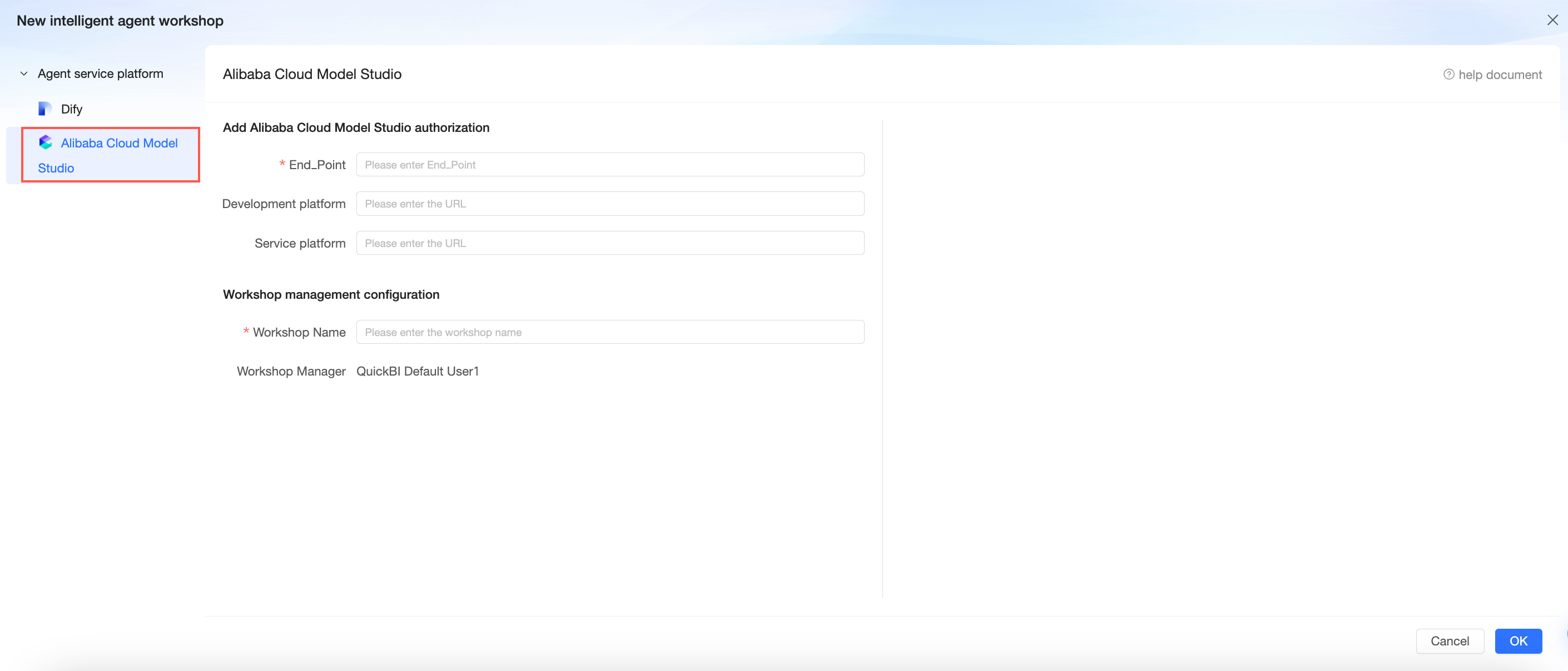
My Agents now supports integration with Alibaba Cloud Model Studio agents on the public cloud.
Data Modeling
Data Sources
Support is added for the Alibaba Cloud SelectDB data source.
For more information, see Alibaba Cloud SelectDB data source.
Presto data sources in Trino mode now support custom weeks.
For more information, see Data Source Function Item List.
Built-in function support is expanded for data sources to include OceanBase, TiDB (the BI_MID function is not supported), and MariaDB.
For more information, see Data Source Function Item List.
The text and user interaction on the file upload interface are optimized.
Quick Engine
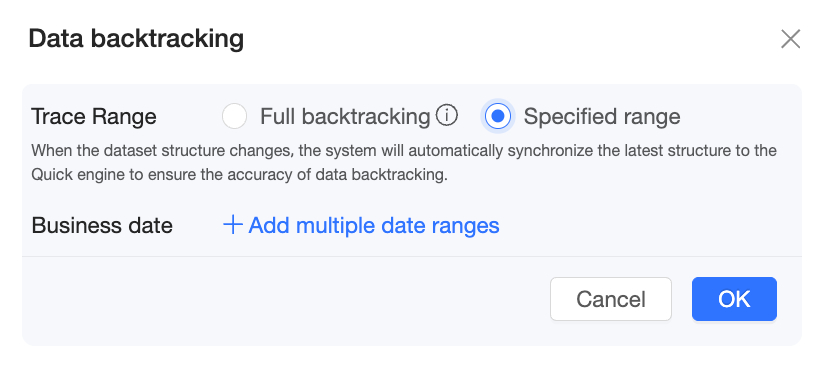
Quick Engine now supports flexible data lookback.
AnalyticDB for MySQL 3.0 data sources now support the extraction acceleration feature in Spark engine mode.
For more information, see Data Source Function Item List.
Datasets
The `dayofweek` built-in function is added.
For more information, see Date functions.
The Level of Detail (LOD) function is optimized for complex calculation scenarios. The optimizations include the following:
Filter conditions within the function now apply only to the LOD calculation itself.
Some data sources now handle null values in aggregation dimensions. This allows null values to be calculated correctly.
After this release, previously unsupported scenarios can be calculated correctly. Note that this may increase the number of data rows in your charts.
Data Analytics
Visual Charts
The styles and configuration items for funnel charts are upgraded and optimized.
For more information, see Funnel chart and Comparison funnel chart.
Tabular reports now have a global sorting mode that applies only to a single column.
Workbooks
You can now customize the display logic for custom query controls on each sheet.
For more information, see Add query controls.
You can now configure different cell styles for different blocks within a dataset table.
For more information, see Configure styles.
Advanced Calculations
Date accumulation now supports weekly accumulation, which is used to calculate the cumulative result of a specific measure within a week.
For more information, see Date accumulation.
Open Platform
The following OpenAPI interfaces have been updated:
The `QueryAuditLog` interface has new request parameters, `accessSourceFlag` and `userAccessDevice`. These parameters are effective only when you query access logs.
For more information, see QueryAuditLog - Query audit log information.