Lingyang SuperSMS is a new SMS feature launched by Quick Audience, which supports sending card SMS.
Compared with the existing SMS Marketing, Lingyang SuperSMS has multiple advantages:
Provides stable and available Short Message Service without the need to register on any SMS platform.
Provides differentiated SMS types such as card SMS.
Introduction to card text messages
Card SMS is to send a text message with a parsing link to the mobile phone through the channels of Huawei, Xiaomi, OPPO and other manufacturers. After the mobile phone receives the message, the message content is parsed and rendered into a multimedia + interactive menu to present the effect to the user, supporting actions such as jumping H5, APP, browser, and pulling up the dial pad after clicking.
Examples:
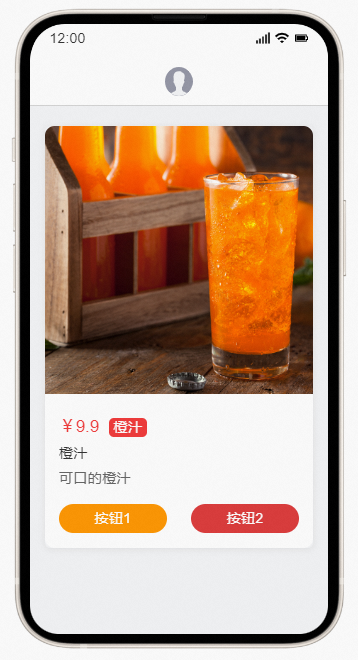
Compared with traditional text messages and digital text messages, card text messages have multiple advantages:
Multi-style: The presentation mode and interaction mode are more flexible and diverse, providing various preset style types such as graphics and text, e-commerce, and supporting various interaction modes such as jump H5, APP, browser, pull-up dial, etc. It can meet the needs of more scenarios, including but not limited to new products, member operations, promotional activities, appointment invitations, and holiday greetings.
Low interception: SMS arrival rate above 90%.
High conversion: The average click effect is more than 5 times higher than that of text messages.
High upper limit: the highest click-through rate can reach more than 20%.
Billing method
Lingyang SuperSMS is sold in a prepaid model and a post-paid model.
Subscription mode: Contact your Alibaba Cloud sales service to purchase the required number of SMS messages.
Purchased SMS messages can be used by all spaces in the organization. When used, the amount will be deducted based on the actual consumption of SMS messages.
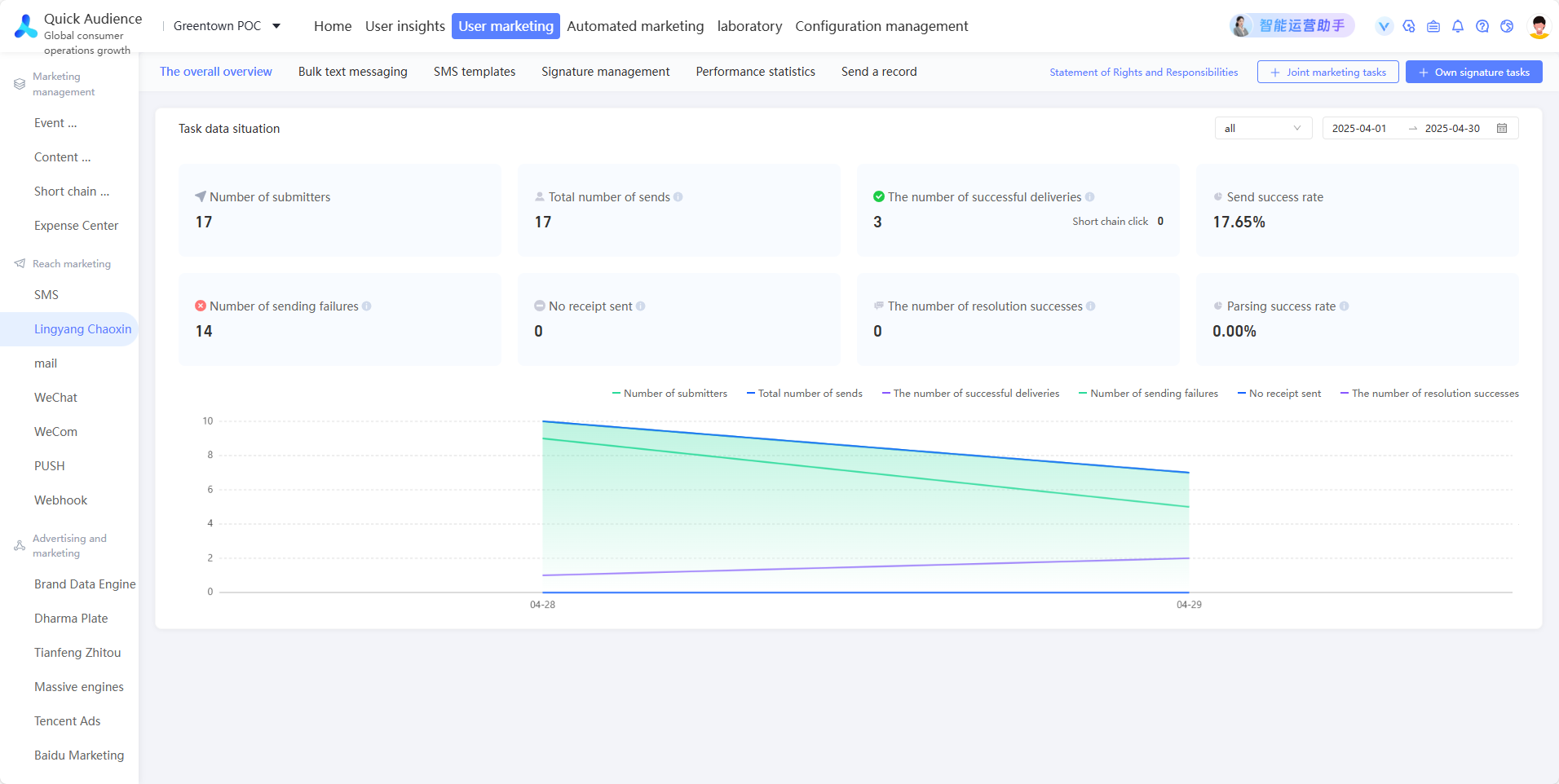
In the left-side navigation pane, choose Workspace> User Marketing > Reach Marketing > Lingyang SuperSMS > Overal Overview. In the upper part of the page, the remaining SMS margin is displayed, as shown in the following figure. The task data within the specified time range is displayed in the lower part of the page.
Pay-as-you-go mode : You are charged only after you send or render a letter. Sending failure or rendering failure is not billed.
Use elastic container instances
Contact Alibaba Cloud sales and purchase Lingyang SuperSMS to ensure that there is sufficient SMS margin available.
For more information about how to create a signature that is used to declare the identity of an SMS sender, see Lingyang SuperSMS Signature.
Lingyang SuperSMS supports the use of audience created by you or public audience created by others, and supports sending text messages to the mobile phone number (original /AES/MD5/SHA256) associated with the audience.
To create a marketing object as audience, you can filter the target group from a data table or an RFM or AIPL model, or upload the list of marketing object IDs as audience. For more information, see Audience Management.
For more information about how to create an SMS template, see Lingyang SuperSMS Templates.
The SMS template will be referenced in the SMS task as the content of the SMS. The template content must be approved by the mobile phone manufacturer before it can be sent to the corresponding mobile phone.
(Optional) You can limit the number of times you send text messages to the same user within a certain period of time (excluding the number of text message notifications) and the free-of-disturbance period. For more information, see Fatigue Control.
For more information about how to create an SMS task, see Lingyang SuperSMS Tasks.
After you create an SMS task, you can view the execution status and metric data of the task on the Task List page. You can save users in the specified sending status as audience.