The signature indicates the identity of the SMS sender and will be displayed along with the content when the Lingyang SuperSMS is sent.
New Signature
Procedure
In the left-side navigation pane, choose Workspace> User Marketing > Reach Marketing > Lingyang SuperSMS > Signature Management.
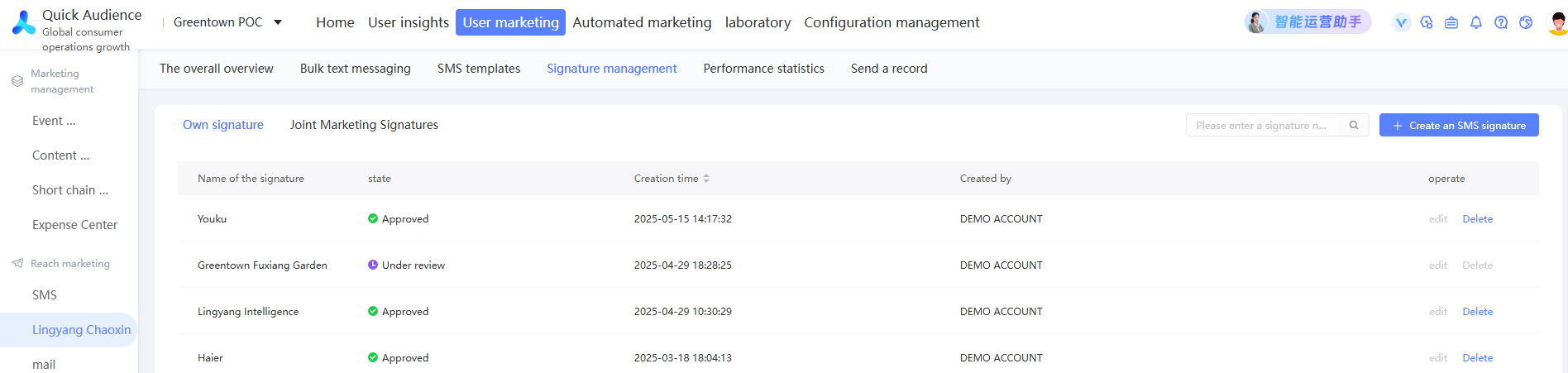
In the upper-right corner, click New SMS Signature.
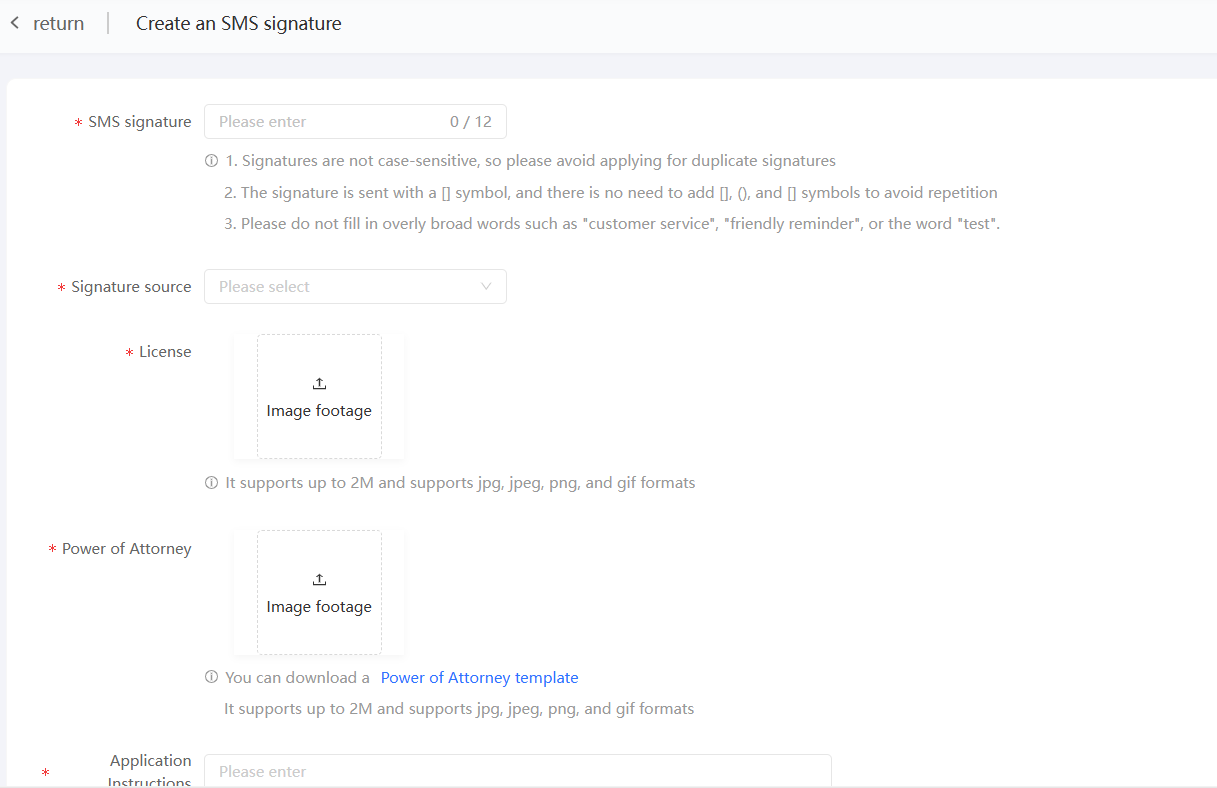
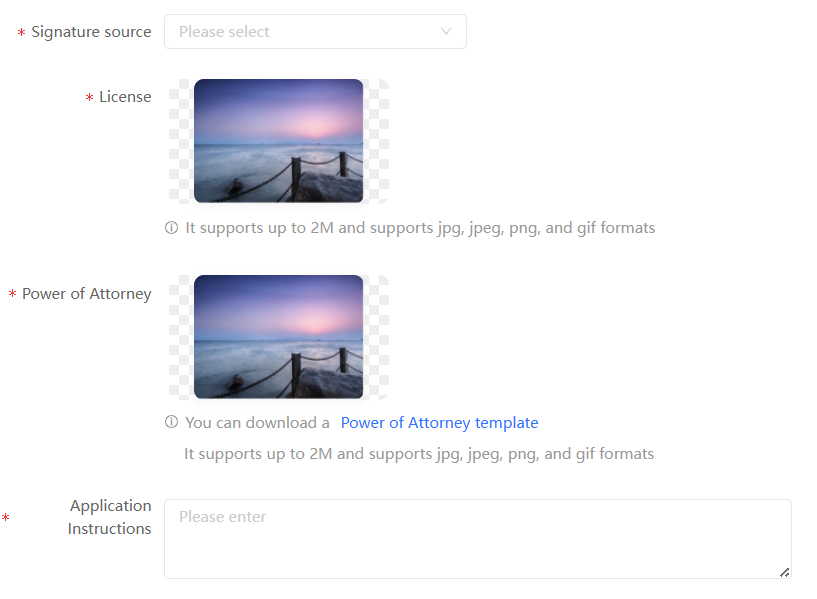
Enter the signature text as prompted, select the signature source, provide the following information according to different sources, upload the business license and authorization letter, and fill in the signature application description.
enterprises and institutions name: provide corporate official website links.
ICP Filing Website: provides the website domain name.
Online APP: provides the app store display link.
Public Number or Small Programs: Provide the full name of the public number or small program.
E-commerce platform store name: provides store display links.
Registered trademark name: No additional information is required.
NoteUploaded business license and authorization pictures need to be limited to 2M.
Click Submit.
The signature is submitted for review, and the list of signatures displays its review status.
Manage signatures
As shown in the following figure, the list displays the created signatures, including the review status and other information.

You can perform the following operations:
Delete: If you no longer use a signature, click Delete. Then, confirm and remove the signature.
Edit: You can edit the moderated signature. After you edit the moderated signature, the moderated signature is resubmitted for moderation.