After you enable AI Copilot, users can engage in conversational interactions, perform intelligent searches, and use the document assistant.
Usage notes
Only a super administrator or drive administrator can enable this feature.
This feature is available only in the China (Beijing) and Singapore regions.
Enable AI Copilot
Log on to CDE and go to the admin console.
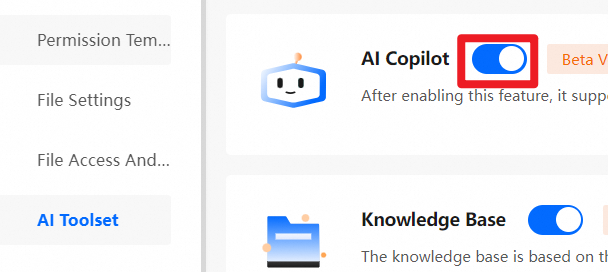
In the navigation pane on the left, choose Enterprise Settings > AI Toolset.
On the AI Toolset page, turn on the AI Copilot switch.
References
After you enable AI Copilot, users can use the related AI capabilities. For more information, see AI Copilot.
To enable the knowledge base feature for your enterprise, see Enable and manage knowledge bases.