Manage overdue payments and renew, upgrade, or unsubscribe from Cloud Drive for Enterprises (CDE).
Upgrade and renewal
Upgrade a CDE subscription plan only to higher specifications shown on the CDE buy page. Custom plans and downgrades are not supported. For pricing details by specification, see Subscription Package Details.
After you upgrade a subscription plan, both the user quota and storage capacity increase. For example, if a drive starts at 5 users and 500 GB and you upgrade it to 20 users and 2 TB, the drive supports 20 users and 2 TB after the upgrade.
If you need to renew and upgrade at the same time, either renew first and then upgrade, or upgrade first and then renew.
Method 1: Renew or upgrade a drive in the PDS console
Log on to the Drive and Photo Service (PDS) console by using your Alibaba Cloud account.
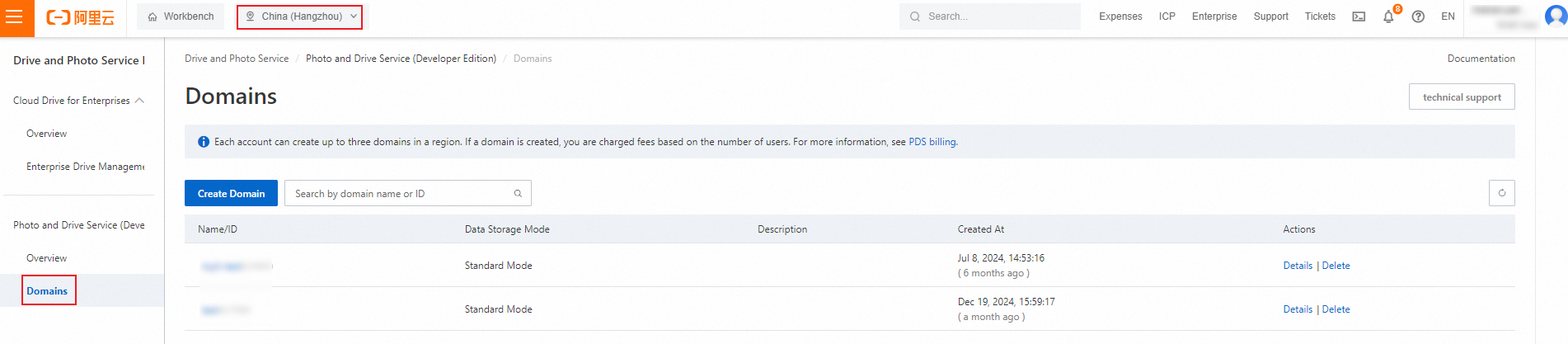
In the left-side navigation pane, choose .
On the All Enterprises tab of the Enterprise Drive Management page, find the desired drive and click Upgrade or Renew in the Actions column.

Method 2: Renew or upgrade a drive in the admin console of CDE
The admin console of CDE is named Enterprise File Management.
Perform operations in the CDE web client or desktop client. To download the desktop client, see Client download.
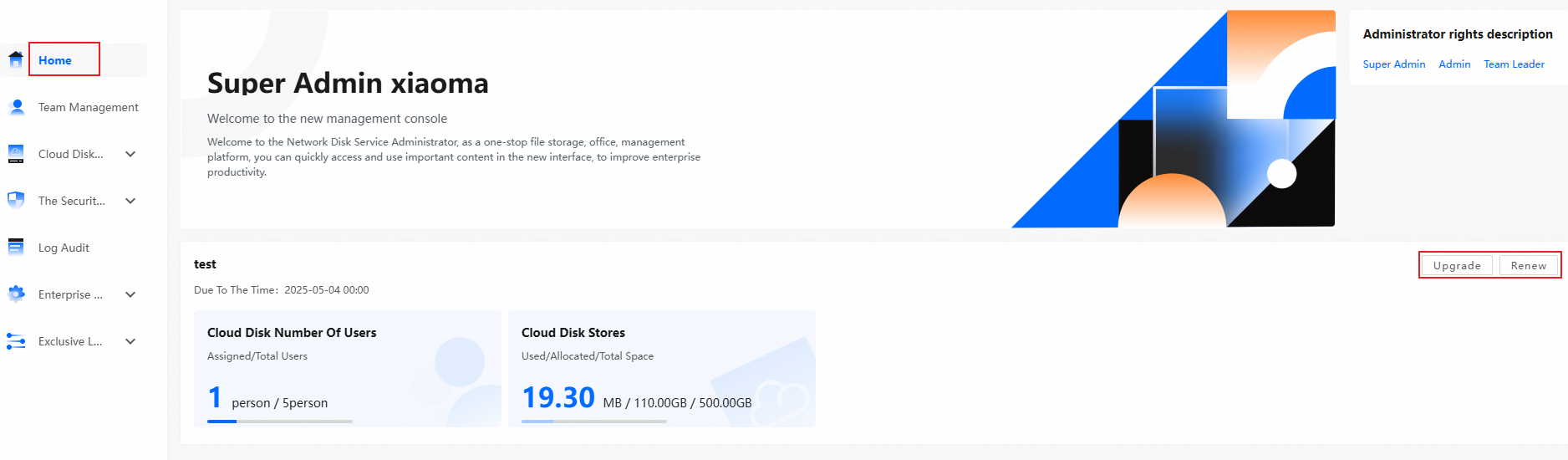
Log on to CDE and go to the admin console.
On the Home page, click Upgrade or Renew on the right side.
Unsubscription
To unsubscribe from a Cloud Drive for Enterprises subscription plan, submit an unsubscription request on the Unsubscriptions page of the Expenses and Costs console.
Before you apply for a refund, review the refund rules and limits. For more information, see Unsubscription rules.
When you unsubscribe from a subscription plan, resources are released immediately. Back up your data before unsubscription.
When you unsubscribe from a subscription plan, the system automatically calculates the actual usage duration. Usage starts on the purchase date and is calculated by day. Any partial day counts as one day. The residual cash value is calculated by the following formula: Residual cash value = (Remaining subscription duration/Total subscription duration) × Paid amount.
Overdue payments
If the available credit in your Alibaba Cloud account (including balance, vouchers, and coupons) is less than the amount due, your account becomes overdue. Go to the Bill Details page in the Expenses and Costs console to view overdue details.
If your Alibaba Cloud account has overdue payments, subscription plans are not affected.
Expiration
If a drive subscription expires and is not renewed, the service is suspended after 15 days. After suspension, the drive is no longer available.
After service suspension, drive data is retained for 15 days. Renew the subscription during this period to resume using the drive.
If you do not renew the subscription within 15 days after service suspension, storage resources are released and cannot be recovered.
Downgrade
Downgrades are not supported for drive specifications. Select suitable specifications when you purchase a drive. A downgrade means changing a drive from a higher specification to a lower one after purchase. For example, if a drive supports 200 users, you cannot downgrade it to 100 users.
FAQs
Why is the expiration time not updated after a renewal?
Why are fees generated after I purchase CDE?
If you receive an overdue payment notification, check whether a PDS Developer Edition domain exists.
To check:
Log on to the PDS console.
In the left-side navigation pane, choose . In the top navigation bar, select a desired region.
On the Domains page, check whether a PDS Developer Edition domain exists. To stop billing for PDS Developer Edition, see Stop billing.