Retrieval-Augmented Generation (RAG) has become essential for building intelligent applications that combine large language models with domain-specific knowledge. In this guide, you'll learn how to build a complete RAG platform using Hologres as your vector store and n8n as your workflow automation tool. This combination gives you a powerful, serverless-ready solution for enterprise-grade RAG applications.
n8n-nodes-hologres-vectorstore community node bridges these technologies seamlesslyLet's dive into the implementation!
Before starting, ensure you have:
This guide will help you build a RAG platform that integrates three core components:
These components work together to transform documents into actionable knowledge that can be queried through natural language.

First, create the necessary Hologres resources:
n8n)BASIC$n8n)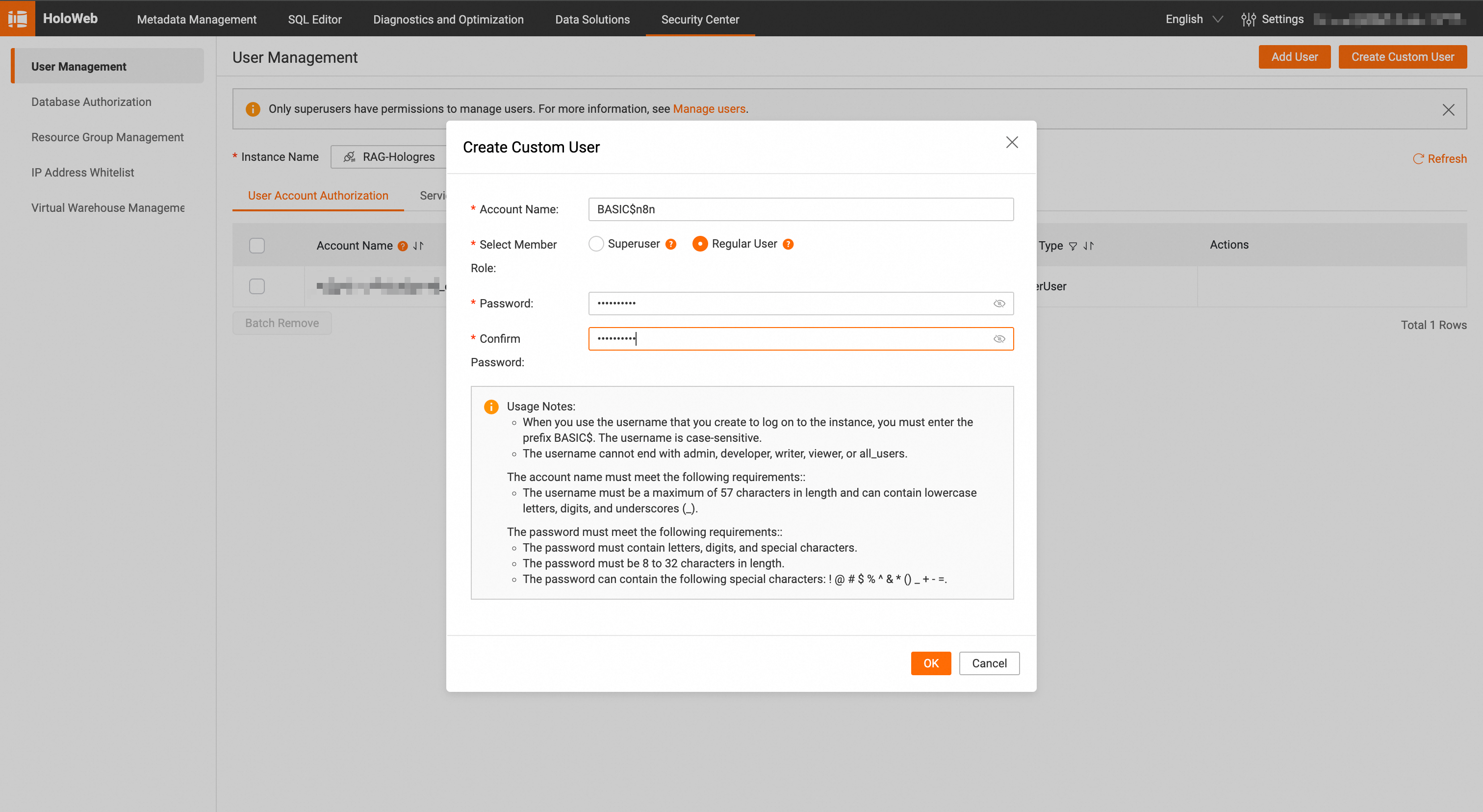
developer role to your user since it needs table creation privileges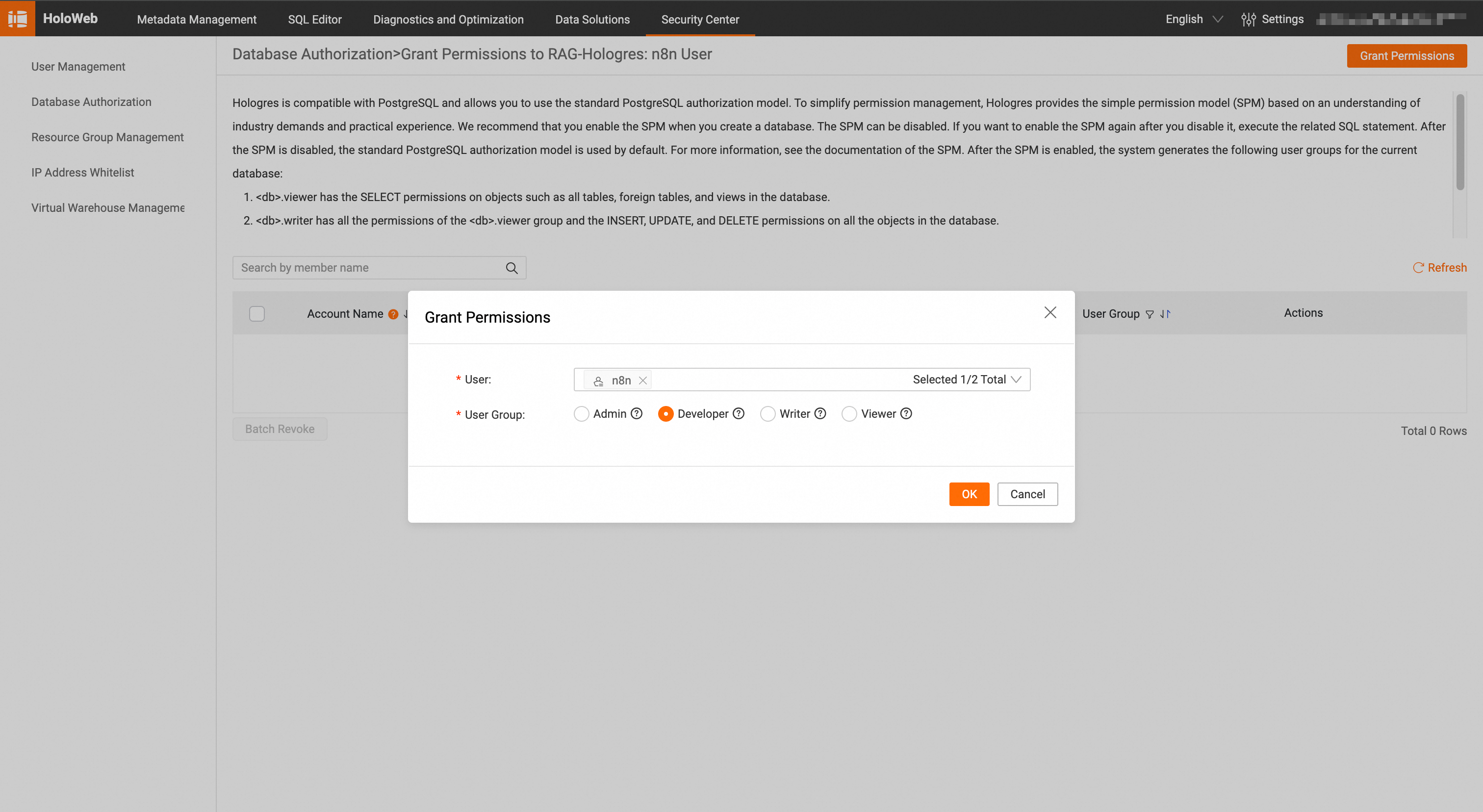
Install n8n following the official installation guide:
npm install n8n -g
n8n start
Once running, access n8n at http://localhost:5678.
The integration is powered by a community node available on npm:
n8n-nodes-hologres-vectorstore
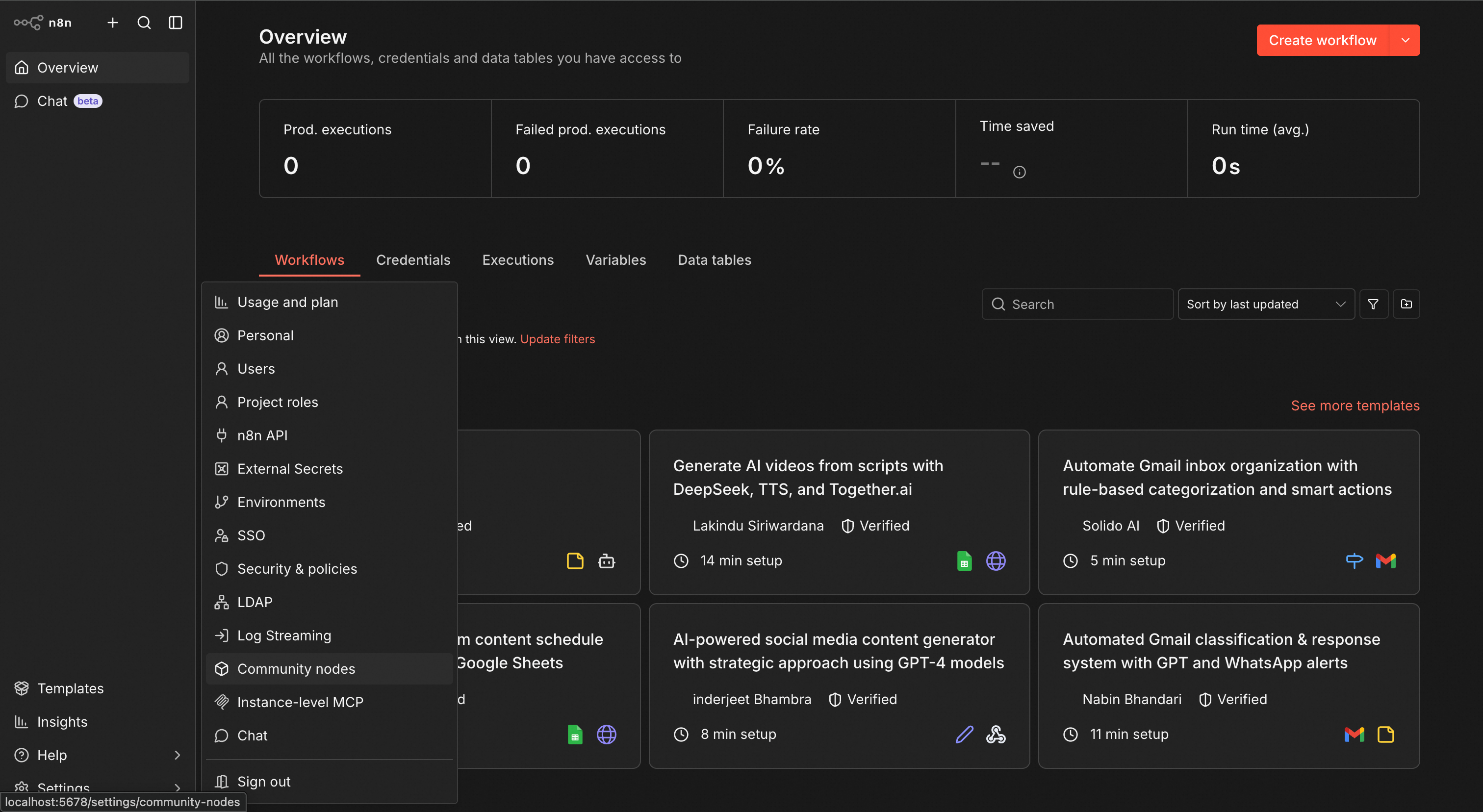
You can find the source code on GitHub.
Download the sample workflow file:
In n8n:
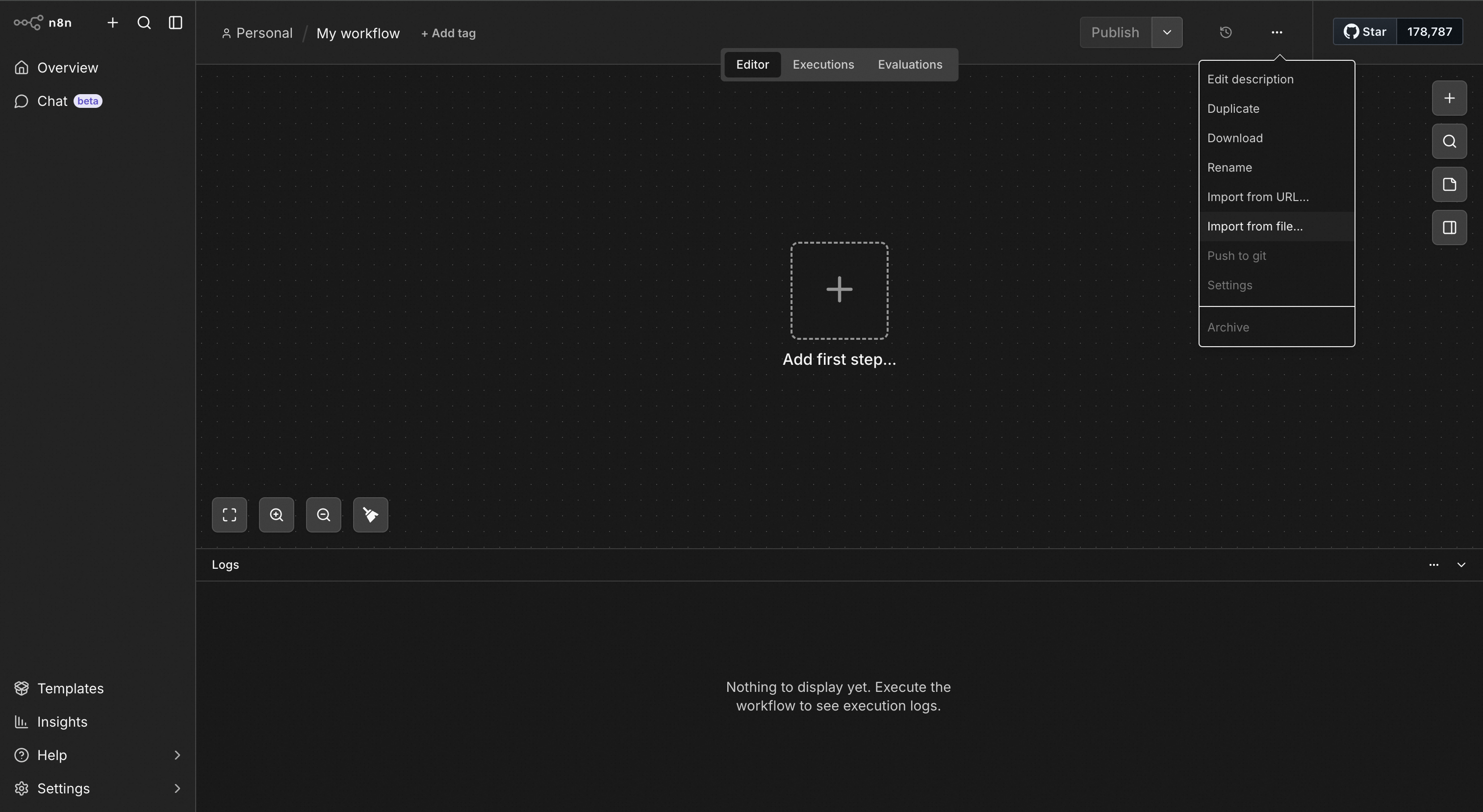
In the Insert Documents into Hologres Vector Store node:
Enter your connection details:
n8n (or your chosen database name)BASIC$n8n (or your created user)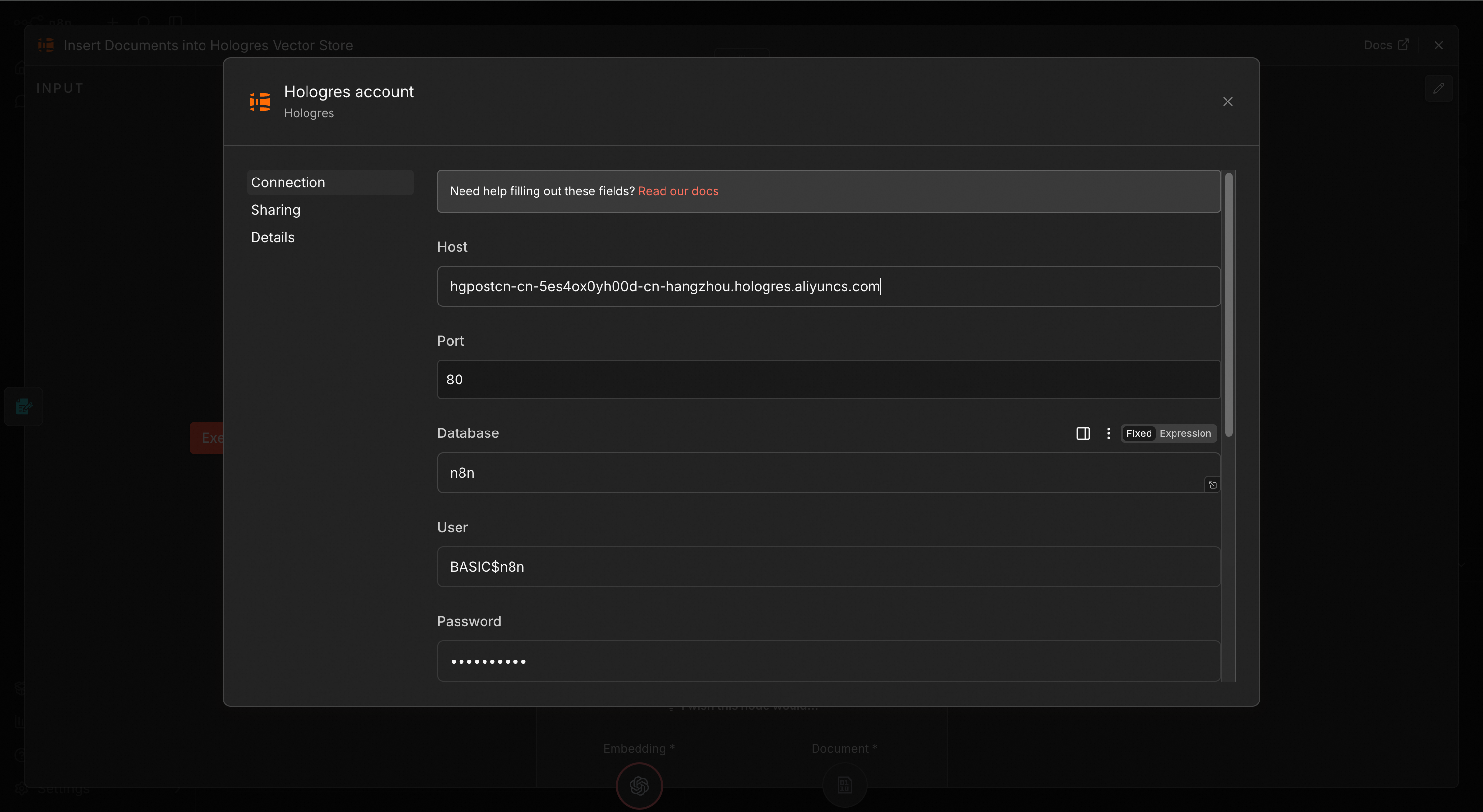
Configure the vector storage settings:
rag_documents)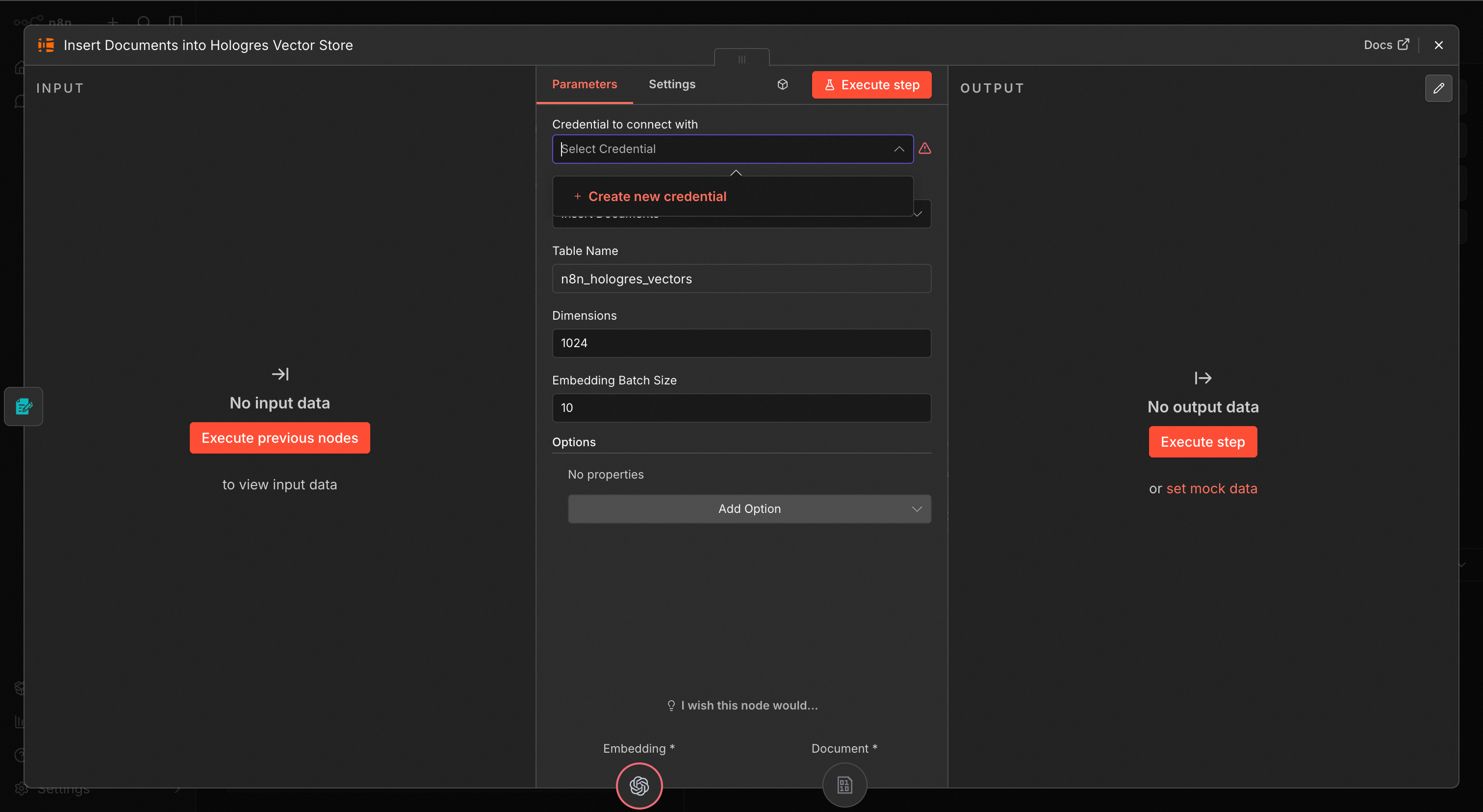
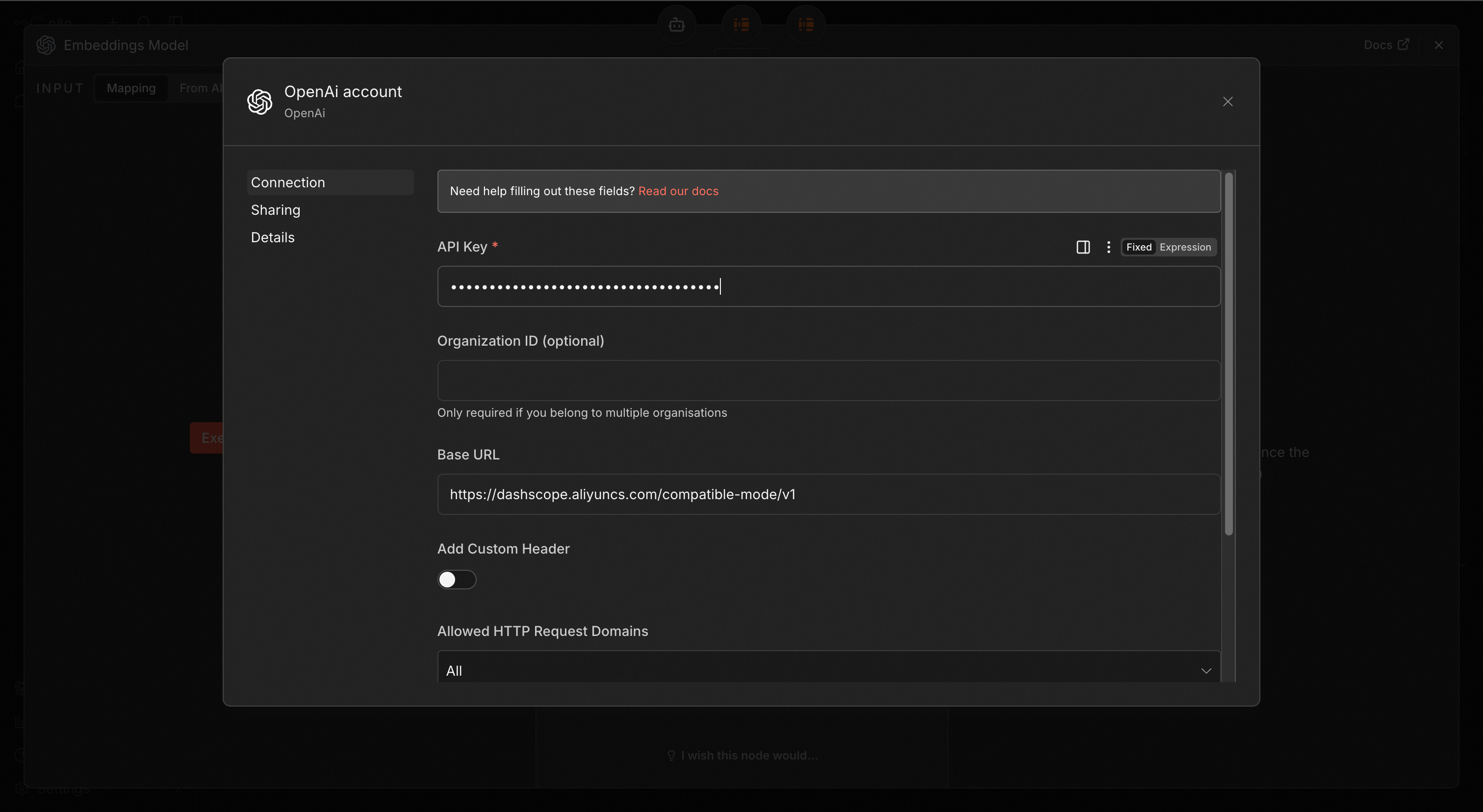
For embeddings, we'll use Alibaba Cloud's Model Studio service; Feel free to use any OpenAI compatible Mode service here.
text-embedding-v4
Refer to Model Studio's documentation to get your API and Base URL.
For the LLM component:
qwen3.5-plus (or your preferred model)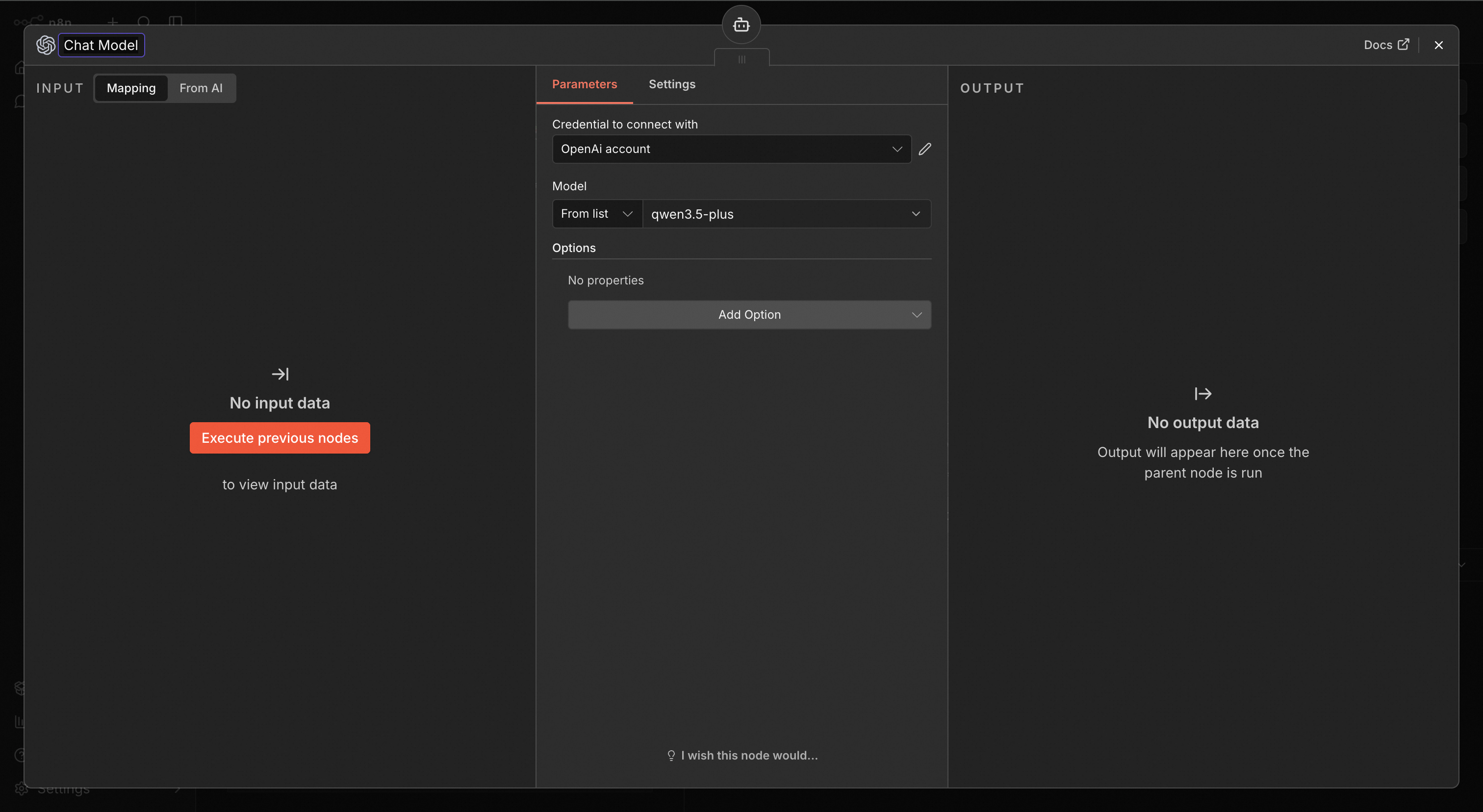
Now you're ready to ingest documents:
The workflow will automatically:
Once documents are processed, you can ask questions directly through the workflow interface.
Example query:
What was the year-over-year growth rate of the Cloud Intelligence Group's revenue in the quarter ended September 30, 2025?
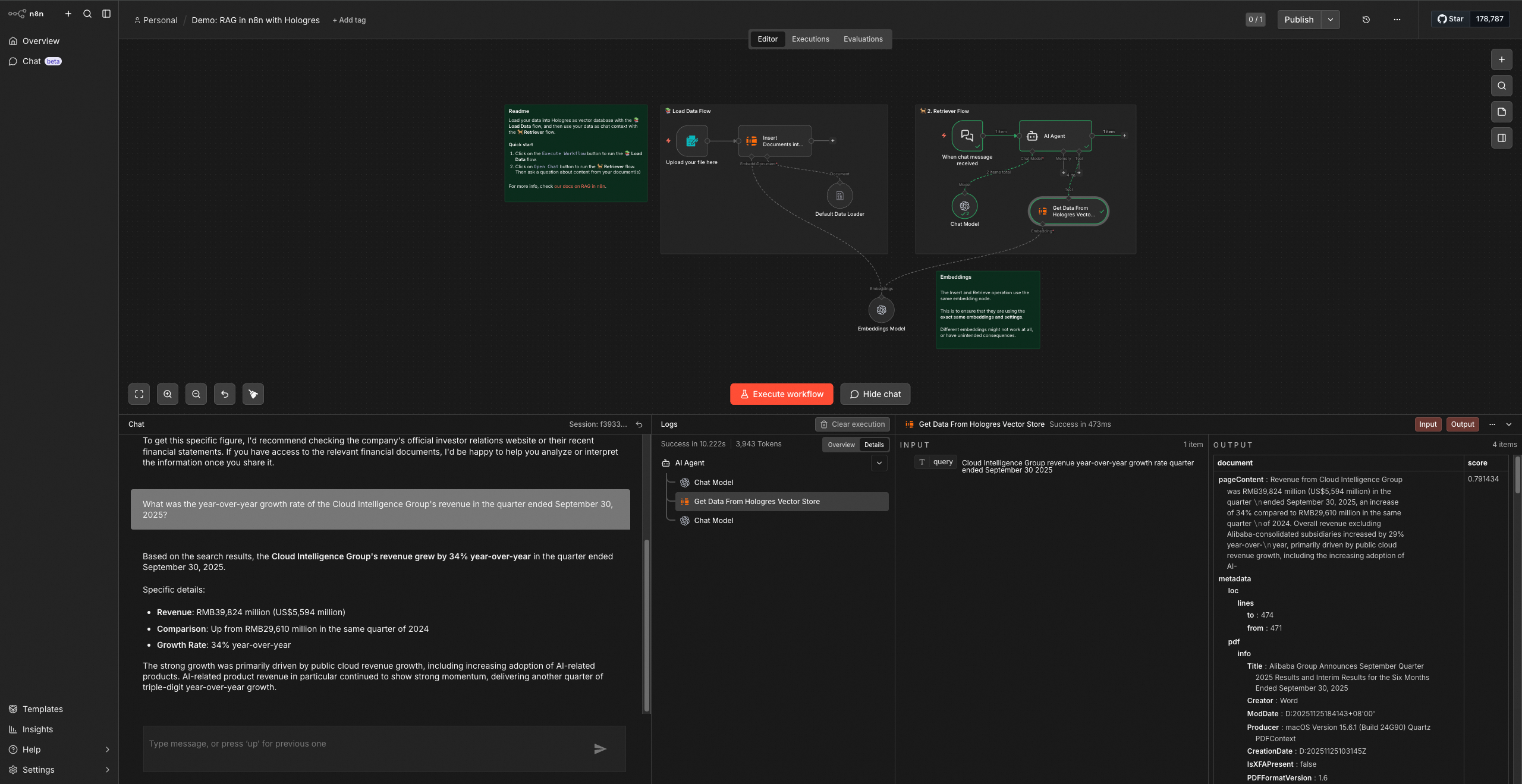
The system should return: Based on the search results, the Cloud Intelligence Group's revenue grew by 34% year-over-year in the quarter ended
To validate your setup, try these question categories:
Now that you have a working RAG platform:
With Hologres handling vector storage and n8n orchestrating the workflow, you have a flexible foundation for enterprise RAG applications that can evolve with your needs.
Happy building!
Using SQL to Call LLMs? Hologres + Model Studio Enables Data Developers to "Talk" Directly to AI

27 posts | 0 followers
FollowNeel_Shah - May 21, 2026
Alibaba Cloud Big Data and AI - March 10, 2026
Data Geek - September 4, 2026
Alibaba Cloud Native Community - September 9, 2025
Alibaba Cloud Data Intelligence - June 20, 2024
Alibaba Cloud Big Data and AI - March 4, 2026
27 posts | 0 followers
Follow Vector Retrieval Service for Milvus
A cloud-native vector search engine that is 100% compatible with open-source Milvus, extensively optimized in performance, stability, availability, and management capabilities.
Learn More Hologres
A real-time data warehouse for serving and analytics which is compatible with PostgreSQL.
Learn More Big Data Consulting for Data Technology Solution
Alibaba Cloud provides big data consulting services to help enterprises leverage advanced data technology.
Learn More Big Data Consulting Services for Retail Solution
Alibaba Cloud experts provide retailers with a lightweight and customized big data consulting service to help you assess your big data maturity and plan your big data journey.
Learn MoreMore Posts by Alibaba Cloud Big Data and AI

