The DAS Agent is a powerful tool designed to assist users in managing their databases efficiently. It provides insight into performance diagnostics, SQL tuning, troubleshooting, and security governance. Below are best practices for purchasing and utilizing the DAS Agent to maximize its benefits.
DAS Agent offers you two ways to get started: a paid plan or a free trial.
With DAS Agent Free Trial, you can experience most of its core functionalities.However, limitations applied on quantity of query per day and the maximum length of each response.
For paid plan, DAS Agent is available in two versions:
Regardless of the version chosen, access the DAS Agent purchase page via the “Buy Now” button or via link below:
Link: https://common-buy-intl.alibabacloud.com/?commodityCode=hdm_dasagent_public_intl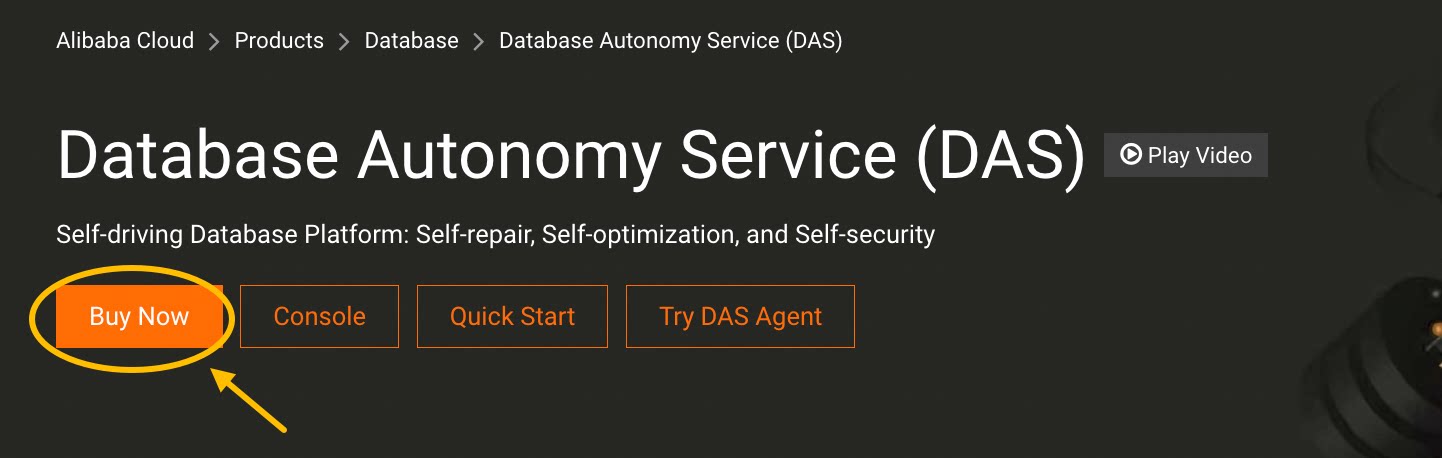
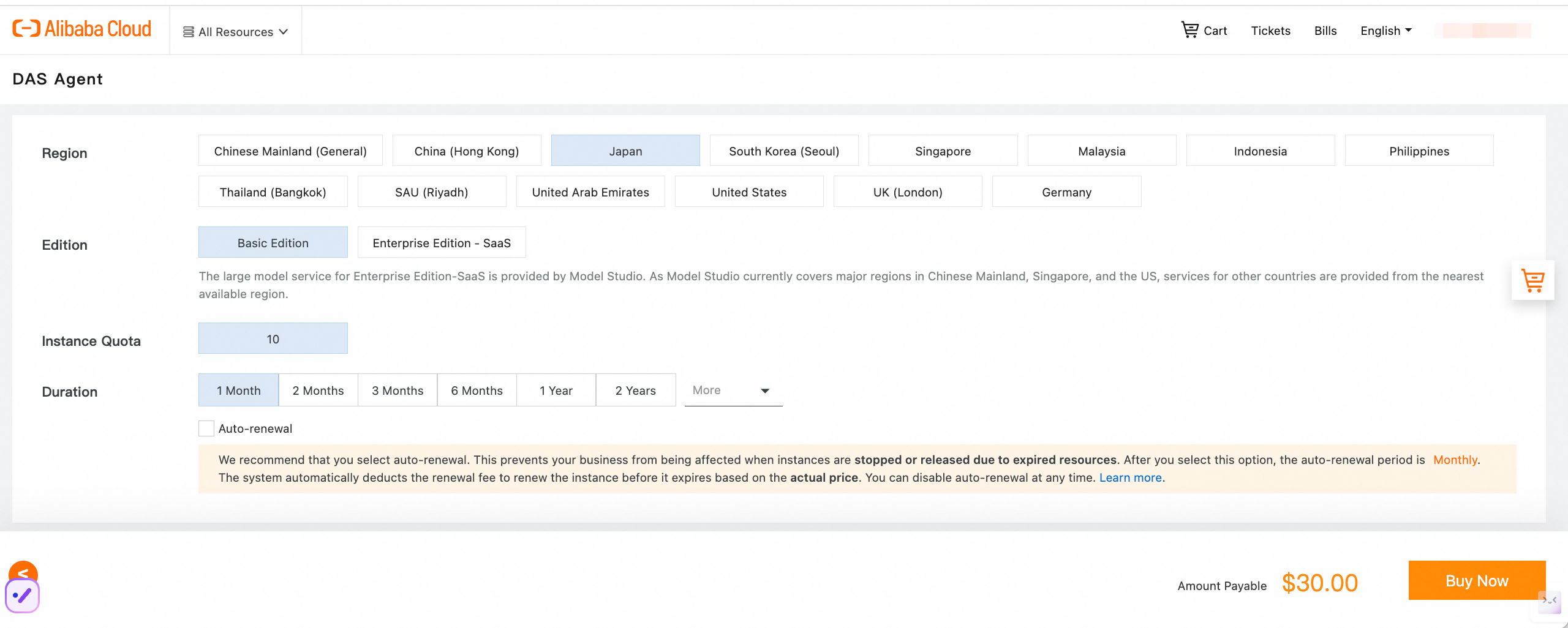
Please note: When making your purchase, select the region that is the same as your managed database instances. Proceeding with the purchase after choosing the wrong region will render the service unavailable. And after that, don't forget to configure it by adding associated instances. (Details about how to configure.)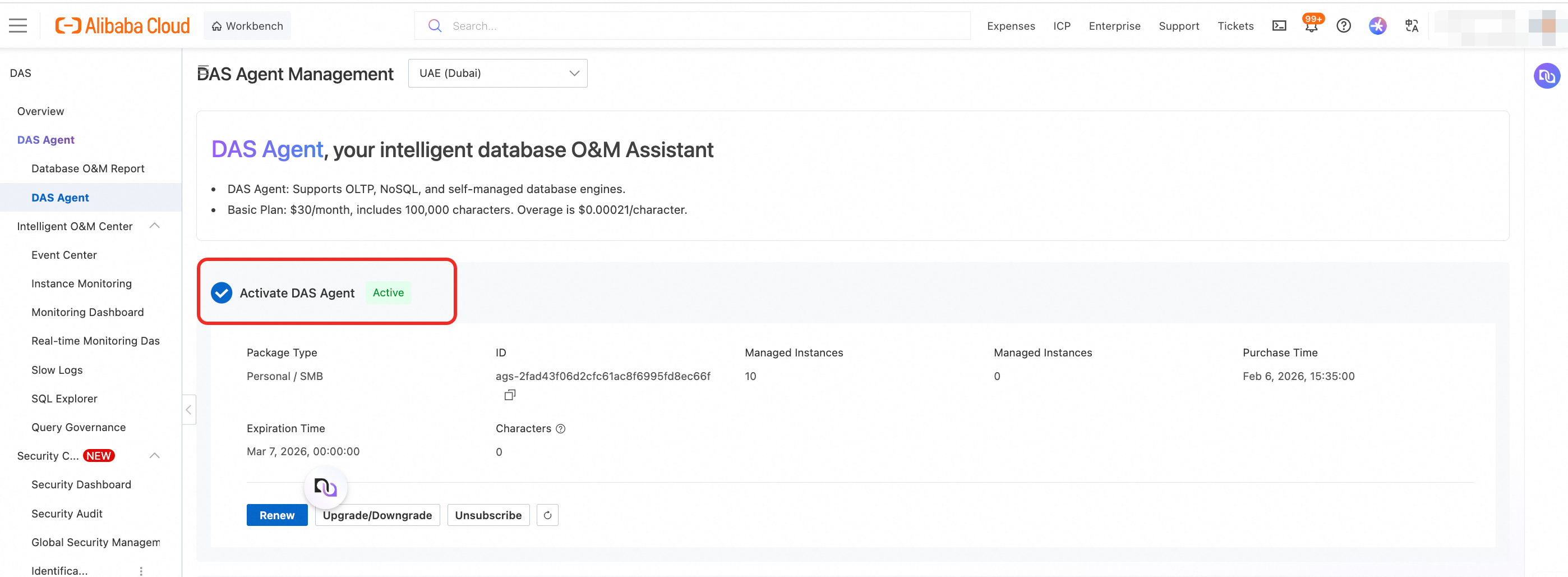
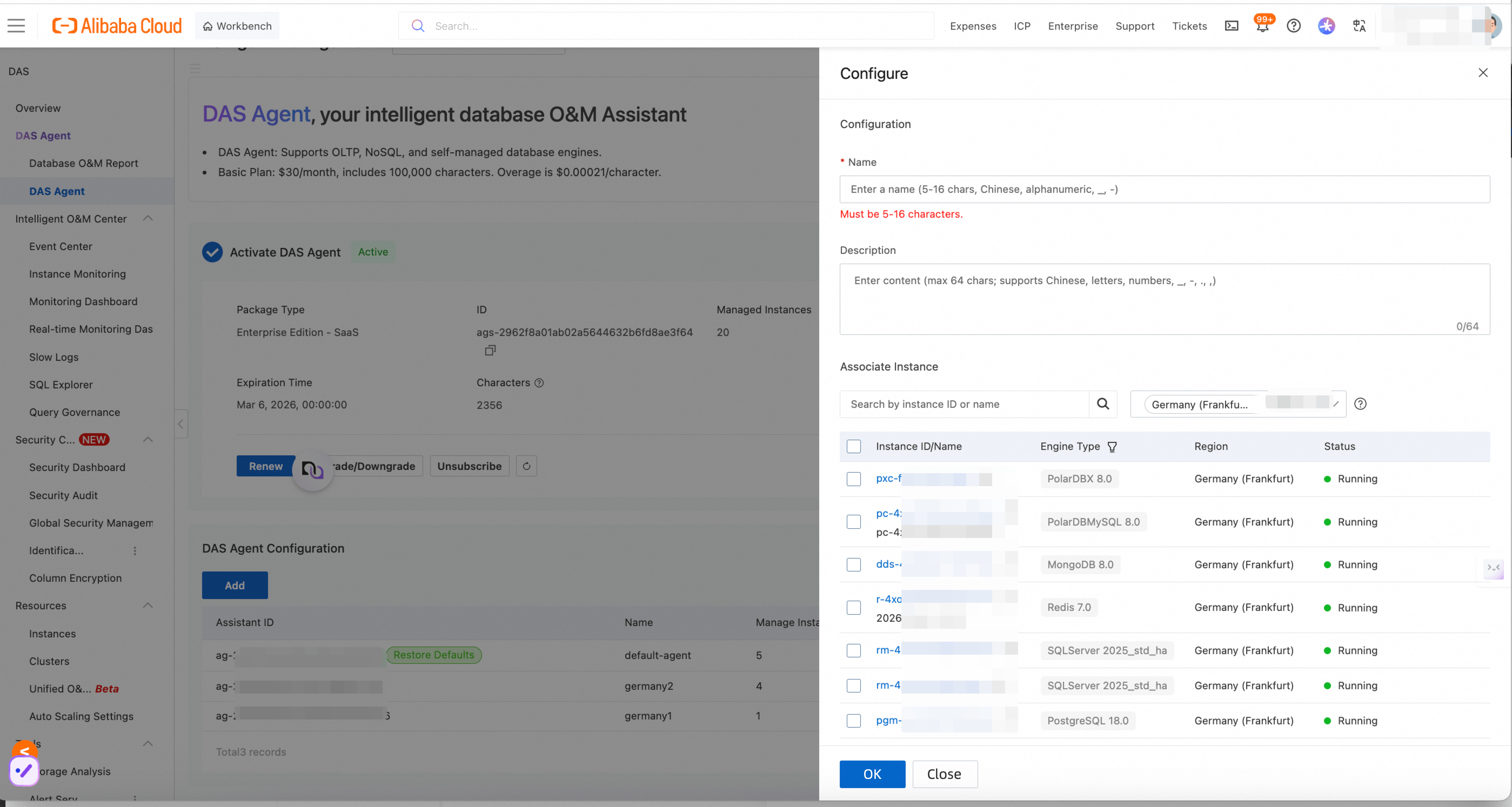
Initialize the DAS Agent:
1. Access the Console: Use the following link to be navigated to the DAS Agent console: DAS Agent Console.
Link: https://hdm.console.alibabacloud.com/#/das-agent

2. Switch Service Regions: Switch the service region of the DAS Agent to the corresponding instance region.
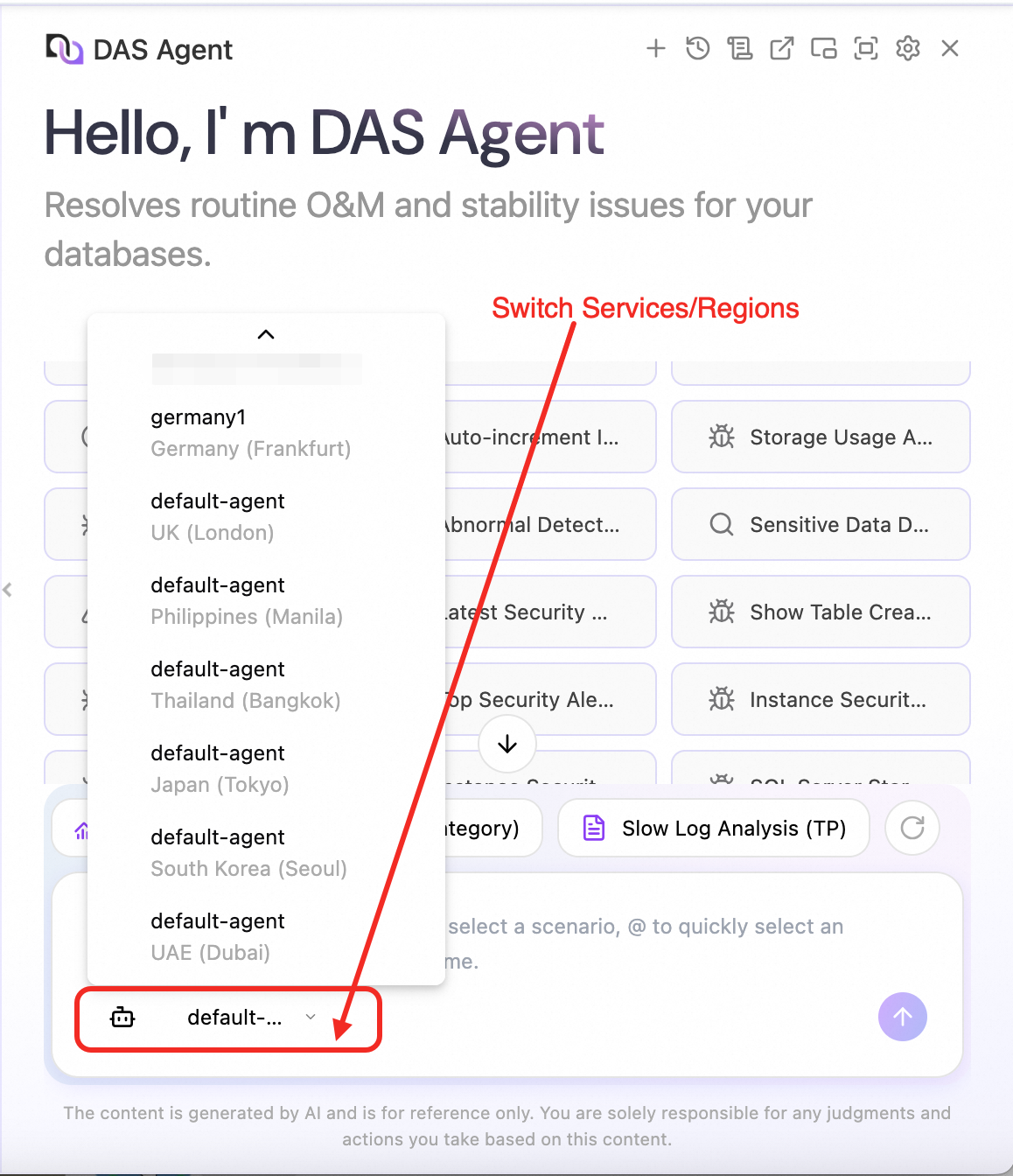
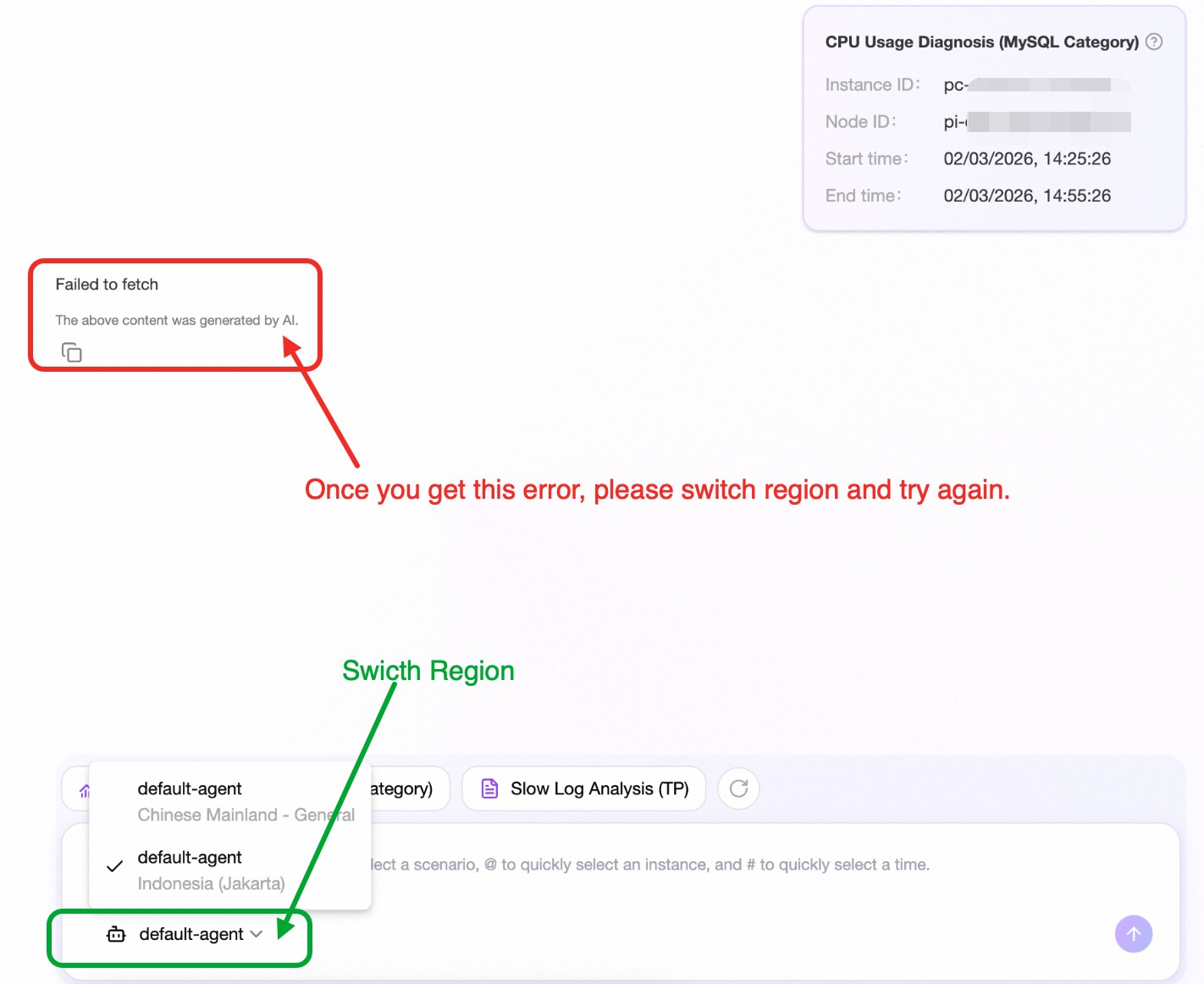
If you input a question without switching to the correct region, you will encounter the error of "Failed to fetch". If this occurs, switch the region and try again.
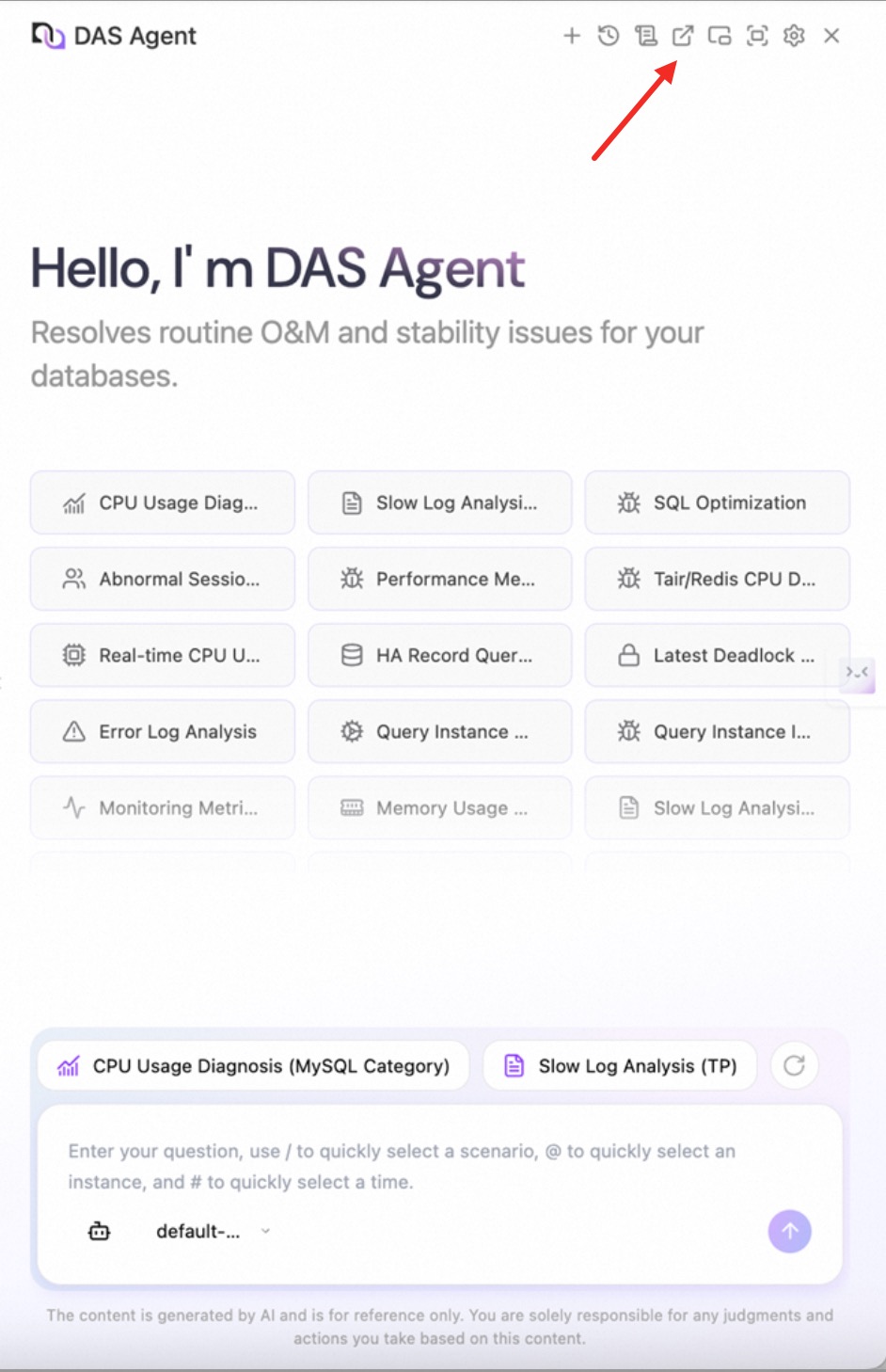
3. Interact with the Chatbot: Leverage natural language to communicate your needs. You can utilize the DAS Agent in the side window or open a new window for a wider interface, buttons are available for changing the interfaces.
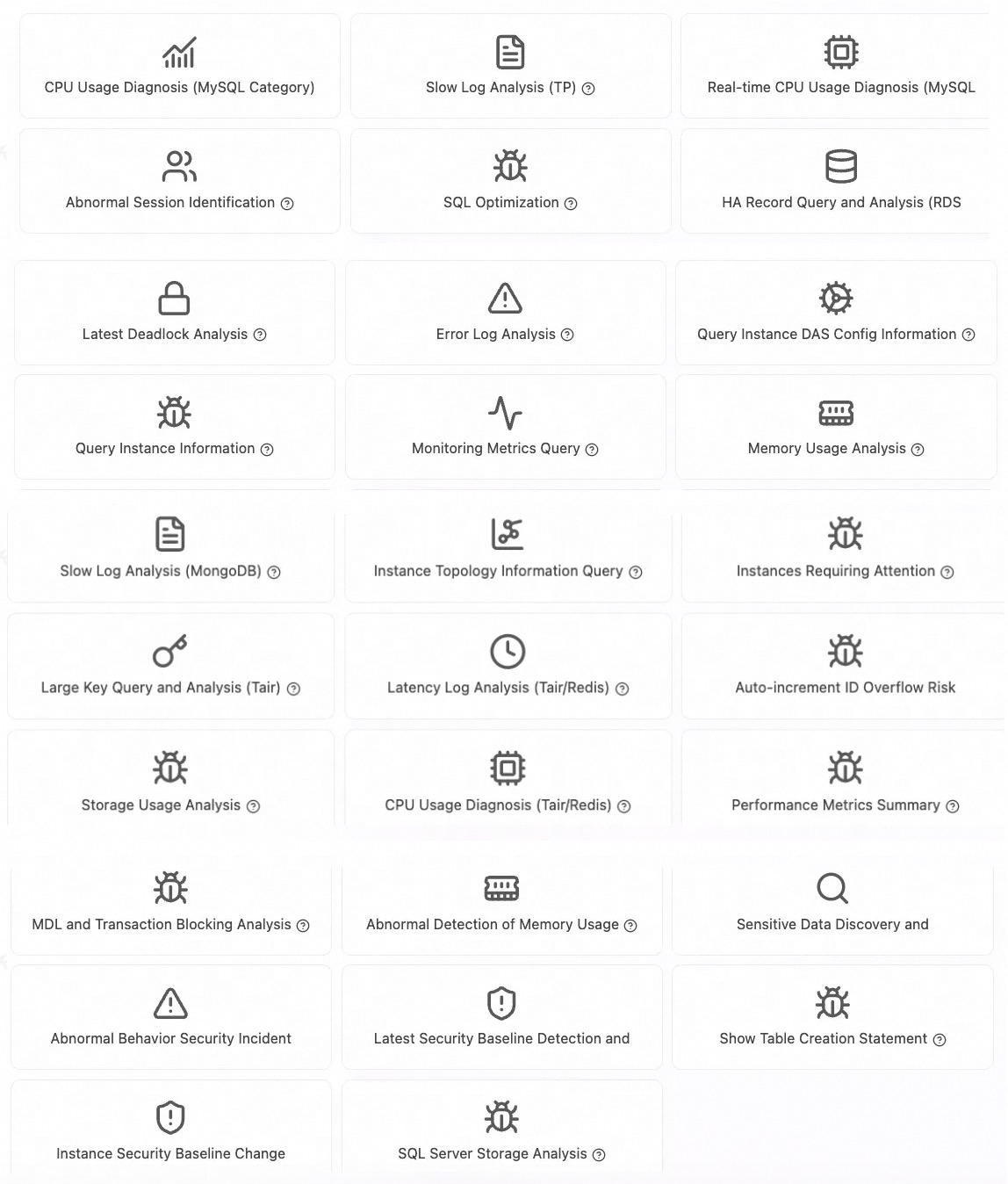
4. Explore Core Scenarios: While you can leverage the agent across a variety of databases, here are some key functions to get started:
Simply type your intention—whether it's "Why is my CPU usage is high?", "Analyze the latest slow queries", or "Check for security risks"—and let the DAS Agent handle the headaches.
With the DAS Agent, you can enhance your database management capabilities significantly. By choosing the right edition that matches your requirements and try everything that you want to ask the AI to help you, you might unlock its full potential or even more.
Try to use natural language (just like how you talk to a friend) to interact with the agent, and don’t hesitate to explore beyond the core scenarios provided. A more efficient database management can be achieved — make the most of your DAS Agent experience.
Thanks for reading.
If there is something unclear, please submit a support ticket or contact us via your account manager for a dedicated support.
VLDB Paper Deep Dive: As AI Advances, Data Analysis Enters the Era of Incremental Computation
ApsaraDB - February 27, 2026
Alibaba Cloud Indonesia - March 20, 2026
ApsaraDB - January 23, 2026
ApsaraDB - March 30, 2026
ApsaraDB - July 1, 2026
ApsaraDB - May 11, 2026
 QwenWork
QwenWork is dedicated to helping employees strengthen their professional competitiveness in the AI era and to enabling enterprises to improve organizational effectiveness.
Learn More Token Plan
Build more, spend less. One plan, every modality.
Learn More
Alibaba Cloud Model Studio
A one-stop generative AI platform to build intelligent applications that understand your business, based on Qwen model series such as Qwen-Max and other popular models
Learn More Database for FinTech Solution
Leverage cloud-native database solutions dedicated for FinTech.
Learn MoreMore Posts by ApsaraDB


