By Yuanyi
Setting up a webhook bot to manage Alibaba Cloud resource notifications can streamline your workflow and ensure you receive timely updates. Below are the best practices for configuring your bot effectively.

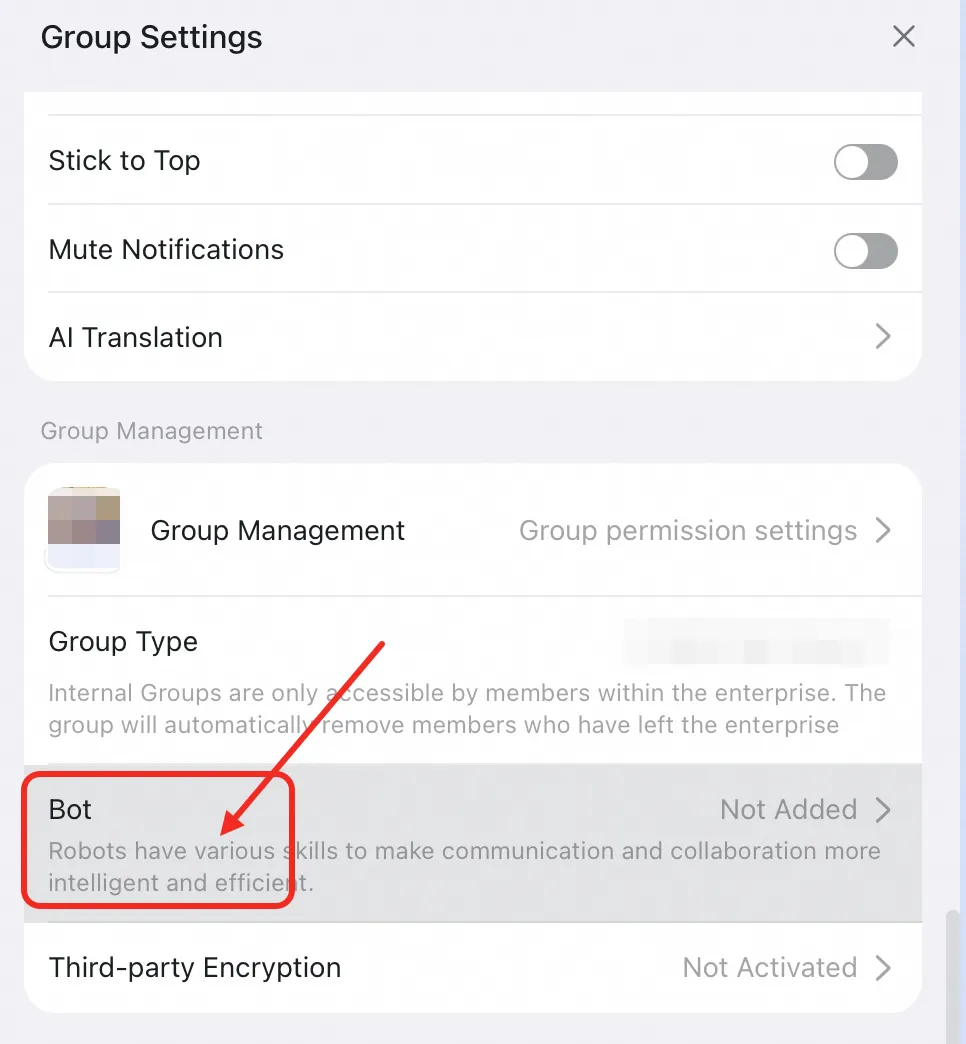
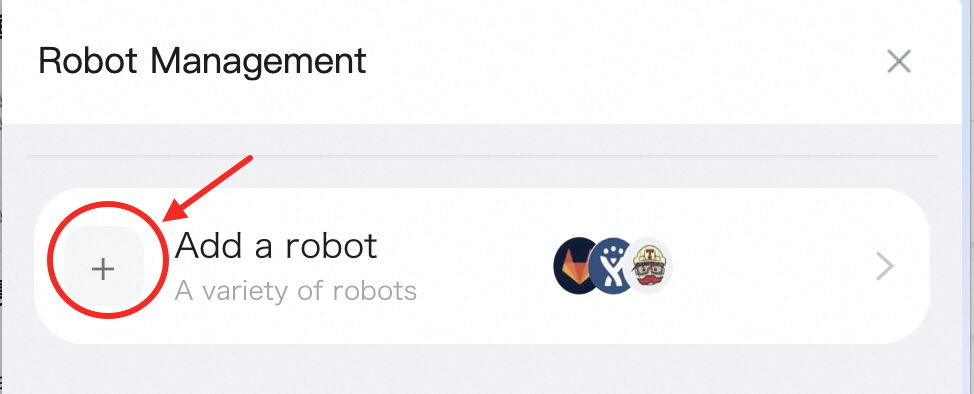
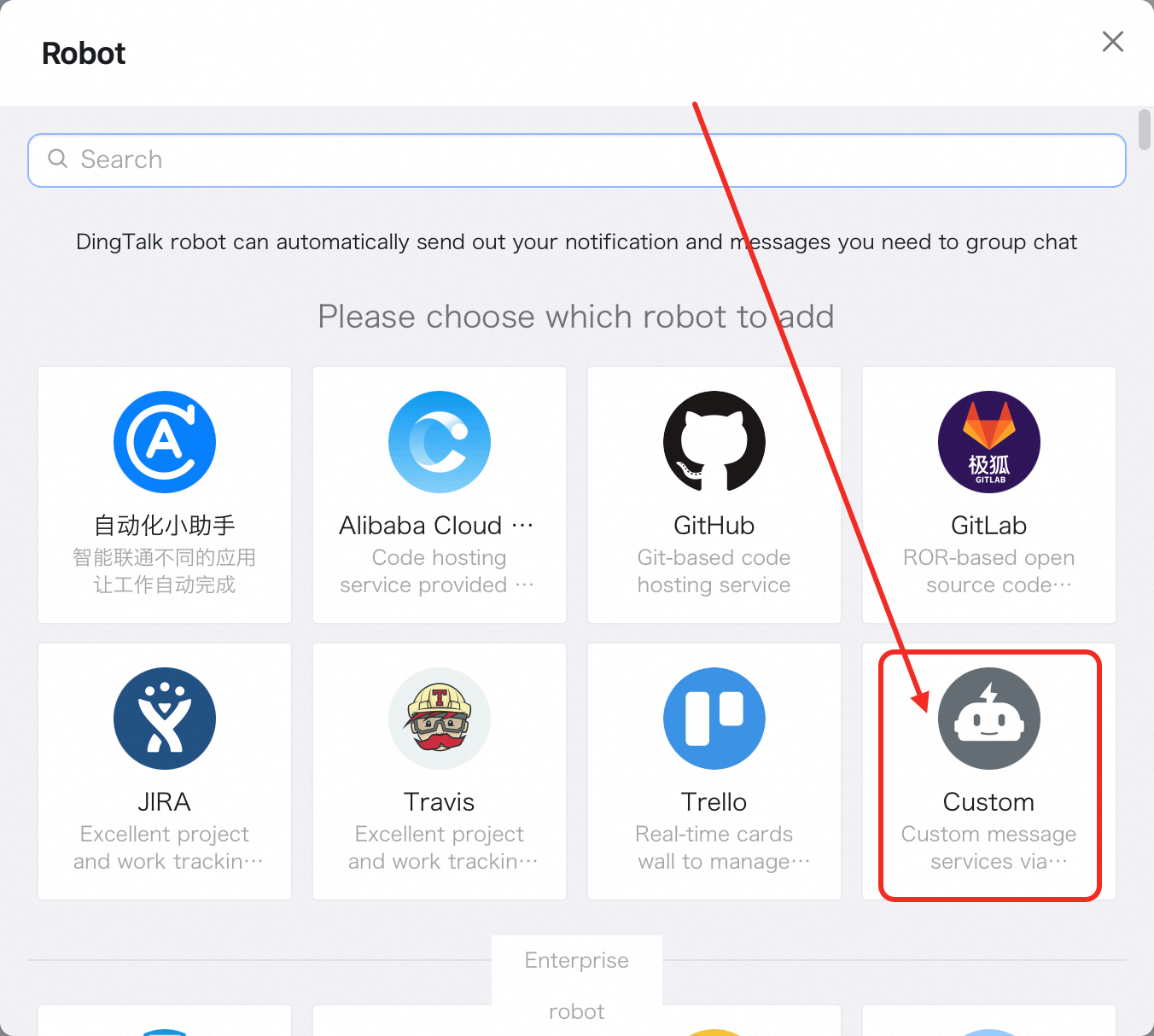
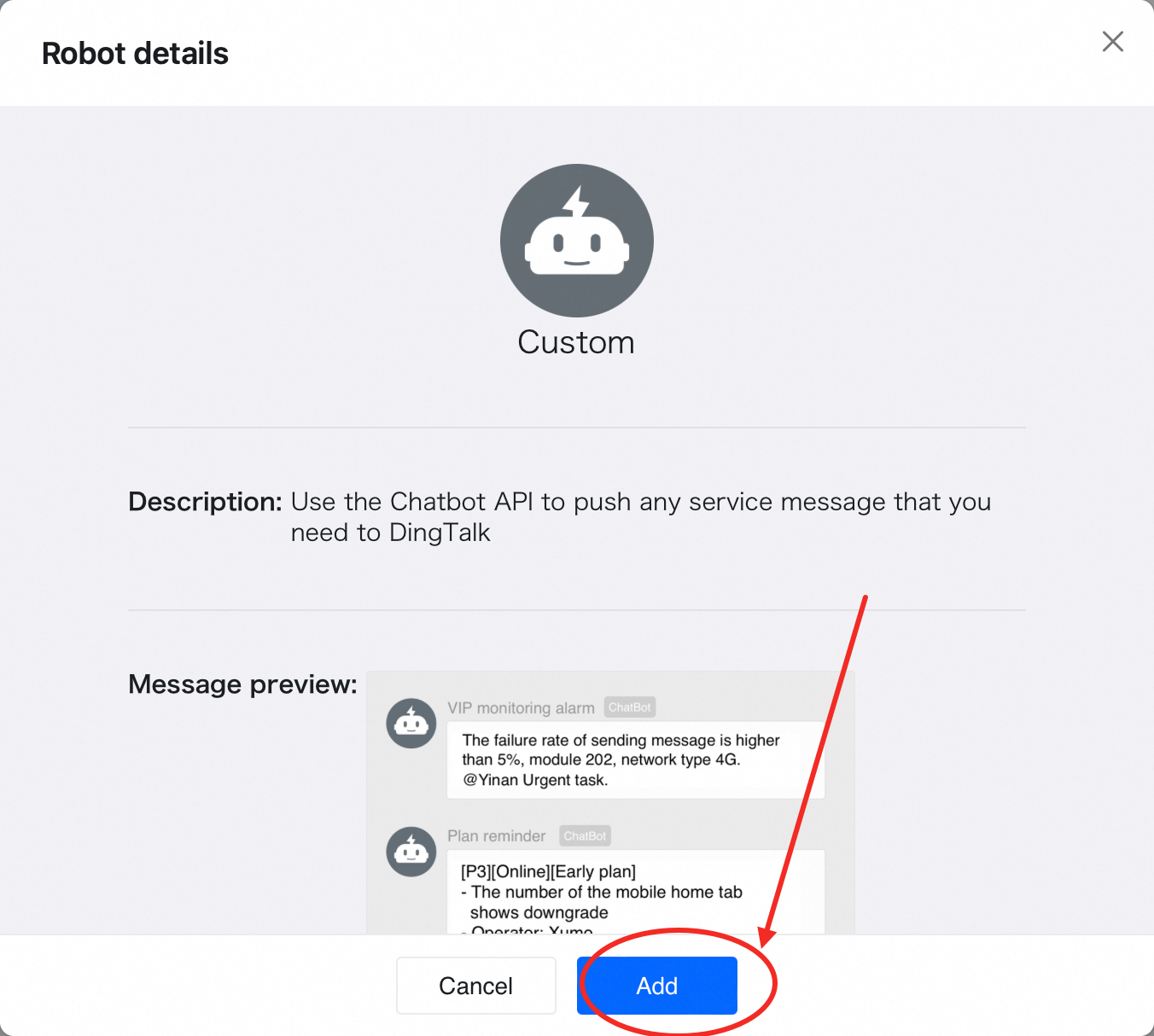
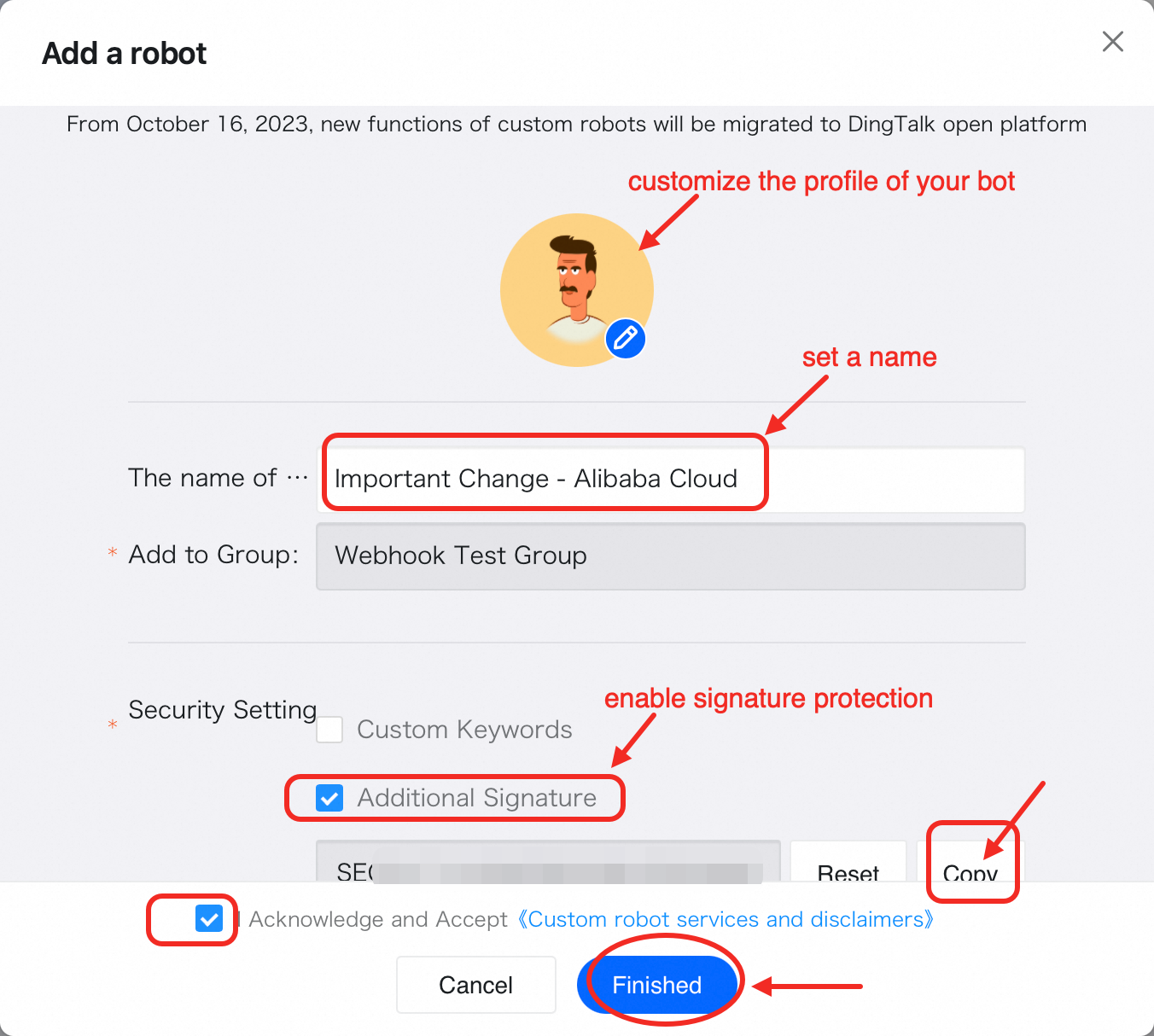
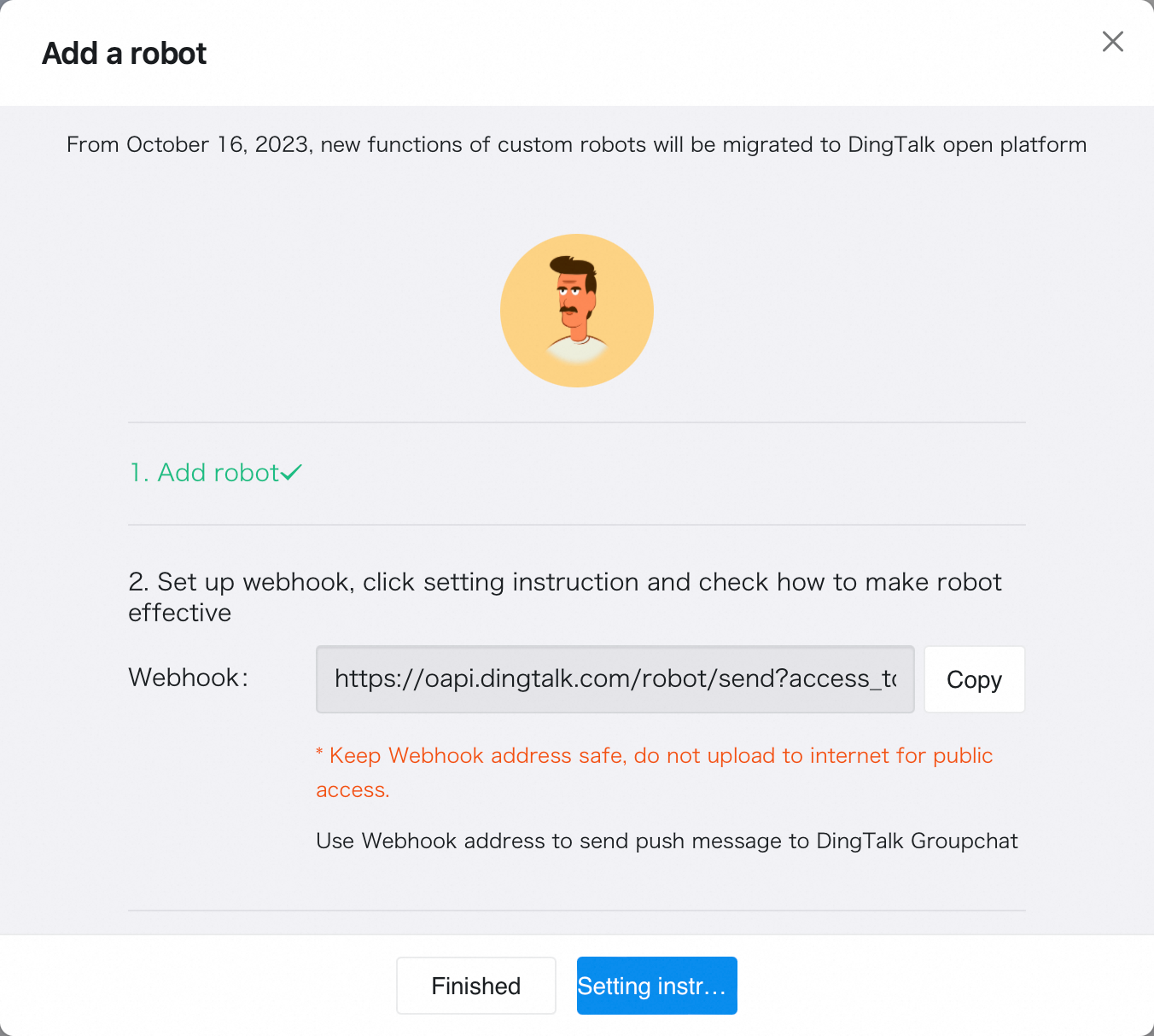
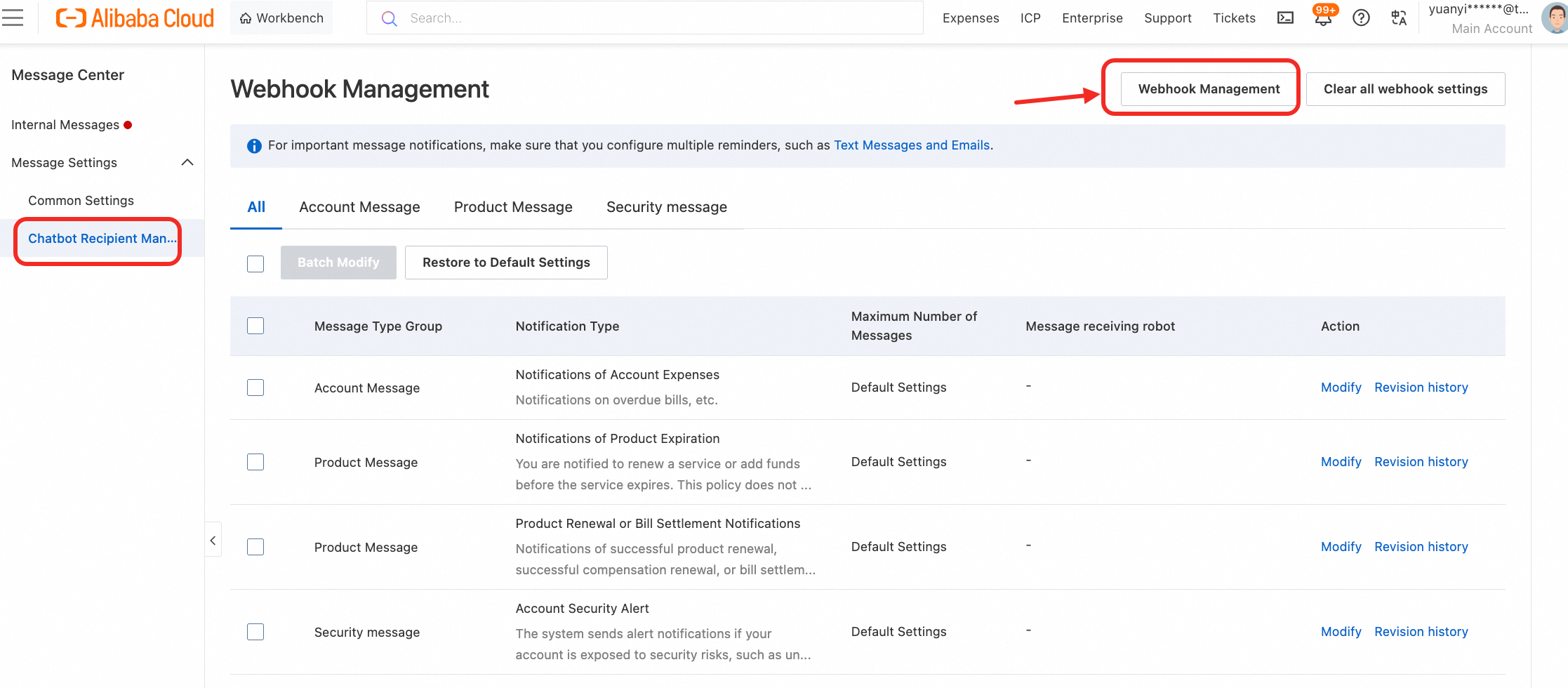
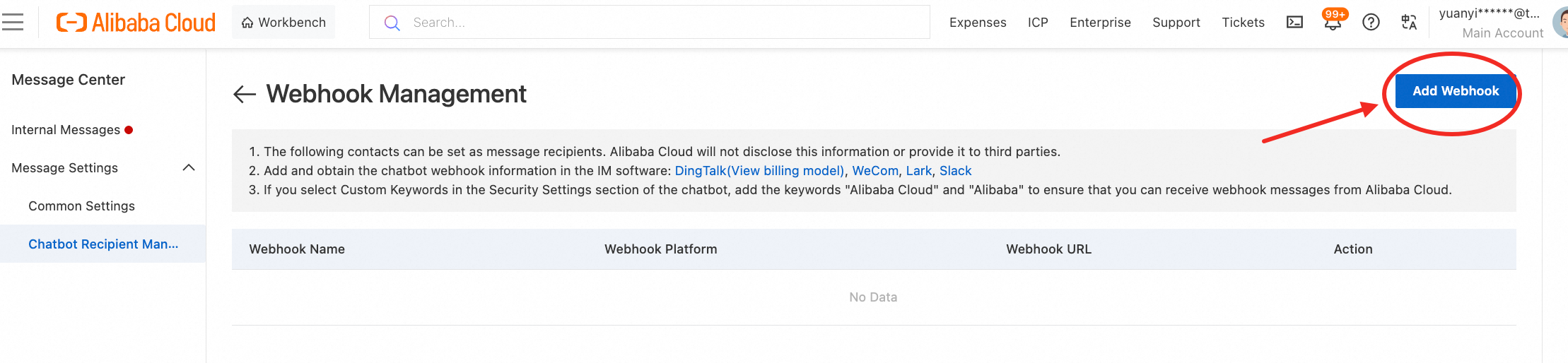
Platform: https://notifications2.console.alibabacloud.com/subscribeWebhook
1. Access Alibaba Cloud Notification Service: Go to the Alibaba Cloud Notifications service platform by visiting Alibaba Cloud Notifications Console.
2. Create a New Webhook Subscription:
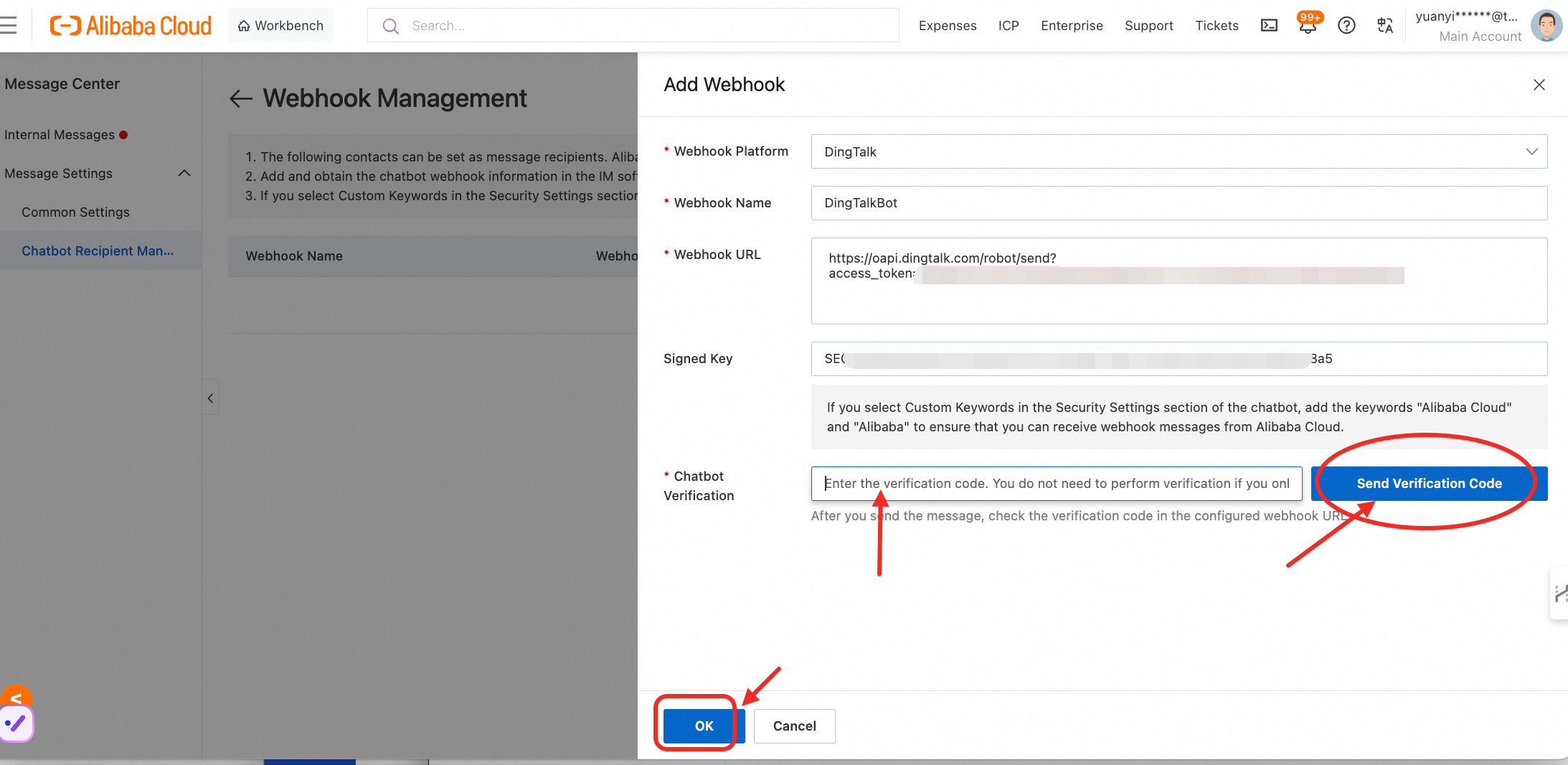
3. Configure Webhook URL:
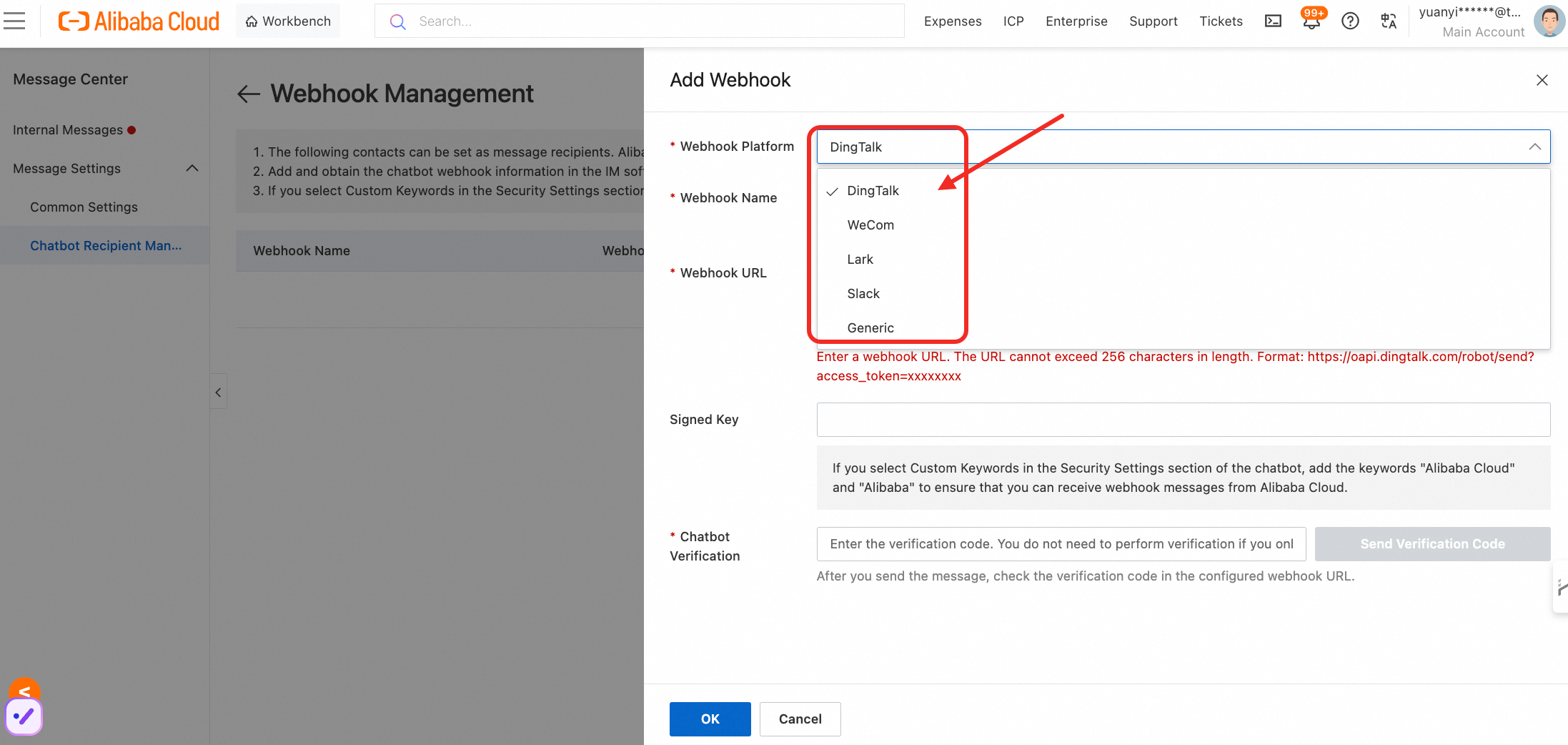
Paste the Webhook URL of your bot, and paste the signature of your bot as Signed Key.
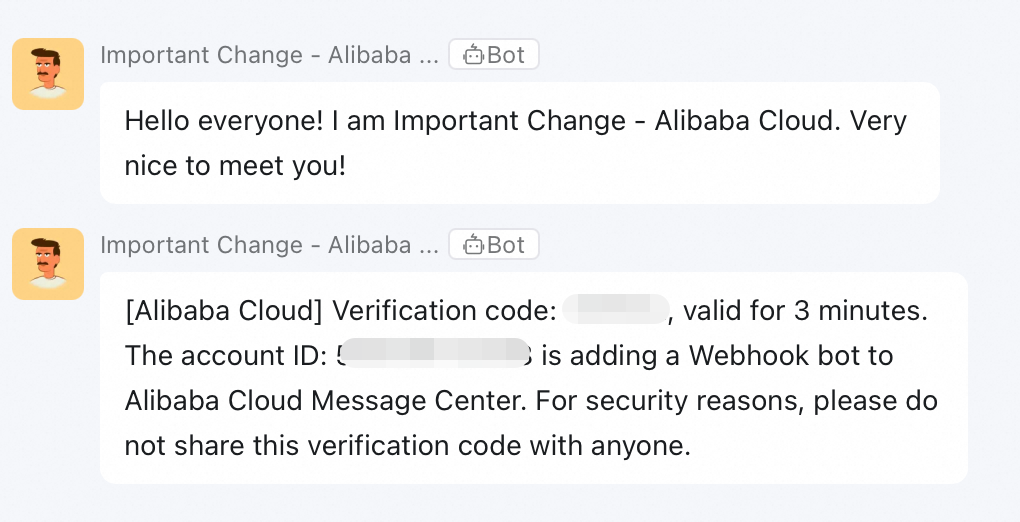
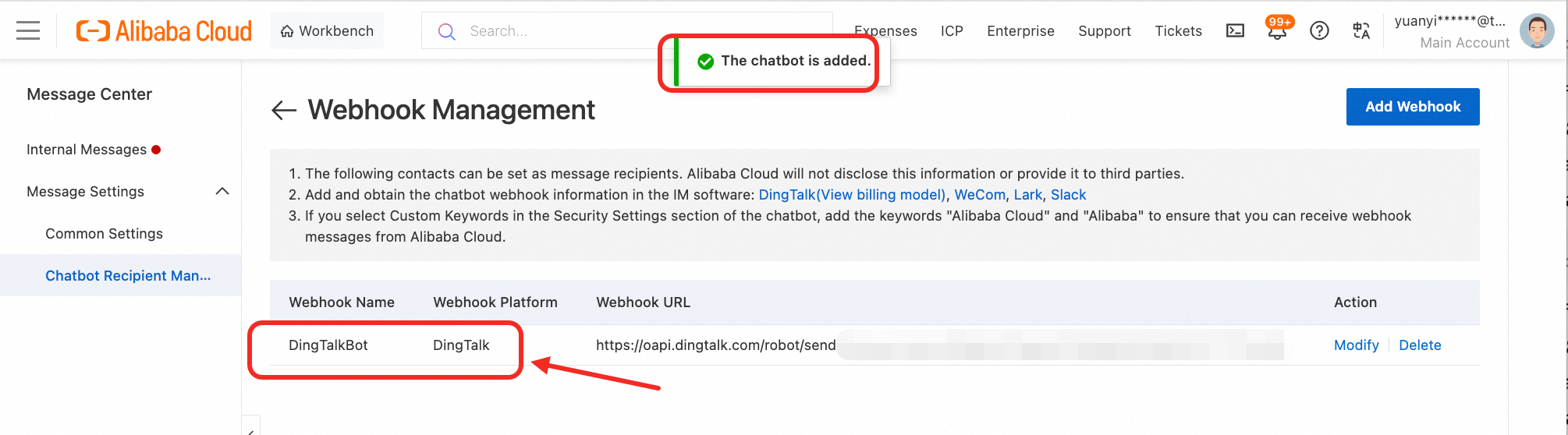
• Test Your Setup: After configuring the webhook, trigger a test notification to ensure that the bot is receiving messages correctly in your DingTalk group.
• Monitor Notifications: Regularly check the notifications received by the bot to ensure that relevant updates are being communicated.
• Set Up Filters: If the notifications from Alibaba Cloud can be overwhelming, consider setting up filters to focus only on critical alerts that require immediate attention.
• Document the Process: Keep a record of the setup process and the configuration for future reference. This will help you or your team replicate the setup if needed or troubleshoot issues more efficiently.
• Stay Updated: Check for updates from both DingTalk and Alibaba Cloud, as new features or changes in the API might enhance the functionality of your webhook bot.
PolarDB-X Best Practice Series (8): Lock-free DDL Operation Guide
PolarDB-X Best Practice Series (9): N Ingenious Uses for the TABLE_DETAIL View
ApsaraDB - May 21, 2025
Alibaba Clouder - October 26, 2018
Alibaba Cloud Indonesia - October 20, 2023
GXIC - June 11, 2019
Alibaba Clouder - May 20, 2020
Alibaba Cloud Community - July 15, 2022
 Best Practices
Follow our step-by-step best practices guides to build your own business case.
Learn More Dedicated DingTalk Solution
Organizations of any size can leverage DingTalk’s enterprise-exclusive APIs to quickly create customized mobile workspaces on DingTalk or mobile applications while taking full control of your business data.
Learn More DingTalk Solution
Alibaba's DingTalk is significantly helping us all to mitigate the medical, educational, and economic risks of the unforeseen COVID-19 outbreak.
Learn More Intelligent Service Robot
A dialog platform that enables smart dialog (based on natural language processing) through a range of dialog-enabling clients
Learn MoreMore Posts by ApsaraDB


