This topic describes how to clean up a repository, including deleting artifacts in batches, deleting a specific artifiact version, and deleting a repository.
When your organization reaches the storage quota for artifacts, you can choose to be charged on a Pay-as-you-go basis to expand the available space. We recommend that you monitor storage utilization to identify usage patterns. This allows for proactive cleanup of unnecessary or outdated artifacts, which helps maintain valuable storage resources.
Alibaba Cloud Devops Packages provides the following cleanup methods that you can use based on your scenario.
Configure repository retention and recycle policies
Packages provides a retention policy that allows you to configure policies for artifact retention. Based on your policies, Packages periodically cleans up artifacts that do not meet these conditions, which prevents outdated artifacts from taking up excessive storage space.
Packages provides a recycle bin policy that allows you to configure automatic cleanup of artifacts in the recycle bin. Once enabled, artifacts in the recycle bin are permanently cleared based on the specific policies, which prevents outdated artifacts that remain unused for an extended period from taking up excessive storage space.
Delete artifacts in batches
For unused artifacts in a repository, you can manually delete the artifacts in batches or delete specific versions of the artifacts.
Delete a specific artifact
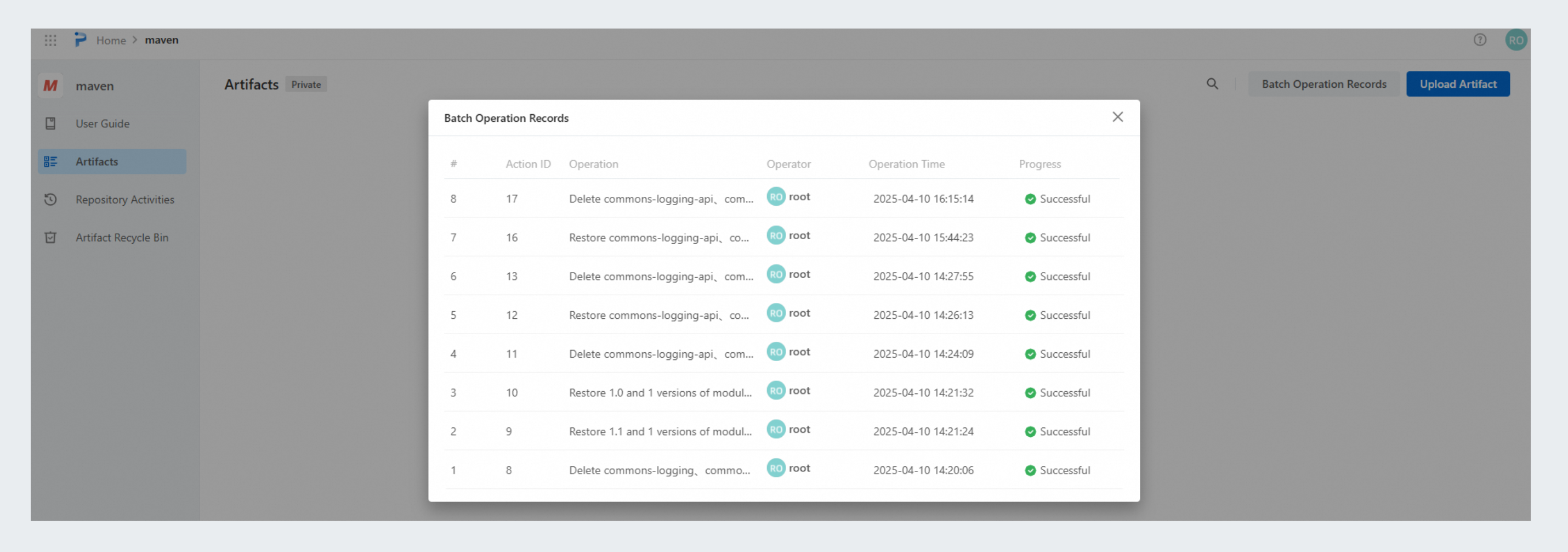
Go to the repository details page. In the left-side navigation pane, click Artifacts to view all artifacts in the repository. Select one or more artifacts and click Delete Artifact on top of the page to delete them in a batch. In the dialog box that appears, view the progress of the batch operation. The deleted artifacts are moved to the Artifact Recycle Bin, where you can recover or permanently delete them if needed.

Delete a specific version of an artifact
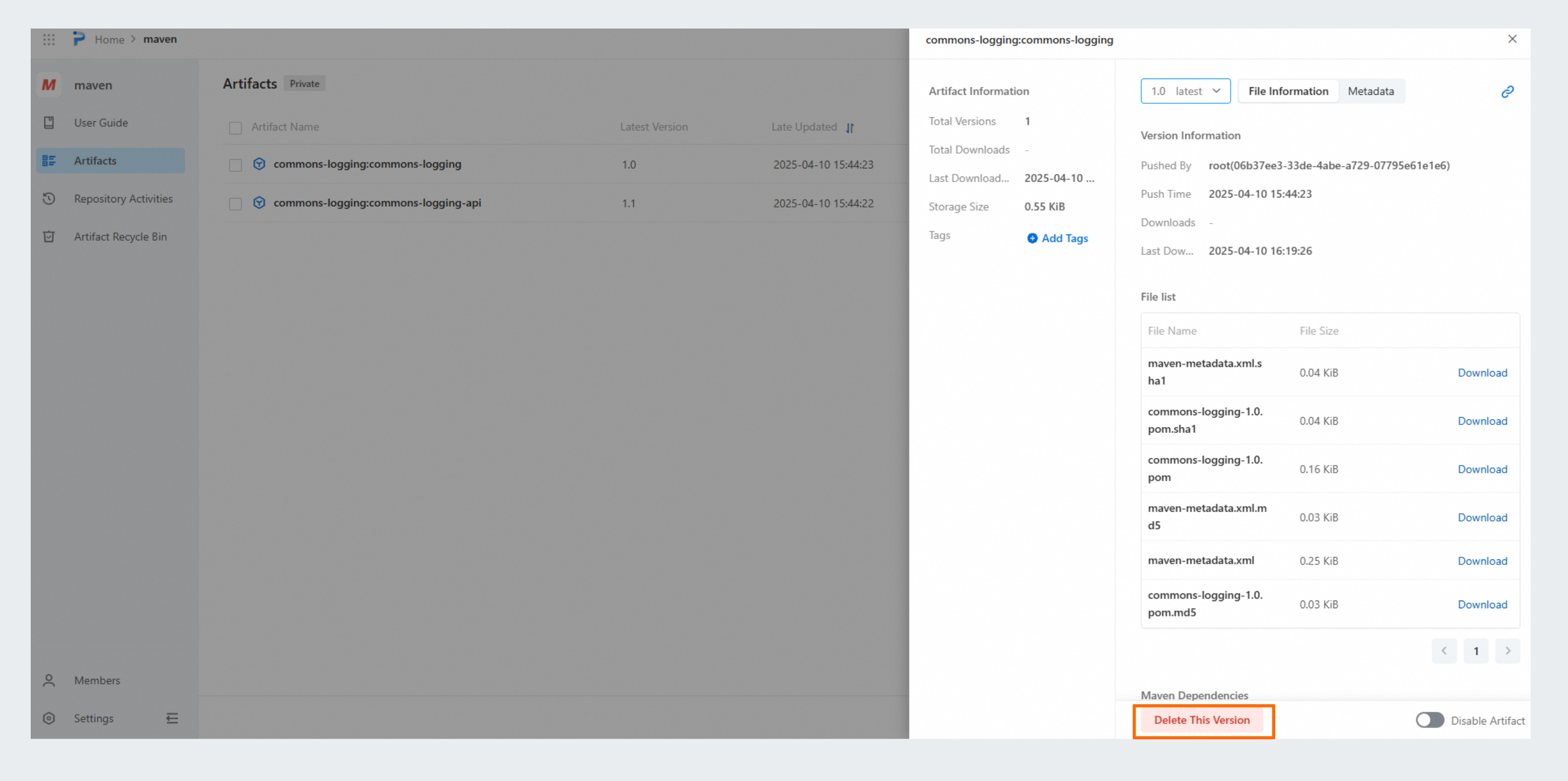
On the Artifacts page, click the name of the artifact that you want to manage. In the panel that appears, click Delete This Version to delete the artifact version. After the artifact version is deleted, you can recover this version from the artifact recycle bin.
Delete artifacts from the artifact recycle bin permanently
Go to the repository details page. In the left-side navigation pane, click Artifact Recycle Bin. Select one or more artifacts that you want to delete permanently and click Permanently Delete on top of the page to delete them in a batch. In the dialog box that appears, view the progress of the batch operation. Artifact packages permanently deleted from the recycle bin cannot be recovered. Please proceed with caution.

Delete a repository
For an unused repository in your organization, you can delete the entire repository.
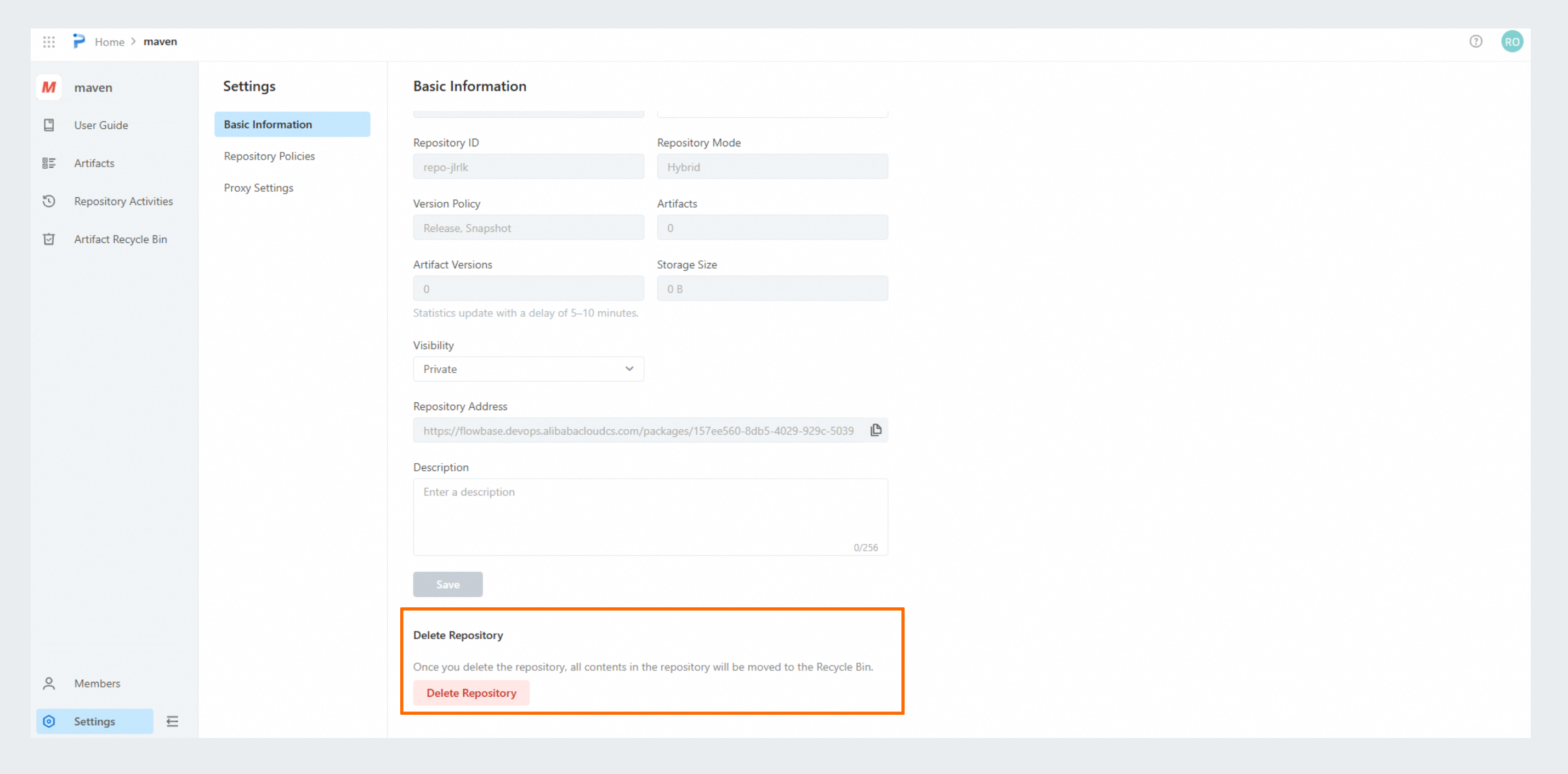
Log on to Packages. In the left-side navigation pane, click Repository. On the page that appears, click the repository that you want to manage. In the left-side navigation pane, click Settings and click Delete Repository to delete the entire repository. The deleted repository is moved to the Repository Recycle Bin, where you can recover or permanently delete it if needed.