This topic describes how to configure repository policies in Alibaba Cloud DevOps Packages, including artifact retention policy, artifact overwrite policy, and artifact recycle bin policy. These policies help you efficiently manage repositories.
Enable retention policy
Navigate to the repository details page and click the repository you want to manage. In the navigation pane on the left, click . Based on the retention policies, Apsara Devops Packages periodically removes artifacts that do not meet the defined criteria, preventing outdated artifacts from occupying excessive storage space. If multiple retention conditions exist, any artifact failing to meet any condition will be removed. Cleanups occur between 00:00 and 6:00, and you can view deletion records in the repository activities the next day.
Retain artifact versions that are updated or downloaded only within the last xx days: For artifact packages in this repository, retain artifact versions that are updated or downloaded only within the last xx days.
Retain a maximum of xx timestamp versions for each snapshot: This policy applies only to Maven snapshot repositories. For each snapshot artifact, a maximum of xx timestamp versions are retained per version.
Allow artifact overwrites
Navigate to the repository details page and click the repository you want to manage. In the navigation pane on the left, click . You can enable or disable the overwrite policy. If you enable this policy, you can push artifacts with duplicate names and versions to overwrite existing versions. If you disable it, pushing artifacts with duplicate names and versions will fail.
For Maven repositories specifically, enabling the overwrite policy allows pushing Release artifacts with the same artifact name and version, overwriting the old artifact version. If you disable the overwrite policy, pushing Release artifacts with the same artifact name and version fails. Snapshot artifacts always allow overwrites.

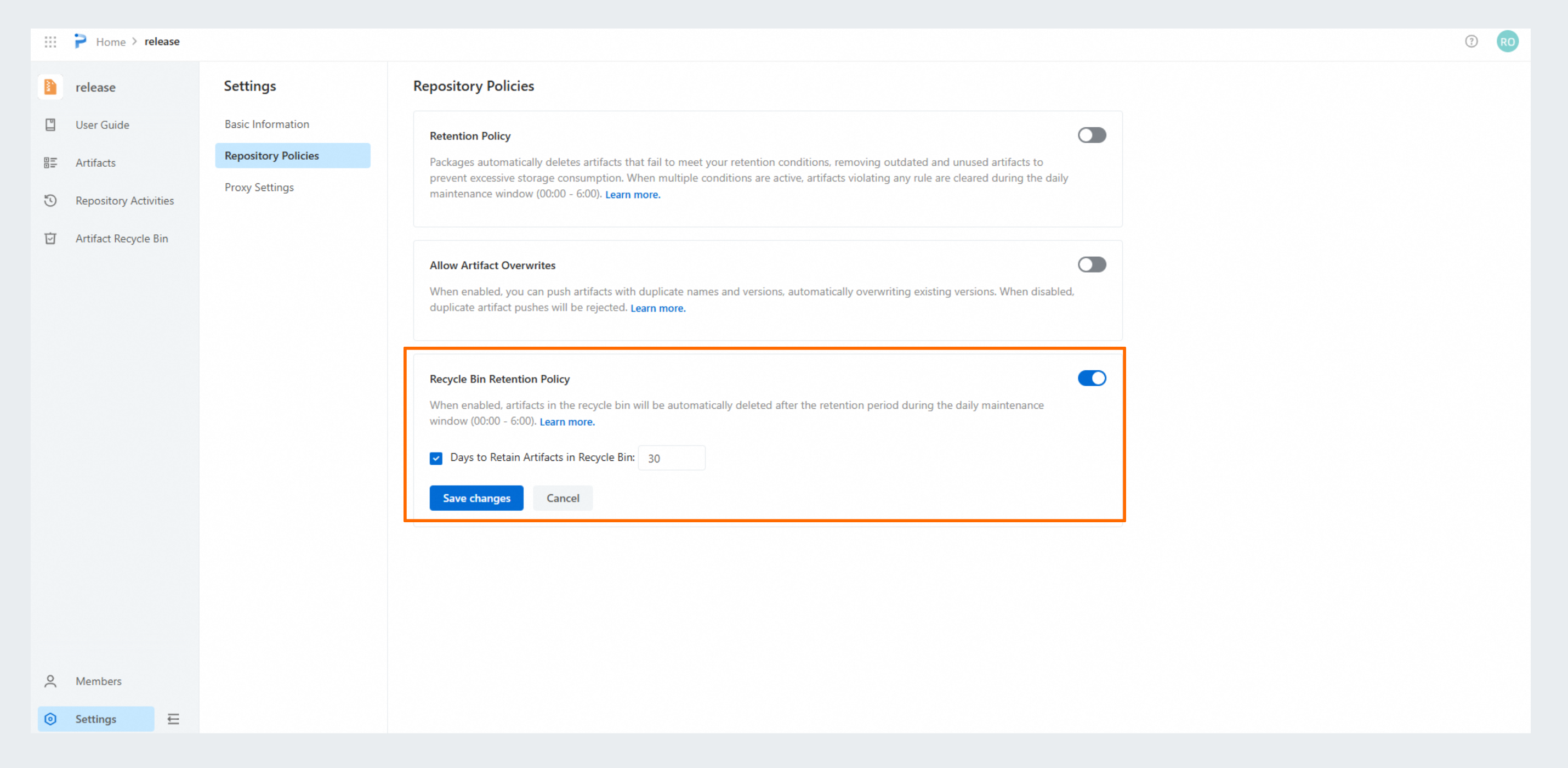
Recycle bin retention policy
Navigate to the repository details page and click the repository you want to manage. In the navigation pane on the left, click . When enabled, artifacts in the recycle bin are automatically cleaned up based on the configured policy during the daily maintenance window from 00:00 to 6:00. You can view the artifact deletion records the next day.
Artifacts in the recycle bin are permanently deleted after xx days: After an artifact is deleted from the artifact list, it is moved to the artifact recycle bin. If this policy is enabled, artifacts in the recycle bin are permanently deleted after xx days. Permanently deleted artifacts cannot be recovered. Proceed with caution.