This topic describes how to view the storage resource usage and detailed information about Alibaba Cloud DevOps Packages.
Organization storage resource usage
Go to the Repositories page. In the left-side navigation pane, click Resource Usage. You can view the storage size, storage usage, and historical storage usage for a repository in the current organization. To view specific subscription information, click the account in the upper-right corner of the page and click Organization Settings. In the left-side navigation pane, click Resource Usage.
The storage size is the total amount of storage occupied by all the repositories under the current organization, including the size for the artifact lists within the repositories, the size for the artifact recycle bins within the repositories, and the size for the recycle bins of the repositories under the organization.
When the total storage size of an organization reaches the upper limit, the organization cannot upload new artifacts. If needed, you can choose to be charged on a Pay-as-you-go basis to obtain unlimited resources.
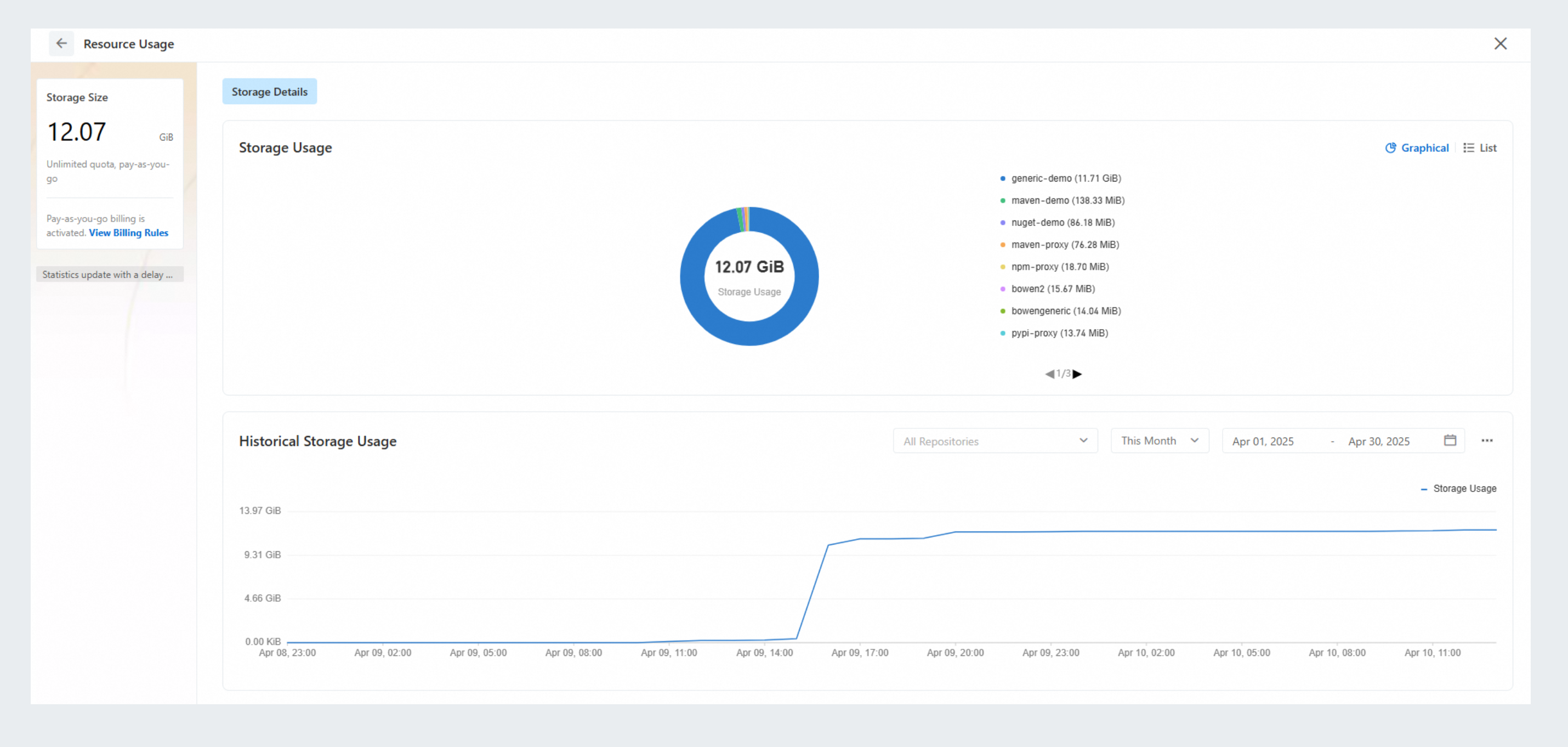
Storage size is not calculated in real time and has a latency of approximately 5 to 10 minutes.
Storage usage
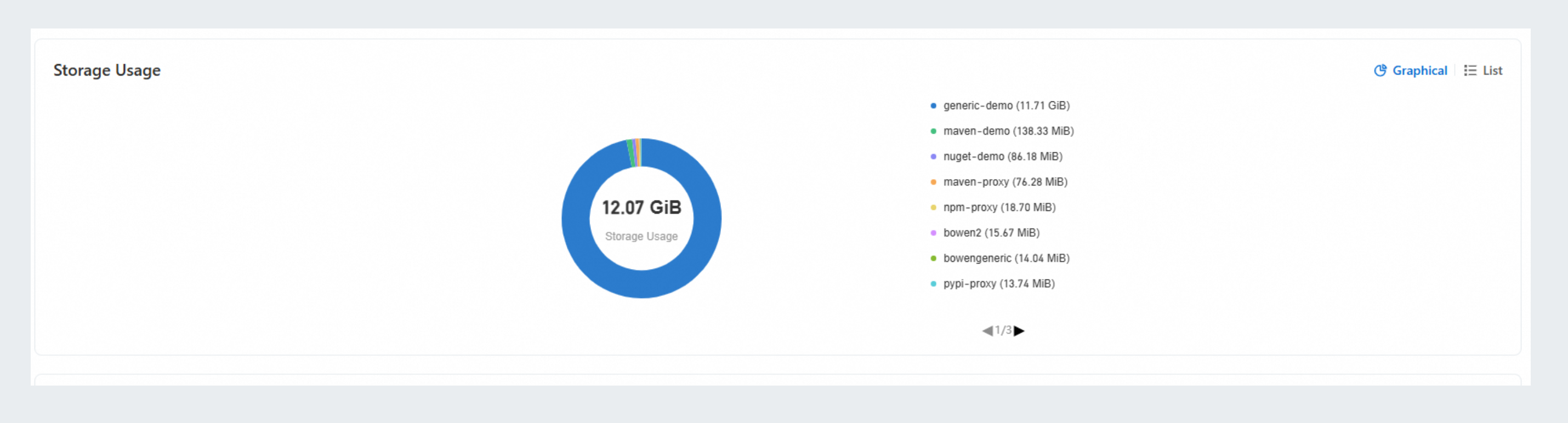
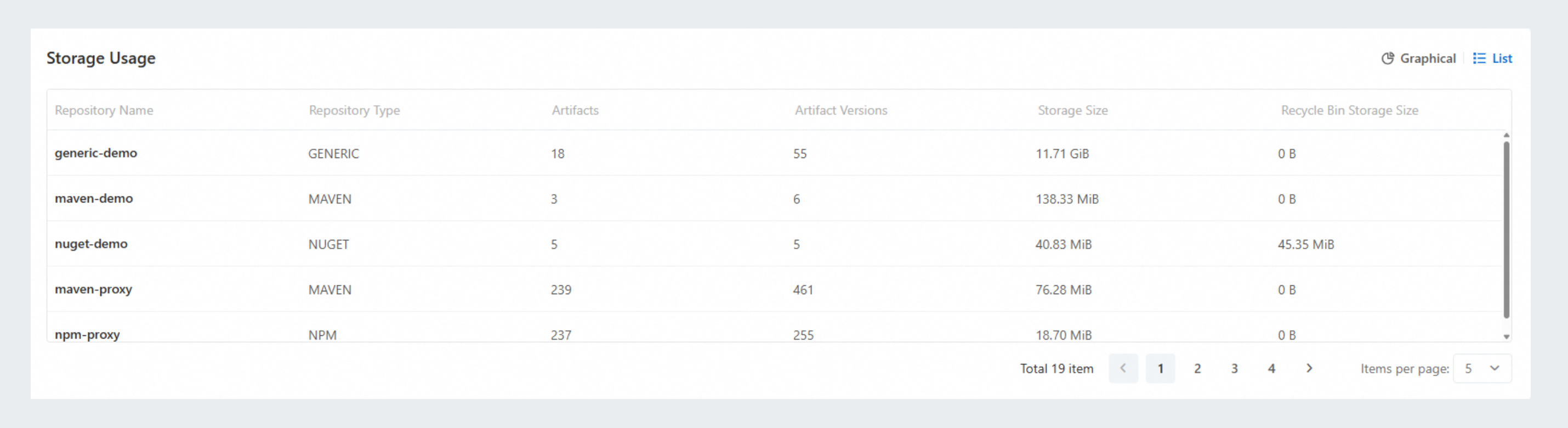
Go to the Repositories page. In the left-side navigation pane, click Resource Usage. In the Storage Usage section, view the storage usage distribution of all repositories in the current organization.
You can view the storage usage distribution of each repository in a pie chart.
You can view the storage details of each repository in a list, including the number of the artifacts, the number of artifact versions, storage size, and recycle bin storage size.
Historical storage usage
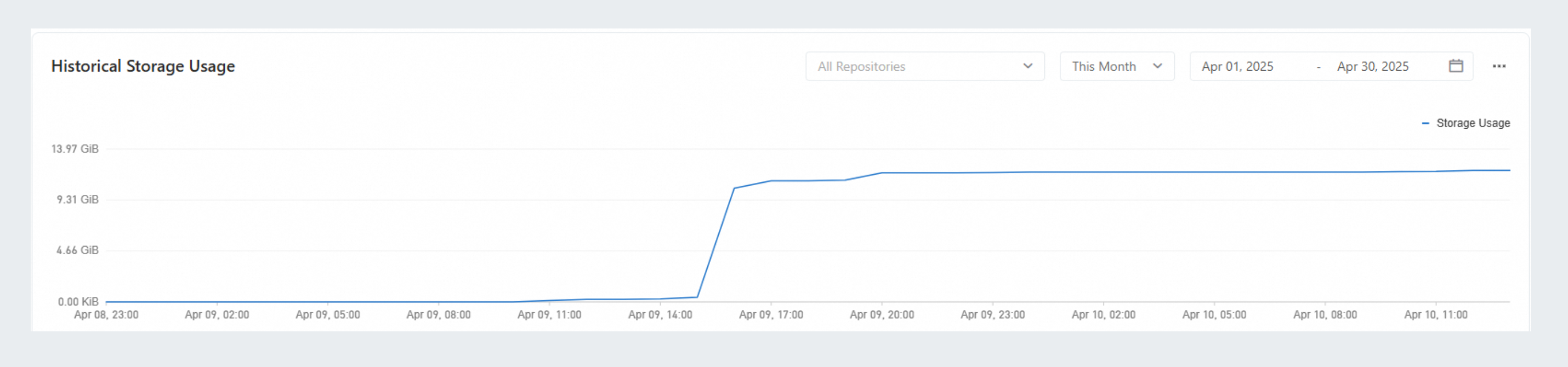
Go to the Repositories page. In the left-side navigation pane, click Resource Usage. You can view the historical storage usage trend of the current organization.
You can view the storage usage trend by time period, with the default period set to the current month. You can select a custom time period of up to 90 days. If the time period is 31 days or less, all data points are displayed. If the time period exceeds 31 days, data is displayed at 00:00 each day.
X-axis: the time, the storage usage is recorded at hourly intervals.
Y-axis: the storage usage, the total storage size occupied by all repositories under the organization is displayed.
You can export the raw storage usage data points for statistical analysis as needed.
Single repository storage details
Go to the Maven repository details page. In the left-side navigation pane, click Artifacts. On the page that appears, view Storage Size of specific artifact versions.
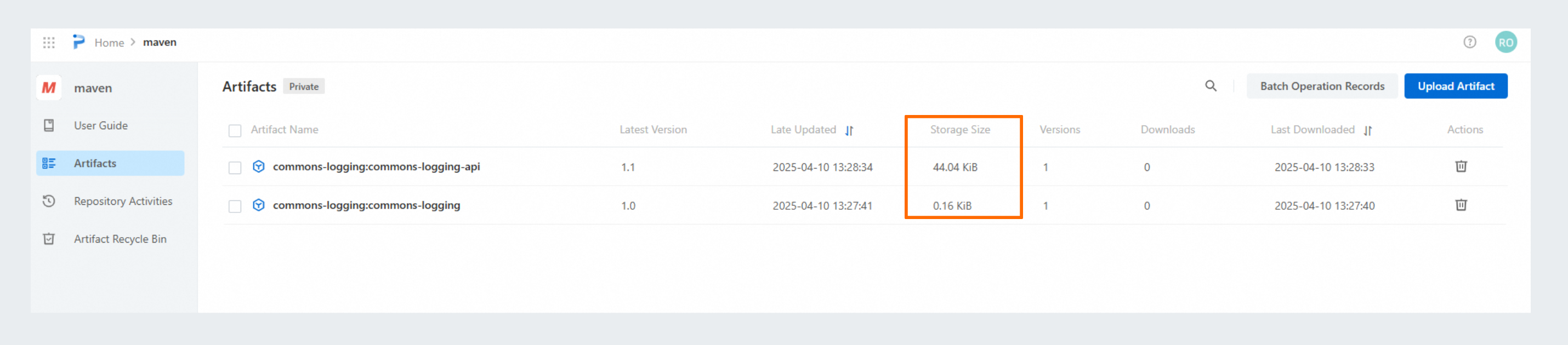
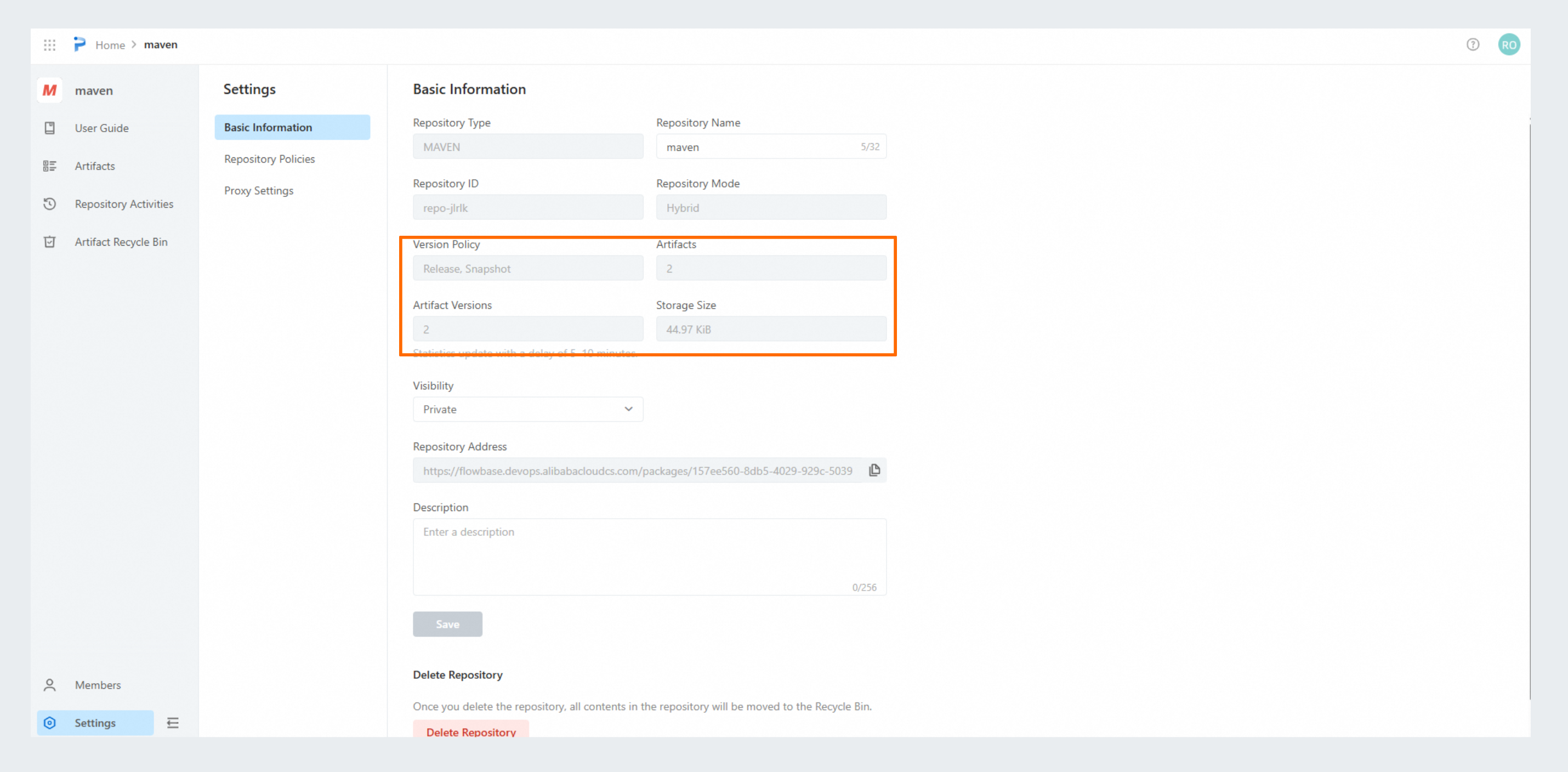
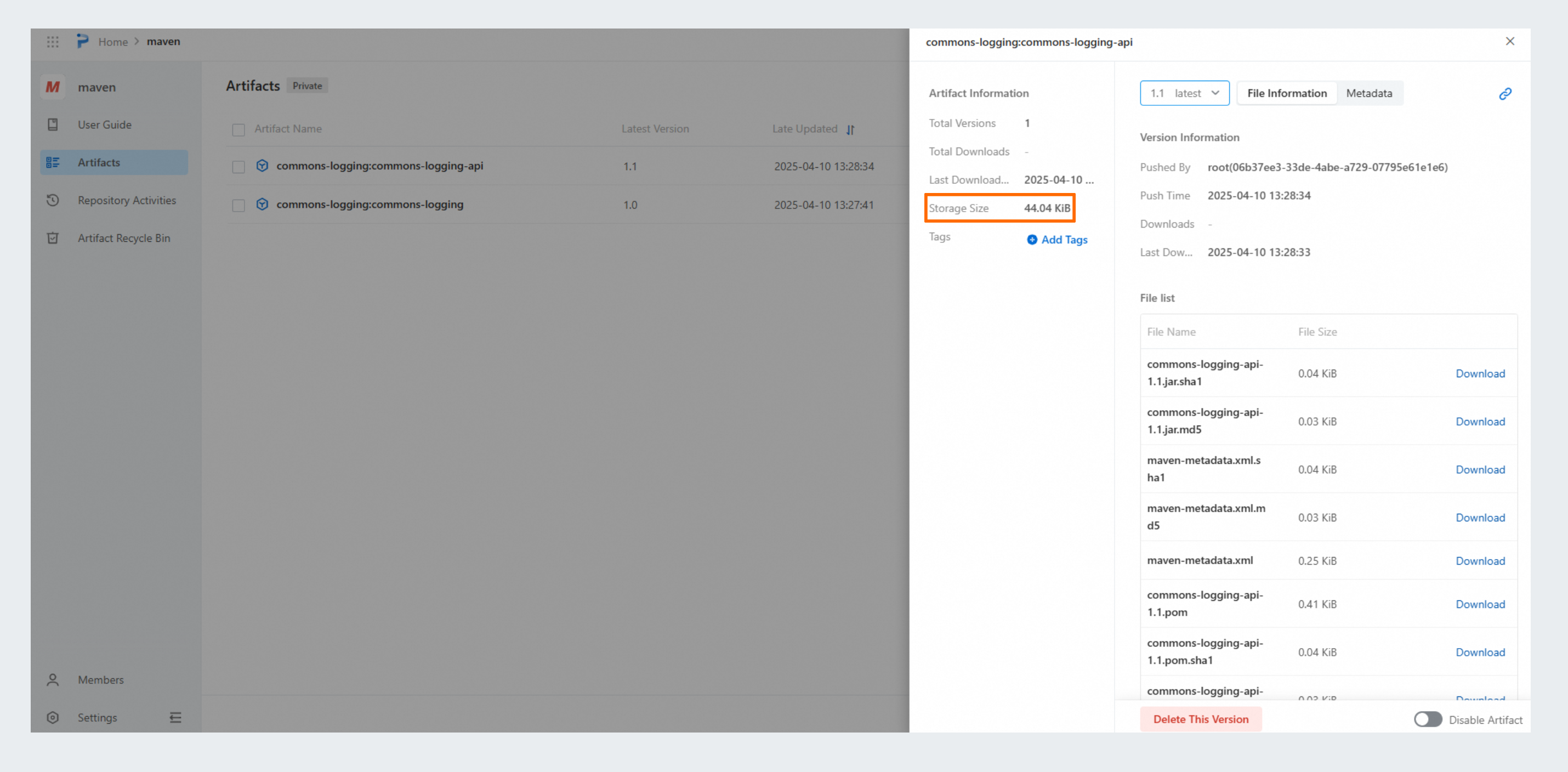 Go to the Maven repository details page. In the left-side navigation pane, Click Settings. On the page that appears, view the Artifacts, Artifact Versions, and Storage Size parameters in the current repository. The storage size is not calculated in real time and has a latency of approximately 5 to 10 minutes.