View SLS consumption details, monitor Logstore storage usage, and stop Logstore billing.
View storage usage or consumption details
Use CloudLens for SLS or BSS BI to visualize storage usage.
Cost Manager and CloudLens for SLS do not immediately show historical bills after activation. Query historical bills in Billing Management instead.
CloudLens for SLS
-
Log on to the SLS console.
-
On the right side, click Usage Details.
-
View the Billable Resource Monitoring report. Billable Resource Monitoring.
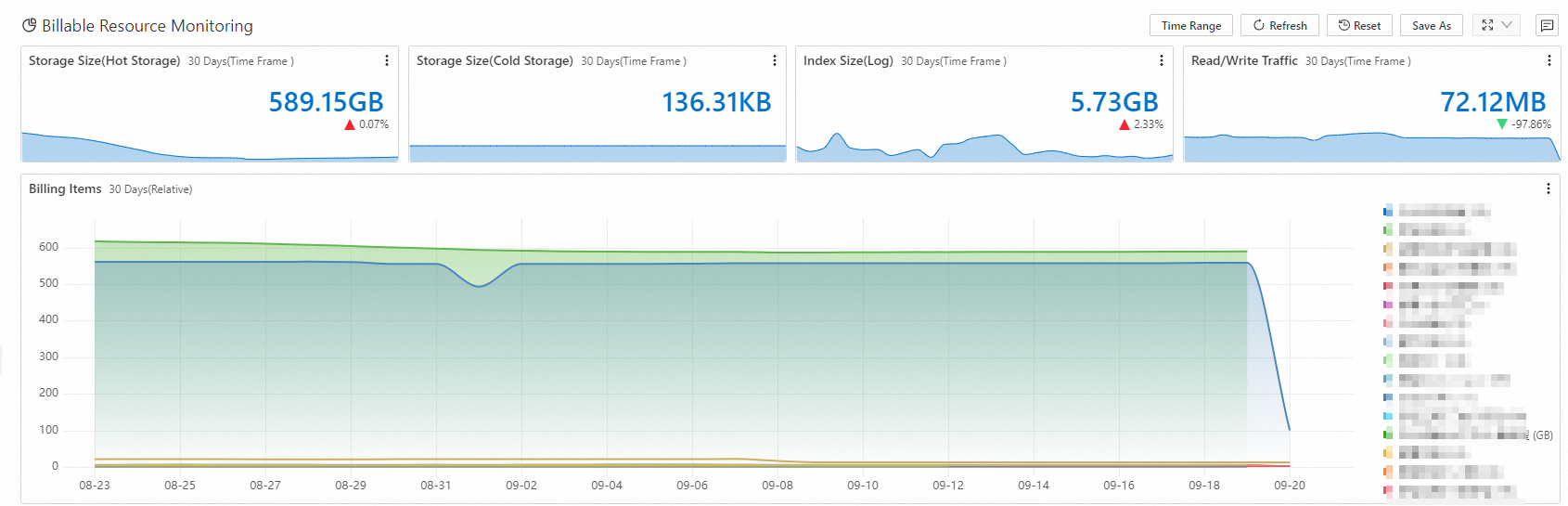
BSS BI
-
Log on to the SLS console.
-
On the Business Analysis tab, click Cost Manager.
-
In the left-side navigation pane, choose . FAQs about BSS BI.
How do I delete a specific log from a Logstore? How do I reduce log storage costs?
Delete a specific log: You can delete logs only by changing the data retention period of a Logstore. After the retention period of a log ends, the log is automatically deleted.
Reduce log storage costs:
You can query Simple Log Service bills. For more information, see How do I query the storage usage and consumption records of Simple Log Service?
You can shorten the data retention period of a Logstore. For more information, see How do I delete logs?
You can enable the tiered storage feature and transfer data from the hot storage tier to the Infrequent Access (IA) storage tier or Archive storage tier. For more information, see Overview of tiered storage.
You can download logs to your computer or ship logs to Object Storage Service (OSS) for storage. For more information, see Download logs and Create an OSS data shipping job (new version).
How do I stop being billed for a Logstore?
If a Logstore exists, you are charged for active shards regardless of whether the Logstore is used. For more information, see Why am I charged for active shards? For more information about how to stop being billed for Simple Log Service, see How do I deactivate Simple Log Service or stop being billed for Simple Log Service?