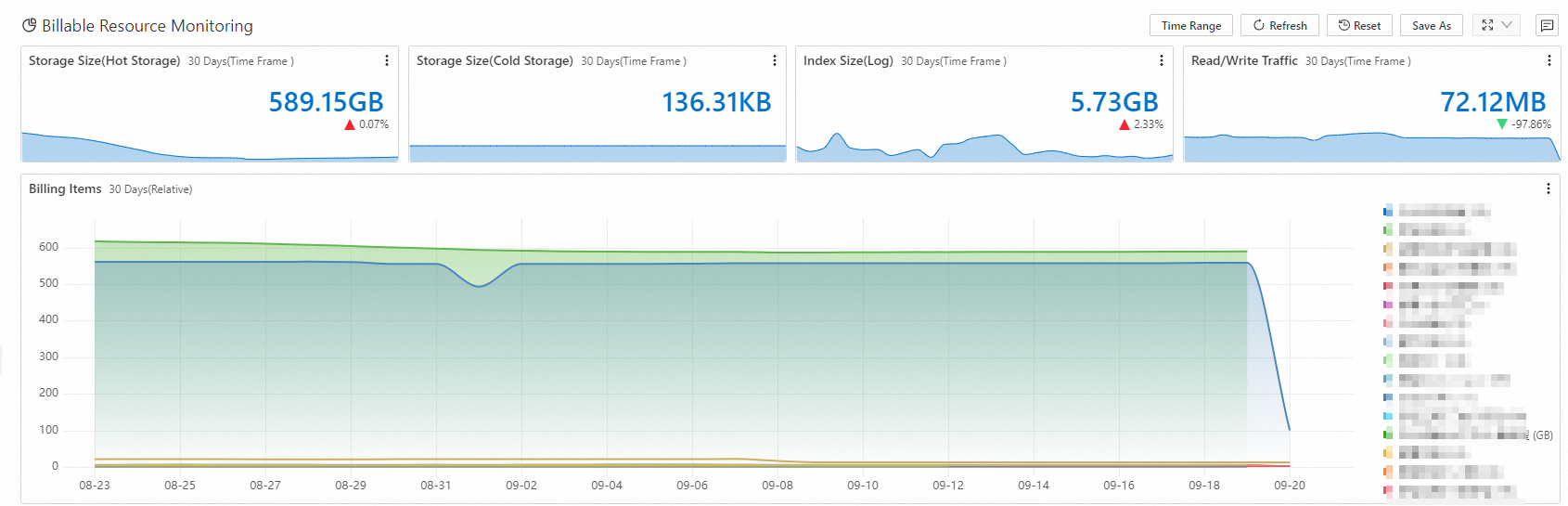
CloudLens for SLS provides out-of-the-box dashboards to analyze and monitor your Simple Log Service usage.
Prerequisites
The log collection feature must be enabled for important logs, detailed logs, job run logs, audit logs, billing logs, error logs, and metrics in the target project. For more information, see Enable the log collection feature.
Procedure
-
Log on to the Simple Log Service console.
-
In the Log Application section, on the Cloud Service Lens tab, click CloudLens for SLS.
-
In the left-side navigation pane, under Report Center, click the target report.
-
In the upper-left corner of the page, select the target project.
Overview
The Overview dashboard displays information about your Simple Log Service project, including charts for read/write request counts, read/write request success rates, 4xx request counts, 5xx request counts, write traffic (raw size), write traffic (compressed), write traffic compression ratio, and read traffic.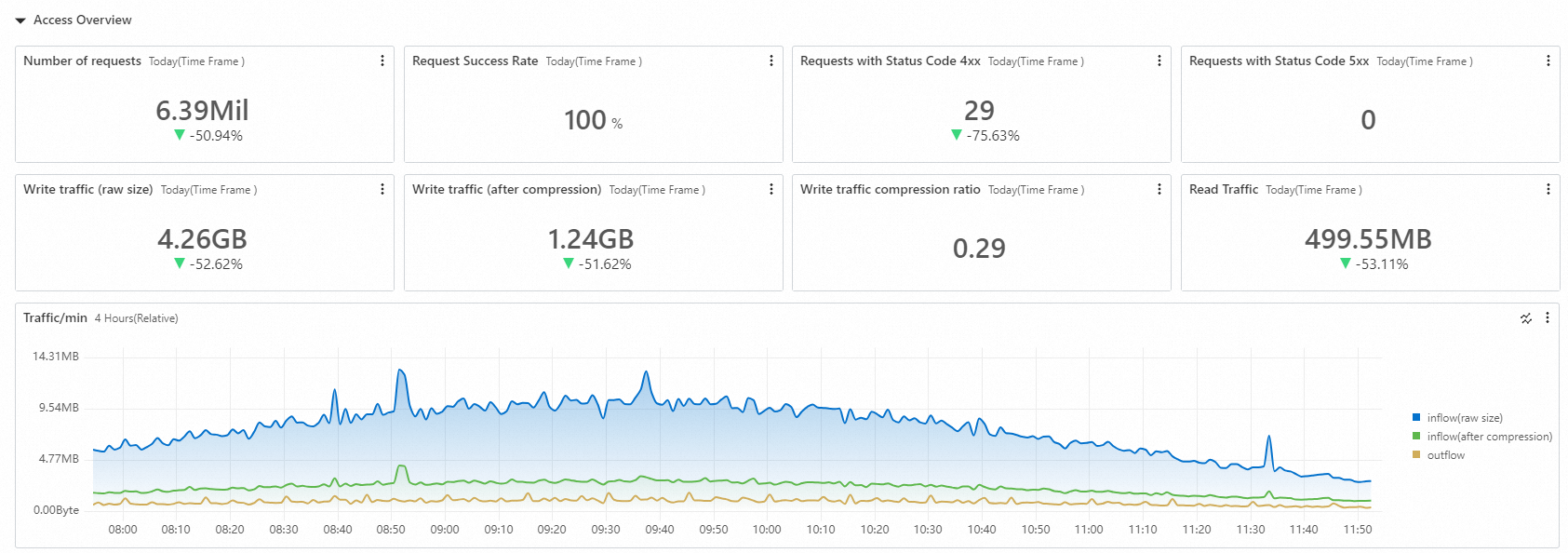
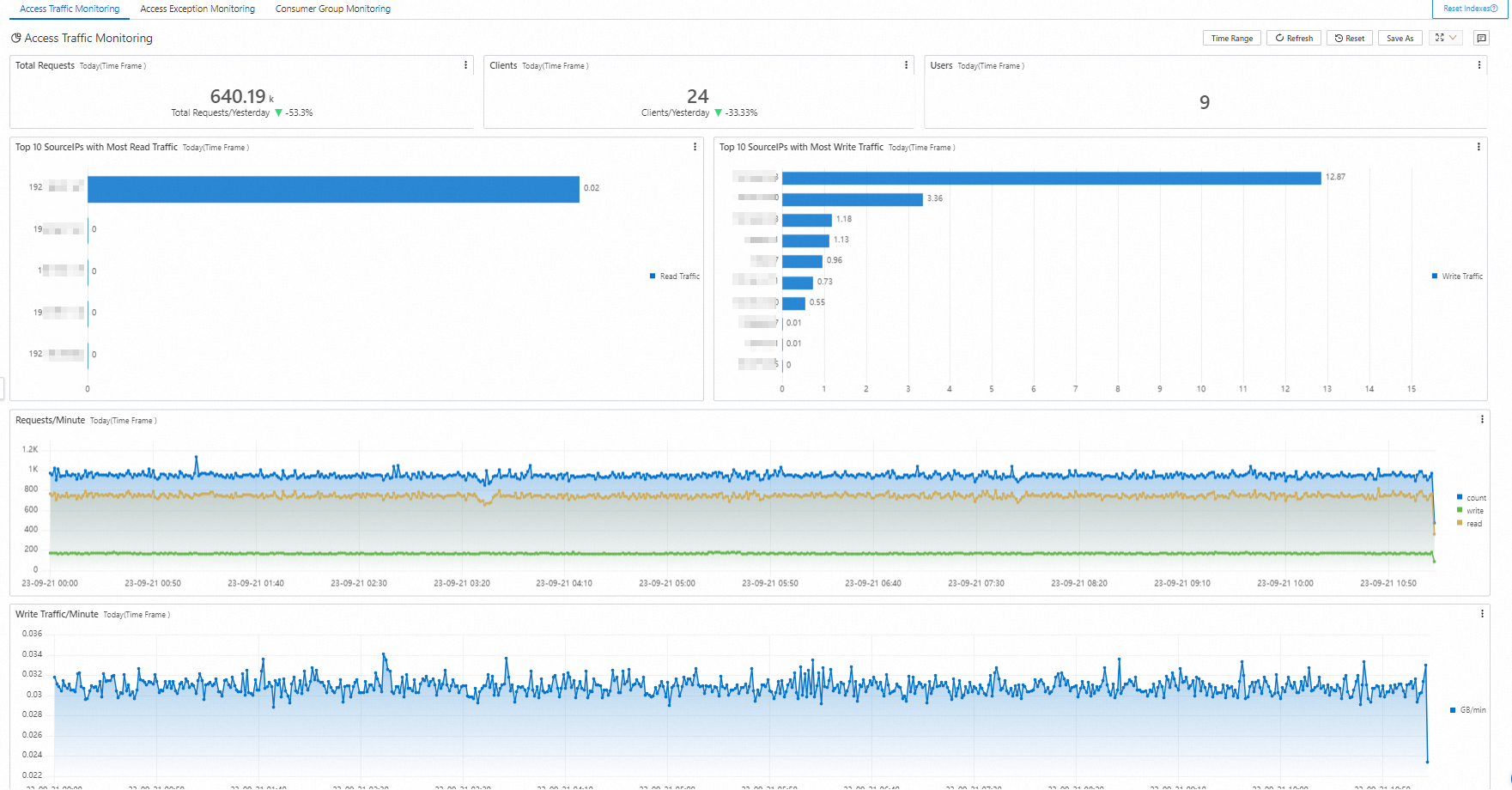
Access traffic monitoring
The Access Traffic Monitoring dashboard shows access activity in Simple Log Service. It includes charts for today's total requests, number of clients, total users today, Top 10 source IPs by read traffic, Top 10 source IPs by write traffic, request count, write traffic, shard write traffic trends, shard consumption traffic trends, per-minute read/write traffic changes, and access source distribution.
Access exception monitoring
The Access Exception Monitoring dashboard displays abnormal access information for Simple Log Service. This includes charts for today's total requests, failed request ratio, rate-limiting errors, request error status distribution, Logstores that exceed write limits, number of request exceptions, and request processing latency trends.
Consumer group monitoring
The Consumer Group Monitoring dashboard shows information about consumer groups. It includes charts for the number of consumer groups, number of consumed Logstores, number of consumed shards, consumption lag, data percentage by consumer group, consumer group list, Top 10 consumer groups by consumption lag, and consumption lag duration.
Logtail overall status
The Logtail Overall Status dashboard displays information about Logtail. It includes charts for the number of active Logtail agents, raw data traffic, running status distribution, memory usage distribution, overall Logtail status, CPU trends, memory trends, and sent data traffic.
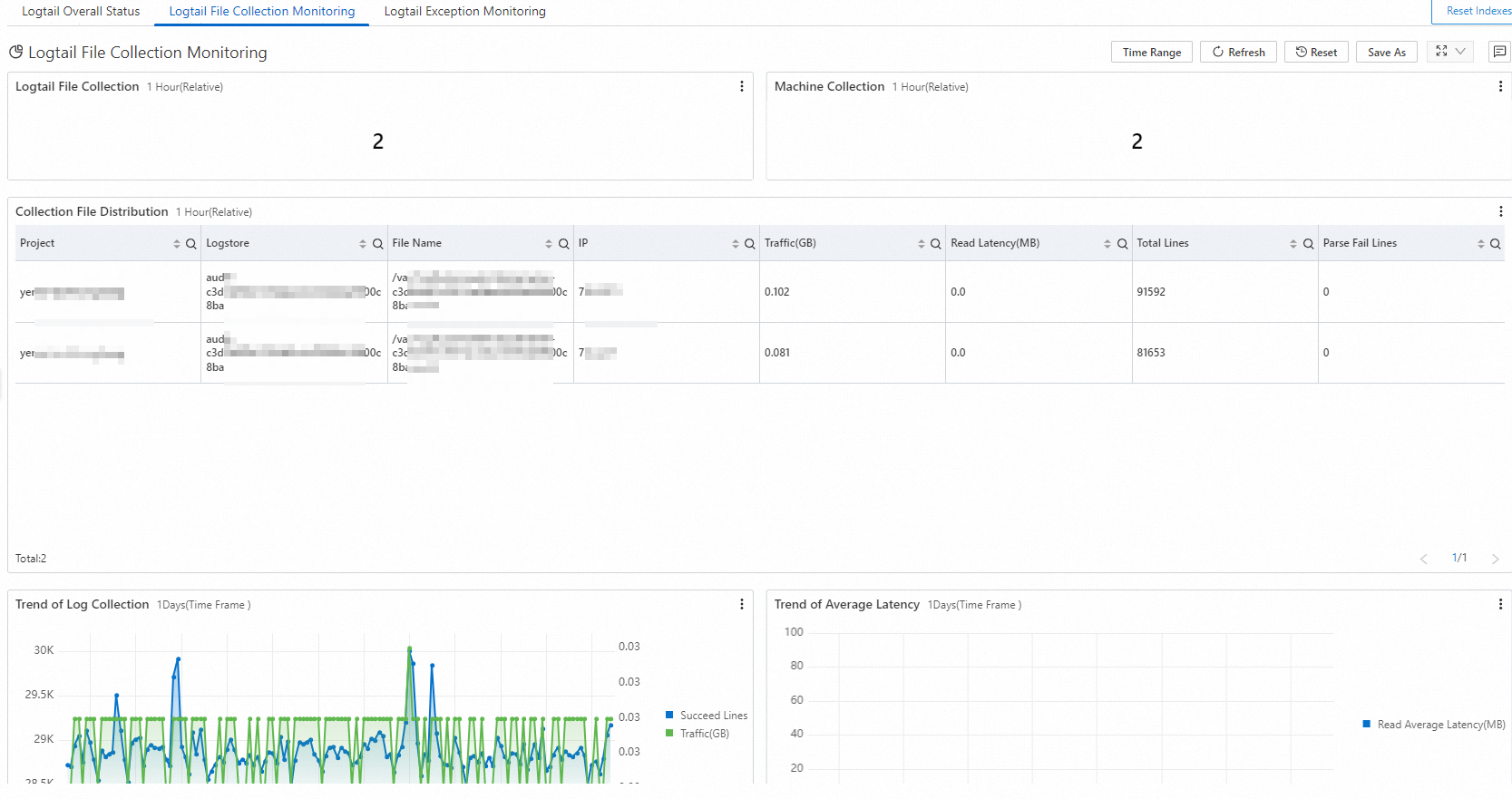
Logtail file collection monitoring
The Logtail File Collection Monitoring dashboard displays information about files to be collected. It includes charts for the number of files to collect, number of collector machines, collected file distribution, collected log volume, average collection latency, parse failure rate, and send count trends.
Logtail exception monitoring
The Logtail Exception Monitoring dashboard displays Logtail exception information. It includes charts for the number of active Logtail agents, a list of restarted Logtail agents, the number of restarted clients, and full error information.
The full error information section includes categories such as Critical errors (must be handled), Logtail write exceptions (must be handled), Duplicate log file configuration issues (MULTI_CONFIG_MATCH_ALARM), Directory count exceeding limit issues (STAT_LIMIT_ALARM, DIR_EXCEED_LIMIT_ALARM), and Logtail configuration exceptions (CATEGORY_CONFIG_ALARM). A table in each category displays the most recent occurrence time, IP address, alarm type, alarm count, and alarm details.
Operation monitoring
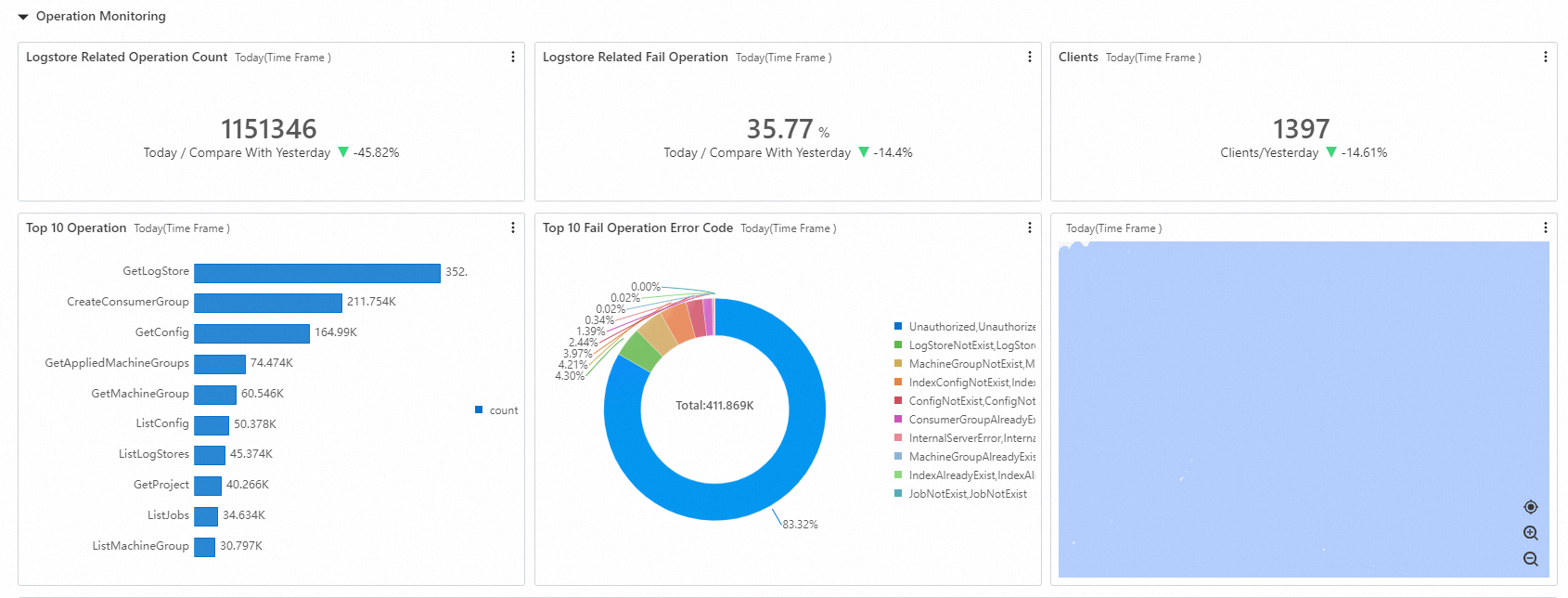
The Operation Monitoring dashboard shows operation records for Simple Log Service. It includes charts for the total number of Logstore operations, the failure rate of Logstore operations, and the number of operating clients.
Job monitoring
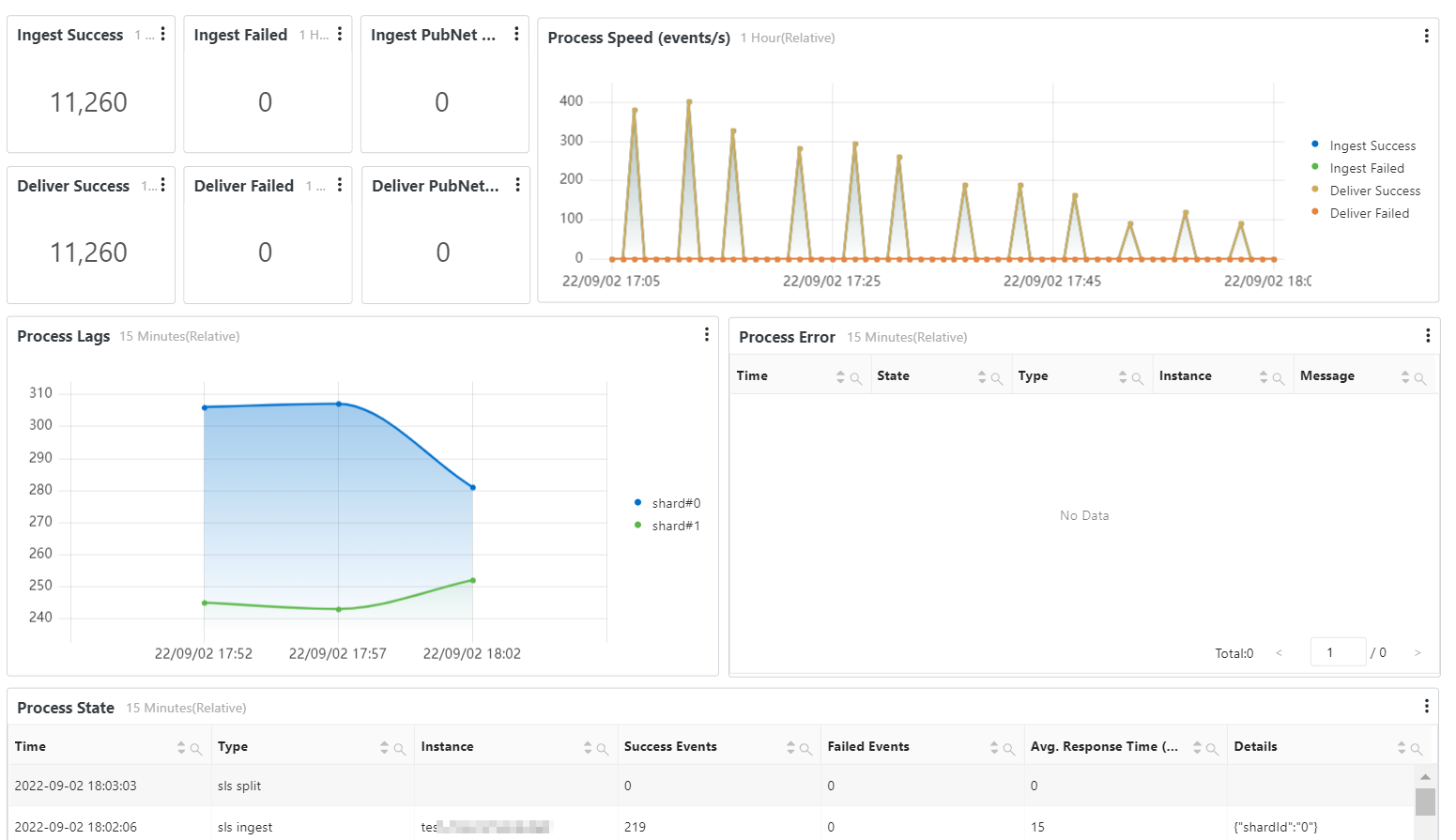
The Job Monitoring dashboard shows the running status of data import jobs (new), data shipping jobs (new), or Scheduled SQL jobs. It includes charts for successful read count, failed read count, successful write count, failed write count, public network read traffic, public network write traffic, processing rate, processing lag, and running exceptions.
Quota monitoring
The Quota Monitoring dashboard displays information about resource quota overruns. It includes charts for the 80% watermark alert overview for resource quotas, quota overrun distribution, Logstore watermark percentage distribution, machine group watermark percentage distribution, Logtail configuration watermark percentage distribution, project write traffic watermark percentage distribution, project basic resource quota details, project data read/write resource quota details, and project resource overrun details.
SQL quality monitoring
The SQL Quality Monitoring dashboard provides a multi-dimensional analysis of your SQL queries. It includes an overview, SQL service metrics, SQL Pattern analysis, and optimization suggestions to help you monitor and optimize SQL queries and improve analysis efficiency.
The report can include the following five sections:
-
Overview
-
SQL Service Metrics
-
Running Detail Metrics
-
SQL Pattern Analysis
-
Optimization and Suggestions
Overview
This section displays the SQL Health Score, SQL Usage Report, and SQL Overall Performance to help you quickly assess the overall status of your SQL queries.
At the top of the page, you can filter results by using the ParentAccount, Project, and Logstore drop-down lists. The SQL Health Score is displayed in a large font. The SQL Usage Report details the usage of SQL analysis, including the number of participating projects and Logstores and the total number of requests. It also highlights the most frequently used resources, top UserAgents, request success rate, and major error types with optimization suggestions. The SQL Overall Performance section includes metrics such as average latency, P50 latency, P95 latency, average processed data volume, average processed rows, average returned rows, and estimated average concurrency.
SQL health score
Health score formula: (1 - Query failure rate) * 100.
SQL service metrics
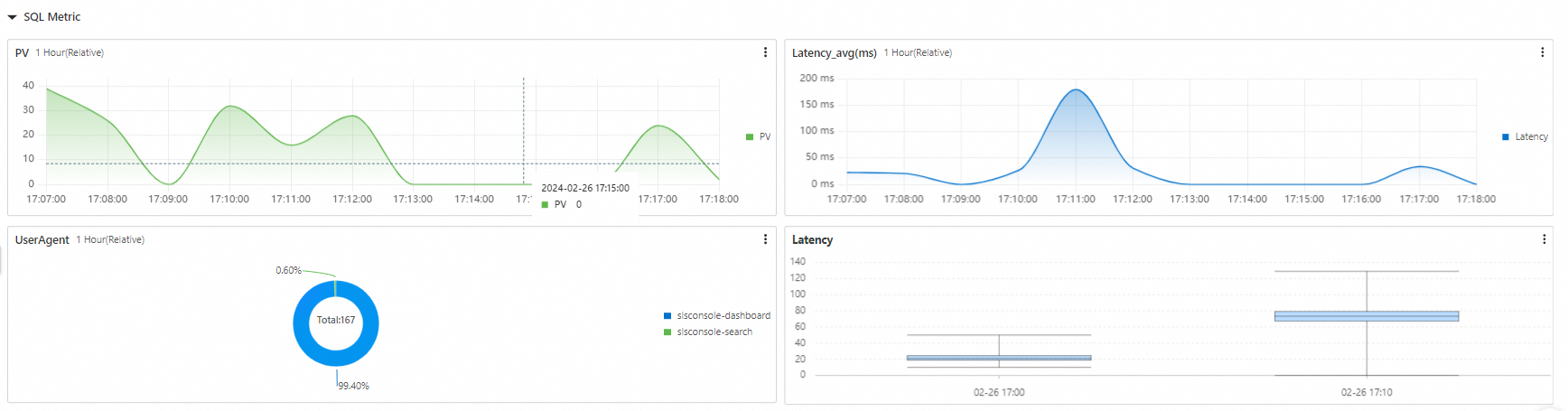
This section describes the overall service metrics for SQL usage, including the number of requests per minute (PV), average latency, User-Agent distribution, and latency distribution.
SQL runtime metrics
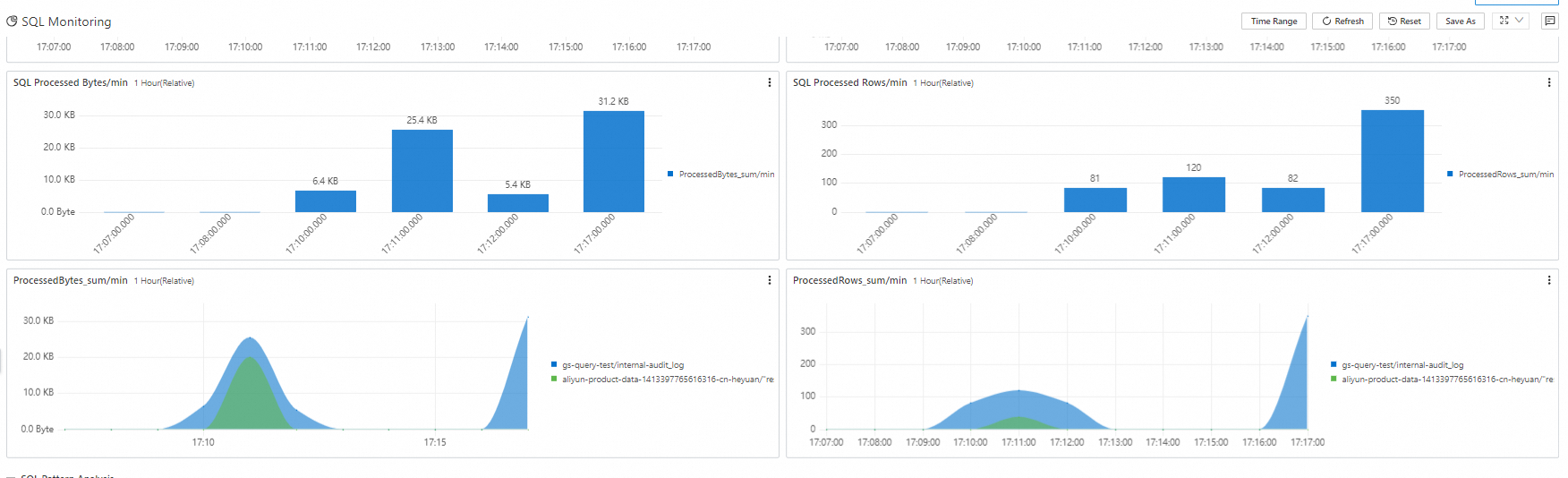
This section describes the core metrics of the internal SQL runtime, including concurrent request volume, latency at each stage, SQL-processed data volume per minute, and SQL-processed rows per minute.
SQL pattern analysis
This section processes SQL queries by using templates and aggregates them into SQL Patterns. This helps you identify SQL characteristics, the top SQL Patterns by execution count, and the top SQL Patterns by resource consumption.
The SQL Pattern analysis page displays a table with metrics for each SQL Pattern, including the corresponding project, Logstore, request percentage, average latency, average processed data volume, and average processed rows. You can sort by these metrics to identify the top SQL Patterns.
Optimization and suggestions
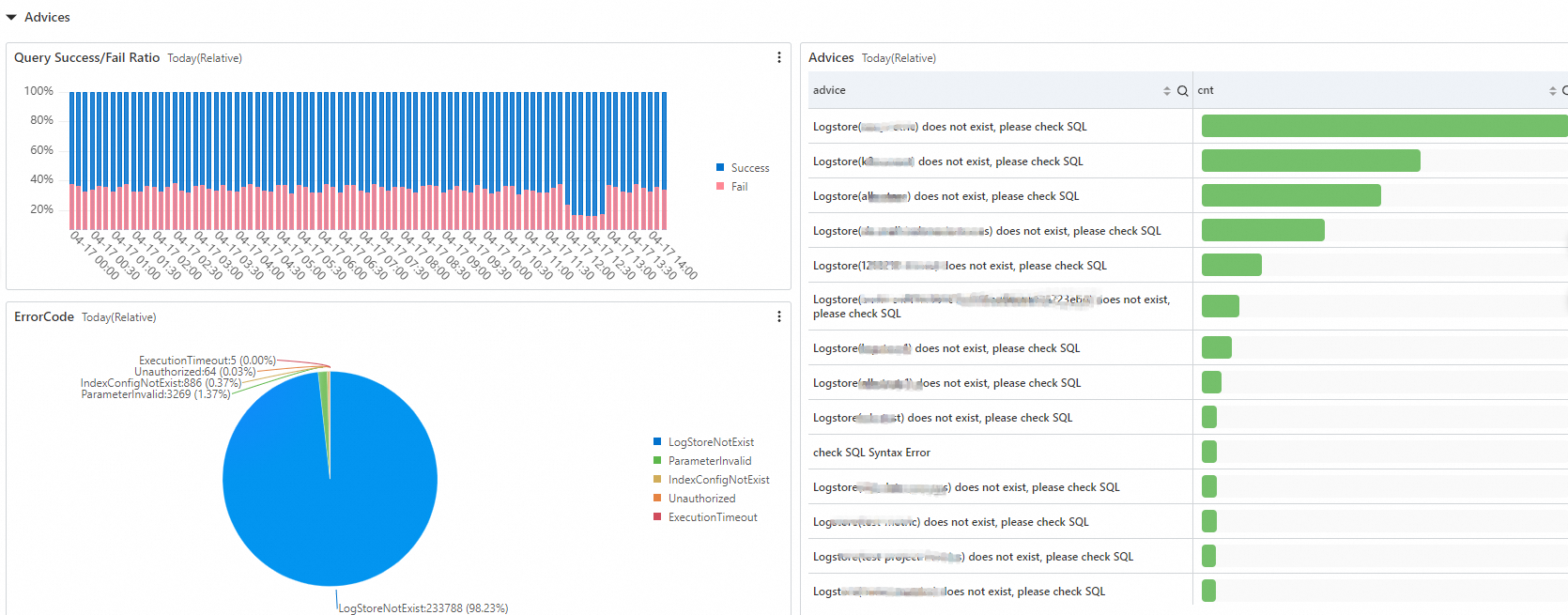
This section provides suggestions to improve SQL execution by analyzing SQL queries with execution errors.
Billable resource monitoring
The Billable Resource Monitoring dashboard displays information about billable resources for Simple Log Service. This includes hot storage, cold storage, index traffic, read/write traffic, usage trends for billable items (after resource plan deduction), top project usage details, and top Logstore usage details.