When you encounter issues with the Secure Access Service Edge (SASE) client, use the built-in feedback form to report the problem directly to the technical support team.
Prerequisites
Before you begin, ensure that you have:
Installed the SASE client
Logged on to the SASE client
For instructions, see Install and log on to the SASE client.
Submit feedback
On the SASE client, click Feedback.
In the Feedback dialog box, enter your problem description and contact information.
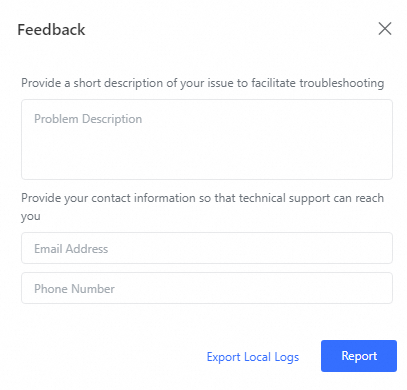
Click Report.
The technical support team will review your submission and help identify the problem.
FAQ
The SASE client is behaving unexpectedly. Where do I start?
Run the built-in diagnostics first — it covers the most common connectivity and configuration issues. See Diagnose issues.
I'm seeing an error code in the SASE client. What does it mean?
Check Network diagnostics-related error codes of the SASE client for the full list of error codes and their solutions.