The Quick BI Open Platform lets third parties embed reports, query data through APIs, and extend functionality with custom components and templates.
Starting January 4, 2024, Chrome and Edge will begin to phase out third-party cookies to address user privacy tracking across top-level domains.
Quick BI has upgraded its cookies accordingly. After the upgrade, embedded Quick BI pages still work, but login state cannot synchronize across different primary domains. For example, if a.com and b.com both embed Quick BI pages, users must log in to each domain separately. To avoid this, use the same domain name or a logon-free embedding solution.
Notes:
1. Logon-free embedding is not affected.
2. If you cannot log in to external pages embedded in Quick BI, update them per Chrome's requirements.
Business scenarios
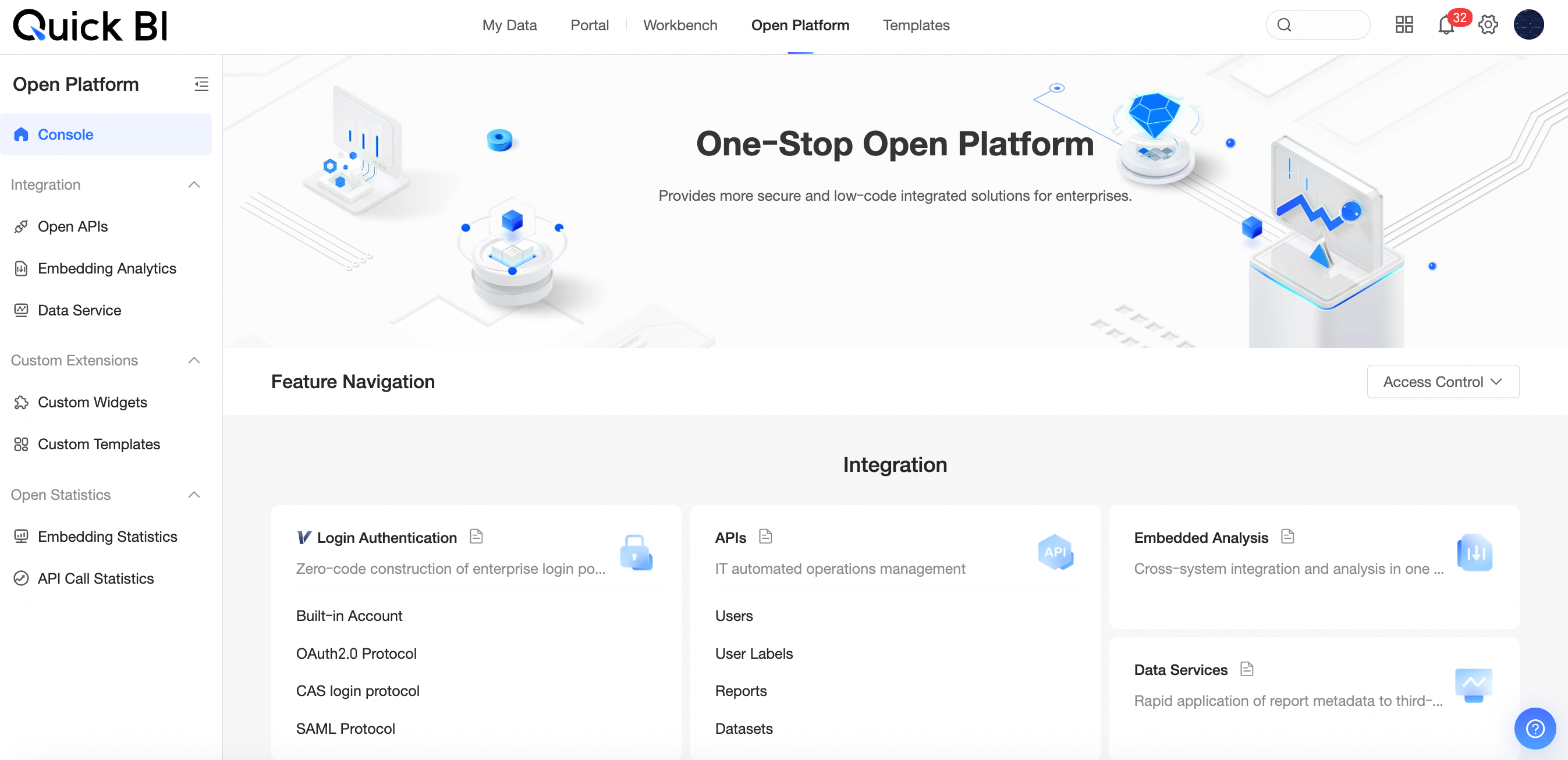
Features
The Open Platform provides the following features:
|
Feature |
Description |
|
|
Open integration |
OpenAPI |
Processes system events and manages resources programmatically. |
|
Embedded analysis |
Embed analysis results as pages or cards into your business system. Report embedding. |
|
|
Data service |
Connects to your data sources for query and analysis services. Create an API interface. |
|
|
Custom extension |
Custom components |
Develop custom charts or controls using the component SDK, beyond the built-in chart components. Custom components. |
|
Custom template |
Create templates from existing dashboards, data dashboards, workbooks, and data entry forms. Custom template. |
|
|
Open statistics |
Report embedding statistics |
Tracks embedding usage with overview and access metrics. Report embedding statistics. |
|
API call statistics |
Monitors OpenAPI and Data Service API call activity. API call statistics. |
|
Resource Access Management
Organization ID
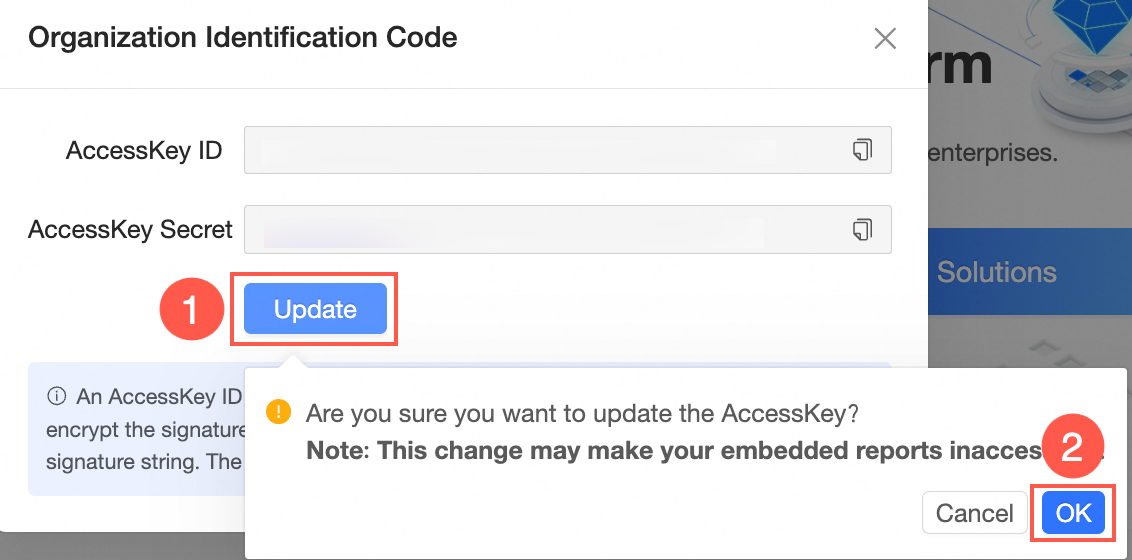
The organization access token is an AccessKey pair (AccessKey ID + AccessKey secret). The AccessKey ID identifies the caller, and the AccessKey secret signs requests for server-side verification. Keep the AccessKey secret strictly confidential.
Report embedding requires the organization access token. Use the basic solution for report embedding or the Security Enhancement Solution for Embedded Data Permission Control and Parameter Transmission in Reports.
-
Obtain the organization ID as shown below.

-
Click the
 icon to the right of the access token to copy it.
 -
Click Update , then click OK in the confirmation dialog to regenerate the AccessKey.
 Important
Updating the AccessKey immediately invalidates all existing embedded report access.
Authorize specified users to call APIs
To allow a non-admin account to call OpenAPI, authorize specific users. Go to Open Platform (①) > Resource Access Management (②) > Authorize specified users to call API (③). Then, Enable API call permission (④) and Select specified users (⑤).
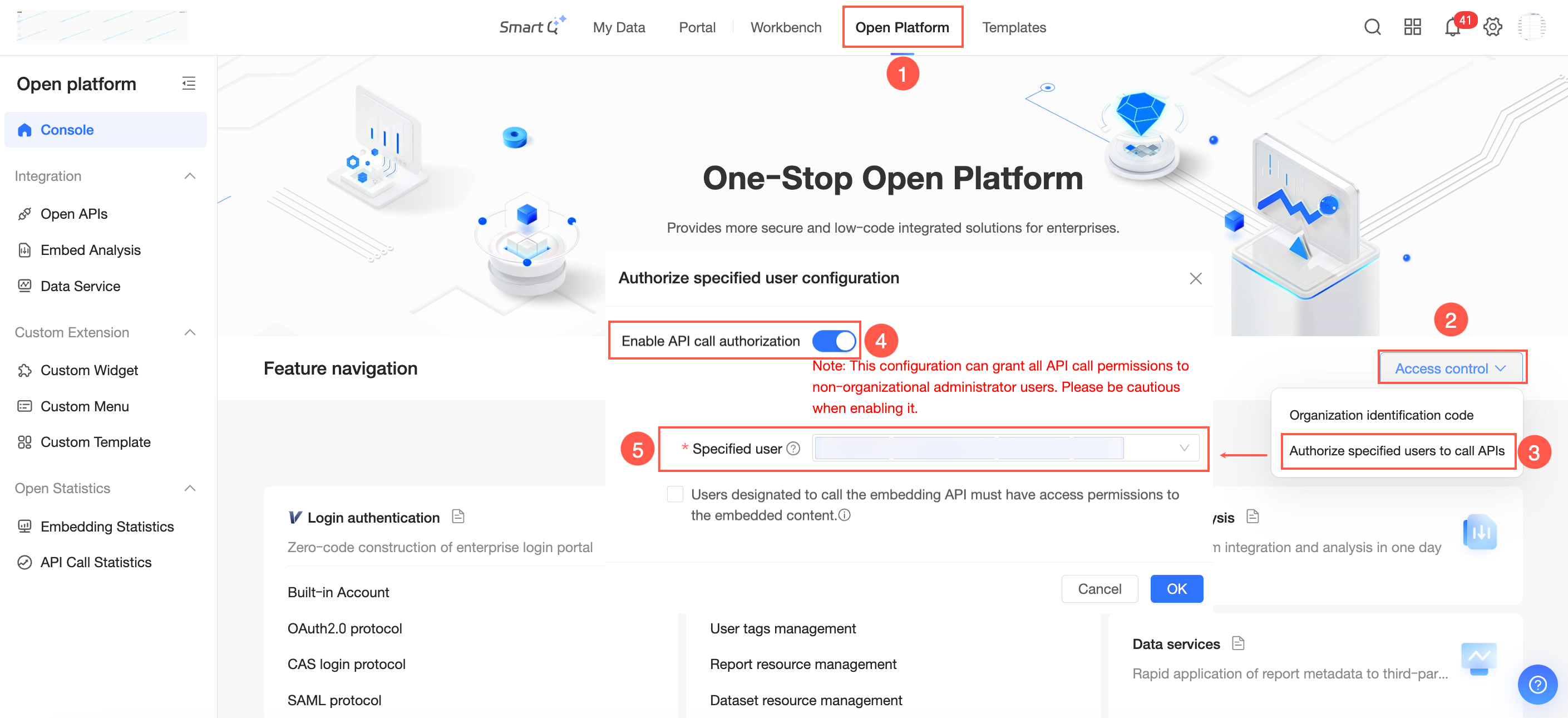
This grants full API call permissions to non-admin users. Enable with caution.
To enforce permission checks on embedding API calls, select Specified users must have access permissions to the embedded work to call embedding APIs . When enabled, embedding API calls fail if the specified user lacks access to the target work.
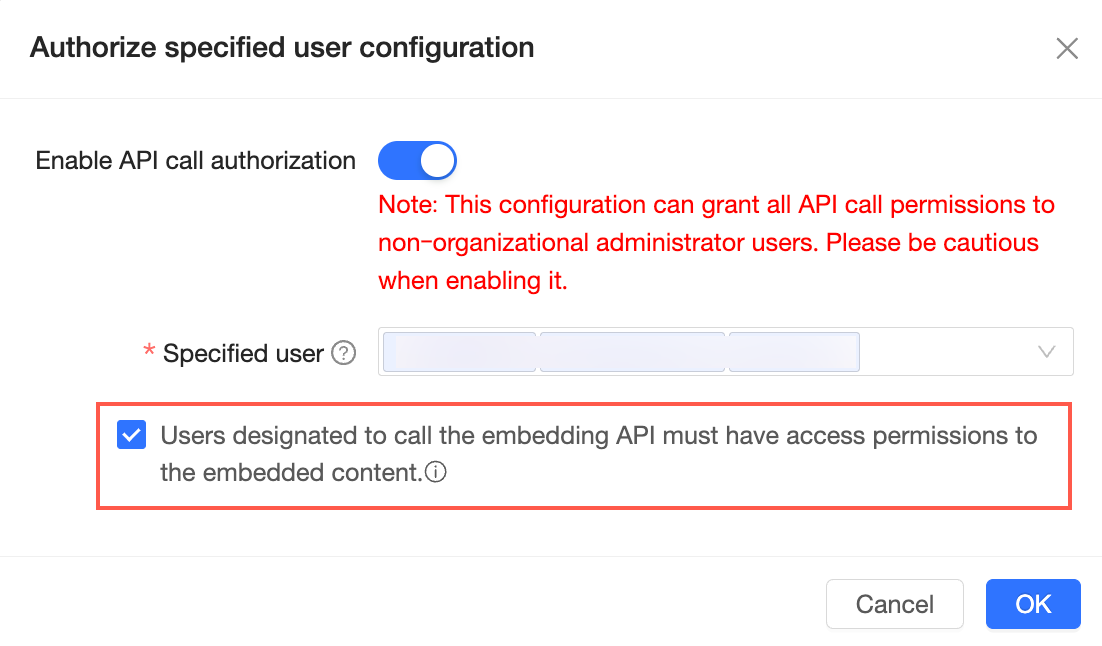
The following APIs are affected: